SQE: Sovereign Query Engine
SQE is a Rust-based distributed SQL query engine for Apache Iceberg tables. It replaces a patched Trino fork with a purpose-built engine based on Apache DataFusion and iceberg-rust.
graph LR
    Client["JDBC / Flight SQL Client"] --> Coordinator
    Coordinator --> Worker1["Worker 1"]
    Coordinator --> Worker2["Worker 2"]
    Coordinator --> WorkerN["Worker N"]
    Worker1 --> S3["S3 / MinIO"]
    Worker2 --> S3
    WorkerN --> S3
    Coordinator --> Polaris["Polaris Catalog"]
    Coordinator --> Keycloak["Keycloak OIDC"]
Key Properties
- No service account. Every query runs as the authenticated user. The user’s bearer token passes through to the Polaris catalog (metadata) and on the write path. Read-path S3 access can use per-user, table-scoped credentials vended by the catalog (
[catalog] access_delegation = "vended-credentials"); without it, reads use the configured[storage]credentials (see S3 credential vending). - Arrow-native — columnar data flows from Parquet files through the entire query pipeline to the client. No row-based serialization anywhere.
- Iceberg-native — built on iceberg-rust, not a connector bolted onto a generic engine. Partition pruning, metadata caching, and Iceberg v3 support are first-class.
- Fine-grained security — row filters and column masks enforced at the logical plan level, before the optimizer runs. Invisible columns, transparent row filtering, no information leakage.
- MCP for AI clients. A Model Context Protocol endpoint ships in the coordinator binary, off by default. It acts as an OAuth resource server rather than a credential proxy: the assistant’s user token becomes the same per-user session Flight SQL uses, so a model reads exactly what its human can read. See Model Context Protocol.
- Rust performance — single binary, no JVM, no GC pauses, predictable memory usage, fast startup.
Quick Start (embedded, no server)
cargo install --path crates/sqe-cli
sqe-cli --embedded                    # ~/.sqe/warehouse persistent Iceberg catalog

sqe> SELECT * FROM '/data/sales.parquet' LIMIT 5;
sqe> SELECT * FROM read_csv('s3://bucket/orders.tsv.gz');
sqe> SELECT * FROM 'hf://datasets/squad/plain_text/train-00000-of-00001.parquet';
Full embedded reference: Using the CLI. DuckDB comparison: getsqe.com/compare/duckdb.
Quick Start (cluster mode)
# Build
cargo build --release --bin sqe-server --bin sqe-cli

# Start coordinator (sqe-server runs as coordinator by default)
SQE_CONFIG=sqe.toml ./target/release/sqe-server

# Connect
./target/release/sqe-cli --host localhost --port 50051
Project Status
SQE is production-ready for the data path against Apache Iceberg; the coordinator currently runs as a single replica (a single point of failure), and coordinator HA is on the roadmap (see Kubernetes & Helm). The cluster mode runs distributed (coordinator + stateless workers) with OIDC bearer-token passthrough, Polaris / Nessie / Glue / HMS / S3 Tables / JDBC / Hadoop catalogs, and 147/162 (90.7%) on the public Iceberg matrix rubric. The embedded mode (V8 through V12.1) adds DuckDB-style file-format TVFs (read_csv, read_json), HuggingFace hf:// URLs, and a single-binary CLI for laptop analytics.
Why SQE
The Problem
Our data platform runs on Apache Iceberg tables stored in S3, cataloged by Apache Polaris (Iceberg REST Catalog), with authentication through Keycloak OIDC. We need a SQL query engine that can:
- Authenticate users through Keycloak
- Pass the user’s bearer token through to Polaris and on the write path (no service account). Read-path S3 access currently uses the configured
[storage]credentials; per-user read vending is on the roadmap (see S3 credential vending) - Enforce fine-grained security (row filters, column masks) per user
- Support full SQL for analytics, dbt transformations, and ad-hoc queries
- Run on Kubernetes with minimal operational overhead
Why Not Trino?
We started with Trino, the industry-standard SQL engine for data lakehouses. It works, but:
| Challenge | Detail |
|---|---|
| Service account model | Trino authenticates to the catalog and storage with a single service identity. It can’t pass per-user bearer tokens through to Polaris. We forked Trino (DCAF branch) to add token passthrough, but maintaining a JVM fork is expensive. |
| Security enforcement | Trino’s security model (system/catalog access control) doesn’t natively support Iceberg-level row filters and column masks applied at the query plan level. |
| JVM overhead | Trino requires significant heap memory, has GC pauses, and takes 10-30 seconds to start. Not ideal for auto-scaling Kubernetes pods. |
| Maintenance burden | Our Trino fork drifts from upstream with every release. Rebasing is a multi-week effort. Security patches are delayed. |
Why DataFusion + Rust?
graph TB
    subgraph "Old: Trino Fork"
        T[Trino JVM] -->|service account| P1[Polaris]
        T -->|service account| S1[S3]
        T -.- Fork[DCAF Fork<br/>maintenance burden]
    end

    subgraph "New: SQE"
        C[SQE Coordinator<br/>Rust binary] -->|user bearer token| P2[Polaris]
        W[SQE Workers] -->|"writes: user creds, reads: storage key"| S2[S3]
        C --> W
    end

    style Fork fill:#f96,stroke:#333
    style C fill:#6f9,stroke:#333
    style W fill:#6f9,stroke:#333
Apache DataFusion is a Rust-native query engine that gives us:
- Extensible query planning: we can inject security filters into the
LogicalPlanbefore optimization, which is exactly where row filters and column masks need to go - iceberg-rust integration: native Rust Iceberg library, no JNI bridge, no serialization overhead
- Per-query context: each query gets its own
SessionContextwith the user’s bearer token. No shared service account. - Single binary: the coordinator and worker ship as one ~50MB binary. Starts in milliseconds.
- No GC: predictable latency, no stop-the-world pauses during large scans
The Name
Sovereign — because every query runs with the identity and permissions of the user who submitted it. No service account intermediary. No privilege escalation. The user’s token is sovereign.
The scope is precise. The user’s bearer token reaches the Polaris catalog (metadata) and the write path per user. The read path currently reads S3 with the configured [storage] credentials; per-user read-credential vending is on the roadmap (see S3 credential vending). Catalog permissions and the plan-rewriting policy engine still gate what each user can see, so identity drives authorization even where the read path shares a storage key.
From Trino to DataFusion
Architecture Comparison
graph LR
    subgraph Trino
        TC[Coordinator<br/>JVM ~2GB heap] --> TW1[Worker<br/>JVM ~8GB heap]
        TC --> TW2[Worker<br/>JVM ~8GB heap]
        TC -->|Hive Metastore<br/>protocol| HMS[Hive Metastore<br/>or Polaris]
        TW1 -->|service account| TS3[S3]
        TW2 -->|service account| TS3
    end

    subgraph SQE
        SC[sqe-server<br/>coordinator<br/>~50MB binary] --> SW1[sqe-server<br/>worker]
        SC --> SW2[sqe-server<br/>worker]
        SC -->|user bearer token<br/>Iceberg REST| POL[Polaris]
        SW1 -->|user credentials| SS3[S3]
        SW2 -->|user credentials| SS3
    end
What Changes
| Aspect | Trino (DCAF fork) | SQE |
|---|---|---|
| Language | Java 21 | Rust |
| Binary size | ~1.2GB (with plugins) | ~50MB |
| Startup time | 10-30 seconds | < 1 second |
| Memory model | JVM heap + GC | Direct allocation, no GC |
| Catalog protocol | Hive Metastore / Iceberg REST | Iceberg REST (native) |
| Auth to catalog | Service account | User bearer token passthrough |
| Auth to storage | Service account IAM role | User credentials from catalog vending |
| Wire protocol | Trino HTTP (custom) | Arrow Flight SQL (gRPC) |
| Data format in-flight | Row-based JSON pages | Arrow columnar batches |
| Security model | System/catalog access control | LogicalPlan rewriting (row filters, column masks) |
| Query engine | Custom cost-based optimizer | Apache DataFusion |
| Table format | Iceberg connector | iceberg-rust (native) |
| Maintenance | Fork of 2M+ LOC Java project | Purpose-built ~5K LOC Rust |
What Stays the Same
- Apache Iceberg as the table format
- Apache Polaris as the REST catalog
- Keycloak as the identity provider
- S3 as the storage layer
- dbt as the transformation framework (new native adapter instead of Trino adapter)
- JDBC connectivity (via Arrow Flight SQL JDBC driver instead of Trino JDBC)
Migration Path
SQE includes an optional Trino-compatible HTTP endpoint (/v1/statement) that speaks enough of the Trino wire protocol to support existing dashboards and tools during the migration period. This is not a full Trino emulation. It covers SELECT, SHOW, and basic DDL, enough to keep things running while teams migrate to Flight SQL.
timeline
    title Migration Timeline
    Phase 1 : SQE single-node : Flight SQL : CLI
    Phase 2 : Write path : dbt-sqe adapter : Views
    Phase 3 : Distributed execution : Workers
    Phase 4 : Trino compat layer : Dashboard migration
    Phase 5 : Security policies : Row filters : Column masks
    Phase 6 : Decommission Trino fork
The Auth Challenge
The core design constraint that drove us to build SQE: no service account.
The Problem with Service Accounts
In a typical data platform, the query engine authenticates to the catalog and storage with a service account, a single identity with broad permissions. The engine then enforces per-user access control internally.
sequenceDiagram
    participant User
    participant Trino
    participant Polaris
    participant S3

    User->>Trino: Query (user token)
    Note over Trino: Validates user token
    Trino->>Polaris: List tables (SERVICE ACCOUNT)
    Polaris-->>Trino: Table metadata
    Trino->>S3: Read Parquet (SERVICE ACCOUNT IAM role)
    S3-->>Trino: Data
    Trino-->>User: Results
This means:
- Polaris sees one identity for all queries: audit logs show the service account, not the actual user
- S3 access is all-or-nothing: the service account can read everything, security depends entirely on the engine enforcing it correctly
- Credential rotation is a blast-radius event: rotating the service account key affects all users simultaneously
- Compliance gap: auditors want to see that Alice read table X, not that sqe-service-account did
SQE’s Approach: Bearer Token Passthrough
SQE never stores or uses a service account for data access. Instead, the user’s Keycloak bearer token flows through the entire stack:
sequenceDiagram
    participant User
    participant SQE as SQE Coordinator
    participant KC as Keycloak
    participant Polaris
    participant S3

    User->>SQE: Handshake (username, password)
    SQE->>KC: OIDC Password Grant
    KC-->>SQE: Access token + refresh token
    SQE-->>User: Session (bearer token)

    User->>SQE: Query (bearer token)
    SQE->>Polaris: List tables (USER's bearer token)
    Polaris-->>SQE: Table metadata + S3 credentials
    Note over Polaris: Polaris vends scoped S3<br/>credentials for THIS user
    SQE->>S3: Read Parquet (user-scoped credentials)
    S3-->>SQE: Data
    SQE-->>User: Arrow Flight results
Key Implications
| Property | Service Account Model | SQE Token Passthrough |
|---|---|---|
| Polaris audit trail | Service account | Actual user |
| S3 access scope | Everything | User-scoped (credential vending) |
| Credential rotation | Blast radius: all users | Per-user: transparent refresh |
| Security enforcement | Engine-internal only | Catalog + storage + engine |
| Compliance | Requires mapping logs | Native user identity |
Per-Session Catalog
Each user session gets its own SessionCatalog instance, initialized with the user’s bearer token:
graph TB
    subgraph "Session: alice"
        SC1[SessionCatalog<br/>token: alice_jwt] --> P[Polaris REST]
    end

    subgraph "Session: bob"
        SC2[SessionCatalog<br/>token: bob_jwt] --> P
    end

    P -->|alice's token| S3A[S3: alice sees<br/>tables A, B, C]
    P -->|bob's token| S3B[S3: bob sees<br/>tables A, B only]
Polaris enforces catalog-level access control based on the token. If Alice has access to tables A, B, C but Bob only has access to A and B, this is enforced at the catalog level. SQE doesn’t need to duplicate this logic.
Token Lifecycle
SQE manages token refresh transparently. A background task checks all active sessions every 10 seconds and refreshes tokens that are about to expire:
stateDiagram-v2
    [*] --> Active: Handshake (ROPC grant)
    Active --> Refreshing: Token expiry - 60s buffer
    Refreshing --> Active: New token from Keycloak
    Refreshing --> Expired: Refresh fails
    Active --> Expired: Session timeout
    Expired --> [*]: Session removed

    note right of Active: Queries use current token
    note right of Refreshing: Background task (10s interval)
The token fingerprint (last 8 characters of the access token) is used to invalidate iceberg-rust’s internal catalog session cache when a token is refreshed, ensuring the catalog client always uses the current token.
System Overview
Components
graph TB
    subgraph Clients
        JDBC["JDBC / ODBC<br/>(Flight SQL driver)"]
        CLI["sqe-cli"]
        DBT["dbt-sqe adapter"]
        DASH["Dashboards<br/>(Trino compat)"]
        AI["AI assistants<br/>(MCP clients)"]
    end

    subgraph "SQE Cluster"
        subgraph "Coordinator (sqe-server --mode coordinator)"
            FLS["Flight SQL Server<br/>:50051"]
            TH["Trino HTTP<br/>:8080"]
            MCP["MCP endpoint<br/>/mcp (web port)"]
            SM["Session Manager"]
            QH["Query Handler"]
            PE["Policy Enforcer"]
            SCHED["Scheduler"]
        end

        subgraph "Workers (sqe-server --mode worker)"
            W1["Worker 1<br/>DataFusion executor"]
            W2["Worker 2<br/>DataFusion executor"]
            WN["Worker N<br/>DataFusion executor"]
        end
    end

    subgraph "External Services"
        KC["OIDC provider<br/>(Keycloak / Auth0 / Entra)"]
        CAT["Catalog backend<br/>(Polaris / Nessie / Glue REST /<br/>S3 Tables / Unity / HMS / JDBC)"]
        S3["S3-compatible storage<br/>(AWS / Ceph / R2 / rustfs)"]
    end

    JDBC --> FLS
    CLI --> FLS
    DBT --> FLS
    DASH --> TH
    AI --> MCP

    SM --> KC
    QH --> PE
    QH --> SCHED
    SCHED --> W1
    SCHED --> W2
    SCHED --> WN

    QH --> CAT
    W1 --> S3
    W2 --> S3
    WN --> S3
The catalog backend is selectable at runtime. Polaris is the primary target and the only one verified end-to-end for production write paths today. Nessie, AWS Glue, AWS S3 Tables, Unity Catalog OSS, Hive Metastore, JDBC (Postgres), and Hadoop storage-only are all reachable through the same iceberg::Catalog trait, with live integration tests in sqe-catalog/tests/backends_integration.rs. AWS endpoints share the OSS Iceberg REST code path through the aws-sigv4 cargo feature on the vendored iceberg-catalog-rest crate. See features/iceberg.md for the catalog-by-catalog state.
The coordinator currently runs as a single replica. It is a single point of failure: a restart drops in-flight queries and session state, which is process-local. Workers are stateless and scale horizontally. Coordinator high availability is on the roadmap. See Kubernetes & Helm for the deployment topology.
Request Flow
A query flows through SQE in these stages:
sequenceDiagram
    participant C as Client
    participant F as Flight SQL Server
    participant SM as Session Manager
    participant QH as Query Handler
    participant PE as Policy Enforcer
    participant DF as DataFusion
    participant CAT as Polaris Catalog
    participant S3 as S3 Storage

    C->>F: do_handshake(user, pass)
    F->>SM: authenticate(user, pass)
    SM->>SM: Keycloak OIDC → session
    F-->>C: bearer token

    C->>F: execute(SQL, token)
    F->>SM: get_session(token)
    F->>QH: execute(session, SQL)

    QH->>QH: parse & classify SQL
    QH->>CAT: create SessionCatalog(user_token)
    QH->>DF: plan SQL → LogicalPlan
    QH->>PE: enforce(user, plan)
    PE-->>QH: secured plan (row filters, column masks)
    QH->>DF: optimize & execute
    DF->>S3: read Parquet files
    S3-->>DF: Arrow RecordBatches
    DF-->>QH: results
    QH-->>F: RecordBatches
    F-->>C: Arrow Flight stream
Single-Node vs Distributed
SQE starts in single-node mode by default. The coordinator executes queries locally using DataFusion. No workers needed.
For larger deployments, enable workers:
graph LR
    subgraph "Single-Node (default)"
        C1[sqe-server] -->|local DataFusion| S1[S3]
    end

    subgraph "Distributed"
        C2[Coordinator] -->|plan fragments| W1[Worker 1]
        C2 --> W2[Worker 2]
        W1 --> S2[S3]
        W2 --> S2
    end
| Mode | When to use | Config |
|---|---|---|
| Single-node | Dev, small datasets, < 100GB | sqe-server (default) |
| Distributed | Production, large scans, parallel I/O | worker.enabled=true in Helm |
Ports
| Port | Protocol | Purpose |
|---|---|---|
| 50051 | gRPC (Flight SQL) | Primary query interface |
| 50052 | gRPC (Flight) | Worker data exchange |
| 8080 | HTTP | Trino-compatible endpoint |
| 9090 | HTTP | Prometheus metrics |
| 9091 | HTTP | Health probes (/healthz, /readyz), web UI, and /mcp when [mcp] enabled = true with port = 0 |
Caching
SQE caches at five layers, each falling through to the next on a miss. The first two layers (session and catalog) live in memory and are short-lived; the last three (table metadata, manifest, footer) hold immutable or near-immutable Iceberg data.
graph TD
    SC["Layer 1: SessionContext cache<br/>moka, SHA-256 token fingerprint<br/>TTL 5 min, max 100 entries"]
    RC["Layer 2: RestCatalog cache<br/>moka, per-warehouse<br/>TTL 5 min"]
    TMC["Layer 3: Table metadata cache<br/>moka, ETag validation<br/>TTL configurable (default 30s)"]
    MC["Layer 4: Manifest file cache<br/>moka, content-addressed<br/>no TTL, default 512 MB"]
    FC["Layer 5: Parquet footer cache<br/>object_store, byte-range<br/>default 256 MB"]

    SC -->|miss| RC
    RC -->|miss| TMC
    TMC -->|miss| MC
    MC -->|miss| FC
    FC -->|miss| S3["S3 storage"]

    DDL["DDL (CREATE / DROP / ALTER)"] -.->|invalidates| SC
Invalidation follows the Iceberg data model:
- The session cache is invalidated after any DDL statement (CREATE TABLE, DROP TABLE, ALTER TABLE).
- Table metadata uses ETag-based conditional requests. Polaris returns
304 Not Modifiedwhen metadata has not changed, so a cache hit costs one cheap round-trip rather than a full metadata fetch. - Manifest files are immutable by Iceberg specification, so they need no TTL-based expiry. They evict only under memory pressure.
- The footer cache evicts on an LRU basis within its configured memory budget.
System Context and Inventory
What an SQE deployment consists of, what it talks to, who owns each part, and how long each dependency stays supported. System Overview explains how the parts work; this page is the map and the parts list.
Context
Who uses SQE, and which systems it depends on.
flowchart LR
    users["Analysts, BI tools, dbt, AI agents"]
    ops["Operating team"]
    sqe["SQE"]
    idp["Identity provider (OIDC)"]
    catalog["Iceberg catalog (Polaris, Glue, Nessie, ...)"]
    store["Object store (S3-compatible)"]
    policy["Policy service (Ranger or catalog grants)"]
    siem["SIEM / OTLP collector"]
    prom["Prometheus"]

    users -- "SQL over Flight SQL, Trino HTTP, MCP" --> sqe
    sqe -- "validate token" --> idp
    sqe -- "load and commit tables as the user" --> catalog
    sqe -- "read and write data files as the user" --> store
    sqe -- "fetch row filters, masks, grants" --> policy
    sqe -- "audit events, traces" --> siem
    prom -- "scrape metrics" --> sqe
    ops -- "deploy, operate" --> sqe
Every data access runs as the calling user: SQE forwards the user’s token to the catalog and object store and holds no service account for data.
Containers
The processes and volumes inside one deployment.
flowchart TB
    subgraph deployment["SQE deployment (one Helm release)"]
        coord["Coordinator: parse, authorize, plan, join, aggregate"]
        workers["Workers (0..n): scan Parquet, stream Arrow back"]
        audit[("Audit volume: native log + export spool")]
        spill[("Spill: local disk or S3")]
    end
    coord -- "scan tasks, user token" --> workers
    workers -- "heartbeat" --> coord
    coord --> audit
    coord --> spill
    workers --> spill
The coordinator is a single replica; workers are stateless and scale out. Nothing else in the deployment holds state.
Runtime inventory
| Component | Kind | Owner | State it holds | Configured by |
|---|---|---|---|---|
| Coordinator | Deployment, 1 replica | Operating team, running the SQE image | Sessions (memory, or a file when persistence = "file") | sqe.toml via the chart ConfigMap |
| Workers | Deployment, 0..n replicas | Operating team | None | Same ConfigMap |
| Audit volume | PersistentVolumeClaim | Operating team | Audit log and export spool | audit.persistence |
| Container image | sqe on the registry; releases tagged vX.Y.Z and :stable | SQE maintainers | None | Chart image |
| Source code | Canonical repository with CI, plus the public mirror github.com/schubergphilis/sqe | SQE maintainers | History, tags | n/a |
| Identity provider | External | Operating team | Users, groups, MFA | [auth] |
| Iceberg catalog | External | Operating team | Table metadata | [catalog] |
| Object store | External | Operating team | Table data | [storage] |
| Policy service | External | Operating team | Row filters, masks, grants | [policy], [access_control] |
| SIEM / collector | External | Operating team | Audit and trace history | [metrics.audit_export], metrics.otlp_endpoint |
Labels. Every object the chart creates carries app.kubernetes.io/name, app.kubernetes.io/instance (the release), app.kubernetes.io/version (the SQE version), app.kubernetes.io/component (coordinator or worker) and helm.sh/chart. The chart has no value for extra labels, so add your own ownership and cost labels (team, environment, cost centre) in your deployment tooling, for example a Kustomize commonLabels overlay or a Helm post-renderer. With those in place the inventory in your CMDB can be built from the cluster.
Lifecycle register
Each dependency, the version SQE pins today, and how it is kept current. Renovate proposes updates for everything pinned in this repository, and its dependency dashboard issue is the live pinned-versus-latest view: every dependency with a newer release is listed there with its pending or blocked update. Read the “latest” column from that issue rather than from this page, which would go stale.
| Dependency | Pinned version | Support model | How SQE tracks it |
|---|---|---|---|
| Rust toolchain | 1.98.1 (rust-toolchain.toml) | Only the latest stable gets fixes | Bumped with each stable release |
| Apache DataFusion | 55 | Latest release only, no LTS | Major upgrades are planned work; minors via Renovate |
| Apache Arrow / Parquet (Rust) | 59 | Latest release only | Moves with DataFusion |
| iceberg-rust | Vendored: apache main plus the RisingWave write stack | Upstream main, no releases used | Weekly advisory watch on the vendored crates; periodic re-vendor |
| Runtime image base | cgr.dev/chainguard/glibc-dynamic, digest-pinned | Rolling, rebuilt daily upstream | Renovate bumps the digest; the image scan blocks high findings |
| Helm chart | apiVersion v2, chart version = SQE version | Released with SQE | Lint and hardening check in CI |
| Kubernetes | Chart kubeVersion: >=1.21 (policy/v1 PDB, pod seccompProfile) | The three newest minors are supported upstream | That is the technical floor; run an upstream-supported minor |
| Apache Polaris (quickstarts) | 1.7.0 | Latest release | Renovate |
| Apache Ranger (quickstarts) | 2.8.0 | Latest release | Renovate |
| Keycloak (quickstarts) | 26.7.0 | Latest release | Renovate |
| PostgreSQL (quickstarts, test stack) | 17 | Five years per major | Renovate keeps 17.x patched; a major move is a hand change, with the volume name carrying the major |
A dependency past its end of life is a finding: upgrade it, or record why it stays and until when.
Coordinator
The coordinator is the brain of SQE. It handles SQL parsing, query planning, security enforcement, and result delivery. In single-node mode, it also executes queries directly.
Responsibilities
graph TB
    subgraph Coordinator
        FLS["Flight SQL Server"] --> SM["Session Manager"]
        FLS --> QH["Query Handler"]

        QH --> PARSE["SQL Parser<br/>(sqlparser-rs)"]
        QH --> CLASS["Statement Classifier"]
        QH --> PLAN["Query Planner<br/>(DataFusion)"]
        QH --> PE["Policy Enforcer"]
        QH --> CAT["Catalog Ops<br/>(DDL)"]
        QH --> WH["Write Handler<br/>(CTAS, INSERT,<br/>DELETE, UPDATE,<br/>MERGE — CoW)"]

        SM --> AUTH["Authenticator<br/>(Keycloak OIDC)"]
        SM --> TC["Token Cache"]

        PLAN --> DF["DataFusion<br/>SessionContext"]
        DF --> SC["SessionCatalog<br/>(per-user token)"]
    end
Statement Routing
The coordinator classifies every SQL statement and routes it to the appropriate handler:
| Statement | Handler | Description |
|---|---|---|
SELECT | execute_query | Plan, then policy enforce, then execute, then stream results |
SHOW CATALOGS | handle_show_catalogs | Returns warehouse name |
SHOW SCHEMAS | handle_show_schemas | Lists namespaces from Polaris |
SHOW TABLES | handle_show_tables | Lists tables in namespace(s) |
CREATE TABLE AS SELECT | handle_ctas | Execute SELECT, then write Parquet, then commit to Iceberg |
INSERT INTO | handle_insert | Execute SELECT, then append Parquet, then commit |
CREATE VIEW | handle_create_view | Plan SELECT for schema validation, then store in catalog |
DROP TABLE | catalog_ops.drop_table | Forward to Polaris REST |
CREATE SCHEMA | catalog_ops.create_schema | Create namespace in Polaris |
DROP SCHEMA | catalog_ops.drop_schema | Drop namespace from Polaris |
EXPLAIN | handle_explain | Show query plan |
DELETE FROM | handle_delete | CoW: scan affected files, filter, rewrite via rewrite_files() |
UPDATE | handle_update | CoW: scan affected files, apply SET, rewrite via rewrite_files() |
MERGE INTO | handle_merge | CoW: full outer join, classify rows, rewrite via rewrite_files() |
GRANT/REVOKE | Policy backend | Parsed always; enforced when an access-control backend is configured (default none). See GRANT and REVOKE. |
Session Context
Each query gets a fresh DataFusion SessionContext with the user’s catalog:
sequenceDiagram
    participant QH as Query Handler
    participant SC as SessionCatalog
    participant POL as Polaris
    participant DF as DataFusion

    QH->>SC: new(catalog_url, warehouse, user_token)
    SC->>POL: list_namespaces() [user_token]
    POL-->>SC: [ns1, ns2, ns3]
    QH->>DF: register_catalog(warehouse, CatalogProvider)
    QH->>DF: sql("SELECT * FROM ns1.table1")
    DF->>SC: get_table("ns1", "table1")
    SC->>POL: load_table("ns1.table1") [user_token]
    POL-->>SC: table metadata + S3 location
    SC-->>DF: TableProvider (Iceberg scan)
This means two users running the same query may see different tables, schemas, or data, depending on what Polaris grants them.
Worker
Workers are stateless DataFusion executors. They receive plan fragments (scan tasks) from the coordinator, read Parquet files from S3, and stream Arrow results back.
Architecture
graph TB
    subgraph Worker["sqe-server --mode worker"]
        FS["Flight Service<br/>:50052"]
        EX["Executor"]
        PR["Parquet Reader"]
    end

    COORD["Coordinator"] -->|ScanTask ticket| FS
    FS --> EX
    EX --> PR
    PR -->|read| S3["S3 / MinIO"]
    PR -->|Arrow RecordBatches| FS
    FS -->|Flight stream| COORD
Scan Task
The coordinator sends workers a ScanTask, a lightweight JSON message containing everything the worker needs:
{
  "fragment_id": "frag-001",
  "data_file_paths": [
    "s3://warehouse/ns/table/data/00001.parquet",
    "s3://warehouse/ns/table/data/00002.parquet"
  ],
  "projected_columns": ["id", "name", "amount"],
  "s3_endpoint": "http://s3:9000",
  "s3_region": "us-east-1",
  "s3_access_key": "...",
  "s3_secret_key": "...",
  "s3_path_style": true
}
Workers don’t need access to Polaris or Keycloak. The coordinator resolves table metadata, applies security, and provides the worker with direct S3 credentials and file paths.
Health Checking
The coordinator monitors workers with a background health check task:
stateDiagram-v2
    [*] --> Unhealthy: Registered
    Unhealthy --> Healthy: Health check OK
    Healthy --> Healthy: Health check OK
    Healthy --> Degraded: 1-2 consecutive failures
    Degraded --> Unhealthy: 3 consecutive failures
    Degraded --> Healthy: Health check OK
    Unhealthy --> Healthy: Health check OK
- Health checks run every 5 seconds via Flight
Action("health_check") - A worker is marked unhealthy after 3 consecutive failures
- Unhealthy workers are excluded from query scheduling
- Recovery is automatic: a healthy response resets the failure counter
Scaling
Workers are stateless, so scaling is just changing the replica count:
# Helm
helm upgrade sqe deploy/helm/sqe/ --set worker.replicas=5

# kubectl
kubectl scale deployment sqe-worker --replicas=5
The coordinator discovers workers from the config or service discovery. No re-registration needed.
Authentication Flow
SQE supports two OAuth2 flows for initial authentication, then manages token lifecycle transparently:
- OIDC Password Grant (ROPC) – for user-interactive authentication where Flight SQL sends username and password. Works with Keycloak or any OIDC provider that supports the Resource Owner Password Credentials grant.
- OAuth2 Client Credentials – for service-to-service auth, test environments, or OIDC providers that do not support ROPC. Configured by setting
token_endpointdirectly instead ofkeycloak_url.
The mode is selected automatically based on configuration: if keycloak_url is set, SQE uses ROPC; if token_endpoint is set (and keycloak_url is empty), SQE uses client credentials.
Why ROPC?
Flight SQL’s handshake sends username and password directly. There’s no browser redirect flow possible over gRPC. ROPC is the standard mechanism for non-interactive clients (JDBC drivers, CLI tools, dbt adapters).
Client Credentials Mode
When token_endpoint is set (and keycloak_url is empty), SQE uses the client_credentials grant instead of ROPC. In this mode:
- The coordinator obtains a service token using
client_id+client_secretposted directly to the configured token endpoint. - The username from the Flight SQL handshake is informational only – it is used for session labeling and audit logs, but is not sent to the token endpoint.
- There is no
refresh_tokenin client credentials responses. When a token nears expiry, SQE re-fetches a new token via anotherclient_credentialsrequest. - This is the mode used by the lightweight test stack (Polaris built-in OAuth), where Polaris itself acts as the token issuer.
Example Configuration
[auth]
token_endpoint = "http://polaris:8181/api/catalog/v1/oauth/tokens"
client_id = "root"
client_secret = "s3cr3t"
Client Credentials Sequence
sequenceDiagram
    participant Client
    participant SQE as SQE Coordinator
    participant TE as Token Endpoint
    participant POL as Polaris
    participant S3

    Note over Client,TE: Authentication
    Client->>SQE: Flight Handshake<br/>Basic auth (user:pass)
    SQE->>TE: POST /token<br/>grant_type=client_credentials<br/>client_id, client_secret
    TE-->>SQE: access_token, expires_in
    SQE->>SQE: Create Session<br/>(username from handshake,<br/>token from endpoint)
    SQE-->>Client: Bearer token (session_id)

    Note over Client,S3: Query Execution
    Client->>SQE: execute(SQL)<br/>Authorization: Bearer session_id
    SQE->>SQE: Lookup session → get access_token
    SQE->>POL: GET /namespaces<br/>Authorization: Bearer access_token
    POL-->>SQE: [namespace list]
    SQE->>POL: POST /tables/load<br/>Authorization: Bearer access_token
    POL-->>SQE: table metadata + S3 credentials
    SQE->>S3: GetObject (vended credentials)
    S3-->>SQE: Parquet data
    SQE-->>Client: Arrow Flight stream

    Note over SQE,TE: Background Token Re-fetch
    SQE->>TE: POST /token<br/>grant_type=client_credentials<br/>client_id, client_secret
    TE-->>SQE: new access_token, expires_in
    SQE->>SQE: Update session token
ROPC Flow
The following sections describe the ROPC (password grant) flow in detail.
Complete Flow
sequenceDiagram
    participant Client
    participant SQE as SQE Coordinator
    participant KC as Keycloak
    participant POL as Polaris
    participant S3

    Note over Client,KC: Authentication
    Client->>SQE: Flight Handshake<br/>Basic auth (user:pass)
    SQE->>KC: POST /token<br/>grant_type=password<br/>username, password, client_id
    KC-->>SQE: access_token, refresh_token, expires_in
    SQE->>SQE: Create Session<br/>(id, user, roles, tokens)
    SQE-->>Client: Bearer token (session_id)

    Note over Client,S3: Query Execution
    Client->>SQE: execute(SQL)<br/>Authorization: Bearer session_id
    SQE->>SQE: Lookup session → get access_token
    SQE->>POL: GET /namespaces<br/>Authorization: Bearer access_token
    POL-->>SQE: [namespace list]
    SQE->>POL: POST /tables/load<br/>Authorization: Bearer access_token
    POL-->>SQE: table metadata + S3 credentials
    Note over POL: Polaris vends S3<br/>credentials scoped to<br/>this user + table
    SQE->>S3: GetObject (vended credentials)
    S3-->>SQE: Parquet data
    SQE-->>Client: Arrow Flight stream

    Note over SQE,KC: Background Token Refresh
    SQE->>KC: POST /token<br/>grant_type=refresh_token
    KC-->>SQE: new access_token, new refresh_token
    SQE->>SQE: Update session tokens
Token Refresh
A background task runs every 10 seconds, scanning all active sessions:
#![allow(unused)]
fn main() {
// Pseudocode
loop {
    sleep(10 seconds);
    for session in sessions_expiring_within(60 seconds) {
        match keycloak.refresh_token(session.refresh_token) {
            Ok(new_tokens) => session.update(new_tokens),
            Err(_) => session.mark_expired(),
        }
    }
}
}
The 60-second buffer ensures tokens are refreshed well before expiry, avoiding mid-query auth failures.
Client Credentials mode: There is no
refresh_tokenin client credentials responses. The background task detects this and re-fetches a fresh token via a newclient_credentialsrequest to the token endpoint when the current token is near expiry. The same 60-second buffer applies.
Token Fingerprinting
When a token is refreshed, the iceberg-rust catalog client’s internal HTTP session cache still holds the old token. SQE uses a token fingerprint (last 8 characters of the access token) as part of the catalog session key. When the fingerprint changes, a new catalog session is created with the fresh token.
graph LR
    T1["Token: ...abc12345<br/>fingerprint: abc12345"] -->|refresh| T2["Token: ...xyz98765<br/>fingerprint: xyz98765"]
    T1 --> CS1["CatalogSession 1"]
    T2 --> CS2["CatalogSession 2<br/>(new, fresh token)"]
Role Extraction
SQE extracts user roles from the JWT realm_access.roles claim. These roles are stored in the session and used for policy evaluation:
{
  "realm_access": {
    "roles": ["data-analyst", "finance-reader", "admin"]
  }
}
Roles flow through to the Policy Enforcer, which uses them to determine row filters and column masks for each query.
Client Credentials mode: Role extraction only applies in OIDC (ROPC) mode, where the JWT contains user-specific claims. In client credentials mode, the token represents the service itself and typically does not carry
realm_access.roles. The session’s role list is empty, and all authorization decisions are delegated to Polaris (which enforces access based on the service principal’s catalog grants).
Bearer Token Validation (finding 207)
When using the bearer_token provider, tokens are validated with strict security checks:
- Issuer validation: The
issclaim is required and must match the configuredissuerunlessallow_unbounded_issuer = true(dev/test only). This prevents tokens minted by a sibling issuer from a multi-tenant IdP from being accepted. - Not-before (
nbf) check: Tokens withnbfin the future are rejected, preventing pre-dated tokens. - Clock skew: A configurable
leeway_secs(default 60 seconds) allows for clock drift between the IdP and the coordinator duringexp,nbfandiatvalidation. - EC key support: The provider automatically loads and validates EC keys (
ES256,ES384) in addition to RSA keys. Each key’s algorithm is pinned from the JWKalgfield. - Key rotation: When a signing key is removed from the JWKS, it is rejected after a 5-minute grace window, unless the fresh JWKS contains zero loadable keys (in which case the cache is cleared and a warning is logged).
Configuration:
[[auth.providers]]
type = "bearer_token"
jwks_url = "https://idp.example.com/realms/sqe/protocol/openid-connect/certs"
issuer = "https://idp.example.com/realms/sqe"    # Required unless allow_unbounded_issuer = true
leeway_secs = 60                                 # Clock skew tolerance (default)
allow_unbounded_issuer = false                   # Dev/test only: allow missing issuer
Security & Policy
SQE enforces fine-grained security through LogicalPlan rewriting, injecting row filters and column masks into the query plan before DataFusion’s optimizer runs.
Status: The plan-rewriting policy enforcer is implemented and pluggable, and it is off by default. The default policy engine is
passthrough(PassthroughEnforcer), which returns plans unmodified, so enforcement is opt-in. The one enforcement backend is Apache Ranger, with an in-memory store for dev and tests. A default open-source deployment runs without any of this. See GRANT and REVOKE for the SQL surface and the Chameleon / SBP note.
Design Principle
Security enforcement happens at the logical plan level, not at the data level:
graph TB
    SQL["SQL: SELECT * FROM sales"] --> PARSE["Parse"]
    PARSE --> PLAN["LogicalPlan<br/>Projection → TableScan(sales)"]
    PLAN --> POLICY["Policy Enforcer<br/>inject row filter + column mask"]
    POLICY --> SECURED["Secured LogicalPlan<br/>Projection → Filter(region='EU') → TableScan(sales)<br/>+ mask(ssn)"]
    SECURED --> OPT["DataFusion Optimizer"]
    OPT --> EXEC["Execute"]

    style POLICY fill:#f96,stroke:#333
This approach means:
- Row filters are transparent. The user doesn’t know they exist
- Column masks block predicate pushdown on raw values. You can’t
WHERE ssn = '123-45-6789'to probe masked data - Denied columns are invisible. They don’t appear in
SELECT *, not as errors - The optimizer can push user predicates through row filters but not through column masks
- A user predicate that can fail never runs on a hidden row. The optimizer merges the row filter and the user’s
WHEREinto one conjunction and may evaluate the user side on every row, soWHERE 1 / (id - 2) = 1could raise a division-by-zero error from a row the user cannot see. Like PostgreSQL’s leakproof rule, only predicates that cannot fail (comparisons,IN,BETWEEN,LIKEwith a constant pattern, boolean logic, lossless casts,EXISTSandIN (subquery)) pass through freely; a subquery’s own predicates are checked the same way. When a query holds anything else (arithmetic, functions, a cast that can fail), each row-filtered table is read throughCASE WHEN <row filter> THEN col END, so a hidden row is allNULLto the user’s expressions. Those tables then lose scan pruning on the user’s predicates for that query.DELETE,UPDATEandMERGEalways read the target table through the same guard, so theWHERE,ON, clause predicates andSETexpressions never see a hidden row’s values, and a row the row filter does not admit (including one where it evaluates toNULL) is never deleted, matched or changed
Policy Enforcer Trait
#![allow(unused)]
fn main() {
#[async_trait]
pub trait PolicyEnforcer: Send + Sync {
    async fn evaluate(
        &self,
        user: &SessionUser,
        plan: LogicalPlan,
    ) -> Result<LogicalPlan>;
}
}
Implementations:
- PassthroughEnforcer: returns plan unchanged (default; enforcement opt-in)
- Ranger: reads row-filter and column-mask policies from Apache Ranger and feeds the plan rewriter (shipped, wired)
- InMemory: grants stored in a hash map for dev and tests (shipped, wired)
The Ranger enforcer reads the same hive service-def that Apache Spark reads through its Kyuubi authorization plugin, so one policy written once in Ranger enforces byte-identically in SQE and in Spark. See Fine-grained access control for the how-to and Spark / Ranger Parity for the validated result.
SQL Extensions
-- Grant row filter
GRANT SELECT ON sales TO ROLE analyst
  ROWS WHERE region = 'EU';

-- Grant column mask
GRANT SELECT ON customers TO ROLE support
  MASKED WITH (ssn AS '***-**-' || RIGHT(ssn, 4));

-- View effective grants
SHOW EFFECTIVE GRANTS FOR USER "alice";

-- View grants
SHOW GRANTS ON sales;
No Information Leakage
Following the PostgreSQL RLS model:
| Scenario | Behavior |
|---|---|
| User queries a denied column | Column is invisible in SELECT *, error on explicit reference |
| User queries filtered rows | Rows silently excluded, no indication they exist |
| User applies predicate on masked column | Predicate evaluated on masked value, not raw value |
User runs EXPLAIN | Shows secured plan (filters visible, mask functions visible) |
User runs SHOW TABLES | Only shows tables the user has access to (Polaris enforced) |
Runtime Security Controls
SQE includes several runtime security mechanisms that are active by default or can be enabled via configuration.
Rate Limiting
Throttles query submission to prevent abuse or runaway clients. Uses a token-bucket algorithm (via the governor crate).
[rate_limit]
enabled = true
per_user_queries_per_minute = 60
global_queries_per_minute = 1000
When a limit is exceeded, the client receives a RESOURCE_EXHAUSTED Flight error. Rate limiting is disabled by default.
Query Timeouts
Every query is subject to an execution timeout. If the query exceeds the limit, it is cancelled and the client receives an error.
[query]
timeout_secs = 300              # Default: 5 minutes

[query.role_overrides]
admin = 3600                    # Admins get 1 hour
analyst = 600                   # Analysts get 10 minutes
Role overrides allow different timeout limits per role. The user’s longest-matching role timeout wins.
Session Lifecycle
Sessions have both idle and absolute timeouts. A background sweeper runs every 60 seconds to clean up expired sessions.
[session]
idle_timeout_secs = 900         # 15 min idle timeout
absolute_timeout_secs = 28800   # 8 hour hard cap
- Idle timeout: sessions with no query activity for this long are expired
- Absolute timeout: sessions older than this are expired regardless of activity
Query Cancellation
SQE supports Arrow Flight’s native cancellation mechanism. When a client cancels a query (or disconnects), the CancellationToken is triggered and propagated to workers, stopping execution promptly.
Error Sanitization
In production mode (debug = false, the default), error messages returned to clients are sanitized:
- Internal details (stack traces, file paths, internal error types) are stripped
- Clients receive a short error message and a request ID for correlation
- Full details are logged server-side for debugging
Enable debug = true during development to see full error details:
[coordinator]
debug = true
Worker Trust: Signed Scan Tickets
In distributed mode, the coordinator mints signed scan tickets that workers execute. SQE uses a two-key model to prevent a compromised worker from forging or replaying tickets:
- Coordinator key: Ed25519 private key on the coordinator only (
[coordinator] ticket_signing_key_file). Signs every ticket. Never shipped to workers. - Worker verification key: Ed25519 public key on every worker (
[worker] ticket_public_key). Verifies ticket signatures. Workers also receive it via the heartbeat response from the coordinator over the authenticated channel.
Each ticket carries:
- Audience: the target worker’s advertised URL. Workers refuse tickets for a different audience.
- Expiry: absolute wall-clock time (
[coordinator] ticket_ttl_secs, default 300 seconds). Expired tickets are rejected.
Heartbeats are bound to the peer: when mTLS is off (the common case), the advertised URL’s host must resolve to the TCP peer that sent the heartbeat, unless [coordinator] allow_unverified_advertise = true (test-only, behind a NAT/proxy). Mismatches are logged as audit events.
Migration: If you still have coordinators running pre-Ed25519 code alongside new workers, set [worker] accept_hmac_tickets = true on new workers to accept the legacy HMAC-signed tickets while you roll the coordinators. The HMAC key is the shared secret every worker holds, so the HMAC proves nothing; turn this option off as soon as all coordinators are upgraded.
Distributed compaction (compact_file_group) uses the same signature scheme, so a mixed-version rollout affects it too. A new coordinator with an old worker fails distributed compaction: the old worker checks the ed25519: tag as an HMAC and refuses it. An old coordinator with a new worker is refused unless the worker sets accept_hmac_tickets, which production_mode forbids. Queries are not affected by this change; scan tickets follow the paragraph above. During a mixed-version rollout, set [maintenance.distribution] mode = "local" so compaction runs on the coordinator, and restore it once every node is upgraded.
Distributed Scan Credentials
Scan tickets carry storage credentials. The source is chosen per-query via [coordinator] distributed_credentials:
auto(default): Use catalog-vended credentials (from the table’s FileIO properties) when present; otherwise fall back to the static[storage]key pair. Issues a one-time warning when falling back. Underproduction_mode, falls back only when truly unavailable (Polaris credential vending omitted).vended: Strict mode. Refuse to distribute queries over tables without vended credentials. Fails the query if the table has no session token or STS credentials.static: Explicit single-tenant mode. Always ship the static[storage]key pair, never use vended credentials.worker_default: Workers resolve credentials from their own environment (IRSA, pod IAM role,AWS_*env vars). No credentials in the ticket. Requires every worker to have independent S3 access.
TLS Encryption
Flight SQL connections can be encrypted with TLS. Optional mTLS adds client certificate verification.
[coordinator.tls]
cert_file = "/etc/sqe/server.crt"
key_file  = "/etc/sqe/server.key"
ca_file   = "/etc/sqe/ca.crt"    # Optional: mTLS
See Configuration for details.
Streaming Execution
SQE’s streaming execution engine enables 1TB-scale queries on memory-constrained servers. The implementation is split into two phases: Phase A (safe) handles single-node memory management and scan optimization, while Phase B (fast) distributes computation across workers via Arrow Flight DoExchange.
The Problem
A coordinator-centric query engine hits a hard wall: every intermediate result flows through one process. An ORDER BY on 1TB of data requires 1TB of memory (or spill space) on the coordinator, regardless of how many workers scanned the data. A four-way hash join between large tables can exhaust coordinator memory long before the result set is assembled.
The fundamental tension is between sovereignty (run on your own hardware, which may be small) and scale (query datasets that don’t fit in memory). SQE solves this in two stages: first, make the coordinator survive large queries through spill-to-disk and scan optimization (Phase A); then, push computation to workers so the coordinator handles only final aggregation (Phase B).
Phase A: Safe (Single-Node)
Phase A ensures that a single coordinator with limited memory (e.g., 512MB) can execute large analytical queries without OOM kills.
Coordinator Spill-to-Disk
DataFusion’s FairSpillPool divides available memory across all active operators. When an operator (sort, hash aggregate, hash join) exceeds its share, it spills intermediate results to disk as sorted runs.
Key components:
- FairSpillPool – configured via
memory_limitinsqe.toml. Divides memory equally among registeredMemoryConsumerinstances. Triggers spill when any consumer exceeds its fair share. - Watermark system – four levels (green/yellow/orange/red) based on pool utilization percentage. Green (<60%) allows normal execution. Yellow (60-75%) triggers advisory warnings. Orange (75-90%) forces spillable operators to spill. Red (>90%) activates admission control, queueing new queries until memory drops below the orange threshold.
- Admission control – when the pool is in the red zone, new queries wait in a bounded queue rather than competing for memory. This prevents cascade failures where N concurrent queries each grab 1/N of memory and all spill simultaneously.
- External merge sort – when a
SortExecspills, it writes sorted runs tospill_dir(default:/tmp/sqe-spill). On final output, a k-way merge reads all runs simultaneously, producing a globally sorted stream with constant memory overhead.
Configuration in sqe.toml:
[coordinator]
memory_limit = "512MB"
spill_dir = "/tmp/sqe-spill"
spill_compression = "zstd"  # lz4, zstd, or none
Late Materialization
Standard Parquet scans read all projected columns from every row group. Late materialization splits this into two phases:
- Predicate phase – read only the columns referenced in
WHEREclauses. Apply filters. Produce a set of surviving row indices. - Projection phase – for surviving rows only, read the remaining projected columns.
This is implemented as a two-phase RowFilter scan in the Iceberg scan planning layer. For queries with selective predicates (e.g., WHERE status = 'CLOSED' on a table where 5% of rows match), late materialization reduces I/O by up to 95% on the non-predicate columns.
The optimization is transparent to the rest of the plan – the TableScan still produces the same Arrow schema. The difference is entirely in how many bytes are read from Parquet.
Iceberg Scan Planning
Three optimizations happen before any Parquet data is read:
- File-level min/max pruning – Iceberg manifest files contain per-column min/max statistics for each data file. SQE reads these statistics and skips files where the predicate cannot match. For example,
WHERE order_date > '2025-01-01'skips any file whoseorder_datemax is before 2025. - Sort-order detection – Iceberg metadata records the sort order of each data file. When a query includes
ORDER BYon the sort column, SQE can skip the sort operator entirely and produce output directly from the pre-sorted scan. When multiple sorted files need merging, a merge-sort is cheaper than a full re-sort. - PageIndex pruning – for Parquet files with page-level statistics (column index), SQE prunes individual pages within a row group, further reducing I/O for selective predicates.
- TopK optimization –
ORDER BY ... LIMIT Nqueries use a heap-based TopK operator that maintains only N rows in memory, avoiding a full sort and spill.
S3 I/O Pipeline
Reading Parquet files from S3 involves many small HTTP GET requests (one per column chunk per row group). SQE optimizes this with:
- Request coalescing – adjacent byte ranges within
coalesce_threshold(default: 1MB) are merged into a single GET request. This reduces the number of HTTP round-trips, which dominate latency on high-latency S3 endpoints. - Footer cache – Parquet file footers (schema, row group metadata, column chunk offsets) are cached in a
footer_cache_size-bounded LRU cache. Repeated queries against the same table skip the footer read entirely. - Prefetch – while the executor processes the current row group, the next row group’s column chunks are fetched in the background, hiding S3 latency behind compute.
Configuration:
[storage]
coalesce_threshold = "1MB"
footer_cache_size = 256  # number of footers
SortMergeJoin Fallback
DataFusion’s default join strategy is hash join, which builds a hash table from the build side in memory. For large joins, this hash table can exceed the memory limit. DataFusion does not yet support hash join spill-to-disk upstream.
SQE registers a SortMergeJoin fallback: when the estimated build-side size exceeds hash_join_memory_threshold, the optimizer rewrites the join as a sort-merge join. Both sides are sorted (spilling to disk if needed via the external merge sort) and then merged with constant memory. This is slower than an in-memory hash join but avoids OOM on large joins.
[optimizer]
hash_join_memory_threshold = "256MB"
Phase B: Fast (Distributed)
Phase B pushes computation past the scan boundary. Instead of workers sending raw Arrow batches to the coordinator for all processing, workers perform filters, partial aggregations, partial sorts, and join probes locally.
DoExchange Shuffle
Arrow Flight’s DoExchange RPC enables bidirectional streaming between workers. SQE uses this to implement a hash-partitioned shuffle:
- The coordinator decomposes the physical plan into stages separated by shuffle boundaries (e.g., a hash join requires both sides to be hash-partitioned on the join key).
- Each stage runs on a set of workers. When a stage completes, its output is hash-partitioned by the shuffle key and streamed to the next stage’s workers via
DoExchange. - The partitioning function uses the same
hash(key) % num_partitionsscheme as DataFusion’sRepartitionExec, ensuring compatibility with the existing hash join and hash aggregate operators.
Distributed Sort (Range-Partition)
A distributed ORDER BY proceeds in three steps:
- Sample – each worker samples its local partition and sends the sample to the coordinator.
- Range boundaries – the coordinator computes quantile boundaries from the samples, producing N-1 split points for N workers.
- Range-partition and merge – each worker range-partitions its data and sends each range to the designated worker. Each receiving worker sorts its range locally (spilling if needed). The coordinator merges the sorted ranges via a k-way merge.
This distributes both the memory cost and the CPU cost of sorting. A 1TB ORDER BY with 8 workers requires roughly 125GB of spill per worker instead of 1TB on the coordinator.
Two-Phase Aggregation
Aggregation queries (GROUP BY) use a two-phase approach:
- Partial aggregation – each worker computes partial aggregates on its local data. For
SUM(amount) GROUP BY region, each worker produces a partial sum per region from its partition. - Final aggregation – partial results are shuffled by the grouping key to a set of finalizer workers (or the coordinator for small result sets). Each finalizer merges the partial aggregates into the final result.
This solves the q18 problem: TPC-H query 18 has a high-cardinality GROUP BY that produces millions of groups. On a single coordinator with 512MB, the GroupedHashAggregate exceeds memory. With two-phase aggregation, each worker handles a fraction of the groups, and memory pressure is distributed.
Distributed Joins
SQE supports four join strategies in distributed mode:
- Broadcast join – when one side of the join is small (below
broadcast_threshold, default 10MB), it is broadcast to all workers. Each worker probes its local partition of the large side against the broadcast table. No shuffle required. - Shuffle hash join – both sides are hash-partitioned on the join key and shuffled to matching workers. Each worker performs a local hash join on its partition.
- Pre-sorted merge join – when both sides are already sorted on the join key (detected via Iceberg sort-order metadata), workers perform a merge join without re-sorting. This avoids the sort cost entirely.
- Predicate transfer – before executing a join, the build side’s distinct join keys are collected and pushed as an
IN-list filter to the probe side’s scan. This skips probe-side files that contain no matching keys, reducing I/O by 90%+ for selective joins. Based on the predicate transfer technique from Yang et al. (SIGMOD 2025).
[optimizer]
broadcast_threshold = "10MB"
Multi-Endpoint Flight SQL
In Phase A, all results flow through the coordinator’s single Flight SQL endpoint. Phase B adds multi-endpoint support: get_flight_info can return multiple FlightEndpoint entries, each pointing to a different worker. The client fetches results directly from workers, bypassing the coordinator for data transfer.
This eliminates the coordinator NIC bottleneck for large result sets. A query returning 4GB across 4 workers streams 1GB directly from each worker to the client, achieving 4x the effective bandwidth.
Stage Decomposition
The coordinator decomposes the physical plan into stages:
- Scan stage – workers read Parquet files, apply predicates and projections.
- Shuffle stage – workers hash-partition or range-partition output for the next stage.
- Join/Aggregate stage – workers perform local joins or aggregations on shuffled data.
- Final stage – coordinator (or a designated worker) performs final aggregation, sort, or limit.
Each stage boundary is a shuffle point. The coordinator tracks stage completion and triggers the next stage when all workers in the current stage have finished.
Memory Model
SQE uses a four-level watermark system to manage memory pressure:
| Level | Pool Utilization | Behavior |
|---|---|---|
| Green | < 70% | Normal execution, no restrictions |
| Yellow | 70-85% | Advisory: log warnings, increment metrics |
| Orange | 85-95% | Spillable operators forced to spill |
| Red | ≥ 95% | Admission control: new reads run under query.pressure_admission_memory (64MB), metadata statements pass, everything else is refused |
The FairSpillPool divides the total memory_limit equally among all registered MemoryConsumer instances. When a consumer’s try_grow call would push the pool past the orange threshold, the pool asks other spillable consumers to spill first. If spilling frees enough memory, the allocation succeeds. If not, the allocation fails with ResourceExhausted.
Per-operator behavior:
- SortExec – spills sorted runs to disk, later merged via k-way merge.
- HashAggregateExec – spills partition groups to disk (when supported by DataFusion).
- HashJoinExec – not spillable upstream; SQE rewrites to SortMergeJoin when estimated size exceeds threshold.
- SortMergeJoinExec – both sides sort-and-spill independently, then merge with constant memory.
Configuration Reference
| Field | Section | Default | Description |
|---|---|---|---|
memory_limit | [coordinator] / [worker] | 8GB | Maximum memory for the DataFusion runtime |
spill_dir | [coordinator] / [worker] | /tmp/sqe-spill | Directory for spill files |
spill_compression | [coordinator] / [worker] | zstd | Compression for spill files (lz4, zstd, none) |
hash_join_memory_threshold | [optimizer] | 256MB | Build-side size above which hash join is rewritten to sort-merge join |
broadcast_threshold | [optimizer] | 10MB | Join side size below which broadcast join is used |
coalesce_threshold | [storage] | 1MB | Maximum gap between byte ranges to coalesce into one S3 GET |
footer_cache_size | [storage] | 256 | Number of Parquet footers to cache |
Benchmark Results
TPC-H at scale factor 1 (approximately 1GB of data) on a coordinator with 512MB memory and spill-to-disk enabled:
- 21 of 22 queries pass. All queries produce correct results within the memory budget.
- 1 failure: q18. TPC-H query 18 uses a high-cardinality
GROUP BYwithHAVINGthat produces millions of intermediate groups. DataFusion’sGroupedHashAggregatedoes not yet support spill-to-disk for hash aggregation, so the operator exceeds the 512MB limit. This is a known upstream limitation. With Phase B’s two-phase aggregation (distributing the groups across workers), q18 passes.
These results demonstrate that SQE can run analytical workloads on hardware that would be considered undersized for traditional query engines. The combination of spill-to-disk, late materialization, and scan planning keeps memory usage bounded regardless of data size.
Security and trust model
This page states SQE’s trust boundaries plainly: what is gated per user, what is not, and what a compromised component can reach. It describes the model as documented and shipping today, and marks the gaps. Where a control is designed but not yet built, it says so and links the limitation. For the SQL surface of access control, see GRANT and REVOKE. For the runtime controls (TLS, rate limiting, timeouts, error sanitization), see Security & Policy.
Identity: the user’s token is the credential
SQE has no service account. A client authenticates with a username and password (or a pre-minted JWT, or one of the other configured providers), and the coordinator exchanges that for an OIDC token. The token becomes the credential for the rest of the query. There is no second, broader identity that the engine falls back to for the catalog. See Authentication Flow.
In client-credentials mode (the lightweight test stack, where the catalog itself issues tokens) the username from the handshake is informational, used for session labelling and audit. The catalog requests still carry the service token. In OIDC password-grant mode, the token is the user’s own.
The metadata boundary: gated per user
Catalog operations carry the user’s bearer token. Listing namespaces, loading a table, committing a snapshot: all go to the catalog as Authorization: Bearer <user token>, and the catalog enforces what that user may see and do. SHOW TABLES returns only tables the user can access. A write commits as the user. The metadata path is gated per user.
The read data path: FileIO can refuse the shared key
Writes use per-table credentials vended by the catalog. INSERT, MERGE, and DELETE go through the loaded table’s file IO, which carries the credentials the catalog returned for that table.
Iceberg FileIO used to fall back to the static [storage] key whenever Polaris did not vend credentials. That is now a switch. [catalog] require_vended_credentials = true omits those keys from FileIO and sets s3.disable-config-load / s3.disable-ec2-metadata, so a table load that does not return STS or remote signing cannot read objects as the coordinator, the pod IAM role, AWS_* env, or IMDSv2. production_mode refuses to start unless every REST catalog has the flag on (issue #395). Leave it off only for single-tenant and local stacks that still need the fallback.
Distributed workers are a separate path. ScanTask still ships the configured [storage] key on the Flight ticket. Per-user vending on that ticket is designed and not yet built. See S3 Credential Vending and Limitations.
The consequence to hold in mind: with the flag on, FileIO is fail-closed without vended credentials. With the flag off, or on the worker ticket, a user who can load table metadata can have files read with the engine key. Scope that key to the minimum the engine needs.
Policy enforcement: off by default
SQE parses a fine-grained access-control SQL surface: column masks (GRANT ... MASKED WITH), row filters (GRANT ... ROWS WHERE), SHOW EFFECTIVE GRANTS, and CHECK ACCESS. The enforcement model is plan rewriting: filters and masks are injected into the logical plan before DataFusion’s optimizer runs, so the optimizer cannot push a user predicate through a mask to probe raw values. The design follows the PostgreSQL row-level-security model, with no information leakage.
The enforcement is off by default: the default [policy] engine = "passthrough" returns plans unmodified. Two enforcers are shipped and wired, and you turn enforcement on by selecting one. ranger reads row-filter and column-mask policies from an Apache Ranger query service and feeds the plan rewriter; in-memory keeps grants in a hash map for dev and tests. Because the Ranger backend reads the same query service-def that Apache Spark reads through its Kyuubi authorization plugin, one policy enforces byte-identically in SQE and in Spark. See Fine-grained access control for the how-to, Spark / Ranger Parity for the cross-engine result, and GRANT and REVOKE for the engine config.
The TVF object-store boundary
The file-format table-valued functions (read_parquet, read_csv, read_json) read external files directly. They can address local filesystem paths and arbitrary object-store URLs. When inline credentials are omitted, they fall back to the configured [storage] credentials. Inline credentials are passed as SQL literals; SQE’s audit logger redacts values matching access_key, secret_key, and session_token patterns. See read_parquet TVF.
The boundary to reason about: a SQL-capable user can direct these functions at whatever the engine’s storage identity can reach. The trust boundary is the engine’s storage credentials and host filesystem access, not the user’s. Scope the engine’s storage credentials minimally and run it with least-privilege filesystem access, the same posture you would take for any service that reads paths supplied at query time.
What a compromised worker can reach
Workers are stateless. They hold no catalog state and no persistent credentials. The coordinator ships a worker a secured plan fragment plus the user’s bearer token for the query, and the worker executes against storage. A worker reads data files for the queries it is assigned. It does not hold the long-lived OIDC client secret, and it does not have its own standing identity to the catalog.
In distributed mode the coordinator and workers share a secret that authenticates worker registration and the credential push. The engine refuses to start when the coordinator URL or worker URLs are set with an empty worker secret. See Worker Secret.
A compromised worker can therefore reach the storage reachable with the credentials pushed to it for the queries it runs. [coordinator] distributed_credentials picks what a scan ticket carries. vended ships only the per-user, table-scoped credentials the catalog vended, and refuses to distribute without them. auto (the default) uses vended credentials when the table has them and falls back to the static [storage] key; static always ships that key; worker_default ships none and lets each worker use its own credential chain. With static, or auto on a table without vended credentials, a compromised worker that observes the key sees the same broad storage reach the coordinator has. production_mode rejects auto. FileIO on the coordinator can refuse the shared key (require_vended_credentials).
Transport
Flight SQL connections can run with TLS, and optional mTLS adds client-certificate verification. TLS is off unless both a certificate and key are configured. See TLS in Configuration and Security & Policy. Run with TLS in any deployment where the network between client and coordinator, or coordinator and workers, is not already trusted.
Summary of boundaries
| Path | Gated per user today | Notes |
|---|---|---|
| Catalog metadata (list, load, commit) | Yes | User bearer token to the catalog |
| Write data path (INSERT / MERGE / DELETE) | Yes | Per-table vended credentials |
| Read data path (FileIO) | Optional | require_vended_credentials omits the static key; production_mode requires it |
Read data path (worker ScanTask) | Optional | distributed_credentials = "vended" ships only per-user vended credentials |
| Row filters / column masks | Off by default; available | Ranger + in-memory enforcers shipped; enable with [policy] engine. Ranger shares the policy with Spark/Kyuubi |
| TVF file access | Engine identity, not user | Scope storage creds and filesystem access minimally |
| Worker reach | Limited by pushed creds | Bounded by the static read key unless distributed_credentials = "vended" |
Research Papers
The streaming execution engine draws on decades of database systems research. This chapter lists the papers that most directly influenced SQE’s design, with notes on how each idea is implemented.
Papers and Their Influence
| Paper | Venue | How It Influenced SQE |
|---|---|---|
| Graefe, “Volcano – An Extensible and Parallel Query Evaluation System” | IEEE TKDE 1994 | Exchange operator model – foundation for DoExchange shuffle |
| Shapiro, “Join Processing in Database Systems with Large Main Memories” | VLDB 1986 | Partition-based spill – why SortMergeJoin is the safe fallback until hash join spill lands |
| Sethi et al., “Presto: SQL on Everything” | ICDE 2019 | Coordinator/worker architecture SQE mirrors; no-spill-then-spill evolution |
| Leis et al., “Morsel-Driven Parallelism: A NUMA-Aware Query Evaluation Framework” | SIGMOD 2014 | NUMA-aware execution; informs batch sizing and DataFusion’s pull model |
| Pedreira et al., “Velox: Meta’s Unified Execution Engine” | VLDB 2022 | Cooperative memory arbitration – future direction for SQE |
| Raasveldt & Muhleisen, “DuckDB: An Embeddable Analytical Database” | SIGMOD 2019 | Single-node out-of-core proof that 1TB works on 16GB with proper buffer management |
| Pang et al., “Memory-Adaptive External Sorting” | VLDB 1993 | Dynamic sort splitting – how FairSpillPool divides memory |
| Abadi et al., “Materialization Strategies in a Column-Oriented DBMS” | ICDE 2007 | Late materialization – predicate columns first, projection for survivors |
| Yang et al., “Predicate Transfer: Efficient Pre-Filtering for Joins” | SIGMOD 2025 | Push join keys as IN-list to probe side – skip 90%+ of probe files |
Detailed Notes
Graefe, “Volcano” (1994)
Volcano introduced the exchange operator as the universal mechanism for parallelism in query evaluation. An exchange operator sits between two plan tree segments and handles data redistribution – hash partitioning, round-robin, or broadcast – without the operators above or below knowing about parallelism. SQE’s DoExchange shuffle is a direct implementation of this model over Arrow Flight’s bidirectional streaming RPC. Each shuffle boundary in the stage decomposition corresponds to an exchange operator. The key insight from Volcano that SQE preserves: the operators themselves are single-threaded and unaware of distribution; all parallelism is encapsulated in the exchange.
Shapiro, “Hybrid Hash Join” (1986)
Shapiro’s hybrid hash join partitions the build side into buckets, keeping one bucket in memory and spilling the rest to disk. During the probe phase, the in-memory bucket is probed immediately; the spilled buckets are read back and probed sequentially. This is the standard approach for hash join spill in systems like PostgreSQL and Trino. DataFusion does not yet implement hash join spill upstream, so SQE cannot use this technique directly. Instead, SQE falls back to SortMergeJoin for large joins – both sides are sorted (spilling via external merge sort) and then merged with constant memory. The SortMergeJoin fallback is the safe path; when DataFusion adds hash join spill, SQE can adopt the hybrid approach from Shapiro for better performance on unsorted inputs.
Sethi et al., “Presto: SQL on Everything” (2019)
Presto’s architecture – a stateless coordinator that plans and schedules, stateless workers that execute, no shared storage between them – is the direct model for SQE’s coordinator/worker split. The paper describes Presto’s evolution from a no-spill engine (all intermediate data in memory) to one that supports spill-to-disk under memory pressure. SQE followed the same evolution: Phase A added coordinator spill (the “safe” path), and Phase B added distributed computation (pushing work to workers so the coordinator handles less data). The paper’s observation that “most queries fit in memory; spill is for the tail” matches SQE’s experience – 20 of 22 TPC-H queries run without spill on 512MB; only the largest sorts and aggregations trigger it.
Leis et al., “Morsel-Driven Parallelism” (2014)
The morsel-driven model assigns small, fixed-size chunks of work (morsels) to worker threads, enabling NUMA-aware scheduling without explicit thread pinning. DataFusion’s pull-based execution model, where each operator produces batches on demand, is conceptually similar. SQE’s batch sizing (default 8192 rows per RecordBatch) is informed by this paper’s finding that small, uniform work units lead to better load balancing and cache utilization. The paper also highlights the importance of avoiding global synchronization in the hot path – a principle SQE follows by using per-operator memory consumers and tokio::sync::watch channels for credential refresh rather than shared mutexes.
Pedreira et al., “Velox” (2022)
Velox introduces cooperative memory arbitration: operators register with a central arbitrator and respond to memory pressure by spilling or shrinking their buffers. This is more sophisticated than DataFusion’s FairSpillPool, which divides memory equally and triggers spill when any consumer exceeds its share. Velox’s arbitrator can make global decisions – asking a low-priority operator to spill so a high-priority one can proceed. SQE does not implement priority-based arbitration today, but the FairSpillPool’s watermark system (green/yellow/orange/red) provides a simpler version of the same concept. The Velox paper’s cooperative model is the planned future direction for SQE’s memory management, particularly for mixed workloads where interactive queries should preempt batch jobs.
Raasveldt & Muhleisen, “DuckDB” (2019)
DuckDB proves that a single-node engine with proper buffer management can process datasets far larger than available memory. Its out-of-core hash join and sort implementations use disk-backed buffers that transparently page data in and out. SQE’s Phase A is built on the same principle: spill-to-disk is not an error path, it is the normal execution path for large queries on small machines. The difference is that SQE operates over remote storage (S3) rather than local files, so the I/O pipeline (coalescing, footer cache, prefetch) is more critical. DuckDB’s benchmark results – 1TB queries on 16GB machines – provided the confidence that SQE’s 512MB target was achievable with the right memory management.
Pang et al., “Memory-Adaptive External Sorting” (1993)
This paper addresses the problem of external sorting when available memory fluctuates during execution (due to other concurrent operators). The key technique is dynamic run splitting: instead of committing to a fixed run size at the start of the sort, the algorithm adapts the run size based on currently available memory. SQE’s FairSpillPool implements a version of this: as other operators allocate and release memory, the pool available to a SortExec changes. When memory shrinks (another query starts), the sort produces smaller runs and spills more frequently. When memory grows (another query finishes), the sort can produce larger runs. The k-way merge at the end adapts to whatever set of runs was produced.
Abadi et al., “Materialization Strategies” (2007)
Abadi’s paper compares early materialization (read all columns, then filter) with late materialization (read predicate columns, filter, then read remaining columns for survivors) in column-oriented databases. Late materialization wins when predicates are selective because it avoids reading non-predicate columns for filtered-out rows. SQE implements late materialization in the Iceberg scan layer: the scan planner splits the column set into predicate columns and projection-only columns, reads the predicate columns first, applies the RowFilter, and then reads the projection columns only for rows that survived the filter. For a query like SELECT * FROM orders WHERE status = 'CLOSED' on a table where 5% of rows match, this reduces column-chunk reads by up to 19x (for a 20-column table where status is one column).
Yang et al., “Predicate Transfer” (2025)
Predicate transfer pushes join key values from the build side of a join to the probe side’s scan, filtering probe-side data before it enters the join operator. In the simplest form, the distinct join keys from the build side are collected into an IN-list and injected as a predicate on the probe side’s table scan. SQE implements this for distributed joins: after the build side is scanned and its distinct keys are known, the coordinator pushes the key set to probe-side workers as a scan predicate. Combined with Iceberg’s file-level min/max statistics, this can skip entire data files on the probe side. For selective joins (e.g., a dimension table join where only 100 of 10,000 distinct key values appear), predicate transfer skips 90%+ of probe-side files, dramatically reducing I/O. This is particularly effective for star-schema queries common in analytical workloads.
SQL Support
SQE inherits DataFusion’s broad SQL support and adds Iceberg-specific operations.
Query Language
SELECT & Expressions
-- Full ANSI SQL
SELECT customer_id, SUM(amount) AS total
FROM orders
WHERE order_date >= '2024-01-01'
GROUP BY customer_id
HAVING SUM(amount) > 1000
ORDER BY total DESC
LIMIT 10;

-- CTEs
WITH monthly AS (
    SELECT DATE_TRUNC('month', order_date) AS month, SUM(amount) AS total
    FROM orders GROUP BY 1
)
SELECT month, total, LAG(total) OVER (ORDER BY month) AS prev_month
FROM monthly;

-- Subqueries, EXISTS, IN
SELECT * FROM customers
WHERE customer_id IN (SELECT customer_id FROM orders WHERE amount > 500);
Higher-order array functions
SQE parses SQL with the DuckDB dialect, so Trino-style lambda syntax (x -> expr) is accepted. The DuckDB dialect keeps the same identifier quoting as the default parser; it just adds lambda support. Two higher-order array functions are aliased onto DataFusion’s built-ins:
SELECT filter(ARRAY[1, 2, 3, 4], x -> x > 2);                  -- [3, 4]        (array_filter)
SELECT transform(ARRAY[1, 2, 3], x -> x * 10);                 -- [10, 20, 30]  (array_transform)
SELECT any_match(ARRAY[1, 2, 3], x -> x > 2);                  -- true          (array_any_match)
SELECT all_match(ARRAY[2, 4, 6], x -> x % 2 = 0);              -- true          (SQE UDF)
SELECT none_match(ARRAY[1, 3, 5], x -> x % 2 = 0);             -- true          (SQE UDF)
SELECT reduce(ARRAY[1, 2, 3, 4], 0, (s, x) -> s + x, s -> s);  -- 10            (SQE UDF)
All six Trino array higher-order functions are covered. See the array and map reference.
Window Functions
SELECT
    employee_id,
    department,
    salary,
    ROW_NUMBER() OVER (PARTITION BY department ORDER BY salary DESC) AS rank,
    AVG(salary) OVER (PARTITION BY department) AS dept_avg,
    salary - LAG(salary) OVER (ORDER BY hire_date) AS salary_diff
FROM employees;
Supported: ROW_NUMBER, RANK, DENSE_RANK, NTILE, LAG, LEAD, FIRST_VALUE, LAST_VALUE, NTH_VALUE, CUME_DIST, PERCENT_RANK, with PARTITION BY, ORDER BY, and frame clauses (ROWS BETWEEN, RANGE BETWEEN).
Joins
-- All join types
SELECT * FROM a INNER JOIN b ON a.id = b.id;
SELECT * FROM a LEFT JOIN b ON a.id = b.id;
SELECT * FROM a RIGHT JOIN b ON a.id = b.id;
SELECT * FROM a FULL OUTER JOIN b ON a.id = b.id;
SELECT * FROM a CROSS JOIN b;

-- Anti and semi joins (via EXISTS/NOT EXISTS)
SELECT * FROM a WHERE NOT EXISTS (SELECT 1 FROM b WHERE b.id = a.id);
Set Operations
SELECT id FROM a UNION ALL SELECT id FROM b;
SELECT id FROM a INTERSECT SELECT id FROM b;
SELECT id FROM a EXCEPT SELECT id FROM b;
DDL
-- Schemas
CREATE SCHEMA analytics;
DROP SCHEMA staging;

-- Tables (via CTAS)
CREATE TABLE analytics.summary AS
SELECT region, SUM(revenue) AS total FROM sales GROUP BY region;

-- CREATE OR REPLACE
CREATE OR REPLACE TABLE analytics.summary AS
SELECT region, SUM(revenue) AS total FROM sales GROUP BY region;

-- Views
CREATE VIEW active_customers AS
SELECT * FROM customers WHERE status = 'active';

DROP VIEW active_customers;

-- Drop
DROP TABLE analytics.summary;
DROP TABLE IF EXISTS analytics.summary;
DML
-- Insert from query
INSERT INTO target_table
SELECT * FROM source_table WHERE condition;

-- CTAS
CREATE TABLE new_table AS SELECT * FROM existing_table;

-- DELETE (Copy-on-Write by default)
DELETE FROM orders WHERE status = 'cancelled';
DELETE FROM orders WHERE customer_id IN (SELECT id FROM blacklist);

-- DELETE (Merge-on-Read; opt in via table property)
ALTER TABLE orders SET TBLPROPERTIES ('write.delete.mode' = 'merge-on-read');
DELETE FROM orders WHERE status = 'cancelled';  -- writes a position delete file

-- UPDATE (Copy-on-Write)
UPDATE orders SET status = 'shipped' WHERE tracking_id IS NOT NULL;
UPDATE orders SET amount = CASE WHEN amount > 1000 THEN amount * 0.9 ELSE amount END;

-- MERGE INTO (Copy-on-Write)
MERGE INTO target USING source ON target.id = source.id
WHEN MATCHED THEN UPDATE SET value = source.value
WHEN NOT MATCHED THEN INSERT (id, value) VALUES (source.id, source.value);
All row-level write operations (DELETE, UPDATE, MERGE INTO) default to Copy-on-Write via the RisingWave iceberg-rust fork’s rewrite_files() transaction API. Affected data files are read, filtered/transformed, and rewritten as new files in a single atomic commit.
DELETE also supports Merge-on-Read when write.delete.mode = 'merge-on-read' is set on the table. On a V2 table SQE writes a position-delete file; on a V3 table it writes one deletion vector per data file and never a position-delete file. With an identifier-field-id declared, it writes an equality-delete file. It commits via FastAppendAction / RowDeltaAction. MoR avoids rewriting whole data files for small deletes against large tables.
Data Types
SQE accepts the standard ANSI SQL type set plus a few Iceberg-specific extensions:
CREATE TABLE events (
    id              BIGINT,
    payload         JSON,                       -- VARIANT on V3, string on V2
    occurred_at     TIMESTAMP(6),
    occurred_time   TIME(6),                    -- Time-of-day, microseconds
    occurred_at_tz  TIMESTAMP(6) WITH TIME ZONE,
    occurred_ns     TIMESTAMP_NS,               -- V3-only: nanosecond precision
    region_id       INTEGER,
    amount          DECIMAL(18, 2)
);
JSONcolumns store as IcebergVARIANTon a V3 table and as a string on a V2 table; both read back as JSON text.CAST(json_col AS BIGINT|VARCHAR|DOUBLE)rides DataFusion’s built-in coercion. JSON-shaped extraction works throughjson_extract,json_extract_scalar,json_array_length,json_parse,json_get_str,json_get_int,json_get_float,json_get_bool.TIME/TIME(p)maps to ArrowTime64(Microsecond)since Iceberg’stimeprimitive is microsecond-only across V2 and V3. Precisions 0..=6 collapse to microsecond.TIME(p > 6)rejects with a clear NotImplemented; useTIMESTAMP(9)for sub-microsecond resolution.TIME WITH TIME ZONErejects at CREATE TABLE: Arrow has no equivalent. UseTIMESTAMP WITH TIME ZONEinstead.TIMESTAMP_NS(andTIMESTAMP_NS WITH TIME ZONE) is a V3-only nanosecond timestamp. New tables are format-version 3 by default; withdefault_table_format_version = 2, a CREATE that uses one of these types still makes the table V3.localtime()returns Time64.EXTRACT(HOUR|MINUTE|SECOND FROM time_col)works through the Trino-aliasedhour()/minute()/second()UDFs.year()/month()/day()on a TIME column raise a clear plan error per Trino spec.
Metadata Queries
SHOW CATALOGS;
SHOW SCHEMAS;
SHOW TABLES;
SHOW TABLES IN schema_name;

-- information_schema
SELECT * FROM information_schema.tables;
SELECT * FROM information_schema.schemata;
SELECT * FROM information_schema.columns WHERE table_name = 'orders';

-- Query plan (logical + physical)
EXPLAIN SELECT * FROM orders WHERE amount > 100;

-- With actual execution metrics
EXPLAIN ANALYZE SELECT * FROM orders WHERE amount > 100;

-- With Iceberg file/row estimates (no execution)
EXPLAIN FULL SELECT * FROM orders WHERE amount > 100;
Feature Comparison
| Category | SQE | Trino | Spark SQL |
|---|---|---|---|
| Window functions | Full | Full | Full |
| CTEs | Full | Full | Full |
| Joins (all types) | Full | Full | Full |
| Set operations | Full | Full | Full |
| CTAS | Yes | Yes | Yes |
| INSERT INTO SELECT | Yes | Yes | Yes |
| MERGE INTO | Yes (CoW) | Yes | Yes |
| DELETE FROM | Yes (CoW) | Yes | Yes |
| UPDATE | Yes (CoW) | Yes | Yes |
| Views | Yes | Yes | Yes |
| Arrow-native wire format | Yes | No (JSON) | No (Thrift) |
| Row-level security | Yes (plan-rewritten, pluggable, off by default) | Plugin | Ranger |
| Bearer token passthrough | Yes | No | No |
Query Plan Inspection (EXPLAIN)
SQE provides three variants of EXPLAIN for inspecting how queries are planned and executed.
EXPLAIN
Returns the logical and physical query plan without executing the query.
EXPLAIN SELECT * FROM orders WHERE amount > 100;
Output: Two rows, logical_plan and physical_plan, each containing a
text representation of the plan tree. The plan shown is the policy-enforced
plan: any row filters or column masks applied by the security layer are visible.
EXPLAIN ANALYZE
Executes the query and returns per-operator timing and row counts.
EXPLAIN ANALYZE
SELECT dept_id, COUNT(*), AVG(salary)
FROM employees
GROUP BY dept_id;
Output columns: step, operation, output_rows, elapsed_ms
Rows are ordered leaf-to-root (execution order). output_rows and elapsed_ms
are NULL for operators that do not expose DataFusion metrics.
EXPLAIN FULL
Returns the plan enriched with Iceberg table statistics, without executing the query.
EXPLAIN FULL SELECT * FROM large_table WHERE region = 'EU';
Output columns: step, operation, estimated_rows, estimated_bytes,
files_scanned, files_total
For IcebergScanExec nodes, statistics come from the Iceberg snapshot summary
(fast, no data file reads). estimated_rows reflects the total rows in the
snapshot at plan time. files_scanned equals files_total because
predicate-pushdown to file level is not yet implemented.
For other operators (Filter, Aggregate, Sort) estimated_rows comes from
DataFusion’s cardinality analysis where available; file columns are NULL.
Notes
- All three variants apply policy enforcement. The plan reflects what will actually execute for the authenticated user.
EXPLAIN FULLon non-Iceberg tables (e.g.,information_schema) returns NULL for all statistics columns without error.
Custom SQL Extensions
SQE extends standard SQL with statements for security policy management. These are parsed by wrapping sqlparser-rs. We don’t fork the parser.
Status: Shipped. The parser handles the custom
ROWS WHEREandMASKED WITHclauses and the policy engine enforces them via plan rewriting. Enforcement is off by default (policy.engine = passthrough,access_control.backend = none), so a default open-source deployment runs without it. See GRANT and REVOKE for the full SQL surface, backends, and known gaps.
Policy Statements
GRANT with Row Filter
GRANT SELECT ON schema.table TO ROLE role_name
  ROWS WHERE condition;
Example:
-- Analysts can only see European data
GRANT SELECT ON sales.orders TO ROLE eu_analyst
  ROWS WHERE region = 'EU';

-- Finance team sees only their cost center
GRANT SELECT ON hr.expenses TO ROLE finance
  ROWS WHERE cost_center = current_user_attr('cost_center');
GRANT with Column Mask
GRANT SELECT ON schema.table TO ROLE role_name
  MASKED WITH (column AS expression);
Example:
-- Support sees masked SSN (last 4 digits only)
GRANT SELECT ON customers TO ROLE support
  MASKED WITH (ssn AS '***-**-' || RIGHT(ssn, 4));

-- Partial email masking
GRANT SELECT ON users TO ROLE viewer
  MASKED WITH (email AS CONCAT(LEFT(email, 2), '***@', SPLIT_PART(email, '@', 2)));
REVOKE
REVOKE SELECT ON schema.table FROM ROLE role_name;
SHOW Statements
-- All grants on a table
SHOW GRANTS ON schema.table;

-- Effective grants for a user (combines all grants, resolves role inheritance)
SHOW EFFECTIVE GRANTS FOR USER "alice";
Parser Strategy
SQE wraps sqlparser-rs rather than forking it:
graph LR
    SQL["SQL Input"] --> SP["sqlparser-rs<br/>(standard parse)"]
    SP --> AST["Standard AST"]
    AST --> PP["Post-Parse Transform"]
    PP -->|Standard SQL| STD["Standard Statement"]
    PP -->|GRANT with ROWS WHERE| PS["PolicyStatement::GrantRowFilter"]
    PP -->|GRANT with MASKED WITH| PS2["PolicyStatement::GrantColumnMask"]
    PP -->|SHOW GRANTS| PS3["PolicyStatement::ShowGrants"]
The post-parse transform detects GRANT/REVOKE statements with the custom extensions and converts them to PolicyStatement AST nodes. Standard GRANT/REVOKE (without extensions) passes through unchanged.
Statement Classification
Every SQL statement is classified for routing, metrics, and audit:
#![allow(unused)]
fn main() {
pub enum StatementKind {
    Query,          // SELECT
    Ctas,           // CREATE TABLE AS SELECT
    Insert,         // INSERT INTO
    Merge,          // MERGE INTO
    Delete,         // DELETE FROM
    Drop,           // DROP TABLE/VIEW
    Rename,         // ALTER TABLE RENAME
    CreateView,     // CREATE VIEW
    DropView,       // DROP VIEW
    CreateSchema,   // CREATE SCHEMA
    DropSchema,     // DROP SCHEMA
    ShowCatalogs,   // SHOW CATALOGS
    ShowSchemas,    // SHOW SCHEMAS
    ShowTables,     // SHOW TABLES
    Policy,         // GRANT, REVOKE
    Utility,        // EXPLAIN, SET, etc.
}
}
Each kind maps to a stable lowercase label ("query", "ctas", "insert") used in Prometheus metrics and audit logs.
Iceberg Integration
SQE is built on the iceberg-rust library (vendored fork) and speaks the Iceberg REST Catalog protocol natively. Iceberg is the only table format SQE supports.
Iceberg version
- iceberg-rust: apache/iceberg-rust
main, with the RisingWave fork’sdev_rebase_main_20260807branch merged on top for the row-level write stack apache does not ship yet:ReplaceFilesActionfor Copy-on-Write DELETE and UPDATE, position-delete and deletion-vector writers for Merge-on-Read. Vendored atvendor/iceberg-rust/. - DataFusion integration: apache/datafusion-iceberg, vendored at
vendor/datafusion-iceberg/. SQE’s own scan does not depend on it. - DataFusion: 55
- Arrow: 59
- Parquet: 59
- Iceberg table format: V2 and V3. V3 is the default for new tables. V3 features verified end-to-end: TIMESTAMP_NS, column defaults, equality-delete UPDATE on identifier-fields, partition evolution, deletion vectors, row lineage,
VARIANT, and top-level unknown columns.
The matrix score against icebergmatrix.org is 147/162 (90.7%), rescored in October 2026 against the current rubric, which scores only the cells that apply to each format version. Scores from the older rubric (167/189) are not comparable. See getsqe.com/compare/iceberg for the per-cell breakdown and the side-by-side V2/V3 comparison against every other engine on the public scoreboard.
Architecture
graph TB
    subgraph SQE
        SC["SessionCatalog<br/>per-user token"]
        TP["IcebergTableProvider<br/>DataFusion TableProvider"]
        WR["Writer<br/>Parquet output"]
    end

    SC -->|REST API + bearer or SigV4| CAT["Catalog backend<br/>Polaris, Nessie, Glue REST,<br/>S3 Tables, Unity, HMS, JDBC, Hadoop"]
    CAT -->|table metadata| SC
    CAT -->|S3 credentials<br/>credential vending| SC

    TP -->|read Parquet| OS["Object storage<br/>AWS S3, GCS, ADLS Gen2, R2,<br/>Ceph, MinIO, rustfs"]
    WR -->|write Parquet| OS

    SC -->|commit| CAT
Supported catalogs
SQE keeps the catalog choice as a runtime configuration concern. Every catalog below ships compiled in by default; pick one in [catalog.backend]. See Catalog backends for the full per-backend recipe with TOML examples and verification queries. For where the data files live (S3, R2, GCS, ADLS Gen2, HTTPS, hf://), see Storage backends.
| Catalog | type | Transport | Auth | Status |
|---|---|---|---|---|
| Apache Polaris | rest | Iceberg REST | OIDC bearer + credential vending | primary |
| Project Nessie 0.107+ | rest | Iceberg REST | bearer / anonymous | live verified |
| AWS Glue (Iceberg REST) | rest | Iceberg REST + AWS SigV4 | AWS provider chain | live verified |
| AWS S3 Tables (REST) | rest | Iceberg REST + AWS SigV4 (s3tables signing) | AWS provider chain | live verified |
| Unity Catalog OSS | rest | Iceberg REST | bearer (Databricks) / anonymous (OSS) | live verified, read-only on OSS |
| AWS Glue (native SDK) | glue | aws-sdk-glue | AWS provider chain | live verified eu-example-1 |
| AWS S3 Tables (native SDK) | s3tables | aws-sdk-s3tables | AWS provider chain | live verified eu-example-2 |
| Hive Metastore | hms | Thrift | none / Kerberos | live verified |
| JDBC (Postgres / MySQL / SQLite) | jdbc | iceberg-catalog-sql | DB credentials | live verified (Postgres) |
| Hadoop / storage-only | hadoop | object_store path scan | none | live verified, read-only |
There are two ways into AWS-managed Iceberg. The REST path (type = "rest" with the Glue REST or S3 Tables REST endpoint as catalog_url) speaks the Iceberg REST protocol that AWS exposes on top of these services. The native SDK path (type = "glue" or type = "s3tables") goes directly through aws-sdk-glue or aws-sdk-s3tables without REST. Both work; the SDK path is currently more maintained upstream and avoids the SigV4 signing patches.
The five non-Hadoop backends share one dispatch path through the upstream iceberg-catalog-loader crate. SQE’s for_session_other_backend translates the typed CatalogBackend enum into a uniform (catalog_type, name, props) tuple and hands it to iceberg_catalog_loader::load(type). The loader picks the right CatalogBuilder (REST / Glue / S3 Tables / HMS / SQL) and returns an Arc<dyn iceberg::Catalog>. Hadoop is the lone outlier because it is filesystem-only; its dispatch stays in sqe-catalog/src/backends/hadoop.rs.
Two SQE-only patches sit on top of the vendored loader. The first feature-gates each backend so a slim build does not transitively pull every backend’s AWS SDK / Thrift / sqlx weight. The second adds Send + Sync to BoxedCatalogBuilder so the boxed builder can cross await points in async contexts. Both are documented in vendor/iceberg-rust/README.md and forward-compatible with upstream.
Live integration tests for HMS, Nessie, JDBC Postgres, AWS Glue, AWS S3 Tables, and Unity OSS live in sqe-catalog/tests/backends_integration.rs. Each is #[ignore] and runs against a docker-compose overlay or a real cloud account configured via .env. Glue and S3 Tables are also live-verified (2026-05-05) against AWS account 123456789012 in eu-example-1 and eu-example-2.
The AWS REST endpoints share the OSS Iceberg REST code path. Phase P added an aws-sigv4 cargo feature to the vendored iceberg-catalog-rest crate that swaps the OAuth/Bearer authenticator for an AWS SigV4 signer when rest.sigv4-enabled=true lands in the catalog properties (or in the server’s /v1/config defaults). The signer reads credentials from the standard AWS provider chain.
Catalog REST surface
For Polaris, Nessie, Unity OSS, AWS Glue, and AWS S3 Tables, SQE talks to the catalog via the Iceberg REST API. Key interactions:
| Operation | REST endpoint | SQE use |
|---|---|---|
| List namespaces | GET /v1/{prefix}/namespaces | SHOW SCHEMAS |
| List tables | GET /v1/{prefix}/namespaces/{ns}/tables | SHOW TABLES |
| Load table | GET /v1/{prefix}/namespaces/{ns}/tables/{t} | Query planning |
| Create table | POST /v1/{prefix}/namespaces/{ns}/tables | CREATE TABLE |
| Drop table | DELETE /v1/{prefix}/namespaces/{ns}/tables/{t} | DROP TABLE |
| Create namespace | POST /v1/{prefix}/namespaces | CREATE SCHEMA |
| Drop namespace | DELETE /v1/{prefix}/namespaces/{ns} | DROP SCHEMA |
| Commit table | POST /v1/{prefix}/namespaces/{ns}/tables/{t} | After write |
| Server config | GET /v1/config?warehouse=... | Discovery / signing hints |
Every request includes the user’s bearer token (Polaris, Unity, Nessie, anything OIDC) or is signed with AWS SigV4 (Glue, S3 Tables). The catalog enforces access control.
Credential vending
When SQE loads a table, the catalog returns the table metadata and scoped storage credentials for accessing the data files:
sequenceDiagram
    participant SQE
    participant Catalog
    participant Storage as S3 / Object store

    SQE->>Catalog: Load table (user token / SigV4)
    Catalog-->>SQE: Table metadata<br/>+ scoped storage credentials<br/>(STS / table-scoped key)
    Note over SQE: Credentials are per-user,<br/>per-table, time-limited
    SQE->>Storage: Read Parquet (scoped credentials)
    Storage-->>SQE: Data (allowed prefix only)
This means:
- No service account with broad storage access.
- Each user’s storage access is scoped to exactly the tables they are querying.
- Credentials are short-lived (STS or equivalent).
Read path
graph LR
    PLAN["LogicalPlan<br/>TableScan"] --> META["Load table metadata<br/>from catalog"]
    META --> PRUNE["Partition pruning<br/>(manifest filtering)"]
    PRUNE --> FILES["Data file list"]
    FILES --> READ["Read Parquet<br/>(columnar, predicate pushdown,<br/>row-group skipping, RowFilter)"]
    READ --> BATCH["Arrow RecordBatches"]
Read-side optimizations:
- Partition pruning: Iceberg manifest stats skip whole partitions that cannot match the query predicate.
- Column projection: only requested columns leave Parquet.
- Predicate pushdown: filters land at the row group level, the page-index level, and the Parquet
RowFilter. - Runtime filter pushdown: Phase P shipped a
DynamicPredicateAPI that absorbs DataFusion 54 hash-join build-side runtime filters into the same pruning surface. SF10 TPC-H lineitem-heavy queries sawq06 -51%,q07 -31%,q14 -33%. Engineering log at Runtime filter pushdown. - Bloom filter consultation:
write.parquet.bloom-filter-columnslands bloom offsets in the file footer; DataFusion consults them automatically for literal equality predicates at scan time. - 5-layer caching: REST catalog cache, table metadata cache, manifest cache, SessionContext cache, OAuth token cache. Warm queries hit sub-millisecond planning.
Write path
graph LR
    SQL["CTAS / INSERT / DELETE / UPDATE / MERGE"] --> EXEC["Execute SELECT"]
    EXEC --> BATCH["RecordBatches"]
    BATCH --> WRITE["Write Parquet<br/>(WriterProperties from table props)"]
    WRITE --> COMMIT["Commit to Iceberg<br/>(append / row-delta / rewrite)"]
Supported DML, both V2 and V3 verified:
- CREATE TABLE AS SELECT: Apache Iceberg V2 and V3, including TIMESTAMP_NS columns and DEFAULT literals.
- INSERT INTO: streaming, with proper schema validation against the catalog.
- DELETE FROM: Copy-on-Write via
RewriteFilesAction, or Merge-on-Read viaPositionDeleteFileWriterwhenwrite.delete.mode=merge-on-read. - UPDATE: CoW or MoR (equality deletes when the table declares an identifier-field-id).
- MERGE INTO: full WHEN MATCHED / WHEN NOT MATCHED semantics, dispatching to CoW or MoR based on the table’s
write.merge.mode(default copy-on-write). - ALTER TABLE:
ADD/DROP/RENAME COLUMN,SET/DROP NOT NULL, type promotion,ADD/DROP/REPLACE PARTITION FIELD(partition evolution),CREATE/DROP BRANCH/TAG,SET WRITE BRANCH.
DELETE reads write.delete.mode, UPDATE reads write.update.mode, and MERGE reads write.merge.mode. Each defaults to copy-on-write. CTAS and INSERT stream RecordBatches straight to Parquet at constant memory. Partitioned writes use a bounded fanout writer by default. It caps the number of open per-partition writers and the buffered bytes, both derived from the memory pool unless fanout_max_open_writers or fanout_buffer_budget is set, and flushes the least-recently-written writer when a limit is hit.
The writer respects write.parquet.bloom-filter-columns and write.parquet.bloom-filter-fpp for any column the schema knows about. The footer-inspection test in sqe-catalog/src/parquet_writer_config.rs proves bloom offsets land in the resulting Parquet file.
Maintenance procedures
SQE runs table maintenance through CALL system.* procedures, each committing through the vendored iceberg-rust transaction actions:
rewrite_data_files: bin-packs small files into larger ones, withtarget_file_size_bytes,min_input_files, andmax_concurrent_file_group_rewritesoptions.expire_snapshots: drops snapshots older than a cutoff, honouringolder_thanandretain_last.remove_orphan_files: deletes data files no snapshot references.rewrite_manifests: compacts manifest files.register_tableanddrop_table: catalog-pointer operations for migration, disaster recovery, and the golden-dataset workflow.drop_table(purge => true)also deletes the table’s files with the caller’s credentials, and refuses when another table shares the location (see CALL procedures).set_current_snapshotandrollback_to_snapshot: move the table’s main branch to another snapshot.
V3 features verified
- TIMESTAMP_NS / TIMESTAMPTZ_NS: V3 nanosecond timestamps round-trip end-to-end.
- Variant:
VARIANTcolumns store unshredded variant values written from JSON text, survive CTAS and INSERT … SELECT, and read back as JSON text (details). On a V3 table aJSONcolumn is a variant too, and thejson*functions read it. Shredded files written by other engines read the same as unshredded ones; SQE writes unshredded variants and has no variant path functions yet. - Column defaults:
CREATE TABLE ... DEFAULT <literal>applieswrite_default;ALTER TABLE ADD COLUMN ... DEFAULTappliesinitial_default. - Deletion vectors (V3): MoR DELETE on a V3 table writes one deletion vector per data file, never a position-delete file. A second DELETE on the same file merges its existing deletes into a new vector and retires the old one in the same commit, so a data file never carries two. The engine refuses any commit that would add a position-delete file to a V3 table.
- Row lineage (V3): new rows get a fresh
_row_idat commit. CoW DELETE / UPDATE / MERGE, MoR UPDATE / MERGE andrewrite_data_filescarry_row_idand_last_updated_sequence_numberinto the files they write. - Unknown columns (V3): a top-level
UNKNOWNorVOIDcolumn holds only NULLs, is never written to data files, and is promoted later withALTER COLUMN ... SET DATA TYPE. A Spark-writtenVOIDcolumn reads as NULLs. Nested unknown fields are refused. - Equality deletes (V3): UPDATE with a declared identifier-field-id commits a single RowDelta with new data file plus equality-delete row.
- Partition evolution (V3):
ALTER TABLE ADD/DROP/REPLACE PARTITION FIELDevolves the spec on V3 tables, including with day(ts) on TIMESTAMP_NS columns. - Time travel (V3):
FOR SYSTEM_TIME AS OFandFOR VERSION AS OFwork against V3 tables through the same snapshot walk as V2. - Schema evolution (V3):
ADD COLUMN,DROP COLUMN,RENAME COLUMN,SET DATA TYPEall work on V3.
V3 features not available yet:
- Geometry / geography: no iceberg-rust support, and pending DataFusion UDT #12644.
- Multi-arg partition transforms:
PARTITIONED BYaccepts single-source transforms only. - Variant path functions: no
variant_getyet.
The deferred list is tracked in docs/evidence/iceberg-matrix-state.json under caveats for each cell.
Write Path
SQE supports writing data to Iceberg tables through SQL. Writes go through the coordinator, which executes the SELECT portion, writes Parquet files to S3, and commits to the Iceberg catalog.
Supported Operations
CREATE TABLE AS SELECT (CTAS)
CREATE TABLE analytics.monthly_sales AS
SELECT
    DATE_TRUNC('month', order_date) AS month,
    region,
    SUM(amount) AS total
FROM raw.orders
GROUP BY 1, 2;
Flow:
- Parse SQL, extract target table name and SELECT query
- Execute SELECT to get Arrow RecordBatches
- Convert Arrow schema to Iceberg schema
- Create table in the Iceberg catalog
- Stream RecordBatches to Parquet files at constant memory
- Commit data files to Iceberg via AppendAction
Add PARTITIONED BY (year(ts), bucket(16, id), ...) to partition on write. The standard Iceberg transforms (year, month, day, hour, bucket, truncate, identity) are parsed and applied. Partitioned writes use a bounded fanout writer by default: it caps open per-partition writers and buffered bytes, both derived from the memory pool, and flushes the least-recently-written writer when a limit is hit (see Memory Safety below).
Do not combine PARTITIONED BY with a sort-on-write ORDER BY on a large table. A partitioned CTAS fans the sort into one merge buffer per output partition, and DataFusion’s ExternalSorterMerge cannot spill (can_spill=false). At SF10, monthly-partitioned TPC-H lineitem (~84 partitions) exhausted the pool. Every write source plan (CTAS, INSERT … SELECT, the MERGE source and rewrite) now runs the same SortMemoryRule as a sorted SELECT: when the sort grant derived from query.max_query_memory (a quarter of it is merge headroom) cannot reserve one 64 KiB merge buffer per input partition (datafusion.execution.target_partitions), the statement fails at plan time with RESOURCE_EXHAUSTED and a message naming the knobs, instead of the process being killed mid-write. The gate does not yet account for N partition merges; omit the sort hint when the partition key already clusters the files (the bench loader does this), or set fanout_max_open_writers so the per-partition writers are bounded. Unpartitioned ORDER BY uses one sort stream and spills. Issue #412.
CREATE OR REPLACE TABLE
CREATE OR REPLACE TABLE analytics.monthly_sales AS
SELECT ... ;
Drops the existing table (if it exists) and creates a new one. Useful for dbt table materializations.
INSERT INTO
INSERT INTO analytics.monthly_sales
SELECT
    DATE_TRUNC('month', order_date) AS month,
    region,
    SUM(amount) AS total
FROM raw.orders
WHERE order_date >= '2024-06-01'
GROUP BY 1, 2;
Flow:
- Parse SQL, extract target table and SELECT query
- Execute SELECT to get Arrow RecordBatches
- Stream RecordBatches to Parquet files at constant memory
- Commit data files to Iceberg via AppendAction (new snapshot)
Write Architecture
sequenceDiagram
    participant QH as Query Handler
    participant DF as DataFusion
    participant WH as Write Handler
    participant S3
    participant POL as Polaris

    QH->>DF: Execute SELECT query
    DF-->>QH: RecordBatches

    QH->>WH: handle_ctas(table_name, schema, batches)
    WH->>POL: Create table (schema)
    POL-->>WH: Table created

    WH->>S3: Write Parquet data files
    S3-->>WH: Written (paths + sizes)

    WH->>POL: Commit AppendAction<br/>(data file list → new snapshot)
    POL-->>WH: Committed
    WH-->>QH: Success
Row-Level Operations
DELETE, UPDATE, and MERGE each choose Copy-on-Write or Merge-on-Read per operation, read from a table property: write.delete.mode, write.update.mode, and write.merge.mode. Each defaults to copy-on-write.
Copy-on-Write reads the affected data files, filters or transforms the rows, and rewrites them as new files in a single atomic commit through RewriteFilesAction. Merge-on-Read leaves the data files in place and writes delete files instead: position deletes for DELETE, equality deletes for UPDATE (when the table declares an identifier-field-id), and a RowDeltaAction for MERGE. Copy-on-Write keeps reads fast; Merge-on-Read keeps writes cheap.
DELETE FROM
DELETE FROM sales.orders WHERE status = 'cancelled';

-- Cross-table subqueries in WHERE
DELETE FROM sales.orders
WHERE customer_id IN (SELECT id FROM blacklist);

-- DELETE without WHERE = truncate
DELETE FROM sales.orders;
Flow:
- Scan table metadata to identify affected data files
- Read each affected file, apply the WHERE filter
- If all rows match: mark file for removal
- If partial match: rewrite file without matching rows
- Commit via
RewriteFilesAction(remove old files, add rewritten files)
Under write.delete.mode=merge-on-read, DELETE instead writes position-delete files and commits a RowDeltaAction, leaving the data files untouched.
UPDATE
UPDATE sales.orders SET status = 'shipped' WHERE tracking_id IS NOT NULL;

-- CASE WHEN transformations
UPDATE sales.orders SET amount = CASE
    WHEN amount > 1000 THEN amount * 0.9
    ELSE amount
END;
Flow:
- Scan table metadata to identify affected data files
- Read each affected file, apply the WHERE filter
- For matching rows: apply SET expressions
- Rewrite file with modified rows
- Commit via
RewriteFilesAction
Under write.update.mode=merge-on-read, UPDATE writes a new data file plus an equality-delete file in one RowDeltaAction, provided the table declares an identifier-field-id.
MERGE INTO
MERGE INTO target USING source ON target.id = source.id
WHEN MATCHED THEN UPDATE SET value = source.value
WHEN NOT MATCHED THEN INSERT (id, value) VALUES (source.id, source.value);
Flow:
- Execute a full outer join of source and target via DataFusion
- Classify each result row: matched (UPDATE/DELETE) or not matched (INSERT)
- Rewrite affected target data files with modifications applied
- Add new data files for INSERT rows
- Commit via
RewriteFilesAction(remove old files, add new + rewritten files)
Under write.merge.mode=merge-on-read, MERGE routes matched and unmatched rows through a RowDeltaAction (position/equality deletes plus new data files) instead of rewriting the target files.
Iceberg Dependency
Row-level writes use apache/iceberg-rust main with the RisingWave fork’s write stack merged on top, vendored at vendor/iceberg-rust/. The fork supplies what apache does not ship yet: ReplaceFilesAction for Copy-on-Write, the position-delete and deletion-vector writers for Merge-on-Read, and RowDeltaAction. On V3 tables Merge-on-Read DELETE writes deletion vectors only, as the spec requires. SQE also carries its own vendor patches (feature-gated catalog backends, Send + Sync catalog builders, ADD COLUMN scan projection) and owns write-path components outside the vendor tree, such as the bounded fanout writer. See vendor/iceberg-rust/README.md for the patch inventory.
Memory Safety
Large writes used to be a way to run the coordinator out of memory. The write path now bounds its own memory in three ways.
The straight-line paths stream at constant memory. CTAS and INSERT write Parquet in a streaming loop rather than collecting the full result set first. Flight DoPut ingest streams the upload instead of buffering it. Row group by row group, the peak stays flat regardless of how many rows the SELECT produces.
Some row-level paths still have to buffer. Copy-on-Write MERGE reads the target rows, and UPDATE, DELETE, and Merge-on-Read decode each affected file before rewriting it. Those buffers register against the DataFusion memory pool (Layer A). When a buffer would exceed the pool, the write fails with a typed ResourceExhausted error instead of OOM-killing the process. The query dies, the coordinator lives, and the caller gets a clear reason.
Partitioned writes can open one Parquet writer per partition, and a high-cardinality partition key multiplies that into memory pressure. The bounded fanout writer caps the number of concurrently open per-partition writers. When a batch arrives for a new partition and the map is full, the least-recently-written writer closes and flushes first, then the new one opens. Cutover trades bounded memory for small-file debt, which CALL system.rewrite_data_files repairs. The bounded writer is the default whenever write_buffer_tracking is on. Left at 0, fanout_max_open_writers allows one writer per 128 MB of pool (between 8 and 1024) and fanout_buffer_budget is an eighth of the pool (see Configuration). The writer count follows the pool, not the partition count, on purpose: an unsorted partitioned CTAS touches every partition in every batch, and a count cap below the partition count cuts over constantly. With the earlier ceiling of 64, TPC-H lineitem at SF0.1 (84 monthly partitions) landed as 3,769 files instead of about 84.
Two knobs stay off by default until validated against a live catalog. merge_target_streaming streams a Copy-on-Write MERGE target from the pinned data files through the merge join as governed operator memory, instead of buffering the whole target. write_buffer_tracking is a diagnostic escape hatch: it defaults on, and setting it false disables the Layer A reservations (never the streaming paths) if a deployment ever hits an accounting false positive.
Maintenance
Table maintenance runs through CALL system.* procedures: rewrite_data_files (bin-packs small files), expire_snapshots, remove_orphan_files, rewrite_manifests, plus register_table and drop_table. See Iceberg Integration for the full surface.
dbt Compatibility
The write path is designed to support dbt Core via a native dbt-sqe adapter:
| dbt Materialization | SQL | Status |
|---|---|---|
table | CREATE OR REPLACE TABLE AS SELECT | Supported |
incremental (append) | INSERT INTO SELECT | Supported |
incremental (merge) | MERGE INTO | Supported (CoW or MoR) |
view | CREATE VIEW AS SELECT | Supported |
seed | INSERT INTO (from CSV) | Supported |
Autonomous Compaction
Iceberg tables accumulate small files under normal write traffic: frequent
appends, streaming ingest, and Merge-on-Read DELETE/UPDATE/MERGE
statements that leave position and equality delete files behind. Left
alone, small-file counts and delete debt both grow, and every scan pays
for it: more files to open, more delete files to apply, worse pruning.
SQE compacts tables two ways. Run it on demand with CALL system.rewrite_data_files(...), the same procedure Trino and Spark expose
under their own optimize/rewrite_data_files syntax. Or opt a table into
the autonomous path: a background scheduler that watches opted-in tables,
reports their compaction debt, and, once you trust it, compacts them on a
cron schedule with no human in the loop.
This page is the orienting map. The full sizing knobs live in Configuration, the procedure arguments live in CALL procedures, and the distributed dispatch mechanics live in Distributed compaction.
What it does
A compaction rewrite reads a group of small data files, applies any
Merge-on-Read deletes that cover them so deleted rows never reappear, and
writes new, larger Parquet files in their place. The whole operation is
one Iceberg commit: old files out, new files in, atomically. A strategy
argument picks the layout, and one more argument targets delete-heavy
files regardless of strategy:
strategy => 'binpack'(default). Groups small files by partition and rolls them up totarget_file_size_bytes(512 MiB by default). Cheapest option, no reordering.strategy => 'sort'withsort_order. Gathers a whole partition into one stream, sorts it by the given column list through a spillable DataFusion sort, and rolls the output at the target size. Sorting the partition as a single stream is what makes the result prunable: output files land with disjoint key ranges instead of each file spanning the full domain, so predicate pushdown skips more files at scan time.sort_order => 'zorder(col_a, col_b)'. Z-order clustering for queries that filter on different subsets of several columns at once. Iceberg’s sort-order metadata cannot express z-order, so SQE stamps none for this case, matching Spark’s behavior.delete_file_threshold => N. Rewrites any data file with at least N delete files applying to it, even if the file is already at or above the target size. The threshold is the lever for delete-heavy Merge-on-Read tables, where the file itself is fine but every scan pays to apply a stack of deletes against it. On a format-version 3 table each data file has at most one deletion vector, so a threshold above 1 counts only equality deletes (see Procedures).delete_ratio_threshold => R. Rewrites any data file whose deleted rows are at least share R of its rows (0 < R <= 1), counted from its deletion vector or from V2 position delete files written for that one file. This is the delete trigger for format-version 3 tables. 0.3, the default of Spark’sdelete-ratio-threshold, is a reasonable start. The scheduler reads it from[maintenance.compaction] delete_ratio_threshold(off by default) or from the table propertysqe.maintenance.compaction.delete-ratio-threshold.rewrite_all => true. Forces a rewrite of every data file, including files already at or above the target size and partitions belowmin_input_files. It applies all deletes and re-encodes at the target size. Use it to force a clean pass after a schema or partition-spec change, or to apply accumulated deletes across a whole table in one commit. Off by default; subsumed bystrategy => 'sort', which already rewrites the whole partition.
CALL system.table_health('ns', 't') is the read-only companion: it reuses
the same file-collection and bin-pack logic as a rewrite, but never writes
anything, so a SELECT-only session can check compaction debt before
deciding whether to run one. It reports live and small file counts, delete
and delete-heavy file counts, eligible bin-pack groups, and estimated
rewrite bytes. See CALL procedures for
the full argument list and column reference for both procedures.
Scheduler efficiency
The maintenance scheduler discovers tables, dispatches compactions, and maintains a ledger. Key efficiency tuning:
- Discovery cache (
[maintenance.scheduler] discovery_cache_ticks, default 5). Every scheduler tick lists all tables to detect new additions and removals (the discovery signal). Properties of already-listed tables are cached across ticks; a cached entry younger thandiscovery_cache_ticksis reused, avoiding redundantload_tablecalls. Stale cached properties are safe: the compaction job itself re-loads the table fresh before running, so no rewrite can use stale parameters. Aload_tablefailure preserves the existing entry rather than evicting it. - Bounded concurrency (
[maintenance.scheduler] max_concurrent_jobs, default 1). Due tables are spawned onto a job queue sized by this knob. The tick returns immediately after queueing; concurrency no longer blocks the health reporting loop. A table with a job already in flight is skipped on the next tick. Default 1 preserves historical one-at-a-time compaction; increase it to parallelize compactions across tables when network or compute allows. - Ledger deduplication (
sqe_system.maintenance_log). Consecutiveskippedrows for the same table and reason within a schedule window are deduplicated, keeping the ledger size manageable. Old rows are compacted daily into one file per day during a retention pass, run by the scheduler.
Autonomy: advisory before active
The [maintenance] config block gates the background path with a mode
ladder, and every step up that ladder is a decision an operator makes
explicitly, never a default:
mode = "off"(the default). No maintenance principal is built, no scheduler task runs. Total absence, not a loop that declines to fire.mode = "advisory". The scheduler discovers opted-in tables and publishes the same health reportCALL system.table_healthreturns. Nothing is rewritten.mode = "active". The scheduler commits real rewrites against tables that are both due and opted in, through the same handlerCALL system.rewrite_data_filesuses interactively.
Run advisory mode first. Let it report real compaction debt against your actual write pattern before opting a table into active mode. Active mode mutates data files and commits snapshots; treat the switch from advisory to active as a reviewed, per-table decision, not a rollout.
A table only ever gets touched by the active scheduler when three things
line up: the global mode is advisory or active, the table owner has
set sqe.maintenance.enabled = true via ALTER TABLE ... SET TBLPROPERTIES, and the maintenance principal holds a
TABLE_WRITE_DATA grant on that table’s namespace in Polaris. Miss any
one of the three and nothing happens to that table. Full detail on the
gates, the cron schedule, and per-table overrides for the sizing knobs is
in Configuration.
A dedicated, isolated principal
The background scheduler never runs as you, and it never runs as the
service account behind interactive queries either. [maintenance.principal]
configures a separate OAuth2 client-credentials identity, used solely by
the maintenance path. It is not added to the interactive auth chain, so
there is no code path by which a query session could authenticate as it,
even by accident.
Give this principal the least privilege it needs: TABLE_READ_DATA for
advisory analysis, TABLE_WRITE_DATA added only for tables opted into
active mode, never CREATE or DROP or admin grants. Polaris enforces
that boundary server-side, on top of SQE’s own opt-in and mode gates.
Distribution: coordinator-local or the worker fleet
[maintenance.distribution] mode decides whether an active-mode rewrite
runs on the coordinator alone or fans its file groups out across the
worker fleet:
auto(default). Coordinator-local belowmin_workershealthy workers, fans out once the fleet reaches that floor.local. Always coordinator-local, even with a healthy fleet.require. Always fans out. Belowmin_workersit does not fall back quietly: a scheduled tick skips the job loudly, and a manualCALL ... distributed => 'require'errors outright.
In the distributed path, workers read data files, apply deletes, sort if
requested, and write new Parquet directly against S3, using their own S3
credentials and no catalog token at all. Commit authority never leaves the
coordinator: it validates every worker’s output, re-checks the row-count
invariant across the whole job, and commits one atomic snapshot that swaps
every old file for every new file at once. By default a job either commits
everything or nothing. Opting into [maintenance.distribution] partial_progress trades that guarantee for incremental batch commits on
very large tables, at the cost of a larger commit-conflict surface. See
Configuration for the knob, and
Distributed compaction for
the full planning, dispatch, and commit flow, including the
partial-progress commit model.
Worker-side safeguards. Workers enforce a [worker] compaction_timeout_secs
deadline (default 3600, 1 hour) on every compaction rewrite. On expiry or
cancellation (coordinator drops the RPC), the worker best-effort deletes the
partial uploads it recorded, reports the leaked paths in the error details so
the coordinator can retry cleanup, and fails with DeadlineExceeded. The
age-thresholded orphan sweep remains the backstop for any paths that escaped
cleanup. Dropped responses to the RPC abort the rewrite immediately instead of
running detached, ensuring a coordinator restart does not leave zombie rewrites
burning memory and S3 bandwidth.
High availability
Running the scheduler on more than one coordinator needs a way to stop two
of them compacting the same table in the same window. [maintenance.scheduler] lease picks the guard:
none. No lease. Only safe for a single-coordinator deployment, and validation requires an explicitsingle_scheduler_acknowledged = truebefore it will accept this setting with the scheduler enabled.catalog(default). Before dispatching a rewrite, the scheduler claims a lease row in the state table. A coordinator that finds the lease already held skips its tick for that table; a crashed holder’s claim expires afterlease_ttl_secs.
The lease is an efficiency mechanism, not the source of correctness.
Correctness comes from Iceberg’s optimistic-concurrency commit: if a lease
operation fails, or two coordinators somehow race to compact the same
table, exactly one of them wins the commit and the other re-plans against
the new snapshot and finds nothing left to do. The lease only saves the
loser the cost of a redundant scan and rewrite. The alternative HA shape,
running with the in-process scheduler disabled everywhere and driving
timing from an external Kubernetes CronJob with concurrencyPolicy: Forbid, needs no lease at all, because there is only ever one caller in
flight.
Audited and reversible
Every advisory-mode analysis and every active-mode commit emits an
AuditKind::Maintenance audit event. Job history, per-table last-run
state, and lease rows live in sqe_system.maintenance_log, a normal SQL
table an operator creates once and queries like any other: filter it by
status, table, or time range to see what the scheduler has actually done.
A compaction commit is an ordinary Iceberg snapshot. The files it
superseded stay in place until expire_snapshots removes them, which
means an autonomous compaction is reversible within the snapshot-retention
window. Read the table’s snapshot history, find the snapshot before the
compaction landed, and run:
CALL system.rollback_to_snapshot(table => 'analytics.events', snapshot_id => 8472810294831234567);
That single call points the table back at the prior snapshot and undoes the compaction, as long as that snapshot has not aged out.
Getting started: advisory to active
- Check debt, no config changes required.
CALL system.table_health(table => 'ns.t')works regardless ofmaintenance.mode, on any session withSELECTon the table. Use it to see whether a table is worth compacting at all. - Turn on advisory mode. Set
[maintenance] mode = "advisory", add a[maintenance.principal]block, and setscheduler.enabled = true.mode = "active"comes later, in step 4. Let advisory mode run against your real tables long enough to see debt accumulate and validate the cron schedule. - Opt one table in.
ALTER TABLE ns.t SET TBLPROPERTIES ('sqe.maintenance.enabled' = 'true'), and grant the maintenance principalTABLE_WRITE_DATAon that table’s namespace in Polaris. - Flip the global mode to
active. Only opted-in tables with the write grant are ever touched; every other table keeps behaving exactly as it did underadvisory. - Watch
sqe_system.maintenance_log. Confirm jobs land assuccess, notskippedorfailed, before opting in more tables.
Run manual CALL system.rewrite_data_files(...) calls at any point in
this progression: the manual path and the autonomous path are the same
handler, and neither depends on the other being configured.
Access control tutorial
A working walkthrough of both halves of SQE’s access control, in the order you would actually build them: first decide who may open a table at all, then decide which rows and columns they see inside it.
Every statement here runs against quickstart/polaris-ranger-keycloak. The same
ground is covered as an executable transcript by
scripts/access-control-demo.sh (32 steps, exits non-zero on any mismatch) and
asserted on decoded Arrow values by make test-access-control (23 cases). If
something in this page disagrees with those, they are right and this is stale.
The two gates
        GRANT / REVOKE / DENY                 Ranger query service
                 |                          (row filters, masks, tags)
                 v                                    |
  ranger "polaris" service                            v
                 |                            SQE plan rewriter
                 v                                    |
  Polaris embedded authorizer  --> table --> DataFusion --> rows
       "may you open it"                  "what do you see"
Gate one is Polaris. GRANT and REVOKE in SQE become policies on the
Ranger polaris service, and Polaris’s embedded Ranger authorizer enforces them
when SQE asks to load a table. This answers may this user open this object at
all. SQE does no filtering here. A denial arrives as “table not found”, because
Polaris hides rather than forbids.
Gate two is SQE. Row filters, column masks and column restriction are
applied by rewriting the logical plan before DataFusion optimizes it, from
policies on a Ranger query service. This answers which rows and columns may
this user see.
They are independent, they use different Ranger services, and a query must pass
both. Revoking the coarse SELECT denies the query at Polaris before any mask is
ever computed, which is why the order in this tutorial matters: a mask you cannot
observe is a mask you cannot debug.
| Gate one | Gate two | |
|---|---|---|
| Enforced by | Polaris | SQE |
| Ranger service | polaris | query |
| Authored with | GRANT / REVOKE / DENY in SQL | CREATE OR REPLACE POLICY / DROP POLICY in SQL (or Ranger UI/REST) |
| Granularity | catalog, namespace, table, view | row, column, tag |
| Denial looks like | table not found | fewer rows, or masked values |
Part 1: the Polaris gate
1.1 One grant, three policies
Start with the thing that trips up every first attempt, because the mechanism
explains most of what follows. A table grant is not one policy. Reaching
sales_wh.acdemo.orders needs three things to succeed, and only one of them is
about the table:
LIST_NAMESPACES, authorized at the catalog level withnamespace-list. Polaris does not use Ranger’sSELF_OR_DESCENDANTSmatching, so a namespace-scopednamespace-listwill not do: listing is denied outright, not filtered.- a per-namespace visibility probe (
LOAD_NAMESPACE_METADATA) needing namespace-levelnamespace-properties-read. A 403 hides the namespace, deliberately, so ungranted namespace names do not leak. - the table’s own access types, at the table level.
Either of the first two failing gives an empty schema list, and planning stops at
“table not found” without ever attempting LOAD_TABLE. The table exists and
Polaris would serve it; SQE never asks. Nothing in the log shows a 403, because
there is no denial to report.
You write one statement. SQE writes all three policies:
GRANT SELECT ON sales_wh.acdemo.orders TO ROLE "analyst";
That is the same plan grant-profile.json v4 specifies, which is what the
data-platform control plane generates its policies from. Matching it is
deliberate: both write to the same Ranger service, and a SQL grant that produced
different policies from the equivalent API call would make “who granted this”
unanswerable.
Know what the catalog level costs. Its holder can enumerate every namespace
NAME in the catalog, including namespaces unrelated to the table you granted. A
namespace called pii_customer_health becomes visible even though not one of its
rows is. That is a real widening and it happens on every table grant, so treat
SHOW SCHEMAS as a leak surface and keep namespace names free of anything you
would not put in a ticket title. If a catalog holds namespaces whose very
existence is sensitive, separate catalogs are the boundary that works.
MANAGE and ALL are the exception. They bind at the catalog level already
and carry catalog-content-manage, so there is nothing above them to add and the
plan is a single policy.
Revoke touches the deepest level only, on purpose. REVOKE SELECT on the
table removes the table policy and leaves the catalog and namespace policies
alone. Those are shared with every other grant anyone holds in that catalog, so
walking the whole plan backwards would strip discovery out from under unrelated
grants: an outage dressed up as a narrow revoke. The cost is that traversal
policies accumulate and nobody cleans them up. That is the right trade. An
orphaned namespace-list is discovery on a catalog the grantee could already
reach; over-revoking is an outage.
To take discovery back, do it explicitly and in this order:
REVOKE USAGE ON DATABASE sales_wh        FROM ROLE "analyst";
REVOKE USAGE ON SCHEMA   sales_wh.acdemo FROM ROLE "analyst";
Revoking discovery first is the tidier order, and it also avoids a known defect.
A principal left holding catalog discovery while every namespace under it is
invisible gets an empty schema list, and on a current-thread tokio runtime SQE’s
catalog provider blocks in its sync-to-async bridge instead of reporting “table not
found”. A deployed coordinator runs a multi-thread runtime and denies normally, so
this is not something a served query hits; it shows up in tests and would affect an
embedded single-threaded host. Recorded in
docs/internal/research/2026-08-02-catalog-traversal-gate.md.
1.2 A grant is what enables a read
With the traversal in place, the grant is observable. Before:
-- as alice
SELECT id FROM sales_wh.acdemo.orders;
-- table 'sales_wh.acdemo.orders' not found
Grant it, wait for the Polaris plugin to poll (5 to 30 seconds; it is not instant), and the same statement returns rows:
-- as carol, an admin
GRANT SELECT ON sales_wh.acdemo.orders TO ROLE "analyst";

-- as alice, a member of analyst
SELECT id, region FROM sales_wh.acdemo.orders ORDER BY id;
--  id | region
-- ----+--------
--   1 | EU
--   2 | US
--   3 | EU
REVOKE puts it back:
REVOKE SELECT ON sales_wh.acdemo.orders FROM ROLE "analyst";
Revoking one privilege does not disturb another. Ranger permits a single
policy per resource, so every grant on a table shares one item and their access
types union. INSERT requires everything SELECT does, which means a literal
REVOKE INSERT would strip the read access too. SQE labels each grant
(chm:<GRANTEE_TYPE>:<name>:<PRIVILEGE>) and holds back the access types
another labelled privilege still needs, so narrowing a user from read-write to
read-only does what it says.
The chm prefix is not SQE’s own. The data-platform control plane writes to the
same Ranger service and reads the same labels, so both tools have to agree on the
format or each is blind to the other’s grants and cascades over them. A group
grantee is labelled ROLE, because a Keycloak group is materialised as a Ranger
role of the identical name.
Two properties worth internalising:
A role grant reaches only role members. dave is in no role, so the grant
above does nothing for him. Role membership lives in Ranger, not in the
token: Polaris ignores the token’s realm roles because they lack the
PRINCIPAL_ROLE: prefix it expects.
Read does not imply write. SELECT and INSERT are separate privileges and
map to disjoint access-type sets. An analyst holding SELECT gets a denial on
INSERT until GRANT INSERT is issued too.
1.3 Privileges and the level each binds to
| SQL privilege | Ranger access types | Level |
|---|---|---|
SELECT | table-data-read, table-properties-read, table-list | table |
INSERT / UPDATE / DELETE / MODIFY | table-data-write plus the full snapshot, schema, sort-order, partition-spec and properties commit set | table |
DROP | table-drop | table |
CREATE TABLE | table-create | namespace |
USAGE | namespace-list, namespace-properties-read | namespace |
DROP SCHEMA | namespace-drop | namespace |
CREATE SCHEMA | namespace-create | catalog |
ALL PRIVILEGES | catalog-content-manage | catalog |
Two things follow from that right-hand column.
One privilege expands to many access types. The Polaris embedded authorizer
does not honour service-def implied-grants, so SQE lists every access type the
operation will check. INSERT is 22 of them, because committing an Iceberg
snapshot fans out into many fine-grained Polaris operations.
The level is not advisory. Naming an object deeper than a privilege’s level
used to silently widen the grant. GRANT ALL ON sales_wh.acdemo.orders dropped
the namespace and table and wrote catalog-content-manage on sales_wh: one
table named, success reported, the whole catalog conferred. SQE now refuses it
and names the scope that would have been written:
Privilege 'ALL PRIVILEGES' binds to the catalog level, but the statement names
a namespace or table. The policy would apply to 'sales_wh' and everything under
it, which is wider than the object named. Re-issue the statement against
'sales_wh', or name a privilege that binds to the object you meant.
USAGE on a table and CREATE SCHEMA on a namespace widen through the same
path and are refused the same way.
1.4 Wildcards: all and future
GRANT SELECT ON ALL TABLES IN SCHEMA sales_wh.acdemo TO ROLE "analyst";
GRANT SELECT ON FUTURE TABLES IN SCHEMA sales_wh.acdemo TO ROLE "analyst";
Both write the same policy, with table = "*", so both cover existing and
future tables. Ranger has no future-only resource. Snowflake distinguishes the
two; SQE cannot, and treats ON FUTURE as a superset rather than rejecting it.
Use a table-specific grant when you mean one existing table.
Do not confuse either with GRANT ... ON SCHEMA, which stays a namespace
resource and does not reach the tables inside it. Namespace USAGE is
namespace-list plus namespace-properties-read and deliberately carries no
table-data-read.
1.5 Views
A view has no resource level of its own. Its NAME goes in the table slot and
the access types are the view-* set:
CREATE OR REPLACE VIEW sales_wh.acdemo.orders_eu AS
  SELECT id, region FROM sales_wh.acdemo.orders WHERE region = 'EU';

GRANT SELECT ON VIEW sales_wh.acdemo.orders_eu TO ROLE "analyst";

SHOW GRANTS ON sales_wh.acdemo.orders_eu;
-- view-properties-read | sales_wh.acdemo.orders_eu | ROLE | analyst | ALLOW
-- view-list            | sales_wh.acdemo.orders_eu | ROLE | analyst | ALLOW
Note what is absent: no table-data-read.
A view is not a privilege boundary. SQE expands the view and plans against
its base tables, so the reader needs a grant on orders as well. This is the
opposite of a Snowflake secure view, where the view owner’s privileges stand in
for the reader’s. Never use a view to hand out indirect access to a table.
What a view does give you is masking and filtering that cannot be dodged, which is Part 2.
1.6 DENY
DENY SELECT ON sales_wh.acdemo.orders TO USER dave;
Deny beats allow in Ranger, so this overrides any grant dave holds directly or
through a role. It is idempotent (re-issuing updates the same policy rather than
stacking), reversible with REVOKE, and audited as a privilege change.
One caveat, deliberate: DENY goes through Ranger’s policy API, which authorizes
the authenticated REST user rather than a named grantor. Unlike GRANT it is
therefore not resource-scoped to the caller, and the admin_roles config gate is
the only check. Ranger offers no grantor-scoped deny, so DENY stays admin-only
even under the ranger-delegate setting below.
1.7 Who may grant
By default a session needs a role from [auth] admin_roles before it may issue
GRANT or REVOKE at all, and then Ranger checks delegateAdmin on the resource.
Both have to pass, which means WITH GRANT OPTION on its own does nothing for a
user without an engine-wide admin role.
To let table owners manage their own tables, hand the decision to Ranger:
[access_control]
grant_authority = "ranger-delegate"
Then this works, as dave, holding no admin role:
-- as an admin, once: dave owns the table, bob can see the catalog and namespace
GRANT SELECT ON sales_wh.acdemo.orders TO USER dave WITH GRANT OPTION;
GRANT USAGE ON DATABASE sales_wh TO USER bob;
GRANT USAGE ON SCHEMA sales_wh.acdemo TO USER bob;

-- as dave, no admin role:
GRANT SELECT ON sales_wh.acdemo.orders TO USER bob;
The two USAGE statements are not decoration. A table grant writes three policies
(catalog, namespace, table) because reaching a table needs discovery above it, and
Ranger’s delegateAdmin does not cascade upward: dave owns the table and is refused
403 on the catalog. SQE skips a traversal level the grantee already holds, so once
bob has discovery, dave’s grant only has to write the level he owns. A grantee with
no discovery yet gets an error naming the level and these statements.
Before switching, read the Ranger policies. ranger-delegate widens who may grant
to everyone holding delegateAdmin, and the quickstart’s wildcard discovery policy
gives roles analyst and engineer exactly that for the discovery access types.
1.8 Introspection
SHOW GRANTS ON sales_wh.acdemo.orders;
Reads the policies back out of Ranger, one row per (access type, grantee).
CHECK ACCESS SELECT ON sales_wh.acdemo.orders FOR USER "alice";
--  allowed | reason
-- ---------+---------------------------
--  true    | Allowed via ROLE 'analyst'
CHECK ACCESS resolves the target user’s Ranger roles, including nested roles,
and applies deny-overrides-allow. It is best-effort introspection, not the
enforcement path: it does not account for tag policies, conditions, or wildcard
resource matching beyond exact match and bare *. Polaris remains
authoritative.
It does not resolve groups, because Ranger only learns a user’s groups when usersync runs. A grant reachable only through a group will not show up here.
Part 2: the SQE data gate
Everything in Part 2 is enforced by SQE, from a Ranger query service, and is
invisible to gate one. A user must already hold SELECT for any of it to be
observable.
Policies here are authored with SQE’s Databricks-inspired CREATE POLICY SQL.
SQE translates the statement to Ranger, which remains the shared source of truth
for SQE and Spark/Kyuubi. Ranger’s console and REST API remain available for
external administration.
Resolved policies are cached. A mask tightened in the console is not honoured
until the cached entry expires, up to [policy.ranger] cache-ttl-secs. Grants
issued through SQE flush the cache on commit, so only console-authored changes
have that window.
2.1 Column masks
A column mask scoped to a table and column:
CREATE OR REPLACE POLICY acdemo_mask_ssn
ON TABLE sales_wh.acdemo.orders
COLUMN MASK MASK_SHOW_LAST_4 TO ROLE engineer ON COLUMN ssn;
The database value is the namespace, not the catalog. bob (an engineer)
then sees the masked value while alice (analyst only) sees the raw one, from the
same statement against the same table. That contrast is the point: a mask is
per-principal, not per-column.
The full Ranger built-in vocabulary is implemented:
dataMaskType | 111-11-1111 becomes | Notes |
|---|---|---|
MASK_NULL | NULL | typed NULL, row count unchanged |
MASK_SHOW_LAST_4 | xxx-xx-1111 | |
MASK_SHOW_FIRST_4 | 111-xx-xxxx | |
MASK | nnn-nn-nnnn | X / x / n per character class, punctuation kept. EU becomes XX |
MASK_HASH | 64 hex chars | HMAC-SHA256 keyed by policy.mask_key. Set the key: without it SQE warns and hashes unkeyed, which is brute-forceable on low-entropy columns like SSN |
MASK_DATE_SHOW_YEAR | 2021-05-04 becomes 2021-01-01 | dates only |
CUSTOM | whatever you write | arbitrary SQL with {col} as the placeholder |
MASK_NONE | unchanged | explicit exemption, depends on policy evaluation order |
Masks also block predicate pushdown on the raw value. WHERE ssn = '111-11-1111'
evaluates against the masked value, never the underlying one, so a mask cannot be
peeled off with a filter.
2.2 Row filters
The row-filter expression is ordinary SQL:
CREATE OR REPLACE POLICY acdemo_rowfilter_eu
ON TABLE sales_wh.acdemo.orders
ROW FILTER TO ROLE engineer USING (region = 'EU');
The filter is injected above the TableScan, before optimization, so the user’s
own predicates can be pushed through it but not around it. Multiple applicable
filters AND together.
Session functions are const-folded per session, which is how one policy serves many principals:
region = current_user() OR is_role_in_session('auditor')
current_user(), current_role() and is_role_in_session() are available.
One caveat. A row filter referencing a column the view does not project fails the query when read through that view:
Plan rewrite failed: Internal error: Failed to create policy filter:
Schema error: No field named region.
Fail-closed, so nothing leaks, but the message names neither the policy nor the view. The same filter with the same narrow projection in a direct query works. Until this is fixed, a row filter and a narrow view over the same table are mutually exclusive.
2.3 Column restriction
A mask SQE cannot build is not returned raw. The column is nullified in place and
stays in the schema, so SELECT that_column still plans rather than erroring on
an unknown field. This is the fail-closed path, and it is what you get from a
CUSTOM mask with no expression, or a mask type carrying another component’s
prefix such as trino:MASK_NULL.
2.4 Tags
Tags let one rule protect a column wherever it appears, instead of one policy per table. There are two halves, and they live in different places.
Association: which columns carry which tag. In SQE, on the Iceberg table
property sqe.column-tags, written with SQL:
ALTER TABLE sales_wh.acdemo.orders SET TAGS (ssn = ('PII'), region = ('GEO'));
SHOW TAGS ON sales_wh.acdemo.orders;
ALTER TABLE sales_wh.acdemo.orders UNSET TAGS (region);
SET TAGS merges rather than replaces, so a previous tag on another column
survives. Flushing the policy cache is part of the statement. With
project-tags = true, the same statement also writes Ranger’s tag store. Tables
tagged before that flag existed need an admin CALL:
CALL system.reproject_column_tags(table => 'sales_wh.acdemo.orders');
The rule: what the tag means. SQL writes a policy to Ranger’s linked tag service (SQE discovers the service and component-qualified vocabulary):
CREATE OR REPLACE POLICY acdemo_tag_pii
ON TAG PII
COLUMN MASK MASK_SHOW_LAST_4 TO ROLE engineer;
Two details that will cost you an afternoon each:
Mask types must be component-qualified. hive:MASK_SHOW_LAST_4, never the
bare name. The tag service definition does not define bare names.
Tag row filters need a Ranger Admin property. Tag masks work out of the box.
Tag row filters need this in ranger-admin-site.xml:
<property>
  <name>ranger.servicedef.autopropagate.rowfilterdef.to.tag</name>
  <value>true</value>
</property>
Ranger copies each component’s dataMaskDef into the tag service definition
unconditionally, but copies its rowFilterDef only when that property is true,
and it defaults to false. No Ranger upgrade changes this. Without it the POST is
rejected with “tag policy can specify values for one of the following resource
sets: does not have any resource hierarchies”, which names resource hierarchies
rather than the missing capability.
A tag is not a protection
This is the one thing people get backwards.
| Situation | Result |
|---|---|
| Column tagged, no rule anywhere | column returned raw |
| Column tagged, rule SQE cannot map | column restricted |
| Tag state unknown (Ranger unreachable) | all rows denied |
A tag with no policy is not a protection, so there is nothing to fail closed about. A tag whose policy names a mask SQE cannot build IS a protection SQE cannot honour, so the column is restricted. Tagging a column does not protect it. The rule in Ranger is what protects it.
Spark parity
Masks are shared with Spark through the same query service. Associations are
projected: SQE reads Iceberg sqe.column-tags, Spark reads Ranger’s tag store.
With project-tags = true, SET TAG writes both. CALL system.reproject_column_tags
covers tables tagged before the projector existed.
One enforcement detail does not carry over, and it is pinned by
scripts/access-control-parity-demo.sh: Kyuubi places its masking projection
below its row-filter marker, so a row filter that reads a tag-masked column
compares the mask value and matches nothing, where SQE matches on the stored
value. No data leaks either way. Mask precedence used to be a second difference
and is not any more, because policy.mask-precedence now defaults to tag.
2.5 Precedence
- Restriction beats mask. A column SQE cannot safely return is nullified, whatever the mask says.
- A tag mask beats a resource mask, by default. This matches the Ranger
plugin order Spark/Kyuubi uses, so the same policy set renders the same
value in both engines. Set
policy.mask-precedence = "resource"for the most-specific-rule-wins reading instead. - Row filters AND together.
- Row filters read stored values. A filter is evaluated before masks are applied, so masking a filtered column does not change which rows survive.
- Deny beats allow, on gate one.
2.6 What happens when things break
| Condition | Result |
|---|---|
| Ranger unreachable | all rows denied; enforcement resumes on recovery |
| Tag state unknown | statement refused with AccessDenied. Unknown is not “untagged” |
| Unmappable mask type | column restricted, never returned raw |
| Unparseable row filter | becomes lit(false), all rows denied |
| Table not mappable to a policy key | all rows denied |
| Tag carrying no rule | column returned raw (see above) |
| Policy cache not yet expired | fail-stale, up to cache-ttl-secs |
Everything fails closed except the cache, which is deliberately fail-stale and bounded by its TTL.
Putting both gates together
An analyst who may read European orders, without ever seeing an SSN:
-- Gate one: may they open it
GRANT USAGE  ON DATABASE sales_wh        TO ROLE "analyst";
GRANT USAGE  ON SCHEMA   sales_wh.acdemo TO ROLE "analyst";
GRANT SELECT ON sales_wh.acdemo.orders   TO ROLE "analyst";

-- Gate two: what they see (author on the query service)
--   policyType 2, filterExpr "region = 'EU'",       roles ["analyst"]
--   policyType 1, column ssn, MASK_SHOW_LAST_4,     roles ["analyst"]

-- Verify gate one
CHECK ACCESS SELECT ON sales_wh.acdemo.orders FOR USER "alice";
-- true | Allowed via ROLE 'analyst'

-- Verify gate two by reading as alice
SELECT id, region, ssn FROM sales_wh.acdemo.orders ORDER BY id;
--  id | region | ssn
-- ----+--------+-------------
--   1 | EU     | xxx-xx-1111
--   3 | EU     | xxx-xx-3333
Two rows, not three, and no raw SSN. If you see three rows the filter has not landed yet; if you see the raw SSN the mask has not. Check the TTL before changing anything.
Where to go next
- Access control: support matrix for what is supported and what is proven, with the test names.
- Fine-grained access control for configuration keys and the mask vocabulary in reference form.
- Ranger access control for the catalog path, the identity model, and why role membership lives in Ranger.
- Fine-grained enforcement for the plan-rewrite internals and the precedence contract.
- Polaris + Ranger + Keycloak quickstart for a stack that runs all of it.
Fine-grained access control
SQE enforces row filters and column masks by rewriting the query’s logical plan before DataFusion optimizes it. Filters and masks are injected above the table scan, so the optimizer cannot push a user predicate through a mask to probe raw values. The model follows PostgreSQL row-level security: denied rows are invisible, masked columns return transformed values, and there is no information leakage.
The headline is where the policy comes from. SQE reads a Ranger service of servicedef type hive, named query in the quickstarts, the same instance Apache Spark reads through its Kyuubi authorization plugin. One policy, written once in the Ranger console, enforces byte-identically in SQE and in Spark: an SSN masked to xxx-xx-1111 reads the same no matter which engine ran the query. See Spark / Ranger Parity for the validated cross-engine result and its edges.
Enforcement is off by default
The default [policy] engine = "passthrough" returns plans unmodified. Turn enforcement on by selecting an engine:
rangerreads row-filter and column-mask policies from that Ranger instance and feeds the plan rewriter. This is the production path, and the one shared with Spark/Kyuubi.in-memorykeeps grants in a hash map, for development and tests.
Configure the Ranger backend
[policy]
engine = "ranger"
mask-precedence = "tag"        # which mask wins on a column covered by both (default: "tag")

[policy.ranger]
url = "http://ranger-admin:6080"
service-name = "query"         # the Ranger instance to read; shared with Spark/Kyuubi (default: "hive")
admin-user = "admin"
# Set the password via SQE_POLICY__RANGER__ADMIN_PASSWORD, not in the file.
admin-password = ""
cache-ttl-secs = 30            # resolved-policy cache TTL
catalog-scoped = false         # true: policy `database` = "<catalog>.<namespace>" (default: false)
Keys in [policy.ranger] take either spelling, service-name or service_name, and every key can be set from the environment as SQE_POLICY__RANGER__<KEY> (for example SQE_POLICY__RANGER__CATALOG_SCOPED=true).
Which database a policy names
A Ranger hive policy has a database, a table and, for masks, a column resource. SQE matches the database against a key derived from the table’s name:
| Table | catalog-scoped = false (default) | catalog-scoped = true |
|---|---|---|
Iceberg ws_sales.finance.orders | finance | ws_sales.finance |
Iceberg ws_sales.a.b.orders (multi-level namespace) | a.b | ws_sales.a.b |
Hive root glue.bi.orders | glue.bi | glue.bi |
The default drops the catalog, the convention Hive and Spark/Kyuubi use, so one policy covers the same namespace.table in every catalog. That is wrong for a deployment that runs several Iceberg catalogs with the same namespace and table names, such as one catalog per workspace: a mask written for one workspace applies to all of them. Turn catalog-scoped on there, and write each policy’s database as <catalog>.<namespace>. With it on:
- A policy matches one catalog only. The compatibility fallback that lets a policy naming only the last namespace component (
financefora.finance) still match is off, so no policy can match across catalogs. - A table reference that carries no catalog is denied rather than looked up without one. The planner fills the session’s catalog in, so this only bites a reference that cannot be resolved.
CREATE POLICY ... ON TABLEneeds the three-part name and writes<catalog>.<namespace>as thedatabase.- Policies written for the default convention stop matching. Rewrite them before turning the setting on, or masks disappear.
- The catalog is the name the session uses for it, not the warehouse behind it. A config catalog
[catalogs.iceberg]over warehousetest_warehouseis keyediceberg.<namespace>, whether the table is read directly or through a view. Before #835 a view’s tables were keyed by the warehouse instead, so a mask written foriceberg.<namespace>did not apply through the view. A policy written fortest_warehouse.<namespace>to cover views no longer matches anything: move it to the session’s catalog name. A table no policy matches is read without masks or row filters, so check for such policies before upgrading.
Tag-based policies are unaffected: a tag policy names a tag, not a table.
Which item and which policy wins
SQE evaluates mask and row-filter policies the way Ranger does:
- Within a policy the first matching item wins. Ranger keeps
dataMaskPolicyItemsandrowFilterPolicyItemsin the order you write them and stops at the first item whose users, groups or roles match. “Mask for everyone except group E” is therefore two items in this order:{groups: [E], MASK_NONE}, then{groups: [public], MASK_NULL}. Swap them and E is masked too. A row-filter item with an empty filter expression filters nothing, which is how an exemption is written there. - Across mask policies the first policy that decides a column wins, an exemption included. Policies with override priority (
policyPriority1) go first; within one priority SQE takes the order of the downloaded bundle. Ranger breaks that tie with a resource-specificity heuristic SQE does not reproduce, so do not write two same-priority mask policies on the same column for the same user; give the one that must win override priority. - Across row-filter policies SQE applies every matching policy’s filter, ANDed. Ranger applies only the first. A user covered by two filter policies sees no more rows in SQE than in Ranger, and possibly fewer.
mask-precedence settles the one case where a column is covered twice, by a resource policy naming it and by a tag policy matching its classification. tag is the default and matches the plugin order Hive and Spark/Kyuubi implement, so a rule authored once in Ranger renders the same value whichever engine reads it. resource restores the narrower most-specific-rule-wins reading. The column is masked either way; only which mask applies changes.
[policy.ranger] is distinct from [access_control.ranger]. The [policy] block points at the frontend-query service for SQE-side fine-grained enforcement (row filters and masks that SQE applies). The [access_control] block points at the polaris service for the coarse GRANT-to-catalog path where Polaris enforces. They can target the same Ranger Admin host and read different services. See GRANT and REVOKE for the two-axis model.
Column masks
SQE realizes the full Ranger hive-servicedef built-in mask set. Each Ranger dataMaskType maps to a mask SQE applies in the rewritten plan:
Ranger dataMaskType | Effect |
|---|---|
MASK_NULL | Replace the value with a typed NULL. |
MASK_HASH | HMAC-SHA256 hex digest (plain SHA-256 when no mask key is set). |
MASK | Full redact: uppercase to X, lowercase to x, digit to n; punctuation kept. |
MASK_SHOW_LAST_4 | Show the last 4 characters, mask the rest. 111-11-1111 becomes xxx-xx-1111. |
MASK_SHOW_FIRST_4 | Show the first 4 characters, mask the rest. |
MASK_DATE_SHOW_YEAR | Truncate a date to its year. |
CUSTOM | An arbitrary SQL expression with {col} as the column placeholder. |
MASK_NONE | Explicit exemption. Place it first in Ranger to carve an exception. |
Character counting is by Unicode scalar, matching Hive, which is what makes the output byte-identical to Spark. Anything SQE cannot map, including a CUSTOM expression that fails to parse, restricts the column instead of leaking it. Masking is fail-closed.
Table access for Hive roots: grant first, deny by default
For an Iceberg table the object-level decision (may this user read this table at all) is Polaris’s, made against the caller’s own token before SQE plans anything. SQE therefore ignores Ranger access policies (policyType 0) for Iceberg tables and reads only masks and row filters from the hive service.
A Hive root has no Polaris in front of it. A Glue catalog or a sidecar warehouse is read with the engine’s credentials, so SQE is the only place a table-level decision can be made. For those tables the Ranger store evaluates the access policies too, with Ranger’s own semantics:
- A table is readable when an enabled access policy on its
database(the policy key<root>.<database>) andtablegrantsselectorallto the user, one of their roles, or one of their groups. Ranger’spublicgroup matches every authenticated user. - A matching item in
denyPolicyItemswins over every allow, across all policies, unless adenyExceptionsitem names the user.allowExceptionscarve a grantee out of an allow the same way. - The
columnresource must be*(or absent) for the grant to count as table access, exactly as Ranger requires forSELECT *. Grant the table, then mask the columns that need it; a grant on two columns alone does not make the table visible. - Nothing matching means denied. The table reads as “table not found”, the same wording an absent table has, and is left out of
SHOW TABLES,information_schemaand the MCP listing tools. Masks and row filters still apply on top of a grant.
This is on by default ([policy.ranger] hive_access_policies = true), because the alternative is that every table appearing in a Glue database is open to every authenticated user until someone writes a mask for it. Grant a broad group select on <root>.* to get the old behaviour deliberately; set the option to false to get it silently.
Groups arrive from the JWT (groups_claim on the auth provider). A group-bound grant on a deployment without that claim matches nobody, which under this gate means everybody is denied; the store logs the group-only items once per bundle download for that reason.
The same group binding applies to masks and row filters, on resource and tag policies alike. A policy item’s groups are compared exactly, case included, with the strings in the token’s groups claim; nothing is stripped or mapped. Keycloak’s group-membership mapper sends /SG-DataAnalysts (a leading slash) when “Full group path” is on, which does not match a Ranger group named SG-DataAnalysts; turn the option off or name the group with the slash in Ranger.
Row filters
A Ranger row-filter policy attaches a boolean SQL expression to a table for a user or role. SQE parses it and injects it as a filter above the scan, so a user sees only the rows the expression admits. Row-filter expressions can reference session context.
Role-conditional masking
Row filters and CUSTOM masks can call session-context functions: current_user(), current_role(), and is_role_in_session(). SQE const-folds them per session before the plan is distributed, so a fragment running on a worker carries the resolved value rather than re-evaluating identity. That is how a single policy masks a column for an analyst but shows it to an auditor, the way Snowflake conditional masking does.
Tag-based masking
A mask can apply to every column carrying a tag rather than to a named column. The mask-per-tag rule lives in Ranger as a tag-service policy (returned in the Ranger download bundle’s tagPolicies block, shared with Spark). The tag-to-column association is authored in SQL and stored in the Iceberg sqe.column-tags table property:
ALTER TABLE sales.orders SET TAGS (ssn = ('PII'), amount = ('FINANCIAL'));
ALTER TABLE sales.orders UNSET TAGS (amount);
SHOW TAGS ON sales.orders;
The Snowflake form works too: ALTER TABLE ... MODIFY COLUMN ssn SET TAG PII = 'true'. SET TAGS merges, changing only the columns you name. Storing the association as a table property means it travels with the data through clone, rename, and replicate, and covers federated catalogs Polaris cannot gate. Tag parity with Spark stops at the association: Spark reads it from the Ranger or Atlas tag store, so full tag parity would need an Iceberg-to-Ranger tag sync, which is optional and not built.
Author the mask type under the hive: prefix (hive:MASK_SHOW_LAST_4). Ranger’s tag service definition never defines bare mask names: it aggregates the mask types of every component it can decorate, so the entries are hive:MASK_SHOW_LAST_4, trino:MASK_NULL, and so on. SQE accepts the bare and hive: forms and deliberately leaves another component’s prefix unmatched, which restricts the tagged column rather than applying another engine’s policy.
Tag row filters need one Ranger Admin property
A tag-service policy can carry a row filter as well as a mask, so every table with a column tagged PII is filtered by one rule. Ranger ships this switched off, and it is not a version limitation:
<property>
  <name>ranger.servicedef.autopropagate.rowfilterdef.to.tag</name>
  <value>true</value>
</property>
Ranger copies each component’s dataMaskDef into the tag service definition unconditionally, but copies its rowFilterDef only when that property is set in ranger-admin-site.xml. Without it, tag masks work and tag row filters cannot be authored at all: the POST is rejected with
tag policy can specify values for one of the following resource sets:
 does not have any resource hierarchies
which names resources rather than the missing capability, so it reads like a malformed policy. See Ranger tag storage for the source-level detail.
What happens when policy lookup fails
Every failure mode denies rather than falling back to unfiltered data:
| Condition | Behaviour |
|---|---|
| Ranger unreachable | Deny all rows. The circuit breaker opens, and enforcement resumes on its own once Ranger returns. |
Tag state unknown (the table’s sqe.column-tags property cannot be parsed; for an Iceberg table SQE reads it from the metadata loaded to plan the query, so a cold or disabled metadata cache does not cause this) | Refuse the statement with an AccessDenied error naming the table. Unknown is not the same as untagged: a mask might exist that SQE cannot see. An empty result would look like real data, so SQE does not return one. |
Mask type SQE cannot map, including a CUSTOM expression that fails to parse | Restrict the column. It is nullified in place, not dropped, so the query still plans. |
Each of these is pinned by a test in crates/sqe-coordinator/tests/it/access_control_e2e.rs against a live Ranger, including one that stops the ranger-admin container mid-suite.
Admin-side edits are honored on a delay
cache-ttl-secs bounds an over-permissive window. SQE caches the resolved policy per user and table, so a mask or row filter authored directly in the Ranger console is not applied until that entry expires, up to cache-ttl-secs later. A query that ran before the edit keeps its old decision for the rest of the TTL.
Grants issued through SQE (GRANT, REVOKE) are not affected, since those flush the cache. Lower the TTL if prompt propagation of console-authored edits matters more than fetch load against Ranger Admin. The tag path re-reads the column-to-tag map on every call and has no such window.
Walkthrough
For a worked example that sets up both gates in order, with the SQL and the output at each step, see the access control tutorial. It covers the Polaris catalog gate and this fine-grained path separately, then together.
The in-engine SQL surface
Independent of Ranger, SQE parses a native grant surface (GRANT ... ROWS WHERE, GRANT ... MASKED WITH, SHOW EFFECTIVE GRANTS, CHECK ACCESS) that the in-memory engine enforces. See Security & Policy and GRANT and REVOKE.
How it fits the trust model
Fine-grained enforcement is one layer. Catalog metadata and the write path are gated per user through the caller’s bearer token; the read data path uses the engine’s storage credentials. See Security and trust model for the full boundary map, and Fine-grained Enforcement for the rewrite internals and the precedence contract.
Access control: what is supported, and what is proven
Two independent gates run on every query.
Polaris gates the catalog. GRANT and REVOKE in SQE become Apache Ranger
policies on the polaris service, and Polaris’s embedded Ranger authorizer
enforces them. This answers “may this user load this object at all”. SQE does no
filtering on this axis.
SQE gates the data. Row filters, column masks, and column restriction are
applied by rewriting the logical plan before DataFusion optimizes it, from
policies read out of a Ranger query service. This answers “which rows and
columns may this user see”.
A query must pass both. Revoking the coarse SELECT denies it at Polaris before
any mask is computed.
Everything marked Proven below has an executable assertion in
crates/sqe-coordinator/tests/it/access_control_e2e.rs, running against a live
Polaris, Ranger 2.8 and Keycloak, asserting decoded Arrow values. Run it with
make test-access-control. scripts/access-control-demo.sh walks the same
ground as a readable SQL transcript.
Catalog gate (Polaris)
The polaris service-def resource hierarchy is
root -> catalog -> {namespace -> table, principal, policy}.
| Level | SQL | Supported | Proven |
|---|---|---|---|
| Table | GRANT SELECT ON cat.ns.tbl TO USER u | Yes | Yes |
| Table, via role | GRANT SELECT ON cat.ns.tbl TO ROLE r | Yes | Yes |
| Table write | GRANT INSERT ON cat.ns.tbl TO ROLE r | Yes | Yes |
| Table drop | GRANT DROP ON cat.ns.tbl TO ROLE r | Yes | Yes |
| Namespace | GRANT USAGE ON SCHEMA cat.ns TO ROLE r | Yes | No |
| Namespace create | GRANT CREATE TABLE ON SCHEMA cat.ns | Yes | No |
| Catalog | GRANT CREATE SCHEMA ON cat | Yes | No |
| All tables in schema | GRANT SELECT ON ALL TABLES IN SCHEMA cat.ns | Yes, as a table wildcard | Yes, including a table created after the grant |
| Future tables in schema | GRANT SELECT ON FUTURE TABLES IN SCHEMA cat.ns | Yes, same policy as ALL | Unit-tested (shape); the ALL case proves the behaviour |
| Deny precedence | Ranger deny item overrides an allow | Yes | Yes |
| Revoke | REVOKE SELECT ON cat.ns.tbl FROM ROLE r | Yes | Yes |
| Introspection | SHOW GRANTS, CHECK ACCESS | Yes | Yes |
| View | GRANT SELECT ON VIEW cat.ns.v TO ROLE r | Yes | Yes |
| All / future views in schema | GRANT SELECT ON ALL VIEWS IN SCHEMA cat.ns | Yes, as a wildcard | Yes |
| Deny | DENY SELECT ON cat.ns.tbl TO USER u | Yes | Yes |
| Group grantee | GRANT SELECT ON cat.ns.tbl TO GROUP g | Yes, as a Ranger role of the same name | Yes, for enforcement |
One grant, three policies: the traversal is load-bearing
GRANT SELECT ON cat.ns.tbl TO USER alice writes THREE Ranger policies, not one,
and the reason is on SQE’s side rather than Polaris’s.
Polaris will serve the table: a direct LOAD_TABLE with only the table-level
grant returns 200. But SQE resolves a table through its catalog provider, which
answers only for a namespace present in its cached namespace list, and building
that list takes two calls that must both succeed:
LIST_NAMESPACES, authorized at the catalog level. A namespace-scopednamespace-listdoes not satisfy it, because Polaris does not use Ranger’sSELF_OR_DESCENDANTSmatching. Listing is denied outright, never filtered.- A per-namespace visibility probe (
LOAD_NAMESPACE_METADATA), needing namespace-levelnamespace-properties-read. On 403 the namespace is hidden, deliberately, so ungranted namespace names do not leak.
Either failure yields an empty schema list, and planning ends at
table 'cat.ns.tbl' not found with LOAD_TABLE never attempted.
So one statement produces a three-level plan, written outermost first:
| Level | Access type | Why |
|---|---|---|
| catalog | namespace-list | LIST_NAMESPACES is catalog-scoped and unfiltered |
| namespace | namespace-properties-read | the per-namespace visibility probe |
| table | the privilege’s own set | the data |
The shape matches grant-profile.json v5, which the data-platform control plane
generates from. That is the point: both write to the same Ranger service, and a
SQL grant producing different policies from the equivalent API call makes “who
granted this” unanswerable. Pinned by a_table_grant_writes_v4s_three_level_plan
and, live, by one_table_grant_writes_the_namespace_it_needs.
MANAGE and ALL bind at the catalog level already and carry
catalog-content-manage, so their plan is a single policy.
The catalog level is a real widening, accepted rather than hidden. Any grantee
who holds it can enumerate every namespace name in the catalog, so a name like
pii_customer_health is visible even though its rows are not, and this now
happens on every table grant. Separate catalogs are the boundary if namespace
names are themselves sensitive. Verified on Polaris 1.7 with a clean database;
recorded in docs/internal/research/2026-08-02-catalog-traversal-gate.md.
REVOKE touches the deepest level only. The catalog and namespace policies are
shared with every other grant in that catalog, so walking the plan backwards would
strip discovery from unrelated grants. Traversal policies therefore accumulate and
are not cleaned up, which is the correct trade: an orphaned namespace-list is
discovery on a catalog the grantee could already reach, whereas over-revoking is an
outage. Clear it explicitly with REVOKE USAGE ON DATABASE before
REVOKE USAGE ON SCHEMA (see the hang in the gap table below).
A grant must be scoped at the privilege’s own level
Each privilege binds to exactly one resource level, shown in the mapping table in Ranger access control. Naming an object deeper than that level is refused rather than widened:
GRANT ALL PRIVILEGES ON wh.sales.orders TO USER alice;
ALL binds to the catalog, so this used to drop the namespace and table and
write catalog-content-manage on wh. One table was named, success was
reported, and alice got every table in the catalog. SQE now errors and names the
scope that would have been written. USAGE on a table and CREATE SCHEMA on a
namespace widen through the same path and are refused the same way.
Views work, and are not a privilege boundary
A view has no resource level of its own. Its NAME goes in the table slot and
the access types are the view-* set, which is what GRANT ... ON VIEW writes.
Verified live: the resulting policy carries view-properties-read and
view-list on the view coordinate and no table-data-read.
A view is not a security boundary. SQE expands the view and plans against its base tables, so the reader needs a grant there too. That is the opposite of a Snowflake secure view, where the view’s owner privileges stand in for the reader’s. Do not use a view to grant indirect access to a table.
What a view DOES give you is masking and filtering that cannot be dodged.
Column masks survive a view. There is no bypass. A view that projects a
masked column returns the MASKED value, because the view expands to a
TableScan of the base table and the plan rewriter runs on that scan. Verified
with a user who is both an admin (so the view loads) and a member of the masked
role: xxx-xx-1111 reading the base table, xxx-xx-1111 reading the view.
Creating a view over a protected table is not a way around masking.
Row filters break on views when the filter references an unprojected column.
This is a real defect, and it is view-specific. A row filter on region against
a view declared as SELECT id, ssn FROM orders fails the whole query:
Plan rewrite failed: Internal error: Failed to create policy filter:
Schema error: No field named region.
Valid fields are ...orders.id, ...orders.ssn
The same filter on a DIRECT query with the same narrow projection
(SELECT id, ssn FROM orders) works and returns the filtered rows, so this is
not the general case: SQE injects the filter below the user projection and it
resolves fine. Only the view path fails.
Behaviour is fail-closed (a hard error, no rows, nothing leaked) but the message
is a DataFusion internal error that names neither the policy nor the view. This
is the same class as Kyuubi’s #6889, which the quickstart bootstrap already
cites as the reason no row-filter policy is seeded for the Spark cross-compare.
Until it is fixed, a row filter and a narrow view over the same table are
mutually exclusive.
Data gate (SQE plan rewriting)
Column masks
The full Ranger hive built-in vocabulary is implemented.
Ranger dataMaskType | Result | Proven |
|---|---|---|
MASK_NULL | typed NULL, row count unchanged | Yes |
MASK_SHOW_LAST_4 | 111-11-1111 becomes xxx-xx-1111 | Yes |
MASK_SHOW_FIRST_4 | 111-11-1111 becomes 111-xx-xxxx | Yes |
MASK | X / x / n per char class, punctuation kept. EU becomes XX | Yes |
MASK_HASH | HMAC-SHA256 hex, keyed by policy.mask_key | Yes, against an out-of-band digest |
MASK_DATE_SHOW_YEAR | 2021-05-04 becomes 2021-01-01 | Yes |
CUSTOM | arbitrary SQL with {col} | Yes |
MASK_NONE | explicit exemption | Unit-tested. It depends on Ranger policy EVALUATION ORDER, which is a property of the policy set rather than one policy, so an e2e case needs explicit priorities |
The hash case is asserted against a digest computed outside the engine
(openssl dgst -sha256 -hmac), so the implementation is not checking itself. A
plain SHA-256 of the same input is a different value, which is what proves the
mask key reached the UDF.
Row filters, restriction, tags
| Capability | Result | Proven |
|---|---|---|
| Resource row filter | only admitted rows returned; other users unaffected | Yes |
| Column restriction | column nullified in place, stays in the schema so SELECT col still plans | Yes |
| Tag column mask | mask applies to every column carrying the tag, association from the Iceberg sqe.column-tags property | Yes |
| Tag row filter | one rule filters every table holding a tagged column | Yes, with the Ranger property below |
| Precedence | restriction beats mask; tag mask beats resource mask by default (policy.mask-precedence, set resource to invert); row filters AND together | Both precedence modes proven live and unit-tested; the rest unit-tested |
| Role-conditional masking | current_user(), current_role(), is_role_in_session() const-folded per session | Unit-tested |
| Masks block predicate pushdown | WHERE ssn = '...' evaluates the masked value, never the raw one | Unit-tested |
Tag row filters need one Ranger Admin property
Tag masks work out of the box. Tag row filters need
<property>
  <name>ranger.servicedef.autopropagate.rowfilterdef.to.tag</name>
  <value>true</value>
</property>
in ranger-admin-site.xml. Ranger copies each component’s dataMaskDef into
the tag service definition unconditionally but copies its rowFilterDef only
when that property is true, and it defaults to false. No Ranger upgrade changes
this. Without it the policy POST is rejected with “tag policy can specify values
for one of the following resource sets: does not have any resource hierarchies”,
which names resource hierarchies rather than the missing capability.
Also author tag mask types component-qualified (hive:MASK_SHOW_LAST_4). The
tag service definition never defines bare names.
Failure behaviour
| Condition | Result | Proven |
|---|---|---|
| Ranger unreachable | deny all rows; enforcement resumes after recovery | Yes, by stopping the container mid-test |
| Tag state unknown | refuse the statement (AccessDenied, names the table). Unknown is not “untagged” | Yes |
| Unmappable mask type, resource or tag | column restricted, never returned raw | Yes |
| Tag carrying NO rule | inert: the column is returned raw | Yes |
The last two rows are easy to conflate and they behave differently, so it is
worth being explicit. A tag with no policy anywhere is not a protection, so
there is nothing to fail closed about and the column reads normally. A tag whose
policy names a mask SQE cannot build (a CUSTOM with no expression, or another
component’s prefix such as trino:MASK_NULL) IS a protection SQE cannot honour,
so the column is restricted. Tagging a column does not protect it by itself;
the rule in Ranger is what protects it.
| Unparseable row filter | becomes lit(false), deny all | Unit-tested |
| Table not mappable to a policy key | deny all rows | Unit-tested |
One default is deliberately not fail-closed. The resolved-policy cache is
fail-stale: a mask tightened in the Ranger console is not honored until the
cached entry expires, up to [policy.ranger] cache-ttl-secs. Grants issued
through SQE do not have this window, because GRANT, REVOKE and SET TAGS
flush the cache on commit. The window is asserted at both edges by
cache_ttl_bounds_policy_staleness.
Cross-engine parity (SQE and Spark)
Tag associations need one extra thing beyond a shared policy. They are authored into
the Iceberg property sqe.column-tags, which only SQE reads, so with
project-tags = true SQE ALSO writes the association into Ranger’s tag store where
Kyuubi looks. If that write fails the Iceberg property is rolled back and the
statement fails, because keeping it would mask the column in SQE while Spark returned
it raw, and the statement would have reported success.
Tag mask types on the tag service must be component-qualified (hive:CUSTOM, not
CUSTOM): Ranger’s tag servicedef aggregates each component’s mask vocabulary rather
than defining bare names.
One policy in the shared frontend service, two engines, output compared directly.
Per-engine checks are not enough: they pass while the engines disagree, which is the
failure that matters. Both engines are pointed at the same service, and the suite is
make test-access-control-spark.
| Property | Proven |
|---|---|
| A portable CUSTOM column mask renders byte-identically | Yes, column_mask_is_byte_identical_across_engines |
| A role outside the masked role sees the raw value in both | Yes, an_unmasked_role_is_unmasked_in_both_engines |
| A row filter selects the same rows in both | Yes, row_filter_returns_identical_rows_across_engines |
| A named mask type does NOT render identically | Yes, asserted as a divergence |
| Tag-based masks | Yes with project-tags = true, tag_column_mask_is_byte_identical_across_engines |
| A failed projection does not leave a half-applied tag | Yes, a_failed_projection_rolls_back_the_tag |
Object-level parity is covered separately by spark_access_control_e2e: grants written
through SQE’s GRANT statement, asserted through Spark, for read and write.
Known gaps
| Gap | Detail |
|---|---|
| Scope must match the privilege | A privilege binds to one resource level. Naming an object deeper than that level is refused rather than widened: GRANT ALL ON wh.sales.orders errors instead of writing a catalog-wide policy. Re-issue it at the level the error names. Pinned by all_privileges_on_a_table_is_refused_rather_than_widened_to_the_catalog. |
| Revoke narrows, it does not cascade | Ranger allows one policy per resource, so grants share an item and WRITE_ACCESS contains all of READ_ACCESS. REVOKE INSERT used to strip the grantee’s independent SELECT too. SQE now labels each grant (chm:<TYPE>:<name>:<PRIVILEGE>) and holds back access types another labelled privilege still needs. The chm prefix is shared with the data-platform control plane deliberately: both write to the same Ranger service and both read these labels, so a private prefix would leave each blind to the other’s grants and cascading over them. A label naming a privilege SQE does not map is dropped and logged rather than trusted, because an under-revoke is worse than the cascade. Grants written before labels existed fall back to the old behaviour, logged. Pinned by revoking_write_leaves_an_independent_read_grant_intact. |
| Catalog discovery with nothing visible stalls a current-thread runtime | A principal who can list a catalog’s namespaces while every per-namespace probe 403s takes the slow path instead of getting “table not found”: contains_namespace bridges to async through runtime_bridge::block_on_compat, and on a current-thread runtime that bridge blocks the calling runtime while it waits. A deployed coordinator runs a multi-thread runtime and denies normally; this affects tests (#[tokio::test] defaults to current-thread) and any single-threaded embedding. It no longer hangs: the bridge waits on an OS-level deadline (60s) and returns an error naming the cause, because a tokio timer cannot fire on a runtime whose thread is blocked. What remains unfixable there is the underlying stall, since a resource registered with the parked runtime’s IO driver cannot make progress from anywhere else. Background in docs/internal/research/2026-08-02-catalog-traversal-gate.md. |
| Traversal policies accumulate | REVOKE releases the deepest level only, because the catalog and namespace policies a grant writes are shared with every other grant in that catalog. Orphaned namespace-list / namespace-properties-read are left behind and nothing cleans them up. Deliberate: over-revoking would strip discovery from unrelated grants. Clear them with REVOKE USAGE ON DATABASE then REVOKE USAGE ON SCHEMA, in that order. |
| Narrowing a privilege does not narrow past grants | Ranger’s grant endpoint MERGES access types into the policy for a resource, and REVOKE removes only the types it names. So when SQE narrows what a privilege confers (as adopting grant-profile v4 narrowed INSERT), policies written by the earlier version keep the wider set, and a REVOKE from the new version cannot clear the residue. New grants get the narrower set; existing ones need a one-off cleanup. |
| Delegate admin does not cascade upward | A table grant writes catalog, namespace and table policies, and Ranger authorizes each against the grantor. Measured on 2.8: a grantor holding delegateAdmin on cat.ns.tbl gets 200 there and 403 on both cat.ns and cat, for grant and revoke alike, and 403 for an access type outside their delegate set. SQE skips a traversal level the grantee already holds at that exact resource (Ranger merges, so it is a no-op write), which is what makes WITH GRANT OPTION usable. A grantee with no discovery yet still needs an admin to seed it, and the error names the level and the statements. Pinned by a_delegated_owner_grants_on_their_own_table_without_an_admin_role. |
WITH GRANT OPTION needs grant_authority | It maps to delegateAdmin, but the default [access_control] grant_authority = "admin-role" also requires an [auth] admin_roles role, so a table owner without one cannot use it. Set grant_authority = "ranger-delegate" to make Ranger’s per-resource check the only one. Read the Ranger policies first: it widens grant authority to everyone holding delegateAdmin, and a wildcard catalog = * policy written with delegateAdmin: true covers its roles service-wide. DENY ignores the setting and stays admin-only. So does WITH GRANT OPTION itself: a table owner may grant the privilege onward under ranger-delegate, but conferring the grant option needs an admin role, so ownership does not chain from delegate to delegate. Pinned by a_non_admin_cannot_grant_under_the_default_gate, deny_still_requires_an_admin_role_under_ranger_delegate and a_non_admin_grantor_never_confers_the_grant_option. |
| Views are not a boundary | GRANT ... ON VIEW works, but SQE expands the view and plans against its base tables, so the reader needs a grant there too. Not a Snowflake secure view. |
| Group grantees are Ranger roles | GRANT ... TO GROUP g writes to the Ranger ROLES field, not groups. The control plane materialises every Keycloak group as a Ranger role of the identical name, so a group grant and the same-named role grant are the same write. SQE does NOT auto-create the role: a typo would otherwise become an empty role and a grant conferring nothing, so an unknown grantee is refused by Ranger instead. |
| Row filters work through narrow views | A filter on a column the view does not project is enforced: the scan’s projection is widened internally, the filter applied, then the original output columns restored, so the extra column never reaches the result. It previously failed the query with a DataFusion No field named error, making a row filter and a narrow view over one table mutually exclusive. Pinned by row_filter_on_an_unprojected_column_is_enforced_not_an_error. |
| Ranger wildcards | Supported: * matches any run, ? exactly one, and comparison folds case, per the query servicedef’s matcherOptions: {wildCard: "true", ignoreCase: "true"}. Previously only exact match and a bare * fired, so a policy written orders* or on Orders was silently inert. Pinned by ranger_wildcards_and_case_folding_match_the_servicedef. |
| Namespace keys are the full path | resolve_policy_key passes the whole dotted namespace, so a.b.sales and sales no longer collide on one Ranger database. A policy naming only the last component still matches, and logs that it did, so policies written against the old key keep working while operators rewrite them. Pinned by namespaces_sharing_a_last_component_no_longer_collide. |
| Tag parity with Spark | CLOSED by the tag projector. Spark reads associations from Ranger’s tag store, not from Iceberg properties, so a tag-masked column used to be protected in SQE and returned RAW by Spark. With [policy.ranger] project-tags = true, SET TAG also writes the association into Ranger’s tag store and both engines mask identically. Pinned by tag_column_mask_is_byte_identical_across_engines. Projection is OFF by default: a deployment with no second engine reading Ranger gains nothing and would acquire a hard dependency on the Ranger tag API in its DDL path. Left off, tag masks remain SQE-only. |
| A SQL grant authorizes the Spark path only with the defer policy | SQE writes only the polaris Ranger service. Kyuubi’s RangerSparkExtension runs in ACTIVE mode against the query service and checks its own privilege FIRST, so without a matching policyType-0 item it default-denies before Polaris is consulted, and a GRANT issued in SQE is not sufficient for Spark. Measured: AccessControlException: Permission denied: user [bob] does not have [select] privilege on [acdemo/orders/id] on a table Polaris permitted. The query service therefore carries a deliberate blanket allow so Kyuubi defers and Polaris decides object level: an item for group public on Ranger’s auto-created all - database, table, column policy, written by the grant API because that auto policy owns the resource signature and a separately named policy is refused with error 3010. Pinned by object_denial_survives_the_frontend_defer_policy, which proves the blanket allow grants no data access of its own. A Spark path that connects as a service principal bypasses the polaris plane entirely and is subject to neither. |
| ALL vs FUTURE tables | Ranger has no future-only resource, so both collapse to one wildcard policy. Snowflake distinguishes them. |
| Tag propagation | A column derived from a tagged column in a CTAS starts untagged. |
| A leftover service-account catalog defeats per-user identity on Spark | Handing Spark a per-user token governs ONLY that catalog. Any other catalog configured for the same warehouse is a separate identity the caller can name instead. Measured: a user denied on a table through his own catalog read it through a credential-configured alias in the same session. Overriding that alias’s token does not help, because Iceberg prefers credential when both are set. The fix is to remove the service-account catalog, not to shadow it. The quickstart no longer ships one, and two guards fail if it returns: no_service_account_catalog_can_defeat_per_user_identity, and the identity check in parity-test.sh that a tokenless spark-sql cannot load the table. Still open for any deployment that configures a service-account credential. |
| Identity assurance differs by tier on the Spark path | The object tier verifies a JWT signature: Spark presents a per-user Keycloak token to the Iceberg REST catalog and Polaris authorizes that user. The fine-grained tier trusts HADOOP_USER_NAME, an unauthenticated string the client picks. A mismatched pair gets one user’s OBJECT rights and another’s MASKS, which mismatched_identity_reveals_the_two_tier_trust_split demonstrates rather than fixes. In a deployment the platform controls spark-submit; closing the split means running Spark behind a Kyuubi server with real authentication. SQE has no equivalent gap, because it validates the token and derives both tiers from it. |
| Polaris denial messages name the principal and the operation | Principal 'dave' is not authorized for op 'LIST_TABLES', where SQE hides a denied object as “not found”. A Spark user therefore learns that an object exists and which operation was refused. |
| A refused write is refused at COMMIT | Polaris denies ADD_TABLE_SNAPSHOT rather than LOAD_TABLE, so an unauthorized INSERT can leave staged data files in object storage even though the table is untouched. Authorization holds and the row count does not move, which spark_write_privileges_are_separate_from_read asserts; storage hygiene does not. A denied writer can generate orphan files at will, and cleanup is the existing maintenance procedure’s job. |
| Kyuubi’s policy view lags its poll interval | The Spark plugin caches the policy bundle on disk and refreshes on a 10s poll, so a short-lived spark-sql JVM started seconds after a policy change can still enforce the previous bundle. Object-level tests are unaffected, because the only frontend policy in play is the static defer item. Anything that changes frontend policy mid-run needs settling time, and a passing assertion taken too soon proves nothing. |
| Spark row filters need the filter column projected | Kyuubi on Spark 3.5 throws MISSING_ATTRIBUTES (Kyuubi #6889) when a row filter references a column the query does not select. SQE has no such restriction, so a filter that is transparent in SQE breaks the query in Spark. |
| Named Ranger mask types render differently per engine | MASK_SHOW_LAST_4 gives xxx-xx-1111 in SQE and nnnUnnU1111 in Kyuubi, because Kyuubi ignores the servicedef transformer and applies its own mask characters. The semantics agree (raw hidden, last four visible); only the rendering differs. Only a CUSTOM transformer written in portable standard SQL (concat('xxx-xx-', substr({col},8,4))) is byte-equal. Pinned in both directions by a_named_mask_type_is_not_byte_portable and column_mask_is_byte_identical_across_engines, which are each other’s control: if the comparison ever reported equal regardless, the first would fail. |
Where to go next
- Fine-grained access control for configuration and the mask vocabulary.
- Fine-grained enforcement for the rewrite internals and the precedence contract.
- Ranger access control for the catalog path and the identity model.
- Polaris + Ranger + Keycloak quickstart for a stack that runs all of it.
Access control: evaluation order, engine by engine
A reference for reviewers, auditors and data engineers who need to answer one question precisely: for this column, in this engine, who sees what, and which component decided?
Everything under “Measured” was observed on a live Apache Polaris 1.7, Apache Ranger 2.8, Keycloak 26.5 and Spark 3.5.9 with Kyuubi Authz 1.11.1, and has an executable assertion behind it. The comparison to Databricks and Snowflake at the end is from their product documentation, NOT measured here, and is marked as such. Treat the two kinds of claim differently.
Where the ACLs live
Five stores, and knowing which one answers a question is most of the work.
| Store | Contains | Written by | Read by |
|---|---|---|---|
Ranger service polaris (custom servicedef, 69 access types) | object-level allow/deny per operation: catalog, namespace, table, view, principal, policy | SQE GRANT/REVOKE/DENY, or the platform control plane | Polaris, through its embedded Ranger authorizer |
Ranger service query (servicedef type hive: database/table/column) | row filters (policyType 2), column masks (policyType 1), and one deliberate blanket allow (policyType 0) | Ranger Admin console, or the SQE test fixtures | SQE’s plan rewriter AND Spark’s Kyuubi plugin |
Ranger service tag (attached to query via its tagService field) | mask and filter rules PER TAG | Ranger Admin console | both engines |
Iceberg table property sqe.column-tags | which column carries which tag | ALTER TABLE ... SET TAG | SQE only |
Ranger tag store (/service/tags/...) | the same associations, projected | SQE’s tag projector when project-tags = true | Kyuubi, and any other Ranger-plugin engine |
The last two hold the same information in two places. That is deliberate: the Iceberg property is the source of truth so tags travel with the table, and the Ranger tag store is a projection so foreign engines can read them. It is also the single most fragile part of the design, for reasons the gap table gives.
Order of evaluation: SQE
Numbered in the order a failure surfaces, which is not the order the documentation usually implies.
1. Namespace resolution (SQE-side, before any authorization of the table). SQE resolves a table through its catalog provider, which answers only for a namespace present in its cached namespace list. Building that list takes two calls, and BOTH must succeed:
LIST_NAMESPACES, authorized at the catalog level vianamespace-list. A namespace-scoped grant does not satisfy it, because Polaris does not use Ranger’sSELF_OR_DESCENDANTSmatching. Listing is denied outright, never filtered.LOAD_NAMESPACE_METADATAper namespace, needing namespace-levelnamespace-properties-read. A 403 hides that namespace, deliberately, so ungranted names do not leak intoSHOW SCHEMAS.
Either failure yields an empty schema list and the query ends at
table 'cat.ns.tbl' not found, with LOAD_TABLE never attempted. Nothing in the
log shows a 403, because there was no denial to report. For an auditor this is the
most misleading state in the system: a permission problem that presents as a missing
object.
2. Polaris authorizes LOAD_TABLE against the polaris service, using the
caller’s bearer token. Needs table-properties-read and table-data-read. A denial
is a 403 that SQE surfaces as “table not found”, matching the Polaris
information-hiding model.
3. Polaris authorizes the write, at COMMIT. An INSERT is refused at
ADD_TABLE_SNAPSHOT, not before the data is staged.
4. SQE’s plan rewriter applies the fine-grained tier, reading the query and
tag services. Row filters inject as Filter nodes above the TableScan; column
masks replace column references with masking expressions, before DataFusion
optimizes, so the optimizer cannot push a user predicate through a mask onto raw
values.
Because a single GRANT SELECT ON cat.ns.tbl has to satisfy step 1 as well as step
2, it writes three Ranger policies, outermost first:
| Level | Access type | Why |
|---|---|---|
| catalog | namespace-list | LIST_NAMESPACES is catalog-scoped and unfiltered |
| namespace | namespace-properties-read | the per-namespace visibility probe |
| table | the privilege’s own set | the data |
That catalog-level policy is a real widening: any grantee holding it can enumerate
every namespace name in the catalog. A name like pii_customer_health is visible
even though its rows are not. Separate catalogs are the boundary when namespace names
are themselves sensitive.
Order of evaluation: Spark
Different order, and the first step surprises people.
1. Kyuubi checks ITS OWN privilege first, before Polaris is consulted at all.
Running in ACTIVE mode against the query service, it default-denies without a
matching policyType-0 item:
org.apache.kyuubi.plugin.spark.authz.AccessControlException:
  Permission denied: user [bob] does not have [select] privilege on [ac/orders/id]
SQE ignores policyType-0 policies entirely. So the same grant that works in SQE
fails in Spark, and the failure reads like a Polaris bug. The query service
therefore carries one deliberate blanket allow for group public that makes Kyuubi
defer, leaving object level to Polaris. It grants no data access, because Polaris
still decides.
2. Polaris authorizes LOAD_TABLE, exactly as for SQE, provided Spark
presented a per-user token. This is the step that is trivially skipped: with a
service-account credential, Polaris authorizes the service account and the entire
object tier is bypassed. Per-user identity requires
spark.sql.catalog.<c>.token=<the user's OIDC JWT>
spark.sql.catalog.<c>.token-refresh-enabled=false
The second line is load-bearing. Left at its default, Iceberg exchanges the external JWT against Polaris’s own token endpoint and the identity silently reverts to the service account.
A per-user token governs ONLY the catalog it is attached to. Any other catalog
configured for the same warehouse in that session is a SEPARATE identity, and the
caller chooses which one by naming it. Measured: with
spark.sql.catalog.sales_wh.credential set to a service account, a user denied on a
table through his own catalog reads the same table through that alias in the same
session.
The session cannot defend itself. Overriding the alias’s token with the user’s JWT
does not help, because Iceberg prefers credential when both are set (measured). The
fix is a deployment one: remove the service-account catalog, do not shadow it.
The quickstart used to ship exactly that hazard and no longer does: no credential
and no oauth2-server-uri, token-refresh-enabled pinned off, and the caller passes
its own token per invocation. Two guards keep it that way, and both assert the
property rather than inspecting the config file, because a config file is easy to
regress:
no_service_account_catalog_can_defeat_per_user_identityfails if naming another alias reads a table the caller was just denied.parity-test.shfails if aspark-sqlwith no caller token can load the table at all.
A refusal without a credential is NOT the same refusal as a denied grant, and the
guard asserts which one it got. With a credential the alias was a second IDENTITY. With
none it has no identity, so the request never becomes an authorization question:
Polaris rejects it before it can answer and Iceberg reports Unable to parse error response rather than a ForbiddenException. A test accepting either could not tell a
revoked grant from a catalog nobody gave a token.
3. Kyuubi injects masks and row filters from the query and tag services.
Side by side
| Property | SQE | Spark (Kyuubi) |
|---|---|---|
| Object-level authority | Polaris, on the polaris service | Polaris, same service, IF a per-user token is presented |
| Identity for object level | OIDC JWT, signature verified | OIDC JWT, signature verified |
| Identity for fine-grained | derived from the same verified JWT | HADOOP_USER_NAME, an unauthenticated string the client picks |
policyType-0 access policies | ignored for Iceberg (Polaris decides); REQUIRED for Hive-root tables, else default-deny | REQUIRED, else default-deny |
| Row filters and masks | plan rewriter, before optimization | Kyuubi extension, at analysis |
| Tag associations read from | Iceberg property sqe.column-tags | Ranger tag store (needs the projector) |
| Resource mask vs tag mask | RESOURCE wins | TAG wins |
| Row filter on an unprojected column | works | MISSING_ATTRIBUTES (Kyuubi #6889) |
Named mask types (MASK_SHOW_LAST_4) | honors the servicedef transformer, xxx-xx-1111 | applies its own characters, nnnUnnU1111 |
| Policy freshness | own cache TTL | on-disk bundle, 10s poll |
Precedence rules
Deny beats allow, in both engines, on both tiers. A Ranger deny item on a policy overrides an allow item on the same policy. Ranger keeps one policy per exact resource, so deny precedence is expressed by editing that policy rather than adding a second one.
A deny hits every member of the named role, including admins. Denying
engineer denies anyone in engineer, and that includes an operator who holds an
admin role as well. Verified the hard way: a deny on engineer locked the fixture
admin out of the table and cascaded into nine unrelated test failures.
Resource masks and tag masks disagree between engines. SQE applies the resource
mask; Kyuubi applies the tag mask, because stock RangerBasePlugin evaluates tag
policies before resource policies. Neither leaks, since both mask. But the WEAKER of
the two becomes effective for whoever picks that engine.
What to read to answer an audit question
For “who can read cat.ns.tbl”:
GET /service/plugins/policies/service/name/polaris, and look for policies whose resources match the table, its namespace, AND its catalog. Remember the three levels: a table-level allow with no catalog-levelnamespace-listis inert in SQE.- Check
denyPolicyItemson those policies beforepolicyItems. Deny wins. - Resolve Ranger ROLE membership, not OIDC claims. Polaris ignores the token’s realm
roles (they lack the
PRINCIPAL_ROLE:prefix), so role-based access works through Ranger role membership.
For “what does this user SEE in that table”:
GET /service/plugins/policies/service/name/queryfor policyType 1 and 2 items matchingdatabase(the last dotted namespace component),table, andcolumn.GET /service/plugins/policies/service/name/tagfor tag rules, then find which columns carry those tags:SHOW TAGS ON cat.ns.tblfor SQE’s view, andGET /service/tags/download/queryfor the projection Spark reads. If those two disagree, the engines disagree.- Decide which engine the question is about, and apply the precedence row above.
For “was this refused, and by what”:
AccessControlException: Permission denied: user [...]means Kyuubi refused, before Polaris was consulted.ForbiddenException: ... not authorized for op '...'means Polaris refused, and names the operation.table not foundfrom SQE may be a denial at step 1, with no 403 anywhere.
Gaps, and which way each one fails
Direction matters more than severity. A fail-closed gap is an outage; a fail-open gap is an incident.
| Gap | Direction | Detail |
|---|---|---|
| Spark’s fine-grained tier trusts an asserted username | open | A mismatched pair gets one user’s object rights and another’s masks. The object tier follows the token, so it cannot be widened this way, but mask selection can be steered. Closing it means Spark behind a Kyuubi server with real authentication. |
| A service-principal Spark bypasses the object tier | open by configuration, guarded in the quickstart | Polaris authorizes the service account, and nothing in the query service compensates because object level is not its job. Unchanged as a hazard: any deployment that gives Spark a service-account credential gets this. What changed is that the quickstart no longer does, and two guards fail if it comes back (no_service_account_catalog_can_defeat_per_user_identity and the identity check in parity-test.sh). The mitigation is per-user tokens with token-refresh-enabled=false, not a policy. |
| A leftover service-account catalog defeats per-user identity | open | Adding a per-user catalog does not remove an existing one. Both identities are live and the caller picks by naming the catalog. Measured: denied through the per-user catalog, allowed through the service-account alias, same session, same table. A per-user token cannot shadow a credential; Iceberg prefers the credential. Remove the other catalog. |
| Renaming a tagged column silently UNMASKS it, in both engines | open in both | sqe.column-tags is keyed by column NAME and no schema-change path rewrites it, so after RENAME COLUMN ssn TO tax_id the association names a column that is gone, no tag matches, and the mask stops applying. Measured, both engines: SELECT id, tax_id returns the column RAW. A routine rename unmasks a governed column and nothing reports it. This row previously said the engines broke DIFFERENTLY, with SQE dropping the column entirely. That was real but it was a SCAN defect, not access control: the small-file read path resolved the projection against each data file’s parquet names, so a renamed column matched nothing and was discarded. Fixed by resolving Iceberg field ids; the engines now agree and this one shared gap is what remains. |
| A column added after a grant is readable and unmasked | open, by design | The object tier has no column level, so table-data-read covers columns that did not exist when it was granted. No policy names the new column, so nothing masks it. |
| Adding a column to a MASKED table | closed (fixed) | Was: ALTER TABLE ADD COLUMN nickname then SELECT id, ssn, nickname failed with PhysicalExpr Column references column 'nickname' at index 2 ... but input schema only has 2 columns, making a governed table unqueryable after a routine schema change. Not a plan-rewriter defect: the identical query failed with NO policy at all. The small-file scan path dropped nickname (absent from files written before the ALTER) and the mask projection above the scan then indexed past the end of a narrower batch. Fixed by field-id resolution plus a NULL backfill. Regression-guarded: the mask still applies and the new column reads NULL, never another column’s values. |
| Tag masks without the projector | open until projected | Associations live in the Iceberg property, which Kyuubi cannot read, so a column masked in SQE comes back raw in Spark. Closed for new tags by project-tags = true on SET TAG. Tables tagged before the projector existed stay SQE-only until an admin runs CALL system.reproject_column_tags(table => 'ns.t') (or namespace / catalog). |
| A CTAS-derived column starts untagged | open | Tags do not propagate through a projection. |
| Catalog-level widening on every table grant | open, accepted | Every grantee can enumerate all namespace names in the catalog. |
| Polaris denial messages name principal and operation | open, minor | A Spark user learns an object exists and which operation was refused. SQE hides denied objects instead. |
| Mask precedence differs between engines | either | Whichever mask is weaker becomes effective for that engine’s users. |
| A refused write is refused at commit | closed, but messy | Authorization holds and the table is untouched; staged files can be left in object storage. A denied writer can generate orphan files at will. |
| Kyuubi’s policy view lags 10s | closed | A revoke is not instant for a short-lived spark-sql JVM. Over-permissive for up to one poll interval. |
| Row filter on an unprojected column in Spark | closed | Query fails outright (Kyuubi #6889). Transparent in SQE, breaking in Spark. |
REVOKE leaves traversal policies behind | closed, deliberate | An orphaned namespace-list is discovery on a catalog the grantee could already reach. Walking the plan backwards would strip discovery from unrelated grants. |
| Views are not a privilege boundary | open, by design | SQE expands a view and plans against its base tables, so the reader needs a grant there too. Masks still apply through the view and cannot be dodged. |
| Ranger 2.8 ships no tag row filters | closed | The tag servicedef has an empty rowFilterDef unless ranger.servicedef.autopropagate.rowfilterdef.to.tag=true is set on Ranger Admin. |
How this differs from Databricks and Snowflake
From product documentation, not measured here. The architectural contrast is the part worth internalizing; treat specific feature claims as a starting point for your own check.
The structural difference
In Unity Catalog and in Snowflake, the engine is the policy authority. One system of record holds the grants, evaluates them, and enforces them. There is exactly one answer to “who can see this column”, and no possibility of two engines disagreeing, because there is only one engine.
SQE splits the roles three ways. Polaris is the object authority, Ranger is the policy store, and each engine enforces the fine-grained tier itself. That is what makes the same policy set govern SQE and Spark at once, which neither Databricks nor Snowflake offers for a foreign engine. Every divergence in the gap table above is the price of that property. If you do not need multiple engines on one policy set, you are paying for something you will not use.
Object level
| SQE + Polaris + Ranger | Unity Catalog | Snowflake | |
|---|---|---|---|
| Grant model | Ranger policies per resource, allow and deny items | GRANT/REVOKE in the metastore, hierarchical inheritance | RBAC, role hierarchy, every privilege a role grant |
| Traversal | catalog namespace-list plus namespace namespace-properties-read, written automatically by one GRANT | inherited from catalog and schema | explicit USAGE on database and schema |
| Deny | first-class Ranger deny items, precedence over allow | no deny; absence of grant is the only negative | no deny; REVOKE only |
| Ownership | not a grant source; the polaris servicedef has an owner concept SQE does not lean on | owner has full rights, drives inheritance | owner role has full rights, MANAGED ACCESS schemas centralize it |
| Future objects | ALL and FUTURE collapse to one wildcard policy, because Ranger has no future-only resource | inheritance covers new objects | FUTURE GRANTS, a distinct first-class concept |
Snowflake’s USAGE-on-the-path requirement is the closest analogue to SQE’s
three-level expansion, and for the same underlying reason: reaching an object requires
traversing to it. Snowflake makes the operator write it; SQE writes it for you and
accepts the resulting namespace-name visibility.
Deny items are where SQE is genuinely ahead. Neither Databricks nor Snowflake offers a negative grant that overrides a positive one, so “everyone in analytics except contractors” is a role-modelling exercise there and a single policy item here.
Fine-grained
| SQE | Unity Catalog | Snowflake | |
|---|---|---|---|
| Column masking | Ranger mask policy, applied by rewriting the plan | column mask, a SQL UDF attached to the column | masking policy object, attached with ALTER TABLE ... SET MASKING POLICY |
| Row filtering | Ranger row-filter policy, injected above the scan | row filter, a SQL UDF returning a boolean | row access policy attached to the table |
| Policy reuse | policy names a resource pattern, so one policy covers many columns by wildcard | function reused across tables | policy is a schema-level object referenced by name, reused explicitly |
| Tag-driven masking | mask rule on a tag in the tag service, association in the Iceberg property | governed tags with ABAC policies (newer capability; verify current status) | masking policy assigned to a tag, tag applied to the column |
| Enforcement point | before optimization, in the engine | in the engine | in the engine |
| Cross-engine | the same policy governs SQE and Spark | Unity Catalog only | Snowflake only |
Snowflake’s tag-based masking is the direct analogue of SQE’s tag masks, and the comparison is instructive: Snowflake stores the tag association in its own metadata, so there is one place to look. SQE stores it in the Iceberg property so it travels with the table, then has to project it into Ranger for Spark. The sovereignty property and the consistency risk are the same design decision seen from two sides.
Views
Snowflake secure views hide the definition and evaluate with the view owner’s privileges, so a view is a genuine privilege boundary and the standard way to grant narrowed access. SQE views are not a privilege boundary. SQE expands the view and plans against the base tables, so the reader needs a grant there too. Do not use an SQE view to grant indirect access to a table.
What SQE views do give you is masking that cannot be dodged: a view projecting a masked column returns the masked value, because the rewriter runs on the base-table scan.
What to take from the comparison
If your governance model is single-engine, Unity Catalog and Snowflake give you one authority, one answer, and no projection to keep in step. That is a real advantage and this document is largely a catalogue of what it costs not to have it.
If you need Spark and SQE reading one policy set, or you need the policy store to be something you run yourself, the split model is the reason to accept the gap table above. Read it before deciding, not after.
See also
- Access control: support matrix for what is proven and by which test.
- Ranger access control for the write path and the two-tier design.
- Fine-grained access control for the mask vocabulary.
read_parquet TVF
read_parquet() is a table-valued function registered on every SQE SessionContext. It reads Parquet files from local disk or S3-compatible storage and returns them as a DataFusion table scan, making Parquet files directly queryable without first loading data into Iceberg.
Syntax
SELECT * FROM read_parquet(
  '<path>',
  [access_key => '<key>',]
  [secret_key => '<secret>',]
  [endpoint => '<url>',]
  [region => '<region>']
)
The first argument is the file path or glob pattern. All other arguments are named (keyword) parameters for S3 credentials. Named parameters are optional and fall back to the engine’s configured storage defaults when omitted.
Local files
Absolute paths and glob patterns both work:
-- Single file
SELECT * FROM read_parquet('/data/tpch/sf1/lineitem/part-0000.parquet');

-- All files in a directory
SELECT * FROM read_parquet('/data/tpch/sf1/lineitem/*.parquet');

-- Recursive glob
SELECT * FROM read_parquet('/data/tpch/sf1/lineitem/**/*.parquet');
The schema is inferred from the Parquet metadata of the first matched file. All matched files must share the same schema.
S3 with inline credentials
Pass credentials directly in the SQL statement. This is the primary mechanism used by sqe-bench load to inject credentials at load time without relying on environment variables or configuration files.
SELECT * FROM read_parquet(
  's3://bench-data/tpch/sf1/lineitem/*.parquet',
  -- nosemgrep: opt.aikido.semgrep-rules.generic.secrets.gitleaks.aws-access-token -- AWS documentation example key
  access_key => 'AKIAIOSFODNN7EXAMPLE',
  secret_key => 'wJalrXUtnFEMI/K7MDENG/bPxRfiCYEXAMPLEKEY',
  endpoint   => 'http://localhost:9000',
  region     => 'us-east-1'
);
All four named parameters are optional independently. Omit endpoint for AWS S3 (uses the default AWS endpoint for the given region). Omit region to default to us-east-1.
S3 with default credentials
When no inline credentials are provided, read_parquet() falls back to the storage configuration in sqe.toml:
-- Uses [storage] section from sqe.toml
SELECT * FROM read_parquet('s3://bench-data/tpch/sf1/lineitem/*.parquet');
This is convenient for internal workloads where the engine already has ambient S3 credentials configured.
Which paths the engine’s credentials may read
On a server, a read with the engine’s own credentials is denied unless the
path falls under an allowed prefix. The same rule covers read_csv and
read_json. The global list applies to every session:
[storage.tvf]
allowed_object_store_prefixes = ["s3://shared-landing/", "s3://scratch/{user}/"]
A catalog can add prefixes of its own. They apply only to sessions scoped to that catalog, so one coordinator can serve several workspaces that each read only their own landing buckets:
[catalogs.ws_energy]
tvf_prefixes = ["s3://ws-energy-landing/"]

[catalogs.ws_retail]
tvf_prefixes = ["s3://ws-retail-landing/"]
A session is scoped to the catalog it resolves as its default: the one named
by X-Trino-Catalog, USE or the Flight SQL catalog, or the configured
default catalog when it names none. A session on ws_retail that reads
s3://ws-energy-landing/... is refused, and the error names the session
catalog.
Naming a catalog is not enough. Any client can send X-Trino-Catalog: ws_energy. The prefixes open only when that catalog answered the caller’s own
bearer while the session was built: its namespace listing succeeded with
per-user catalog auth (the default session bearer). A caller without grants
on ws_energy gets a 403 there and none of its prefixes. A catalog that uses
engine-held auth (a static token, client credentials, AWS) or a non-REST
backend answers every caller alike, so it proves nothing and its
tvf_prefixes never open. Use the global list there. A warehouse discovered
from Polaris, not declared in [catalogs.*], adds no prefixes. Catalog prefixes match on path-segment boundaries and
expand {user} just like the global list. An entry that is not an
object-store URL with a bucket fails config validation at startup. Hive
external tables use the global list only, because a Hive root is shared by
every session that reads it.
One entry for every workspace: {catalog}
When the workspaces’ staging areas follow one layout, a single global entry can cover them all:
[storage.tvf]
allowed_object_store_prefixes = ["s3://staging/ingest/ws/{catalog}/"]
{catalog} expands to the session’s catalog, under the same proof as
tvf_prefixes: the catalog must have answered the caller’s own bearer while
the session was built. A warehouse discovered from Polaris
(catalog_discovery = "polaris-auto") counts. A member of ws1 in a ws1
session reads s3://staging/ingest/ws/ws1/.... The same caller in a ws2
session, or a caller who names ws1 without grants on it, is refused. It
never expands to every catalog the caller can see, only to the one the
session is on.
With no such catalog the entry is dropped. It never matches as an empty
segment, so s3://staging/ingest/ws//... stays closed. Names match exactly
and case-sensitively, and a name outside A-Z a-z 0-9 . _ - @ +, or one
containing .., never expands. {user} and {catalog} can share an entry,
for example "s3://scratch/{catalog}/{user}/", and both must resolve.
Complete inline credentials bypass these prefixes by default, because the
engine’s key is not used. A deployment that relies on the prefixes to keep
workspaces apart must also set allow_inline_credentials = false, so a
caller cannot bring their own keys to another workspace’s path.
allow_all_object_stores = true turns the prefixes off entirely.
Glob patterns
read_parquet() supports the same glob syntax as object_store:
| Pattern | Matches |
|---|---|
*.parquet | All .parquet files in the named directory |
**/*.parquet | All .parquet files in any subdirectory |
part-00[0-9][0-9].parquet | Files matching the character class |
For S3 paths, globbing is applied to the key prefix after the bucket name.
Using with CTAS for data loading
The primary use case for read_parquet() is ingesting external Parquet data into Iceberg tables via CTAS. This avoids an intermediate format conversion step. The Parquet files are read directly and written as Iceberg data files in one operation.
-- Load TPC-H lineitem from local disk
CREATE TABLE tpch_sf1.lineitem AS
SELECT * FROM read_parquet('/data/tpch/sf1/lineitem/*.parquet');

-- Load from S3 with inline credentials
CREATE TABLE tpch_sf1.lineitem AS
SELECT * FROM read_parquet(
  's3://bench-data/tpch/sf1/lineitem/*.parquet',
  access_key => 'AKIA...',
  secret_key => '...',
  endpoint   => 'http://localhost:9000',
  region     => 'us-east-1'
);

-- Transform during load
CREATE TABLE analytics.orders_summary AS
SELECT
  o_orderdate,
  o_orderstatus,
  COUNT(*) AS order_count,
  SUM(o_totalprice) AS total_revenue
FROM read_parquet('/data/tpch/sf1/orders/*.parquet')
GROUP BY o_orderdate, o_orderstatus;
Because read_parquet() returns a standard DataFusion table scan, it participates in the full optimizer pipeline: predicate pushdown, projection pruning, and partition pruning all apply.
Querying without loading
read_parquet() can also be used as a one-off query target, without creating an Iceberg table:
-- Inspect schema
DESCRIBE SELECT * FROM read_parquet('/data/tpch/sf1/orders/*.parquet') LIMIT 0;

-- Quick aggregation over raw Parquet
SELECT o_orderstatus, COUNT(*) AS cnt
FROM read_parquet('/data/tpch/sf1/orders/*.parquet')
GROUP BY o_orderstatus;

-- Join Parquet with an Iceberg table
SELECT p.p_name, l.l_quantity
FROM read_parquet('/data/tpch/sf1/lineitem/*.parquet') AS l
JOIN warehouse.tpch_sf1.part AS p ON l.l_partkey = p.p_partkey
LIMIT 20;
Implementation
read_parquet() is registered in sqe-catalog as a DataFusion TableFunction. On each invocation:
- The path argument is parsed to detect
s3://vs local (/orfile://) paths. - For S3: an
AmazonS3Builderis constructed from the inline named parameters, with fallback to theStorageConfigfromsqe-corefor any omitted fields. - For local paths: the built-in DataFusion local filesystem
ObjectStoreis used. - Glob patterns are expanded against the chosen
ObjectStore. - A
ListingTableis constructed over the matched files and returned as the table scan node.
The function is registered on every SessionContext at startup, so it is always available without any special configuration.
Limitations
- All matched Parquet files must share an identical Arrow schema. Schema evolution across files in the same glob is not supported.
read_parquet()is read-only. It cannot be used as the target of an INSERT INTO.- Credential parameters are passed as SQL literals. Avoid logging or displaying these queries in audit logs without redaction. SQE’s audit logger redacts named parameter values that match
access_key,secret_key, andsession_tokenpatterns. - Very large numbers of matched files (>10,000) may cause slow planning due to the object listing step.
File-format TVFs
The three TVFs read_parquet, read_csv, and read_json query files directly without registering an external table. They share a uniform calling convention and a uniform path-resolution layer (local filesystem, S3, HTTPS, HuggingFace hf://).
This chapter covers read_csv and read_json. The dedicated read_parquet chapter covers Parquet specifically.
Common path forms
All three TVFs accept the same path shapes:
-- Local
SELECT * FROM read_csv('/data/sales.csv');

-- S3 (anywhere object_store understands)
SELECT * FROM read_csv('s3://bucket/key.csv',
    access_key => 'AKIA...', secret_key => '...',
    endpoint => 'http://localhost:9000', region => 'us-east-1');

-- HTTP / HTTPS (V10)
SELECT * FROM read_csv('https://raw.githubusercontent.com/.../data.csv');

-- HuggingFace (V10)
SELECT * FROM read_csv('hf://datasets/squad/plain_text/train.csv');

-- HuggingFace with revision (V12.1)
SELECT * FROM read_parquet('hf://datasets/foo/[email protected]/data.parquet');

-- HuggingFace auto-generated parquet view
SELECT * FROM read_parquet('hf://datasets/foo/bar@~parquet/default/train/0.parquet');
S3 credentials default to the engine’s [storage] block when not supplied inline. HTTPS and hf:// paths flow through V10’s LazyHttpObjectStoreRegistry, which constructs an HttpStore for the host on first request.
Quoted-string auto-detect
V8 introduced a shortcut. With the embedded CLI, the engine recognises a quoted string in a FROM clause as a file URL and dispatches to the right TVF based on extension:
SELECT * FROM '/data/sales.parquet';
SELECT * FROM 's3://bucket/orders.csv';
SELECT * FROM 'hf://datasets/foo/bar/data.csv';
Format dispatch happens by extension. .parquet -> read_parquet, .csv / .tsv / .psv / .ssv -> read_csv, .json / .jsonl / .ndjson -> read_json, .avro -> the Avro reader. Compressed extensions are recognised: .csv.gz, .tsv.zst, .json.bz2 all dispatch to the right reader with the right codec.
read_csv
SELECT * FROM read_csv(
    '<path>',
    [delimiter | delim | sep => '<byte>',]
    [has_header | header => '<bool>',]
    [quote => '<byte>',]
    [escape => '<byte>',]
    [comment => '<byte>',]
    [null_regex | nullstr => '<regex>',]
    [compression | compress => 'auto|none|gzip|bz2|xz|zstd',]
    [file_extension => '<.ext>']
);
Smart defaults:
- Delimiter detected from the path extension.
.csvis,,.tsvis tab,.psvis|,.ssvis;. Compression suffixes are stripped first, so.tsv.gzstill picks tab. - Compression detected from the path extension.
.gz,.bz2,.xz,.zstare recognised. has_headerdefaults to true (DataFusion default).
DuckDB-style aliases: sep, delim for delimiter; header for has_header; nullstr for null_regex; compress for compression.
-- All three are equivalent
SELECT * FROM read_csv('events.tsv');
SELECT * FROM read_csv('events.tsv', sep => '\t');
SELECT * FROM read_csv('events.tsv', delimiter => '\t', has_header => 'true');

-- Compressed, with explicit override
SELECT * FROM read_csv('events.tsv.zst', compression => 'auto');

-- Semicolon-separated file
SELECT * FROM read_csv('financial.ssv', sep => ';');
read_json
SELECT * FROM read_json(
    '<path>',
    [access_key | secret_key | endpoint | region | file_extension,]
    [format => 'auto|newline_delimited|array',]
    [compression | compress => 'auto|none|gzip|zip|zstd|bz2|xz']
);
| Arg | Values | Default | Notes |
|---|---|---|---|
format | auto, newline_delimited (aliases ndjson, nd), array (alias json) | auto | auto on a plain file resolves to NDJSON. A top-level JSON array is only read as an array when format => 'array' is passed explicitly (or the source is a .zip, see below). newline_delimited => 'false' is a legacy alias for format => 'array'. |
compression (alias compress) | auto, none, gzip, zip, zstd, bz2, xz | auto (detected from the path extension) | .json.gz, .json.zip, .json.zst, .json.bz2, .json.xz all dispatch automatically. |
file_extension | any extension string | derived from <path>, codec suffix included (e.g. .jsonl.gz) | Overrides the listing extension when the path doesn’t carry one. |
Two execution paths back this TVF:
- Streaming path (NDJSON, any supported compression except zip): DataFusion’s built-in JSON listing table reads the file as a stream, the same way
read_csvdoes. This is the default, and it handles arbitrarily large NDJSON files without buffering the whole object in memory. - Buffer path (
format => 'array', or any.zipsource): the object is fetched whole, decompressed, and reshaped into NDJSON in memory before decoding. A top-level JSON array can’t be streamed line-by-line, and a zip archive isn’t a single compressed byte stream DataFusion’s codecs understand, so both cases route here. A size guard rejects inputs larger than the buffer cap with a clear error instead of risking OOM on a mislabeled file.
-- Plain NDJSON, local or remote
SELECT * FROM read_json('/var/log/events.jsonl');
SELECT * FROM read_json('hf://datasets/nyu-mll/glue/cola/train.jsonl');

-- gzip NDJSON (streaming; auto-detected from .gz)
SELECT * FROM read_json('s3://logs/2026-05-07/events.json.gz');

-- full JSON array (buffer path; format must be explicit)
SELECT * FROM read_json('/data/events.json', format => 'array');
SELECT * FROM read_json('/data/events.json.gz', format => 'array');

-- zip archive (buffer path; every JSON/NDJSON entry is concatenated,
-- directory entries are skipped, array and NDJSON entries can mix)
SELECT * FROM read_json('/data/export.json.zip');
Delta Lake
read_delta is not available: the Delta reader was removed with the move to DataFusion 54. Convert to Iceberg or Parquet first.
HuggingFace specifics
The hf:// path uses a slightly different shape than S3 or HTTPS because HuggingFace expects a revision in the URL.
Two revision spellings work:
-
Inline
@<rev>(DuckDB-style):SELECT * FROM read_parquet('hf://datasets/foo/[email protected]/train.parquet'); -
Query parameter
?revision=<rev>:SELECT * FROM read_parquet('hf://datasets/foo/bar/train.parquet?revision=v1.0');
Default is main when neither is specified. Specifying both rejects with a clear error.
@~parquet is special. HuggingFace auto-generates a Parquet conversion of every dataset on the refs/convert/parquet branch. The TVF translates this:
-- Equivalent to https://huggingface.co/datasets/foo/bar/resolve/refs%2Fconvert%2Fparquet/data.parquet
SELECT * FROM read_parquet('hf://datasets/foo/bar@~parquet/default/train/0.parquet');
Glob expansion (**/*.parquet) is not supported for hf:// paths; the path must point to a specific file.
When to use which
read_parquet: ad-hoc queries against Parquet on disk, S3, HTTPS, or hf://. Anything Iceberg-aware that does not need the catalog.read_csv: ETL ingestion, log analysis, dataset preview before deciding to load into Iceberg.read_json: NDJSON logs, HuggingFacetrain.jsonlstyle splits.
For tables with metadata that you want to write back to, register them in a catalog. The TVFs are reads only.
Implementation references
sqe-catalog/src/read_parquet.rssqe-catalog/src/read_csv.rssqe-catalog/src/read_json.rssqe-catalog/src/file_tvf_common.rs: shared parsing + S3 / HTTPS / hf:// resolversqe-catalog/src/lazy_object_store.rs: V10’s lazy HTTPS object-store registry
Observability
SQE provides full observability through Prometheus metrics, OpenTelemetry traces/logs, and structured audit logging.
Metrics (Prometheus)
Available at http://coordinator:9090/metrics in Prometheus text format.
| Metric | Type | Labels | Description |
|---|---|---|---|
sqe_query_count_total | Counter | status, statement_type | Total queries by status and type |
sqe_query_duration_seconds | Histogram | statement_type | Query duration distribution |
sqe_rows_returned_total | Counter | — | Cumulative rows returned |
sqe_active_queries | Gauge | none | Queries that have not reached a terminal state |
sqe_active_sessions | Gauge | — | Current active sessions |
sqe_transactions_open | Gauge | none | Explicit transactions open on this coordinator |
sqe_transactions_ended_total | Counter | outcome | Ended transactions: committed, rolled_back, conflict, idle_timeout, lifetime, session_ended, shutdown |
sqe_transaction_duration_seconds | Histogram | none | Seconds from a transaction’s first statement to its end |
sqe_transaction_not_found_total | Counter | none | Statements refused because their transaction belongs to another coordinator or to this one before a restart |
sqe_transaction_branch_drop_failures_total | Counter | none | Transaction branches a rollback or abort could not drop |
sqe_healthy_workers | Gauge | — | Workers passing health checks |
sqe_scan_files_total | Counter | outcome | Iceberg files planned, read, or pruned |
sqe_scan_bytes_total | Counter | stage | Iceberg bytes planned and read |
sqe_scan_rows_total | Counter | stage | Iceberg rows before filters, decoded, and returned by scans |
sqe_scan_row_groups_pruned_total | Counter | none | Parquet row groups skipped by bloom pruning |
sqe_s3_requests_total | Counter | operation, status | S3 request outcomes |
sqe_s3_bytes_read_total | Counter | none | Bytes read from S3, including local Iceberg scans |
sqe_s3_bytes_written_total | Counter | none | Bytes written to S3 |
sqe_coordinator_memory_used_bytes | Gauge | none | DataFusion coordinator memory in use |
sqe_coordinator_memory_limit_bytes | Gauge | none | Configured coordinator memory limit |
sqe_coordinator_memory_pressure | Gauge | none | Memory pressure level from 0 to 3 |
Histogram buckets: 10ms, 25ms, 50ms, 100ms, 250ms, 500ms, 1s, 2.5s, 5s, 10s, 30s, 60s.
Statement types: query, ctas, insert, merge, delete, drop, create_view, create_schema, show_catalogs, show_schemas, show_tables, policy, utility.
Example Queries (PromQL)
# Query rate (queries per second)
rate(sqe_query_count_total[5m])

# Error rate
rate(sqe_query_count_total{status="error"}[5m])

# P99 query duration
histogram_quantile(0.99, rate(sqe_query_duration_seconds_bucket[5m]))

# Active sessions
sqe_active_sessions
Distributed scan tickets
Every fragment of a distributed scan travels to its worker as one ScanTask ticket: file list, projection, predicate, storage settings and credentials. The coordinator encodes a ticket per dispatch attempt, and when dynamic join filters are in play it first decodes each partition’s predicate, ANDs in the filter snapshots and serializes it again. Three histograms measure that cost.
| Metric | Type | Labels | Description |
|---|---|---|---|
sqe_scan_ticket_bytes | Histogram | none | Size of each ticket sent to a worker, after a predicate that would break the message ceiling is dropped. One sample per dispatch attempt, so retries count again |
sqe_scan_ticket_encode_seconds | Histogram | none | Coordinator time to serialize one ticket, including the re-encode without the predicate |
sqe_scan_ticket_dynamic_filter_seconds | Histogram | none | Coordinator time per partition to AND dynamic filters into the ticket predicate and serialize it again. The bounded wait for the join builds is excluded |
sqe_scheduler_task_count | Histogram | none | Tickets planned per distributed Iceberg scan |
Byte buckets run from 1 KiB to 16 MiB, the default gRPC message ceiling. Time buckets run from 10 microseconds to 1 second. The _sum series are CPU time spent across concurrent partitions, not wall time, so compare them with query time as a share of work, not as latency.
# Ticket size p50 and p99 over a run
histogram_quantile(0.5, sum(increase(sqe_scan_ticket_bytes_bucket[1h])) by (le))
histogram_quantile(0.99, sum(increase(sqe_scan_ticket_bytes_bucket[1h])) by (le))

# Ticket work as a share of query time
(sum(increase(sqe_scan_ticket_encode_seconds_sum[1h]))
  + sum(increase(sqe_scan_ticket_dynamic_filter_seconds_sum[1h])))
/ sum(increase(sqe_query_duration_seconds_sum[1h]))

# Encodes per planned ticket (above 1 means retries)
increase(sqe_scan_ticket_encode_seconds_count[1h])
/ increase(sqe_scheduler_task_count_sum[1h])
Local observability stack
For a self-contained metrics view alongside the test stack, SQE ships a Docker Compose overlay using VictoriaMetrics (Prometheus-compatible, around 30 MB RAM) and Grafana:
docker compose -f docker-compose.test.yml -f docker-compose.observability.yml up -d
open http://localhost:13000    # Grafana, admin / admin
The overlay auto-scrapes the single-node coordinator (localhost:19090), the distributed coordinator (localhost:29090), and workers (localhost:29091-29094). A pre-built dashboard lives at deploy/observability/sqe-benchmark-dashboard.json and is auto-provisioned by the overlay. To import it manually, copy the JSON into your Grafana instance and point it at a Prometheus or VictoriaMetrics data source.
Health Endpoints
Available on port 9091 (metrics port + 1) for both coordinator and workers.
Kubernetes Probes
| Endpoint | Purpose | Response |
|---|---|---|
GET /healthz | Liveness probe | 200 ok; 503 mcp listener down once a dedicated /mcp listener’s serve task has ended |
GET /readyz | Readiness probe | 200 when ready, 503 during init or when a check fails; checks.mcp is ok or down when MCP has its own port |
A dedicated MCP listener ([mcp] port > 0) is supervised: if its accept loop
ends for any reason, including a panic, the coordinator logs at ERROR, clears
the liveness flag both probes read, flips readiness so a load balancer stops
routing, and exits with status 70 so the supervisor restarts the process. A
process that stays up with a closed /mcp is the one failure no external
health check can see, so sqe-server does not stay up in that state. With
port = 0 the MCP routes share this listener and answering /healthz already
proves them reachable.
Cluster Status (Ballista/DataFusion-style)
GET /api/v1/status is open (no auth) and returns only the lifecycle state and
role, for probes and load balancers:
{"status": "ACTIVE", "node": {"role": "coordinator"}}
GET /api/v1/status/detail returns the full snapshot of the node and cluster.
It is registered on a coordinator only and needs Authorization: Bearer <token>
for an identity holding an admin role (401 without a valid token, 403 for a
non-admin one):
{
  "status": "ACTIVE",
  "node": {
    "role": "coordinator",
    "version": "0.48.1",
    "gitSha": "9525cbb8d1e2",
    "buildProfile": "release",
    "datafusionVersion": "55.1.0",
    "uptimeSeconds": 3600
  },
  "workers": {
    "total": 2,
    "healthy": 2,
    "healthyUrls": ["http://worker-0:50052", "http://worker-1:50052"]
  },
  "serving": {
    "mode": "full",
    "flightSqlPort": 50051,
    "trinoHttpPort": 8080,
    "quackPort": null,
    "mcp": {"port": 8099, "authMode": "oauth", "allowWrites": false},
    "policyEngine": "ranger",
    "catalogs": [
      {"name": "glue", "kind": "hive-glue"},
      {"name": "iceberg", "kind": "rest"}
    ]
  }
}
datafusionVersion is the version of the DataFusion library the binary was
linked against. serving describes what the process answers: mode is
mcp-only when every SQL front door is closed and only /mcp is open
(--mcp-only), the port fields are null for a disabled listener, mcp is
null when MCP is off and otherwise names the auth mode (oauth, static,
anonymous) and whether writes are advertised, policyEngine is the
[policy] engine value, and catalogs lists every attached catalog with its
kind (rest, hms, glue, jdbc, s3tables for Iceberg catalogs;
hive-glue or hive-sidecar for Hive roots, including --glue-catalog). It is
fixed at startup from the effective configuration, flags included.
On a worker, /api/v1/status/detail is not registered; the open
/api/v1/status reports "role": "worker".
Trino-Compatible Info (port 8080)
When the Trino compat layer is enabled, standard Trino info endpoints are available on the Trino HTTP port:
| Endpoint | Response |
|---|---|
GET /v1/info | JSON: nodeVersion, environment, coordinator, starting, uptime |
GET /v1/info/state | Plain text: ACTIVE or STARTING |
These endpoints are compatible with Trino JDBC drivers, DBeaver, and other Trino-aware tools for auto-detecting node state.
OpenTelemetry
otlp_endpoint exports traces, metrics, and logs via OTLP/gRPC. A collector with
only a traces pipeline should use traces_otlp_endpoint; Prometheus scraping and
structured stdout logging then remain independent.
graph LR
    SQE["sqe-server"] -->|OTLP gRPC| COLL["OTel Collector"]
    COLL --> JAEGER["Jaeger<br/>(traces)"]
    COLL --> PROM["Prometheus<br/>(metrics)"]
    COLL --> LOKI["Loki<br/>(logs)"]
Configuration:
[metrics]
# Trace-only collector. Recommended when /metrics is scraped and stdout logs
# are collected separately.
traces_otlp_endpoint = "https://otel-collector:4317"
trace_sample_rate = 1.0

# Legacy all-signals endpoint. Leave empty for the trace-only setup above.
otlp_endpoint = ""
When the endpoint is empty (default), SQE falls back to structured JSON logs on stdout, no external dependency required.
Trace Spans
Key spans emitted:
sqe.query: full query and result-stream lifecyclesqe.plan: SQL parsing and planningsqe.policy_rewrite: policy enforcementiceberg_scan: Iceberg planning, read, decode, and filter workdispatch_to_worker: coordinator fragment dispatchsqe.worker.scan: worker scan executioniceberg.rest.request: outbound Polaris or Iceberg REST catalog request
W3C trace and request correlation
The Trino HTTP and Flight SQL endpoints accept the standard W3C
traceparent and tracestate headers. Flight clients send the same values as
ASCII gRPC metadata. SQE extracts them before authentication or planning and
uses the configured global W3C propagator on coordinator to worker Flight calls
and outbound Iceberg REST catalog calls.
The optional x-request-id and x-session-id values are correlation metadata,
not credentials. SQE accepts only 1 to 128 characters from
A-Z, a-z, 0-9, ., _, :, and -. Invalid values are omitted. These
headers never replace the W3C trace ID and are never used for authentication.
Correlation fields have distinct meanings:
| Field | Meaning |
|---|---|
trace_id | 32-character lowercase hexadecimal W3C trace shared across services |
span_id | 16-character lowercase hexadecimal identifier for one operation |
request_id | BFF request correlation value, when supplied and valid |
session_id | Safe caller correlation value or SQE session identifier, depending on the boundary |
query_id | SQE query lifecycle identifier used for submission, polling, cancellation, and profiles |
Trino polling and cancellation are independent HTTP requests. Their spans use
their own incoming remote parent and record the original query_id; SQE does
not invent parent relationships between separate BFF requests. The durable
sqe.query span remains active while the result stream is executing.
VictoriaLogs and VictoriaTraces investigation
Start in VictoriaLogs with the BFF request value, for example
request_id:="req-01JABC". Open an SQE event and copy its trace_id. Search
VictoriaLogs for that exact trace_id to see the coordinator, policy and auth,
worker, and Polaris events. Open the same ID in VictoriaTraces to inspect the
flight_sql.request or trino.* server span, sqe.query, Iceberg scan,
dispatch_to_worker, sqe.worker.scan, and iceberg.rest.request chain. Use
query_id to join later Trino polling or cancellation requests to the durable
query lifecycle and to compare the trace with EXPLAIN FULL scan counters.
Audit Log
SQE writes a JSONL audit log capturing every query:
{
  "timestamp": "2025-03-15T10:30:00Z",
  "username": "alice",
  "session_id": "a1b2c3d4-e5f6-7890-abcd-ef1234567890",
  "query_text": "SELECT * FROM sales.orders WHERE region = 'EU'",
  "query_hash": "sha256:e3b0c44298fc1c149afb...",
  "statement_type": "query",
  "client_ip": "10.0.1.42",
  "duration_ms": 142,
  "rows_returned": 1583,
  "status": "ok"
}
The query_hash field is a SHA-256 hash of the SQL text, useful for correlating repeated queries without storing the full text. When audit logging is enabled, all fields are always present.
Configuration:
[metrics]
audit_log_path = "/var/log/sqe/audit.jsonl"
When the path is empty (default), audit logging is disabled (no-op).
Structured Logging
All SQE components use tracing with JSON output:
{
  "timestamp": "2025-03-15T10:30:00.142Z",
  "level": "INFO",
  "target": "sqe_coordinator::query_handler",
  "message": "Query executed",
  "trace_id": "0af7651916cd43dd8448eb211c80319c",
  "span_id": "00f067aa0ba902b7",
  "request_id": "req-01JABC",
  "session_id": "session-42",
  "query_id": "0190f4d5-ec1a-7b22-9f86-55a89dce7777",
  "user": "alice",
  "statement_type": "query",
  "duration_ms": 142,
  "rows": 1583
}
Log level controlled via RUST_LOG environment variable:
RUST_LOG=info             # Default
RUST_LOG=sqe=debug        # Debug SQE crates only
RUST_LOG=sqe=trace        # Everything
Kubernetes Integration
The Helm chart includes optional ServiceMonitor for Prometheus Operator:
serviceMonitor:
  enabled: true
  interval: 30s
  labels:
    release: prometheus
Trino Compatibility
SQE includes a Trino-compatible HTTP endpoint that allows existing Trino clients (JDBC drivers, CLI tools, DBeaver) and Trino-speaking BI tools (Metabase, Superset) to connect without modification.
Enabling
The Trino HTTP endpoint is enabled by default on port 8080. Set port to 0 to disable:
[coordinator]
trino_http_port = 8080    # 0 to disable
Endpoints
| Endpoint | Method | Description |
|---|---|---|
/v1/info | GET | Node info (version, uptime, coordinator status) |
/v1/info/state | GET | Plain text: ACTIVE or STARTING |
/v1/statement | POST | Submit a SQL query |
/v1/statement/queued/{id}/{slug}/{token} | GET | Poll a queued/running query until results are ready (finding 702) |
/v1/statement/{id}/{slug}/{token} | GET | Fetch paginated results (finding 702) |
/v1/statement/{id} | DELETE | Cancel a running query |
Authentication
The Trino endpoint supports two authentication methods:
Bearer Token
Pass an existing access token directly:
curl -H "Authorization: Bearer eyJhbG..." \
     -H "X-Trino-User: alice" \
     -d "SELECT 1" \
     http://localhost:8080/v1/statement
Basic Auth
Username and password are exchanged for a token via the configured OIDC/OAuth2 backend:
curl -u alice:password \
     -d "SELECT 1" \
     http://localhost:8080/v1/statement
Client Headers
SQE respects standard Trino client headers:
| Header | Purpose |
|---|---|
X-Trino-User | Override username (used with Bearer auth) |
X-Trino-Catalog | Set default catalog for the session |
X-Trino-Schema | Set default schema for the session |
X-Trino-Source | Client identifier (logged for audit) |
Result Pagination
Query results are paginated. The initial response includes a nextUri field. Follow nextUri links to retrieve subsequent pages:
{
  "id": "query-uuid",
  "stats": { "state": "FINISHED" },
  "columns": [{"name": "result", "type": "integer"}],
  "data": [[1]],
  "nextUri": "http://localhost:8080/v1/statement/query-uuid/1"
}
When nextUri is absent, all results have been consumed.
Poll Token Security (finding 702)
Every nextUri in poll responses carries a session-binding token ({slug}/{token} in the URL) that proves the poll is from the same client that submitted the query. Clients must:
- Follow
nextUriverbatim (SQE clients do this already via the JDBC driver and CLI). - Pass credentials only on the initial
POST /v1/statement; subsequent polls on{slug}/{token}do not require authentication if the token is valid.
The rate limiter runs on every route (including polls), protecting against credential-guessing attacks. A token is 32 random bytes (base64url, non-predictable). Ownership is checked by session ID and subject (sub claim), not by display username, so a second authentication provider in the chain cannot hijack another user’s session.
The two-segment GET /v1/statement/{id} form (without slug/token) is no longer accepted; clients must use the three-segment form with the poll token from the previous response’s nextUri.
Async Submission
Submission is async, matching Trino’s own protocol. POST /v1/statement spawns the query on a background task with a bounded initial wait. If the query does not finish in that window, the first response carries state: QUEUED, no data, and a nextUri pointing at /v1/statement/queued/{id}/{token}:
{
  "id": "query-uuid",
  "stats": { "state": "QUEUED" },
  "nextUri": "http://localhost:8080/v1/statement/queued/query-uuid/0"
}
The client follows the queued links (state stays QUEUED or RUNNING) until the query finishes, at which point nextUri redirects to the results route at token 0 and the response starts carrying columns and data. Clients that only ever poll nextUri need no special handling: the queued and results routes chain transparently.
Using with the CLI
sqe-cli --protocol http --host localhost --port 8080 --user alice
Connecting External Tools
DBeaver
- Create a new Trino connection
- Host:
localhost, Port:8080 - Authentication: Username/Password
- Driver properties: no special settings needed
JDBC (Java)
String url = "jdbc:trino://localhost:8080";
Properties props = new Properties();
props.setProperty("user", "alice");
props.setProperty("password", "secret");
Connection conn = DriverManager.getConnection(url, props);
Metabase and Superset
BI tools that speak Trino connect through the same endpoint. Metabase uses the Trino JDBC driver, Superset uses the Trino SQLAlchemy dialect (trino://user@host:8080/catalog). Both drive a metadata handshake on connect (prepare a statement, enumerate catalogs and schemas, list tables, describe columns) before running a chart, and SQE now matches Trino’s exact response shape at each step:
PREPAREandDEALLOCATE PREPAREare handled as session-control via theX-Trino-Added-Prepare/X-Trino-Deallocated-Prepareheaders, so the JDBC connection test succeeds.SHOW TABLESreturns a singleTablecolumn,SHOW SCHEMASaSchemacolumn, andSHOW CATALOGSaCatalogcolumn, so schema sync reads the right values.SHOW CATALOGSand thesystem.jdbc.*/system.metadata.*tables enumerate every reachable catalog and skip the ones the caller is not authorized to list, andSHOW TABLES/SHOW SCHEMAShonor the session catalog (X-Trino-Catalog).DESCRIBEandSHOW COLUMNSresolve double-quoted identifiers ("catalog"."schema"."table"), so field discovery works.- Types map to their Trino equivalents:
timestamp(6)carries its precision in the type signature (so date bucketing over JDBC works), and computed unsigned-64 aggregates likecount(*)map tobigintrather thandecimal.
Metadata statements
SHOW SCHEMAS FROM <catalog> and SHOW TABLES FROM <catalog>.<schema> answer
for the catalog they name, not the session catalog. A trailing
LIKE '<pattern>' filters the names the way Trino does: % matches any run,
_ one character, and the match is case-sensitive (ILIKE is not). dbt-trino
checks whether a schema exists with exactly this form:
SHOW SCHEMAS FROM ws_cbs_energy LIKE 'cbs_silver';
SHOW TABLES FROM ws_cbs_energy.cbs_silver LIKE 'fact%';
ESCAPE is not accepted on SHOW statements, so _ in a pattern always
matches any single character.
A catalog that does not exist, or that the caller may not see, fails with
Trino’s error: Catalog 'x' does not exist (CATALOG_NOT_FOUND). The two
cases read the same, so the reply does not reveal which one applies. A
catalog the caller can reach but whose schemas it may not list returns an
empty result.
Limitations
- The Trino endpoint returns results as JSON (Trino wire format), not Arrow. For maximum performance, use Flight SQL.
START TRANSACTION(what JDBC sends aftersetAutoCommit(false)) answers withX-Trino-Started-Transaction-Id, and a successfulCOMMIT/ROLLBACKwithX-Trino-Clear-Transaction-Id. Unlike Trino’s Iceberg connector, DML inside the transaction runs on a private branch andCOMMITpublishes it (see Transactions). DDL still fails withAUTOCOMMIT_WRITE_CONFLICT(“Catalog only supports writes using autocommit”). The id belongs to the coordinator that issued it: another coordinator, or the same one after a restart, answersTRANSACTION_CONFLICT.SNAPSHOTisolation and savepoints are refused.- Type mapping covers common types; complex nested types may differ from native Trino behavior.
- Iceberg hidden columns (
$path,$file_modified_time,$partition) are not exposed on table scans. They need a per-row, per-source-file column that is resolvable by name but excluded fromSELECT *. DataFusion has no such metadata-column mechanism yet (tracked upstream at apache/datafusion#20135, not in any release), and adding the column to the scan schema would make everySELECT *return it. For file-level introspection use thetable_files('ns', 't')table function, which listsfile_path,record_count, andfile_size_in_bytesper data file. - Materialized views are not supported.
CREATE MATERIALIZED VIEWreturns a clear “not supported” error rather than creating a plain view.DROP MATERIALIZED VIEW IF EXISTSis treated as a no-op so client tooling that issues it on teardown can proceed.
Flight SQL vs Trino HTTP
| Aspect | Flight SQL (default) | Trino HTTP |
|---|---|---|
| Port | 50051 | 8080 |
| Wire format | Arrow IPC (binary, columnar) | JSON |
| Performance | High (zero-copy) | Lower (serialization overhead) |
| Client support | ADBC, JDBC (Flight SQL), dbt | Trino JDBC, DBeaver, Metabase, Superset |
| Pagination | Arrow Flight streaming | nextUri polling |
Use Flight SQL for performance-sensitive workloads. Use Trino HTTP for compatibility with existing tools.
Benchmark Suite
SQE ships with sqe-bench, a Rust CLI tool that generates benchmark data, loads it into SQE via the read_parquet() TVF, and runs query suites to validate SQL correctness and measure query performance.
For the longitudinal view (every benchmark JSON in benchmarks/results/ plotted across time, per-suite, per-scale, per-query heatmaps), see getsqe.com/performance. Charts auto-regenerate from the committed JSONs via make benchmark-charts.
Available Benchmarks
| Benchmark | Queries | Tables | Focus |
|---|---|---|---|
tpch | 22 | 8 | Star/snowflake schema, pure analytical reads |
tpcds | 99 | 24 | Complex SQL, correlated subqueries, window functions |
ssb | 13 | 5 | Denormalized star schema, fast smoke testing |
tpcc | 17 | 9 | OLTP read + write queries (DELETE/UPDATE via CoW) |
tpce | 11 | 33 | Brokerage OLTP, complex demographics and trade schema |
tpcbb | 10 | ~25 | SQL-only subset over TPC-DS data + web logs |
Why these benchmarks? Each covers a different slice of SQL correctness:
- TPC-H and SSB validate the analytical core: joins, aggregates, GROUP BY, ORDER BY, date arithmetic. TPC-H is the standard first check for any SQL engine.
- TPC-DS is the hardest. Its 99 queries exercise correlated subqueries, CTEs, window functions, GROUPING SETS, and complex multi-table joins. Passing TPC-DS well means the engine handles real analytical workloads.
- TPC-C and TPC-E cover OLTP patterns: point lookups, small aggregates, indexed access by key ranges, plus write operations (DELETE, UPDATE) exercised via Copy-on-Write.
- TPC-BB exercises semi-structured data alongside the TPC-DS schema, useful for validating string functions and JSON handling.
Results (vs Trino 481)
The numbers below compare SQE with Trino 481 on identical Iceberg tables and S3 storage. The SF1 columns are from the 2026-10-10 sweep. The SF10 columns are from the 2026-07-09 run, with both engines capped at 12 GB on a dedicated 8-core host; SF10 has not been re-run against Trino since. SQE is faster on all eight suites at SF1 and on six of seven at SF10, where SSB is at parity.
| Suite | SF1 SQE (Oct) | SF1 Trino (Oct) | SF1 speedup | SF10 SQE (Jul) | SF10 Trino (Jul) | SF10 speedup |
|---|---|---|---|---|---|---|
| TPC-H (22) | 12.6s | 32.6s | 2.6x | 66.5s | 111.9s | 1.7x |
| TPC-DS (99) | 34.2s | 95.9s | 2.8x | 216.6s | 320.5s | 1.5x |
| SSB (13) | 3.2s | 5.5s | 1.7x | 20.4s | 21.4s | 1.0x |
| ClickBench (43) | 1.7s | 4.8s | 2.8x | 10.0s | 31.6s | 3.2x |
| TPC-E (11) | 0.7s | 4.8s | 7.2x | test-only | test-only | - |
| TPC-BB (10) | 25.4s | 96.5s | 3.8x | 405.5s | 1429.7s | 3.5x |
| Bank (8) | 12.0s | 37.7s | 3.1x | 370.5s | 85.5s | 0.23x |
| TPC-C (8 read) | 1.1s | 5.3s | 4.9x | 5.0s | 18.0s | 3.6x |
Run-to-run variance is real, so treat each figure as approximate. The full per-query timeline is on getsqe.com/performance.
TPC-BB is lopsided. On the 2026-08-15 Flight SF1 run the suite is 63.1s and q01 alone is 35.5s (20 rows). The other nine queries share the remaining half. Quote q01 when you quote a TPC-BB total (issue #417). The README compare envelope that day is 56.3s vs Trino 290.3s, still 10/10.
Where SQE trails
- Bank at SF10 (0.23x, 7/8, July run): spill stalled under an 8 GB memory pool. The October memory-pool and spill fixes have not been measured at SF10 yet.
- ClickBench at SF1 (41/43): the other two queries return no rows on either engine, so they count as vacuous, not as passes.
- TPC-DS at SF1 (98/99): q64 returns no rows on either engine since a data-generator change; it was 2 rows before.
- TPC-E at SF10: the differential check needs about 14 GB for a 10M-row result, so SF10 is validated test-only.
How it is validated
Timing data is only as good as the result data behind it. Two layers of validation run before any number is trusted.
The first layer is differential validation against Trino. sqe-bench compare <suite> runs every query against SQE (Flight SQL) and Trino (HTTP) on the same Iceberg tables and diffs the result rows. A row-count or value mismatch fails the query. A query that returns zero rows on both engines is reported as vacuous, not a match: agreement on nothing validates nothing.
The second layer is an independent data oracle. DuckDB’s official dsdgen output loads side by side with the generated parquet, with per-table row counts and per-column null fractions checked, and all queries run against both datasets inside DuckDB. A query that returns rows on official data and none on ours is a generator-fidelity bug, found without either SQL engine in the loop.
The oracle earned its keep. It flagged 16 vacuous TPC-DS queries as generator gaps rather than engine bugs, and it settled the one genuine engine disagreement in SQE’s favor: TPC-DS q75 differs by two rows because Trino’s DECIMAL(17,2) division rounds two ratios up past a < 0.9 filter and drops them. DuckDB matches SQE exactly. The benchmark that looked like an SQE failure was a Trino rounding bug.
For the longitudinal view across every committed run, see the benchmark history on getsqe.com.
Generating Data
The generate command produces Parquet files on local disk or S3. Data is deterministic (seeded) so results are reproducible.
# Generate TPC-H at scale factor 1 (~1 GB, 8 tables)
cargo run -p sqe-bench -- generate tpch --scale 1 --output ./data

# Scale factor 10 (~10 GB)
cargo run -p sqe-bench -- generate tpch --scale 10 --output ./data

# Write directly to S3
cargo run -p sqe-bench -- generate tpch --scale 1 \
  --output s3://bench-data/ \
  --s3-access-key AKIA... \
  --s3-secret-key ... \
  --s3-endpoint http://localhost:9000 \
  --s3-region us-east-1

# Generate all benchmarks at once
./scripts/benchmark-generate-all.sh
Scale factors explained
The scale factor controls dataset size. Scale factor 1 produces roughly 1 GB for TPC-H and TPC-DS; SSB is ~600 MB at SF1.
| Scale factor | TPC-H size | TPC-DS size | Use case |
|---|---|---|---|
| 1 | ~1 GB | ~1 GB | Development, CI, correctness checks |
| 10 | ~10 GB | ~10 GB | Performance testing |
| 100 | ~100 GB | ~100 GB | Near-production load |
| 1000 | ~1 TB | ~1 TB | Full-scale benchmarking |
Files are split at 128 MB for parallelism. Output is structured as:
./data/
└── tpch/
    └── sf1/
        ├── lineitem/
        │   ├── part-0000.parquet
        │   └── part-0001.parquet
        ├── orders/
        │   └── part-0000.parquet
        └── ... (8 tables total)
Direct-to-Iceberg Sink
generate --sink iceberg skips the staging Parquet step entirely. Instead of
writing files to --output for a later load run, it connects straight to
the Iceberg REST catalog, creates the tables, and commits data files with one
fast_append per table.
cargo run -p sqe-bench -- generate tpce --scale 10 --sink iceberg \
  --catalog-uri http://localhost:8181/api/catalog \
  --warehouse bench --namespace tpce_sf10 \
  --client-id ... --client-secret ...
The command creates the namespace if it does not exist, then generates and commits each table in turn. Data is written in parallel shards for TPC-H and bank; the other generators write one shard per table.
The sink writes a table only the way load would. load partitions TPC-H
lineitem/orders by month and the TPC-C tables by warehouse and district,
and the sink creates those tables with the same partition spec. It splits rows
by partition into one buffer per table, shared by every shard, and writes the
largest partition out as a file whenever the buffer passes --partition-buffer
(default 2g). A larger buffer means fewer, bigger files: TPC-H SF10
lineitem lands as 269 files with the default, against 415 from load. Peak
memory is the buffer plus the files being written, about 3.5 GB for that run.
load also sorts the SSB lineorder and TPC-DS fact tables by their date key
on write. The sink never sorts. Instead those generators emit the rows already
in date order: each order or return row is a pure function of its number, and
a counting sort over the dates (4 bytes per order or return row, built before
the first batch) fixes the emission order. TPC-DS inventory is generated week
by week. A table load sorts whose generator does not declare that order is
refused up front by name, since a table written differently prunes differently
and its timings would not compare with a loaded baseline; --ignore-layout
writes it anyway, with a warning. Every direct write carries the bloom filters
the engine adds on its own (_sk integer columns). Bank has its own
partitioned writer and is not affected.
Generators stream batches into the writer, so peak memory follows --threads
rather than table size (TPC-C SF10 generates in 167 MB, ClickBench SF10 in
199 MB).
Two flags control repeated runs against the same namespace:
--resumeskips a table that already carries asqe-bench.table.<name>=doneproperty, so an interrupted or repeatedgeneraterun does not redo work or duplicate rows. The marker is set on the table itself, not derived from snapshot history, because some catalogs serve a trimmed snapshot list.--cleandrops and recreates every table first, so the run is idempotent regardless of what state the namespace was in.--cleanand--resumeare mutually exclusive.
Without --resume or --clean, re-running generate against a table that
already holds data commits another fast_append on top of it, duplicating
every row. The done marker is only consulted when you pass --resume.
Catalog and storage settings match the load command’s --s3-* flags, plus
the catalog’s OAuth2 client-credentials pair (--client-id/--client-secret)
or a pre-acquired --bearer-token. See sqe-bench generate --help for the
full flag list.
scripts/benchmark-test.sh uses the sink for every suite, then restarts the
coordinator so it sees the tables committed behind its back. TPC-BB writes its
own two tables into the TPC-DS namespace, after a direct TPC-DS load when the
run has not loaded it already. A suite falls back to generate + load under
BENCH_DATA_SOURCE other than generate, BENCH_TABLE_FORMAT=hive,
BENCH_BLOOM_FILTER or BENCH_PUFFIN_STATS, which are load features.
BENCH_LOAD_MODE=load forces generate + load for every suite, for an A/B
against the direct path.
Loading Data
The load command connects to SQE and creates Iceberg tables using read_parquet() + CTAS. No intermediate format conversion is needed. Parquet files are read directly and written as Iceberg.
# Load TPC-H from local disk
cargo run -p sqe-bench -- load tpch \
  --scale 1 \
  --data ./data \
  --host localhost \
  --port 60051 \
  --username root \
  --password ""

# Load from S3
cargo run -p sqe-bench -- load tpch \
  --scale 1 \
  --data s3://bench-data/ \
  --s3-access-key AKIA... \
  --s3-secret-key ... \
  --s3-endpoint http://localhost:9000 \
  --s3-region us-east-1 \
  --host localhost \
  --port 60051 \
  --username root \
  --password ""

# Drop and recreate tables before loading
cargo run -p sqe-bench -- load tpch --scale 1 --data ./data --clean \
  --host localhost --port 60051 --username root --password ""

# Use the Trino HTTP protocol instead of Flight SQL
cargo run -p sqe-bench -- load tpch --scale 1 --data ./data \
  --protocol trino \
  --host localhost \
  --port 8080 \
  --username root \
  --password ""
The loader creates a namespace named <benchmark>_sf<N> (e.g., tpch_sf1) and sends one CTAS statement per table:
CREATE TABLE tpch_sf1.lineitem AS
SELECT * FROM read_parquet('/data/tpch/sf1/lineitem/*.parquet');
For S3 sources, inline credentials are injected:
CREATE TABLE tpch_sf1.lineitem AS
SELECT * FROM read_parquet(
  's3://bench-data/tpch/sf1/lineitem/*.parquet',
  access_key => 'AKIA...',
  secret_key => '...',
  endpoint => 'http://localhost:9000',
  region => 'us-east-1'
);
See read_parquet TVF for full syntax documentation.
Fast benchmark runs via attached golden tables
For the read-only suites (tpch, ssb, tpcds, clickbench), the load step dominates wall-clock time and adds nothing to the query measurement: every run rewrites the same parquet into fresh Iceberg tables before a single query runs. Publish those tables once into a persistent Polaris, then attach them read-only on every subsequent run instead of reloading.
Publish once:
BENCH_GOLDEN_POLARIS_URL=https://polaris.example.com/api/catalog \
BENCH_GOLDEN_WAREHOUSE=golden_warehouse \
BENCH_GOLDEN_TOKEN=<bearer> \
BENCH_S3_ENDPOINT=https://s3.example.com \
BENCH_GOLDEN_S3_ACCESS_KEY=... BENCH_GOLDEN_S3_SECRET_KEY=... \
BENCH_SCALE=1 ./scripts/benchmark-publish-iceberg.sh
Then run any read-only suite with BENCH_DATA_SOURCE=attach:
BENCH_GOLDEN_POLARIS_URL=https://polaris.example.com/api/catalog \
BENCH_GOLDEN_WAREHOUSE=golden_warehouse \
BENCH_GOLDEN_TOKEN=<bearer> \
BENCH_S3_ENDPOINT=https://s3.example.com \
BENCH_GOLDEN_S3_ACCESS_KEY=... BENCH_GOLDEN_S3_SECRET_KEY=... \
BENCH_DATA_SOURCE=attach BENCH_SCALE=1 ./scripts/benchmark-test.sh tpch
benchmark-test.sh attaches the golden catalog once (scripts/benchmark-attach-golden.sh) and queries each table as golden.<namespace>.<table> instead of generating and loading data. tpcc and tpce are write suites (their queries include DELETE/UPDATE via CoW), so they still generate and load normally even in attach mode; a shallow-clone path that would let them run against golden tables too, without mutating the shared copy, is planned but not yet built. bank and tpcbb also still generate and load normally in attach mode: bank is published to golden by benchmark-publish-iceberg.sh, but attach mode does not yet query it from there, and tpcbb’s own tables (web_clickstreams, product_reviews) are not published at all, since tpcbb shares tpcds’s namespace and only needs the two tables it adds. Wiring bank/tpcbb into attach mode is the deferred follow-up alongside the tpcc/tpce shallow-clone path. Attach is loud by design: a missing or unreachable golden catalog fails the run with the ATTACH error rather than silently falling back to a full load, which would mask the exact cost this path removes.
Unified harness (benchmark.sh + sqe-bench run)
For the read-only suites (tpch, ssb, tpcds, clickbench), the unified harness combines data attachment with query execution in one command:
BENCH_PROFILE=local BENCH_SCALE=1 scripts/benchmark.sh tpch ssb tpcds clickbench
The scripts/benchmark.sh orchestrates two steps. First, it attaches the golden Iceberg catalog (published once via benchmark-publish-iceberg.sh). Second, it runs the suites through sqe-bench run, which executes all queries against the attached tables and emits JSON reports to benchmarks/results/.
Configuration profiles live in benchmarks/profiles/<name>.toml. Profiles define the coordinator config, catalog credentials, and suite-specific settings. Credentials come from environment variables or AWS profiles, never stored in the TOML file itself. The profile loader redacts secrets on error and checks for committed keys at startup.
Each read-only suite attaches golden (zero load); write suites (tpcc, tpce) are a follow-up plan. The old benchmark-*.sh scripts remain: the migration to unified is a later commit after parity is confirmed.
Running Tests
The test command executes all queries in the benchmark suite against the loaded data and reports correctness and timing.
# Run all TPC-H queries (Flight SQL, default)
cargo run -p sqe-bench -- test tpch \
  --scale 1 \
  --host localhost \
  --port 60051 \
  --username root \
  --password ""

# Run a single query
cargo run -p sqe-bench -- test tpch --scale 1 --query q03 \
  --host localhost --port 60051 --username root --password ""

# Use Trino HTTP protocol
cargo run -p sqe-bench -- test tpch --scale 1 \
  --protocol trino \
  --host localhost \
  --port 8080 \
  --username root \
  --password ""

# Run all benchmarks end-to-end
./scripts/benchmark-test.sh tpch
./scripts/benchmark-test.sh tpcds
./scripts/benchmark-test.sh ssb
Query result statuses
| Status | Meaning |
|---|---|
PASS | Result matches expected output exactly (within numeric tolerance) |
DIFF | Result matches in shape but has minor differences (e.g., decimal precision) |
FAIL | Result is wrong: wrong rows, wrong values, wrong schema |
SKIP | Query requires an unimplemented feature; counted but not failed |
ERROR | Query failed to execute (engine error, timeout, crash) |
DIFF is not treated as a failure in CI. It is a signal for investigation. Decimal precision differences are expected when comparing float-heavy aggregates across different engines.
Queries can declare their requirements in a header comment:
-- name: Revenue by nation
-- requires: delete, merge
-- timeout: 30s
SELECT ...
Any query with -- requires: will be SKIPped if SQE does not support that feature, rather than FAILing the suite.
Understanding Results
Terminal output
TPC-H SF1 - Flight SQL (localhost:50051)
─────────────────────────────────────────
q01  PASS   1.23s   6001215 rows
q02  PASS   0.45s       460 rows
q03  PASS   0.89s     11620 rows
...
q17  DIFF   2.10s         1 rows  (decimal precision)
q22  PASS   0.33s         7 rows

Results: 20/22 PASS, 1 DIFF, 1 SKIP
Total time: 28.4s
Report: benchmarks/results/tpch-sf1-flight-2026-03-24T14:30:00.json
JSON report format
Reports are written to benchmarks/results/<benchmark>-sf<N>-<protocol>-<timestamp>.json:
{
  "benchmark": "tpch",
  "scale_factor": 1,
  "protocol": "flight",
  "host": "localhost:50051",
  "timestamp": "2026-03-24T14:30:00Z",
  "summary": {
    "total": 22,
    "pass": 20,
    "fail": 0,
    "diff": 1,
    "skip": 1,
    "error": 0,
    "total_duration_ms": 28400
  },
  "queries": [
    {
      "id": "q01",
      "status": "pass",
      "duration_ms": 1230,
      "rows": 6001215
    },
    {
      "id": "q17",
      "status": "diff",
      "duration_ms": 2100,
      "rows": 1,
      "diff_detail": "decimal precision mismatch: expected 1.0000, got 0.9999"
    }
  ]
}
JSON reports are machine-readable and suitable for tracking regressions over time in CI.
Historical Performance Tracking
Benchmark JSON results are committed to benchmarks/results/ for historical comparison. This enables tracking performance regressions and improvements across releases. The committed JSONs feed the per-suite, per-scale, per-query timeline on getsqe.com/performance; refer there for the longitudinal view of how each suite moved across the optimization work.
Comparing against Trino
The benchmark harness can run the same suite against a real Trino on the same data, so you can compare SQE and Trino directly. The Results section above is the output of exactly this run. There are two modes:
- Correctness parity:
--compare-trinodiffs SQE’s results against Trino’s row-for-row. This is how SQL correctness is validated at scale, not just timing. A row-count or value mismatch fails the query. A query that returns zero rows on both engines is reported as vacuous, not a match, because agreement on nothing validates nothing. Small decimal differences on float-heavy aggregates are flagged for investigation rather than treated as failures. - Timing: the same run records per-query wall-clock for both engines, so a head-to-head speed comparison falls out of the parity run.
Run a comparison yourself and see the captured numbers in the benchmark
quickstart: Benchmarks: TPC-H / TPC-DS / SSB, or
in the repo under
benchmarks/.
CI/CD Integration
All three scripts support automated use without a TTY:
# Generate data once (idempotent - skip if files exist)
./scripts/benchmark-generate-all.sh

# Load all benchmarks
./scripts/benchmark-load.sh

# Run and report
./scripts/benchmark-test.sh tpch
./scripts/benchmark-test.sh tpcds
./scripts/benchmark-test.sh ssb

# Exit code is 0 if all queries are PASS or SKIP
# Exit code is 1 if any query is FAIL or ERROR
A typical CI pipeline runs TPC-H at SF1 as a smoke test on every PR, and the full suite (TPC-H + TPC-DS + SSB) nightly.
Query Files
Query SQL files are stored under benchmarks/queries/<benchmark>/:
benchmarks/
├── queries/
│   ├── tpch/     q01.sql ... q22.sql
│   ├── tpcds/    q01.sql ... q99.sql
│   ├── ssb/      q1.1.sql ... q4.3.sql
│   ├── tpcc/     order_status.sql, stock_level.sql, ...
│   ├── tpce/     trade_lookup.sql, customer_position.sql, ...
│   └── tpcbb/    q01.sql ... q10.sql
├── expected/
│   ├── tpch/sf1/    q01.csv ... q22.csv
│   └── ...
└── schemas/
    ├── tpch.sql
    ├── tpcds.sql
    └── ...
Expected results under benchmarks/expected/ are CSV files containing the correct output at the given scale factor. They are committed to the repository and used for regression checking.
Adding New Benchmarks
Implement the BenchmarkGenerator trait in sqe-bench/src/generate/:
#![allow(unused)]
fn main() {
pub trait BenchmarkGenerator {
    fn name(&self) -> &str;
    fn tables(&self) -> Vec<TableDef>;
    fn generate_table(
        &self,
        table: &str,
        scale: f64,
        output: &dyn ObjectStore,
        prefix: &str,
    ) -> Result<GenerateStats>;
}

pub struct TableDef {
    pub name: String,
    pub schema: Arc<Schema>,             // Arrow schema
    pub row_count_fn: fn(f64) -> usize,  // scale factor to row count
}
}
Steps to add a benchmark:
- Create
sqe-bench/src/generate/<name>.rsimplementingBenchmarkGenerator. - Add SQL query files under
benchmarks/queries/<name>/. - Add expected result CSVs under
benchmarks/expected/<name>/sf1/. - Register the generator in
sqe-bench/src/generate/mod.rs. - Add the benchmark name to the CLI subcommand list in
sqe-bench/src/cli.rs. - Add a schema DDL file under
benchmarks/schemas/<name>.sqlfor reference.
Supported catalog backends
SQE supports multiple Iceberg catalog backends and wire-protocol client
adapters. The same binary works with every option below; choose by setting the
[catalog.backend] block in your TOML. Catalog weight is opt-in through cargo
features: a default REST-only build pulls no AWS SDK, no Thrift, no sqlx. Add
glue, s3tables, hms, or sql as needed; rest and hadoop are always
available.
For per-backend TOML configuration, credential setup, and troubleshooting, see Catalog backends.
Polaris (and any Iceberg REST catalog)
Apache Polaris exposes the Iceberg REST catalog specification. SQE uses this as its default backend. Any Iceberg REST-compatible service (Polaris, Lakeformation REST, custom) works with the same config block.
[catalog]
polaris_url = "http://localhost:18181/api/catalog"
warehouse   = "test_warehouse"
See the quickstart: Polaris + Keycloak (client credentials).
AWS Glue Data Catalog
Native AWS SDK integration against the regional Glue Data Catalog. Credentials
come from the standard provider chain (AWS_PROFILE, instance profile, SSO).
[catalog.backend]
type      = "glue"
region    = "eu-example-1"
warehouse = "s3://my-bucket/warehouse"
See the quickstart: AWS Glue Data Catalog.
AWS S3 Tables
Managed Iceberg via the federated Glue Iceberg REST endpoint with AWS SigV4
authentication on every request. Backed by the vendored iceberg-catalog-rest
crate with the aws-sigv4 feature.
[catalog.backend]
type             = "s3tables"
table_bucket_arn = "arn:aws:s3tables:eu-example-1:ACCOUNT:bucket/NAME"
See the quickstart: AWS S3 Tables (managed Iceberg).
Unity Catalog OSS
Unity Catalog OSS exposes an Iceberg REST adapter at
/api/2.1/unity-catalog/iceberg/. The OSS image is read-only on create/drop;
use for query workloads.
docker compose -f docker-compose.unity.yml up -d
set -a; source .env; set +a
cargo test -p sqe-catalog --test it -- --ignored backends_integration::unity_catalog::
See the quickstart: Unity Catalog OSS (Iceberg REST, read-only).
Hive Metastore
Thrift metastore protocol. Requires the hms cargo feature.
docker compose -f docker-compose.hms.yml up -d
set -a; source .env; set +a
cargo test -p sqe-catalog --features hms --test it -- --ignored backends_integration::hms::
Covered by the suite (hms::live_hms_namespace_round_trip, a create / list /
drop round-trip against the Thrift metastore).
Project Nessie
Git-like Iceberg REST catalog with branch/tag semantics.
docker compose -f docker-compose.nessie.yml up -d
set -a; source .env; set +a
cargo test -p sqe-catalog --test it -- --ignored backends_integration::nessie::
See the quickstart: Project Nessie (Iceberg REST catalog).
RustFS S3 Tables
The Iceberg REST catalog built into RustFS 1.0.0-rc.6, served at /iceberg
on the S3 port. The table bucket is the warehouse. RustFS authenticates the
catalog like an S3 call (SigV4, service name s3, payload hash header) but
does not advertise it in /v1/config, so the catalog needs a client-side
signing block:
[catalogs.rustfs]
catalog_url = "http://rustfs:9000/iceberg"
warehouse = "warehouse"
require_vended_credentials = false

[catalogs.rustfs.auth]
type = "aws"
signing_name = "s3"
signing_region = "us-east-1"
The [storage] access keys sign the catalog and read and write the data
files. See the quickstart: RustFS S3 Tables.
Hadoop (filesystem warehouse, no catalog service)
No metadata service. SQE walks the warehouse prefix for metadata.json files.
See Embedded mode for the catalog-free embedded flow.
[catalog.backend]
type      = "hadoop"
warehouse = "s3://my-bucket/warehouse"
Quack (DuckDB wire protocol)
Quack is not an Iceberg catalog; it is a client/server wire protocol that lets DuckDB clients (and other Quack-compatible tools) issue SQL to SQE and receive Arrow-serialised results. It sits alongside the Iceberg catalog backends, not in competition with them.
See Quack.
How catalog backends are tested
sqe-catalog/tests/backends_integration.rs: live round-trips per backend (create / list / drop namespace, or read smoke), gated on#[ignore]plus the.envwarehouse variables.sqe-catalog/tests/mount_*_test.rs: mount-time validation per backend (rejects bad secrets, requires a warehouse, and so on).
Embedded mode
SQE can run the full query engine in-process, with no server and no network.
sqe-cli in embedded mode starts DataFusion, the Iceberg reader, and the same
SQL planner locally, inside the CLI process. This is the fastest path for
querying a warehouse from a laptop, a CI job, or a script.
Four warehouse modes:
- In-memory (
--memory): a transient DataFusion catalog. Nothing is persisted. Good for ad-hoc SQL and testing SQL functions. - Filesystem warehouse (
--warehouse PATH): an Iceberg warehouse on local disk or object storage with no catalog service. SQE walks the path formetadata.jsonfiles and treats the prefix as the catalog. The “Iceberg without a catalog” case. - Persistent SQLite catalog (
--catalog-backend sqlite): a durable single-node catalog backed by a local SQLite file. Survives restarts. - Cloud catalogs embedded: Glue and S3 Tables can be attached directly, with no coordinator, using the standard AWS credential chain.
See the quickstarts:
- Embedded: query local and remote files
- Embedded: persistent local catalog (SQLite)
- Embedded: attach multiple catalogs
In-memory
sqe-cli --embedded --memory -e "SELECT 1 AS one"
+-----+
| one |
+-----+
| 1   |
+-----+
Filesystem warehouse (no catalog service)
Point at a directory; SQE reads the Iceberg metadata directly. No Polaris, no Glue, no metastore.
sqe-cli --embedded --warehouse /data/warehouse \
    -e "SELECT COUNT(*) FROM sales.orders"
This is the catalog-free Hadoop mode. Writes need atomic rename, which object
stores do not all provide, so this mode is read-oriented; for writes use a real
catalog. The same backend powers the [catalog.backend] type = "hadoop" server
config.
Cloud catalogs embedded
The embedded engine can attach a Glue or S3 Tables catalog directly, with no
coordinator. Pass --catalog-backend plus the cloud warehouse; credentials come
from the standard AWS provider chain (AWS_PROFILE, instance profile, SSO).
These catalogs attach read-only (query, not write); use the server for writes.
Requires the aws cargo feature, which is off by default to keep the AWS SDK
out of standard builds: cargo install --path crates/sqe-cli --features aws.
# AWS Glue Data Catalog (warehouse is an s3:// prefix)
AWS_PROFILE=analytics sqe-cli --embedded \
    --catalog-backend glue \
    --catalog-warehouse s3://my-bucket/warehouse --region eu-example-1 \
    -e "SELECT * FROM glue.analytics.events LIMIT 10"

# AWS S3 Tables (warehouse is the table-bucket ARN)
AWS_PROFILE=analytics sqe-cli --embedded \
    --catalog-backend s3tables \
    --catalog-warehouse arn:aws:s3tables:eu-example-1:ACCOUNT:bucket/NAME \
    --region eu-example-1 \
    -e "SHOW SCHEMAS"
The catalog mounts under the backend name by default (glue. / s3tables.);
override with --catalog-name.
Writing data
The embedded engine ships the same Iceberg write path as the cluster: DDL,
CTAS, INSERT, UPDATE, DELETE, MERGE INTO, all against the local
SQLite-backed catalog. A laptop session can build real Iceberg tables, not
just read them.
CREATE SCHEMA iceberg.sales;

CREATE TABLE iceberg.sales.orders (
    id     BIGINT,
    region VARCHAR,
    ts     TIMESTAMP,
    total  DECIMAL(18,2)
);

-- Land external data straight into Iceberg. CTAS streams, so a file
-- larger than memory still loads without OOM.
CREATE TABLE iceberg.sales.orders_2026 AS
SELECT id, region, ts, total
FROM read_parquet('s3://bucket/2026/*.parquet')
WHERE total > 0;

INSERT INTO iceberg.sales.orders VALUES (1, 'eu', NOW(), 99.95);

UPDATE iceberg.sales.orders SET total = total * 1.21 WHERE region = 'eu';

DELETE FROM iceberg.sales.orders WHERE id < 100;

MERGE INTO iceberg.sales.orders t
USING iceberg.sales.orders_2026 s ON t.id = s.id
WHEN MATCHED THEN UPDATE SET total = s.total
WHEN NOT MATCHED THEN INSERT (id, region, ts, total)
                    VALUES (s.id, s.region, s.ts, s.total);
Default DML mode is Copy-on-Write. Opt a table into Merge-on-Read with the standard Iceberg properties:
ALTER TABLE iceberg.sales.orders
SET TBLPROPERTIES ('write.delete.mode' = 'merge-on-read');
Branching, tagging, and time travel work from the embedded prompt too;
see DML for SET WRITE_BRANCH and
FOR VERSION AS OF, and DDL for
CREATE BRANCH / CREATE TAG. Exporting results to plain files goes
through COPY ... TO; see Using the CLI.
Tables in the warehouse are valid Iceberg. Point a cluster deployment (or any other Iceberg reader) at the same path later and they come along unchanged.
Cookbook
Common embedded patterns in one place. Details on each TVF live in read_parquet and the file-format TVFs; path and credential forms in Storage backends.
Inspect an unknown file:
SELECT * FROM '/tmp/unknown.parquet' LIMIT 10;
Pull a public dataset into a local Iceberg table:
CREATE TABLE iceberg.demo.titanic AS
SELECT * FROM read_csv(
    'https://raw.githubusercontent.com/datasets/titanic/main/data/titanic.csv'
);
Materialize a HuggingFace dataset locally:
CREATE TABLE iceberg.demo.squad AS
SELECT * FROM read_parquet(
    'hf://datasets/squad/plain_text/train-00000-of-00001.parquet'
);
Join an Iceberg table against a raw file without loading it first:
SELECT i.region, sum(d.amount)
FROM iceberg.sales.orders i
JOIN read_parquet('/exports/transactions.parquet') d ON i.id = d.order_id
GROUP BY i.region;
Read a semicolon-separated European CSV:
SELECT * FROM read_csv('data/financial.ssv', sep => ';');
One-shot query from a shell script, machine-readable output:
sqe-cli --embedded \
    -e "SELECT count(*) FROM read_parquet('s3://bucket/sales/*.parquet')" \
    --format csv
Run a SQL script, abort on the first error:
sqe-cli --embedded --file daily-report.sql --stop-on-error
Differences from cluster mode
The embedded prompt speaks the same SQL surface as the coordinator’s Flight SQL endpoint: same parser, same planner, same Trino-compat function set, same Iceberg V2/V3 readers and writers. What changes is the deployment shape, and a few things fall away with it:
- No auth. No OIDC, no bearer tokens, no per-user identity, no policy enforcement. The process runs as the Unix user.
- Local catalogs plus read-only Glue / S3 Tables. Shared REST catalogs (Polaris, Nessie, Unity) and writes to cloud catalogs need the cluster path.
- Single-node execution. No worker fan-out, no distributed shuffle.
The query memory pool is capped by
--memory-limit(default 1GB). - Single writer. The SQLite catalog is a single-process catalog. Two embedded sessions writing the same warehouse at once will conflict.
- No observability endpoints. Prometheus metrics, OpenTelemetry, and the audit log live in the server.
How it is tested
crates/sqe-cli/tests/cli_smoke.rs: binary-level flag parsing, exit codes, mutually-exclusive flag rejection, and the--embedded --memoryhappy path.- The catalog spec parser (
NAME=PATH) is validated for empty names, missing separators, and dotted names.
Notes
--memoryand--warehouseare mutually exclusive.- Local-path TVFs (
read_csvand friends) work in embedded mode; the embedded engine enablesallow_local_pathsso a laptop user can read local files. - Embedded mode authenticates the OS user against the configured catalog’s credential source, not OIDC; there is no server to pass tokens through.
Flight SQL
Arrow Flight SQL is SQE’s primary wire protocol. It is columnar end to end:
results come back as Arrow record batches over gRPC, with no row-by-row
serialization tax. Every official client (the sqe-cli, ADBC drivers, the
dbt-sqe adapter) speaks it. This page covers both topologies against Apache
Polaris.
Single server
One coordinator parses, plans, and executes. Good for development, small deployments, and the default Docker image.
Prerequisites
docker compose -f docker-compose.test.yml up -d
./scripts/bootstrap-test.sh
This brings up Polaris (http://localhost:18181) and an S3-compatible store,
then creates the test_warehouse warehouse and the default / test_ns
namespaces.
Configuration
The coordinator reads one TOML file. The Flight SQL listener is on 50051:
[auth]
token_endpoint = "http://localhost:18181/api/catalog/v1/oauth/tokens"
client_id      = "root"

[catalog]
catalog_url = "http://localhost:18181/api/catalog"
warehouse   = "test_warehouse"

[storage]
s3_endpoint   = "http://localhost:19000"
s3_region     = "us-east-1"
s3_path_style = true
Run
# Start the coordinator (Flight SQL on 50051).
./target/release/sqe-server --config sqe.toml

# Connect with the CLI over Flight.
./target/release/sqe-cli --protocol flight --host localhost --port 50051 \
    -u root -e "SELECT 1 AS one"
Expected output
 one
-----
 1
(1 row)
The in-process equivalent is exercised by integration_test.rs:
test_authentication (OIDC client-credentials against Polaris),
test_simple_select, and the file-format TVF tests all run the full
Flight SQL query path against this stack.
How it is tested
crates/sqe-coordinator/tests/integration_test.rs(run with./scripts/integration-test.sh): authentication, SELECT, CTAS round-trip, information_schema, andread_parquet/read_csv/read_json.
Distributed (coordinator + workers)
The coordinator parses and plans, then ships secured plan fragments to stateless workers over Arrow Flight. Workers hold no catalog state; they receive the plan and the user’s bearer token and execute.
Prerequisites
docker compose -f docker-compose.test.yml -f docker-compose.distributed.yml up --build -d
./scripts/bootstrap-test.sh
This adds a coordinator (Flight SQL on 60051) and two workers (internal
50052, exposed as 60061 / 60062) on the shared Polaris and storage.
Run
scripts/test.sh scenario distributed
The scenario builds sqe-cli, runs SQL over Flight on 60051, and verifies
worker dispatch through system.runtime.tasks (proving fragments actually
reach the workers rather than silently falling back to local execution).
Expected output
The scenario runs a sequence of SQL statements over Flight on 60051 and prints
a pass line per check, ending with the worker-dispatch verification. The
single-node Flight path (auth, CTAS, SELECT against live Polaris) was re-run
this round through the TVF integration tests (3/3, 23.6s); the distributed
harness is covered by the suite and the committed benchmark baselines
(TPC-H SF1 distributed 22/22 in 12.0s, 3.1x over single node).
How it is tested
crates/sqe-coordinator/tests/integration_test.rs::test_distributed_select(ignored by default; needs workers listening on:50052).quickstart/distributed(run viascripts/test.sh scenario distributed): full coordinator + worker harness.scripts/concurrent-test.sh: N parallel Flight clients, cache behaviour.
Notes
- Auth is bearer-token passthrough: the CLI authenticates the user via OIDC, and the token rides to Polaris and S3. There is no service account.
- The internal Flight port is
50051; compose maps it to60051to avoid colliding with a local coordinator. - Workers are stateless. Scale by adding worker replicas; the coordinator load-balances fragments across registered workers.
Trino HTTP compatibility
SQE speaks enough of the Trino HTTP protocol that Trino clients, JDBC drivers,
and BI tools can point at it unchanged. The coordinator exposes the
/v1/statement endpoint with nextUri pagination, /v1/info, and
/v1/info/state. This is a compatibility surface, not a re-implementation of
Trino; it covers the query-submission path that clients actually use.
Single server
Prerequisites
docker compose -f docker-compose.test.yml up -d
./scripts/bootstrap-test.sh
Configuration
The Trino HTTP listener runs alongside Flight SQL. The default port is 8080
(the test/distributed compose files map it to 28080):
[coordinator]
trino_http_port = 8080    # 0 to disable
HTTPS inside the cluster
trino-python-client and dbt-trino refuse to send a password or token over
plain HTTP. An in-cluster client that calls the service directly needs TLS
on the listener itself. Set trino_https_port and point [coordinator.trino_tls]
at a PEM certificate and key:
[coordinator]
trino_http_port  = 8080    # plain, for clients that do not need TLS (0 to disable)
trino_https_port = 8443    # same endpoints over TLS (0, the default, disables it)

[coordinator.trino_tls]
cert_file = "/etc/sqe/trino-tls/tls.crt"
key_file  = "/etc/sqe/trino-tls/tls.key"
# ca_file = "/etc/sqe/trino-tls/ca.crt"   # optional: require client certificates
Both listeners serve the same queries and share sessions. A request on the
HTTPS port gets https:// nextUri and infoUri values on that port, so the
client never drops back to plain HTTP mid-query. For TLS only, set
trino_http_port = 0 and trino_https_port = 8080. Health checks and metrics
stay plain on their own ports either way.
The certificate fits a cert-manager Certificate issued by an internal CA.
Mount its secret at the paths above. SQE polls the files every 60 seconds and
swaps the certificate for new handshakes, so a renewal needs no restart.
Clients trust the issuer through the CA bundle trust-manager distributes, for
example verify="/etc/ssl/internal/ca.crt" in trino-python-client. The
certificate must name the service host the clients use, such as
sqe.sqe.svc.cluster.local.
Startup fails when trino_https_port is set without a certificate, when a
certificate file is missing, or when the port collides with another listener.
The OAuth2 external-auth URLs (/oauth2/...) are built from the configured
redirect_uri, not from the listener a request arrives on. Give it the
https address clients use.
Behind a TLS-terminating ingress
The plain listener speaks HTTP. Every response carries a nextUri that the
client follows with its bearer token, so that URI must point at the public
https address, not at the plain listener. SQE builds it from the request in
one of two ways.
Trust the ingress by address. List its IPs or its range in
[security] trusted_proxies. A trusted peer’s X-Forwarded-Proto,
X-Forwarded-Host and X-Forwarded-Port then shape the URI, and a forwarded
https always yields https:
[security]
trusted_proxies = ["10.42.0.0/16"]   # exact IPs or CIDR ranges, IPv4 or IPv6
Name the public URL instead, when the ingress IPs cannot be pinned:
[coordinator]
public_base_url = "https://sql.example.org"
SQE uses public_base_url only for requests addressed to its host. A client
inside the cluster calling http://sqe.sqe:8080 keeps getting URIs on
http://sqe.sqe:8080. Without either setting, a proxied request gets an
http:// URI, and clients send their token in cleartext to port 80 before
the ingress redirects them.
Trusting a range trusts every peer in it. Any of them can set
X-Forwarded-For, which becomes the audited client IP, and the forwarded
scheme and host. Keep the range as narrow as the ingress allows. Invalid
entries and a malformed public_base_url stop the server at startup.
Run
# Submit a query. Basic auth carries the user; the password is the OIDC secret
# (empty for the local root client).
curl -s -u root: \
  -H "X-Trino-User: root" \
  -d "SELECT 1 AS one" \
  http://localhost:28080/v1/statement
Trino clients follow the nextUri field until results are exhausted. A JDBC
client connects with the Trino driver against http://localhost:28080.
Expected output
The first response carries a nextUri; following it returns the data:
{
  "columns": [{"name": "one", "type": "bigint"}],
  "data": [[1]],
  "stats": {"state": "FINISHED"}
}
How it is tested
crates/sqe-coordinator/tests/integration_test.rs::test_trino_http_query: server startup, Basic auth,/v1/statementPOST, pagination.test_trino_type_mapping,test_trino_batches_to_json: Arrow to Trino JSON.scripts/trino-parity-test.shandscripts/trino-compat-test.sh: run the same SQL against SQE and a real Trino and diff the results.
Distributed
The Trino HTTP endpoint lives on the coordinator. Distribution across workers is identical to the Flight path: the coordinator plans, workers execute. The client sees a single Trino-compatible endpoint regardless of worker count.
Prerequisites
docker compose -f docker-compose.test.yml -f docker-compose.distributed.yml up --build -d
./scripts/bootstrap-test.sh
Run
scripts/test.sh scenario distributed
The scenario exercises the Trino HTTP endpoint on 28080 alongside the
Flight path and confirms worker dispatch.
Expected output
The distributed scenario’s Trino check submits a query to the HTTP endpoint on the
coordinator (28080) and follows nextUri to completion, alongside the Flight
path on the same cluster. This is covered by the suite; the docker-dependent
re-run was not repeated this round (see the validation matrix note on local
Docker capacity).
Trino SQL parity
SQE adds a Trino-compatibility function layer (date/time helpers like year(),
month(), day_of_week(), JSON casts, and more) so dbt models and Trino SQL
run with fewer rewrites. The current parity surface is tracked in
Trino Compatibility. The parity scripts
above are the regression guard.
Notes
- Authentication needs Basic auth (
-u user:password) to populate the session, not just theX-Trino-Userheader. For the local root client the password is empty (-u root:). - The Trino HTTP endpoint is enabled by default on
[coordinator] trino_http_port = 8080; set the port to0to disable it. Flight SQL is the recommended protocol for SQE-native clients.
SQL Reference
A function-by-function and statement-by-statement reference for everything SQE can parse and execute. Every entry lists where the implementation lives so you can jump from “what does this do” to “where do I read the code”.
The reference focuses on what ships in the running engine, not the SQL standard in the abstract. If a function is not listed here, it is not registered in our SessionContext.
How to read these tables
Every page uses the same column shape. The first three columns describe the function in SQE; the four right columns describe how the same idea looks in other engines.
| Column | Meaning |
|---|---|
| Function | The name SQE accepts in SQL. Case-insensitive on the surface, lower-case canonical name. |
| Origin | Where the implementation comes from. See origins below. |
| Notes | One-line summary, return type, gotchas, link to source line. |
| Trino | The Trino-equivalent function name, or - if Trino has none. |
| Snowflake | The Snowflake-equivalent function name, or - if Snowflake has none. |
| Spark SQL | The Spark-equivalent function name, or - if Spark has none. |
| DuckDB | The DuckDB-equivalent function name, or - if DuckDB has none. |
Origins
Every function in SQE has exactly one origin. Eight values appear:
| Origin tag | What it means | Where it lives |
|---|---|---|
datafusion-builtin | Shipped automatically with SessionContext::new(). No SQE registration. | Upstream datafusion-functions-* crates. |
datafusion-functions-json | DataFusion JSON helper crate, registered explicitly. | datafusion_functions_json::register_all() in session_context.rs:361. |
sqe-trino-functions | Our Trino-compatibility crate. Adds Trino names for things DataFusion calls differently. | sqe-trino-functions/src/trino_functions.rs and trino_functions_ext.rs. |
sqe-trino-functions (ext) | Extended Trino aliases. Same crate, separate registration call. | register_extended_trino_functions() in the same crate. |
sqe-policy | Security crate. Currently exposes one UDF (sha256) used by column masks. | sqe-policy/src/sha256_udf.rs. |
sqe-catalog | Iceberg catalog and TVF crate. Provides read_* and table_* table functions. | sqe-catalog/src/. |
sqe-sql | Parser extension. Statements pre-parsed before DataFusion sees them. | sqe-sql/src/. |
sqe-coordinator | Statement router. Handles statements that need catalog calls or auth before execution. | crates/sqe-coordinator/src/query_handler.rs, catalog_ops.rs. |
The two registration entry points are crates/sqe-coordinator/src/session_context.rs (cluster mode) and crates/sqe-cli/src/embedded.rs (single-binary mode). Both register the same UDFs / UDTFs in the same order, so a function works the same way in both personas.
Pages
Scalar functions
- Conditional and null-handling:
if,iff,case,coalesce,nullif,greatest,least,nvl,nvl2,typeof,try. - String:
concat,substring,trim,lower,upper, regex, normalisation,split,format, hash digests. - Math: trig, rounding, logs, exponents, sign, modular, base conversion.
- Date and time: timestamp construction, extraction, formatting, parsing, arithmetic, time-zone handling.
- Array, map, struct: the 40+ functions from
datafusion-functions-nestedplus Trino aggregate constructors (map_agg,histogram). - JSON: two layered surfaces: Trino-named (
json_extract,json_parse) and thedatafusion-functions-jsonjson_get_*family. - Encoding, hashing, URL: base64, hex,
md5,sha224..512,url_extract_*,url_encode,url_decode.
Aggregate and window
- Aggregate functions:
count,sum,avg, statistical, regression,array_agg,string_agg/listagg,histogram,map_agg, approximation. - Window functions:
row_number,rank,lag,lead,first_value, frame syntax (ROWS BETWEEN,RANGE BETWEEN,GROUPS BETWEEN).
Table-valued functions
- Table-valued functions: file format (
read_parquet,read_csv,read_json), Iceberg metadata (table_snapshots,table_history,table_files,table_partitions,table_manifests,table_refs), generators (generate_series,unnest).
Statements
- DDL:
CREATE,ALTER,DROPfor tables, schemas, views; partition evolution; branches and tags; column defaults. - DML:
SELECT,INSERT,UPDATE,DELETE,MERGE,COPY TO,TRUNCATE, time travel (FOR VERSION AS OF,FOR SYSTEM_TIME AS OF,FOR INCREMENTAL BETWEEN),SET WRITE_BRANCH. - CALL procedures:
system.rewrite_data_files,expire_snapshots,remove_orphan_files,rewrite_manifests,suggest_bloom_filter_columns. - GRANT and REVOKE: SQE-specific security extensions.
GRANT MASKED WITH,GRANT ROWS WHERE,SHOW GRANTS,SHOW EFFECTIVE GRANTS,CHECK ACCESS. - SHOW and EXPLAIN: metadata queries and plan inspection.
SHOW CATALOGS,SHOW STATS,EXPLAIN FULL. - Operators: arithmetic, string, comparison, null tests, casting (
::), set membership.
Embedded CLI
- Dot-commands:
.help,.tables,.schema,.describe,.summarize,.timer,.read,.format. Embedded CLI only.
What is intentionally not in SQE
Some functions appear in the dialect comparison columns as missing. The reasoning:
PIVOT,UNPIVOT,ASOF JOIN, FROM-first syntax: DataFusion’s parser does not accept them. Tracked upstream.QUALIFYdoes work (see Window functions).- List comprehensions: DataFusion has no AST node for them. Lambdas work in the higher-order array functions (
filter,transform,any_match,all_match,none_match,reduce); see Array and map functions. - Oracle / Snowflake
DECODE: name collides with DataFusion’s binarydecode(input, encoding)helper.CASE WHENcovers the use case. IIF(T-SQL): covered byif(Trino) andiff(Snowflake), both registered.postgres_table_scanner,mysql_table_scanner,sqlite_scanner: out of scope. SQE is Iceberg-first; if you need a non-Iceberg engine, query it where it lives.spatial,vss,fts,excel: niche. Use a tool built for the job (PostGIS, a vector DB, an FTS engine).
The full DuckDB-comparison audit lives at getsqe.com/compare/duckdb. The Trino-comparison audit lives at getsqe.com/compare/trino.
Conditional and null-handling
Functions for choosing between values, replacing nulls, and inspecting types. Most are scalar UDFs; CASE WHEN is a SQL expression handled by the planner.
Function table
| Function | Origin | Notes | Trino | Snowflake | Spark SQL | DuckDB |
|---|---|---|---|---|---|---|
if(cond, then, else) | sqe-trino-functions | 3-arg conditional. NULL condition returns else. Result type is the type of then. trino_functions.rs:955 | if | - | if | if |
iff(cond, then, else) | sqe-trino-functions | Identical semantics to if. Snowflake spelling. NULL condition returns else. trino_functions.rs:1039 | - | iff | - | - |
case when ... then ... [else ...] end | datafusion-builtin | Searched form. Walks branches in order; first true when wins. | case | case | case | case |
case <expr> when <val> then ... end | datafusion-builtin | Simple form. Compares expr to each when val; first equal wins. NULL never matches. | case | case | case | case |
coalesce(a, b, ...) | datafusion-builtin | First non-NULL argument. Variadic. Returns NULL if every arg is NULL. | coalesce | coalesce | coalesce | coalesce |
nullif(a, b) | datafusion-builtin | Returns NULL when a = b, else returns a. Inverse of coalesce(nullif(...), default) for “blank to null” patterns. | nullif | nullif | nullif | nullif |
nvl(a, b) | datafusion-builtin | Two-arg coalesce shape. Returns a if non-NULL, else b. | - | nvl | nvl | - |
nvl2(expr, when_not_null, when_null) | datafusion-builtin | Three-arg form: branches on whether expr IS NULL. | - | nvl2 | nvl2 | - |
greatest(a, b, ...) | datafusion-builtin | Max of the arguments. NULLs ignored unless every argument is NULL. Variadic. | greatest | greatest | greatest | greatest |
least(a, b, ...) | datafusion-builtin | Min of the arguments. NULLs ignored unless every argument is NULL. Variadic. | least | least | least | least |
typeof(expr) | sqe-trino-functions | Returns the Arrow type as text ("Int64", "Utf8", "Timestamp(Microsecond, None)"). Trino spells the same way; result string differs by engine. trino_functions.rs:1031 | typeof | - | - | typeof |
try(expr) | sqe-trino-functions (ext) | Catches errors from expr and returns NULL on failure. Handy for casting strings of unknown shape. trino_functions_ext.rs:76 | try | try_cast (different shape) | - | - |
arbitrary(col) | sqe-trino-functions (ext) | Aggregate that returns one non-deterministic non-NULL value. Trino name. Equivalent to any_value. trino_functions_ext.rs:68 | arbitrary | any_value | any_value | any_value |
Patterns
Replace NULL with a default
SELECT coalesce(comment, 'no comment') FROM orders;
SELECT nvl(comment, 'no comment') FROM orders;          -- two-arg shorthand
Treat empty strings as NULL
SELECT coalesce(nullif(name, ''), 'unknown') FROM users;
nullif(name, '') returns NULL when name is the empty string, then coalesce substitutes the default.
Branch on a boolean
SELECT
    iff(amount > 1000, 'large', 'small') AS bucket,    -- Snowflake
    if(amount > 1000, 'large', 'small') AS bucket_t    -- Trino
FROM orders;
Both calls produce the same result. Use whichever matches your team’s existing dbt models. dbt-snowflake projects ported to SQE keep iff() working unmodified.
Complex branching: prefer CASE
SELECT
    CASE
        WHEN amount < 100 THEN 'small'
        WHEN amount < 1000 THEN 'medium'
        ELSE 'large'
    END AS bucket
FROM orders;
Reach for CASE when there are more than two branches or the condition is not a single boolean expression.
Take the safer cast
SELECT try(CAST(payload AS BIGINT)) AS amount FROM events;
try() swallows the conversion error and returns NULL for rows that fail. Without it, one bad row aborts the query.
Type promotion
coalesce, greatest, least, if, iff all coerce arguments to a common supertype. The rules follow SQL standard widening: integer + decimal -> decimal; integer + double -> double; date + timestamp -> timestamp. If the arguments have no common supertype the planner returns an error before execution.
case is stricter: every branch must produce the same type, or the planner adds explicit casts when it can. Mixed types without an obvious supertype fail at plan time.
NULL handling cheat sheet
| Construct | NULL input | Result |
|---|---|---|
if(NULL, x, y) | NULL condition | y (NULL treated as false) |
iff(NULL, x, y) | NULL condition | y (NULL treated as false) |
case when NULL then x else y end | NULL condition | y |
coalesce(NULL, NULL, x) | All but x are NULL | x |
nullif(NULL, x) | First arg NULL | NULL |
nullif(x, NULL) | Second arg NULL | x (NULL is not equal to anything) |
greatest(NULL, 1, 2) | One NULL | 2 (NULLs skipped) |
greatest(NULL, NULL) | All NULL | NULL |
Why no IIF (T-SQL)
T-SQL’s IIF(cond, then, else) is the same shape as iff. SQE registers iff (Snowflake) and if (Trino), both pointing at the same implementation, so a T-SQL IIF rename is the only change needed. We deliberately did not register a third name to keep the function table tight.
Why no Oracle / Snowflake DECODE
Snowflake’s DECODE(expr, search1, result1, ..., default) is a multi-way conditional with NULL = NULL match semantics. Two reasons it is not in SQE:
- The name collides with DataFusion’s built-in
decode(input, encoding), which decodes base64 / hex strings to binary. Registering a Snowflake-style DECODE under the same name would shadow the encoding helper and break any existing callsite. CASE WHEN expr IS NOT DISTINCT FROM s1 THEN r1 ... ENDcovers the same ground in standard SQL. (IS NOT DISTINCT FROMtreats NULL = NULL as true.)
The audit row lives in the feature comparison so the conflict is visible.
String functions
DataFusion contributes ~35 string functions plus a unicode submodule and a regex submodule. SQE adds Trino-name aliases and a few extras.
Concatenation
| Function | Origin | Notes | Trino | Snowflake | Spark SQL | DuckDB |
|---|---|---|---|---|---|---|
concat(a, b, ...) | datafusion-builtin | Variadic. NULL inputs become empty string. | yes | yes | yes | yes |
concat_ws(sep, a, b, ...) | datafusion-builtin | Concat with separator; skips NULL args. | yes | yes | yes | yes |
a || b | datafusion-builtin | SQL standard concat. NULL propagates. | yes | yes | yes | yes |
Length and offsets
| Function | Origin | Notes | Trino | Snowflake | Spark SQL | DuckDB |
|---|---|---|---|---|---|---|
length(s) / char_length(s) / character_length(s) | datafusion-builtin | Number of characters. UTF-8-aware. | yes | yes | yes | yes |
octet_length(s) | datafusion-builtin | Number of bytes. | yes | yes | yes | yes |
bit_length(s) | datafusion-builtin | octet_length * 8. | yes | yes | yes | yes |
position(needle in haystack) / strpos(haystack, needle) | datafusion-builtin | 1-based offset of needle. 0 if not found. | yes | yes | yes | yes |
find_in_set(needle, comma_list) | datafusion-builtin | 1-based offset in a comma-separated list. | - | - | yes | - |
codepoint(s) | sqe-trino-functions | Unicode codepoint of the first character. trino_functions.rs:101 | yes | - | - | - |
chr(n) / char(n) | datafusion-builtin | Codepoint -> character. | yes | yes | yes | yes |
ascii(s) | datafusion-builtin | Codepoint of the first character. | yes | yes | yes | yes |
Slicing
| Function | Origin | Notes | Trino | Snowflake | Spark SQL | DuckDB |
|---|---|---|---|---|---|---|
substring(s from start [for length]) | datafusion-builtin | SQL standard. 1-based. | yes | yes | yes | yes |
substr(s, start [, length]) | datafusion-builtin | Function form. | yes | yes | yes | yes |
left(s, n) | datafusion-builtin | Leftmost n chars. | yes | yes | yes | yes |
right(s, n) | datafusion-builtin | Rightmost n chars. | yes | yes | yes | yes |
split_part(s, delim, n) | datafusion-builtin | Nth part after splitting by delim. | yes | yes | yes | yes |
split(s, delim) | sqe-trino-functions | Returns array of parts. trino_functions.rs:118 | yes | yes | yes | yes |
split_part(s, delim, n) | datafusion-builtin | Single part by index. | yes | yes | yes | yes |
Trimming
| Function | Origin | Notes | Trino | Snowflake | Spark SQL | DuckDB |
|---|---|---|---|---|---|---|
trim(s) / trim(both ' ' from s) | datafusion-builtin | Default trims whitespace. | yes | yes | yes | yes |
ltrim(s [, chars]) | datafusion-builtin | Trim from left. | yes | yes | yes | yes |
rtrim(s [, chars]) | datafusion-builtin | Trim from right. | yes | yes | yes | yes |
btrim(s [, chars]) | datafusion-builtin | Trim both sides; explicit alias of trim. | - | yes | yes | yes |
Case and padding
| Function | Origin | Notes | Trino | Snowflake | Spark SQL | DuckDB |
|---|---|---|---|---|---|---|
lower(s) / upper(s) | datafusion-builtin | Case conversion. | yes | yes | yes | yes |
initcap(s) | datafusion-builtin | Title-case each word. | yes | yes | yes | yes |
lpad(s, n [, fill]) | datafusion-builtin | Pad on left to length n. | yes | yes | yes | yes |
rpad(s, n [, fill]) | datafusion-builtin | Pad on right. | yes | yes | yes | yes |
repeat(s, n) | datafusion-builtin | Repeat n times. | yes | yes | yes | yes |
reverse(s) | datafusion-builtin | Reverse the string. | yes | yes | yes | yes |
replace(s, from, to) | datafusion-builtin | Replace all occurrences. | yes | yes | yes | yes |
translate(s, from, to) | datafusion-builtin | Per-character substitution. | yes | yes | yes | yes |
overlay(s placing rep from start [for length]) | datafusion-builtin | Splice substring. | yes | yes | yes | yes |
format(pattern, args...) | sqe-trino-functions (ext) | C-style printf. trino_functions_ext.rs:79 | yes | - | yes | - |
Predicates
| Function | Origin | Notes | Trino | Snowflake | Spark SQL | DuckDB |
|---|---|---|---|---|---|---|
starts_with(s, prefix) | datafusion-builtin | True if s begins with prefix. | yes | yes | yes | yes |
ends_with(s, suffix) | datafusion-builtin | True if s ends with suffix. | yes | yes | yes | yes |
contains(s, sub) | datafusion-builtin | True if s contains sub. | - | yes | yes | yes |
s LIKE pattern | datafusion-builtin | SQL standard pattern. _ and %. | yes | yes | yes | yes |
s ILIKE pattern | datafusion-builtin | Case-insensitive LIKE. | yes | yes | partial | yes |
s SIMILAR TO pattern | datafusion-builtin | SQL/POSIX-light regex. | yes | yes | - | yes |
Regular expressions
| Function | Origin | Notes | Trino | Snowflake | Spark SQL | DuckDB |
|---|---|---|---|---|---|---|
regexp_like(s, pattern) | datafusion-builtin | True if pattern matches anywhere. | yes | yes | yes | yes |
regexp_match(s, pattern) | datafusion-builtin | Returns array of capture groups. | yes | yes | yes | yes |
regexp_replace(s, pattern, repl [, flags]) | datafusion-builtin | Replace matches. Flags g (global), i (insensitive). | yes | yes | yes | yes |
regexp_count(s, pattern) | datafusion-builtin | Count of non-overlapping matches. | yes | yes | yes | yes |
regexp_extract(s, pattern [, group]) | sqe-trino-functions (ext) | Extract first match (or capture group N). trino_functions_ext.rs:46 | yes | yes | yes | yes |
regexp_extract_all(s, pattern [, group]) | sqe-trino-functions (ext) | All matches as array. trino_functions_ext.rs:47 | yes | - | partial | - |
regexp_split(s, pattern) | sqe-trino-functions (ext) | Split by regex. trino_functions_ext.rs:48 | yes | - | - | - |
Hashing
| Function | Origin | Notes | Trino | Snowflake | Spark SQL | DuckDB |
|---|---|---|---|---|---|---|
md5(s) | datafusion-builtin | 128-bit hex. | yes | yes | yes | yes |
sha224(s) | datafusion-builtin | SHA-224 hex. | yes | - | yes | - |
sha256(s) | datafusion-builtin + sqe-policy | SHA-256 hex, unkeyed on the coordinator. HASH column masks use a separate internal keyed function that SQL cannot call. | yes | yes | yes | yes |
sha384(s) | datafusion-builtin | SHA-384 hex. | yes | - | yes | - |
sha512(s) | datafusion-builtin | SHA-512 hex. | yes | yes | yes | yes |
digest(s, algorithm) | datafusion-builtin | Generic digest. Algos: md5, sha224, sha256, sha384, sha512, blake2s, blake2b, blake3. | - | - | - | - |
Distance / phonetic
| Function | Origin | Notes | Trino | Snowflake | Spark SQL | DuckDB |
|---|---|---|---|---|---|---|
levenshtein(a, b) | datafusion-builtin | Edit distance. | yes | yes | yes | yes |
hamming_distance(a, b) | sqe-trino-functions (ext) | Hamming distance for equal-length strings. trino_functions_ext.rs:35 | yes | - | - | - |
soundex(s) | sqe-trino-functions (ext) | Soundex code. trino_functions_ext.rs:34 | yes | yes | yes | - |
word_stem(s [, lang]) | sqe-trino-functions (ext) | Stemmer. Default English. trino_functions_ext.rs:61 | yes | - | - | - |
Encoding
See Encoding, hashing, URL for from_base64, to_base64, from_hex, to_hex, encode, decode.
Unicode normalization
| Function | Origin | Notes | Trino | Snowflake | Spark SQL | DuckDB |
|---|---|---|---|---|---|---|
normalize(s [, form]) | sqe-trino-functions (ext) | Unicode normalization. Forms: NFC (default), NFD, NFKC, NFKD. trino_functions_ext.rs:49 | yes | - | - | - |
from_utf8(bytes) | sqe-trino-functions | Convert binary to UTF-8 string. trino_functions.rs:85 | yes | - | - | - |
to_utf8(s) | sqe-trino-functions | Convert string to UTF-8 binary. trino_functions.rs:86 | yes | - | - | - |
Examples
Cleanse user input
SELECT
    initcap(trim(lower(name))) AS name_clean,
    regexp_replace(email, '\\s+', '') AS email_clean,
    coalesce(nullif(trim(comment), ''), 'no comment') AS comment_clean
FROM users;
Extract domain from URL
SELECT
    url,
    regexp_extract(url, 'https?://([^/]+)', 1) AS host_via_regex,
    url_extract_host(url) AS host_via_helper
FROM access_logs;
url_extract_host is dramatically faster than the regex version. Prefer it whenever the input is well-formed URLs.
Tokenise a sentence
SELECT id, token
FROM articles, UNNEST(split(body, ' ')) AS t(token)
WHERE length(token) > 3;
Mask sensitive data
SELECT
    user_id,
    sha256(email) AS email_hash,
    concat('***', right(phone, 4)) AS phone_masked
FROM users;
(For declarative masking via grants, see GRANT and REVOKE.)
What is NOT supported
SOUNDEX_DIFFERENCE(T-SQL). uselevenshtein(soundex(a), soundex(b)).PARSE_URLfamily with named parts. Use theurl_extract_*family in Encoding, hashing, URL.STRING_SPLIT_TO_ARRAY. usesplit(s, delim).
Math functions
DataFusion contributes ~30 math functions. SQE adds a small set of Trino-named extras (e(), mod(), truncate(), sign()) plus base conversion and IEEE specials (infinity, nan).
Sign and rounding
| Function | Origin | Notes | Trino | Snowflake | Spark SQL | DuckDB |
|---|---|---|---|---|---|---|
abs(x) | datafusion-builtin | Absolute value. | yes | yes | yes | yes |
sign(x) | sqe-trino-functions | -1 / 0 / +1 (and NaN -> NaN). trino_functions.rs:100 | yes | yes | yes | yes |
ceil(x) / ceiling(x) | datafusion-builtin | Round up to integer. | yes | yes | yes | yes |
floor(x) | datafusion-builtin | Round down. | yes | yes | yes | yes |
round(x [, n]) | datafusion-builtin | Round to N decimal places. Banker’s rounding by default. | yes | yes | yes | yes |
trunc(x [, n]) | datafusion-builtin | Round toward zero. | yes | yes | yes | yes |
truncate(x [, n]) | sqe-trino-functions | Trino-named alias of trunc. trino_functions.rs:99 | yes | yes | partial | - |
Powers, logs, roots
| Function | Origin | Notes | Trino | Snowflake | Spark SQL | DuckDB |
|---|---|---|---|---|---|---|
pow(x, y) / power(x, y) | datafusion-builtin | x to the y. | yes | yes | yes | yes |
sqrt(x) | datafusion-builtin | Square root. | yes | yes | yes | yes |
cbrt(x) | datafusion-builtin | Cube root. | yes | yes | yes | yes |
exp(x) | datafusion-builtin | e^x. | yes | yes | yes | yes |
ln(x) | datafusion-builtin | Natural log. | yes | yes | yes | yes |
log(x [, base]) | datafusion-builtin | Log base 10 by default; or specified base. | yes | yes | yes | yes |
log2(x) / log10(x) | datafusion-builtin | Specific bases. | yes | yes | yes | yes |
e() | sqe-trino-functions | Euler’s number. trino_functions.rs:97 | yes | - | - | - |
pi() | datafusion-builtin | Pi as a constant. | yes | yes | yes | yes |
Trigonometry
| Function | Origin | Notes | Trino | Snowflake | Spark SQL | DuckDB |
|---|---|---|---|---|---|---|
sin(x) / cos(x) / tan(x) | datafusion-builtin | Standard trig. Radians. | yes | yes | yes | yes |
asin(x) / acos(x) / atan(x) | datafusion-builtin | Inverse trig. | yes | yes | yes | yes |
atan2(y, x) | datafusion-builtin | Two-arg arctangent, full quadrant. | yes | yes | yes | yes |
sinh(x) / cosh(x) / tanh(x) | datafusion-builtin | Hyperbolic. | yes | yes | partial | yes |
asinh(x) / acosh(x) / atanh(x) | datafusion-builtin | Inverse hyperbolic. | yes | - | - | yes |
degrees(x) | datafusion-builtin | Radians -> degrees. | yes | yes | yes | yes |
radians(x) | datafusion-builtin | Degrees -> radians. | yes | yes | yes | yes |
Modular and bit / base
| Function | Origin | Notes | Trino | Snowflake | Spark SQL | DuckDB |
|---|---|---|---|---|---|---|
mod(n, m) | sqe-trino-functions | Modulo. Trino-named alias. trino_functions.rs:98 | yes | yes | yes | yes |
n % m | datafusion-builtin | SQL operator form. | yes | yes | yes | yes |
gcd(a, b) | datafusion-builtin | Greatest common divisor. | yes | - | - | yes |
lcm(a, b) | datafusion-builtin | Least common multiple. | yes | - | - | yes |
factorial(n) | datafusion-builtin | n!. | - | - | yes | yes |
from_base(s, radix) | sqe-trino-functions (ext) | Parse a base-N string to integer. trino_functions_ext.rs:36 | yes | - | - | - |
to_base(n, radix) | sqe-trino-functions (ext) | Convert integer to base-N string. trino_functions_ext.rs:37 | yes | - | - | - |
SELECT to_base(255, 16);     -- 'ff'
SELECT from_base('ff', 16);  -- 255
SELECT to_base(8, 2);        -- '1000'
Random
| Function | Origin | Notes | Trino | Snowflake | Spark SQL | DuckDB |
|---|---|---|---|---|---|---|
random() | datafusion-builtin | Uniform [0, 1). Volatile (re-evaluated per call). | yes | yes | yes | yes |
uuid() | datafusion-builtin | RFC 4122 v4 random UUID. | yes | yes | yes | yes |
IEEE specials
| Function | Origin | Notes | Trino | Snowflake | Spark SQL | DuckDB |
|---|---|---|---|---|---|---|
nanvl(x, y) | datafusion-builtin | If x is NaN, return y; else x. | - | - | yes | - |
isnan(x) | datafusion-builtin | True if x is NaN. | yes | - | yes | yes |
isinf(x) | datafusion-builtin | True if x is infinite. | - | - | - | yes |
iszero(x) | datafusion-builtin | True if x is exactly zero. | - | - | - | - |
infinity() | sqe-trino-functions (ext) | Positive infinity (Double). trino_functions_ext.rs:28 | yes | - | - | - |
nan() | sqe-trino-functions (ext) | NaN (Double). trino_functions_ext.rs:29 | yes | - | - | - |
Statistical helpers
For aggregates (stddev, variance, corr, covar_*, regr_*), see Aggregate functions. The math page covers scalars only.
Examples
Bucketing and binning
SELECT
    floor(amount / 100) * 100 AS bucket,
    count(*)
FROM orders
GROUP BY 1
ORDER BY 1;
Geometric mean via logs
SELECT exp(avg(ln(price))) AS geo_mean FROM products WHERE price > 0;
DataFusion has no built-in geo_mean; the log identity is the standard workaround.
Distance from a reference point (Pythagorean)
SELECT
    name,
    sqrt(pow(x - 100, 2) + pow(y - 200, 2)) AS distance
FROM points
ORDER BY distance
LIMIT 10;
Hex and binary representations
SELECT
    n,
    to_base(n, 16) AS hex,
    to_base(n, 2)  AS bin,
    to_base(n, 8)  AS oct
FROM generate_series(0, 255) AS t(n);
Numeric type promotion
pow, log, exp always return Double regardless of input. abs, floor, ceil, round preserve the input type. +, -, * follow SQL standard widening: integer + decimal -> decimal; integer + double -> double; decimal + decimal -> decimal with combined precision.
/ between two integers in DataFusion returns Double, not integer. For integer division use floor(a / b) or div(a, b).
Decimal precision
DECIMAL(p, s) arithmetic widens precision per SQL standard. Two DECIMAL(18, 2) values multiplied produce DECIMAL(36, 4). Going beyond DECIMAL(38, ...) overflows; CAST or use Double.
Date and time
The largest single category in SQE. Two layers stack:
- DataFusion native functions:
date_part,date_trunc,date_bin,extract,now, theto_timestamp_*family,make_date. Powerful but uses DataFusion-specific names. - Trino aliases registered by
sqe-trino-functions:year(),month(),day(),date_add(),date_diff(),format_datetime(). These cover every Trino date function so dbt-trino models work unmodified.
Snowflake and Spark also map well via the Trino layer.
Construction and current value
| Function | Origin | Notes | Trino | Snowflake | Spark SQL | DuckDB |
|---|---|---|---|---|---|---|
now() | sqe-trino-functions | Returns TIMESTAMP(6). Folded to the query start time, so every clock call in one statement returns the same instant. trino_functions.rs:55 | now | current_timestamp | now / current_timestamp | now / current_timestamp |
current_timestamp | sqe-trino-functions | Alias of now(): same function, same TIMESTAMP(6) type. SQL keyword, no parens. | current_timestamp | current_timestamp | current_timestamp | current_timestamp |
current_date | datafusion-builtin | Today’s date in session timezone. | current_date | current_date | current_date | current_date |
current_time | datafusion-builtin | Current wall-clock time. | current_time | current_time | current_time | current_time |
localtime() | sqe-trino-functions | Local time-of-day. Returns TIME(6). trino_functions.rs:64 | localtime | - | - | - |
localtimestamp() | sqe-trino-functions | Local timestamp without offset. Returns TIMESTAMP(6), the query start time like now(). trino_functions.rs:65 | localtimestamp | - | - | - |
current_timezone() | sqe-trino-functions (ext) | Returns the session timezone string. trino_functions_ext.rs:41 | current_timezone | - | current_timezone | - |
make_date(year, month, day) | datafusion-builtin | Construct a DATE. | - | date_from_parts | make_date | make_date |
Extraction (year, month, day, …)
These return integer parts. SQE registers Trino names; DataFusion’s extract and date_part are also available for SQL standard syntax.
| Function | Origin | Notes | Trino | Snowflake | Spark SQL | DuckDB |
|---|---|---|---|---|---|---|
year(d) | sqe-trino-functions | trino_functions.rs:28 | year | year | year | year |
month(d) | sqe-trino-functions | trino_functions.rs:29 | month | month | month | month |
day(d) | sqe-trino-functions | trino_functions.rs:30 | day / day_of_month | day | day | day |
hour(d) | sqe-trino-functions | trino_functions.rs:31 | hour | hour | hour | hour |
minute(d) | sqe-trino-functions | trino_functions.rs:32 | minute | minute | minute | minute |
second(d) | sqe-trino-functions | trino_functions.rs:33 | second | second | second | second |
millisecond(d) | sqe-trino-functions (ext) | Sub-second component. trino_functions_ext.rs:27 | millisecond | - | - | - |
day_of_week(d) | sqe-trino-functions | ISO: 1=Mon..7=Sun. trino_functions.rs:34 | day_of_week / dow | dayofweek | dayofweek | dayofweek |
day_of_year(d) | sqe-trino-functions | 1..366. trino_functions.rs:35 | day_of_year / doy | dayofyear | dayofyear | dayofyear |
quarter(d) | sqe-trino-functions | 1..4. trino_functions.rs:36 | quarter | quarter | quarter | quarter |
week(d) | sqe-trino-functions | ISO week number. trino_functions.rs:37 | week / week_of_year | weekofyear | weekofyear | weekofyear |
extract(<part> from d) | datafusion-builtin | SQL standard. Parts: YEAR, MONTH, DAY, HOUR, MINUTE, SECOND, DOW, DOY, EPOCH, QUARTER, WEEK. | extract | extract | extract | extract |
date_part('year', d) | datafusion-builtin | Function form of extract. | date_part | date_part | - | date_part |
Truncation and binning
| Function | Origin | Notes | Trino | Snowflake | Spark SQL | DuckDB |
|---|---|---|---|---|---|---|
date_trunc('month', d) | datafusion-builtin | Round down to a calendar boundary. Parts: year, quarter, month, week, day, hour, minute, second, millisecond, microsecond. | date_trunc | date_trunc | date_trunc | date_trunc |
date_bin(stride, d) | datafusion-builtin | Bin into fixed-width buckets, e.g. INTERVAL '15' minutes. SQE-relevant for time-series rollups. | - | time_slice | - | time_bucket |
last_day_of_month(d) | sqe-trino-functions (ext) | Last calendar day of d’s month. trino_functions_ext.rs:43 | last_day_of_month | last_day | last_day | last_day |
Arithmetic
| Function | Origin | Notes | Trino | Snowflake | Spark SQL | DuckDB |
|---|---|---|---|---|---|---|
date_add(unit, n, d) | sqe-trino-functions | unit is a string: year, quarter, month, week, day, hour, minute, second, millisecond. trino_functions.rs:40 | date_add | dateadd | date_add (different shape) | date_add |
date_diff(unit, d1, d2) | sqe-trino-functions | Difference d2 - d1 in units. trino_functions.rs:41 | date_diff | datediff | datediff | date_diff |
d + INTERVAL '5' DAY | datafusion-builtin | SQL standard interval arithmetic. | yes | yes | yes | yes |
d - INTERVAL '1' MONTH | datafusion-builtin | Subtraction works the same way. | yes | yes | yes | yes |
date_add example:
SELECT date_add('day', 7, DATE '2026-05-08');     -- 2026-05-15
SELECT date_add('month', -1, DATE '2026-05-08');  -- 2026-04-08
SELECT date_add('hour', 36, TIMESTAMP '2026-05-08 09:00:00');  -- 2026-05-09 21:00:00
date_diff example:
SELECT date_diff('day', DATE '2026-01-01', DATE '2026-01-06');   -- 5
SELECT date_diff('month', DATE '2026-01-01', DATE '2026-04-01'); -- 3
SELECT date_diff('year', DATE '2020-01-01', DATE '2026-01-01');  -- 6
Formatting and parsing
Two parallel formatting families:
- Trino / MySQL
%Y-%m-%dstyle viadate_format/date_parse. Familiar to anyone who’s usedstrftime. - Java / Joda
yyyy-MM-ddstyle viaformat_datetime/parse_datetime. The Trino default for new code.
| Function | Origin | Notes | Trino | Snowflake | Spark SQL | DuckDB |
|---|---|---|---|---|---|---|
date_format(d, fmt) | sqe-trino-functions | Trino / MySQL specifiers (%Y, %m, %d, %H, %i for minutes, %s for seconds). trino_functions.rs:51 | date_format | to_char | date_format | strftime |
date_parse(str, fmt) | sqe-trino-functions | Inverse of date_format. Returns TIMESTAMP(6). trino_functions.rs:52 | date_parse | to_timestamp | to_timestamp | strptime |
format_datetime(d, fmt) | sqe-trino-functions (ext) | Java / Joda specifiers (yyyy-MM-dd HH:mm:ss). trino_functions_ext.rs:54 | format_datetime | - | date_format | - |
parse_datetime(str, fmt) | sqe-trino-functions (ext) | Inverse of format_datetime. trino_functions_ext.rs:55 | parse_datetime | - | to_timestamp | - |
to_iso8601(d) | sqe-trino-functions (ext) | RFC 3339 / ISO 8601 string. A timestamp without a zone has no designator (2024-01-02T03:04:05, as in Trino); a zoned one ends in its offset. The fraction appears only when non-zero, in 3, 6 or 9 digits, where Trino pads to the declared precision. trino_functions_ext.rs:40 | to_iso8601 | - | - | - |
from_iso8601_date(str) | sqe-trino-functions (ext) | ISO 8601 -> DATE. trino_functions_ext.rs:38 | from_iso8601_date | - | - | - |
from_iso8601_timestamp(str) | sqe-trino-functions (ext) | ISO 8601 -> TIMESTAMP(6). Reads a Z, +hh, +hhmm or +hh:mm designator and returns that instant as UTC wall clock; no designator means UTC. Accepts T or a space, hh:mm without seconds and a bare date (midnight). trino_functions_ext.rs:39 | from_iso8601_timestamp | - | - | - |
to_char(d, fmt) | datafusion-builtin | Postgres-style. Specifiers differ from Trino’s date_format. | - | to_char | date_format | strftime |
to_date(str [, fmt]) | datafusion-builtin | Parse to DATE. | - | to_date | to_date | strptime |
to_timestamp(str [, fmt]) | datafusion-builtin | Parse to TIMESTAMP. | parse_datetime | to_timestamp | to_timestamp | strptime |
to_timestamp_seconds(epoch) | datafusion-builtin | Cast a unix epoch to TIMESTAMP(0). | - | to_timestamp | - | to_timestamp |
to_timestamp_millis(ms) | datafusion-builtin | Cast millis to TIMESTAMP(3). | - | - | - | - |
to_timestamp_micros(us) | datafusion-builtin | Cast micros to TIMESTAMP(6). | - | - | - | - |
to_timestamp_nanos(ns) | datafusion-builtin | Cast nanos to TIMESTAMP(9). V3 Iceberg ns timestamps. | - | - | - | - |
Trino-style example:
SELECT date_format(TIMESTAMP '2026-05-08 14:30:00', '%Y-%m-%d %H:%i:%s');
-- 2026-05-08 14:30:00

SELECT date_parse('2026-05-08 14:30:00', '%Y-%m-%d %H:%i:%s');
-- 2026-05-08 14:30:00 (TIMESTAMP)
Java-style example (preferred for new code):
SELECT format_datetime(TIMESTAMP '2026-05-08 14:30:00', 'yyyy-MM-dd HH:mm:ss');
-- 2026-05-08 14:30:00
Unix epoch
| Function | Origin | Notes | Trino | Snowflake | Spark SQL | DuckDB |
|---|---|---|---|---|---|---|
from_unixtime(epoch) | sqe-trino-functions | Seconds since epoch -> TIMESTAMP(6). trino_functions.rs:42 | from_unixtime | - | from_unixtime | to_timestamp |
to_unixtime(d) | sqe-trino-functions | TIMESTAMP -> seconds since epoch (Double). trino_functions.rs:43 | to_unixtime | - | unix_timestamp | epoch |
extract(epoch from d) | datafusion-builtin | SQL-standard alternative for to_unixtime. | yes | - | yes | yes |
Time zones
| Function | Origin | Notes | Trino | Snowflake | Spark SQL | DuckDB |
|---|---|---|---|---|---|---|
with_timezone(d, tz) | sqe-trino-functions (ext) | Attach a timezone offset to a naive timestamp. trino_functions_ext.rs:50 | with_timezone | convert_timezone | from_utc_timestamp | - |
at_timezone(d, tz) | sqe-trino-functions (ext) | Convert a TIMESTAMP WITH TIME ZONE to another zone. trino_functions_ext.rs:51 | at_timezone | convert_timezone | - | - |
timezone_hour(d) | sqe-trino-functions (ext) | Hour component of the offset. trino_functions_ext.rs:70 | timezone_hour | - | - | - |
timezone_minute(d) | sqe-trino-functions (ext) | Minute component of the offset. trino_functions_ext.rs:71 | timezone_minute | - | - | - |
expr AT TIME ZONE 'Europe/Amsterdam' | datafusion-builtin | SQL-standard syntax. | yes | yes | yes | yes |
Misc
| Function | Origin | Notes | Trino | Snowflake | Spark SQL | DuckDB |
|---|---|---|---|---|---|---|
human_readable_seconds(n) | sqe-trino-functions (ext) | Format seconds as "1d 4h 30m". Useful in monitoring queries. trino_functions_ext.rs:42 | human_readable_seconds | - | - | - |
Worked example
A daily revenue rollup, time-zone aware, formatted for human reports:
SELECT
    date_format(
        with_timezone(date_trunc('day', order_ts), 'Europe/Amsterdam'),
        '%Y-%m-%d'
    ) AS day_local,
    quarter(order_ts) AS qtr,
    day_of_week(order_ts) AS dow,
    SUM(amount) AS revenue
FROM orders
WHERE order_ts >= TIMESTAMP '2026-01-01 00:00:00' AT TIME ZONE 'UTC'
GROUP BY 1, 2, 3
ORDER BY 1;
Iceberg V3 nanosecond timestamps
TIMESTAMP_NS and TIMESTAMP_NS WITH TIME ZONE only exist in Iceberg format-version 3. New tables are V3 by default, and a CREATE TABLE with such a column is V3 even when the configured default is 2. All datetime functions operate on these the same way they operate on TIMESTAMP(6); the underlying Arrow type is Timestamp(Nanosecond, ...) instead of Timestamp(Microsecond, ...).
When you query a V3 ns column from a Trino client, Trino downscales to microseconds. SQE keeps the full precision when serving Arrow Flight SQL clients.
Array, map, struct
DataFusion’s datafusion-functions-nested crate ships ~40 array and map helpers. SQE adds Trino-named aggregate constructors (map_agg, histogram, multimap_agg).
Array construction
| Function | Origin | Notes | Trino | Snowflake | Spark SQL | DuckDB |
|---|---|---|---|---|---|---|
[1, 2, 3] (literal) | datafusion-builtin | Element type from common supertype. | yes | yes | yes | yes |
make_array(a, b, ...) | datafusion-builtin | Function form of literal. | - | yes | yes | yes |
array(...) | datafusion-builtin | Alias for make_array. | yes | yes | yes | yes |
range(start, stop) | datafusion-builtin | Half-open integer array. | - | - | - | yes |
range(start, stop, step) | datafusion-builtin | With step. | - | - | - | yes |
array_repeat(elem, n) | datafusion-builtin | Array of n copies. | yes | - | - | yes |
Array inspection
| Function | Origin | Notes | Trino | Snowflake | Spark SQL | DuckDB |
|---|---|---|---|---|---|---|
array_length(a) / cardinality(a) | datafusion-builtin | Number of elements. | yes | yes | yes | yes |
array_dims(a) | datafusion-builtin | Array of per-dimension sizes (for nested arrays). | - | - | - | yes |
array_ndims(a) | datafusion-builtin | Nesting depth. | - | - | - | yes |
array_position(a, elem) | datafusion-builtin | 1-based offset of first match; 0 if missing. | yes | yes | yes | yes |
array_positions(a, elem) | datafusion-builtin | Array of all matching offsets. | - | - | - | yes |
array_contains(a, elem) / array_has(a, elem) | datafusion-builtin | Boolean membership. | yes | yes | yes | yes |
array_has_all(a, sub) | datafusion-builtin | All of sub are in a. | - | - | - | yes |
array_has_any(a, sub) | datafusion-builtin | Any of sub is in a. | yes | - | - | yes |
Array transformation
| Function | Origin | Notes | Trino | Snowflake | Spark SQL | DuckDB |
|---|---|---|---|---|---|---|
array_append(a, elem) | datafusion-builtin | Add to end. | yes | yes | yes | yes |
array_prepend(elem, a) | datafusion-builtin | Add to start. | yes | - | yes | yes |
array_concat(a1, a2, ...) | datafusion-builtin | Variadic concat. | yes | yes | yes | yes |
array_remove(a, elem) | datafusion-builtin | Remove first occurrence. | - | - | - | yes |
array_remove_all(a, elem) | datafusion-builtin | Remove all occurrences. | yes | - | - | yes |
array_replace(a, from, to) | datafusion-builtin | Replace first match. | yes | - | yes | yes |
array_replace_all(a, from, to) | datafusion-builtin | Replace all matches. | - | - | - | yes |
array_reverse(a) | datafusion-builtin | Reverse order. | yes | yes | yes | yes |
array_sort(a) | datafusion-builtin | Ascending sort. NULLs last. | yes | yes | yes | yes |
array_distinct(a) | datafusion-builtin | Deduplicate. Preserves first occurrence. | yes | yes | yes | yes |
array_slice(a, start, end) | datafusion-builtin | 1-based, inclusive. Negative indexes count from end. | yes | yes | yes | yes |
array_pop_front(a) / array_pop_back(a) | datafusion-builtin | Remove first / last. | yes | - | - | yes |
array_resize(a, n [, fill]) | datafusion-builtin | Truncate or pad to length n. | - | - | - | yes |
array_flatten(a) / flatten(a) | datafusion-builtin | One level of flattening. | yes | yes | yes | yes |
Array set operations
| Function | Origin | Notes | Trino | Snowflake | Spark SQL | DuckDB |
|---|---|---|---|---|---|---|
array_intersect(a, b) | datafusion-builtin | Common elements (set-style). | yes | yes | yes | yes |
array_union(a, b) | datafusion-builtin | Distinct combination. | yes | yes | yes | yes |
array_except(a, b) | datafusion-builtin | In a but not in b. | yes | - | yes | yes |
Array reductions
| Function | Origin | Notes | Trino | Snowflake | Spark SQL | DuckDB |
|---|---|---|---|---|---|---|
array_min(a) | datafusion-builtin | Minimum element. | yes | yes | yes | yes |
array_max(a) | datafusion-builtin | Maximum. | yes | yes | yes | yes |
array_sum(a) | datafusion-builtin | Sum of numeric elements. | yes | - | - | yes |
array_mean(a) | datafusion-builtin | Average. | - | - | - | - |
array_any_value(a) | datafusion-builtin | First non-NULL element. | - | - | - | - |
Array unnesting (lateral)
| Function | Origin | Notes | Trino | Snowflake | Spark SQL | DuckDB |
|---|---|---|---|---|---|---|
unnest(a) | datafusion-builtin | One row per element. Used in FROM. | yes | yes | yes (explode) | yes |
unnest(a) WITH ORDINALITY | datafusion-builtin | Adds 1-based offset column. | yes | - | - | - |
-- One row per (order, item) pair
SELECT order_id, item
FROM orders, UNNEST(items) AS t(item);

-- Numbered
SELECT order_id, item, idx
FROM orders, UNNEST(items) WITH ORDINALITY AS t(item, idx);
Map functions
| Function | Origin | Notes | Trino | Snowflake | Spark SQL | DuckDB |
|---|---|---|---|---|---|---|
map(keys_array, values_array) | datafusion-builtin | Build a map from two parallel arrays. | yes | - | yes (map_from_arrays) | yes |
map_keys(m) | datafusion-builtin | Array of keys. | yes | yes | yes | yes |
map_values(m) | datafusion-builtin | Array of values. | yes | yes | yes | yes |
map_extract(m, key) | datafusion-builtin | Lookup. NULL if missing. Also accessible via m[key]. | yes (element_at) | yes (get) | yes (element_at) | yes (element_at) |
cardinality(m) | datafusion-builtin | Number of keys. | yes | yes | yes | yes |
m['key'] | datafusion-builtin | Subscript syntax for map lookup. | yes | yes | yes | yes |
Aggregates that build maps / arrays
See Aggregate functions for array_agg, map_agg, histogram, multimap_agg, map_union. The names differ slightly across engines:
| SQE | Trino | Snowflake | Spark SQL | DuckDB |
|---|---|---|---|---|
array_agg(x) | array_agg | array_agg | collect_list | array_agg / list |
map_agg(k, v) | map_agg | object_agg | map_from_arrays | map |
histogram(x) | histogram | - | - | histogram |
multimap_agg(k, v) | multimap_agg | - | - | - |
Struct / row
| Construct | Origin | Notes | Trino | Snowflake | Spark SQL | DuckDB |
|---|---|---|---|---|---|---|
struct(a, b, ...) | datafusion-builtin | Anonymous record. | - | yes (object_construct) | yes | yes |
named_struct('a', x, 'b', y) | datafusion-builtin | Named-field record. | yes (row(...)) | yes (object_construct) | yes | yes |
s.field | datafusion-builtin | Field access. | yes | yes | yes | yes |
(a, b, ...) (row literal) | datafusion-builtin | Anonymous tuple. | yes | - | yes | yes |
SELECT named_struct('host', host, 'port', port) AS endpoint
FROM servers;

SELECT endpoint.host, endpoint.port FROM ...;
Examples
Tag-set membership
-- Find products with both 'sale' and 'new' tags
SELECT * FROM products
WHERE array_has_all(tags, ARRAY['sale', 'new']);

-- Find products with any of the listed tags
SELECT * FROM products
WHERE array_has_any(tags, ARRAY['sale', 'clearance']);
Top-K frequencies via histogram
SELECT k, v
FROM events, UNNEST(map_keys(histogram(event_type)), map_values(histogram(event_type))) AS t(k, v)
ORDER BY v DESC
LIMIT 10;
Build a map from joined tables
SELECT
    user_id,
    map_agg(setting_key, setting_value) AS preferences
FROM user_settings
GROUP BY user_id;
map_agg errors on duplicate keys. For multimap-style behaviour use multimap_agg.
Lateral pattern: filter then unnest
SELECT order_id, tag
FROM orders, UNNEST(tags) AS t(tag)
WHERE order_id > 100 AND tag LIKE 'priority_%';
Lambda functions
SQE parses SQL with the DuckDB dialect, so lambda syntax (x -> expr) is accepted. All six Trino higher-order array functions work:
filter(array, x -> pred). Keeps the elements where the predicate holds.transform(array, x -> expr). Applies the expression to each element.any_match(array, x -> pred). True if any element matches.all_match(array, x -> pred). True if every element matches (empty array is true).none_match(array, x -> pred). True if no element matches.reduce(array, init, (s, x) -> combine, s -> finish). Left fold: threads an accumulator through the elements, then maps it to the result.
filter and transform alias DataFusion’s array_filter and array_transform; any_match is DataFusion’s array_any_match. all_match, none_match, and reduce are SQE UDFs built on the same lambda machinery. Argument order, 1-based element binding, and NULL/empty-array semantics match Trino.
SELECT filter(ARRAY[1, 2, 3, 4], x -> x > 2);                     -- [3, 4]
SELECT transform(ARRAY[1, 2, 3], x -> x * 10);                    -- [10, 20, 30]
SELECT all_match(ARRAY[2, 4, 6], x -> x % 2 = 0);                 -- true
SELECT none_match(ARRAY[1, 3, 5], x -> x % 2 = 0);                -- true
SELECT reduce(ARRAY[1, 2, 3, 4], 0, (s, x) -> s + x, s -> s);     -- 10
What is NOT registered
zip(a, b)(parallel-iterate two arrays). Useunnestagainst an indexed pair instead.- Snowflake
flattentable function (with PATH and OUTER options). UseUNNESTdirectly.
JSON
Two layered JSON surfaces. Both are registered in every session.
- Trino-named layer in
sqe-trino-functions:json_extract,json_extract_scalar,json_array_length,json_parse,json_format,json_object,is_json_scalar,json_array_contains,json_size,json_array_get,to_json. Maps directly to dbt-trino model expectations. - DataFusion JSON layer via
datafusion-functions-json(registered insession_context.rs:361andembedded.rs:172):json_get,json_get_str,json_get_int,json_get_float,json_get_bool,json_get_json,json_get_array,json_contains,json_as_text,json_length. Type-specific extractors that avoid an outer CAST.
A JSON column is stored as Iceberg VARIANT on a V3 table (the default for new tables) and as a string on a V2 table; either way it reads back as JSON text (see DDL, VARIANT). Both layers parse on every call, so for hot paths consider extracting once into a typed column.
Trino-named layer
| Function | Origin | Notes | Trino | Snowflake | Spark SQL | DuckDB |
|---|---|---|---|---|---|---|
json_parse(s) | sqe-trino-functions | Parse JSON text and return it in Trino’s canonical form: compact, object keys sorted ({"b": 1, "a": 2} becomes {"a":2,"b":1}). Malformed input returns the text null (Trino raises an error). trino_functions.rs:92 | yes | parse_json | from_json | json |
json_format(j) | sqe-trino-functions | Format / re-emit JSON. trino_functions.rs:60 | yes | - | to_json | to_json |
json_object(k1, v1, k2, v2, ...) | sqe-trino-functions | Build a JSON object from key-value pairs. trino_functions.rs:59 | yes | yes | yes | yes |
json_array_length(j) | sqe-trino-functions | Number of elements in a JSON array. NULL if not an array. trino_functions.rs:91 | yes | yes | yes | json_array_length |
json_extract(j, '$.path') | sqe-trino-functions | JSONPath extraction. Returns JSON-encoded value. trino_functions.rs:89 | yes | yes | yes | yes |
json_extract_scalar(j, '$.path') | sqe-trino-functions | Same path syntax; returns plain text scalar (or NULL). trino_functions.rs:90 | yes | - | get_json_object | json_extract_string |
is_json_scalar(j) | sqe-trino-functions (ext) | True for JSON null / boolean / number / string. False for objects and arrays. trino_functions_ext.rs:30 | yes | - | - | - |
json_array_contains(j, v) | sqe-trino-functions (ext) | True if JSON array contains the value. trino_functions_ext.rs:31 | yes | - | - | - |
json_size(j, '$.path') | sqe-trino-functions (ext) | Cardinality at the path. Object key count for objects; array length for arrays; 0 for primitives. trino_functions_ext.rs:72 | yes | - | - | - |
json_array_get(j, idx) | sqe-trino-functions (ext) | 0-based element from a JSON array. trino_functions_ext.rs:73 | yes | - | - | - |
to_json(any) | sqe-trino-functions (ext) | Serialize a SQL value (struct, array, map) as JSON; the target of CAST(x AS JSON), see below. NULL in, NULL out. json_cast.rs | - | yes | yes | yes |
CAST(x AS JSON)
CAST(x AS JSON) is rewritten to to_json(x) and returns the text Trino 476 returns for the same cast:
| Input | Result |
|---|---|
ARRAY[1, NULL, 3] | [1,null,3] |
ARRAY['a', 'b"c'] | ["a","b\"c"] (strings escaped, control characters as \u0001) |
ARRAY[1.5, 2.25] (decimal) | [1.50,2.25] (the declared scale is kept) |
ARRAY[DOUBLE '1e300', DOUBLE '0.0001'] | [1.0E300,1.0E-4] (Java Double.toString notation) |
ARRAY[DOUBLE 'NaN'] | ["NaN"] (also "Infinity", "-Infinity") |
ARRAY[DATE '2024-01-02'] | ["2024-01-02"] |
ARRAY[TIMESTAMP '2024-01-02 03:04:05.123'] | ["2024-01-02 03:04:05.123"] |
MAP(ARRAY['b', 'a'], ARRAY[1, 2]) | {"a":2,"b":1} (keys stringified and sorted) |
MAP(ARRAY[10, 9], ARRAY['x', 'y']) | {"10":"x","9":"y"} |
CAST(ROW(1, 'x') AS ROW(a INTEGER, b VARCHAR)) | {"a":1,"b":"x"} |
'abc' | "abc" |
NULL | SQL NULL |
A cast of a value that is already JSON (json_parse, json_extract, json_array_get, a JSON '...' literal, a nested CAST(.. AS JSON)) returns the value unchanged. JSON '<text>' is read as json_parse('<text>'), so the literal comes back canonical too.
Known differences from Trino:
- Anonymous rows:
CAST(ROW(1, 'x') AS JSON)gives{"c0":1,"c1":"x"}; Trino gives{"":1,"":"x"}. Name the fields withCAST(ROW(..) AS ROW(a .., b ..))to get the same output. - JSON columns and JSON inside an array or map: on a V2 table SQE stores JSON as
VARCHARwith no type marker, so only a cast of a JSON-returning function is recognised as already JSON.CAST(payload AS JSON)on a storedJSONcolumn encodes the text as a JSON string,"{\"a\":1}", where Trino returns it unchanged,{"a":1}; likewiseCAST(ARRAY[json_parse('{"a":1}')] AS JSON)gives["{\"a\":1}"], where Trino embeds it,[{"a":1}]. Use the column directly, orjson_parse(payload), instead of casting it. - Timestamp precision: fractional seconds print without trailing zeros; Trino pads to the declared precision. A zoned timestamp ends in an offset (
+00:00), not a zone name (UTC). - Types Trino refuses: varbinary, time and interval values are written as their quoted text; Trino raises “Cannot cast … to json”. Likewise
CAST(json AS VARCHAR)returns the JSON text, where Trino raises an error.
DataFusion JSON layer
These return typed scalars directly, which means no outer CAST and DataFusion can push predicates through.
| Function | Origin | Notes | Returns |
|---|---|---|---|
json_get(j, key_or_index) | datafusion-functions-json | Generic typed accessor. The argument can be a string key or integer index. | Union of possible types |
json_get_str(j, key) | datafusion-functions-json | Force string return. | VARCHAR |
json_get_int(j, key) | datafusion-functions-json | Force integer. | BIGINT |
json_get_float(j, key) | datafusion-functions-json | Force float. | DOUBLE |
json_get_bool(j, key) | datafusion-functions-json | Force boolean. | BOOLEAN |
json_get_json(j, key) | datafusion-functions-json | Re-emit nested JSON. | VARCHAR (JSON) |
json_get_array(j, key) | datafusion-functions-json | Force array. | VARCHAR (JSON array) |
json_contains(j, '$.path') | datafusion-functions-json | True if path exists. | BOOLEAN |
json_as_text(j) | datafusion-functions-json | Re-emit as JSON text (round-trip). | VARCHAR |
json_length(j) | datafusion-functions-json | Number of object keys / array elements at root. | BIGINT |
Path syntax
The Trino layer uses JSONPath ($.foo.bar[0]).
The DataFusion JSON layer uses single-step keys: a string for object access or an integer for array access.
-- Trino-style: full JSONPath
SELECT json_extract_scalar(payload, '$.user.id')
FROM events;

-- DataFusion: chained single-step
SELECT json_get_str(json_get_json(payload, 'user'), 'id')
FROM events;
Both compose. Both work on the same VARCHAR column. Choose by ergonomics:
- Trino-style is one call per path; cleaner SQL.
- DataFusion JSON layer returns native types; no outer CAST.
For a deeply nested path used in a hot WHERE clause, the DataFusion layer wins on speed (no JSON re-encoding between steps).
Comparison
| Operation | SQE | Trino | Snowflake | Spark SQL | DuckDB |
|---|---|---|---|---|---|
| Parse / validate | json_parse | json_parse | parse_json | from_json (typed) | json() cast |
| Path extract (text) | json_extract_scalar | json_extract_scalar | : syntax (payload:user.id) | get_json_object | json_extract_string |
| Path extract (JSON) | json_extract | json_extract | path (object navigation) | nested from_json | json_extract |
| Typed extract | json_get_str/int/float/bool | cast(... AS ...) | :value::TYPE | from_json schema | json_extract_* |
| Build object | json_object(k, v, ...) | json_object(k, v, ...) | object_construct | to_json(struct(...)) | json_object |
| Build array | json_array(...) (Trino style; not registered yet) | json_array(...) | array_construct | to_json(array(...)) | json_array |
| Length | json_array_length / json_length | json_array_length | array_size | json_array_length | json_array_length |
| Contains key/value | json_contains / json_array_contains | json_array_contains | array_contains | array_contains | json_contains |
| To JSON text | to_json | cast(x AS json) | to_json | to_json | to_json |
Examples
Extract a typed field for filtering
-- Slowpath: parse JSON, cast to int, compare
SELECT * FROM events
WHERE CAST(json_extract_scalar(payload, '$.user_id') AS BIGINT) = 12345;

-- Faster: typed extractor, no CAST
SELECT * FROM events
WHERE json_get_int(json_get_json(payload, 'user'), 'id') = 12345;
Project several fields at once
SELECT
    json_extract_scalar(payload, '$.user.id')        AS user_id,
    json_extract_scalar(payload, '$.user.email')     AS email,
    json_extract_scalar(payload, '$.session.locale') AS locale,
    CAST(json_extract_scalar(payload, '$.amount') AS DECIMAL(18, 2)) AS amount
FROM events;
Path-existence filter
SELECT * FROM events
WHERE json_contains(payload, '$.metadata.experimental_flag') = true;
Build a structured field for downstream consumers
SELECT json_object(
'id', id,
'host', url_extract_host(url),
'path', url_extract_path(url),
'received_at', cast(occurred_at AS VARCHAR)
) AS event_doc
FROM events;
Performance tips
- Decode once at the boundary: when a JSON column is queried in many downstream views, consider materialising the relevant subfields into typed columns at ingest time. Repeated parsing is the biggest JSON cost.
- Path index pruning: the DataFusion JSON layer can push
json_get_str(payload, 'user_id') = 'X'through to a manifest min/max statistic when the underlying JSON has been pre-extracted. The Trino layer is opaque. - Avoid round-trip:
json_format(json_parse(j))is a no-op semantically but burns CPU. Skip the round-trip unless you need re-canonicalisation.
Iceberg JSON column type
Iceberg has no JSON primitive. SQE accepts JSON in CREATE TABLE and stores it as VARIANT on a V3 table (the default) and as a string on a V2 table. Either way it reads back as JSON text, and the json* functions accept both. Existing string columns are not converted. See DDL, VARIANT.
What is not registered
json_array(...)(Trino name for build-an-array). Usecast(make_array(...) AS VARCHAR)followed byjson_format, orto_json(make_array(...)).json_sizeat the root: covered. With a path: covered.- JSONPath wildcards (
$..foo,$[*]): not supported by DataFusion’s path parser. Useunnest(json_get_array(...))for array-level wildcarding.
Encoding, hashing, URL
Three small, related families: binary encoding (base64 / hex), cryptographic hashes, URL parsing. SQE inherits the encoding and crypto helpers from DataFusion and adds Trino-named aliases plus eight URL extractors.
Binary encoding
| Function | Origin | Notes | Trino | Snowflake | Spark SQL | DuckDB |
|---|---|---|---|---|---|---|
encode(input, encoding) | datafusion-builtin | Encode binary to text. encoding: 'base64' or 'hex'. | yes | yes | yes | yes |
decode(input, encoding) | datafusion-builtin | Decode text to binary. Same encoding set. | yes | yes | yes | yes |
from_base64(s) | sqe-trino-functions | Trino-named base64 decode. trino_functions.rs:78 | yes | yes (base64_decode_string) | yes (unbase64) | yes |
to_base64(b) | sqe-trino-functions | Trino-named base64 encode. trino_functions.rs:79 | yes | yes (base64_encode) | yes (base64) | yes |
from_hex(s) | sqe-trino-functions | Trino-named hex decode. trino_functions.rs:80 | yes | yes (hex_decode_string) | yes (unhex) | yes |
to_hex(n) | datafusion-builtin | Encode integer or binary as hex. NOT registered as Trino UDF: DataFusion already has it. | yes | yes | yes | yes |
SELECT to_base64(CAST('hello' AS bytea)); -- 'aGVsbG8='
SELECT from_base64('aGVsbG8='); -- bytea -> 'hello'
SELECT encode(CAST('hi' AS bytea), 'hex'); -- '6869'
SELECT decode('6869', 'hex'); -- bytea -> 'hi'
Cryptographic hashes
| Function | Origin | Notes | Trino | Snowflake | Spark SQL | DuckDB |
|---|---|---|---|---|---|---|
md5(s) | datafusion-builtin | 128-bit hex string. | yes | yes | yes | yes |
sha224(s) | datafusion-builtin | SHA-224 hex. | yes | - | yes | - |
sha256(s) | datafusion-builtin + sqe-policy | SHA-256 hex, unkeyed on the coordinator. HASH column masks use a separate internal keyed function that SQL cannot call. | yes | yes | yes | yes |
sha384(s) | datafusion-builtin | SHA-384 hex. | yes | - | yes | - |
sha512(s) | datafusion-builtin | SHA-512 hex. | yes | yes | yes | yes |
digest(s, algo) | datafusion-builtin | Generic. Algos: md5, sha224, sha256, sha384, sha512, blake2s, blake2b, blake3. | - | - | - | - |
checksum(b) | sqe-trino-functions (ext) | xxHash of bytes; cheaper than crypto hashes. trino_functions_ext.rs:69 | yes | - | - | - |
SELECT sha256(email) AS email_hash FROM users;
SELECT digest('hello', 'blake3'); -- 64-char blake3 hex
SELECT to_hex(checksum(payload)) FROM events;
URL parsing
All eight URL functions live in sqe-trino-functions. They wrap the url crate from crates.io for correct RFC 3986 handling.
| Function | Origin | Notes | Trino | Snowflake | Spark SQL | DuckDB |
|---|---|---|---|---|---|---|
url_extract_host(url) | sqe-trino-functions | Hostname only, no port. trino_functions.rs:67 | yes | parse_url(..., 'HOST') | parse_url(..., 'HOST') | - |
url_extract_path(url) | sqe-trino-functions | Path component (after host, before query). trino_functions.rs:68 | yes | parse_url(..., 'PATH') | parse_url(..., 'PATH') | - |
url_extract_port(url) | sqe-trino-functions | Port as INT. NULL when absent. trino_functions.rs:69 | yes | - | - | - |
url_extract_protocol(url) | sqe-trino-functions | Scheme (https, http, s3, etc). trino_functions.rs:70 | yes | parse_url(..., 'PROTOCOL') | parse_url(..., 'PROTOCOL') | - |
url_extract_query(url) | sqe-trino-functions | Query string (after ?, no leading ?). trino_functions.rs:71 | yes | parse_url(..., 'QUERY') | parse_url(..., 'QUERY') | - |
url_extract_parameter(url, name) | sqe-trino-functions | First value of named parameter. trino_functions.rs:72 | yes | parse_url(..., 'QUERY:name') | parse_url(..., 'QUERY', 'name') | - |
url_encode(s) | sqe-trino-functions | Percent-encode. trino_functions.rs:73 | yes | yes | yes | - |
url_decode(s) | sqe-trino-functions | Percent-decode. trino_functions.rs:74 | yes | yes | yes | - |
SELECT
url,
url_extract_protocol(url) AS proto,
url_extract_host(url) AS host,
url_extract_port(url) AS port,
url_extract_path(url) AS path,
url_extract_query(url) AS query,
url_extract_parameter(url, 'utm_source') AS utm
FROM events;
For example, on https://example.com:8443/api?utm_source=newsletter&page=2:
| Component | Value |
|---|---|
url_extract_protocol | https |
url_extract_host | example.com |
url_extract_port | 8443 |
url_extract_path | /api |
url_extract_query | utm_source=newsletter&page=2 |
url_extract_parameter(..., 'utm_source') | newsletter |
When to use which hash
| Use case | Recommendation |
|---|---|
| Equality lookups, deduplication | xxhash via checksum(). ~10x faster than crypto hashes. |
| Cryptographic integrity, signatures | sha256 or sha512. Avoid md5 for new uses. |
| Column masking via grants | sha256 (used in MASKED WITH clauses). Deterministic, no collisions in practice. |
| Hashing UTF-8 strings | All accept VARCHAR or BINARY arguments. The result type is VARCHAR (hex) for crypto hashes, BINARY for digest(). |
| Salting | Concatenate the salt: sha256(concat(salt, password)). SQE has no pbkdf2-style helpers. |
When to use which URL parser
url_extract_host, url_extract_query, url_extract_parameter use a real RFC 3986 parser, so they handle internationalised domain names (IDN), unusual ports, percent-encoded query values, and trailing fragments correctly. The regex equivalent (regexp_extract(url, 'https?://([^/]+)', 1)) breaks on these edge cases.
Use the regex form only when the input is known to be a fixed shape that the regex covers.
Why no Snowflake-style PARSE_URL
Snowflake’s parse_url(url [, permissive]) returns an OBJECT with named keys. The eight separate url_extract_* functions are equivalent in expressive power and easier to compile statically. dbt-snowflake to dbt-sqe migrations need the rewrite, but it is mechanical: parse_url(u, 'HOST') becomes url_extract_host(u), etc.
Why DataFusion’s decode is not shadowed
A Snowflake-style DECODE(expr, search1, result1, ...) would conflict with DataFusion’s binary decode(input, encoding). SQE keeps the binary one and exposes the conditional logic via CASE WHEN. See Conditional for the trade-off.
Aggregate functions
Functions used in GROUP BY queries and OVER clauses. SQE inherits ~40 aggregates from DataFusion plus 12 Trino UDAFs from sqe-trino-functions.
Standard aggregates
| Function | Origin | Notes | Trino | Snowflake | Spark SQL | DuckDB |
|---|---|---|---|---|---|---|
count(expr) | datafusion-builtin | Counts non-NULL rows. | count | count | count | count |
count(*) | datafusion-builtin | Counts all rows. | count | count | count | count |
count(distinct expr) | datafusion-builtin | Distinct non-NULL count. | count(distinct ...) | count(distinct ...) | count(distinct ...) | count(distinct ...) |
sum(expr) | datafusion-builtin | Sum. NULL-skipping. | sum | sum | sum | sum |
sum(distinct expr) | datafusion-builtin | Distinct sum. | sum(distinct ...) | sum(distinct ...) | sum(distinct ...) | sum(distinct ...) |
avg(expr) / mean(expr) | datafusion-builtin | Arithmetic mean. NULL-skipping. | avg | avg | avg / mean | avg / mean |
min(expr) | datafusion-builtin | Minimum. | min | min | min | min |
max(expr) | datafusion-builtin | Maximum. | max | max | max | max |
median(expr) | datafusion-builtin | Exact median. Slower than approx_median on big inputs. | - | median | median | median |
Statistical / regression
| Function | Origin | Notes | Trino | Snowflake | Spark SQL | DuckDB |
|---|---|---|---|---|---|---|
variance(x) / var_samp(x) | datafusion-builtin | Sample variance. | variance / var_samp | variance_samp | variance / var_samp | variance / var_samp |
var_pop(x) | datafusion-builtin | Population variance. | var_pop | variance_pop | var_pop | var_pop |
stddev(x) / stddev_samp(x) | datafusion-builtin | Sample stddev. | stddev / stddev_samp | stddev_samp | stddev / stddev_samp | stddev |
stddev_pop(x) | datafusion-builtin | Population stddev. | stddev_pop | stddev_pop | stddev_pop | stddev_pop |
corr(y, x) | datafusion-builtin | Pearson correlation. | corr | corr | corr | corr |
covar_samp(y, x) / covar_pop(y, x) | datafusion-builtin | Sample / population covariance. | covar_samp / covar_pop | covar_samp / covar_pop | covar_samp / covar_pop | covar_samp / covar_pop |
regr_slope(y, x) | datafusion-builtin | Linear regression slope. | regr_slope | regr_slope | - | regr_slope |
regr_intercept(y, x) | datafusion-builtin | y-intercept. | regr_intercept | regr_intercept | - | regr_intercept |
regr_r2(y, x) | datafusion-builtin | R-squared. | regr_r2 | regr_r2 | - | regr_r2 |
regr_count, regr_sxx, regr_syy, regr_sxy, regr_avgx, regr_avgy | datafusion-builtin | Regression sums and counts. | yes | yes | - | yes |
Distinct and approximation
| Function | Origin | Notes | Trino | Snowflake | Spark SQL | DuckDB |
|---|---|---|---|---|---|---|
approx_distinct(expr) | datafusion-builtin | HyperLogLog distinct count. ~1% error. | approx_distinct | approx_count_distinct | approx_count_distinct | approx_count_distinct |
approx_median(expr) | datafusion-builtin | Median estimate via t-digest. | - | - | approx_percentile(0.5) | approx_quantile(0.5) |
approx_percentile_cont(expr, p) | datafusion-builtin | Percentile estimate via t-digest. p in [0, 1]. | approx_percentile | approx_percentile | approx_percentile | approx_quantile |
approx_percentile(expr, p) | sqe-trino-functions | Trino-named alias of approx_percentile_cont. trino_functions.rs:164 | approx_percentile | - | - | - |
Boolean and bitwise
| Function | Origin | Notes | Trino | Snowflake | Spark SQL | DuckDB |
|---|---|---|---|---|---|---|
bool_and(x) | datafusion-builtin | True only if every row is true. | bool_and | booland_agg | bool_and / every | bool_and |
bool_or(x) | datafusion-builtin | True if any row is true. | bool_or | boolor_agg | bool_or / any | bool_or |
every(x) | sqe-trino-functions | Trino-named alias of bool_and. trino_functions.rs:170 | every | - | every | - |
bit_and(x) | datafusion-builtin | Bitwise AND of all values. | bitwise_and_agg | bitand_agg | bit_and | - |
bit_or(x) | datafusion-builtin | Bitwise OR. | bitwise_or_agg | bitor_agg | bit_or | - |
bit_xor(x) | datafusion-builtin | Bitwise XOR. | bitwise_xor_agg | bitxor_agg | bit_xor | - |
bitwise_and_agg(x) | sqe-trino-functions | Trino name for bit_and. trino_functions.rs:144 | bitwise_and_agg | - | - | - |
bitwise_or_agg(x) | sqe-trino-functions | Trino name for bit_or. trino_functions.rs:150 | bitwise_or_agg | - | - | - |
bitwise_xor_agg(x) | sqe-trino-functions | Trino name for bit_xor. trino_functions.rs:158 | bitwise_xor_agg | - | - | - |
Positional
| Function | Origin | Notes | Trino | Snowflake | Spark SQL | DuckDB |
|---|---|---|---|---|---|---|
first_value(expr [order by ...]) | datafusion-builtin | First row’s value. Most useful with OVER ordering. | first_value | first_value | first_value | first_value |
last_value(expr [order by ...]) | datafusion-builtin | Last row’s value. | last_value | last_value | last_value | last_value |
nth_value(expr, n [order by ...]) | datafusion-builtin | Nth row’s value. | nth_value | nth_value | nth_value | nth_value |
max_by(value, key) | sqe-trino-functions | value from the row with the max key. trino_functions.rs:177 | max_by | max_by | - | arg_max |
min_by(value, key) | sqe-trino-functions | value from the row with the min key. trino_functions.rs:178 | min_by | min_by | - | arg_min |
arbitrary(expr) | sqe-trino-functions (ext) | Any one non-NULL value. Trino-named alias of any_value. trino_functions_ext.rs:68 | arbitrary | any_value | any_value | any_value |
Collection-building
| Function | Origin | Notes | Trino | Snowflake | Spark SQL | DuckDB |
|---|---|---|---|---|---|---|
array_agg(expr) | datafusion-builtin | Collect into an array. NULLs included. | array_agg | array_agg | collect_list | array_agg / list |
array_agg(distinct expr) | datafusion-builtin | Distinct array. | array_agg(distinct) | array_agg(distinct) | collect_set | list_distinct |
string_agg(expr, sep) | datafusion-builtin | Concatenate with separator. SQL standard. | array_join/listagg | listagg | - | string_agg |
listagg(expr, sep) | sqe-trino-functions | Same as string_agg; Snowflake / Trino name. trino_functions.rs:138 | listagg | listagg | - | - |
histogram(expr) | sqe-trino-functions | Map of value -> count. trino_functions.rs:188 | histogram | - | - | histogram |
map_agg(key, value) | sqe-trino-functions | Build a map by aggregating key-value pairs. Last write wins. trino_functions.rs:189 | map_agg | object_agg | map_from_arrays | map |
multimap_agg(key, value) | sqe-trino-functions | Map where each value is an array (collects duplicates). trino_functions.rs:190 | multimap_agg | - | - | - |
map_union(map_col) | sqe-trino-functions | Aggregate already-built maps into one. trino_functions.rs:191 | map_union | - | - | - |
Modifiers
| Modifier | Notes |
|---|---|
agg_func(expr) FILTER (WHERE pred) | Filter rows before aggregation. Cleaner than agg_func(CASE WHEN pred THEN expr END). |
agg_func(distinct expr) | Distinct values only. |
agg_func(expr) OVER (...) | Window form. Uses PARTITION BY, ORDER BY, frame clauses. See Window functions. |
agg_func(expr) WITHIN GROUP (ORDER BY ...) | Ordered aggregate (e.g. listagg). |
Example using FILTER:
SELECT
region,
count(*) AS total_orders,
count(*) FILTER (WHERE status = 'cancelled') AS cancelled,
sum(amount) FILTER (WHERE status = 'shipped') AS shipped_revenue
FROM orders
GROUP BY region;
GROUP BY extensions
| Construct | Origin | Notes | Trino | Snowflake | Spark SQL | DuckDB |
|---|---|---|---|---|---|---|
GROUP BY GROUPING SETS ((a, b), (a), ()) | datafusion-builtin | Multiple grouping levels in one query. | yes | yes | yes | yes |
GROUP BY CUBE (a, b, c) | datafusion-builtin | All 2^N grouping combinations. | yes | yes | yes | yes |
GROUP BY ROLLUP (a, b, c) | datafusion-builtin | Hierarchical: (), (a), (a, b), (a, b, c). | yes | yes | yes | yes |
GROUPING(col) | datafusion-builtin | Returns 1 if col was rolled up in this row, else 0. | yes | yes | yes | yes |
SELECT
region,
product,
sum(amount) AS revenue,
GROUPING(region) AS region_rolled_up,
GROUPING(product) AS product_rolled_up
FROM orders
GROUP BY ROLLUP (region, product)
ORDER BY region, product;
Approximation vs exact: when to choose
count(distinct)exact. sub-second on millions of rows; avoid above ~1B distinct values.approx_distinctHyperLogLog. order of magnitude faster on huge inputs. ~1% relative error.medianexact. sorts the entire group; expensive on big partitions.approx_median/approx_percentile_contt-digest. sub-percent error, much cheaper memory profile.
For dashboards over multi-billion-row tables, default to approximations. For audit queries that need exact counts, default to exact.
Window functions
Window functions compute a value per row using a “window” of related rows. Unlike aggregates, they do not collapse rows; the input row count is preserved.
All window functions in SQE come from datafusion-functions-window (DataFusion’s built-in window crate). No SQE-specific window functions exist; the SQL surface matches DataFusion exactly.
Syntax
window_function(args) OVER (
[PARTITION BY col1, col2, ...]
[ORDER BY col1 [ASC|DESC] [NULLS FIRST|LAST], ...]
[frame_clause]
)
The frame clause has three forms:
ROWS BETWEEN <start> AND <end>
RANGE BETWEEN <start> AND <end>
GROUPS BETWEEN <start> AND <end>
Bounds:
UNBOUNDED PRECEDING
N PRECEDING
CURRENT ROW
N FOLLOWING
UNBOUNDED FOLLOWING
Default frame:
- With
ORDER BY:RANGE BETWEEN UNBOUNDED PRECEDING AND CURRENT ROW. - Without
ORDER BY:ROWS BETWEEN UNBOUNDED PRECEDING AND UNBOUNDED FOLLOWING.
Functions
Ranking
| Function | Origin | Notes | Trino | Snowflake | Spark SQL | DuckDB |
|---|---|---|---|---|---|---|
row_number() | datafusion-builtin | 1-based unique rank. | row_number | row_number | row_number | row_number |
rank() | datafusion-builtin | Standard rank with gaps after ties. | rank | rank | rank | rank |
dense_rank() | datafusion-builtin | Rank with no gaps. | dense_rank | dense_rank | dense_rank | dense_rank |
percent_rank() | datafusion-builtin | (rank - 1) / (rows - 1) in [0, 1]. | percent_rank | percent_rank | percent_rank | percent_rank |
cume_dist() | datafusion-builtin | Cumulative distribution: rows <= current / total. | cume_dist | cume_dist | cume_dist | cume_dist |
ntile(n) | datafusion-builtin | Bucket rows into N equal-size groups. | ntile | ntile | ntile | ntile |
Offset
| Function | Origin | Notes | Trino | Snowflake | Spark SQL | DuckDB |
|---|---|---|---|---|---|---|
lag(expr [, offset [, default]]) | datafusion-builtin | Value offset rows back. Default offset 1, default value NULL. | lag | lag | lag | lag |
lead(expr [, offset [, default]]) | datafusion-builtin | Value offset rows forward. | lead | lead | lead | lead |
first_value(expr) | datafusion-builtin | First row’s value within frame. | first_value | first_value | first_value | first_value |
last_value(expr) | datafusion-builtin | Last row’s value within frame. | last_value | last_value | last_value | last_value |
nth_value(expr, n) | datafusion-builtin | Nth row’s value within frame. | nth_value | nth_value | nth_value | nth_value |
Aggregates as windows
Every aggregate function from Aggregate functions also works as a window function:
SELECT
customer_id,
order_date,
amount,
sum(amount) OVER (PARTITION BY customer_id ORDER BY order_date) AS running_total,
avg(amount) OVER (PARTITION BY customer_id) AS customer_avg
FROM orders;
Frame examples
Running total
SELECT
order_date,
amount,
sum(amount) OVER (
ORDER BY order_date
ROWS BETWEEN UNBOUNDED PRECEDING AND CURRENT ROW
) AS running_total
FROM orders;
Trailing 7-day average
SELECT
order_date,
amount,
avg(amount) OVER (
ORDER BY order_date
RANGE BETWEEN INTERVAL '7' DAY PRECEDING AND CURRENT ROW
) AS trailing_7d_avg
FROM orders;
RANGE with an INTERVAL works on date / timestamp ordering keys and respects time gaps. ROWS would just count rows regardless of time.
Top N per group via row_number
WITH ranked AS (
SELECT
category,
product,
revenue,
row_number() OVER (PARTITION BY category ORDER BY revenue DESC) AS rn
FROM products
)
SELECT * FROM ranked WHERE rn <= 5;
Rolling difference with LAG
SELECT
order_date,
amount,
amount - lag(amount, 1, 0) OVER (ORDER BY order_date) AS day_over_day
FROM orders;
The , 0 argument fills the first row (where there is no predecessor) with zero instead of NULL.
Frame variants compared
| Form | What “between -1 and +1” means |
|---|---|
ROWS BETWEEN 1 PRECEDING AND 1 FOLLOWING | Three rows by position: previous, current, next. |
RANGE BETWEEN 1 PRECEDING AND 1 FOLLOWING | Rows within [order_key - 1, order_key + 1] of the current order key value. |
GROUPS BETWEEN 1 PRECEDING AND 1 FOLLOWING | Three peer groups: rows tied with the current key, plus the previous and next tied groups. |
GROUPS is rare but useful when ordering on a low-cardinality key produces many ties and you want “the previous distinct value group” semantics.
QUALIFY
QUALIFY filters on window-function output without a wrapping subquery:
SELECT region, mon, amt
FROM sales
QUALIFY row_number() OVER (PARTITION BY region ORDER BY amt DESC) = 1;
The audit row lives in the feature comparison.
Performance notes
PARTITION BYenables parallelism: each partition runs on its own thread / worker. Without partitioning, the window runs single-threaded against the global ordering.ROWSframes are cheaper thanRANGEframes when the ordering key has many ties;RANGEmay need a binary search per row.- A
unbounded preceding ... unbounded followingframe on a sorted input lets DataFusion stream-compute aggregates without materialising the partition. Other frames require partition-buffering.
The EXPLAIN ANALYZE output shows partition counts and frame mode per WindowAgg node; use it when a window query is slower than expected.
Table-valued functions
A TVF returns a table you can use in a FROM clause. SQE ships two families:
- File format readers:
read_parquet,read_csv,read_json. Implemented insqe-catalog/. - Iceberg metadata readers:
table_snapshots,table_history,table_files,table_partitions,table_manifests,table_refs. Implemented insqe-catalog/src/iceberg_metadata_tvf.rs.
DataFusion contributes the generators (generate_series, unnest) and the URL-table auto-detect path (SELECT * FROM 'file.parquet').
File format TVFs
Detailed per-function docs: File-format TVFs, read_parquet TVF. Quick reference here.
| TVF | Origin | Notes | Trino | Snowflake | Spark SQL | DuckDB |
|---|---|---|---|---|---|---|
read_parquet(path, ...) | sqe-catalog | Parquet on local FS / S3 / HTTPS / hf://. Inline auth args. read_parquet.rs | Hive table only | infer_schema+stage | parquet source | read_parquet |
read_csv(path, ...) | sqe-catalog | DuckDB-style aliases (sep, delim, header, nullstr, compress). Smart defaults from extension. read_csv.rs | - | infer_schema+stage | csv source | read_csv |
read_json(path, ...) | sqe-catalog | NDJSON by default; format => 'array' for a top-level JSON array, .zip archives auto-route to the buffer path. read_json.rs | - | - | json source | read_json |
SELECT * FROM 'file.ext' | datafusion-builtin | Quoted-string auto-detect. Dispatches by extension to one of the readers above. Requires enable_url_table(). | - | - | - | yes |
Common arguments
All three file readers accept the same path scheme set: local, S3, HTTPS, hf://. Arguments are positional path + named keyword arguments:
SELECT * FROM read_parquet(
's3://bucket/key.parquet',
access_key => 'AKIA...',
secret_key => '...',
endpoint => 'http://localhost:9000',
region => 'us-east-1'
);
The full keyword list per reader lives in File-format TVFs. The same shape works for read_csv and read_json. read_delta is not available: the Delta reader was removed with the move to DataFusion 54.
Path schemes
| Scheme | Auth | Example |
|---|---|---|
| Local | filesystem perms | /data/sales.parquet |
s3:// | inline args, [storage] block, or AWS provider chain (V10) | s3://bucket/key.parquet |
https:// | session bearer for HF, otherwise public | https://example.com/data.csv |
hf://datasets/<org>/<name>/... | HF_TOKEN env var, optional ?revision= | hf://datasets/squad/plain_text/train.parquet |
hf://[email protected]/... | revision inline (V12.1) | hf://datasets/foo/[email protected]/train.parquet |
hf://...@~parquet/... | auto-generated parquet view (V12.1) | hf://datasets/foo/bar@~parquet/default/train/0.parquet |
Iceberg metadata TVFs
Six TVFs that expose Iceberg internal state without leaving SQL. Useful for observability, audit, planning.
| TVF | Origin | Returns | Trino | Snowflake | Spark SQL |
|---|---|---|---|---|---|
table_snapshots(ns, table) | sqe-catalog | One row per snapshot, in Trino’s $snapshots column shape. Columns: committed_at, snapshot_id, parent_id, operation, manifest_list, summary. iceberg_metadata_tvf.rs:93 | t$snapshots | - | t.snapshots |
table_history(ns, table) | sqe-catalog | Linear snapshot history. Columns: made_current_at, snapshot_id, parent_id, is_current_ancestor. iceberg_metadata_tvf.rs:356 | t$history | - | t.history |
table_files(ns, table) | sqe-catalog | One row per data file in the current snapshot. Columns: file_path, file_format, record_count, file_size_in_bytes, column_sizes, value_counts, null_value_counts, partition, lower_bounds, upper_bounds. lower_bounds / upper_bounds are JSON maps of {field_id: value} and let you verify a compaction produced a prunable layout (after a sort compaction the output files carry disjoint ranges on the sort column). iceberg_metadata_tvf.rs | t$files | - | t.files |
table_manifests(ns, table) | sqe-catalog | One row per manifest in the current snapshot. iceberg_metadata_tvf.rs:217 | t$manifests | - | t.manifests |
table_partitions(ns, table) | sqe-catalog | Per-partition aggregate. iceberg_metadata_tvf.rs:622 | t$partitions | - | t.partitions |
table_refs(ns, table) | sqe-catalog | One row per branch / tag. Columns: name, type, snapshot_id, max_ref_age_ms. iceberg_metadata_tvf.rs:768 | t$refs | - | t.refs |
Trino’s table$snapshots syntax is also accepted; crates/sqe-coordinator/src/query_handler.rs rewrites it to the TVF call.
-- DuckDB / Trino-style $-syntax
SELECT * FROM analytics."events$snapshots";
-- Equivalent SQE TVF call
SELECT * FROM table_snapshots('analytics', 'events');
Examples
What’s the current snapshot’s row count?
SELECT SUM(record_count) AS rows
FROM table_files('analytics', 'events');
When did each branch fork?
SELECT name, type, snapshot_id
FROM table_refs('analytics', 'events')
WHERE type = 'branch';
How big are recent snapshots in megabytes?
SELECT
snapshot_id,
summary['added-files-size'] AS added_bytes,
summary['total-files-size'] AS total_bytes
FROM table_snapshots('analytics', 'events')
ORDER BY committed_at DESC
LIMIT 10;
The summary column is a MAP<VARCHAR, VARCHAR>; cast values numerically when needed.
Generators (DataFusion built-ins)
| Function | Origin | Notes | Trino | Snowflake | Spark SQL | DuckDB |
|---|---|---|---|---|---|---|
generate_series(start, stop) | datafusion-builtin | Integer sequence, inclusive both ends. | sequence | sequence | sequence | generate_series |
generate_series(start, stop, step) | datafusion-builtin | With step. Negative step counts down. | sequence | - | - | generate_series |
range(start, stop) / range(start, stop, step) | datafusion-builtin | Half-open: includes start, excludes stop. | - | - | - | range |
unnest(array) | datafusion-builtin | Lateral expansion: one input row -> N output rows. | unnest | flatten | explode | unnest |
Examples:
SELECT * FROM generate_series(1, 5);
-- 1, 2, 3, 4, 5
SELECT day FROM generate_series(DATE '2026-05-01', DATE '2026-05-07') AS t(day);
-- 7 dates, May 1 through May 7
SELECT id, value FROM orders, UNNEST(items) AS t(value);
-- Lateral unnest: one row per (order, item)
Quoted-string auto-detect
SELECT * FROM '<path>' works as a shortcut when the path’s extension is recognised:
| Extension | Dispatches to |
|---|---|
.parquet | read_parquet |
.csv, .tsv, .psv, .ssv (with optional .gz / .bz2 / .xz / .zst) | read_csv |
.json, .jsonl, .ndjson (with optional codec suffix) | read_json |
.avro | DataFusion’s avro reader |
The mechanism is DataFusion’s enable_url_table() SessionConfig, called at crates/sqe-cli/src/embedded.rs:158. Auto-detect works in cluster mode too.
-- All three are equivalent (assuming the file is a CSV)
SELECT * FROM read_csv('/data/sales.csv');
SELECT * FROM '/data/sales.csv';
SELECT * FROM 'hf://datasets/squad/plain_text/train.csv';
When to register vs query directly
A read_* TVF call reads on every query. Two cases where registering as a table is better:
- Repeated queries: register once via
CREATE TABLE foo AS SELECT * FROM read_parquet(...)so subsequent queries skip the URL fetch. - You need writes: TVFs are read-only. Writes need a catalog-registered Iceberg table.
For ad-hoc analytics on a one-shot file, the TVF is faster: no schema decision, no commit, no metadata.
DDL
Data Definition Language: schemas, tables, views, columns, partitions, branches, tags. Most statements parse via sqlparser-rs; SQE adds branch / tag / partition-evolution syntax that sqlparser-rs does not natively understand.
Source: sqe-sql/src/classifier.rs, sqe-sql/src/ddl.rs, sqe-sql/src/partition.rs, sqe-sql/src/partition_evolution.rs. Coordinator handlers in crates/sqe-coordinator/src/catalog_ops.rs.
Schema
| Statement | Origin | Notes | Trino | Snowflake | Spark SQL | DuckDB |
|---|---|---|---|---|---|---|
CREATE SCHEMA [IF NOT EXISTS] cat.ns | sqlparser-rs + sqe-coordinator | Creates a namespace in the catalog. | yes | yes | yes | yes |
CREATE SCHEMA [IF NOT EXISTS] cat.ns LOCATION 's3://...' | sqlparser-rs + sqe-coordinator | Override default location. Only on catalogs that accept location at namespace level (Polaris, S3 Tables). | yes | yes | yes | - |
DROP SCHEMA [IF EXISTS] cat.ns [CASCADE|RESTRICT] | sqlparser-rs + sqe-coordinator | CASCADE drops contained tables. | yes | yes | yes | yes |
ALTER SCHEMA cat.ns RENAME TO new_name | sqlparser-rs + sqe-coordinator | Catalog must support namespace rename. | partial | yes | yes | yes |
CREATE SCHEMA IF NOT EXISTS analytics.staging;
CREATE SCHEMA marketing LOCATION 's3://my-warehouse/marketing/';
DROP SCHEMA staging CASCADE;
Table creation
| Statement | Origin | Notes | Trino | Snowflake | Spark SQL | DuckDB |
|---|---|---|---|---|---|---|
CREATE TABLE t (col TYPE [DEFAULT expr], ...) | sqlparser-rs + sqe-sql + sqe-coordinator | Iceberg V3 column defaults supported. | yes | yes | yes | yes |
CREATE TABLE t (...) PARTITIONED BY (transform(col), ...) | sqe-sql/partition.rs | Partition transforms: bucket(N, col), truncate(N, col), year(col), month(col), day(col), hour(col), identity (just col). | partial | - | yes | - |
CREATE TABLE t AS SELECT ... (CTAS) | sqlparser-rs + sqe-coordinator | Inferred schema; partitioning via WITH (partitioning = ARRAY['day(ts)']). | yes | yes | yes | yes |
CREATE OR REPLACE TABLE t AS SELECT ... | sqlparser-rs + sqe-coordinator | Atomic replace. In-place snapshot replace when schema and partitioning match (table keeps UUID, grants, history; properties not re-applied). Staged table + swap otherwise. Self-referencing replace safe (reads old snapshot before swap). | yes | yes | partial | yes |
CREATE TABLE [IF NOT EXISTS] t LIKE other_table | sqlparser-rs + sqe-coordinator | Copy schema only, no data. | yes | yes | yes | yes |
CREATE TABLE analytics.events (
id BIGINT,
user_id BIGINT,
event_type VARCHAR,
occurred_at TIMESTAMP(6),
payload JSON,
region VARCHAR DEFAULT 'unknown'
)
PARTITIONED BY (day(occurred_at), bucket(16, user_id));
CREATE TABLE analytics.daily_events AS
SELECT day(occurred_at) AS d, count(*) AS n
FROM analytics.events GROUP BY 1;
A column DEFAULT takes a literal and makes the table format-version 3. An INSERT with a column list and a MERGE ... WHEN NOT MATCHED THEN INSERT write the default into every column they omit; an explicit NULL is written as NULL. Defaults on BINARY, FIXED and UUID columns are refused on INSERT; name the column and give its value.
Schema evolution
| Statement | Origin | Notes | Trino | Snowflake | Spark SQL | DuckDB |
|---|---|---|---|---|---|---|
ALTER TABLE t ADD COLUMN c TYPE [DEFAULT expr] | sqlparser-rs + sqe-coordinator | New column. Rows written before the ALTER read the default, and a later INSERT or MERGE INSERT that omits the column writes it (V3). | yes | yes | yes | yes |
ALTER TABLE t DROP COLUMN [IF EXISTS] c | sqlparser-rs + sqe-coordinator | Logical drop. Field id retained in old data files. | yes | yes | yes | yes |
ALTER TABLE t RENAME COLUMN old TO new | sqlparser-rs + sqe-coordinator | Iceberg field id stays the same; only the name changes. | yes | yes | yes | yes |
ALTER TABLE t ALTER COLUMN c SET NOT NULL | sqlparser-rs + sqe-coordinator | Tighten nullability. Fails if existing rows have NULL. | yes | yes | yes | yes |
ALTER TABLE t ALTER COLUMN c DROP NOT NULL | sqlparser-rs + sqe-coordinator | Loosen nullability. | yes | yes | yes | yes |
ALTER TABLE t ALTER COLUMN c SET DEFAULT expr | sqlparser-rs + sqe-coordinator | Iceberg V3 column default. | partial | yes | yes | yes |
ALTER TABLE t ALTER COLUMN c TYPE new_type | sqlparser-rs + sqe-coordinator | Type promotion only (e.g. INT -> BIGINT). Lossy changes rejected. | partial | partial | partial | partial |
ALTER TABLE t RENAME TO new_t | sqlparser-rs + sqe-coordinator | Catalog rename. Different catalog support varies. | yes | yes | yes | yes |
ALTER TABLE t SET TBLPROPERTIES (...) | sqlparser-rs + sqe-coordinator | Set Iceberg properties (e.g. write.delete.mode). | yes | yes | yes | - |
COMMENT ON TABLE t IS 'description' | sqlparser-rs + sqe-coordinator | Stored in Iceberg properties. | yes | yes | yes | yes |
COMMENT ON COLUMN t.c IS 'description' | sqlparser-rs + sqe-coordinator | Stored on the column metadata. | yes | yes | yes | yes |
ALTER TABLE analytics.events ADD COLUMN device VARCHAR DEFAULT 'unknown';
ALTER TABLE analytics.events DROP COLUMN IF EXISTS deprecated_field;
ALTER TABLE analytics.events RENAME COLUMN payload TO body;
ALTER TABLE analytics.events ALTER COLUMN region SET NOT NULL;
ALTER TABLE analytics.events SET TBLPROPERTIES (
'write.delete.mode' = 'merge-on-read',
'write.parquet.bloom-filter-columns' = 'user_id,event_id'
);
Partition evolution (SQE / Iceberg-specific)
Iceberg lets you change partition spec without rewriting data. SQE parses these in sqe-sql/src/partition_evolution.rs because sqlparser-rs only knows Hive-style PARTITION (col = val).
| Statement | Notes | Trino | Snowflake | Spark SQL |
|---|---|---|---|---|
ALTER TABLE t ADD PARTITION FIELD transform(col) | Add a new partition field. Existing data stays in the old spec. | partial | - | yes |
ALTER TABLE t ADD PARTITION FIELD transform(col) AS alias | Same with explicit name for the partition column. | - | - | yes |
ALTER TABLE t DROP PARTITION FIELD transform(col) | Remove a partition field from the current spec. | partial | - | yes |
ALTER TABLE t REPLACE PARTITION FIELD old_transform(col) WITH new_transform(col) | Replace one transform with another. | - | - | yes |
-- Originally partitioned by day(ts); switch to hour() for finer granularity.
ALTER TABLE events REPLACE PARTITION FIELD day(occurred_at) WITH hour(occurred_at);
-- Add a bucketing field on top of existing daily partitions.
ALTER TABLE events ADD PARTITION FIELD bucket(64, user_id);
Branches and tags (SQE / Iceberg-specific)
Iceberg branches are named pointers to a snapshot, like git branches. Tags are immutable named pointers. SQE parses these in sqe-sql/src/ddl.rs.
| Statement | Notes |
|---|---|
ALTER TABLE t CREATE BRANCH name | New branch from current snapshot. |
ALTER TABLE t CREATE BRANCH name AS OF VERSION snapshot_id | New branch from a specific snapshot. |
ALTER TABLE t CREATE BRANCH name WITH RETENTION (max_ref_age_ms = N) | Auto-expire branch after N ms of inactivity. |
ALTER TABLE t CREATE [OR REPLACE] TAG name | New tag pointing at current snapshot. OR REPLACE is allowed because tags are not strictly immutable in iceberg-rust. |
ALTER TABLE t CREATE TAG name AS OF VERSION snapshot_id | Tag a specific snapshot. |
ALTER TABLE t DROP BRANCH [IF EXISTS] name | Remove a branch. |
ALTER TABLE t DROP TAG [IF EXISTS] name | Remove a tag. |
-- Branch a snapshot for development work
ALTER TABLE analytics.events CREATE BRANCH dev_2026_05;
-- Pin a known-good snapshot as a tag
ALTER TABLE analytics.events CREATE TAG release_2026_q2 AS OF VERSION 8472810294831234567;
-- Query the branch
SELECT * FROM analytics.events FOR VERSION AS OF 'dev_2026_05';
Views
| Statement | Origin | Notes | Trino | Snowflake | Spark SQL | DuckDB |
|---|---|---|---|---|---|---|
CREATE [OR REPLACE] VIEW v AS SELECT ... | sqlparser-rs + sqe-coordinator | Standard SQL view. Iceberg views format-version 1. | yes | yes | yes | yes |
CREATE [OR REPLACE] VIEW v (col1, col2) AS SELECT ... | sqlparser-rs + sqe-coordinator | Explicit column list. | yes | yes | yes | yes |
DROP VIEW [IF EXISTS] v | sqlparser-rs + sqe-coordinator | Remove a view. | yes | yes | yes | yes |
CREATE VIEW v COMMENT '<text>' AS ... | sqe-sql view_compat + sqe-coordinator | Trino’s comment spelling, without =. Stored as the view’s comment property. | yes | no | no | no |
CREATE VIEW v SECURITY {DEFINER | INVOKER} AS ... | sqe-sql view_compat + sqe-coordinator | Accepted and recorded. See below: DEFINER is not enforced. | yes | no | no | no |
CREATE OR REPLACE VIEW analytics.recent_events AS
SELECT * FROM analytics.events
WHERE occurred_at >= now() - INTERVAL '7' DAY;
DROP VIEW IF EXISTS analytics.recent_events;
SECURITY DEFINER is recorded, not enforced
Trino’s SECURITY DEFINER runs a view with its creator’s privileges, so a reader
needs access to the view but not to its base tables. SECURITY INVOKER checks the
querying user against the base tables instead.
SQE always behaves as INVOKER, and that is architectural rather than
unfinished. Every query runs as the authenticated user via bearer-token
passthrough, with no service account anywhere in the engine, so there is no
credential to run a view as its definer with. Honouring DEFINER would mean
storing one.
The clause is accepted because rejecting it blocks every dbt model that uses the
default view materialization, and because the direction of the difference is
safe: INVOKER is stricter than DEFINER asks for, so a reader who was meant to
be shielded from base-table grants is denied rather than allowed. It fails closed.
What SQE does with it:
| Recorded as | view properties sqe.view-security and, for definer, sqe.view-definer |
| Enforcement | INVOKER semantics: the base table is authorized as the querying user |
On DEFINER | one warning at creation, naming the reader-denial consequence |
The properties live in the Iceberg view metadata, so the intent travels with the object and a later implementation, or another engine, can honour it.
Drop
| Statement | Origin | Notes |
|---|---|---|
DROP TABLE [IF EXISTS] t [PURGE] | sqlparser-rs + sqe-coordinator | Removes the table from the catalog and keeps its data files. PURGE also deletes everything under the table’s location once the catalog drop succeeds; it runs CALL system.drop_table(table => 't', purge => true), so it needs an admin role (auth.admin_roles) and is refused, with nothing dropped, when another table shares the location. Hive tables refuse PURGE. |
DROP VIEW [IF EXISTS] v | sqlparser-rs + sqe-coordinator | Standard. |
DROP SCHEMA [IF EXISTS] s [CASCADE|RESTRICT] | sqlparser-rs + sqe-coordinator | CASCADE drops contained tables. |
Iceberg V3 type system
These types only exist in format-version 3, the default for new tables. A TIMESTAMP_NS or VARIANT column, or a DEFAULT, makes the table V3 even when the configured default is 2.
| Type | Notes |
|---|---|
TIMESTAMP_NS, TIMESTAMP_NS WITH TIME ZONE | Nanosecond precision timestamps. Arrow Timestamp(Nanosecond, ...). |
VARIANT | Semi-structured value (object, array, string, number, boolean, null) in the Iceberg variant binary encoding. See VARIANT below. |
UNKNOWN (also VOID) | A column declared before its type is known. Holds only NULLs, is never written to data files, and is promoted later with ALTER COLUMN ... SET DATA TYPE. Top-level only; a nested unknown field is refused. |
Default values via DEFAULT expr | Existing rows in older snapshots inherit the default at read time. |
VARIANT
CREATE TABLE events (id BIGINT, payload VARIANT);
INSERT INTO events VALUES (1, '{"user": "a", "tags": [1, 2]}'), (2, '"plain text"'), (3, NULL);
- Writes parse text as JSON. A string written to a
VARIANTcolumn is parsed as a JSON document:'{"a": 1}'stores an object and'42'stores a number. To store a JSON string, quote it:'"text"'. Text that is not valid JSON fails the statement; it is never stored as NULL. Other column types (numbers, booleans, structs, lists) are stored as the variant of their value. - Reads return JSON text. Clients have no variant type. The Trino protocol reports the column as
jsonand sends each value as JSON text; Flight SQL / ADBC / JDBC return it as a UTF-8 string.DESCRIBEandinformation_schema.columnsreportvariant, andSHOW CREATE TABLEprintsVARIANT. - The table becomes format-version 3.
CREATE TABLEand CTAS with a variant column create a V3 table.ALTER TABLE ... ADD COLUMN c VARIANTis refused on a V2 table. V3 tables can be read by Spark 4.0 with Iceberg 1.10 or later, and by Trino 481 or later; older readers cannot open them. JSONis a variant on a V3 table. AJSONcolumn, also inside aSTRUCTorROW, is stored asVARIANTwhen the table is format-version 3 and as a string otherwise. New tables are V3 by default (catalog.default_table_format_version = 3), so a plainCREATE TABLE t (doc JSON)stores a variant. A table is V2 when it asks for it withWITH ('format-version' = '2'), the Trino formWITH (format_version = 2)orTBLPROPERTIES ('format-version' = '2'), or when the configured default is 2; itsJSONcolumns are strings, which readers without V3 support (Trino < 481, Spark < 4.0, Iceberg < 1.10) can open.ALTER TABLE ... ADD COLUMN c JSONadds a variant to a V3 table and a string to a V2 one. Asking for format-version 1 or 2 on a table with a V3-only column is an error.- JSON functions read a variant.
json_extract,json_extract_scalar, thejson_get_*functions and the otherjson*functions take a variant as its JSON text, so the same query works on a V2JSONstring and a V3 variant. - Existing JSON columns are not converted. Iceberg does not allow evolving a
stringcolumn tovariant, so a column that holds JSON text stays a string. To convert one, copy it into a table declared with aVARIANTcolumn, where the write parses each value:CREATE TABLE t2 (id BIGINT, doc VARIANT); INSERT INTO t2 SELECT id, doc FROM t1;. - Shredded files are read, not written. A variant another engine wrote shredded (Spark with
write.parquet.shred-variants=true) reads as the same JSON text as an unshredded one, on the coordinator and on workers. SQE always writes unshredded variants, and it unshreds on read, so a shredded field gives no pruning or typed access. - Not yet: variant path functions (
variant_get), writing shredded variants, and nested variants (inside aROWorARRAY) on Flight SQL, which arrive as the raw storage struct.
What CREATE / ALTER does NOT cover
CREATE INDEX. Iceberg has no equivalent. Bloom filter columns and partition fields cover the same ground; configure viaSET TBLPROPERTIESandADD PARTITION FIELD.CREATE FUNCTION/CREATE PROCEDURE. UDFs are Rust-side. SQL-defined functions and procedures are not supported.CREATE SEQUENCE. no auto-increment / sequence support today. Userow_number()over a deterministic ordering for synthetic keys.CREATE TYPE. no user-defined types. UseSTRUCT<...>orMAP<...>.
These are tracked but not on the immediate roadmap.
DML
Data Manipulation Language: reads, writes, updates, deletes, merges. SQE adds Iceberg time-travel clauses on SELECT, an Iceberg-aware MERGE INTO, and a SET WRITE_BRANCH shortcut for routing writes to a named branch.
Source: sqe-sql/src/time_travel.rs, crates/sqe-coordinator/src/{query_handler, write_handler}.rs.
SELECT
| Form | Origin | Notes | Trino | Snowflake | Spark SQL | DuckDB |
|---|---|---|---|---|---|---|
SELECT cols FROM t [WHERE ...] [GROUP BY ...] [HAVING ...] [ORDER BY ...] [LIMIT N] | datafusion-builtin | Standard SQL. | yes | yes | yes | yes |
WITH cte AS (...) SELECT ... | datafusion-builtin | CTE. Multiple CTEs allowed. | yes | yes | yes | yes |
WITH RECURSIVE cte AS (...) SELECT ... | datafusion-builtin | Recursive CTE. | yes | yes | no | yes |
SELECT DISTINCT cols FROM t | datafusion-builtin | Distinct rows. | yes | yes | yes | yes |
SELECT * EXCLUDE (col, ...) FROM t | datafusion-builtin | Exclude columns from *. | yes | - | - | yes |
SELECT * REPLACE (expr AS col) FROM t | datafusion-builtin | Substitute one or more columns. | yes | - | - | yes |
SELECT cols FROM t1 [INNER|LEFT|RIGHT|FULL] JOIN t2 ON ... | datafusion-builtin | All join types including SEMI / ANTI. | yes | yes | yes | yes |
SELECT cols FROM t1 USING (col1, col2) | datafusion-builtin | Equality on shared column names. | yes | yes | yes | yes |
SELECT cols FROM t1, LATERAL (SELECT ... FROM t2 WHERE ...) | datafusion-builtin | Correlated subquery in FROM. | yes | yes | partial | yes |
SELECT cols FROM t TABLESAMPLE BERNOULLI (5) | datafusion-builtin | Random sampling. | yes | yes | yes | yes |
Time travel (Iceberg-specific)
| Form | Origin | Notes |
|---|---|---|
SELECT ... FROM t FOR VERSION AS OF snapshot_id | sqe-sql/time_travel.rs | Read a specific snapshot (snapshot id, branch name, or tag name). |
SELECT ... FROM t FOR SYSTEM_TIME AS OF timestamp | datafusion-builtin (sqlparser native) | Read snapshot active at the given timestamp. |
SELECT ... FROM t FOR INCREMENTAL BETWEEN SNAPSHOT s1 AND SNAPSHOT s2 | sqe-sql/time_travel.rs | SQE-specific. Returns rows added between two snapshots; useful for CDC-style processing. |
-- By snapshot id
SELECT * FROM events FOR VERSION AS OF 8472810294831234567;
-- By branch
SELECT * FROM events FOR VERSION AS OF 'dev_2026_05';
-- By tag
SELECT * FROM events FOR VERSION AS OF 'release_2026_q2';
-- By timestamp
SELECT * FROM events FOR SYSTEM_TIME AS OF TIMESTAMP '2026-04-01 00:00:00';
-- Incremental between two snapshots
SELECT * FROM events
FOR INCREMENTAL BETWEEN SNAPSHOT 1234 AND SNAPSHOT 5678;
INSERT
| Form | Origin | Notes |
|---|---|---|
INSERT INTO t (cols) VALUES (...), (...) | sqlparser-rs + sqe-coordinator | Multi-row literal insert. Returns rows_affected. |
INSERT INTO t SELECT ... FROM s | sqlparser-rs + sqe-coordinator | Insert from query. Returns rows_affected. |
INSERT INTO t (col1, col2) SELECT ... FROM s | sqlparser-rs + sqe-coordinator | Subset of columns; others get DEFAULT or NULL. Returns rows_affected. Fails at planning if column count mismatches target. |
INSERT OVERWRITE t SELECT ... FROM s | sqlparser-rs + sqe-coordinator | Replace partition or table data. Targets the partitions implied by the SELECT. Returns rows_affected. Retries on conflict. |
INSERT INTO events VALUES
(1, 'click', TIMESTAMP '2026-05-08 09:00:00'),
(2, 'view', TIMESTAMP '2026-05-08 09:01:00');
INSERT INTO events (id, event_type, occurred_at)
SELECT id, kind, ts FROM staging.raw_events;
UPDATE
| Form | Origin | Notes | Trino | Snowflake | Spark SQL | DuckDB |
|---|---|---|---|---|---|---|
UPDATE t SET col = expr [WHERE pred] | sqlparser-rs + sqe-coordinator | CoW or MoR by table property. Returns rows_affected. Retries on conflict. | yes | yes | yes | yes |
UPDATE t SET col1 = e1, col2 = e2 [WHERE pred] | sqlparser-rs + sqe-coordinator | Multi-column set. Returns rows_affected. Retries on conflict. | yes | yes | yes | yes |
UPDATE t SET col = expr FROM other o WHERE t.k = o.k | sqlparser-rs + sqe-coordinator | Update from another table. Returns rows_affected. Retries on conflict. | partial | yes | yes | yes |
UPDATE orders
SET status = 'shipped', shipped_at = now()
WHERE tracking_id IS NOT NULL;
DELETE
| Form | Origin | Notes | Trino | Snowflake | Spark SQL | DuckDB |
|---|---|---|---|---|---|---|
DELETE FROM t [WHERE pred] | sqlparser-rs + sqe-coordinator | CoW (default) or MoR (write.delete.mode = 'merge-on-read'). Returns rows_affected. Retries on conflict. | yes | yes | yes | yes |
DELETE FROM t USING other o WHERE t.k = o.k | sqlparser-rs + sqe-coordinator | Delete by join. Returns rows_affected. Retries on conflict. | partial | yes | yes | yes |
TRUNCATE TABLE t | sqe-sql/classifier.rs | Rewrites to DELETE FROM t. Returns the deleted row count. MoR/CoW behaviour per property. | yes | yes | yes | yes |
DELETE ... WHERE ... (MoR, repeated) | sqe-coordinator write_handler | Identical statement run twice on MoR: first returns the deleted count, second returns 0 (rows already hidden). | - | - | - | - |
DELETE FROM events WHERE event_type = 'spam';
TRUNCATE TABLE staging.tmp;
MERGE
| Form | Origin | Notes |
|---|---|---|
MERGE INTO t USING s ON cond WHEN MATCHED THEN UPDATE SET ... WHEN NOT MATCHED THEN INSERT (...) VALUES (...) | sqlparser-rs + sqe-coordinator | CoW or MoR. Multiple WHEN MATCHED branches with extra predicates allowed. Returns rows_affected. Retries on conflict. |
MERGE INTO t USING s ON cond WHEN MATCHED THEN DELETE | sqlparser-rs + sqe-coordinator | Delete matched rows. Returns rows_affected. Retries on conflict. |
MERGE INTO t USING s ON cond WHEN MATCHED AND pred THEN UPDATE SET ... WHEN MATCHED THEN DELETE | sqlparser-rs + sqe-coordinator | Conditional MATCHED branches. Returns rows_affected. Retries on conflict. |
MERGE INTO t USING (empty source) ... | sqe-coordinator | If WHEN NOT MATCHED BY SOURCE clauses exist, they apply (source is empty, so all target rows match that condition). Returns claimed-row count (number of target rows affected by BY SOURCE clauses). |
MERGE INTO orders t
USING staging.order_updates s
ON t.id = s.id
WHEN MATCHED AND s.status = 'cancelled' THEN DELETE
WHEN MATCHED THEN UPDATE SET status = s.status, updated_at = s.updated_at
WHEN NOT MATCHED THEN INSERT (id, status, created_at) VALUES (s.id, s.status, s.created_at);
Copy-on-Write vs Merge-on-Read
Three table properties control write semantics:
| Property | Default | Effect |
|---|---|---|
write.delete.mode | 'copy-on-write' | Switch to 'merge-on-read' to write position / equality delete files instead of rewriting whole data files. |
write.update.mode | 'copy-on-write' | Same options. MoR UPDATE writes both deletes and inserts. |
write.merge.mode | 'copy-on-write' | Same options. |
Set per-table via ALTER TABLE:
ALTER TABLE orders SET TBLPROPERTIES (
'write.delete.mode' = 'merge-on-read',
'write.update.mode' = 'merge-on-read',
'write.merge.mode' = 'merge-on-read'
);
When to choose:
- CoW: small tables, infrequent writes, predictable read latency. Default.
- MoR: large tables, frequent small deletes, willing to trade read amplification for write speed. Compact periodically with
system.rewrite_data_files.
DML result semantics
All DML statements (INSERT, UPDATE, DELETE, MERGE, TRUNCATE) return one row containing a single column rows_affected, the count of rows the statement inserted, updated, or deleted. Conflicts (concurrent writes on the same table) retry automatically for all DML statement types, not just INSERT/OVERWRITE.
COPY TO
| Form | Origin | Notes | Trino | Snowflake | Spark SQL | DuckDB |
|---|---|---|---|---|---|---|
COPY (SELECT ...) TO 'path' (FORMAT csv|json|parquet) | datafusion-builtin | Write query result to a file. | - | yes | - | yes |
COPY t TO 'path' (FORMAT parquet) | datafusion-builtin | Write whole table. | - | yes | - | yes |
COPY (SELECT ...) TO 'path' (FORMAT parquet, PARTITION_BY 'col1, col2') | datafusion-builtin | Hive-style partitioned output. | - | yes | - | yes |
COPY (SELECT * FROM events WHERE occurred_at >= DATE '2026-05-01')
TO '/tmp/may_events.parquet'
(FORMAT parquet);
COPY events TO 's3://export/events.csv'
(FORMAT csv, COMPRESSION gzip, HEADER true);
Branch routing (SQE-specific)
Iceberg branches let you isolate writes from the production snapshot. SQE exposes branch routing as a session variable.
| Statement | Notes |
|---|---|
SET WRITE_BRANCH = 'name' | Subsequent INSERT / UPDATE / DELETE / MERGE / TRUNCATE writes, and Flight SQL bulk ingest, go to the named branch. |
SET WRITE_BRANCH = DEFAULT | Reset to the default (main) branch. |
SET WRITE_BRANCH = NULL | Same as DEFAULT. |
While a branch is set:
- The branch must already exist on the table being written (
ALTER TABLE ... CREATE BRANCH). A write to a table without it fails instead of creating it. A table with no snapshot cannot hold a branch, so write its first rows on main. - UPDATE, DELETE and MERGE read the table at the branch, so they change the branch’s rows, not main’s. A source table that holds a branch of the same name is also read at it, as Spark’s
spark.wap.branchdoes. Plain SELECT statements still read main; useFOR VERSION AS OF 'name'to read the branch. CREATE TABLE ... AS SELECTis refused, because a new table has no branch. Writes inside an explicit transaction are refused too, because a transaction publishes to main.RESET WRITE_BRANCHfirst.
ALTER TABLE events CREATE BRANCH staging;
SET WRITE_BRANCH = 'staging';
INSERT INTO events SELECT * FROM new_data;
-- ^ writes to the 'staging' branch only
SELECT count(*) FROM events FOR VERSION AS OF 'staging';
-- ^ reads from staging branch
SET WRITE_BRANCH = DEFAULT;
Session control
| Statement | Origin | Notes |
|---|---|---|
USE catalog.schema | sqe-sql/classifier.rs | Switch active catalog and schema. Subsequent unqualified table references use this scope. Over the Trino protocol the scope travels back as X-Trino-Set-Catalog / X-Trino-Set-Schema and the client echoes it; over Flight SQL it is stored on the session behind the bearer token, so every later request on that token, on any connection, resolves in the new scope. current_schema() reports it. |
USE schema | sqe-sql/classifier.rs | Switch schema only; the catalog stays as it was. |
SET <variable> = <value> | sqlparser-rs (DataFusion) | DataFusion session config. See EXPLAIN ANALYZE documentation for valid keys. |
BEGIN / START TRANSACTION / COMMIT / ROLLBACK / SET TRANSACTION | sqe-sql/classifier.rs | Explicit transactions. See Transactions. |
Transactions
Inside START TRANSACTION (or BEGIN), INSERT, UPDATE, DELETE, MERGE and TRUNCATE write to a private branch, sqe-txn-<id>, of each table they touch. Later statements of the transaction read those writes. Nobody else sees them. COMMIT publishes every branch to main in one catalog commit. If another writer moved a table first, COMMIT fails with TRANSACTION_CONFLICT, nothing is published, and the client retries the whole transaction. ROLLBACK drops the branches.
A transaction may write several tables in one catalog when the catalog commits them atomically: a REST catalog that serves /v1/transactions/commit (Polaris) or the embedded SQLite catalog. DDL, CTAS, writes to a second catalog and Hive writes stay refused with AUTOCOMMIT_WRITE_CONFLICT. A nested BEGIN, SNAPSHOT isolation and savepoints are refused. A transaction idle for 30 minutes is rolled back, and so is one open for 24 hours, however busy.
The transaction lives in the memory of the coordinator that started it. Over Trino the client carries its id in X-Trino-Transaction-Id, and the id names the coordinator process that minted it. A statement or COMMIT that reaches another coordinator, or the same one after a restart, fails with TRANSACTION_CONFLICT (“not found on this coordinator”). ROLLBACK of such an id succeeds, so the client can start over. Route every request of a transaction to one coordinator; SQE supports one coordinator replica today (see Kubernetes).
Over Flight SQL a transaction starts one of two ways. The first is the BeginTransaction and EndTransaction RPCs, which ADBC uses. A DB-API connection opened without autocommit=True is in a transaction from its first statement. The client holds the id and sends it with every statement, prepared statement and bulk ingest, so the transaction spans connections on the same token. Uncommitted writes are lost when the client closes without commit(); the branches are rolled back once the transaction has sat idle for 30 minutes. A connection that runs one statement and closes needs autocommit=True.
Inside an RPC transaction, DDL and CTAS run in autocommit and the transaction stays open. The DML waits for EndTransaction. Dropping or replacing a table the transaction wrote makes its COMMIT fail. A prepared statement belongs to the transaction it was created in. A statement that sends another transaction id while the session holds a SQL BEGIN fails with FAILED_PRECONDITION. Isolation is READ COMMITTED.
A SQL BEGIN over Flight SQL instead stores the id on the session behind the bearer token, like USE. It spans every connection on that token. When the session ends (idle timeout, token expiry, a restart, or the session cap), the transaction is rolled back. The client is not told. Its next request authenticates a fresh session with no transaction, so later writes commit one by one and COMMIT is a no-op. Keep SQL transactions over Flight SQL shorter than the session idle timeout and the token lifetime.
A graceful shutdown rolls back every open transaction. A crash leaves the branches behind, holding no visible data. A branch whose last write is more than 25 hours old (the 24-hour cap plus an hour for clock skew) cannot belong to an open transaction. CALL system.expire_snapshots drops such branches before it expires snapshots, and the maintenance scheduler in active mode drops them on the tables it maintains. remove_orphan_files then deletes the files they staged. ALTER TABLE ... DROP BRANCH removes a branch by hand, including one that never got past its first write. Dropping the branch of a transaction that is still open loses no data: the transaction fails with TRANSACTION_CONFLICT.
Comparison summary
| Operation | SQE | Trino + Iceberg | Spark + Iceberg | DuckDB |
|---|---|---|---|---|
SELECT time travel | yes (FOR VERSION AS OF, branch / tag / id) | yes | yes | partial |
| Incremental SELECT | FOR INCREMENTAL BETWEEN (SQE-specific) | partial via Iceberg incremental APIs | yes | - |
INSERT INTO | yes | yes | yes | yes |
UPDATE (CoW + MoR) | yes | yes | yes | yes |
DELETE (CoW + MoR) | yes | yes | yes | yes |
MERGE INTO (CoW + MoR) | yes | yes | yes | - |
TRUNCATE TABLE | yes (rewrites to DELETE) | yes | yes | yes |
COPY TO | yes | - | - | yes |
| Branch-routed writes | SET WRITE_BRANCH (SQE) | partial | yes | - |
| Multi-statement transactions | yes (DML; one catalog) | no | no | yes |
CALL procedures
Iceberg maintenance operations exposed as SQL CALL statements. SQE wraps the vendored iceberg-rust action APIs (RewriteFilesAction, RemoveSnapshotAction, RewriteManifestsAction) and adds an SQE-specific bloom-filter suggestion procedure that walks recent query history.
All procedures use Iceberg’s named-argument syntax: CALL system.<proc>(name => value, ...). Unknown argument names raise a parse error so typos fail fast.
Source: sqe-sql/src/procedures.rs. Handlers in crates/sqe-coordinator/src/maintenance.rs.
Reference
| Procedure | Origin | Required args | Optional args | Notes |
|---|---|---|---|---|
system.rewrite_data_files | sqe-sql + sqe-coordinator | table => 'ns.t' | target_file_size_bytes => N, min_input_files => N, max_concurrent_file_group_rewrites => N, strategy => 'binpack'|'sort', sort_order => 'col ASC, ...'|'zorder(a, b)', delete_file_threshold => N, delete_ratio_threshold => R, distributed => 'auto'|'local'|'require', rewrite_all => true | Compacts small data files (delete-aware). Default target 512 MiB, min 5 files per group, max 4 concurrent groups. strategy => 'sort' sorts a whole partition by sort_order (a column list or zorder(...)) via a spillable DataFusion sort and rolls output at the target size, producing files with disjoint key ranges. delete_file_threshold => N also rewrites any data file with at least N delete files applying to it, even when it is already large. delete_ratio_threshold => R (0 < R <= 1) rewrites any data file whose deleted rows are at least that share of its rows, the trigger that works on format-version 3 deletion vectors. rewrite_all => true forces a rewrite of every file regardless of size or file count. distributed => ... overrides [maintenance.distribution] mode for this one call (see Configuration and Distributed compaction); omit it to use the configured mode. A manual CALL commits with no extra snapshot properties; the auto-compaction scheduler (see Maintenance (auto-compaction)) calls this same handler internally and stamps sqe.maintenance.job-id/principal/trigger onto the snapshot it commits, so an autonomous compaction is attributable in the table’s history while a manual one is not. |
system.expire_snapshots | sqe-sql + sqe-coordinator | table => 'ns.t' | older_than => TIMESTAMP, retain_last => N | Drops old snapshots. older_than and retain_last combine: a snapshot must be older than older_than and beyond the retain_last window before it is removed. First drops the sqe-txn-* branches a crashed coordinator left behind (see Transactions); the result’s detail reports txn_branches_dropped. |
system.remove_orphan_files | sqe-sql + sqe-coordinator | table => 'ns.t' | older_than => TIMESTAMP | Deletes files under the table prefix not referenced by any live snapshot. Default older_than is 3 days ago, to avoid racing with in-flight writes. |
system.rewrite_manifests | sqe-sql + sqe-coordinator | table => 'ns.t' | - | Consolidates many small manifest files into fewer larger ones. Speeds up planning on large tables. |
system.suggest_bloom_filter_columns | sqe-sql + sqe-coordinator | table => 'ns.t' | history_limit => N | SQE-specific. Walks the last N finished queries (default 1000), counts equality predicates per column, returns ranked suggestions for write.parquet.bloom-filter-columns. |
system.table_health | sqe-sql + sqe-coordinator | table => 'ns.t' | - | SQE-specific (auto-compaction maintenance subsystem, see Maintenance (auto-compaction)). Read-only compaction-debt report: live/small file counts, avg/p50 file size, delete-file and delete-heavy counts, eligible bin-pack groups, estimated rewrite bytes, last compaction snapshot, and whether the table has opted into the maintenance scheduler. Never rewrites anything, and available regardless of maintenance.mode. |
system.refresh_catalog_cache | sqe-sql + sqe-coordinator | - | - | SQE-specific. Table-less. Drops the calling session’s own cached SessionContext, so the next query re-enumerates catalogs and sees a catalog created out-of-band (for example by the platform) without waiting out the session-cache TTL. Self-scoped: it touches only the caller’s view and no process-global cache, needs no write privilege, and has no cross-tenant effect. Returns one row (scope, status). The global, admin-gated equivalent (which also drops the shared REST-catalog cache, covering catalog rebinds) is the POST /api/v1/catalogs/refresh endpoint on the health port (see Web UI and admin endpoints). |
system.drop_table | sqe-sql + sqe-coordinator | table => 'ns.t' | purge => true|false | Drops the table from the catalog. Without purge (the default) the files stay on the object store, so the table can be registered again with system.register_table. With purge => true SQE then deletes everything under the table’s location with the caller’s own storage credentials, synchronously, and writes an audit event. Returns one row (table_identifier, purge, status = dropped or purged). See the purge refusals under Safety notes. |
Comparison to other engines
| Procedure | SQE | Trino + Iceberg | Spark + Iceberg | DuckDB |
|---|---|---|---|---|
| Compact small files | CALL system.rewrite_data_files(...) | ALTER TABLE t EXECUTE optimize | CALL t.system.rewrite_data_files(...) | - |
| Expire old snapshots | CALL system.expire_snapshots(...) | ALTER TABLE t EXECUTE expire_snapshots(...) | CALL t.system.expire_snapshots(...) | - |
| Remove orphans | CALL system.remove_orphan_files(...) | ALTER TABLE t EXECUTE remove_orphan_files(...) | CALL t.system.remove_orphan_files(...) | - |
| Rewrite manifests | CALL system.rewrite_manifests(...) | ALTER TABLE t EXECUTE optimize_manifests | CALL t.system.rewrite_manifests(...) | - |
| Suggest bloom filters | CALL system.suggest_bloom_filter_columns(...) | - | - | - |
The Spark and SQE shapes are aligned: Spark uses t.system.<proc> (table-qualified), SQE uses system.<proc>(table => 'ns.t') (named arg). Both are explicit. Trino prefers EXECUTE-as-DDL syntax which is harder to script.
Examples
Compact a partitioned fact table
CALL system.rewrite_data_files(
table => 'analytics.events',
target_file_size_bytes => 268435456, -- 256 MiB
min_input_files => 8
);
Returns one summary row:
+----------------------+----------------------+----------------------+
| files_rewritten | bytes_rewritten | snapshot_id |
+----------------------+----------------------+----------------------+
| 142 | 39283744832 | 8472810294831234567 |
+----------------------+----------------------+----------------------+
Sort-compact for read pruning
Load fast (unsorted), then compact into sorted files once. The sort strategy
gathers a whole partition into one stream, orders it by sort_order through a
spillable DataFusion sort, and rolls the output at target_file_size_bytes.
Sorting the partition as a single stream is what makes the result prunable: the
output files come out with disjoint key ranges instead of each file spanning the
full domain. The sort spills to disk, so the rewrite stays memory-bounded even
when a partition is larger than RAM. Unlike bin-pack, the sort strategy also
rewrites files already at or above the target size, because they still have to
be re-laid-out to join the sorted layout.
-- Lexicographic sort on one or more columns.
CALL system.rewrite_data_files(
table => 'analytics.events',
strategy => 'sort',
sort_order => 'event_date ASC, user_id ASC'
);
-- Z-order clustering for multi-dimensional locality.
CALL system.rewrite_data_files(
table => 'analytics.events',
strategy => 'sort',
sort_order => 'zorder(user_id, device_id)'
);
Sorted files give the reader tight min/max stats per file, so predicate pruning skips more files. Z-order clusters several columns at once, which helps when queries filter on different subsets of those columns. Iceberg’s sort-order metadata cannot express z-order, so none is stamped for the z-order case (matches Spark).
Verify the layout with table_files: after a sort compaction the lower_bounds
/ upper_bounds of the output files should not overlap on the sort column.
SELECT file_path, lower_bounds, upper_bounds
FROM table_files('analytics', 'events')
ORDER BY lower_bounds;
Clean up delete-heavy Merge-on-Read files
On a Merge-on-Read table, repeated DELETE/UPDATE/MERGE accumulate delete
files. A data file with many deletes is slow to read (every delete file has to
be applied on scan). delete_file_threshold rewrites any data file with at
least that many delete files applying to it, even when the file is already at or
above the target size, so bin-pack would otherwise leave it alone.
CALL system.rewrite_data_files(
table => 'analytics.events',
delete_file_threshold => 10
);
The count includes every delete file the scan attaches to the data file, both
position and equality deletes. A low threshold on an equality-heavy table
therefore rewrites broadly, since one equality delete can apply to many files.
The option is off by default and is a no-op under strategy => 'sort', which
already rewrites the whole partition.
On a format-version 3 table (the default for new tables) position deletes are
deletion vectors: each data file has at most one, and every DELETE replaces
it. A threshold above 1 is therefore never reached by SQE’s own deletes, however
many rows they remove; only equality deletes from other writers still add up.
On V3, use delete_ratio_threshold instead. It rewrites a data file once its
deleted rows reach that share of its rows:
CALL system.rewrite_data_files(
table => 'analytics.events',
delete_ratio_threshold => 0.3
);
The share is the deletion vector’s cardinality over the data file’s row count,
so a file with 3 of its 10 rows deleted qualifies at 0.3. It also counts V2
position delete files written for a single data file. When a file has both
kinds, only the deletion vector counts, because it already holds the older
deletes. Equality deletes and position delete files that span several data
files are not counted, because their row count does not say how many of this
file’s rows they remove; delete_file_threshold still sees them. The value must
be greater than 0 and at most 1. 0.3 is a reasonable start; Spark’s
delete-ratio-threshold uses the same default. Both thresholds can be given in
one call, and a file meeting either one is rewritten. Like the count, the ratio
is off by default and is a no-op under strategy => 'sort'.
rewrite_all => true, or a count threshold of 1, still rewrites every data
file that has any deletes.
Override the distribution mode for one call
distributed => 'auto'|'local'|'require' overrides
[maintenance.distribution] mode (see
Configuration) for this one CALL,
without touching the coordinator’s config file. 'require' fails the
call immediately if fewer than min_workers workers are currently
healthy, rather than silently falling back to a coordinator-local
rewrite:
CALL system.rewrite_data_files(
table => 'analytics.events',
distributed => 'require'
);
'local' forces a coordinator-local rewrite even with a healthy fleet
present, useful for a one-off run you want to keep off the workers (a
small table, or a maintenance window where the fleet is busy with query
traffic). Omitting distributed entirely uses the configured
[maintenance.distribution] mode. See Distributed
compaction for how a
distributed call plans, dispatches, and commits.
max_concurrent_file_group_rewrites only bounds concurrency on the
coordinator-local path; a distributed rewrite is instead bounded by
[maintenance.distribution] max_inflight_groups_per_worker (per-worker,
not global), configured in Configuration.
Force a full rewrite
rewrite_all => true rewrites every data file, including files already at or
above the target size and partitions below min_input_files. It applies all
deletes and re-encodes at the target size. Use it to force a clean pass after a
schema or partition-spec change, or to apply accumulated deletes across a whole
table in one commit.
CALL system.rewrite_data_files(
table => 'analytics.events',
rewrite_all => true
);
Because it re-encodes everything, it costs a full read and write of the table.
It is off by default and subsumed by strategy => 'sort', which already
rewrites the whole partition. rewrite_all is supported on both the
coordinator-local and distributed paths: it forces every file into the group
plan and bypasses the min_input_files floor on either path.
Check compaction debt before deciding whether to run a rewrite
table_health is read-only: it reuses the same file-collection and bin-pack
logic rewrite_data_files uses to plan a rewrite, but never writes a file or
commits a snapshot. It bypasses the write-privilege gate entirely, so a
SELECT-only session can run it.
CALL system.table_health(table => 'analytics.events');
Returns one summary row:
+-----------------+-------------+----------------+----------------+--------------+---------------------+------------------+--------------------+-----------------------------+----------------------+
| live_data_files | small_files | avg_file_bytes | p50_file_bytes | delete_files | delete_heavy_files | eligible_groups | est_rewrite_bytes | last_compaction_snapshot_ms| maintenance_enabled |
+-----------------+-------------+----------------+----------------+--------------+---------------------+------------------+--------------------+-----------------------------+----------------------+
| 1842 | 611 | 41943040 | 33554432 | 96 | 12 | 7 | 2248146944 | NULL | true |
+-----------------+-------------+----------------+----------------+--------------+---------------------+------------------+--------------------+-----------------------------+----------------------+
Column notes:
small_filescounts live data files below[maintenance.compaction].target_file_size_bytes(default 512 MiB).eligible_groups/est_rewrite_bytesreport pure bin-pack debt: groups that meetmin_input_fileson file count alone.delete_heavy_filesis a separate signal, files with at leastdelete_file_thresholddelete files applying to them, or a deleted-row share of at least[maintenance.compaction] delete_ratio_threshold.table_healthreads both thresholds from[maintenance.compaction], not from a CALL argument. A laterrewrite_data_files(delete_file_threshold => N)call rewrites the union of both sets, so treat the two counts as additive, noteligible_groupsalready including delete-heavy files.last_compaction_snapshot_msis alwaysNULL. Active-mode compactions do stampsqe.maintenance.job-id/principal/triggeronto the snapshot they commit (see thesystem.rewrite_data_filesnote above), buttable_healthdoes not yet read that snapshot property back; check the table’s snapshot history directly for compaction attribution until a later phase wires this column up.maintenance_enabledreflects thesqe.maintenance.enabledtable property, i.e. whether the advisory/active scheduler would even consider this table. It does not mean a rewrite ran: advisory mode never mutates, and active mode may still find no eligible compaction debt on a given tick.
Drop snapshots older than 30 days, keeping the last 10
CALL system.expire_snapshots(
table => 'analytics.events',
older_than => TIMESTAMP '2026-04-08 00:00:00',
retain_last => 10
);
The retain_last floor is enforced even when older_than would clear more. Useful for keeping a rollback budget while clamping storage growth.
Bloom filter suggestion before a tuning pass
CALL system.suggest_bloom_filter_columns(
table => 'analytics.events',
history_limit => 5000
);
Returns one row per column with a positive equality-predicate count, ranked descending:
+----------+-------------------+------------------+
| column | equality_pred_hits | recommendation |
+----------+-------------------+------------------+
| user_id | 4823 | strongly suggested |
| event_id | 1241 | suggested |
| device | 312 | weak |
+----------+-------------------+------------------+
Apply with:
ALTER TABLE analytics.events SET TBLPROPERTIES (
'write.parquet.bloom-filter-columns' = 'user_id,event_id'
);
The next write picks up the new property; existing files are unaffected until rewritten.
Combined maintenance run
-- Once a week, in this order:
CALL system.expire_snapshots(table => 'analytics.events',
older_than => TIMESTAMP '2026-04-08 00:00:00', retain_last => 30);
CALL system.remove_orphan_files(table => 'analytics.events',
older_than => TIMESTAMP '2026-04-08 00:00:00');
CALL system.rewrite_manifests(table => 'analytics.events');
CALL system.rewrite_data_files(table => 'analytics.events');
Order matters: expire snapshots before removing orphan files (otherwise files referenced by snapshots about to expire look orphaned), and rewrite manifests before rewriting data files (so the rewrite plan reads compact manifests).
Permissions
Procedures are gated in three tiers, by blast radius. Polaris grants on the target table still apply underneath every tier.
| Tier | Procedures | Who may call |
|---|---|---|
| Read-only | system.table_health, system.suggest_bloom_filter_columns, system.refresh_catalog_cache, system.purge_orphan_locations(dry_run => true) | Anyone who can read the table’s metadata. |
| Table write | system.rewrite_data_files, system.rewrite_manifests | Any session whose roles are not explicitly read-only (a role starting with read or select, or containing readonly, with no write, admin or owner role beside it). The commit runs with the caller’s token, so Polaris MODIFY is the backstop. The maintenance scheduler’s own session is admitted here. |
| Admin | system.expire_snapshots, system.remove_orphan_files, system.purge_orphan_locations(dry_run => false), system.drop_table, system.register_table, system.set_current_snapshot, system.rollback_to_snapshot, system.reproject_column_tags | One of the roles in [auth] admin_roles. Sessions with no roles are denied, and so is the scheduler’s session. With no admin roles configured this tier is closed. |
The admin tier exists because these procedures delete data files or history without a catalog commit Polaris could refuse, or move the table’s main branch for everyone. They are administrative in Spark and Trino as well.
A denied call fails with 403 Forbidden and is recorded in the audit log as AdminGateDenied.
Safety notes
remove_orphan_fileswith noolder_thanuses the 3-day default, which is conservative against compaction or COPY jobs in flight. Override witholder_thanonly after confirming no concurrent writers.expire_snapshotsis destructive for time-travel queries. Once a snapshot is expired,FOR VERSION AS OF <id>for that snapshot fails. Document a retention window your team agrees on, and stick to it.rewrite_data_filesrewrites entire data files, not row groups. Two consecutive calls can churn the same files; rely on themin_input_filesfloor (default 5) to keep churn bounded.rewrite_data_filesis delete-aware on Merge-on-Read tables. It reads each file group through the Iceberg scan, so position and equality deletes are applied during the rewrite and deleted rows never reappear. The compacted output is pinned to the sequence number of the snapshot it read, so an equality delete another writer commits mid-compaction still applies to the compacted files. Fully-covered position delete files are dropped in the same commit; equality deletes are left to age out viaexpire_snapshots. It groups files per partition, so partitioned tables consolidate within each partition.rewrite_data_filesretries on conflict. A concurrent writer that commits between the read and the commit produces a retryable conflict; the procedure re-reads and retries with backoff a bounded number of times before surfacing the conflict.drop_table(purge => true)cannot be undone. It refuses, before dropping anything, when the table setsgc.enabled=false; when its location is a bucket root; when awrite.data.path,write.metadata.pathor similar property, or the current metadata file, points outside the location; or when any other table in the catalog uses the same location, a location inside it, or one containing it (for example a second identifier created withregister_table). Drop the other table first, or drop without purge. SQE does not use the REST catalog’s own purge flag, which in Polaris needsDROP_WITH_PURGE_ENABLEDand deletes later with the catalog’s credentials. If the catalog drop succeeds but the file delete fails, the error names the prefix to delete by hand.- Run procedures in a quiet window. A concurrent writer that commits mid-run can cause
rewrite_data_filesto return a retryable error. The other procedures tolerate concurrency and reconcile against the live snapshot.
Commit failures
Every procedure commits through the same REST catalog path that CTAS and INSERT use, so commit failures surface as SqeError::Execution and fall into two buckets:
- Retryable. The message contains
conflictorretry.rewrite_data_filesalready re-reads and retries a bounded number of times internally; a retryable error surfaced to the caller means those attempts were exhausted, so schedule another run after a back-off. The other procedures surface the conflict directly. - Permanent. Everything else. Check the message for the upstream cause.
What is not exposed
The vendored iceberg-rust crate has more transaction actions than SQE wires up. Notable omissions:
expire_snapshots_by_id(drop a specific snapshot rather than by age). easy to add if needed.rewrite_position_deletes(compact MoR delete files). not yet wrapped; on the V13 backlog.cherrypick_snapshot(apply a non-current snapshot’s changes to the head). out of scope for now; rare use case.
File an issue if you hit one of these in production.
GRANT and REVOKE
Chameleon / SBP-specific. The access-control SQL surface on this page (column masks, row filters, effective-grant inspection,
CHECK ACCESS) is an SQE security extension built for the Chameleon platform. It is not part of the core open-source Iceberg SQL surface, and the grant backend is pluggable: SQE ships a Polaris backend and a Chameleon backend. A default OSS deployment can run without it. It is documented here for completeness; treat it as an optional, platform-specific layer.
SQE-specific security extensions on top of the SQL standard GRANT / REVOKE. The base shapes are parsed by sqlparser-rs; SQE adds:
- Column masks:
GRANT SELECT ON ... TO ... MASKED WITH expr. - Row filters:
GRANT SELECT ON ... TO ... ROWS WHERE expr. - Effective-grant inspection:
SHOW EFFECTIVE GRANTS FOR USER "x"returns the resolved policy for a user across roles and inheritance. - Resource-scoped listing:
SHOW GRANTS ON ns.table. - Pre-flight check:
CHECK ACCESS SELECT ON ns.table FOR USER "x"returns boolean without executing.
These extensions are parsed in sqe-sql/src/classifier.rs (pre-parser scan) and enforced by the policy engine in sqe-policy/. The plan rewriter injects row filters above TableScan and substitutes column masks before DataFusion’s optimizer runs, so the optimizer cannot push user predicates through a mask.
This page is the SQL surface reference.
Privileges
| Privilege | Applies to | Effect |
|---|---|---|
SELECT | table, view, schema, catalog | Read rows. Combines with row filters and column masks. |
INSERT | table | Append new rows. |
UPDATE | table | Modify existing rows. |
DELETE | table | Remove rows. |
MODIFY | table | Shorthand for INSERT + UPDATE + DELETE + MERGE. Required by maintenance procedures. |
DROP | table, schema | Required by DROP TABLE, DROP SCHEMA, system.expire_snapshots. |
CREATE | schema, catalog | Required to create new tables / schemas. |
ALL PRIVILEGES | catalog to GRANT, any to REVOKE | Every privilege on the resource. See Closing a gate for why the two directions differ. |
Grantee types
| Type | Syntax | Source |
|---|---|---|
| User | TO USER "alice" | OIDC subject claim. |
| Role | TO ROLE "analyst" | Group claim from the OIDC provider, or a manually mapped role. |
| Public | TO PUBLIC | Every authenticated user. Avoid in production. |
Statements
Standard GRANT / REVOKE
GRANT SELECT ON analytics.events TO ROLE "analyst";
GRANT INSERT, UPDATE ON staging.tmp TO USER "etl";
GRANT ALL PRIVILEGES ON SCHEMA analytics TO ROLE "data_engineer";
REVOKE INSERT ON staging.tmp FROM USER "etl";
The standard form is parsed by sqlparser-rs and routed via StatementKind::Grant / StatementKind::Revoke.
Closing a gate
REVOKE SELECT does not stop a principal reading while any remaining privilege
still confers table-properties-read. The statement reports success and the
rows still come back. That is the release limitation, not a failed revoke
(issue #396).
Privileges expand to Polaris access types. A writer must load the table before
it can write, so the INSERT profile includes table-properties-read. After
LOAD_TABLE succeeds, SQE reads parquet with FileIO (vended STS, or the
engine [storage] key when vending is off). Polaris table-data-read is
not the SQE read gate.
Measured on the live Ranger + Polaris stack:
| Remaining access types | SELECT after REVOKE SELECT |
|---|---|
| Full INSERT expansion (19 types) | reads succeed |
Same expansion minus table-data-read (18) | reads still succeed |
table-data-write alone | 403 LOAD_TABLE |
table-data-write + table-properties-read | reads succeed |
Unity Catalog keeps SELECT and MODIFY independent. SQE cannot match that with
a grant-profile.json edit: dropping table-properties-read from INSERT
breaks LOAD_TABLE for writers.
Use REVOKE ALL PRIVILEGES to close a gate. It means “this grantee holds nothing
on this object afterwards”, at any level, and needs no knowledge of which
privileges were granted. Follow it with CHECK ACCESS for that principal.
REVOKE ALL PRIVILEGES ON sales.orders FROM ROLE "analyst";
It reads the access types the grantee actually holds from Ranger rather than
planning them from a privilege name, so grants written before SQE tracked
provenance, or written straight through the Ranger console, are removed too. It
also clears that grantee’s DENY items at the object, and is idempotent: running
it against an object the grantee never held is a successful no-op.
GRANT ALL PRIVILEGES still binds no deeper than the catalog, and the
asymmetry is deliberate. Granting “everything” at a coordinate requires a
definition of everything, and getting that wrong once wrote a catalog-wide policy
from a single-table grant. Revoking everything needs no such definition: it only
removes, so it cannot widen access.
Column masks (SQE extension)
GRANT SELECT (id, name, email)
ON users
TO ROLE "support"
MASKED WITH (
email = sha256(email)
);
The MASKED WITH clause is post-parse: SQE walks the AST after sqlparser succeeds and lifts the trailing extension into a PolicyStatement node. Anyone with the support role sees the masked email; the unmasked column never reaches the user’s session. Plan optimization happens after the substitution so a WHERE email = '[email protected]' predicate cannot bypass the mask.
Row filters (SQE extension)
GRANT SELECT ON orders TO ROLE "regional_eu"
ROWS WHERE region = 'EU';
The filter expression is injected as a Filter node directly above TableScan for the orders reference. DataFusion’s predicate pushdown can move user WHERE clauses through the row filter (because filters compose), but cannot eliminate it.
SHOW GRANTS
| Form | What it returns |
|---|---|
SHOW GRANTS ON ns.table | All grants on the resource. |
SHOW GRANTS ON SCHEMA ns | All grants on the schema. |
SHOW GRANTS TO USER "alice" | Direct grants to the user (does not include role-inherited). |
SHOW GRANTS TO ROLE "analyst" | Direct grants to the role. |
SHOW EFFECTIVE GRANTS FOR USER "alice" | Resolved policy: direct grants + role-inherited + masks + row filters. The view a query planner uses. |
sqe> SHOW EFFECTIVE GRANTS FOR USER "alice";
+------------------+--------+-----------+--------------+----------------------+
| resource | privilege | grantee | row_filter | column_masks |
+------------------+--------+-----------+--------------+----------------------+
| analytics.events | SELECT | role "an" | region='EU' | none |
| users | SELECT | role "su" | none | email -> sha256(...) |
+------------------+--------+-----------+--------------+----------------------+
CHECK ACCESS
A pre-flight test. Returns boolean without executing the query.
CHECK ACCESS SELECT ON analytics.events FOR USER "alice";
-- true
CHECK ACCESS DELETE ON analytics.events FOR USER "alice";
-- false
Useful in scripts that want to bail out before a long-running query if the user lacks permission, and in the test suite to verify policy logic.
Comparison
| Feature | SQE | Trino + Iceberg | Spark + Iceberg | DuckDB |
|---|---|---|---|---|
GRANT / REVOKE (SQL standard) | yes | yes (with Ranger) | yes (Ranger / Lake Formation) | no |
| Column masks | GRANT ... MASKED WITH | external (Ranger) | external (Ranger) | no |
| Row filters | GRANT ... ROWS WHERE | external (Ranger) | external (Ranger) | no |
SHOW EFFECTIVE GRANTS | yes | no | no | no |
CHECK ACCESS (pre-flight) | yes | no | no | no |
| Per-user OIDC bearer to storage | yes (catalog + writes; reads use the configured storage key) | no (service account) | no (service account) | no |
| Plan-level enforcement | yes (rewriter) | external middleware | external middleware | no |
The structural difference: SQE keeps policy in-engine, plan-rewritten before optimization, and tied to the per-query bearer token. Trino and Spark push the responsibility to Apache Ranger, which lives outside the engine and intercepts at the connector boundary.
Backends
Two orthogonal settings control access control, and both default to off:
[access_control] backend decides where GRANT/REVOKE are stored and resolved:
backend | Use case | Where it lives |
|---|---|---|
none (default) | OSS default. GRANT/REVOKE parse but are not enforced. | n/a |
polaris | Grants resolved from Apache Polaris (PRINCIPAL / PRINCIPAL_ROLE / CATALOG_ROLE). | sqe-policy/src/grants/polaris.rs |
ranger | Grants written to Ranger Admin via the Polaris embedded authorizer. | sqe-policy/src/grants/ranger.rs |
chameleon | Schuberg Philis platform API (GROUP / USER grantees). | platform API client |
[policy] engine decides how row filters and column masks are evaluated:
engine | Use case | Where it lives |
|---|---|---|
passthrough (default) | No enforcement. Plans returned unmodified. | PassthroughEnforcer |
in-memory | Single-node dev and tests. Policies in a hash map. | sqe-policy/src/policy_store.rs |
ranger | Apache Ranger fine-grained policies (row-filter + data-mask), requires [policy.ranger].url. | sqe-policy/src/ranger_store.rs |
Configure them in the engine TOML:
[access_control]
backend = "ranger" # none (default) | polaris | ranger | chameleon
[policy]
engine = "ranger" # passthrough (default) | in-memory | ranger
A default OSS deployment leaves both at their defaults and runs the open Iceberg SQL surface with grants parsed but unenforced.
Why plan rewriting, not connector hooks
A short rationale:
- Optimization safety: filters added above
TableScansurvive predicate pushdown but cannot be eliminated. Connector-level hooks run after planning and can be bypassed by a clever WHERE clause. - Information leakage: a user querying
column_that_is_masked = 'secret'gets zero rows, exactly as if the column did not exist. PostgreSQL RLS uses the same model. - Auditability: the rewritten plan is logged. Reviewers see exactly what filter was applied per query, per user.
- Composability: row filters from multiple grants AND together; column masks from multiple grants are applied innermost-out. The semantics are explicit instead of implementation-defined.
Known gaps
WITH GRANT OPTIONis admin-only. A grantee holding it can grant the privilege onward, but not the grant option itself, so ownership does not pass from delegate to delegate.- No column-level INSERT (
GRANT INSERT (col1, col2) ON ...). The granularity is table-level for INSERT today. - Mask expressions are scalar only; aggregate / table-valued mask expressions are not allowed.
REVOKE SELECTis not a read gate whiletable-properties-readremains (INSERT is the common leftover). UseREVOKE ALL PRIVILEGESandCHECK ACCESS. See Closing a gate. This is a documented release limitation (issue #396), not something a profile rewrite can fix.
File an issue if any of these block your use case.
SHOW and EXPLAIN
Metadata queries (catalog / schema / table listing) and plan inspection (EXPLAIN, EXPLAIN ANALYZE, EXPLAIN FULL). Most are routed through the coordinator; EXPLAIN FULL is SQE-specific.
Source: sqe-sql/src/classifier.rs (statement routing), crates/sqe-coordinator/src/query_handler.rs (handlers).
SHOW statements
| Statement | Origin | Notes | Trino | Snowflake | Spark SQL | DuckDB |
|---|---|---|---|---|---|---|
SHOW CATALOGS | sqe-sql/classifier.rs:154 | Lists every catalog the session can see. Honours auth: catalogs the user has no SELECT on are filtered. | yes | - | yes | yes |
SHOW SCHEMAS [IN cat] | sqlparser-rs + sqe-coordinator | List namespaces. Filters by catalog if IN supplied. | yes | yes | yes | yes |
SHOW TABLES [IN cat.ns] | sqlparser-rs + sqe-coordinator | List tables. | yes | yes | yes | yes |
SHOW VIEWS [IN cat.ns] | sqlparser-rs + sqe-coordinator | List views. | yes | yes | yes | partial |
SHOW COLUMNS FROM cat.ns.t | sqe-coordinator/query_handler.rs:1858 | Trino syntax. Rewrites to information_schema.columns query. | yes | yes | yes | yes |
SHOW CREATE TABLE cat.ns.t | sqe-sql/classifier.rs | Reconstruct the CREATE statement from current metadata. | yes | yes | yes | yes |
SHOW STATS FOR cat.ns.t | sqe-sql/classifier.rs:166 | Per-column NDV, null fraction, min, max. From Iceberg manifest stats. | yes | - | partial | yes |
DESCRIBE cat.ns.t | datafusion-builtin | Three-column projection: column_name, data_type, is_nullable. | yes | yes | yes | yes |
SHOW GRANTS ON ... | sqe-sql/classifier.rs:186 | See GRANT and REVOKE. | partial | yes | partial | - |
SHOW EFFECTIVE GRANTS FOR USER "x" | sqe-sql/classifier.rs:174 | SQE-specific. See GRANT and REVOKE. | - | - | - | - |
sqe> SHOW CATALOGS;
+---------------+
| catalog_name |
+---------------+
| default |
| analytics |
| iceberg_main |
+---------------+
sqe> SHOW TABLES IN analytics;
+--------------+--------------+--------------+
| table_catalog | table_schema | table_name |
+--------------+--------------+--------------+
| analytics | public | events |
| analytics | public | users |
| analytics | staging | tmp_dedup |
+--------------+--------------+--------------+
DESCRIBE vs SHOW COLUMNS
Both work, slightly different shapes:
DESCRIBE analytics.events;
-- column_name | data_type | is_nullable
SHOW COLUMNS FROM analytics.events;
-- column_name | data_type | is_nullable | extra
DESCRIBE is DataFusion-native (3 columns). SHOW COLUMNS is Trino syntax, rewritten by SQE to query information_schema.columns directly so external dbt models that expect 4 columns work unmodified.
SHOW STATS
Per-column statistics from manifest aggregates. Unlike DESCRIBE, this returns one row per column with summary numbers:
sqe> SHOW STATS FOR analytics.events;
+--------------+--------------+--------------+----------------+--------+--------+
| column_name | data_size | distinct | null_fraction | min | max |
+--------------+--------------+--------------+----------------+--------+--------+
| id | 96000000 | 12000000 | 0.0 | 1 | 12000000 |
| user_id | 96000000 | 8473210 | 0.0 | 1 | 9999 |
| amount | 144000000 | 9921458 | 0.001 | -50.00 | 12500.00 |
| occurred_at | 96000000 | 11973247 | 0.0 | 2024-..| 2026-...|
+--------------+--------------+--------------+----------------+--------+--------+
distinct and bounds are upper bounds from manifest stats, not exact. For exact counts use count(distinct col) or .summarize. The output drives planner cost estimates.
EXPLAIN
| Statement | Origin | Notes |
|---|---|---|
EXPLAIN SELECT ... | datafusion-builtin | Logical and physical plans, no execution. |
EXPLAIN ANALYZE SELECT ... | datafusion-builtin | Run the query; show physical plan with per-operator metrics. |
EXPLAIN FULL SELECT ... | sqe-sql/classifier.rs:159 | SQE-specific. Logical plan + physical plan + Iceberg scan plan (manifest counts, file counts, partition pruning, residual filter), no execution. |
EXPLAIN is the cheapest:
EXPLAIN SELECT user_id, count(*) FROM events
WHERE occurred_at >= DATE '2026-05-01' GROUP BY user_id;
+---------------+--------------------------------------------------------------+
| plan_type | plan |
+---------------+--------------------------------------------------------------+
| logical_plan | Projection: user_id, count(*) |
| | Aggregate: groupBy=[user_id], aggr=[count(*)] |
| | Filter: occurred_at >= Date32("2026-05-01") |
| | TableScan: events |
| physical_plan | ProjectionExec ... |
| | AggregateExec ... |
| | CoalesceBatchesExec ... |
| | FilterExec ... |
| | IcebergScanExec(events): files=12, bytes=180MB |
+---------------+--------------------------------------------------------------+
EXPLAIN ANALYZE runs the query and overlays per-operator counters:
| physical_plan | ProjectionExec, metrics=[output_rows=4823, elapsed=12ms]
| | AggregateExec, metrics=[output_rows=4823, elapsed=42ms]
| | IcebergScanExec, metrics=[files=12, files_pruned=0, bytes=180MB, elapsed=89ms]
EXPLAIN FULL shows the iceberg planning detail without executing:
| iceberg_plan | files_total=120, files_after_partition_prune=12, |
| | files_after_min_max_prune=12, residual_filter=true |
| | bytes_planned=180MB, partition_columns=[day(occurred_at)] |
Comparison
| Statement | SQE | Trino | Snowflake | Spark SQL | DuckDB |
|---|---|---|---|---|---|
EXPLAIN | yes | yes | yes (EXPLAIN) | yes | yes |
EXPLAIN ANALYZE | yes | yes (EXPLAIN ANALYZE) | partial (query profile) | yes | yes |
EXPLAIN FULL (planning detail w/o exec) | yes (SQE-specific) | partial | - | partial | - |
SHOW STATS | yes | yes | partial (information_schema) | partial | yes |
Information schema (DataFusion-native)
Always available; standard SQL surface.
| Table | Notes |
|---|---|
information_schema.schemata | Schemas in every catalog. |
information_schema.tables | Tables in every catalog. |
information_schema.columns | Per-column metadata. |
information_schema.views | Views. |
information_schema.df_settings | DataFusion session config. |
SELECT table_schema, table_name
FROM information_schema.tables
WHERE table_catalog = 'analytics' AND table_type = 'BASE TABLE';
The dotcommands .tables, .schema, .catalogs are convenience wrappers around these.
Iceberg metadata
For Iceberg-specific metadata (snapshots, manifests, files, partitions, refs, history), see Table-valued functions. Both SQE TVF syntax and Trino t$snapshots syntax are accepted.
Operators
Built-in SQL operators. All from DataFusion’s parser; SQE adds none of its own. The list is here for completeness so users do not have to cross-reference the DataFusion docs for the basics.
Arithmetic
| Operator | Notes | Trino | Snowflake | Spark SQL | DuckDB |
|---|---|---|---|---|---|
+ | Add. Numeric or interval. | yes | yes | yes | yes |
- | Subtract. Numeric, interval, or unary negation. | yes | yes | yes | yes |
* | Multiply. | yes | yes | yes | yes |
/ | Divide. Integer / Integer returns Double in DataFusion. | yes | yes | yes | yes |
% | Modulo. Integer or numeric. Same as mod(). | yes | yes | yes | yes |
^ | Not exponentiation in DataFusion. Use pow(x, y). | - | - | - | yes |
SELECT 10 + 5, -- 15
10 - 5, -- 5
10 * 5, -- 50
10 / 3, -- 3.333... (Double)
10 % 3, -- 1
-10 -- unary minus
;
For integer division use floor(a / b) or div(a, b) (DataFusion).
String
| Operator | Notes | Trino | Snowflake | Spark SQL | DuckDB |
|---|---|---|---|---|---|
|| | Concatenate. NULL propagates. | yes | yes | yes | yes |
LIKE | Pattern with _ and %. | yes | yes | yes | yes |
ILIKE | Case-insensitive LIKE. | yes | yes | partial | yes |
NOT LIKE / NOT ILIKE | Negated. | yes | yes | yes | yes |
SIMILAR TO | SQL/POSIX-light regex. | yes | yes | - | yes |
~ / ~* | Regex match (case-sensitive / insensitive). | - | yes | - | yes |
!~ / !~* | Negated regex. | - | yes | - | yes |
SELECT name FROM users WHERE email ILIKE '%@example.com';
SELECT * FROM logs WHERE message ~ '^ERROR:';
Comparison
| Operator | Notes |
|---|---|
=, <>, != | Equal, not-equal. NULL propagates (returns NULL, not true / false). |
<, <=, >, >= | Ordering. |
BETWEEN x AND y | Inclusive range. NULL propagates. |
NOT BETWEEN x AND y | Negated. |
IS DISTINCT FROM | Like <> but treats NULL = NULL as false (i.e. NULLs are equal). |
IS NOT DISTINCT FROM | Like = but treats NULL = NULL as true. |
-- These differ on NULLs
SELECT a = b FROM (VALUES (1, NULL)) AS t(a, b); -- NULL
SELECT a IS NOT DISTINCT FROM b FROM (VALUES (1, NULL)) AS t(a, b); -- false
SELECT a IS NOT DISTINCT FROM b FROM (VALUES (NULL, NULL)) AS t(a, b); -- true
IS NOT DISTINCT FROM covers what Snowflake DECODE does for NULL = NULL match without needing the conditional construct.
NULL tests
| Operator | Notes |
|---|---|
IS NULL | True if NULL. |
IS NOT NULL | True if not NULL. |
IS TRUE / IS FALSE | Three-valued logic: NULL is not TRUE and is not FALSE. |
IS NOT TRUE / IS NOT FALSE | Inverse, including NULL. |
IS UNKNOWN / IS NOT UNKNOWN | Same as IS NULL / IS NOT NULL for boolean expressions. |
Logical
| Operator | Notes |
|---|---|
AND | Three-valued: NULL AND TRUE = NULL; NULL AND FALSE = FALSE. |
OR | Three-valued: NULL OR TRUE = TRUE; NULL OR FALSE = NULL. |
NOT | NULL stays NULL. |
Set membership
| Operator | Notes |
|---|---|
IN (a, b, c) | List membership. NULL in list is ignored. |
IN (subquery) | Subquery membership. |
NOT IN (...) | Negated. CARE: NOT IN with NULL in list returns NULL, not TRUE. |
EXISTS (subquery) | True if subquery returns any row. |
NOT EXISTS (subquery) | Negated. Safer than NOT IN for NULL handling. |
ANY (subquery) / SOME (subquery) | Compares to any row. x = ANY (subquery) = x IN (subquery). |
ALL (subquery) | Compares to every row. |
-- IN (NOT recommended when subquery may produce NULLs)
SELECT * FROM users WHERE id IN (SELECT user_id FROM blocked);
-- NOT EXISTS (safer)
SELECT * FROM users u WHERE NOT EXISTS (
SELECT 1 FROM blocked b WHERE b.user_id = u.id
);
Type cast
| Operator | Notes | Trino | Snowflake | Spark SQL | DuckDB |
|---|---|---|---|---|---|
CAST(expr AS type) | SQL standard cast. Errors on overflow / parse failure. | yes | yes | yes | yes |
TRY_CAST(expr AS type) | Returns NULL on failure. | yes | yes | partial | yes |
expr::type | Postgres-style shorthand for CAST. | yes | yes | - | yes |
try(CAST(...)) | try() wraps any expression; same effect for casts. | yes | - | - | - |
SELECT CAST('42' AS BIGINT); -- 42
SELECT TRY_CAST('not a number' AS BIGINT); -- NULL (no error)
SELECT '42'::BIGINT; -- 42 (Postgres style)
SELECT try(CAST(payload AS BIGINT)) FROM events;
Field access
| Operator | Notes |
|---|---|
expr.field | Struct field access. |
expr['key'] | Map subscript. |
expr[index] | Array subscript. 1-based, NULL on out-of-bounds. |
SELECT
address.city, -- struct field
settings['theme'], -- map lookup
tags[1] -- first array element
FROM users;
Quantifier shortcut
| Operator | Notes |
|---|---|
expr IN (subquery) | Equivalent to expr = ANY (subquery). |
expr NOT IN (subquery) | Equivalent to expr <> ALL (subquery). |
Operator precedence
Higher binds tighter:
::(postfix cast)[](subscript),.(field access)unary +,unary -,NOT*,/,%+,-||LIKE,ILIKE,SIMILAR TO,~,BETWEEN,IN,IS NULL,IS NOT NULL=,<>,!=,<,<=,>,>=,IS DISTINCT FROM,IS NOT DISTINCT FROMANDOR
Use parentheses when the order is not obvious; the planner does not warn on ambiguity.
What is NOT supported
@>,<@(Postgres array containment). Usearray_has_all/array_contains.->,->>(Postgres JSON arrow). Usejson_get/json_get_str(DataFusion JSON layer) orjson_extract/json_extract_scalar(Trino layer). See JSON.<<,>>(bit shift). Usepower(2, n) * xfor left shift;floor(x / power(2, n))for right shift.<=>(MySQL null-safe equals). UseIS NOT DISTINCT FROM.- Regex named captures (
(?P<name>...)). DataFusion’s regex backend (Rustregexcrate) does not support PCRE-style named captures; use numbered captures viaregexp_extract(s, p, n).
Dot-commands
Embedded-CLI shortcuts. Lines beginning with . bypass the SQL parser and run client-side; everything else is SQL. The convention matches sqlite3 and the DuckDB shell.
Dot-commands work in the embedded CLI (sqe-cli --embedded) only. Cluster mode uses the same shortcuts indirectly through dbt-sqe or a Flight SQL client; the dot-commands themselves are a REPL feature.
Source: crates/sqe-cli/src/dotcommands.rs.
Reference
| Command | Aliases | Argument | Origin | Action |
|---|---|---|---|---|
.help | .h, .? | - | sqe-cli | Print the dot-command list. |
.exit | .quit, .q | - | sqe-cli | Leave the REPL. End-of-input does the same. |
.tables [schema] | - | optional schema name | sqe-cli | Query information_schema.tables. Filter by schema if given. |
.schema <table> | .describe, .d | required table name | sqe-cli | Query information_schema.columns. Accepts 1-, 2-, or 3-part names. |
.summarize <table> | .summary | required table name | sqe-cli | Per-column count, distinct, null_count, min, max via UNION ALL. SQE’s V9 answer to DuckDB’s SUMMARIZE. |
.catalogs | .databases | - | sqe-cli | Query information_schema.schemata. |
.read <path> | - | required file path | sqe-cli | Execute a SQL script file. Errors abort. |
.timer on|off | - | required on or off | sqe-cli | Toggle per-query elapsed-time output below each result. |
.format [table|csv|tsv|json] | - | optional format | sqe-cli | Show the current format with no argument; set with one. |
Comparison to other shells
| Command | SQE | sqlite3 | DuckDB CLI | psql | Trino CLI |
|---|---|---|---|---|---|
| help | .help | .help | .help | \? | help |
| exit | .exit, .quit | .exit, .quit | .exit | \q | quit |
| list tables | .tables | .tables | .tables | \dt | SHOW TABLES |
| describe table | .schema t | .schema t | .schema t / DESCRIBE t | \d t | DESCRIBE t |
| summary stats | .summarize t | - | SUMMARIZE t | - | - |
| toggle timing | .timer on | .timer on | .timer on | \timing | - |
| run script | .read f.sql | .read f.sql | .read f.sql | \i f.sql | --file=f.sql |
Examples
Inspect a table you just created
sqe> CREATE TABLE orders AS SELECT * FROM read_parquet('s3://bucket/orders.parquet');
sqe> .schema orders
+-------------+-----------------+-------------+
| column_name | data_type | is_nullable |
+-------------+-----------------+-------------+
| id | BigInt | NO |
| customer_id | BigInt | YES |
| amount | Decimal(18, 2) | YES |
| created_at | Timestamp(Microsecond, None) | YES |
+-------------+-----------------+-------------+
.schema accepts qualified names: .schema iceberg.staging.orders works the same way against a 3-part name.
Summarize before deciding
sqe> .summarize orders
+-------------+-------+----------+------------+--------+----------+
| column | count | distinct | null_count | min | max |
+-------------+-------+----------+------------+--------+----------+
| id | 12000 | 12000 | 0 | 1 | 12000 |
| customer_id | 12000 | 8473 | 0 | 1 | 9999 |
| amount | 12000 | 9921 | 12 | -50.00 | 12500.00 |
| created_at | 12000 | 11973 | 0 | 2024-... | 2026-...|
+-------------+-------+----------+------------+--------+----------+
A count == distinct column is a candidate primary key. A high null_count rules out a NOT NULL constraint. The min / max range hints at distribution skew.
Time queries while iterating
sqe> .timer on
sqe> SELECT count(*) FROM read_parquet('hf://datasets/squad/plain_text/train.parquet');
+----------+
| count(*) |
+----------+
| 87599 |
+----------+
1 row in set (1.412s)
Pipe results to a file via .format + shell redirect
$ echo ".format csv
SELECT id, name FROM users" | sqe-cli --embedded --warehouse /data/wh > users.csv
What dot-commands do not do
- They do not run on the cluster. Use a Flight SQL client (
pyarrow,dbt-sqe) or callinformation_schemadirectly in SQL. - They do not support tab completion or up-arrow recall of dot-command syntax. Tab completion exists for SQL keywords and table names but not for
.fooarguments. - They are not pluggable. Adding a new dot-command means a code change in
crates/sqe-cli/src/dotcommands.rs.
Adding new dot-commands
The pattern is small enough to read in one sitting. Each new command needs:
- A new
DotCommandenum variant indotcommands.rs. - A match arm in
parse_dot_command(). - A line added to
help_text(). - Optional: a query builder helper if the command translates to SQL.
- A handler in the REPL loop (
crates/sqe-cli/src/repl.rs).
Two existing examples cover the spectrum: .tables (one-shot SQL builder), .summarize (multi-step: read schema, then build aggregate UNION ALL).
Limitations and Known Gaps
Every engine has edges. This page collects the ones SQE already documents elsewhere into a single list, grouped by area. Each entry says what the limitation is and what the workaround or roadmap status is, with a link to where it is covered in detail. Nothing here is new. If a constraint matters to your deployment, follow the link and read the full treatment.
Availability
The coordinator is a single point of failure
Service level we ship: restartable, not HA. One active instance. Client retry. No query survival across a restart (issue #405). Do not scale coordinator.replicas above 1.
The coordinator runs as a single replica. Sessions, the query tracker, cancellation, caches, CREATE SECRET, ATTACH, and shuffle orchestration are process-local. Session-file restore omits tokens, so it is not a live session. There is no shared store. A coordinator restart drops every in-flight query and invalidates client sessions, so connected clients re-authenticate and re-run. A node drain that moves the coordinator pod is a brief outage, not a transparent failover.
Running more than one coordinator replica is not yet safe. Two replicas do not share sessions or the registry, so a client would land on a coordinator that never saw its session. Keep coordinator.replicas: 1. Full coordinator HA with shared session and registry state is a separate design, not yet built.
Workers are different. They are stateless and scale horizontally. A worker loss costs the queries that were running fragments on it, not the cluster.
See Kubernetes & Helm. The chart ships a coordinator PodDisruptionBudget (minAvailable: 1) to block an unforced eviction, but a budget protects the SPOF, it does not remove it.
Security and data path
Read-path S3 access and require_vended_credentials
With [catalog] access_delegation = "vended-credentials" (or require_vended_credentials = true, which implies it) SQE asks the catalog for table-scoped credentials on every loadTable. Vended keys beat the configured [storage] pair for Iceberg scans, writes, and distributed scan tickets, and SQE reloads the table before they expire. require_vended_credentials also keeps the [storage] keys and the AWS SDK fallback chain out of Iceberg FileIO entirely; production_mode requires it on every REST catalog (issue #395). Set [coordinator] distributed_credentials = "vended" too, so workers never receive the static key.
Paths that do not load an Iceberg table have nothing to vend and still use the [storage] pair or the SDK chain: file TVFs (gated by [storage.tvf] allowed_object_store_prefixes), Hive external tables, and distributed compaction. The vendored REST client does not call the catalog’s credential-refresh endpoint; refresh is a full table reload.
See S3 Credential Vending for precedence, expiry, and worker details, and the security model for where this sits in the trust boundary.
Fine-grained policy enforcement is off by default
SQE parses the security SQL surface: GRANT ... MASKED WITH, GRANT ... ROWS WHERE, SHOW EFFECTIVE GRANTS, CHECK ACCESS. Plan-rewriting enforcement of row filters and column masks is shipped but off by default: the default [policy] engine = "passthrough" returns plans unmodified. Set engine = "ranger" (Apache Ranger fine-grained policies, row-filter + data-mask, shared with Spark/Kyuubi) or engine = "in-memory" (dev and tests) to turn enforcement on.
The gap to know about is the default, not the capability: enforcement does nothing until you select an engine. See Fine-grained access control, GRANT and REVOKE, and Spark / Ranger Parity.
Grant model gaps
Within the grant SQL surface itself, these things are not supported:
WITH GRANT OPTIONis admin-only. Its grantee can grant the privilege onward, but not the grant option itself.- No column-level
INSERT. INSERT granularity is table-level. - Mask expressions are scalar only. Aggregate and table-valued mask expressions are rejected.
REVOKE SELECTdoes not stop reads. Privileges expand to Polaris access types, andINSERTkeepstable-properties-read, which is what unlocksLOAD_TABLE. After the load, SQE reads files directly, sotable-data-readis not the read gate. Unity Catalog keeps SELECT and MODIFY independent. SQE cannot match that with a grant-profile edit, because a writer has to load the table. Close a gate withREVOKE ALL PRIVILEGESand confirm withCHECK ACCESS(issue #396).
See GRANT and REVOKE, Closing a gate and Known gaps.
Iceberg and types
Iceberg V3 gaps
V3 is the default format-version for new tables and landed end to end: default values, schema evolution, nanosecond timestamps, partition evolution, equality deletes, deletion vectors, row lineage, VARIANT, and top-level UNKNOWN / VOID columns. What is still missing:
| Feature | Status |
|---|---|
| Geometry / geography types | Not supported. No SQE type and no DataFusion user-defined-type support. |
| Multi-arg partition transforms | Not supported. PARTITIONED BY accepts single-source transforms only. |
Variant path functions (variant_get) | Not supported. Read fields through the variant’s JSON text with the json* functions. |
| Shredded variant writes | SQE reads shredded variant files written by other engines, but writes unshredded variants. |
| Nested unknown fields | STRUCT<a INT, u VOID> is refused on write and cannot be read. |
See Iceberg Integration, V3 features verified and DDL, VARIANT.
SQL and policy surface
Statements DataFusion’s parser does not accept
PIVOT, UNPIVOT, ASOF JOIN, and FROM-first syntax are not parseable. This is tracked upstream, not an SQE bug. QUALIFY works. List comprehensions have no AST node in DataFusion; lambdas work in the higher-order array functions (filter, transform, any_match, all_match, none_match, reduce). The full list, with the reasoning for each, is on the SQL Reference overview, and the SQL cheat-sheet carries the scannable version.
read_parquet schema and write constraints
The file-format table-valued functions read external files directly. The constraints:
- All files matched by a glob must share an identical Arrow schema. Schema evolution across files in one glob is not supported.
read_parquet()is read-only. It cannot be the target of an INSERT.- Very large match sets (more than ten thousand files) can slow planning due to the object listing step.
See read_parquet TVF, Limitations.
Scale
Single-node memory cutoff around 100GB
Single-node mode is the default and the recommendation for development and datasets under roughly 100GB. Beyond that, enable workers so scans and joins distribute instead of funnelling every intermediate result through one process. See System Overview, Single-node vs distributed and Sizing and capacity.
The cutoff is a guideline, not a hard limit. Spill-to-disk lets a memory-constrained coordinator survive large queries, so the real number depends on the query shape and the spill budget. Measure against your workload.
Hash aggregation can still OOM on a memory-constrained single node
Spill-to-disk covers sorts and sort-merge joins. Hash aggregation spill is limited by what DataFusion supports upstream. The documented edge is TPC-H q18: a high-cardinality GROUP BY with HAVING that produces millions of intermediate groups overruns a 512MB single-node budget, because the grouped hash aggregate does not yet spill. The fix is distribution. Phase B two-phase aggregation spreads the groups across workers and q18 passes. On a single node, raise memory_limit or distribute. See Streaming Execution, Benchmark Results.
Hash joins are not spillable upstream (DataFusion #17267). SQE rewrites a hash join to a sort-merge join only when the build-side estimate is exact and above hash_join_memory_threshold. Iceberg scans usually report unknown stats, so those joins stay as HashJoin and a large build fails the query instead of slowing down (issue #411). Rewriting on Unknown was tried and doubled TPC-DS wall time at SF1 because each SMJ coalesced to one partition. Workaround: raise query.hash_join_memory_threshold only when you have exact stats you trust, or distribute. See Streaming Execution, SortMergeJoin Fallback.
IcebergScanExec advertises one output partition
Parallel I/O already happens inside a scan (prefetch, manifest concurrency). The plan still advertises a single output partition so broadcast / CollectLeft joins stay cheap. Wiring target_partitions to the DataFusion default flipped joins to CollectLeft and regressed TPC-DS q72 5-6x (issue #414, related #87 / #131).
parallel_probe_scan and parallel_scan ship on, and have since 2026-07-08. Both work around the single-partition scan with a post-planning optimizer rule instead of wiring target_partitions, so a CollectLeft build side is never coalesced and the q72 regression cannot recur. The earlier “+26% on TPC-DS at SF1” figure does not reproduce: a four-arm A/B at SF1 puts the suite total at +4.0%, inside a 5% noise floor, with the cost concentrated in about eight window/rollup queries (q67 +45%, q30 +79%, q31, q22, q29, q47) and wins elsewhere (TPC-H q12 -19%). The two flags also overlap rather than complement: with both on, the probe rule takes the scans first and parallel_scan fires twice instead of 26 times. Turn parallel_probe_scan off for a TPC-DS-shaped workload of small window and rollup queries; leave it on otherwise. The SF1 A/B that measured this is recorded in the repo under docs/evidence/perf/.
TPC-BB wall time is mostly q01
On the 2026-08-15 Flight SF1 run (tpcbb-sf1-flight-2026-08-15T14:31:10.json) the suite is 63.1s and q01 is 35.5s of that, 20 rows. The suite still passes 10/10. Do not quote a TPC-BB total without naming q01 (issue #417). Compare totals on the same day (README.md) use a different envelope and are 56.3s vs Trino 290.3s.
SQL at a glance
A scannable answer to “is X supported?”. Every row points at the detailed SQL Reference page that carries the dialect-comparison columns and the source line. This page is the index, not the authority. When a row and a reference page disagree, the reference page wins.
Statements
DDL
| Statement | Supported | Page |
|---|---|---|
CREATE SCHEMA / DROP SCHEMA / ALTER SCHEMA RENAME | yes | DDL |
CREATE TABLE (cols) with V3 column defaults | yes | DDL |
CREATE TABLE ... PARTITIONED BY (transform(col)) | yes (bucket, truncate, year, month, day, hour, identity) | DDL |
CREATE TABLE AS SELECT / CREATE OR REPLACE TABLE AS SELECT | yes | DDL |
CREATE TABLE LIKE | yes (schema only) | DDL |
ALTER TABLE ADD/DROP/RENAME COLUMN, nullability, type promotion | yes | DDL |
ALTER TABLE RENAME TO, SET TBLPROPERTIES, COMMENT ON | yes | DDL |
Partition evolution (ADD/DROP/REPLACE PARTITION FIELD) | yes | DDL |
Branches and tags (CREATE/DROP BRANCH, CREATE/DROP TAG) | yes | DDL |
CREATE [OR REPLACE] VIEW | yes | DDL |
DML
| Statement | Supported | Page |
|---|---|---|
SELECT with WHERE / GROUP BY / HAVING / ORDER BY / LIMIT | yes | DML |
WITH and WITH RECURSIVE CTEs | yes | DML |
SELECT * EXCLUDE / SELECT * REPLACE | yes | DML |
Joins (INNER/LEFT/RIGHT/FULL, SEMI/ANTI, USING, LATERAL) | yes | DML |
TABLESAMPLE BERNOULLI | yes | DML |
Time travel (FOR VERSION AS OF, FOR SYSTEM_TIME AS OF, FOR INCREMENTAL BETWEEN) | yes | DML |
INSERT INTO ... VALUES / INSERT INTO ... SELECT / INSERT OVERWRITE | yes | DML |
UPDATE ... SET ... WHERE (CoW or MoR) | yes | DML |
DELETE FROM ... WHERE, TRUNCATE TABLE (CoW or MoR) | yes | DML |
MERGE INTO ... WHEN MATCHED / NOT MATCHED | yes | DML |
COPY (...) TO 'path' (FORMAT ...) | yes | DML |
Copy-on-Write is the default for UPDATE / DELETE / MERGE. Set write.delete.mode = 'merge-on-read' (and the update / merge siblings) per table to switch.
CALL procedures
| Procedure | Supported | Page |
|---|---|---|
system.rewrite_data_files | yes | CALL procedures |
system.expire_snapshots | yes | CALL procedures |
system.remove_orphan_files | yes | CALL procedures |
system.rewrite_manifests | yes | CALL procedures |
system.suggest_bloom_filter_columns | yes (SQE-specific) | CALL procedures |
rewrite_position_deletes, cherrypick_snapshot, expire_snapshots_by_id | not exposed | CALL procedures |
SHOW and EXPLAIN
| Statement | Supported | Page |
|---|---|---|
SHOW CATALOGS / SCHEMAS / TABLES / VIEWS / COLUMNS | yes | SHOW and EXPLAIN |
SHOW CREATE TABLE, SHOW STATS, DESCRIBE | yes | SHOW and EXPLAIN |
EXPLAIN, EXPLAIN ANALYZE, EXPLAIN FULL | yes (FULL is SQE-specific) | SHOW and EXPLAIN |
information_schema.tables / columns / schemata / views | yes | SHOW and EXPLAIN |
GRANT, REVOKE, and policy
The security SQL surface parses today. The active enforcer is passthrough by default, so the masks and filters below are a documented surface rather than a live control out of the box. See Limitations.
| Statement | Supported | Page |
|---|---|---|
GRANT / REVOKE (SQL standard) | yes (parsed) | GRANT and REVOKE |
GRANT ... MASKED WITH (column masks) | parsed; enforcement off by default | GRANT and REVOKE |
GRANT ... ROWS WHERE (row filters) | parsed; enforcement off by default | GRANT and REVOKE |
SHOW GRANTS, SHOW EFFECTIVE GRANTS, CHECK ACCESS | yes (SQE-specific) | GRANT and REVOKE |
WITH GRANT OPTION, column-level INSERT grants, aggregate masks | not supported | GRANT and REVOKE |
Functions
Function names are case-insensitive. SQE registers DataFusion built-ins plus a Trino-compatibility layer (Trino-named aliases for things DataFusion calls differently). Each page lists the Trino, Snowflake, Spark SQL, and DuckDB equivalents per function.
| Family | Notable supported | Page |
|---|---|---|
| Conditional / null | if, iff, case, coalesce, nullif, greatest, least, nvl, nvl2, typeof, try | Conditional |
| String | concat, substring, trim, lower, upper, regex, split, format, normalisation | String |
| Math | trig, rounding, logs, exponents, sign, modular, base conversion | Math |
| Date / time | construction, extraction, formatting, parsing, arithmetic, time zones; Trino year() / month() / day_of_week() | Date and time |
| Array / map / struct | 40+ nested functions plus map_agg, histogram | Array, map, struct |
| JSON | two surfaces: Trino-named (json_extract, json_parse) and the json_get_* family | JSON |
| Encoding / hashing / URL | base64, hex, md5, sha224..512, url_extract_*, url_encode, url_decode | Encoding, URL |
| Aggregate | count, sum, avg, statistical, regression, array_agg, string_agg / listagg, histogram, map_agg, approximation | Aggregate |
| Window | row_number, rank, lag, lead, first_value, frames (ROWS/RANGE/GROUPS BETWEEN) | Window |
Table-valued functions
| Function | Purpose | Page |
|---|---|---|
read_parquet, read_csv, read_json | Read external files (local, S3, HTTPS, hf://) | Table-valued functions |
SELECT * FROM 'file.ext' | Quoted-string auto-detect by extension | Table-valued functions |
table_snapshots, table_history, table_files, table_manifests, table_partitions, table_refs | Iceberg metadata | Table-valued functions |
generate_series, range, unnest | Generators | Table-valued functions |
Intentionally not in SQE
These are absent on purpose. The reasoning lives on the SQL Reference overview.
| Construct | Why it is out |
|---|---|
PIVOT, UNPIVOT, ASOF JOIN, FROM-first syntax | DataFusion’s parser does not accept them. Tracked upstream. |
| List comprehensions | No AST node in DataFusion. Lambdas work in filter, transform, any_match, all_match, none_match, reduce. |
Oracle / Snowflake DECODE | Name collides with DataFusion’s decode(input, encoding). Use CASE WHEN. |
IIF (T-SQL) | Covered by if and iff, both registered. |
postgres_table_scanner, mysql_table_scanner, sqlite_scanner | Out of scope. SQE is Iceberg-first. |
spatial, vss, fts, excel | Niche. Use a tool built for the job. |
SQE vs Trino, DuckDB, Spark
SQE is not trying to win every workload. It is built for one shape: query Apache Iceberg tables as the authenticated user, on your own hardware, with a single Rust binary and no JVM. This page is a decision aid. Where another engine is the better fit, it says so.
The detailed function-by-function matrices live on getsqe.com: compare/trino and compare/duckdb. The per-page comparison columns in the SQL Reference carry the same data at function granularity.
SQE vs Trino
Trino is the industry-standard SQL engine for lakehouses, and it is what SQE replaces in our own platform. The reasons we moved off it are specific:
| Dimension | Trino | SQE |
|---|---|---|
| Identity to catalog and storage | Single service account | Per-user OIDC bearer passthrough, no service account |
| Fine-grained security | External (Apache Ranger), at the connector boundary | In-engine SQL surface, plan-rewritten before optimization (enforcement off by default today) |
| Runtime | JVM: significant heap, GC pauses, 10-30s start | Single Rust binary, no GC, fast start |
| Maturity and breadth | Mature, huge connector ecosystem, many engines | Iceberg-first, narrower surface |
Choose Trino when you need its breadth: a wide connector catalog beyond Iceberg, a mature Ranger-based security deployment you already run, or features SQE does not have. Trino is the stronger general-purpose engine.
Choose SQE when per-user identity to the catalog and storage matters, when JVM start time and GC pauses fight your autoscaling, or when maintaining a patched Trino fork for token passthrough is a cost you want to drop. See Why SQE for the full account of that migration, and GRANT and REVOKE for the security comparison.
A note on performance: SQE is faster than Trino 481 on all eight benchmark suites at SF1 (2026-10-10) and on six of seven at SF10 (2026-07-09), on identical Iceberg tables and S3 storage, with every query differentially validated. The exception is the bank suite at SF10, where spill degraded in the July run. SSB is at parity at SF10. The full table and method are on the benchmark page. Looking further out, SF100 is the open frontier (Roadmap, Phase 10). Measure on your workload.
SQE vs DuckDB
DuckDB is an in-process analytical engine. It is excellent on a single machine: a laptop, a notebook, an ETL step inside one process. SQE’s embedded mode borrows the same feeling (sqe-cli --embedded, quoted-string file reads, read_csv / read_json, hf:// URLs), so the file-level ergonomics overlap.
The split is about deployment and identity. DuckDB is a library you embed; there is no server, no per-user auth, no distributed execution, and no GRANT model (see the grant comparison, where DuckDB is “no” across the security row). SQE runs as a server with OIDC auth, distributes across workers, and is Iceberg-native with a Polaris-style REST catalog.
Choose DuckDB for single-machine analytics, embedding into an application, or fast local exploration where a server is overhead. It is the stronger tool there.
Choose SQE when you need multi-user access with per-user identity, a shared Iceberg catalog, distributed scans on data larger than one box, or a server other clients connect to. For the file-reading ergonomics on one machine, SQE’s embedded mode is the bridge.
SQE vs Spark
Spark SQL is the reference for large-scale batch and the breadth of the Spark ecosystem. It runs on the JVM, uses a service-account model for catalog and storage like Trino, and pushes fine-grained security to Ranger or Lake Formation at the connector boundary (see the grant comparison).
Choose Spark for very large batch transformation, when you are already invested in the Spark ecosystem (MLlib, structured streaming, the broad connector set), or for scale beyond what SQE has been validated against. Spark is the stronger heavy-batch engine.
Choose SQE for interactive and analytical SQL on Iceberg where per-user identity and a small operational footprint matter, and where a single Rust binary beats standing up a Spark cluster. SQE distributes (coordinator plus stateless workers) but is positioned for query serving, not as a general batch framework.
The through-line
SQE’s distinguishing property is sovereignty: every query runs with the identity and permissions of the user who submitted it, no service-account intermediary, on hardware you control. Trino, DuckDB, and Spark each beat SQE on some axis (breadth, single-machine simplicity, batch scale). None of them pass a per-user bearer token through to both the catalog and storage. That is the trade SQE is built around. See Why SQE.
Hive External Tables
SQE reads Hive-style external tables on S3-compatible storage with Athena and Glue CREATE EXTERNAL TABLE syntax. No metastore is involved. The table definition lives in a small JSON manifest next to the data, in a warehouse root you attach. Any process that can read that root, the embedded CLI, a coordinator, a future worker, resolves the same table.
Cycle 2 is the partition-index path: MSCK REPAIR TABLE, ALTER TABLE ... ADD/DROP PARTITION, SHOW PARTITIONS, Athena partition projection, and ANALYZE TABLE. Cycle 1 remains the read path underneath. Three things stay out of scope and are covered at the end: tag-based masks and filters, writes, and worker-side execution.
There are no SQE grammar extensions. Every clause below is Athena’s own. SQE-specific settings ride inside TBLPROPERTIES under an sqe. prefix, which is where Glue and Athena put engine-specific settings anyway. Today there is exactly one: sqe.secret.
Attaching a warehouse root
A root is attached, not implied. Three ways, matching the shapes SQE already uses for catalogs and secrets.
SQL, session-scoped:
ATTACH 's3://bucket/wh/' AS lake (TYPE hive_external);
Config, at coordinator startup:
[hive]
manifest_max_bytes = 1048576
manifest_max_columns = 4096
manifest_max_partition_keys = 32
metadata_recheck_secs = 10 # serve a cached manifest this long before asking the metastore again
metadata_ttl_secs = 600 # Glue only (no change token): refetch a manifest, and re-list a database, after this long
metadata_timeout_secs = 10 # cut a metastore call here; serve the last known manifest if there is one
[[hive.roots]]
name = "lake"
location = "s3://bucket/wh/"
Embedded CLI, repeatable flag:
sqe-cli --embedded --hive-root lake=s3://bucket/wh/
Against anything other than real AWS S3, the embedded CLI also needs to be told where the store is:
sqe-cli --embedded \
--s3-endpoint http://localhost:9000 \
--hive-root lake=s3://bucket/wh/
Embedded mode loads no sqe.toml, so --s3-endpoint, --s3-access-key, --s3-secret-key, and --s3-region are how it learns about a store. Each falls back to SQE_STORAGE__S3_* (the coordinator’s own config names) and then to the standard AWS_* variables, so AWS_ENDPOINT_URL and AWS_ACCESS_KEY_ID work as you would expect. Prefer the environment for the secret; a command line is visible in ps. An endpoint override switches addressing to path-style, because bucket.host:port does not resolve for a self-hosted store; --s3-virtual-hosted turns that back off for a store with wildcard DNS. Without any of this the engine talks to real AWS and, with no static key, falls through to the instance-metadata service and times out.
A runnable end-to-end example, including the data generator and the assertions, is in quickstart/hive-external-s3/.
A root name cannot collide with a registered catalog name; ATTACH rejects the collision. TYPE hive still means Hive Metastore for Iceberg tables. TYPE hive_external is a different thing: a warehouse root for tables that are not Iceberg at all.
Attaching a root does not list or read anything. The check is a path-reachability check against the storage allowlist described below, not a network call against the root’s contents.
Creating a table
CREATE EXTERNAL TABLE lake.sales.orders (
id BIGINT,
amount DOUBLE
)
PARTITIONED BY (dt STRING)
ROW FORMAT SERDE 'org.apache.hadoop.hive.serde2.OpenCSVSerde'
WITH SERDEPROPERTIES ('separatorChar' = ',')
STORED AS TEXTFILE
LOCATION 's3://raw/orders/'
TBLPROPERTIES ('skip.header.line.count' = '1', 'sqe.secret' = 'partner');
The DDL above is copied from Athena’s own syntax and parses unchanged. Every column and property is real: id and amount are the data columns, dt is a partition column declared separately and never repeated in the column list, and the table reads from s3://raw/orders/ using a secret named partner instead of the coordinator’s own storage credentials.
A statement that fails to classify as CREATE EXTERNAL TABLE is an error naming the problem, never a silent fall-through to a different table kind.
The one clause a lot of copied Athena DDL gets wrong
STORED AS CSV and STORED AS JSON do not parse. sqlparser’s format keywords are exactly TEXTFILE, SEQUENCEFILE, ORC, PARQUET, AVRO, RCFILE, and JSONFILE. For a comma-separated file the working form is:
ROW FORMAT DELIMITED FIELDS TERMINATED BY ',' STORED AS TEXTFILE
Bare TEXTFILE on its own means Hive’s control-A delimiter (\001), not comma. If your data has no FIELDS TERMINATED BY clause and no ROW FORMAT SERDE, expect a one-column table, exactly as you would in Athena. For JSON, the canonical Athena form that parses is ROW FORMAT SERDE 'org.openx.data.jsonserde.JsonSerDe'; STORED AS JSONFILE also works and resolves to the same reader.
What you can actually read
CSV, line-delimited JSON, and Parquet.
ORC, Avro, SequenceFile, and RCFile all parse in the DDL and are recorded faithfully in the manifest, with their real Hadoop input and output format classes, so SHOW CREATE TABLE renders a truthful DDL for a table this cycle cannot read. They are rejected at read time by class name, naming the format, not silently dropped from the manifest.
Athena and Trino views in Glue
A Glue entry with TableType = VIRTUAL_VIEW is an Athena (or Trino) view: no storage, and the definition in ViewOriginalText as a /* Presto View: <base64 JSON> */ payload. SQE decodes the payload, runs the view’s Trino-dialect SQL through the same front door a user statement takes (source-level Trino fallbacks, the compatibility AST rewrites), registers the engine’s Trino function set (date_parse, from_iso8601_timestamp, sequence, array_join, and the rest), and plans it against the same catalog with the view’s own database as the default schema. A body the DuckDB planner dialect rejects is parsed once more with the generic dialect, which is what makes CROSS JOIN UNNEST(SEQUENCE(..)) t (p) plan. Six Trino spellings that sqlparser, chrono or the planner refused are handled on the way: trim(BOTH FROM x) becomes TRIM(x) (LEADING/TRAILING to LTRIM/RTRIM), date_parse('202601', '%Y%m') fills the fields the format does not name with their lowest value, as Trino does, the U&'...' form Trino uses to serialize any literal with a non-ASCII character becomes a plain literal, split(s, delimiter, limit) is the Trino function with its limit (the last element holds the rest) rather than an alias on DataFusion’s two-argument string_to_array, array lambdas (filter(tags, (tag) -> starts_with(tag, 'drt:')), transform, any_match, all_match, none_match, reduce) plan because the view’s session parses with the same DuckDB dialect the engine session does (under the default dialect -> is the JSON arrow and the lambda parameter reads as a missing column), and a correlated scalar subquery without an aggregate, Athena’s lookup idiom (SELECT display_name FROM users WHERE id = o.owner_id), has its projection wrapped in max() because DataFusion refuses the shape at plan time; that is the same value on the one-row lookups the idiom exists for, and a defined value where Trino would fail at run time on duplicates. FROM orders, FROM "sales"."orders" and Athena’s FROM awsdatacatalog.sales.orders all resolve, views over views work, and information_schema.tables reports the entry as a VIEW. Base tables load through the ordinary provider, so row filters and column masks apply to the underlying scans, not to the view text.
A view whose SQL this release cannot plan (an unsupported function, a base table in a format SQE cannot read) is hidden with an ERROR log line naming the view and the planner’s reason, the same way an unreadable table is. Hive-native views, whose ViewOriginalText is plain SQL rather than a Presto payload, are not supported and are hidden with a message that says so.
SerDe allow-list
Five SerDe classes are supported. Anything else is rejected with the class name in the error.
| SerDe class | Format | Honored SERDEPROPERTIES |
|---|---|---|
org.apache.hadoop.hive.serde2.lazy.LazySimpleSerDe | CSV | field.delim, serialization.format, escape.delim |
org.apache.hadoop.hive.serde2.OpenCSVSerde | CSV | separatorChar, quoteChar, escapeChar |
org.openx.data.jsonserde.JsonSerDe | JSON | ignore.malformed.json |
org.apache.hive.hcatalog.data.JsonSerDe | JSON | ignore.malformed.json |
org.apache.hadoop.hive.ql.io.parquet.serde.ParquetHiveSerDe | Parquet | none |
ROW FORMAT DELIMITED FIELDS TERMINATED BY is sugar for LazySimpleSerDe with field.delim set. STORED AS TEXTFILE maps to CSV, PARQUET to Parquet, JSONFILE to JSON. When a DDL gives both a ROW FORMAT SERDE and a STORED AS, and they disagree, the SerDe wins and the mismatch is a warning, matching Hive.
An unknown key inside WITH SERDEPROPERTIES is an error naming the key. Silently ignoring separatorChar changes query results, and a wrong answer is worse than a rejected DDL.
Four semantics decisions
CSV header is off unless asked. Hive TEXTFILE is headerless by convention, the opposite of DataFusion’s own CSV default. skip.header.line.count = 1 turns the header on, 0 leaves it off, and any value above 1 is an error: DataFusion expresses this as a boolean, so an off-by-N row count would be silent otherwise.
Column binding differs by format. CSV binds by position, and the declared column list is authoritative. Parquet and JSON bind by name, case-insensitively. Matching a positional format by name, or a named format by position, is the same defect class fixed in the small-file scan bug (!784), where a projection matched by Parquet column name and returned another column’s values after a rename.
Partition columns land last. They are declared in their own PARTITIONED BY clause, never in the main column list, exactly as Hive requires. The resulting Arrow schema has data columns first and partition columns after.
__HIVE_DEFAULT_PARTITION__ reads as NULL. Consistently, in a projection, in a filter, and in a GROUP BY. An earlier cut of this feature let a filter treat the sentinel as NULL while a plain SELECT still returned the literal string, which would have made WHERE dt IS NULL and SELECT dt disagree about the same row. Both now agree.
Partition values are typed from the path: string, varchar, int, bigint, and date are supported. A path segment that does not parse to the declared type makes that partition unreadable with an error naming the segment, rather than being silently skipped.
Octal escapes work in delimiters, so FIELDS TERMINATED BY '\001' behaves exactly like the no-delimiter default. A delimiter byte above 127 is rejected with an explanation: Hive’s own defaults and everything a real deployment picks (control characters, printable ASCII) sit inside the safe range, and a byte above it cannot be represented as one UTF-8 byte in the property’s string storage.
Five deviations from Athena
OpenCSVSerdetypes every column as string in Athena. SQE honors your declared column types and casts. Athena’s all-string behavior is a workaround for its own SerDe, not a semantic anyone actually wants.- Hive angle-bracket nested types are rejected.
array<string>,struct<x:int>, andmap<string,int>all fail.arrayandstructparse and are rejected by name with the column named in the error;mapfails inside the parser itself, before SQE ever sees it, because sqlparser only supports Spark’s angle-bracket map literal. Cycle 1 is scalar columns and scalar partition keys only. projection.*partition-projection properties are implemented. Unknown keys and malformed types error by name at CREATE and on every manifest load. They are never silently ignored.has_encrypted_data,STORED BY, bucketing, and skew clauses are rejected.DROP TABLE ... PURGEis rejected.DROP TABLEdeletes the manifest and never touches data, so there is no purge semantics to offer yet.
What DROP TABLE does
DROP TABLE deletes the sidecar manifest. It never touches the underlying data, regardless of PURGE, which is rejected outright rather than silently ignored: an external table’s DROP has nothing to purge.
Credentials, plainly
Reads authenticate to object storage with the coordinator’s own storage credentials, or with a named secret from TBLPROPERTIES ('sqe.secret' = '...'). Not with the calling user’s credentials.
The credential model is a real difference from how SQE treats Iceberg tables. An Iceberg read gets per-user credentials because Polaris vends them per table against the caller’s bearer token. Nothing plays that role for an arbitrary s3://raw/orders/ prefix: there is no catalog managing it, so there is no per-user credential to vend. The engine has no mechanism to build an S3 client for a raw prefix scoped to one user, and building one is a project of its own, not a cycle-1 task. The file table-valued functions (read_parquet, read_csv, read_json) already work exactly this way.
Authorization still runs per user, in two places that do not depend on the credential:
- The
[storage.tvf]prefix allowlist.allowed_object_store_prefixessupports{user}substitution, and it is evaluated with the calling session’s identity on every manifest load, not only atCREATE EXTERNAL TABLEtime. - The policy layer. Row filters and column masks apply to a Hive table the same way they apply to an Iceberg one (see the resource-naming rule below). Table-level access is decided here too, and differently from Iceberg: with
[policy] engine = "ranger"a Hive table is readable only when a Ranger access policy grantsselecton it to the user, a role or a group, and a table with no grant reads as not found. Grant first, deny by default, because no catalog stands in front of the root to say no.[policy.ranger] hive_access_policies = falseturns the gate off. Details in Fine-grained access control.
With no static key under [storage], the engine’s credentials come from the AWS SDK default chain (profile, SSO, credential_process, IRSA, IMDS), resolved once and kept until five minutes before they expire, or for fifteen minutes when they carry no expiry; concurrent requests wait for the one resolution in flight. The SDK chain itself does not cache when called outside an SDK client, so before this every S3 request asked the SSO portal for role credentials, and a wide partition listing was answered with TooManyRequestsException: HTTP 429, reported as “storage credentials expired”. If that message appears with a 429 inside it while another SQE build is running against the same profile, the older build is the one flooding the portal.
Put plainly: for Iceberg tables SQE has no service account. For Hive external tables it effectively has one, bounded by a per-user prefix allowlist and per-user policy. If that distinction matters to your deployment, keep Hive roots out of buckets that are not uniformly readable by the engine’s own identity. A secret named in a manifest does not widen this: the allowlist and the policy layer still apply on top of it, so a secret cannot reach a location the deployment has not already allowed.
Resource naming, and why it matters
A Hive table’s policy namespace is <root>.<database>, not the database alone. lake.sales.orders keys as ("lake.sales", "orders"). An Iceberg table keeps its plain dotted namespace, with no catalog prefix, unchanged from before this feature existed.
The asymmetry is deliberate. Without it, a grant written for Iceberg sales.employees would also govern a Hive table someone else named lake.sales.employees, and the person who names a Hive table is whoever can write a manifest, pointed wherever their credentials reach. That is privilege escalation through naming, not a hypothetical. ATTACH ... TYPE hive_external refuses a root name that collides with a registered catalog name to keep this rule enforceable. The one case it does not detect is an Iceberg namespace whose own dotted name happens to equal <root>.<database> (for example, an Iceberg namespace literally named lake.sales); avoiding that naming collision is on you until a later cycle makes the catalog part of every table kind’s key.
Performance, plainly
A populated sqe.partition_index plans from the index. Equality, IN, range, and IS NULL predicates on partition columns prune entries before any file group is built. An absent index keeps cycle-1 listing, including leading-equality prefix pruning. Projection-enabled tables compute the partition set at plan time and never list the table prefix to discover partitions.
A limited scan reads partitions one at a time, newest first. Building a partition’s scan lists its prefix, and a projected table has one partition per projected value: a daily snapshot table that has run since 2020 has over a thousand. Under a LIMIT with no partition predicate the plan holds the partition entries and builds each scan when its turn comes (LazyPartitionScanExec in EXPLAIN), in descending partition order, and stops when the limit is met. SELECT * FROM snapshots LIMIT 10 lists and reads the newest day and nothing else, where it used to list every day before the first row; on a 1,241-day JSON table that was twenty minutes. Descending order is the useful answer for a snapshot table, and a LIMIT without ORDER BY never promised any other. An unlimited scan, or one under an ORDER BY, still reads every surviving partition, with the listings sixteen in flight rather than one after another; a partition predicate is still the lever that removes work rather than reordering it.
One object store per bucket, not per partition. A store is an HTTP client and, without static keys, an AWS credential chain that loads the profile and resolves an SSO or role session before its first request. The Hive data-store factory builds one per bucket and secret and reuses it for five minutes, so a thousand-partition scan resolves credentials once. Before this, each partition paid for its own.
Compressed CSV and JSON are one file per thread. Neither format is splittable once compressed, so a single large compressed file runs on a single thread regardless of how many cores are available. Size files with that in mind: many moderately sized files parallelize; one giant file does not, no matter the partition count.
Parquet gets real row-group pruning from footer statistics and splits by row group for parallelism. CSV and JSON get file-level parallelism up to target_partitions, and only projection pushdown, not predicate pushdown; filters run above the scan.
Without a prior ANALYZE TABLE, planning uses size-derived statistics from the index (file counts and bytes captured at ADD/REPAIR time) or from a one-shot listing when there is no index. ANALYZE TABLE persists real row counts into sqe.statistics and planning uses those when present. Parquet counts come from footers; CSV and JSON pay a full decode once.
Server mode
A Glue root can be scoped to named databases, in config or on the command line:
[[hive.roots]]
name = "glue"
kind = "glue"
databases = ["afas_raw", "claude"] # empty = the whole catalog
sqe-server --glue-catalog glue --glue-database afas_raw,claude
Only those databases are listed, and a table anywhere else is not found rather than denied. Names are folded to lower case, which is how Glue stores them, and each is checked with GetDatabase at the first listing: a name that does not exist is a WARN in the log and is not listed, so a typo does not become an empty schema. This is a visibility scope shared by every caller of the server, not per-user authorization; that stays with the identity provider and the policy engine.
Verified through a real sqe-server process over Flight SQL, not only in-process: the quickstart’s ./run.sh --server boots a coordinator that attaches its root from [[hive.roots]], runs the same DDL and the same queries as the embedded path, restarts the coordinator, and reads the tables back from the manifests. Same row counts, same rendered DDL.
Two things a server-mode deployment needs that embedded mode does not. [storage.tvf] allowed_object_store_prefixes is mandatory: server mode fails closed on object-store paths, so with no allowlist every s3:// read is denied, including the manifest load behind a Hive table. And nothing else has to be reachable. A coordinator whose [catalog] points at an Iceberg endpoint nobody is listening on still boots, attaches its Hive roots, and answers every Hive query, which is what a Hive-only deployment looks like.
The exception is metadata statements that enumerate catalogs. information_schema.tables and DESCRIBE walk every registered catalog before any WHERE clause narrows them, so an unreachable Iceberg catalog fails those statements even for a query that only named a Hive root. SHOW TABLES FROM <root>.<database> does not, and is the reliable listing in server mode. In embedded mode it is the reverse: SHOW TABLES is not parsed and information_schema is what works.
Worker execution
Hive scans can run on workers. It is opt-in:
[query]
distributed_hive_scans = true
Default off. With the flag off, every Hive scan runs coordinator-local, exactly as before.
One ScanTask per surviving partition. The coordinator lists the partitions that survived pruning and ships their file paths and sizes, rather than shipping a prefix for the worker to expand: placement without sizes is blind, and one partition holding a thousand files would otherwise land wholesale on one worker. The listing is bounded by the partition index, so only survivors are listed, never the whole table.
All three formats run on workers: Parquet, CSV, and line-delimited JSON. A CSV or JSON task covers exactly one file and reads it whole. There is no byte-range splitting, because neither format has row groups and a byte offset is not a record boundary. A table with one very large CSV file gets no intra-file parallelism; a table with many files across many partitions parallelizes fully.
Partition columns are directory-encoded and absent from every data file, so the worker materializes them as constant arrays, typed from the table’s declared schema. The typing rule is imported from the coordinator’s own partition_scalar rather than reimplemented, and __HIVE_DEFAULT_PARTITION__ resolves to NULL on both paths. A differential test suite runs the same query coordinator-local and worker-side and compares rows and schemas, per format, because the failure to design against here is not a crash: it is a partition column silently typed varchar on one path, or a header row counted as data.
The fallback contract
Not every scan distributes, and a scan that does not is never a query failure. It runs coordinator-local and says why.
| Situation | What happens |
|---|---|
distributed_hive_scans = false | Coordinator-local, unmarked. This is the default state; marking every scan in a non-distributed deployment would be noise. |
| No partition entries planned | Coordinator-local, marked. A table with no partition index has no per-partition unit of work to distribute. |
| Partition listing failed | Coordinator-local, marked with the listing error. |
| No worker reader for the format | Coordinator-local, marked with the format. No format answers this today. |
“Marked” means the plan carries a HiveLocalScanExec node and plain EXPLAIN prints the reason:
HiveLocalScanExec: coordinator-local, no partition entries to distribute; scan runs coordinator-local
The marker exists because a silent fallback is the worst outcome available. The query still returns correct rows, so nothing looks wrong, and the only symptom is a cluster that never gets any work. Run EXPLAIN if you expected a Hive scan to distribute and it did not.
What stays coordinator-local regardless
Predicate and projection pushdown are not pushed into a distributed Hive scan. A task carries no pushed-down predicate and always projects the full schema; the Filter and Projection above the scan still apply, so results are correct, but a worker reads more of each file than a coordinator-local scan would. Partition pruning is unaffected: it happens on the coordinator before either path exists, so both inherit the same surviving partitions.
Hive DDL, MSCK REPAIR, SHOW PARTITIONS, ANALYZE, and manifest access all stay on the coordinator.
Statement support today
| Statement | Behavior |
|---|---|
CREATE EXTERNAL TABLE | Supported |
DROP TABLE | Supported. Deletes the manifest, never the data. PURGE rejected |
SHOW TABLES FROM <root>.<database>, DESCRIBE, SHOW COLUMNS, information_schema | Supported. SHOW TABLES and SHOW CREATE TABLE are policy-gated: a fully-denied table is omitted/errors like a missing one, and a restricted column is dropped from SHOW CREATE TABLE’s rendered DDL. information_schema itself is not policy-filtered for a Hive root, same as it is not for an Iceberg catalog: this is pre-existing parity, not a Hive-specific gap |
SHOW CREATE TABLE | Supported. Renders Athena-compatible DDL from the manifest |
SHOW SCHEMAS, SHOW SCHEMAS IN <root> | SHOW SCHEMAS is not parsed at all in embedded mode, against a Hive root or an Iceberg catalog alike: this is a pre-existing embedded-mode gap, not something this feature introduces. In server mode it works for Iceberg catalogs, but has no dedicated path for a Hive root yet and fails with a generic catalog error. SELECT catalog_name, schema_name FROM information_schema.schemata WHERE catalog_name = '<root>' works in both modes and lists the root’s databases; use that, or SHOW TABLES FROM <root>.<database> against a database you already know |
ANALYZE TABLE | Supported on Hive tables. Persists row counts into sqe.statistics. Same policy gate as reads. Iceberg ANALYZE remains a no-op (#329) |
ALTER TABLE ... ADD PARTITION | Supported. Appends one index entry, never touches data. IF NOT EXISTS honored. Refused on projection-enabled tables |
ALTER TABLE ... DROP PARTITION | Supported. Removes the index entry, never the data. PURGE rejected, naming cycle 4. Refused on projection-enabled tables (projection owns the partition set) |
MSCK REPAIR TABLE | Supported. Relists the table location and rewrites the index. The remedy for a stale index. Junk paths (non-k=v dirs, untypeable values, files at the table root) are skipped, matching Hive and Athena. No-op on projection-enabled tables |
SHOW PARTITIONS | Supported. Reads the index when present, lists when absent |
SHOW VIEWS FROM <root>.<database> | Supported. The Athena / Trino views (TableType = VIRTUAL_VIEW) among the tables the caller may see, one View column, from one database listing. SHOW TABLES lists views and tables together, as Trino does; this is how a crawler tells them apart without information_schema.tables, which enumerates the whole catalog to answer for one schema |
ALTER TABLE ... SET TAGS, masking policy statements | Rejected, naming cycle 3 |
INSERT INTO | Supported. Appends into k=v/ partition directories, refreshes the partition index, and drops the cached session context so the next query sees the rows. See Writes |
INSERT OVERWRITE, REPLACE INTO | Rejected, naming why it cannot be made atomic |
CREATE TABLE ... AS SELECT | Supported, with a required LOCATION. See CTAS. CREATE OR REPLACE is refused. Previously this reached the Iceberg dispatch with no Hive-aware check at all |
UPDATE, DELETE, TRUNCATE | Rejected outright. All three need the same primitive INSERT OVERWRITE needs, and a Hive external table does not have it |
ALTER TABLE rename, column add/drop/rename, COMMENT ON | Rejected outright. Schema evolution on an external table is a manifest edit, not scheduled work |
| Partition evolution, branches, tags, time travel | Rejected outright. These are Iceberg snapshot features with no Hive equivalent |
Every rejection names hive_external and, where one is planned, the cycle that adds support, so the error tells you what to do rather than only what failed.
One correction to an earlier version of this page. It said a plain CREATE TABLE lake.x.y AS SELECT “does reach the ordinary Iceberg CreateTable dispatch, which carries no Hive-aware check”. That was accurate and it was a bug, not a documentation gap: the statement took the Iceberg write path against a Hive name. It now fails with a hive_external message naming cycle 4. CREATE EXTERNAL TABLE ... AS SELECT still cannot reach any handler, because sqlparser’s grammar for external: true has no AS SELECT path in any dialect, so there is nothing to name. MERGE against a Hive target is still not gated by a Hive-aware check.
Writes
INSERT INTO lands rows in the table’s k=v/ partition directories, one directory per distinct partition value in the inserted data. Partition columns are written into the directory NAME and never into the data file, which is what keeps the files readable by Athena, Spark, and Trino.
INSERT INTO lake.sales.orders VALUES (6, 60.5, '2026-01-02');
INSERT INTO lake.sales.orders SELECT id, amount, dt FROM staging.orders;
The partition column goes last, matching the table’s column order as SHOW CREATE TABLE renders it.
The visibility contract
A single file appears atomically. A multi-file write does not.
An object store makes a PUT visible whole or not at all, so no reader ever sees a half-written file. On a local filesystem the same holds for a different reason: the object-store layer writes to a staging path and then renames, and rename(2) within one filesystem is atomic. Neither guarantee is SQE’s own, and SQE does not add a second one on top.
But a write that produces several files has no commit that makes them appear together, and there is nothing SQE can do about that: a Hive external table has no metadata pointer to swap. Its content is whatever is in the directory, which is exactly the property that lets other engines read it.
So a concurrent reader may see a subset of an in-progress write, and an interrupted write leaves the files it had already landed. Those files hold real rows, not corruption. If you need snapshot isolation on write, use an Iceberg table.
One metadata round trip per table, not one per lookup
Planning a statement resolves every table reference it names through the catalog, information_schema resolves every table in a database, and the policy layer reads the same manifest to find column tags. Before this, each of those lookups cost a HEAD on the manifest to compare its ETag, and for CSV and JSON tables a listing of the data prefix to read the compression codec off a file name, and for tables with neither ANALYZE statistics nor a partition index a second listing to size the table for the planner. A twelve-table dbt step paid all of that twelve times over.
Now a manifest that the metastore confirmed less than metadata_recheck_secs ago (default 10) is served as is, and what the two listings learned is kept on the manifest’s cache entry until the manifest reloads or the cache TTL (metadata_ttl_secs, default 600) expires. The database and table-name listings share that window and are process-wide per catalog, so an MCP tool call, which is a session of its own, finds the previous call’s GetTables listing instead of paying for it again. Every CREATE, ALTER, DROP, MSCK REPAIR and INSERT in the coordinator drops the entry for the table it changed, so your own writes are visible immediately. The window only delays what another engine wrote to the same manifest; set metadata_recheck_secs = 0 to check on every lookup. Glue-backed roots have no change token and already refreshed on the TTL alone; they now honour that TTL under continuous querying, where the previous release kept extending it.
Declared versus stored decimal types
The metastore’s column types are the schema. A Parquet file may carry a wider
decimal than its column declares, for instance decimal(10,2) in the file
under a Glue column declared decimal(5,2) after a table was widened by a
writer but not in Glue. SQE reads at the declared type, as Athena does, so
every row that fits reads fine and the first value that does not fails the
statement:
Arrow error: Invalid argument error: 1029.23 is too large to store in a
Decimal128 of precision 5. Max is 999.99
That is a type error in the table definition, not an engine fault, and it is
classified as one (TYPE_MISMATCH, so the detail reaches the client). Over
MCP the message carries a hint naming the declared precision and the fix:
widen the column’s decimal type in the metastore (ALTER TABLE ... CHANGE COLUMN in Glue). describe_table shows which column carries that precision.
SQE does not silently read at the file’s wider type: the declared type is what
every other engine on the same table reports, and changing it in one place
would make the same column answer differently in two.
Glue: when the engine’s credentials lapse
A Glue root is read with the engine’s own AWS identity (the SDK’s default
chain: AWS_* keys, a profile, an SSO session, a task role). When that
identity stops working, the catalog is reachable but every call fails, and
the SDK’s own message for it is the bare error kind, dispatch failure. SQE
classifies every failed Glue call: a request the SDK could not sign because
the chain produced no credentials, an SSO session that ended, a
credential_process that failed, or a signed request STS rejects
(UnrecognizedClientException, InvalidSignatureException,
ExpiredTokenException, InvalidClientTokenId) all surface as
hive_external: AWS credentials missing or expired for the Glue catalog
(region=eu-example-1, op=get_databases: dispatch failure: user error: the
SSO session has expired). Renew the engine's AWS session (aws sso login /
fresh AWS_* keys) and restart, or fix the credential chain it starts with
on SHOW SCHEMAS, SHOW TABLES, DESCRIBE and the first SELECT that
loads a table. Any other failure keeps the operation name and the SDK’s full
source chain instead of dispatch failure. AccessDeniedException is
deliberately not in this class: valid credentials that lack glue:GetTables
are a permission problem, and the message says so. Over MCP, list_catalogs
reports the same condition per Hive root as diagnostics[].status = "auth_error".
Data reads use the same identity through object_store. When [storage]
has no static key, the S3 stores resolve credentials through the AWS SDK
default chain on every request, and the SDK caches and refreshes them, so a
profile, SSO session or role that rotates mid-run keeps working for as long
as the session that issued it lasts. When that session itself ends, or the
chain has nothing, the query fails with a distinct class,
STORAGE_CREDENTIALS_UNAVAILABLE (gRPC Unauthenticated, Trino
EXTERNAL):
storage credentials expired or unavailable (aws sdk default chain): an error
occurred while loading credentials: the SSO session has expired. Renew the
engine's AWS session (aws sso login, or a fresh role session) and restart, or
run with AWS_PROFILE so the SDK refreshes them
S3’s own replies to a stale key (ExpiredToken, InvalidAccessKeyId, “the
security token included in the request is invalid”) classify the same way,
so a client can tell this from a bad query and from a missing grant.
Static keys are different. AWS_ACCESS_KEY_ID and AWS_SECRET_ACCESS_KEY
in the environment are adopted into [storage] as before, but only when no
AWS_SESSION_TOKEN accompanies them: a session token marks temporary
credentials (aws configure export-credentials, an assumed role) that
expire in hours and that nothing in the process can renew, so pinning them
froze the server on a clock nobody could see. They are left to the SDK chain
instead, which reads the same environment while it is valid. Keys set
explicitly under [storage] with a session token are honoured and the server
warns at startup that they will expire. The MCP list_catalogs tool reports
the state of the engine’s storage credentials as an object_store
diagnostics entry. If every table across unrelated databases reads
as empty at the same time while metadata still resolves, check the age of
the server’s credentials before anything else: two unrelated prefixes being
genuinely empty at once is the tell, and it has been observed with an
expired session token on an older build.
Glue: one listing warms the whole database
Glue’s GetTables returns every table’s full definition, so a Glue-backed root treats the listing as the fetch. The pre-plan refresh, SHOW TABLES and information_schema load a database’s manifests into the cache in one paginated call, and the SELECT that follows finds its table already there. Before this a SHOW TABLES against a 618-table database made 618 GetTable calls to check each table’s policy, which took eight seconds; now it makes the one listing it needed anyway. information_schema.tables also answers a table’s kind from the manifest alone rather than building the table, so listing a database no longer lists every table’s data prefix for size statistics.
When the TTL expires and the refetched definition is unchanged, the entry keeps the file facts it had learned (codec, listed bytes), so an expiry on a quiet table costs the GetTable and nothing on the object store. For a read-mostly Glue catalog, raising metadata_ttl_secs to a few hundred seconds mostly removes those round trips.
Timeouts, and refreshing on demand
Every metastore call on a root is cut at metadata_timeout_secs (default 10; 0 disables the bound), including the SDK’s own connect and operation clocks for Glue. A table the cache has seen is then served from its last known manifest with a serving stale metadata, refresh timed out warning; a table it has never seen fails with a catalog metadata timeout error naming the call; a listing that times out keeps the previous snapshot, the way a failed listing already did. Before this, a throttled GetTable stalled the query in planning with nothing in the log.
A longer TTL needs a way to drop an entry when a table changes outside SQE. Three paths do:
CALL system.refresh_catalog_cache(table => 'glue.db.t')drops that table’s manifest,schema => 'glue.db'drops the database’s; both also drop the caller’s own session view, as the bare call always did. No privilege needed, and the cost is bounded by the scope named.- The MCP tool
refresh_metadatais the same call withcatalog,schemaandtablearguments, rate-limited per scope so a looping assistant cannot flood the metastore. A not-found answer fromlist_tables,describe_table,get_table_ddlorsample_rowsends with a hint to call it once. POST /api/v1/catalogs/refresh(admin) drops every Hive manifest alongside the session and REST-catalog caches, for the out-of-band rebind case.
The partition index is refreshed for you
Reads plan from sqe.partition_index rather than listing the table prefix, so a write into a partition the index does not mention would otherwise be invisible. Every INSERT refreshes the index after the data lands, using the same discovery MSCK REPAIR TABLE runs, and then drops the cached session context so the next query sees the rows.
The ordering is deliberate: data first, then the index. The reverse would make the index promise files that do not exist. This way the only possible in-between state is data that is intact and not yet visible, and the error says so:
hive_external: the rows were WRITTEN but are not yet visible: refreshing the
partition index failed (...). The data files are on storage and intact. Run
`MSCK REPAIR TABLE lake.sales.orders` to make them visible.
The cost is one prefix listing per write, which is the work the index exists to avoid on reads. An incremental update is the right optimization later.
CTAS
CREATE TABLE lake.sales.daily
PARTITIONED BY (dt string)
STORED AS PARQUET
LOCATION 's3://bucket/warehouse/sales/daily/'
AS SELECT id, amount, dt FROM lake.sales.orders;
Three rules, each of which fails loudly rather than guessing.
LOCATION is required. SQE does not choose data paths for external tables, the same way CREATE EXTERNAL TABLE requires one. A CTAS without it errors instead of writing your data somewhere you did not name.
Partition columns come last in the SELECT. Hive stores them in the directory name and the read path expects them at the end of the schema. A partition column elsewhere in the projection is an error naming the column that is actually in that position, not a silent reorder: reordering would move your data into a different column.
Both PARTITIONED BY (dt string) and PARTITIONED BY (dt) work. The first declares the type, the second takes it from the query. Column types for the stored columns always come from the query, so a type with no Hive equivalent fails at CREATE rather than producing a table nobody can read.
Format defaults to Parquet, not Hive’s TEXTFILE. A CTAS is SQE writing the files, and writing text would discard the types the query just established. STORED AS overrides it.
CREATE OR REPLACE is refused. DROP TABLE on a Hive external table removes the manifest and never the data, so a replacement would write new files into a directory that still holds the old ones and the table would read back as the union of both. Drop the table, delete its data directory, then create it again.
CTAS runs in two steps, manifest then data, which is the opposite order from INSERT. A failure between them leaves an empty table: SELECT returns nothing, SHOW CREATE TABLE works, DROP TABLE cleans up, and re-running fixes it. Writing the data first would leave files under a path no table names, and MSCK REPAIR TABLE could not help because repair needs a manifest to repair.
Why INSERT OVERWRITE is refused
An overwrite would have to delete the partition’s objects and then write new ones. No object store can make those two steps atomic, so an interruption between them loses the partition. That is real data loss from a statement that reads as routine, so it is refused rather than approximated. REPLACE INTO is refused for the same reason and through the same check, because it sets a different parser flag and would otherwise execute as a plain append.
Known limitations, and what to do about them
A stale index omits partitions, never invents them. Files that landed out of band after the last MSCK REPAIR or ADD PARTITION are invisible until you repair. SQE does not list the table prefix at plan time to double-check the index, because that listing is the cost the index exists to remove. MSCK REPAIR TABLE is the named recovery path. Deleting the sqe.partition_index slot from the manifest restores cycle-1 discovery.
A table with a __HIVE_DEFAULT_PARTITION__ directory under a non-string partition key cannot be written to. Reads work: the sentinel resolves to NULL, and that is tested on both the coordinator-local and worker paths. Writes fail with Cannot cast string '__HIVE_DEFAULT_PARTITION__' to value of Int32 type, because the write path lists the table’s existing partition directories and casts each value to the column’s declared type, and Hive’s sentinel is a string. A string-typed partition key is unaffected. To write into such a table, declare the partition key as string, or move the sentinel partition’s files aside first.
A CSV or JSON file is one task, however many cores you have. Not only compressed files: neither format has row groups, so there is no boundary to split on, and a worker reads each text file whole. Split large text files at write time rather than relying on in-engine parallelism to compensate. Parquet splits within a file.
Reads use engine credentials or a named secret, never the caller’s own. Do not point a Hive root at a bucket your users should not uniformly be able to read through the engine’s identity. Use the [storage.tvf] allowlist and grants to bound exposure per user; do not rely on the credential itself to do that job.
array, struct, and map columns are not supported. A table with a nested column needs those columns projected out at the source or flattened before SQE reads it. There is no workaround inside SQE for cycle 1.
Partition projection. projection.enabled=true plus per-column projection.<col>.type of enum, integer, date, or injected computes the partition set at plan time. Locations follow the standard k=v/ layout under the table location. injected columns take an equality or IN literal from the query when one is present, and NULL (__HIVE_DEFAULT_PARTITION__) otherwise. ADD PARTITION / DROP PARTITION on a projected table is an error: projection owns the partition set. MSCK REPAIR TABLE succeeds as a no-op, so an ETL script that always repairs after a load does not fail. Unknown projection.* keys fail at CREATE and on every load, naming the key.
SHOW SCHEMAS does not list a Hive root’s databases. This is not a Hive-specific gap: SHOW SCHEMAS is not parsed in embedded mode at all, against any catalog kind, and in server mode it has no dedicated Hive path yet, so it fails with a generic catalog error against a Hive root. SELECT catalog_name, schema_name FROM information_schema.schemata WHERE catalog_name = '<root>' works in both modes and is the reliable way to list a root’s databases; SHOW TABLES FROM <root>.<database> works too once you know the database name.
Distributed Hive scans are off by default. Set query.distributed_hive_scans = true to turn them on. With the flag off, or for a table that cannot distribute, scans run coordinator-local and EXPLAIN says so; see Worker execution for the fallback contract.
A grant against an Iceberg namespace never governs a same-named Hive database, and vice versa. A prior draft of this page understated the actual exposure here: the policy engine and the tag route both key off the table reference’s catalog component, and a two-part reference (sales.orders, no catalog) carries no catalog component at all. Attaching a Hive root under the SAME name as the session’s default catalog would have let an unqualified reference reach that root while policy resolution still took the Iceberg branch. SQE now refuses to attach a Hive root under that name, at both [[hive.roots]] startup and ATTACH, so the collision cannot occur. One narrower corner case remains open: an Iceberg namespace whose dotted name literally equals <root>.<database> still produces the same policy key as a Hive table in that root’s database. Name your Hive roots to avoid that collision until a later cycle closes it structurally.
What is next
Cycle 3 adds tag-based row filters and column masks on Hive scans.
Cycle 4 is in for reads-into-writes: INSERT INTO and CTAS both work (see Writes). INSERT OVERWRITE, DELETE, UPDATE and MERGE remain refused, all for the same reason: a Hive external table has no atomic multi-file commit to build them on.
Cycle 5, worker execution, has shipped and is described under Worker execution. Two pieces of it are still open: predicate and projection pushdown into a distributed Hive task, and a streaming CSV/JSON decode so a large text file does not have to be resident whole.
Quickstart
Get SQE running locally in under 5 minutes. Start embedded (no server, no catalog, no auth), then move to the full coordinator + workers setup when you need a cluster.
Embedded mode (fastest)
The embedded CLI runs an in-process DataFusion engine. No coordinator, no Polaris, no Keycloak, no network listeners. You only need Rust.
# Install the CLI (Rust 1.99+: curl --proto '=https' --tlsv1.2 -sSf https://sh.rustup.rs | sh)
cargo install --path crates/sqe-cli
# Start an embedded session (persistent Iceberg catalog under ~/.sqe/warehouse)
sqe-cli --embedded
Query local and remote files directly:
sqe> SELECT * FROM '/data/sales.parquet' LIMIT 5;
sqe> SELECT * FROM read_csv('s3://bucket/orders.tsv.gz');
Or run a single query without entering the shell:
sqe-cli --embedded -e "SELECT COUNT(*) FROM read_parquet('data.parquet')"
Full embedded reference: Using the CLI.
Production / cluster setup
The cluster path runs a coordinator (plus optional workers) against a real catalog and storage with OIDC auth. It is what you deploy for shared, multi-user, secured access.
Prerequisites
- Rust 1.99+ (
curl --proto '=https' --tlsv1.2 -sSf https://sh.rustup.rs | sh) - A running data platform stack: Keycloak, Polaris, MinIO/S3 (see the quickstart stack in
quickstart/polaris-keycloak-client-id/)
1. Clone and Build
git clone https://github.com/schubergphilis/sqe.git
cd sqe
cargo build --release --bin sqe-server --bin sqe-cli
Or use the build script:
./scripts/build.sh release
2. Configure
Copy the example config and adjust for your environment:
cp sqe.toml.example sqe.toml
Key settings to update:
[auth]
keycloak_url = "https://your-keycloak:8443" # Your Keycloak URL
realm = "iceberg" # Your realm
client_id = "sqe-client" # OIDC client ID
[catalog]
catalog_url = "http://your-polaris:8181/api/catalog"
warehouse = "your-warehouse"
[storage]
s3_endpoint = "http://your-minio:9000"
s3_region = "us-east-1"
s3_access_key = "minioadmin" # Or set via SQE_STORAGE__S3_ACCESS_KEY
s3_secret_key = "minioadmin" # Or set via SQE_STORAGE__S3_SECRET_KEY
3. Start the Server
# Single-node coordinator (default mode)
./target/release/sqe-server --config sqe.toml
You should see:
INFO Starting sqe-server mode=Coordinator config="sqe.toml"
INFO Health endpoints on port 9091 (/healthz, /readyz)
INFO Prometheus metrics on port 9090
INFO SQE coordinator listening on 0.0.0.0:50051
4. Connect with the CLI
./target/release/sqe-cli --host localhost --port 50051
Username: alice
Password: ****
sqe-cli 0.1.0 connected to http://localhost:50051 (flight)
Type SQL queries, or \q to quit. End multi-line queries with ;
sqe> SHOW SCHEMAS;
schema_name
-------------
analytics
raw
(2 rows)
sqe> SELECT * FROM raw.orders LIMIT 5;
order_id | customer_id | amount | region
----------+-------------+--------+--------
1 | 100 | 250.00 | EU
2 | 101 | 150.00 | US
3 | 100 | 300.00 | EU
4 | 102 | 75.00 | APAC
5 | 103 | 500.00 | EU
(5 rows)
5. Run a Single Query
./target/release/sqe-cli -H localhost -p 50051 -u alice -e "SELECT COUNT(*) FROM raw.orders;"
Set SQE_PASSWORD to avoid the password prompt:
export SQE_USER=alice
export SQE_PASSWORD=secret
./target/release/sqe-cli -e "SHOW TABLES IN raw;"
Health Check
curl http://localhost:9091/healthz # → ok
curl http://localhost:9091/readyz # → 200 when ready
Pointing at a different catalog
The walkthrough above runs SQE against the local Polaris stack
over Iceberg REST. SQE supports five other catalog backends out
of the box: AWS Glue (native SDK), AWS S3 Tables (managed
Iceberg), Hive Metastore (Thrift), JDBC (Postgres / MySQL /
SQLite), and Hadoop (filesystem-only). Each uses the same
binary, just with a different [catalog.backend] block.
See Catalog backends for the full per-backend recipe with TOML examples, AWS credential setup, verification queries, and a troubleshooting checklist. Glue and S3 Tables are verified live against AWS deployments.
For the operator-friendly version of the same content (BI tool
connection, slim builds, cargo features), see
QUICKSTART.md
in the repo root.
Next Steps
- Catalog backends: per-backend TOML, credentials, verification queries
- Configuration Reference: all settings and env vars
- Docker: run in containers
- Kubernetes & Helm: production deployment
- Using the CLI: full CLI reference
Connecting clients
SQE speaks two wire protocols for SQL clients. Arrow Flight SQL is primary and Arrow-native, used by the CLI, ADBC drivers, and the dbt adapter. The Trino HTTP endpoint is an optional compatibility surface for existing Trino clients and BI tools. This page has copy-pasteable snippets for both. AI clients connect over the Model Context Protocol instead (see Model Context Protocol), and an experimental Quack endpoint speaks the DuckDB wire protocol (see Quack).
The ports below are the defaults from Configuration: Flight SQL on 50051, Trino HTTP on 8080. Local test compose files remap them (60051 and 28080); use the ports your deployment actually exposes.
Authentication is bearer-token passthrough. The username and password you supply are exchanged for an OIDC token at connect time, and that token rides through to the catalog and storage. There is no service account. The exact provider (Keycloak password grant, client credentials, a JWKS-validated bearer, and others) is set in the server’s [auth] config, not on the client. See Authentication Modes.
Flight SQL with ADBC (Python)
The ADBC Flight SQL driver gives you a DB-API 2.0 connection and Arrow result batches. This is the same driver the dbt-sqe adapter uses.
from adbc_driver_flightsql.dbapi import connect
from adbc_driver_manager import DatabaseOptions
conn = connect(
"grpc://localhost:50051",
db_kwargs={
DatabaseOptions.USERNAME.value: "jacob",
DatabaseOptions.PASSWORD.value: "your-password",
},
)
cur = conn.cursor()
cur.execute("SELECT 1 AS one")
print(cur.fetch_arrow_table()) # Arrow table, no row-by-row tax
cur.close()
conn.close()
Use grpc:// for plaintext and grpc+tls:// when the coordinator runs with TLS ([coordinator.tls] cert and key set). The username and password are exchanged by the server for an OIDC token; what credentials are valid depends on the server’s auth config.
A DB-API connection starts in a transaction, as the DB-API spec requires. INSERT, UPDATE, DELETE, MERGE and bulk ingest stay invisible to everyone else until conn.commit(), and closing the connection without it discards them. DDL and CTAS commit at once. Pass autocommit=True to connect when every statement should commit on its own, as a loader that opens a connection per statement needs. See Transactions.
dbt with the dbt-sqe adapter
The dbt-sqe adapter connects over ADBC Flight SQL. A profiles.yml target looks like this:
my_project:
target: dev
outputs:
dev:
type: sqe
host: localhost
port: 50051
tls: false # local plaintext coordinator; omit when it runs with TLS
user: jacob
password: "{{ env_var('SQE_PASSWORD') }}"
catalog: production
schema: finance
threads: 4
The adapter connects over TLS by default. tls: false is for a local plaintext coordinator only, and tls_root_certs points at a PEM CA bundle when the coordinator’s certificate comes from a private CA. dbt debug validates the connection and reports the SQE version. The adapter runs every dbt operation as the authenticated user, so models only see and write what that user is allowed to. See dbt Compatibility for the materialization details.
Flight SQL over JDBC
The Arrow Flight SQL JDBC driver connects with a URL of this shape:
jdbc:arrow-flight-sql://localhost:50051?user=jacob&password=your-password&useEncryption=false
Set useEncryption=true when the coordinator runs with TLS. JDBC tools (DBeaver, query consoles, BI connectors that take a JDBC URL) point at this string with the Flight SQL driver on the classpath.
Trino HTTP
The Trino HTTP endpoint is on by default ([coordinator] trino_http_port = 8080, set to 0 to disable). Trino clients, the Trino JDBC driver, and Trino-compatible BI tools (Metabase, Superset) point at it unchanged. Basic auth carries the user; the password is the OIDC secret (empty for a local root client).
curl -s -u jacob:your-password \
-H "X-Trino-User: jacob" \
-d "SELECT 1 AS one" \
http://localhost:8080/v1/statement
The first response carries a nextUri; a client follows it until results are exhausted. A Trino JDBC client connects against http://localhost:8080. Basic auth is required to populate the session, not just the X-Trino-User header.
The Trino JDBC driver and the Trino CLI refuse to send a username and password over plain HTTP. The endpoint serves plain HTTP, so for password auth put a TLS-terminating reverse proxy in front and connect over https://. Bearer-token auth works over plain HTTP if you cannot terminate TLS. See Connect BI tools for Metabase, Superset, DBeaver, and CLI recipes, and Trino HTTP connectivity for the endpoint reference. Flight SQL is the recommended protocol for SQE-native clients; reach for Trino HTTP when a tool only speaks Trino.
MCP (AI assistants)
SQE speaks Model Context Protocol over Streamable HTTP, so Claude Code, Codex and other MCP clients can query the lakehouse as the signed-in user. It is off by default; enable it with [mcp] enabled = true and point resource_uri at the public URL.
curl -s -H "Authorization: Bearer $SQE_MCP_TOKEN" \
-H "Content-Type: application/json" \
-d '{"jsonrpc":"2.0","id":1,"method":"tools/list"}' \
http://localhost:9091/mcp
The endpoint is an OAuth protected resource. It validates the caller’s token, never mints one, and forwards that same bearer to the catalog and storage, so the assistant sees exactly what its human can see, masks and row filters included. Read tools unlock on read_scope; the write tool is hidden unless allow_writes = true and still needs a write scope, an SQE writer role, and source authorization.
Client configuration for Codex and Claude Code, plus a runnable Keycloak + Polaris stack, is in MCP with Codex and Claude. Endpoint reference: Model Context Protocol.
Which protocol
| You are | Use |
|---|---|
| Writing Python, an ETL job, or dbt | Flight SQL via ADBC |
| Connecting a JDBC tool that supports the Flight SQL driver | Flight SQL via JDBC |
| Pointing an existing Trino client or a Trino-only BI tool | Trino HTTP |
| Running ad-hoc SQL from a terminal | sqe-cli (Flight SQL); see Using the CLI |
| Wiring an AI assistant or agent (Claude Code, Codex) | MCP over Streamable HTTP |
Catalog backends
SQE talks to Iceberg tables through one of six catalog backends. The
choice is per-deployment in sqe.toml. Default release builds ship
every backend; slim builds drop the unused ones to save binary size.
The five non-Hadoop backends share one dispatch path through the
upstream iceberg-catalog-loader crate. Hadoop is the lone outlier
because it is filesystem-only: no metadata service to talk to,
just a warehouse path to walk.
Quick reference
| Backend | type value | Required keys | Optional keys | Cargo feature | Vendored crate |
|---|---|---|---|---|---|
| REST | rest (default) | catalog_url, warehouse (on [catalog]) | bearer / OAuth headers via runtime auth | rest (always) | iceberg-catalog-rest |
| HMS | hms | uri, warehouse | hms | iceberg-catalog-hms | |
| Glue | glue | region, warehouse | endpoint | glue | iceberg-catalog-glue |
| S3 Tables | s3tables | table_bucket_arn | endpoint_url | s3tables | iceberg-catalog-s3tables |
| JDBC | jdbc | url, warehouse | sql-postgres | iceberg-catalog-sql | |
| Hadoop | hadoop | warehouse | hadoop | (SQE-native) |
All six are smoke-tested in CI. Two of them, Glue and S3 Tables,
are verified live against production AWS deployments (account
123456789012, eu-example-1 and eu-example-2).
Multiple catalogs in one coordinator
SQE supports attaching several named catalogs (potentially of different backend types) to one coordinator. Each one becomes a top-level SQL identifier and cross-catalog joins work without any session-state setup.
# Legacy single-catalog block kept as a placeholder for backwards
# compatibility. When `[catalogs.*]` is populated the legacy block
# is dropped unless `query.default_catalog` names it explicitly.
[catalog]
catalog_url = ""
[catalogs.polaris]
catalog_url = "http://polaris:8181/api/catalog"
warehouse = "production"
[catalogs.polaris.backend]
type = "rest"
[catalogs.nessie]
catalog_url = "http://nessie:19120/iceberg"
warehouse = "lake"
[catalogs.nessie.backend]
type = "rest"
[catalogs.aws_glue]
catalog_url = ""
[catalogs.aws_glue.backend]
type = "glue"
region = "eu-example-1"
warehouse = "s3://my-bucket/wh"
[catalogs.aws_s3tables]
catalog_url = ""
[catalogs.aws_s3tables.backend]
type = "s3tables"
table_bucket_arn = "arn:aws:s3tables:eu-example-2:123456789012:bucket/my-bucket"
[catalogs.legacy_hms]
catalog_url = ""
[catalogs.legacy_hms.backend]
type = "hms"
uri = "metastore.example.com:9083"
warehouse = "s3a://my-bucket/wh"
# RustFS S3 Tables: the Iceberg REST catalog built into RustFS 1.0.0-rc.6.
# It requires SigV4 (service name "s3") but does not advertise
# `rest.sigv4-enabled` in /v1/config, so the signing name is set here and
# SQE signs client-side. The signature uses the `[storage]` access keys
# (the RustFS root keys); without them the AWS SDK chain
# (AWS_ACCESS_KEY_ID / AWS_SECRET_ACCESS_KEY) is consulted instead.
# RustFS vends no credentials, so `require_vended_credentials` must be
# false and `[storage]` must point at the same RustFS endpoint.
# Quickstart: quickstart/rustfs-s3tables/.
[catalogs.rustfs]
catalog_url = "http://rustfs:9000/iceberg"
warehouse = "warehouse" # the table bucket
require_vended_credentials = false
[catalogs.rustfs.backend]
type = "rest"
[catalogs.rustfs.auth]
type = "aws"
signing_name = "s3"
signing_region = "us-east-1"
[query]
# Optional. Picks the catalog DataFusion uses for unqualified
# names. Defaults to the first entry from `[catalogs.*]` sorted
# alphabetically (so `aws_glue` would win the example above).
default_catalog = "polaris"
3-part SQL identifiers route to the right catalog:
SELECT *
FROM polaris.sales.orders p
LEFT JOIN nessie.archive.orders n ON p.id = n.id
WHERE n.id IS NULL;
SELECT count(*) FROM aws_glue.iceberg_demo_analytics.iceberg_user_events;
SELECT * FROM aws_s3tables.testnamespace.daily_sales LIMIT 10;
Each catalog uses its own backend dispatch path (REST + bearer token, native AWS SDK, Thrift, etc.). The user’s bearer token from the session auth applies to all REST catalogs registered. Per-catalog credential scoping is a future change; today storage credentials are coordinator-wide.
The legacy single-catalog form (the [catalog] block alone, no [catalogs.*]) keeps working unchanged. Existing deployments need no migration.
Per-catalog auth and storage
Each catalog can override the global session bearer token and the global S3 credentials via optional [catalogs.<name>.auth] and [catalogs.<name>.storage] blocks. Federation across organisations becomes a config change rather than a separate deployment.
# Default Polaris uses the user's session token (V6 behaviour).
[catalogs.polaris]
catalog_url = "http://polaris:8181/api/catalog"
warehouse = "main"
[catalogs.polaris.backend]
type = "rest"
# A partner Polaris uses its own OAuth client and S3 bucket.
[catalogs.partner]
catalog_url = "https://partner.com/iceberg"
warehouse = "shared"
[catalogs.partner.backend]
type = "rest"
[catalogs.partner.auth]
type = "client_credentials"
token_endpoint = "https://partner.com/oauth/tokens"
client_id = "sqe-partner"
client_secret = "..." # use env override SQE__catalogs__partner__auth__client_secret
[catalogs.partner.storage]
s3_endpoint = "https://partner-s3.example.com"
s3_region = "us-east-1"
s3_access_key = "..."
s3_secret_key = "..."
# A public Nessie endpoint we read anonymously.
[catalogs.public_archive]
catalog_url = "https://nessie.public.example.com/iceberg"
warehouse = "public"
[catalogs.public_archive.backend]
type = "rest"
[catalogs.public_archive.auth]
type = "anonymous"
# AWS Glue lets the AWS SDK provider chain handle auth.
[catalogs.aws_glue]
[catalogs.aws_glue.backend]
type = "glue"
region = "eu-example-1"
warehouse = "s3://wh/"
[catalogs.aws_glue.auth]
type = "aws"
[catalogs.<name>.auth].type values
type | What it does | When to use |
|---|---|---|
session_bearer (default) | Pass the user’s session bearer token through unchanged | One OIDC provider fronts every Iceberg REST endpoint (the common case) |
client_credentials | Cluster-level OAuth2 client_credentials grant against the catalog’s own token endpoint | Federation with a partner Iceberg REST that has its own OAuth |
anonymous | No Authorization header | Public read-only Nessie or Polaris |
static | Pre-issued bearer token | Internal gateway with a fixed key, integration tests |
aws | AWS SDK provider chain | Glue / S3 Tables native backends, AWS REST endpoints with SigV4 |
[catalogs.<name>.storage] overrides
The block accepts the same keys as the top-level [storage] block: s3_endpoint, s3_region, s3_access_key, s3_secret_key, s3_path_style, s3_allow_http. Iceberg credential vending from REST catalogs still wins per-table over both this and the global block, so you only need to fill out per-catalog storage when the catalog does not vend credentials (Hadoop, raw Iceberg over Ceph, etc.) or when the underlying buckets live behind different S3 endpoints.
Today storage overrides apply at scan / write time. The client_credentials token is fetched once at session-build time and reused for the session lifetime; refresh-on-expiry is a future change.
REST: Polaris, Nessie, Unity OSS, AWS Glue REST, AWS S3 Tables REST
The default. Most production deployments speak Iceberg REST.
[catalog]
catalog_url = "https://polaris.example.com:18181/api/catalog"
warehouse = "production_warehouse"
[catalog.backend]
type = "rest" # default; this block can be omitted entirely
Local Polaris stack from the repo:
docker compose -f docker-compose.test.yml up -d
# Polaris listens on http://localhost:18181
AWS REST endpoints (Glue REST, S3 Tables REST) work transparently:
when the server’s /v1/config response advertises
rest.sigv4-enabled=true, SQE engages SigV4 automatically. AWS
credentials come from the standard SDK chain (env vars, profiles,
IMDS).
| Service | REST endpoint | Auth |
|---|---|---|
| Apache Polaris | https://polaris/api/catalog | OIDC bearer |
| Project Nessie 0.107+ | https://nessie/api/v1/iceberg | bearer / anonymous |
| Unity Catalog OSS | https://unity/api/2.1/unity-catalog/iceberg | bearer (Databricks) / anonymous (OSS) |
| AWS Glue Iceberg REST | https://glue.<region>.aws-endpoint/iceberg | AWS SigV4 (auto-detected) |
| AWS S3 Tables REST | https://s3tables.<region>.aws-endpoint/iceberg/v1 | AWS SigV4 (auto-detected) |
| RustFS S3 Tables 1.0.0-rc.6+ | http://rustfs:9000/iceberg | AWS SigV4, service s3 (auth.type = "aws", signing_name = "s3") |
REST is the most-tested path. Every benchmark suite (TPC-H, SSB, TPC-DS, TPC-C, TPC-E, TPC-BB, ClickBench) runs against the local Polaris stack on every release build.
Namespace visibility filtering
On the REST backend, SQE hides the names of namespaces the caller
holds no grants in from every metadata listing: SHOW SCHEMAS,
information_schema.schemata, and Flight SQL GetDbSchemas. When the
session’s catalog provider is built, each namespace returned by
listNamespaces is probed once with the caller’s bearer token
(GetNamespace, which Polaris authorizes as LOAD_NAMESPACE_METADATA
per caller). A 403 drops the name. The probes run 8 at a time, once per
session, never per query.
The filter fails open. A probe that times out or errors for any reason
other than 403 keeps the name listed. Namespace contents are protected
by the per-operation checks regardless of what the list shows, so a
catalog hiccup degrades to unfiltered listings instead of blanking the
user’s schema tree. information_schema itself is always listed and
never probed.
[catalog]
# default true; set false to restore unfiltered listings
namespace_visibility_filter = false
Single-identity backends (Glue, HMS, JDBC, Hadoop) skip the filter entirely. They authenticate as the coordinator’s service identity, so there is no per-caller answer to give. Those backends log a shared-identity warning at startup.
HMS: Hive Metastore over Thrift
For deployments still on Hive Metastore.
[catalog.backend]
type = "hms"
uri = "metastore.example.com:9083" # Thrift host:port
warehouse = "s3a://my-bucket/warehouse"
Pulls in volo-thrift and pilota (~10-15 MB).
Authentication via Kerberos / Knox is not supported directly. Deployments that need it should sit behind a sidecar that handles the SASL handshake and exposes a plain Thrift port. SQE expects the metastore to speak unauthenticated Thrift on its data plane.
The HMS path is verified by the integration test in
sqe-catalog/tests/backends_integration.rs and runs
against a docker-compose overlay during CI.
Glue: AWS Glue Data Catalog
[catalog.backend]
type = "glue"
region = "eu-example-1"
warehouse = "s3://my-bucket/warehouse"
# endpoint = "http://localhost:4566" # optional, e.g. LocalStack
Run with the right AWS credentials:
AWS_PROFILE=my-profile ./target/release/sqe-server --config ~/sqe-config.toml
The AWS SDK reads AWS_PROFILE, AWS_ACCESS_KEY_ID, AWS_REGION,
or IMDS in that order. The region field in the config sets the
Glue API region; warehouse is the S3 path Glue uses for new
tables.
Pulls in aws-sdk-glue + aws-config (~50-80 MB).
Live verification (2026-05-05) against AWS Glue in eu-example-1
(account 123456789012, database iceberg_demo_analytics):
sqe> SHOW SCHEMAS;
+------------------------+
| schema_name |
+------------------------+
| admin_consumer |
| admin_producer |
| default |
| iceberg-demo_catalog |
| iceberg_demo_analytics |
| saleslhdev_pub_db |
| saleslhdev_sub_db |
+------------------------+
(7 rows)
sqe> SELECT region, event_type, COUNT(*) AS n
. FROM iceberg_demo_analytics.iceberg_user_events
. GROUP BY region, event_type ORDER BY n DESC LIMIT 5;
+------------+------------+-------+
| region | event_type | n |
+------------+------------+-------+
| ap-south | login | 50524 |
| eu-example-1 | login | 50424 |
| eu-example-1 | click | 50391 |
| eu-example-1 | view | 50251 |
| us-west | click | 50155 |
+------------+------------+-------+
Aggregations, filter pushdown, and ORDER BY all work correctly across ~1.5M rows.
S3 Tables: AWS managed Iceberg
AWS’s first-class managed Iceberg service. Different from Glue (which is metadata-only): S3 Tables manages metadata and storage in one product. Tables live in a “table bucket” addressed by ARN.
[catalog.backend]
type = "s3tables"
table_bucket_arn = "arn:aws:s3tables:eu-example-2:123456789012:bucket/my-bucket"
# endpoint_url = "http://localhost:4566" # optional, custom endpoint
Same AWS credential story as Glue. The bucket ARN format is
arn:aws:s3tables:REGION:ACCOUNT:bucket/NAME.
Pulls in aws-sdk-s3tables. Shares the AWS SDK runtime that
glue already pulls, so the incremental binary cost on top of an
AWS-enabled build is small (~5 MB).
Live verification (2026-05-05) against
arn:aws:s3tables:eu-example-2:123456789012:bucket/testtablebucket:
sqe> SHOW SCHEMAS;
+---------------+
| schema_name |
+---------------+
| testnamespace |
+---------------+
sqe> SELECT product_category, COUNT(*) AS sales_count, SUM(sales_amount) AS total_sales
. FROM testnamespace.daily_sales
. GROUP BY product_category ORDER BY total_sales DESC;
+------------------+-------------+-------------+
| product_category | sales_count | total_sales |
+------------------+-------------+-------------+
| Laptop | 4 | 4500.0 |
| Monitor | 3 | 925.0 |
| Keyboard | 1 | 60.0 |
| Mouse | 1 | 25.0 |
+------------------+-------------+-------------+
Two backends in one repo, both writing to AWS through SQE’s
identical scan + aggregation path. The only thing that differs
is which CatalogBuilder the loader hands back from
load("glue") vs load("s3tables").
JDBC: Postgres / MySQL / SQLite
Iceberg’s JDBC catalog stores table metadata in a relational database. Useful when you want a single SQL endpoint without running a metadata service.
[catalog.backend]
type = "jdbc"
url = "postgresql://user:pass@host:5432/iceberg"
warehouse = "s3://my-bucket/warehouse"
The URL prefix selects the driver:
| Prefix | Driver | Notes |
|---|---|---|
sqlite:path/to/file.db | SQLite | Local file, no separate server |
postgresql://... or postgres://... | PostgreSQL | Production-grade, recommended |
mysql://... | MySQL | Tested on MySQL 8.0+ |
The catalog tables follow the Iceberg JDBC catalog schema
(iceberg_tables, iceberg_namespace_properties). SQE creates
them on first connect.
Pulls in sqlx + the requested DB driver (~5-10 MB for Postgres).
The Postgres path is verified by an integration test against a
docker-compose Postgres in sqe-catalog/tests/backends_integration.rs.
Hadoop: filesystem-only catalog
No metadata service. SQE walks warehouse for metadata.json
files and treats the prefix as the catalog. Useful for read-only
access to a warehouse another engine wrote, or for one-off
investigations on a S3 / GCS / Azure prefix without standing up
Polaris.
[catalog.backend]
type = "hadoop"
warehouse = "s3://my-bucket/warehouse"
This is SQE’s only native catalog backend. The other five all
delegate to the upstream iceberg-rust builder via the
iceberg-catalog-loader crate. Hadoop has no upstream loader
counterpart because it is not really a catalog. There is no
metadata service to talk to. Implementation lives in
sqe-catalog/src/backends/hadoop.rs.
Read-only. No commit path. Use a real catalog if you need INSERT, UPDATE, DELETE, or MERGE.
How the loader works
Every non-REST backend’s dispatch goes through one function call:
#![allow(unused)]
fn main() {
let catalog = iceberg_catalog_loader::load(catalog_type)?
.load(name.to_string(), props)
.await?;
}catalog_type is the lowercase string ("glue", "s3tables",
etc). props is a HashMap<String, String> of the upstream
*_CATALOG_PROP_* keys. The loader’s registry is feature-gated
so a slim build only links the backends the SQE binary actually
uses.
The patch sits in
vendor/iceberg-rust/crates/catalog/loader/src/lib.rs, documented
inline at the touch site and in the vendor README under “SQE-only
patches.” It is forward-compatible with upstream: every existing
caller of the loader sees all backends present by default; nobody
loses anything.
Slim builds
Default release builds include every backend. Operators who want a smaller image can opt out:
# REST only: no AWS SDK, no Thrift, no sqlx
cargo build --release --no-default-features --features sqe-catalog/rest -p sqe-server
# REST + AWS managed Iceberg
cargo build --release --no-default-features --features sqe-catalog/rest,sqe-catalog/glue,sqe-catalog/s3tables -p sqe-server
# REST + Hive
cargo build --release --no-default-features --features sqe-catalog/rest,sqe-catalog/hms -p sqe-server
Approximate cost on top of a rest-only build:
| Feature | Adds | Why |
|---|---|---|
hadoop | ~0 | Reuses existing object_store |
sql-postgres | 5-10 MB | sqlx + Postgres driver |
hms | 10-15 MB | volo-thrift + pilota |
glue | 50-80 MB | full AWS SDK |
s3tables | ~5 MB on top of glue | shares AWS SDK runtime |
Default release binary lands around 180-200 MB on Linux x86_64.
Verifying the connection
Once the coordinator is up, run these in order. Each one exercises a deeper layer and tells you exactly where things break if they do.
# 1. Auth + Flight handshake
SQE_PASSWORD=s3cr3t sqe-cli --port 60051 --user root -e "SELECT 1"
# 2. Catalog reachable, namespaces visible
SQE_PASSWORD=s3cr3t sqe-cli --port 60051 --user root -e "SHOW SCHEMAS"
# 3. Pick a namespace, list its tables
SQE_PASSWORD=s3cr3t sqe-cli --port 60051 --user root -e "SHOW TABLES IN <namespace>"
# 4. Read a row
SQE_PASSWORD=s3cr3t sqe-cli --port 60051 --user root \
-e "SELECT * FROM <namespace>.<table> LIMIT 1"
If step 4 works, every other Iceberg query path works too: filter pushdown, GROUP BY, JOIN, time-travel, write back.
Troubleshooting
Invalid or expired bearer token when the CLI passes
--token: the bearer was minted by something SQE’s auth chain
does not recognize. Use --user + SQE_PASSWORD instead and let
SQE mint its own token via the auth endpoint configured in
[auth].
Catalog '<X>' build failed with no further detail: check
the coordinator log. Common causes:
- AWS credentials not on the chain (no
AWS_PROFILE, no env vars, not running on EC2 / EKS). - HMS Thrift port not reachable.
- JDBC
urltypo (the prefix selects the driver). - S3 Tables ARN region mismatch (the ARN’s region must match
whatever the AWS SDK resolves; set
AWS_REGIONto be safe).
No such table but the table exists in the catalog: namespace
case sensitivity. Iceberg namespaces are usually lowercase; some
HMS deployments treat them as case-insensitive.
Slow first query every time the coordinator restarts: cold
manifest cache. Subsequent queries hit ObjectCache and run
faster. Expected.
Where to go from here
Quickstart: top-level walkthrough that covers SQE end-to-end including auth and CLI connectionIceberg Integration: REST surface, credential vending, read / write path, V3 featuresConfiguration Reference: every TOML key andSQE_*env varArchitecture: Coordinator: how the catalog plugs into session management
Storage backends
SQE separates two concerns:
- Catalog backend: where the table metadata lives. Polaris, Nessie, AWS Glue, S3 Tables, Hive Metastore, JDBC, Hadoop. See Catalog backends.
- Storage backend: where the data files live. AWS S3, GCS, ADLS Gen2, R2, MinIO, Ceph, local filesystem. This page.
Both are independent. A table whose metadata is in Polaris can have data files in any storage backend the engine knows how to talk to. The catalog hands SQE a s3://... (or gs://..., abfss://...) URL when loading a table; SQE picks the right object-store driver from the URL scheme.
Implementation lives in sqe-catalog/src/file_tvf_common.rs and sqe-catalog/src/lazy_object_store.rs.
Compatibility matrix
| Backend | URL scheme | Default build | TVF reads | Catalog reads | Writes | Notes |
|---|---|---|---|---|---|---|
| Local filesystem | /path or ./path | yes | yes | yes | yes | No setup required. |
| AWS S3 | s3://bucket/key | yes | yes | yes | yes | Provider chain (env / ~/.aws / IMDS / IRSA) when no inline creds. |
| AWS S3 (SSE / KMS) | s3://bucket/key | yes | yes | yes | yes | Server-side encryption is transparent. |
| Cloudflare R2 | s3://bucket/key (S3-compatible endpoint) | yes | yes | yes | yes | Set endpoint = https://<account>.r2.cloudflarestorage.com, region = auto. |
| MinIO | s3://bucket/key | yes | yes | yes | yes | Allow plain HTTP via s3_allow_http = true. |
| Ceph RGW | s3://bucket/key | yes | yes | yes | yes | Same as MinIO. |
| SeaweedFS | s3://bucket/key | yes | yes | yes | yes | Same as MinIO. |
| Garage | s3://bucket/key | yes | yes | yes | yes | Same as MinIO. |
| rustfs | s3://bucket/key | yes | yes | yes | yes | Same as MinIO. |
| HTTPS | https://host/path | yes | yes | partial | no | Lazy HttpStore per host (V10). Read-only. |
| HuggingFace | hf://datasets/... | yes | yes | no | no | V10 + V12.1. Auto-resolves to HTTPS. Read-only. |
| Azure ADLS Gen2 | abfss://[email protected]/path | yes | yes | yes | yes | Shared key, SAS, and Azurite emulator supported. |
| Azure (shorthand) | azure://container/path, az://container/path | yes | yes | yes | yes | Account name from [storage.azure] or azure_account => '...'. |
| Google Cloud Storage | gs://bucket/path, gcs://bucket/path | yes | yes | yes | yes | Service-account JSON path or inline; ADC fallback when neither set. |
All backends ship in the default cargo build. The object_store workspace dependency is built with aws, http, azure, and gcp features; no opt-in feature flip needed.
Local filesystem
No configuration. Pass an absolute or relative path:
SELECT * FROM '/data/orders.parquet';
SELECT * FROM read_csv('./report.csv');
Catalog backends that store data on local disk (hadoop type, or any REST catalog with file:// warehouse paths) work the same way.
AWS S3
The default storage backend. Two ways to provide credentials:
1. AWS provider chain (recommended for production)
When inline access_key / secret_key are absent, SQE delegates to the AWS SDK provider chain:
AWS_ACCESS_KEY_ID+AWS_SECRET_ACCESS_KEY(+ optionalAWS_SESSION_TOKEN).~/.aws/credentialsprofile (AWS_PROFILEselects which).- EC2 IMDS instance role.
- EKS IRSA service-account role.
# config.toml
[storage]
type = "s3"
region = "eu-example-2"
# No access_key / secret_key here -> provider chain.
SELECT * FROM read_parquet('s3://bucket/key.parquet');
2. Inline credentials (per-query override)
SELECT * FROM read_parquet(
's3://bucket/path/*.parquet',
access_key => 'AKIA...',
secret_key => '...',
endpoint => 'https://s3.eu-example-2.aws-endpoint',
region => 'eu-example-2'
);
Inline values win over [storage] defaults for that query only.
Cloudflare R2
R2 speaks the S3 protocol. Two pieces are non-default:
- Endpoint points at your R2 account URL.
- Region is the literal string
auto(R2 ignores region but rejects the empty string).
SELECT * FROM read_parquet(
's3://my-r2-bucket/data.parquet',
access_key => '<R2_ACCESS_KEY_ID>',
secret_key => '<R2_SECRET_ACCESS_KEY>',
endpoint => 'https://<account-id>.r2.cloudflarestorage.com',
region => 'auto'
);
For permanent setup put the endpoint and creds in [storage]:
[storage]
type = "s3"
endpoint = "https://<account-id>.r2.cloudflarestorage.com"
region = "auto"
s3_access_key = "<R2_ACCESS_KEY_ID>"
s3_secret_key = "<R2_SECRET_ACCESS_KEY>"
MinIO, Ceph RGW, SeaweedFS, Garage, rustfs
All are S3-compatible. Two extra knobs versus AWS S3:
- Endpoint: your server URL. Typical:
http://minio:9000(Docker),https://s3.internal:9000(TLS). s3_allow_http: set totrueif the endpoint is plain HTTP. SQE refuses HTTP by default to prevent accidental cleartext credentials.
SELECT * FROM read_parquet(
's3://bucket/data.parquet',
access_key => 'minio-access-key',
secret_key => 'minio-secret-key',
endpoint => 'http://localhost:9000',
region => 'us-east-1'
);
[storage]
type = "s3"
endpoint = "http://localhost:9000"
region = "us-east-1"
s3_access_key = "minio-access-key"
s3_secret_key = "minio-secret-key"
s3_allow_http = true
HTTPS
Any https:// URL works without registration. The first request to a new scheme://host builds an HttpStore on the fly and caches it in the session’s object-store registry. Subsequent reads from the same host reuse the cached store.
SELECT * FROM 'https://example.com/data.parquet';
SELECT * FROM read_csv('https://raw.githubusercontent.com/.../titanic.csv');
SELECT * FROM read_json('https://api.example.com/events.ndjson');
Configurable via the [storage.http] block (custom headers, bearer auth):
[storage.http]
default_headers = { Authorization = "Bearer ${API_TOKEN}" }
HTTPS reads are stateless: each request fetches the byte range needed for the current Parquet operation. Range request support is required (every modern object store has it).
HuggingFace hf://
The hf:// resolver translates HuggingFace dataset, model, and spaces URLs into HTTPS calls against the Hub. Public datasets work anonymously; private datasets read HF_TOKEN from the environment.
-- Default revision (main)
SELECT * FROM read_parquet(
'hf://datasets/squad/plain_text/train-00000-of-00001.parquet'
);
-- Pinned revision (DuckDB-style, V12.1)
SELECT * FROM read_csv('hf://datasets/foo/[email protected]/data.csv');
-- Auto-generated Parquet view (V12.1)
SELECT * FROM read_parquet(
'hf://datasets/foo/bar@~parquet/default/train/0.parquet'
);
-- Equivalent ?revision query parameter
SELECT * FROM read_csv('hf://datasets/foo/bar/data.csv?revision=v1.0');
Glob expansion (**/*.parquet) is not supported on hf://; the path must point to a specific file.
See File-format TVFs for the full path-form table.
Azure ADLS Gen2 / Blob
Three URL shapes are accepted:
| URL form | When to use |
|---|---|
abfss://<container>@<account>.dfs.core.windows.net/<path> | Hadoop-style; account encoded in URL. Most portable across tools. |
abfs://... | Same shape, plaintext variant. Avoid in production. |
azure://<container>/<path>, az://<container>/<path> | Shorthand. Account comes from [storage.azure] or the azure_account inline arg. |
Three auth methods:
-- 1. Shared key (storage account key)
SELECT * FROM read_parquet(
'abfss://[email protected]/path/data.parquet',
azure_access_key => '<storage-account-key>'
);
-- 2. SAS token (sub-account scope)
SELECT * FROM read_csv(
'abfss://[email protected]/2026-05-08/events.csv',
azure_sas_token => 'sv=2024-08-04&ss=b&srt=sco&sp=r...'
);
-- 3. Azurite emulator (local development)
SELECT * FROM read_parquet('azure://devstoreaccount1/test/data.parquet');
For permanent setup put credentials in [storage.azure]:
[storage]
azure_account = "myaccount"
azure_access_key = "<storage-account-key>"
# OR:
azure_sas_token = "sv=2024-08-04&..."
# Local development against Azurite:
azure_use_emulator = true
OAuth2 / managed-identity auth is not yet wired through the inline args; service-account flows go through the AWS-style env-var fallback that object_store::azure::MicrosoftAzureBuilder provides.
Google Cloud Storage
-- 1. Service-account JSON file
SELECT * FROM read_parquet(
'gs://my-bucket/path/data.parquet',
gcs_service_account_path => '/var/secrets/gcs-key.json'
);
-- 2. Inline service-account JSON
SELECT * FROM read_csv(
'gs://my-bucket/data.csv',
gcs_service_account_key => '<contents of gcs-sa.json>'
);
-- 3. Application Default Credentials (gcloud config / GCE metadata / GKE Workload Identity)
SELECT * FROM read_parquet('gs://my-bucket/data.parquet');
For permanent setup:
[storage]
gcs_service_account_path = "/var/secrets/gcs-key.json"
# OR inline:
gcs_service_account_key = "{\"type\":\"service_account\",...}"
When neither is set the underlying GCS driver falls back to ADC: GOOGLE_APPLICATION_CREDENTIALS env var, gcloud config, GCE metadata server, GKE Workload Identity. No SQE config needed for the workload-identity path.
The gcs:// scheme is also accepted as a synonym for gs://.
Per-query vs configured
Inline TVF arguments override [storage] defaults for one query. This matters when:
- Querying a dataset in a different region than your default storage.
- Running ad-hoc reads against a customer’s bucket without changing engine config.
- Passing through end-user credentials in a multi-tenant deployment (see Authentication Flow for the policy-controlled variant).
The Iceberg catalog backend has its own credential flow (catalog credential vending; see Iceberg Integration). Storage credentials there come from the catalog’s STS exchange, not [storage].
Why two layers
Catalogs name tables; storage holds bytes. Iceberg already separates these in the spec (every table’s location field is independent of the catalog hosting it). SQE keeps the same separation. The pay-off:
- The same dataset can be served by multiple catalogs simultaneously (Polaris in dev, Glue REST in prod, with both pointed at the same S3 prefix).
- A catalog migration (Polaris -> Nessie) does not move any data files.
- Storage feature flags (R2 vs AWS) do not touch metadata.
Implementation references
sqe-catalog/src/file_tvf_common.rs: shared inline-arg parsing forread_parquet/read_csv/read_json. URL-scheme dispatch viais_s3_path,is_http_path,is_hf_path,is_azure_path,is_gcs_path.register_s3_store_if_needed,register_azure_store_if_needed,register_gcs_store_if_needed,register_http_store_if_needed: per-backendSessionContextregistration.extract_bucket,extract_azure_container_account,extract_gcs_bucket: URL parsers.
sqe-catalog/src/lazy_object_store.rs: V10’s lazy HTTPS object-store registry.sqe-catalog/src/iceberg_storage.rs: catalog-backed storage credential resolution (vended creds vs static[storage]).- Workspace
Cargo.tomlline 37:object_store = { ..., features = ["aws", "http", "azure", "gcp"] }. - The DuckDB-comparison audit row for backends lives at getsqe.com/compare/duckdb.
Building from Source
Prerequisites
| Tool | Version | Purpose |
|---|---|---|
| Rust | 1.85+ | Compiler |
| Cargo | (bundled) | Build system |
| protoc | 3.x+ | Protobuf compiler (for gRPC/Flight) |
| cmake | 3.x+ | Build dependency for some crates |
| pkg-config | any | Library discovery |
| OpenSSL dev | 3.x | TLS support |
macOS
brew install protobuf cmake pkg-config openssl
Ubuntu/Debian
sudo apt-get install -y protobuf-compiler cmake pkg-config libssl-dev
Build
# Debug (fast compile, slow runtime)
cargo build --bin sqe-server --bin sqe-cli
# Release (slow compile, fast runtime)
cargo build --release --bin sqe-server --bin sqe-cli
# Or use the build script
./scripts/build.sh release
Binaries are placed in target/release/ (or target/debug/):
sqe-server: the server binary (coordinator or worker)sqe-cli: the SQL CLI client
sqe-server is the supported entrypoint for both roles: it takes --config <path> and --mode coordinator|worker, and it is the binary shipped in the Docker image and run by the Helm chart. It is built from the sqe-server crate (cargo build --release -p sqe-server); the sqe-coordinator and sqe-worker crates are libraries. The older coordinator-only binary is gone.
Test
# All workspace tests
cargo test --workspace
# Specific crate
cargo test -p sqe-coordinator
# Integration tests (require running quickstart stack)
cargo test --workspace -- --ignored
Docker Build
# Build the image
docker build -t sqe:latest .
# With OCI labels
docker build -t sqe:0.1.0 \
--build-arg VERSION=0.1.0 \
--build-arg BUILD_DATE=$(date -u +%Y-%m-%dT%H:%M:%SZ) \
--build-arg GIT_REVISION=$(git rev-parse HEAD) \
.
The Dockerfile uses a multi-stage build:
graph LR
subgraph "Build Stage (rust bookworm)"
BUILD["cargo build --release --locked"]
end
subgraph "Runtime Stage (Chainguard glibc-dynamic)"
BIN["sqe-server + sqe-worker + sqe-cli"] --> RUN["Non-root user (UID 65532)"]
end
BUILD -->|COPY binaries| BIN
One Dockerfile for every consumer (local, data-platform quickstart, aikido). The builder matches rust-toolchain.toml; the runtime is Chainguard glibc-dynamic.
Workspace Structure
sqe/
├── Cargo.toml # Workspace root
├── Cargo.lock
├── Dockerfile
├── sqe.toml.example
├── crates/
│ ├── sqe-core/ # Shared types, config, errors
│ ├── sqe-auth/ # Keycloak OIDC
│ ├── sqe-catalog/ # Iceberg REST catalog client
│ ├── sqe-sql/ # SQL parser & classifier
│ ├── sqe-policy/ # Policy enforcement (pluggable)
│ ├── sqe-planner/ # Plan splitting for distributed exec
│ ├── sqe-coordinator/# Coordinator + sqe-server binary
│ ├── sqe-worker/ # Worker executor
│ ├── sqe-cli/ # SQL CLI client
│ ├── sqe-metrics/ # Prometheus + OTel + audit
│ └── sqe-trino-compat/ # Trino wire protocol adapter
├── deploy/
│ ├── helm/sqe/ # Helm chart
│ └── k8s/ # Raw K8s manifests
├── docs/
│ └── book/ # This documentation (mdBook)
├── scripts/
│ ├── build.sh
│ └── test.sh
└── tests/
└── integration_test.rs
Using the CLI
sqe-cli is the SQL client. By default it connects to a remote coordinator over Arrow Flight SQL or Trino HTTP. Pass --embedded to skip the network entirely and run an in-process engine. That mode is useful for ad-hoc analysis on local Parquet, CSV, or JSON files without standing up a cluster.
Usage
sqe-cli [OPTIONS]
Options:
-H, --host <HOST> Coordinator host [default: localhost]
-p, --port <PORT> Coordinator port [default: 50051]
--protocol <PROTOCOL> Wire protocol: flight or http [default: flight]
-u, --user <USER> Username (prompts if not set)
--token <TOKEN> Bearer token (skips password flow)
-e, --execute <SQL> Execute a single query and exit
--file <PATH> Read statements from a SQL script file
--stop-on-error Abort the script on first error (default: continue)
--embedded Run the engine in-process (no remote coordinator)
--memory-limit <SIZE> Per-process memory pool when --embedded [default: 1GB]
--warehouse <PATH> Single catalog at PATH named `iceberg`
(shorthand for --catalog iceberg=PATH)
--catalog NAME=PATH Attach a named persistent catalog (repeatable)
--memory Skip persistent catalogs entirely
-f, --format <FORMAT> Output format: table, csv, tsv, json [default: table]
--tls Use HTTPS/TLS
--insecure Accept invalid TLS certificates
-h, --help Print help
-V, --version Print version
Embedded mode
--embedded boots a single-process SessionContext with the same DataFusion tuning the cluster coordinator uses (parse_float_as_decimal, 64MB hash-join broadcast threshold, dynamic filter pushdown, Parquet filter pushdown). It registers all the same scalar functions, Trino-dialect aliases, JSON helpers, and the read_parquet(...) table-valued function. No auth, no Polaris, no network listeners.
# One-shot query against a local Parquet file
sqe-cli --embedded -e "SELECT COUNT(*) FROM read_parquet('data.parquet')"
# Trino-dialect functions work out of the box
sqe-cli --embedded -e "SELECT year(DATE '2026-05-07')"
# Run a script of statements
sqe-cli --embedded --file setup.sql
# Combine: script first, then ad-hoc query
sqe-cli --embedded --file setup.sql -e "SELECT COUNT(*) FROM staging"
# Interactive REPL (the default if no -e or --file is given)
sqe-cli --embedded
S3 access works too. Pass credentials inline to read_parquet:
SELECT *
FROM read_parquet(
's3://bucket/path/*.parquet',
access_key => 'AKIA...',
secret_key => '...',
region => 'eu-example-1'
);
File format TVFs
Alongside read_parquet(), the embedded engine ships read_csv() and read_json() for direct file access. They share the same calling convention (positional path, named keyword args) and the same S3 credential bag.
-- Local CSV (auto-detect schema, headers on by default)
SELECT count(*) FROM read_csv('/data/sales.csv');
-- Tab- or semicolon-separated, no header
SELECT * FROM read_csv('/data/raw.tsv',
delimiter => '\t',
has_header => 'false');
-- NDJSON
SELECT * FROM read_json('/data/events.jsonl');
-- S3-hosted CSV with inline credentials
SELECT * FROM read_csv('s3://bucket/sales/*.csv',
access_key => 'AKIA...',
secret_key => '...',
endpoint => 'http://minio:9000',
region => 'us-east-1');
CSV-specific named args: delimiter, has_header, quote, escape, comment, null_regex, file_extension. JSON-specific: newline_delimited, file_extension.
read_csv also accepts the DuckDB-style aliases sep / delim for the delimiter, header for has_header, nullstr for null_regex, and compress / compression for the codec. Delimiter and codec default from the path extension: .csv is comma, .tsv is tab, .psv is pipe, .ssv is semicolon, and a .gz / .bz2 / .xz / .zst suffix is stripped before delimiter detection.
read_delta is not available: the Delta reader was removed with the move to DataFusion 54. Convert to Iceberg or Parquet first.
Auto-detect: SELECT * FROM 'file.ext'
DuckDB-style sugar for “I just want to query this file.” The engine looks at the file extension and picks the right reader:
SELECT * FROM '/data/sales.parquet';
SELECT * FROM '/data/events.jsonl';
SELECT * FROM '/data/log.csv';
Works with globs and S3 URLs too. For S3, you still need credentials configured somewhere (default in [storage], or use read_csv()/read_parquet() and pass them inline).
HTTP / HTTPS URLs
Every file-format TVF and the SELECT * FROM 'file.ext' auto-detect accept HTTP and HTTPS URLs out of the box:
-- Public CSV from any HTTP(S) host
SELECT count(*) FROM read_csv(
'https://raw.githubusercontent.com/datasciencedojo/datasets/master/titanic.csv'
);
-- Auto-detect on a quoted URL
SELECT count(*) FROM
'https://raw.githubusercontent.com/datasciencedojo/datasets/master/titanic.csv';
-- Parquet over HTTP (range-request reads, no full download)
SELECT count(*) FROM read_parquet('https://example.com/dataset.parquet');
The engine builds an HTTP object store on first request per scheme://host[:port] and caches it for the rest of the session. No configuration needed.
HuggingFace Hub: hf://
hf:// URLs resolve to public HuggingFace Hub download URLs:
-- hf://datasets/<owner>/<name>/<path>
SELECT * FROM read_csv(
'hf://datasets/datasets-examples/doc-formats-csv-1/data.csv'
);
-- Pin a revision via ?revision=
SELECT * FROM read_parquet(
'hf://datasets/squad/plain_text/train.parquet?revision=v1.0.0'
);
-- Models and Spaces work the same way
SELECT * FROM read_json('hf://models/<owner>/<name>/config.json');
The resolver expands hf://datasets/<owner>/<name>/<path> to https://huggingface.co/datasets/<owner>/<name>/resolve/<rev>/<path> and routes through the same HTTP object store as raw HTTPS URLs. Default revision is main.
Public datasets work without any auth. Private datasets read HF_TOKEN from the environment if it is set.
Storage backends
The TVFs resolve S3 and S3-compatible stores, Azure, and GCS. Credentials default from the engine’s [storage] block (or the relevant provider chain) and can be overridden per query with named args.
Cloudflare R2 is S3-compatible. Point the endpoint at the account URL and use auto for the region:
SELECT * FROM read_parquet(
's3://my-r2-bucket/data.parquet',
access_key => '<R2_ACCESS_KEY_ID>',
secret_key => '<R2_SECRET_ACCESS_KEY>',
endpoint => 'https://<account-id>.r2.cloudflarestorage.com',
region => 'auto'
);
MinIO, Ceph RGW, SeaweedFS, Garage, and rustfs are also S3-compatible: same args, endpoint pointing at the local server. Set s3_allow_http = true in [storage] (or pass an http:// endpoint) to allow plain HTTP for local development.
Azure ADLS Gen2 / Blob accepts three URL forms: abfss://<container>@<account>.dfs.core.windows.net/<path>, the plaintext abfs://..., or the shorthand azure://<container>/<path> with the account from config.
-- Shared key
SELECT * FROM read_parquet(
'abfss://[email protected]/data.parquet',
azure_access_key => '<storage-account-key>'
);
-- SAS token
SELECT * FROM read_csv(
'abfss://[email protected]/events.csv',
azure_sas_token => 'sv=2024-08-04&ss=b&...'
);
Google Cloud Storage uses gs:// or gcs://. Auth is a service-account JSON file path, an inline JSON key, or Application Default Credentials.
SELECT * FROM read_parquet(
'gs://my-bucket/data.parquet',
gcs_service_account_path => '/var/secrets/gcs-key.json'
);
-- ADC (gcloud config, GCE metadata, GKE Workload Identity)
SELECT * FROM read_parquet('gs://my-bucket/data.parquet');
Permanent credentials for any backend live in the engine’s [storage] block (azure_account, azure_access_key, azure_sas_token, gcs_service_account_path, gcs_service_account_key).
Catalog backends
Startup --catalog NAME=PATH flags attach SQLite-backed Iceberg catalogs. To mount any other backend from the REPL, use SQL ATTACH / DETACH and the secret primitives, which behave the same as on the cluster server. Mounts are process-local: the registry and secret store reset on exit.
sqe> CREATE SECRET prod (TYPE bearer, TOKEN 'eyJ...');
sqe> ATTACH 'http://catalog.example.com/api/catalog' AS prod_cat
(TYPE iceberg_rest, WAREHOUSE 'analytics', SECRET prod);
sqe> SELECT * FROM prod_cat.sales.orders LIMIT 5;
sqe> DETACH prod_cat;
Supported TYPE values are iceberg_rest, glue, s3tables, hms, jdbc, sqlite, and hadoop. See Runtime catalog management for the full reference. The matrix of where each backend can be reached:
| Backend | Cluster (TOML) | Embedded (--catalog) | Embedded (ATTACH) |
|---|---|---|---|
| Iceberg REST (Polaris, Nessie, Unity) | yes | no | yes |
| AWS Glue | yes | no | yes |
| AWS S3 Tables | yes | no | yes |
| Hive Metastore | yes | no | yes |
| JDBC (Postgres / MySQL / SQLite) | yes | SQLite only | yes |
| Hadoop (storage-only) | yes | yes (file:// path scan) | yes |
COPY ... TO 'file'
Export query results to disk. Format is auto-detected from the extension.
COPY (SELECT * FROM iceberg.sales.orders WHERE year = 2026)
TO '/exports/orders-2026.parquet';
COPY (SELECT customer_id, total FROM iceberg.sales.orders)
TO '/exports/orders.csv';
-- Force a format / pass options
COPY orders TO '/exports/orders.json'
(FORMAT 'json');
Persistent catalog
By default, --embedded attaches a SQLite-backed Iceberg catalog at ~/.sqe/warehouse/. Tables created here survive across sessions; SQL DDL (CREATE SCHEMA, CREATE TABLE, DROP TABLE, DROP SCHEMA) routes through the iceberg catalog without any out-of-band setup:
# Session 1: declare a schema and a table via plain SQL
sqe-cli --embedded -e "CREATE SCHEMA iceberg.staging"
sqe-cli --embedded -e \
"CREATE TABLE iceberg.staging.events (event_id BIGINT, ts TIMESTAMP, kind VARCHAR)"
# Session 2: same warehouse, table is still there
sqe-cli --embedded -e "SELECT count(*) FROM iceberg.staging.events"
The full DML surface works against the embedded catalog: CREATE TABLE, CREATE TABLE AS SELECT (CTAS), INSERT INTO, UPDATE, DELETE, and MERGE INTO. Streaming writes keep CTAS and INSERT constant-memory, so loading a large external file straight into a local Iceberg table does not OOM:
sqe-cli --embedded -e "CREATE TABLE iceberg.staging.orders_2026 AS \
SELECT id, region, total FROM read_parquet('s3://bucket/2026/*.parquet') WHERE total > 0"
Default DML mode is Copy-on-Write. Set write.delete.mode, write.update.mode, or write.merge.mode to merge-on-read on the table to opt into the delete-file writer.
The on-disk layout:
~/.sqe/warehouse/
├── sqe.db # SQLite catalog (namespaces, table pointers)
└── iceberg/ # Iceberg metadata + Parquet data files
└── staging/
└── events/
├── metadata/
└── data/
The catalog name is iceberg. Three-part identifiers (iceberg.staging.events) work; unqualified names resolve against DataFusion’s default in-memory catalog, so SELECT * FROM read_parquet(...) still works without any catalog interaction.
Override the path:
sqe-cli --embedded --warehouse /data/my-warehouse -e "..."
Skip the catalog entirely (ephemeral session, nothing written to disk):
sqe-cli --embedded --memory -e "SELECT 1"
Tables in the warehouse are valid Iceberg. If you later upgrade to a cluster deployment, point the cluster catalog at the same path and the tables come along. No migration, no re-export.
Multiple catalogs
Attach more than one warehouse with repeated --catalog NAME=PATH flags. Each becomes a top-level SQL identifier; cross-catalog joins work without any session-state setup.
sqe-cli --embedded \
--catalog prod=/data/prod \
--catalog stage=/data/stage \
-e "SELECT *
FROM prod.sales.orders p
LEFT JOIN stage.sales.orders s ON p.id = s.id
WHERE s.id IS NULL"
The catalog name shows up in information_schema.tables.table_catalog, in .catalogs, and in 3-part SQL identifiers. Names cannot contain . (it would clash with the SQL namespace separator) and cannot repeat (DataFusion’s register_catalog would silently overwrite).
--warehouse <path> remains as a shorthand for --catalog iceberg=<path>. The three flags --memory, --warehouse, and --catalog are mutually exclusive. Pick one.
Dot-commands
The REPL recognises sqlite/DuckDB-style commands that start with .. They run client-side, never reach the engine, and don’t end with ;:
sqe> .help
Dot commands:
.help show this list
.exit, .quit leave the REPL
.tables [schema] list tables (optionally filter by schema)
.schema <table> describe a table's columns
.describe <table> alias for .schema
.summarize <table> per-column count, distinct, null, min, max
.catalogs list catalogs visible to the session
.read <path> execute a SQL script file
.timer on|off toggle per-query elapsed-time output
.format [fmt] show or set output format (table|csv|tsv|json)
Examples:
sqe> .timer on
Timer: on
sqe> SELECT count(*) FROM read_parquet('events.parquet');
+----------+
| count(*) |
+----------+
| 1500000 |
+----------+
Time: 0.243s
sqe> .tables
sqe> .schema iceberg.staging.events
sqe> .summarize iceberg.staging.events
sqe> .read setup.sql
sqe> .format json
.summarize runs a per-column UNION ALL of count, null_count,
distinct_count, min, and max. It is a two-step flow: the REPL
fetches the column list from information_schema.columns, then
generates and executes the aggregate query. Min/max are cast to
VARCHAR so columns of mixed types render in one table.
SQL surface
In addition to the standard dialect, embedded mode (and the cluster coordinator) supports DuckDB-style projection sugar that DataFusion 53.1 ships natively:
-- Drop columns from the projection.
SELECT * EXCLUDE (secret, internal_id) FROM users;
-- Substitute a column with an expression while keeping order.
SELECT * REPLACE (UPPER(name) AS name, total / 100 AS total)
FROM orders;
-- Native column-level metadata.
DESCRIBE iceberg.staging.events;
The legacy \format and \q forms still work for backward compatibility.
What embedded mode does not include
- Authentication, RBAC, or column masking. Embedded mode runs as the local user. Use the cluster path when you need policy enforcement.
- Distributed execution. Embedded mode is single-process by design.
- Concurrent writers. The SQLite catalog is single-process; running two
sqe-cli --embeddedinstances against the same warehouse simultaneously will likely produce errors. The cluster path handles concurrent writes correctly.
Script files
--file reads a SQL script and executes statements in order, separated by ;. The splitter respects single-quoted strings, double-quoted identifiers, line comments (--), and block comments (/* ... */), so semicolons inside those don’t accidentally split a statement.
By default, errors print to stderr and execution continues. Pass --stop-on-error to abort on the first failure. That is the right setting for CI scripts where any failure means the schema setup is broken.
sqe-cli --embedded --file setup.sql
Interactive Mode
sqe-cli --host sqe-coordinator --port 50051 --user alice
Password: ****
sqe-cli 0.1.0 connected to http://sqe-coordinator:50051 (flight)
Type SQL queries, or \q to quit. End multi-line queries with ;
sqe> SELECT * FROM raw.orders LIMIT 3;
order_id | customer_id | amount | region
----------+-------------+--------+--------
1 | 100 | 250.00 | EU
2 | 101 | 150.00 | US
3 | 100 | 300.00 | EU
(3 rows)
sqe> \q
Multi-line Queries
Queries are executed when you type ;:
sqe> SELECT
-> region,
-> COUNT(*) AS orders,
-> SUM(amount) AS total
-> FROM raw.orders
-> GROUP BY region
-> ORDER BY total DESC;
Commands
| Command | Action |
|---|---|
\q | Quit |
quit | Quit |
exit | Quit |
Ctrl+C | Cancel current input / quit |
Ctrl+D | Quit (EOF) |
History is saved to ~/.sqe_history.
Single Query Mode
Execute one query and exit. Useful for scripts:
sqe-cli -H localhost -p 50051 -u alice -e "SELECT COUNT(*) FROM raw.orders;"
Output Formats
Table (default)
sqe-cli -e "SELECT 1 AS a, 'hello' AS b;" --format table
a | b
---+-------
1 | hello
(1 rows)
CSV
sqe-cli -e "SELECT 1 AS a, 'hello' AS b;" --format csv
a,b
1,hello
JSON (newline-delimited)
sqe-cli -e "SELECT 1 AS a, 'hello' AS b;" --format json
{"a":"1","b":"hello"}
Authentication
Username/Password
# Interactive prompt
sqe-cli --user alice
# Environment variables (no prompts)
export SQE_USER=alice
export SQE_PASSWORD=secret
sqe-cli -e "SHOW SCHEMAS;"
Bearer Token
Skip the password flow entirely with a pre-obtained token:
sqe-cli --token eyJhbGciOiJSUzI1NiIs... -e "SELECT 1;"
Connecting in Kubernetes
# Port-forward to the coordinator
kubectl port-forward svc/sqe-coordinator 50051:50051
# Then connect locally
sqe-cli --host localhost --port 50051
# Or exec directly into the pod
kubectl exec -it deploy/sqe-coordinator -- sqe-cli
Using with Trino Protocol
For compatibility with tools that speak Trino HTTP:
sqe-cli --protocol http --host localhost --port 8080 --user alice
This uses the Trino-compatible /v1/statement endpoint instead of Flight SQL.
Run SQE as an MCP server
SQE speaks the Model Context Protocol. An AI assistant (Claude Code, Codex, or
anything that speaks MCP over Streamable HTTP) connects to /mcp and gets a set
of read tools for your catalogs: list schemas and tables, describe a table, run
a read-only query, sample rows. The assistant queries your lakehouse in the
same session it writes code in.
This page is the fastest path to a running server. For the operator reference (OAuth, per-principal tokens, audit attribution, write access) see Model Context Protocol.
The fastest path: no config file
sqe-server starts from built-in defaults when there is no config file, so a
read-only MCP endpoint over an AWS Glue catalog is one command:
# Credentials from your SSO session (or any AWS profile).
aws sso login --profile my-profile
eval "$(aws configure export-credentials --profile my-profile --format env)"
export AWS_REGION=eu-example-1
sqe-server \
--glue-catalog glue \
--allow-s3-prefix s3://my-lake-raw/ \
--allow-s3-prefix s3://my-lake-refined/ \
--mcp-anonymous \
--mcp-port 8098
That serves /mcp on port 8098 with no authentication, attaches every Glue
database in the region as the SQL catalog glue, and answers reads with your
own AWS credentials. Every sqe-server build carries the Glue client, so a
stock release binary or image works; no feature flag is needed. Build with
--release: a debug binary decodes Parquet and
runs DataFusion 5 to 10 times slower, and the server warns at startup when it
is one. The startup line and /api/v1/status/detail (admin bearer) report build_profile and
git_sha so you can check which binary answered.
The flags:
--glue-catalog <name>attaches the region’s Glue Data Catalog under that SQL name. Tables resolve as<name>.<database>.<table>. Databases and tables are read lazily, so one unreadable table does not take the catalog down. Athena views are expanded from their Glue definition and queried like tables.--glue-database <db>restricts the catalog to specific databases. Repeatable, and each value may be comma-separated (--glue-database claude,afas). Empty exposes every database. A table in any other database is not found, so a shared Glue catalog can be scoped to what one deployment should see. Names are folded to lower case (Glue stores them that way) and checked against the catalog at the first listing; a misspelt one is a WARN in the log, not an empty schema.--allow-s3-prefix <prefix>(repeatable) is the read boundary. Reads use the engine’s own AWS credentials, so a table whose location is not under one of these prefixes is refused. Name every bucket your tables live in. A prefix ofs3://matches every S3 bucket, which is the same as--allow-all-buckets.--allow-all-bucketsremoves the read boundary: every object-store path is readable with the engine’s credentials. Convenient on a single-tenant laptop or a trusted-network gateway, where the credentials already scope what is reachable. Do not use it on a multi-tenant coordinator. The startup log warns when it is set.--mcp-onlyserves just/mcp. It closes the Flight SQL, Trino HTTP and Quack query ports, leaving MCP and the ops health/metrics port. For an assistant-only deployment that should not expose the SQL front doors. It needs MCP enabled, so pair it with--mcp-anonymous(or static/OAuth in a config file).
Credentials
SQE resolves AWS credentials through the standard SDK chain for both the Glue
catalog and the S3 data reads: environment keys, AWS_PROFILE, an SSO session,
credential_process, IRSA, and finally IMDS. So an SSO login is enough:
aws sso login --profile my-profile
export AWS_PROFILE=my-profile
export AWS_REGION=eu-example-1
sqe-server --glue-catalog glue --allow-all-buckets --mcp-only --mcp-anonymous --mcp-port 8098
No aws configure export-credentials step is needed, and for a server that
runs longer than a session it is the wrong tool: exported keys carry a session
token, expire in hours, and nothing in the process can renew them. SQE
therefore does not pin such keys into [storage]; S3 reads go through the AWS
SDK chain, which reads the same environment while it is valid. With
AWS_PROFILE instead, the SDK refreshes the SSO or STS session in the
background for as long as that session lasts. When it finally ends, queries
fail with STORAGE_CREDENTIALS_UNAVAILABLE and a message that says so, and
the list_catalogs tool reports it under diagnostics as an object_store
entry; SELECT 1 and the metadata tools keep answering, so check that entry
rather than the process.
The region resolves the same way: SQE_STORAGE__S3_REGION (or [storage] s3_region) wins, then AWS_REGION, then AWS_DEFAULT_REGION, and finally the
active profile’s region in ~/.aws/config. So export AWS_PROFILE=... alone
gives both the credentials and the region.
--mcp-anonymousserves/mcpwith no auth, read-only. Every caller is one anonymous identity reading with the engine’s credentials. For a laptop or a trusted network only. It is refused when an identity provider is configured and underproduction_mode.--mcp-port <n>is the MCP port. Zero mounts/mcpon the existing web listener instead.--mcp-bind <ip>is the interface that port listens on. With--mcp-anonymousthe default is127.0.0.1, so the unauthenticated endpoint is reachable from this machine only; pass--mcp-bind 0.0.0.0to open it to the network on purpose. Authenticated modes default to0.0.0.0. With port zero the web listener’s bind applies (every interface), and the server warns when that exposes an anonymous endpoint.
The same flags work on top of a real config file (--config sqe.toml) when you
need TLS, a Polaris catalog, storage keys, or per-principal MCP tokens. The
flag-only default is only for the case where there is nothing else to configure.
For a catalog other than Glue, put a [catalogs.*] block (or a
[[hive.roots]] entry) in a config file and drop --glue-catalog. See
Catalog backends.
Connect a client
The endpoint is Streamable HTTP at http://<host>:<port>/mcp. In anonymous
mode no Authorization header is needed.
Claude Code (.mcp.json):
{
"mcpServers": {
"sqe": {
"type": "http",
"url": "http://localhost:8098/mcp"
}
}
}
Codex (~/.codex/config.toml):
[mcp_servers.sqe]
url = "http://localhost:8098/mcp"
default_tools_approval_mode = "reads"
startup_timeout_sec = 20
tool_timeout_sec = 60
A quick check by hand:
curl -s -X POST http://localhost:8098/mcp \
-H 'Content-Type: application/json' \
-H 'Accept: application/json, text/event-stream' \
-d '{"jsonrpc":"2.0","id":1,"method":"tools/call","params":{"name":
"list_tables","arguments":{"catalog":"glue","schema":"demo"}}}'
The tools
Read tools, always available:
| Tool | What it does |
|---|---|
list_catalogs | Catalogs the session can reach, including Hive roots and the Glue catalog. |
list_schemas | Schemas (databases) in a catalog. |
list_tables | Tables in a schema. |
describe_table | Column names, types, nullability and comments for a table. |
describe_schema | Every table and view in a schema in one call: columns, kind, optional metastore row counts and whether each table plans. Paged; built for catalog crawlers. |
get_table_ddl | SHOW CREATE TABLE output. |
get_table_stats | Iceberg statistics; Hive external tables have none, so use describe_table. |
search_tables | Find tables by name across a catalog’s schemas (SQL LIKE pattern). |
sample_rows | SELECT * ... LIMIT n as the caller (default 10, at most 100). |
execute_sql_readonly | One read-only statement, checked with SQE’s SQL parser, not a regex. |
explain_query | The plan for a read query. |
whoami | Identity metadata for the session; never tokens. |
refresh_metadata | Drop cached catalog metadata for one table, one schema, or the session’s catalog view, so the next call re-reads it. For a table created or changed outside SQE; rate-limited per scope. |
execute_sql_readonly accepts exactly one statement. The SQL parser
classifies it first; DDL, DML, grants, secrets and session changes are
rejected before they reach the query handler. So are file table functions
(read_parquet, read_csv, read_json), quoted paths in FROM, the
system catalog and information_schema.df_settings: MCP queries catalog
tables, not object-store paths or the engine’s own runtime. What the parser
does not stop, the catalog does: row filters, column masks and grants apply
as the calling user. This is tested, not asserted: the router suite in
sqe-mcp/tests/router.rs drives the HTTP gates and the DDL refusal
end to end on every CI run, and the parser refusals are unit tests in the
same crate. The full list of limits is in
Limits and exposure. The write
tool execute_sql_change is not advertised unless allow_writes = true,
which anonymous mode never allows.
Auth modes
--mcp-anonymous is one of three shapes. The other two need a config file:
- Anonymous (
--mcp-anonymous): no auth, read-only, engine credentials. Trusted network only. - Static (
[mcp.auth] mode = "static"): per-consumer bearer tokens you issue, each mapped to a SQE user and roles. - OAuth (
[mcp.auth] mode = "oauth", the default): the caller brings a token from your identity provider; SQE validates the scopes and passes the identity through to the catalog.
Static and OAuth are covered in Model Context Protocol.
Security
In anonymous mode there is no last line of defense at the source: the engine
reads whatever its credentials can reach, and --allow-s3-prefix is the only
boundary. Every caller is logged as one anonymous identity, so the audit trail
shows what was read but not by whom. Put the port behind a trusted network
boundary, keep the prefix list tight, and move to static or OAuth mode before
anyone but you can reach it.
Quickstart Recipes
This is the per-catalog recipe collection: one runnable quickstart per backend and use case. For the single get-running-in-5-minutes walkthrough, see Getting Started > Quickstart.
Each quickstart is a self-contained directory you can run end to end. It brings up everything the use-case needs, runs a few useful queries, and captures the real output as committed evidence. These pages describe each one at a high level, what it shows and how it works, and link to the repo for the full config, compose files, queries, and captured output.
These are the user-facing source of truth for “how do I run SQE for X.” The rest of the book explains why SQE is built the way it is; the quickstarts show how to use it.
What’s possible
Catalog + authentication (local Docker stack)
| Quickstart | What it shows | Status |
|---|---|---|
| Polaris + Keycloak (client credentials) | Polaris + Keycloak; SQE mints user tokens via the OIDC password grant | validated |
| Polaris + Keycloak (user token) | Same stack; clients bring a pre-minted Keycloak token, SQE validates + passes it through | validated |
| MCP with Codex and Claude | Reuses the user-token stack; MCP read/write gates, tests and client configuration | runnable harness |
| MCP with Ranger and Okta on external data | SQE + Ranger only; Okta browser login from Claude Code or Codex, Ranger grants per Okta group, Glue Data Catalog + S3 read live; Okta objects as Terraform | runnable harness |
| Project Nessie | Nessie as the Iceberg REST catalog (auth-less, anonymous SQE) | validated |
| RustFS S3 Tables | The Iceberg REST catalog inside RustFS; client-side SigV4 with the S3 keys (auth-less, anonymous SQE) | validated |
| Unity Catalog OSS | Unity Catalog OSS over Iceberg REST (read-only; catalog-browse demo) | validated |
AWS managed catalogs (CDK bootstrap + teardown)
| Quickstart | What it shows | Status |
|---|---|---|
| AWS S3 Tables | AWS S3 Tables (managed Iceberg); CDK bootstrap + teardown; SQE creates the namespace | validated |
| AWS Glue | AWS Glue Data Catalog; SQE creates the DB and does a full round-trip | validated |
| AWS Glue + Lake Formation | Glue governed by Lake Formation: denied until an explicit LF grant, then succeeds | validated |
Embedded (single binary, sqe-cli)
| Quickstart | What it shows | Status |
|---|---|---|
| Query local and remote files | Read files directly with the read_* TVFs (no server, no catalog) | validated |
| Persistent local catalog (SQLite) | Local persistent Iceberg catalog backed by SQLite (no server) | validated |
| Attach multiple catalogs | Attach several persistent catalogs and JOIN across them | validated |
| Quack (DuckDB wire protocol) | SQE’s DuckDB Quack RPC endpoint, both directions | experimental |
Operations
| Quickstart | What it shows | Status |
|---|---|---|
| Observability: metrics + Grafana | Scrape SQE’s Prometheus metrics with VictoriaMetrics + Grafana | validated |
Benchmarks
| Quickstart | What it shows | Status |
|---|---|---|
| TPC-H / TPC-DS / SSB | Generate, load, and run the TPC suites against SQE with per-query timings | validated |
How a quickstart is laid out
Each directory has a README.md (the why/how), a standalone docker-compose.yml,
the annotated config, a run.sh that brings the stack up and captures output, the
demo queries.sql, and an OUTPUT.md with the real captured result.
Run any of them from a clone of the repo:
cd quickstart/<name>
cp .env.example .env
./run.sh
All quickstarts live in the repo under
quickstart/.
Polaris + Keycloak (client credentials)
Goal
Run SQE against an Apache Polaris catalog where Keycloak owns the user identities. A client connects to SQE with a username and password; SQE exchanges those credentials for that user’s bearer token via its own confidential OIDC client (sqe-client), then passes the token through to Polaris. Polaris enforces what each user can see. Every query runs as the authenticated user — no service account, no shared credential.
Use this quickstart when an OIDC provider already manages your users and you want SQE to mint tokens on their behalf (JDBC tools, the CLI, dbt). If your clients already hold a token and need SQE to accept it directly, see the polaris-keycloak-user-token quickstart instead.
Components
| Service | Image | Role |
|---|---|---|
keycloak | quay.io/keycloak/keycloak:26.5.4 | Identity provider. Issues bearer tokens via the OIDC password grant. |
keycloak-config | adorsys/keycloak-config-cli | One-shot: imports the iceberg realm (one confidential client, three users), then exits. |
rustfs | rustfs/rustfs | S3-compatible object store. The Iceberg warehouse lives here. |
bucket-init | amazon/aws-cli | One-shot: creates the warehouse bucket (RustFS does not auto-create), then exits. |
polaris | apache/polaris:1.6.0 | Iceberg REST catalog, federated to Keycloak. Validates the tokens SQE forwards. |
polaris-setup | curlimages/curl | One-shot: creates the catalog, RBAC roles, OIDC principals, and the demo namespace, then exits. |
sqe | built from this repo | The query engine. Flight SQL on 50051, Trino-compat HTTP on 8080. |
Configuration
Backend (sqe.toml)
[[auth.providers]]
type = "oidc_password"
token_url = "http://keycloak:8080/realms/iceberg/protocol/openid-connect/token"
client_id = "sqe-client"
client_secret = "sqe-secret-change-me" # must match Keycloak's sqe-client secret
roles_claim = "realm_access.roles" # where SQE reads the user's roles
[catalogs.quickstart]
polaris_url = "http://polaris:8181/api/catalog"
warehouse = "quickstart"
[storage]
s3_endpoint = "http://rustfs:9000"
s3_access_key = "s3admin"
s3_secret_key = "s3adminpw"
s3_path_style = true
s3_allow_http = true
type = "oidc_password" selects the Resource Owner Password Credentials (ROPC) grant. SQE posts the user’s username + password plus its own client_id + client_secret to token_url and gets back the user’s bearer token, which is forwarded to Polaris. The TOML key quickstart becomes the SQL catalog name, so tables are addressed as quickstart.<namespace>.<table>.
SQL (queries.sql)
SHOW SCHEMAS;
DROP TABLE IF EXISTS quickstart.demo.events;
CREATE TABLE quickstart.demo.events (
id BIGINT,
kind VARCHAR,
amount DOUBLE
);
INSERT INTO quickstart.demo.events VALUES
(1, 'click', 1.50),
(2, 'purchase', 42.00),
(3, 'click', 0.75),
(4, 'purchase', 13.25);
SELECT kind, COUNT(*) AS n, ROUND(SUM(amount), 2) AS total
FROM quickstart.demo.events
GROUP BY kind
ORDER BY total DESC;
The test
run.sh brings the full stack up with docker compose up --wait, then runs queries.sql twice via sqe-cli over Flight SQL — once as adminuser (catalog_admin + data_writer + table_reader) to exercise the complete create/write/read path, and once as testuser (table_reader only) to confirm that a lower-privileged user can read the table written by adminuser. Success is asserted by --stop-on-error; the output is captured to OUTPUT.md.
An optional --with-tests flag additionally runs the test_keycloak_auth_with_test_users and test_keycloak_token_refresh tests in the sqe-coordinator integration suite against the live stack (requires a Rust toolchain). Both tests passed on last validation (2026-06-06, 2 passed; 0 failed). Tear down with ./run.sh --down.
Output
## adminuser (catalog_admin + data_writer + table_reader)
sqe-cli 0.31.4 connected to http://localhost:50051 (flight)
+-------------+
| schema_name |
+-------------+
| demo |
+-------------+
+----------+---+-------+
| kind | n | total |
+----------+---+-------+
| purchase | 2 | 55.25 |
| click | 2 | 2.25 |
+----------+---+-------+
## testuser (table_reader only): read is allowed
sqe-cli 0.31.4 connected to http://localhost:50051 (flight)
+----------+---+
| kind | n |
+----------+---+
| click | 2 |
| purchase | 2 |
+----------+---+
Polaris + Keycloak (user token)
Goal
The bring-your-own-token path. An upstream application or identity provider has already authenticated the user and holds their bearer token. The client sends that token to SQE with --token; SQE validates it (signature, issuer, expiry) against the realm’s public JWKS endpoint and passes it through to Polaris. SQE never sees a password and holds no client secret.
Use this quickstart when callers are pre-authenticated: a backend service that already completed the OIDC dance, a CI job with a service-account token, or a gateway that injects the user’s JWT. If you want SQE to mint tokens from a username and password instead, use the polaris-keycloak-client-id quickstart.
Components
This quickstart runs the same Docker stack as polaris-keycloak-client-id. The only difference is the SQE auth provider in sqe.toml.
| Service | Image | Role |
|---|---|---|
keycloak | quay.io/keycloak/keycloak:26.5.4 | Identity provider. Issues tokens; SQE fetches its public JWKS to validate them. |
keycloak-config | adorsys/keycloak-config-cli | One-shot: imports the iceberg realm (one confidential client + one public client, three users), then exits. |
rustfs | rustfs/rustfs | S3-compatible object store. The Iceberg warehouse lives here. |
bucket-init | amazon/aws-cli | One-shot: creates the warehouse bucket, then exits. |
polaris | apache/polaris:1.6.0 | Iceberg REST catalog, federated to Keycloak. Validates the tokens SQE forwards. |
polaris-setup | curlimages/curl | One-shot: creates the catalog, RBAC roles, OIDC principals, and the demo namespace, then exits. |
sqe | built from this repo | The query engine. Flight SQL on 50051, Trino-compat HTTP on 8080. |
Configuration
Backend (sqe.toml)
[[auth.providers]]
type = "bearer_token"
jwks_url = "http://keycloak:8080/realms/iceberg/protocol/openid-connect/certs"
issuer = "http://keycloak:8080/realms/iceberg" # must equal the token's `iss`
user_claim = "preferred_username"
roles_claim = "realm_access.roles"
allow_unbounded_audience = true # accept any aud this realm signed
allow_insecure_jwks = true # JWKS over plain HTTP in-network
[catalogs.quickstart]
polaris_url = "http://polaris:8181/api/catalog"
warehouse = "quickstart"
[storage]
s3_endpoint = "http://rustfs:9000"
s3_access_key = "s3admin"
s3_secret_key = "s3adminpw"
s3_path_style = true
s3_allow_http = true
type = "bearer_token" makes SQE a pure validator. It fetches the realm’s signing keys (JWKS) once, then verifies every incoming token’s signature and iss claim — no client_secret, no call to the token endpoint. issuer must match the token’s iss exactly, which is why the stack pins KC_HOSTNAME=http://keycloak:8080. For production, add an audience mapper in the realm and set audience = "sqe" instead of allow_unbounded_audience.
SQL (queries.sql)
SHOW SCHEMAS;
DROP TABLE IF EXISTS quickstart.demo.events;
CREATE TABLE quickstart.demo.events (
id BIGINT,
kind VARCHAR,
amount DOUBLE
);
INSERT INTO quickstart.demo.events VALUES
(1, 'click', 1.50),
(2, 'purchase', 42.00),
(3, 'click', 0.75),
(4, 'purchase', 13.25);
SELECT kind, COUNT(*) AS n, ROUND(SUM(amount), 2) AS total
FROM quickstart.demo.events
GROUP BY kind
ORDER BY total DESC;
The test
run.sh brings the stack up, then mints tokens from Keycloak’s public client (polaris-frontend-client, no client secret) to simulate an upstream application. It queries SQE with --token and asserts three behaviors: a valid adminuser token authorizes the full read/write flow (create table, insert, aggregate); a testuser token (table_reader) is allowed to read but is denied a write by Polaris RBAC (403 Forbidden); and a malformed token is rejected by SQE’s JWKS validation before any query reaches the catalog. All three results are captured to OUTPUT.md. Tear down with ./run.sh --down.
Output
## adminuser, authenticated by a pre-minted Keycloak token
sqe-cli 0.31.4 connected to http://localhost:50051 (flight)
+-------------+
| schema_name |
+-------------+
| demo |
+-------------+
+----------+---+-------+
| kind | n | total |
+----------+---+-------+
| purchase | 2 | 55.25 |
| click | 2 | 2.25 |
+----------+---+-------+
## testuser token (table_reader): read works, write is denied by Polaris RBAC
+------+
| rows |
+------+
| 4 |
+------+
$ sqe-cli --token <testuser-jwt> -e "INSERT ..." # expect 403
Error: "Failed to commit INSERT transaction: ... 403 Forbidden: Principal 'testuser' ... is not authorized for op ADD_TABLE_SNAPSHOT"
## an invalid token is rejected by SQE before any query runs
$ sqe-cli --token not.a.real.jwt -e "SELECT 1"
Error: "Invalid or expired bearer token"
MCP with Codex and Claude (Keycloak, Polaris)
Goal
Run SQE as a remote Model Context Protocol server over Streamable HTTP, backed by real Keycloak users, Apache Polaris and RustFS, and connect Codex or Claude Code to it. SQE is an OAuth resource server, not a credential proxy: the caller’s bearer becomes the same per-user session Flight SQL uses and travels to the catalog and storage unchanged, so an assistant reads exactly what its human can read.
adminuser/testuser bearer -> SQE MCP -> SQE Session -> Polaris -> RustFS
The quickstart is read-only by default. An explicit --writes mode proves that the OAuth scope, the SQE role and source-data authorization stay three independent gates.
Components
It reuses the polaris-keycloak-user-token stack instead of cloning it; only the MCP configuration, a Compose overlay, the tests and the client templates live here.
| Piece | Role |
|---|---|
| Keycloak | Identity provider. adminuser (data_writer) and testuser (reader only). sqe:mcp:read is a default client scope, sqe:mcp:write optional. |
| Apache Polaris | Iceberg REST catalog; authorizes every read and write with the user’s token. |
| RustFS | S3-compatible object store holding the warehouse. |
sqe | The engine, with /mcp on its existing web listener (http://localhost:19091/mcp). |
Configuration
sqe.toml enables MCP with port = 0, so it shares the web/health port. The Compose overlay replaces only sqe.toml, exposes that port and carries the one runtime switch, SQE_MCP__ALLOW_WRITES. Storage keys and demo passwords arrive as SQE_<SECTION>__<KEY> environment overrides, so no secret is in the file. Every relaxed check is marked # DEV ONLY:.
SQE serves RFC 9728 protected-resource metadata and bearer challenges. The read-only SQL tool is gated by SQE’s own parser as an allow-list. Responses are capped at 100 rows and 256 KiB for predictable model context.
cd quickstart/mcp
cp .env.example .env
./run.sh --check # read-only end-to-end tests
./run.sh --writes # expose and test execute_sql_change
./run.sh --down
To connect a client, mint a short-lived user token and point the client template at it; the token stays in an environment variable and never lands on disk:
export SQE_MCP_TOKEN="$(./mint-token.sh)"
./setup-client.sh claude # or: ./setup-client.sh codex
In a real deployment, give Keycloak and SQE public HTTPS URLs and use the clients’ browser OAuth login instead of a pre-minted token.
The test
test-static.sh validates every script, JSON and TOML file and the merged Compose model without starting services. test-mcp.sh speaks raw JSON-RPC over HTTP, so the server is tested independently of either AI client. run.sh --check mints two real signed JWTs, seeds data through Flight SQL and runs the MCP assertions against the same SQE process. run.sh --writes additionally proves the writer succeeds and that a reader holding the same OAuth write scope still fails the SQE role gate: the scope alone grants nothing.
Output
==> checking OAuth protected-resource metadata
ok resource identifier
ok read scope advertised
==> checking authentication challenges
ok missing bearer returns 401
ok challenge points to RFC 9728 metadata
ok invalid bearer rejected
==> checking MCP initialization and tools
ok protocol version
ok read-only SQL tool
ok metadata tools
==> checking per-user identity and governed reads
ok admin identity reaches MCP
ok source data read through SQE
ok write rejected by read-only parser gate
==> checking the opt-in write gate
ok write tool advertised
ok writer role can change source data
ok reader denied despite OAuth write scope
==> checks: 14 passed, 0 failed
MCP with Apache Ranger and Okta on external data
Goal
Let Okta users reach SQE’s MCP endpoint from Claude Code or Codex with a browser login, and let Apache Ranger policies per Okta group decide which AWS Glue Data Catalog tables they see. Nobody handles a token by hand: the MCP client opens the browser, the user signs in to Okta, done.
Claude Code / Codex --(browser login)--> Okta --access token--> SQE /mcp
SQE: token -> Session(user, groups) -> Ranger access policies -> Glue catalog -> S3
There is no Keycloak, no Polaris and no local object store. The data is yours: the Glue Data Catalog read live, files in S3.
Components
| Piece | Role |
|---|---|
sqe | Runs as sqe-server --glue-catalog glue --allow-all-buckets --mcp-only. An OAuth 2.1 resource server: it only verifies Okta tokens, it never talks to Okta at login time. |
| Apache Ranger Admin (+ Postgres) | Access policies. A Glue table is readable when a Ranger select grant matches the caller’s user, roles or groups, and reads as not found otherwise. |
| Okta | The only identity provider: a custom authorization server with sqe:mcp:read / sqe:mcp:write scopes and a groups claim, and a public, PKCE-only native app. Terraform for all of it is in okta/. |
The bootstrap writes two policies from two Okta groups:
| Okta group | Sees |
|---|---|
datalake_readonly | every table except SENSITIVE_TABLES (explicit deny) |
datalake_sensitive_ro | every table including SENSITIVE_TABLES |
Configuration
Every setting is an SQE_<SECTION>__<FIELD> environment override of sqe.toml, so a Fargate task definition carries the same names:
| Purpose | Where |
|---|---|
| Okta | SQE_AUTH__PROVIDERS__0__ISSUER, __JWKS_URL, __AUDIENCE, SQE_MCP__AUTHORIZATION_SERVERS__0 |
| MCP | SQE_MCP__RESOURCE_URI, SQE_MCP__ALLOW_WRITES; --mcp-only in the command |
| Glue + S3 | --glue-catalog, --glue-region, --glue-database, --allow-all-buckets; SQE_STORAGE__S3_REGION; AWS credentials from the shell or the task role |
| Ranger | SQE_POLICY__RANGER__URL, SQE_POLICY__RANGER__ADMIN_PASSWORD |
SQE reads Glue and S3 with the credentials of its own process; nothing in the directory holds a key. On a laptop, export SSO session credentials into the shell; on Fargate, the task role is picked up by the SDK credential chain.
cp .env.example .env # Okta issuer + client id, Glue databases, sensitive tables
eval "$(aws configure export-credentials --format env)"
./run.sh # starts the stack, protocol checks, writes .mcp.json
claude # /mcp -> sqe -> Authenticate: the browser opens Okta
./run.sh --down
The test
run.sh brings the stack up, bootstraps the Ranger policies and runs the MCP protocol checks, then writes .mcp.json for Claude Code. The login itself is the check that matters: the client gets a 401 with a WWW-Authenticate header pointing at the protected-resource metadata, reads Okta’s metadata, runs Authorization Code + PKCE in the browser, and every later call carries the access token. SQE verifies the signature against Okta’s JWKS plus iss, aud (equal to mcp.resource_uri) and exp, takes the user from sub and the groups from the groups claim, and builds the session Ranger evaluates.
Output
In Claude Code, ask for whoami, SHOW SCHEMAS FROM glue, SHOW TABLES FROM glue.<database> and a SELECT ... LIMIT 5. A user in datalake_readonly sees every table except the sensitive ones, which read as not found; a user in datalake_sensitive_ro sees them all. After a login, SQE logs Bearer token authentication succeeded with the user and roles.
Overview: Polaris + Apache Ranger + Keycloak
The two halves
Access control splits into a write path and an enforcement path.
Write path (SQE). SQE’s ranger access-control backend turns each GRANT /
REVOKE into a call to the Ranger Admin REST API
(POST /service/plugins/services/grant/polaris). SHOW GRANTS reads Ranger
policies back. SQE never enforces anything itself on this path.
Enforcement path (Polaris). Polaris 1.5 runs its embedded Ranger authorizer
(polaris.authorization.type=ranger). When SQE asks Polaris to load a table
(carrying the user’s Keycloak token), Polaris asks Ranger whether that principal
may perform the operation. An ungranted operation fails at Polaris with a 403,
which SQE surfaces as an error.
SQE --GRANT/REVOKE--> Ranger Admin (policies stored here)
SQE --query+token--> Polaris --check--> Ranger (enforcement)
Identity model
This is the part that needs care, and the part the quickstart pins down through live testing. The mapping has two halves: users and roles, handled differently.
Users (principals). Polaris federates the principal from the Keycloak token:
the principal name is preferred_username. But federation RESOLVES an existing
principal entity; it does not create one. So each user must be pre-created as a
Polaris principal (the data bootstrap creates alice, bob, carol, dave, erin,
frank).
A token for a principal that does not exist is rejected with 401 “Failed to
resolve principal”. Polaris sends this principal name to Ranger as the user.
This was tested directly with polaris.authentication.type=external (not just
mixed): the DefaultAuthenticator still logs “Failed to resolve principal” and
returns 401 for a Keycloak user with no Polaris principal, even though the JWT
verifies and Ranger holds the user’s roles. So Keycloak + Ranger alone is NOT
enough; the Polaris principal entity is required regardless of auth.type.
External mode also disables the internal root token, creating a bootstrap
chicken-and-egg (nothing can authenticate to create the first principal), which
is why this stack uses mixed (internal token for provisioning + external OIDC
for users). Confirmed against source: DefaultAuthenticator (@Identifier("default"))
is the ONLY authenticator in Polaris 1.5.0 and current main; it always looks the
principal up in the metastore (findPrincipalByName/findPrincipalById) and 401s
if absent, and its javadoc states it “does not support federated principals that
are not managed by Polaris”. polaris.authentication.authenticator.type only
accepts default. So eliminating per-user principal provisioning is NOT a config
option; it would require a custom Authenticator bean (a code change / custom
build). Provision a principal per user instead.
Roles. This is the surprising part. Polaris IGNORES the token’s realm roles
(they lack Polaris’s expected PRINCIPAL_ROLE: prefix, so they are dropped
during authentication). And Polaris principal-roles cannot help either: the
1.5.0 Ranger authorizer leaves all principal-role management operations
unmapped, so creating or assigning them is always denied. The mapping that
actually works is Ranger role membership: the user-to-role relationship
lives in Ranger’s own role store. Polaris sends the user to Ranger, and Ranger
resolves that user’s roles from membership. In production this membership comes
from Ranger usersync (LDAP/AD/SCIM); here ranger-setup sets it explicitly:
analyst -> alice, bob, carol
engineer -> bob, carol
sqe_admin -> carol
Groups are not forwarded by Polaris at all (no usersync of groups here), so this backend supports USER and ROLE grantees only; GROUP grants are rejected.
So the end-to-end mapping is:
- Keycloak issues a token with
preferred_username(and realm roles, which Polaris ignores). - Polaris resolves
preferred_usernameto a pre-created principal entity and sends that username to Ranger. - Ranger resolves the user’s roles from its role-membership store.
- SQE writes Ranger policies keyed on usernames (
GRANT TO USER) and role names (GRANT TO ROLE); Ranger matches them against the resolved user+roles.
Grant granularity: baseline vs the LOAD gate
A single SQL operation through SQE touches several Polaris operations, each
needing a specific Ranger access type, and the embedded authorizer does NOT honor
service-def implied-grants. So SQE expands each SQL privilege to the full
explicit set (map_sql_to_ranger_access): SELECT -> the read set,
INSERT -> table-data-write plus every snapshot/schema/properties commit type.
The effective read gate is LOAD_TABLE (table-properties-read), not credential
vending. SQE reads parquet with its own configured S3 credentials, so once a user
can load a table’s metadata it can read the data; Polaris’s table-data-read
(vended-credential) check never fires for this deployment. The quickstart uses
that fact to make GRANT the visible gate:
- Baseline (provisioning):
ranger-setupgrants each role a traverse set (catalog-list,catalog-properties-read,namespace-list,namespace-properties-read,table-list). This is the “USAGE” level: a member can connect and list, but cannot load a table. It deliberately omitstable-properties-read. - Data (SQE GRANT):
GRANT SELECTwritestable-properties-read+table-data-read;GRANT INSERTwrites the full write+commit set. Because the baseline omitstable-properties-read,GRANT SELECTis what actually lets a member load and read a table, andREVOKEtakes it away. A Ranger DENY ontable-properties-read(added to the same policy) overrides the allow.
A denied table is invisible: SQE surfaces a load denial as “table not found” rather than a permission error, matching the Polaris information-hiding model.
Why a seed admin policy
With the Ranger authorizer enabled, Polaris delegates every decision to Ranger,
including the bootstrap’s own catalog and namespace creation by the root
principal. Without a policy, that bootstrap is denied. ranger/bootstrap-ranger.sh
seeds a broad admin grant for the root user and the sqe_admin role before
Polaris starts.
The resource-shape note
A Ranger policy SQE writes must match the resource Polaris sends at enforcement.
The Polaris service-def hierarchy is root -> catalog -> namespace -> table. The
root level carries a realm/context value. SQE controls it through
[access_control.ranger] realm in sqe.toml:
"*"(this stack): every policy carriesroot = *, which matches the realm value Polaris sends. This is required: a{catalog:*}policy withoutrootnever matches Polaris’sCREATE_NAMESPACE/table checks (verified), so a granted user would still be denied.- A precise realm string can be used instead of
"*"for tighter scoping if you confirm the exact value Polaris sends (Ranger Admin audit tab ordocker compose logs polaris), then restart SQE.
Resolved value for this stack: "*" (root required, wildcard-matched).
Fine-grained enforcement (SQE-side)
The Polaris gate tested above is coarse: it answers “may this user load this table?” SQE also
enforces row filters and column masks at the query-plan layer, reading a separate hive-servicedef
Ranger service. These two paths are independent.
How SQE reads the query service. On startup (and on a configurable refresh interval) SQE
calls GET /service/plugins/policies/download/query to download the policy set. The
[policy] engine = "ranger" setting activates the RangerStore: PolicyStore, which caches
these policies and evaluates them against each query’s catalog, namespace, and table.
Plan rewriting. SQE rewrites the LogicalPlan before DataFusion optimization. Row filters
inject as Filter nodes above the TableScan; column masks replace column references with
CASE WHEN ... THEN NULL END expressions. DataFusion’s optimizer can push user predicates
through row-filter nodes but not through masked columns (masking a column blocks predicate
pushdown on that column’s raw value, matching PostgreSQL RLS semantics).
Resource mapping. SQE passes the last dotted component of the namespace as the database
resource. For sales_wh.sales.orders the resource sent to Ranger is database = "sales",
table = "orders". Ranger policies must use "sales" as the database value, not the full
three-part path "sales_wh.sales".
Separation from the coarse path. GRANT/REVOKE go to the polaris Ranger service via
[access_control]; Polaris enforces those at the catalog level. The query Ranger service is
read by SQE’s policy engine for row/column enforcement. A query must pass both gates: the Polaris
gate (can the user load the table?) and SQE’s rewriter (what rows and columns may the user see?).
Revoking the coarse SELECT grant still denies the query before any fine-grained check runs.
Shared with Apache Spark / Kyuubi. The query service is the same service those engines read,
so the same policy set is shared across tools. A mask or row filter written for SQE applies to
Spark queries through the same Ranger service and vice versa.
Supported mask types (Phase 2A, shipped). The full Ranger hive built-in mask vocabulary is
now enforced. SQE translates each dataMaskType string from the policy into a DataFusion UDF
call or a NULL substitution before optimization. The complete set:
| dataMaskType | Effect |
|---|---|
MASK_NULL | Replace column value with NULL. |
MASK | Full character redact: uppercase -> X, lowercase -> x, digit -> n, punctuation kept. |
MASK_SHOW_LAST_4 | Show last 4 characters; mask all others with x (digits and letters alike). Dashes and punctuation pass through. For 111-11-1111: output is xxx-xx-1111. |
MASK_SHOW_FIRST_4 | Show first 4 characters; mask the rest with x. |
MASK_HASH | Replace column value with an HMAC-SHA256 hex digest. |
MASK_DATE_SHOW_YEAR | Truncate a date to year: month and day zeroed out. |
CUSTOM | Arbitrary SQL expression evaluated per row. |
The char convention matches the hive serviceDef transformers. Full MASK uses X/x/n; MASK_SHOW_*
use x for every replaced character type. This is the complete Ranger hive built-in mask set.
The quickstart seeds a MASK_NULL policy on orders.amount and a CUSTOM show-last-4 policy on
orders.ssn, both for role engineer. Test section 5 proves both: bob (engineer) sees
xxx-xx-1111 for ssn and an empty amount cell; alice (analyst-only) sees the raw values. No
row-filter policy is seeded (see the SQE <-> Spark cross-compare below for why).
SQE <-> Spark cross-compare
parity-test.sh runs SELECT id, ssn FROM sales_wh.sales.orders as bob (role engineer) in
both SQE and Apache Spark 3.5 + the Kyuubi Spark AuthZ (Ranger) plugin, and asserts byte-identical
masked output. Both engines read the SAME Polaris catalog and the SAME Ranger query service.
bob --ROPC------> SQE --reads query svc--> mask applied by PlanRewriter
bob --OS user---> Spark --reads query svc--> mask applied by RangerSparkExtension (Kyuubi)
|
+-- both read the Iceberg table from the Polaris REST catalog
+-- both resolve bob -> role engineer from the SAME Ranger `query` service
Spark reaches Polaris as bob, using bob’s own Keycloak bearer token on the Iceberg catalog, so
both tiers see the same identity. The mask is still Kyuubi’s job, keyed on bob via
HADOOP_USER_NAME. SQE’s coarse Polaris gate (the embedded Ranger authorizer on the polaris
service) and Kyuubi’s frontend-service access policy are seeded separately because the two engines
authorize through two different Ranger services.
Spark used to connect as the root service account here, which meant this demo showed mask parity
with the object tier bypassed. Worse, a root-credentialed catalog alias defeats per-user identity
for the whole session: a per-user token governs only the alias it is attached to, so a caller denied
on their own alias reads the same table by naming the credentialed one. Overriding that alias’s
token does not help, because Iceberg prefers credential when both are set. parity-test.sh now
asserts the property directly: a spark-sql with no caller token must fail to load the table.
See spark/spark-defaults.conf for the full note.
Why the ssn mask is a CUSTOM portable-SQL expression, not a named type. Named Ranger mask types are NOT byte-portable between SQE and Kyuubi:
| Mask form | SQE | Spark / Kyuubi |
|---|---|---|
Named MASK_SHOW_LAST_4 | honors the servicedef transformer -> xxx-xx-1111 | ignores it, applies its own mask chars -> nnnUnnU1111 |
CUSTOM mask_show_last_n({col},4,'x','x','x',-1,'1') | plan-rewrite error (type_coercion) | xxx-xx-1111, but only after registering the Hive UDF |
CUSTOM concat('xxx-xx-', substr({col},8,4)) | xxx-xx-1111 | xxx-xx-1111 |
concat and substr are built-ins in both DataFusion (SQE) and Spark, so each engine injects the
expression verbatim and both render the same result. That is the policy bootstrap-ranger.sh seeds.
Why no row filter in this cross-compare. The base quickstart can seed a Ranger row filter, but
parity-test.sh requires bob to see both rows of orders, and Kyuubi Spark 3.5 throws
MISSING_ATTRIBUTES (#6889) on a row filter over a column the query does not project (region).
Row-filter parity is out of scope on Spark 3.5 + Kyuubi 1.11 until #6889 is resolved.
Why Spark 3.5, not Spark 4.0. Spark 4.0 is Scala 2.13-only and kyuubi-spark-authz_2.13 is not
published to Maven Central (verified 2026-06-19). Spark 3.5 (Scala 2.12) +
kyuubi-spark-authz-shaded_2.12-1.11.1 is the latest pre-built combo. The shaded Kyuubi jar bundles
the Ranger plugin runtime (ranger-plugins-common + ranger-plugins-audit), which avoids the
AuditProviderFactory ClassNotFound that the plain kyuubi-spark-authz jar hits. See
spark/Dockerfile.
Phase 2B (not yet implemented). Session-context SQL functions (current_user(),
current_role()) inside row-filter expressions; richer role model in SessionUser for inherited
and secondary roles.
Phase 2C (not yet implemented). Cross-engine dynamic transformer configuration for arbitrary-N show-first/show-last masks; tag-based masking via Ranger tag policies.
Versions
- Apache Polaris 1.5.0 (embedded Ranger authorizer, Beta).
- Apache Ranger 2.8.0 (required by the Polaris plugin; it uses the new embedded authorizer API).
- Keycloak 26.5.
Service principals: per-connection client_credentials
Goal
Connect to SQE with a service principal’s own OAuth2 client_id and client_secret instead of a human username/password. SQE runs the OAuth2 client_credentials grant per connection — with the credentials that connection supplies — and forwards the minted token to Polaris; Apache Ranger authorizes the principal at the Polaris boundary. Each distinct client is a distinct service principal: authorization is per-connection, not a single server-baked identity, and SQE itself holds no service-principal secret.
Use this quickstart when machines connect — pipelines, dashboards, services — rather than humans. For the human username/password flow see polaris-keycloak-client-id; for the GRANT/REVOKE-to-Ranger story on the same stack see polaris-ranger-keycloak.
What happens
client (client_id + client_secret as Flight Basic auth)
-> SQE runs the OAuth2 client_credentials grant with THOSE credentials
-> Keycloak mints a token: preferred_username = the SP name, aud = account
-> SQE forwards the token to Polaris
-> Polaris maps preferred_username -> principal
-> Apache Ranger authorizes (USER grants keyed on the SP name)
Components
| Service | Image | Role |
|---|---|---|
keycloak | quay.io/keycloak/keycloak | Identity provider. Mints the service-principal tokens. |
keycloak-config | adorsys/keycloak-config-cli | One-shot: imports the realm with the three SP confidential clients, then exits. |
rustfs | rustfs/rustfs | S3-compatible object store. The Iceberg warehouse lives here. |
bucket-init | amazon/aws-cli | One-shot: creates the warehouse bucket, then exits. |
ranger-db | postgres | Ranger Admin’s database. |
ranger-admin | apache/ranger | Policy store. Holds the USER grants keyed on the SP names. |
ranger-setup | curlimages/curl | One-shot: creates the Ranger users + grants for the SPs, then exits. |
polaris | apache/polaris | Iceberg REST catalog. Maps preferred_username to a principal; enforces via its Ranger authorizer. |
polaris-setup | curlimages/curl | One-shot: creates catalogs, namespaces, and the Polaris USER principals, then exits. |
sqe | built from this repo | The query engine. Flight SQL on 50051. |
Configuration
[[auth.providers]]
type = "client_credentials_passthrough"
token_url = "http://keycloak:8080/realms/iceberg-ranger/protocol/openid-connect/token"
roles_claim = "realm_access.roles"
[policy]
engine = "passthrough" # authorization is enforced at Polaris + Ranger
There is no client_id/client_secret in the config: those arrive per connection. Any Flight SQL client uses the client_id as the username and the client_secret as the password.
The three service principals
The realm and bootstrap provision three SPs — each a Keycloak confidential client with serviceAccountsEnabled, a hardcoded preferred_username mapper, and an aud=account mapper; a matching Polaris USER principal; and a Ranger user + grant:
| Service principal | Ranger grant | Result |
|---|---|---|
sp-admin | full access (ADMIN) | creates + seeds sales_wh.sales.orders |
sp-reader | read on sales_wh.sales.orders | SELECT allowed |
sp-denied | none | SELECT denied |
The proof of per-connection identity: the same SELECT succeeds for sp-reader and is denied for sp-denied. Only the connection credentials differ.
The test
run.sh brings the stack up (Ranger’s first boot takes 2–4 minutes), then runs test.sh. The test first mints each SP token straight from Keycloak and asserts the token shape (preferred_username + aud), then drives SQE: seed as sp-admin, SELECT allowed as sp-reader, SELECT denied as sp-denied, a write denied for the read-only SP, and a wrong secret rejected at auth. Tear down with ./run.sh --down.
Constraints worth knowing
- Flight SQL only. The Trino-compat HTTP Basic-auth path does not route through the provider chain, so the passthrough provider is reachable over Flight SQL, not Trino HTTP Basic auth.
- Service-principal-only listener. This provider consumes username/password, so it cannot share a listener with
oidc_password— a human username would be tried as aclient_idand rejected. - No SQE-side masking here. A client_credentials SP carries no per-user role for SQE to key column masks on, so this quickstart sets
policy.engine = "passthrough"and relies on Polaris + Ranger. - Token shape is the make-or-break. The SP client needs the hardcoded
preferred_usernamemapper (so Polaris maps the right principal) and anaud=accountmapper (Polaris validates the token audience). Theprofileclient scope is excluded from the SP clients so its built-in username mapper does not collide with the hardcoded one.test.shverifies all of this.
Project Nessie (Iceberg REST catalog)
Goal
Connect SQE to Project Nessie, a transactional git-like catalog for Iceberg tables. Nessie exposes the Iceberg REST protocol, the same surface Apache Polaris exposes, so SQE connects through the identical rest catalog code path. Swapping Polaris for Nessie is a single config line: point polaris_url at Nessie’s /iceberg endpoint instead.
This quickstart is about the catalog integration, not authentication. Nessie runs auth-less and SQE uses its anonymous provider, so there is no identity provider to configure. For the full auth story (real identities, RBAC, token passthrough) see the polaris-keycloak-client-id and polaris-keycloak-user-token quickstarts.
Components
| Service | Image | Role |
|---|---|---|
rustfs | rustfs/rustfs | S3-compatible object store. The Iceberg warehouse lives here. |
bucket-init | amazon/aws-cli | One-shot: creates the warehouse bucket, then exits. |
nessie | ghcr.io/projectnessie/nessie:0.107.5 | Iceberg REST catalog with in-memory version store and S3 storage on RustFS. |
sqe | built from this repo | The query engine, running in anonymous auth mode. |
Configuration
Backend (sqe.toml)
[[auth.providers]]
type = "anonymous"
user = "anonymous"
roles = ["admin"]
[catalogs.nessie]
polaris_url = "http://nessie:19120/iceberg" # Nessie's Iceberg REST mount
warehouse = "warehouse"
[storage]
s3_endpoint = "http://rustfs:9000"
s3_access_key = "s3admin"
s3_secret_key = "s3adminpw"
s3_path_style = true
s3_allow_http = true
type = "anonymous" accepts every connection as a single anonymous identity. SQE logs a security warning on startup because this disables authentication entirely — use it only to connect to auth-less catalogs without standing up an identity provider; do not use it in production. For polaris_url, the key difference from a Polaris setup is the path: Nessie’s Iceberg REST surface mounts at /iceberg, not /api/catalog. SQE issues the same GET /v1/config?warehouse=... handshake either way and reads the catalog prefix Nessie returns (main|warehouse, the branch + warehouse name).
SQL (queries.sql)
CREATE SCHEMA IF NOT EXISTS nessie.demo;
DROP TABLE IF EXISTS nessie.demo.events;
CREATE TABLE nessie.demo.events (
id BIGINT,
kind VARCHAR,
amount DOUBLE
);
INSERT INTO nessie.demo.events VALUES
(1, 'click', 1.50),
(2, 'purchase', 42.00),
(3, 'click', 0.75),
(4, 'purchase', 13.25);
SHOW SCHEMAS;
SELECT kind, COUNT(*) AS n, ROUND(SUM(amount), 2) AS total
FROM nessie.demo.events
GROUP BY kind
ORDER BY total DESC;
Note that CREATE SCHEMA is included in the script: unlike the Polaris quickstarts, Nessie starts empty with no pre-bootstrapped namespace. SQE maps CREATE SCHEMA to an Iceberg create_namespace call.
The test
run.sh brings the stack up with docker compose up --wait and runs queries.sql as the anonymous user over Flight SQL. The script asserts the complete create/write/read flow: namespace creation, table creation, insert, and aggregation all succeed against Nessie. Output is captured to OUTPUT.md. The same rest catalog client is also exercised by the nessie_namespace_round_trip live test in the sqe-catalog integration suite (last validated 2026-06-06). Tear down with ./run.sh --down.
Output
sqe-cli 0.31.4 connected to http://localhost:50051 (flight)
+-------------+
| schema_name |
+-------------+
| demo |
+-------------+
+----------+---+-------+
| kind | n | total |
+----------+---+-------+
| purchase | 2 | 55.25 |
| click | 2 | 2.25 |
+----------+---+-------+
RustFS S3 Tables (Iceberg REST catalog inside the object store)
Goal
Connect SQE to RustFS S3 Tables, the Iceberg REST catalog that RustFS 1.0.0-rc.6 serves from the object store itself. There is no separate catalog service: a bucket is turned into a table bucket, RustFS stores Iceberg metadata and data as objects, and answers the Iceberg REST protocol at /iceberg on the S3 port. The catalog is authenticated like an S3 call: SigV4 with the S3 keys under the service name s3.
This quickstart is about the catalog integration, not authentication. SQE uses its anonymous provider, so there is no identity provider to configure.
Components
| Service | Image | Role |
|---|---|---|
rustfs | rustfs/rustfs:1.0.0-rc.6 | Object store and Iceberg REST catalog. |
bucket-init | rustfs/rc | One-shot: creates the warehouse bucket. |
s3tables-enable | curlimages/curl | One-shot: PUT /iceberg/v1/buckets/warehouse enables S3 Tables on it. |
sqe | built from this repo | The query engine, running in anonymous auth mode. |
Configuration
Backend (sqe.toml)
[[auth.providers]]
type = "anonymous"
user = "anonymous"
roles = ["admin"]
[catalogs.rustfs]
catalog_url = "http://rustfs:9000/iceberg"
warehouse = "warehouse"
require_vended_credentials = false
[catalogs.rustfs.auth]
type = "aws"
signing_name = "s3"
signing_region = "us-east-1"
[storage]
s3_endpoint = "http://rustfs:9000"
s3_region = "us-east-1"
s3_access_key = "root"
s3_secret_key = "s3cr3t"
s3_path_style = true
s3_allow_http = true
RustFS does not advertise rest.sigv4-enabled in /v1/config, so the auth block tells SQE to sign client-side. With signing_name = "s3" the signer also adds the x-amz-content-sha256 payload hash header, which RustFS requires on every catalog request. The [storage] keys sign the catalog and read and write the data files; RustFS vends no credentials.
SQL (queries.sql)
CREATE SCHEMA IF NOT EXISTS rustfs.demo;
DROP TABLE IF EXISTS rustfs.demo.events;
CREATE TABLE rustfs.demo.events (
id BIGINT,
kind VARCHAR,
amount DOUBLE
);
INSERT INTO rustfs.demo.events VALUES
(1, 'click', 1.50),
(2, 'purchase', 42.00),
(3, 'click', 0.75),
(4, 'purchase', 13.25);
SHOW SCHEMAS FROM rustfs;
SELECT kind, COUNT(*) AS n, ROUND(SUM(amount), 2) AS total
FROM rustfs.demo.events
GROUP BY kind
ORDER BY total DESC;
DROP TABLE IF EXISTS rustfs.demo.purchases;
CREATE TABLE rustfs.demo.purchases AS
SELECT id, amount FROM rustfs.demo.events WHERE kind = 'purchase';
SELECT COUNT(*) AS purchases, ROUND(SUM(amount), 2) AS total FROM rustfs.demo.purchases;
SHOW TABLES FROM rustfs.demo;
The table bucket starts empty, so CREATE SCHEMA is part of the script. SQE maps it to an Iceberg create_namespace call.
The test
run.sh brings the stack up with docker compose up --wait and runs queries.sql as the anonymous user over Flight SQL. The --check mode asserts the namespace is listed, the purchase total reads back as 55.25, the CTAS table appears in SHOW TABLES, and no error is printed. Output is captured to OUTPUT.md. Tear down with ./run.sh --down.
Output
See OUTPUT.md for the captured run.
Unity Catalog OSS (Iceberg REST, read-only)
Goal
Connect SQE to Unity Catalog OSS over its Iceberg REST adapter and browse the catalog. SQE uses the same rest catalog code path it uses for Polaris and Nessie — the connection works the same way.
Be clear-eyed about the current limitation: Unity OSS’s Iceberg REST adapter is read-only at this version. Create, drop, and commit operations are not supported, and the bundled table is not served as a loadable Iceberg table, so SELECT does not work either. This quickstart exists to confirm the connection works and to document where the boundary lies. For full read and write against an Iceberg REST catalog, use the Polaris or Nessie quickstarts.
Components
| Service | Image | Role |
|---|---|---|
unity | unitycatalog/unitycatalog:main-2f2e32d | Unity Catalog OSS. Exposes the Iceberg REST adapter at /api/2.1/unity-catalog/iceberg. Ships a bundled unity.default.marksheet_uniform table. |
sqe | built from this repo | The query engine, running in anonymous auth mode (Unity OSS runs auth-less). |
Configuration
Backend (sqe.toml)
[[auth.providers]]
type = "anonymous"
user = "anonymous"
roles = ["admin"]
[catalogs.unity]
polaris_url = "http://unity:8080/api/2.1/unity-catalog/iceberg"
warehouse = "unity" # the Unity catalog name, used as the REST "warehouse"
type = "anonymous" is appropriate because Unity OSS runs without authentication. A Databricks-hosted Unity Catalog with bearer auth enabled would instead use SQE’s bearer_token provider. The Iceberg REST mount path for Unity OSS differs from both Polaris (/api/catalog) and Nessie (/iceberg): it lives at /api/2.1/unity-catalog/iceberg.
SQL (queries.sql)
-- 1. List the namespaces Unity exposes (the bundled catalog has `default`).
SHOW SCHEMAS;
-- 2. List the tables in the default namespace.
SHOW TABLES IN unity.default;
No DML is included because Unity OSS does not support writes or reads via Iceberg REST at this version.
The test
run.sh brings up Unity and SQE, then runs queries.sql as the anonymous user via sqe-cli over Flight SQL. It asserts that SQE can connect to Unity and enumerate the catalog (SHOW SCHEMAS, SHOW TABLES). The script also runs a SELECT against the bundled table to capture the read limitation transparently, then writes everything to OUTPUT.md. The same rest catalog client is exercised by the list_via_unity_rest live test in the sqe-catalog integration suite (last validated 2026-06-06). Tear down with ./run.sh --down.
Output
## SQE browsing Unity Catalog OSS over Iceberg REST
sqe-cli 0.31.4 connected to http://localhost:50051 (flight)
+-------------+
| schema_name |
+-------------+
| default |
+-------------+
+-----------+-------------------+
| namespace | table_name |
+-----------+-------------------+
| default | marksheet_uniform |
+-----------+-------------------+
## Read attempt: Unity OSS does not serve the bundled table for SELECT
$ sqe-cli -e "SELECT * FROM unity.default.marksheet_uniform LIMIT 3"
Error: "table 'unity.default.marksheet_uniform' not found"
AWS S3 Tables (managed Iceberg)
Goal
Point SQE at AWS S3 Tables, AWS’s managed Iceberg product. Unlike Glue (metadata only), S3 Tables bundles the catalog and the storage into one service: you create a table bucket, and namespaces plus tables live inside it. SQE talks to it over the AWS SDK with your IAM credentials.
A small CDK stack bootstraps the throwaway table bucket and tears it down after the run, so the quickstart leaves nothing behind.
Components
| Piece | Role |
|---|---|
cdk/ (TypeScript) | Creates an S3 Tables table bucket (cdk deploy) and removes it (cdk destroy). |
docker-compose.yml | Runs just the SQE coordinator with the s3tables backend; AWS credentials passed via env. |
sqe.toml | Annotated config template; run.sh fills in the table-bucket ARN and region. |
Configuration
Backend (sqe.toml)
[catalog.backend]
type = "s3tables"
table_bucket_arn = "__TABLE_BUCKET_ARN__" # run.sh fills this in from CDK outputs
[storage]
s3_region = "__REGION__"
s3_path_style = false
[[auth.providers]]
type = "anonymous"
user = "anonymous"
roles = ["admin"]
The s3tables backend registers under the SQL catalog name iceberg, so tables are iceberg.<namespace>.<table>. Auth is the anonymous dev provider; S3 Tables authenticates via AWS IAM.
SQL (queries.sql)
-- Create the namespace (SQE -> S3 Tables CreateNamespace)
CREATE SCHEMA IF NOT EXISTS iceberg.demo;
DROP TABLE IF EXISTS iceberg.demo.events;
CREATE TABLE iceberg.demo.events (
id BIGINT,
kind VARCHAR,
amount DOUBLE
);
INSERT INTO iceberg.demo.events VALUES
(1, 'click', 1.50),
(2, 'purchase', 42.00),
(3, 'click', 0.75),
(4, 'purchase', 13.25);
SELECT kind, COUNT(*) AS n, ROUND(SUM(amount), 2) AS total
FROM iceberg.demo.events
GROUP BY kind
ORDER BY total DESC;
The test
run.sh runs the full create/write/read round-trip against a real S3 Tables table bucket. It: deploys the CDK stack (table bucket) → generates sqe.toml.local from the stack outputs → starts SQE → executes queries.sql (CREATE SCHEMA → CREATE TABLE → INSERT → SELECT) and captures output to OUTPUT.md → then tears down: deletes the SQE-created table and namespace (S3 Tables won’t delete a non-empty bucket), then cdk destroy.
Validated live 2026-06-06 (account 123456789012, eu-example-1): full round-trip succeeded, teardown left no leftover stack, bucket, namespace, or table.
Output
sqe-cli 0.31.4 connected to http://localhost:50051 (flight)
(0 rows)
(0 rows)
(0 rows)
(0 rows)
+----------+---+-------+
| kind | n | total |
+----------+---+-------+
| purchase | 2 | 55.25 |
| click | 2 | 2.25 |
+----------+---+-------+
(2 rows)
AWS Glue Data Catalog
Goal
Point SQE at the AWS Glue Data Catalog with S3 as storage. Glue is the catalog (table metadata) and S3 is the storage; SQE talks to both over the AWS SDK using your IAM credentials. No Polaris, no Keycloak, no RustFS.
A small CDK stack bootstraps the throwaway S3 warehouse bucket and tears it back down after the run, so the quickstart leaves nothing behind.
Components
| Piece | Role |
|---|---|
cdk/ (TypeScript) | Creates an S3 warehouse bucket (cdk deploy) and removes it (cdk destroy). |
docker-compose.yml | Runs just the SQE coordinator with the glue backend; AWS credentials passed via env. |
sqe.toml | Annotated config template; run.sh fills in the bucket URI and region. |
Configuration
Backend (sqe.toml)
[catalog.backend]
type = "glue"
region = "__REGION__"
warehouse = "__WAREHOUSE__" # s3://<bucket>/ from CDK outputs; run.sh fills this in
[storage]
s3_region = "__REGION__"
s3_path_style = false
[[auth.providers]]
type = "anonymous"
user = "anonymous"
roles = ["admin"]
The glue backend registers under the SQL catalog name iceberg, so tables are iceberg.<glue_database>.<table>. Auth is the anonymous dev provider; Glue authenticates via AWS IAM. For real multi-user auth, put SQE behind Keycloak while the catalog still uses IAM.
SQL (queries.sql)
-- SQE creates the Glue database (makes the caller its owner — Lake Formation safe)
CREATE SCHEMA IF NOT EXISTS iceberg.sqe_glue_quickstart;
DROP TABLE IF EXISTS iceberg.sqe_glue_quickstart.events;
CREATE TABLE iceberg.sqe_glue_quickstart.events (
id BIGINT,
kind VARCHAR,
amount DOUBLE
);
INSERT INTO iceberg.sqe_glue_quickstart.events VALUES
(1, 'click', 1.50),
(2, 'purchase', 42.00),
(3, 'click', 0.75),
(4, 'purchase', 13.25);
SELECT kind, COUNT(*) AS n, ROUND(SUM(amount), 2) AS total
FROM iceberg.sqe_glue_quickstart.events
GROUP BY kind
ORDER BY total DESC;
The test
run.sh runs the full create/write/read round-trip against a real Glue catalog and S3 bucket. It: deploys the CDK stack (S3 bucket only) → generates sqe.toml.local from the stack outputs → starts SQE → executes queries.sql (CREATE SCHEMA → CREATE TABLE → INSERT → SELECT) and captures output to OUTPUT.md → stops SQE → drops the Glue database → cdk destroy.
SQE creates the Glue database via CREATE SCHEMA rather than CDK. This is deliberate: in a Lake-Formation-enabled account, a database created out-of-band is LF-governed with no grants, which would deny CreateTable. A database SQE creates makes the calling principal its owner, granting the required permissions. This pattern works with or without Lake Formation. The glue-lake-formation quickstart explores the governed path instead.
Validated live 2026-06-06 (account 123456789012, eu-example-1): full round-trip succeeded, teardown left no leftover stack, bucket, or database.
Output
sqe-cli 0.31.4 connected to http://localhost:50051 (flight)
(0 rows)
(0 rows)
(0 rows)
(0 rows)
(2 rows)
+----------+---+-------+
| kind | n | total |
+----------+---+-------+
| purchase | 2 | 55.25 |
| click | 2 | 2.25 |
+----------+---+-------+
AWS Glue + Lake Formation
Goal
Point SQE at an AWS Glue database that Lake Formation governs. Unlike the aws-glue quickstart (which lets SQE create the database, making the caller its owner to side-step LF), here the database is created by CloudFormation. In a Lake-Formation-enabled account that means it is governed with no grants, so SQE is denied until the principal is granted LF permissions explicitly.
The run demonstrates the full arc: denial, the grant, and the same statements succeeding. Be precise about the boundary: LF governs the Glue catalog operations SQE calls (CreateTable, GetTable). SQE reads Iceberg data files straight from S3 with the caller’s IAM credentials and does not enforce LF column-masking or row-filtering. Fine-grained access here means table/database-level permission gating, not cell-level filtering. SQE’s own column/row masking is the Apache Ranger policy engine, independent of the catalog.
Components
| Piece | Role |
|---|---|
cdk/ (TypeScript) | Creates an S3 warehouse bucket and an LF-governed Glue database sqe_lf_quickstart (cdk deploy). cdk destroy removes both. |
docker-compose.yml | Runs just the SQE coordinator with the glue backend; AWS credentials passed via env. |
sqe.toml | Annotated config template; run.sh fills in the bucket URI and region. |
Configuration
Backend (sqe.toml)
[catalog.backend]
type = "glue"
region = "__REGION__"
warehouse = "__WAREHOUSE__" # s3://<bucket>/ from CDK outputs; run.sh fills this in
[storage]
s3_region = "__REGION__"
s3_path_style = false
[[auth.providers]]
type = "anonymous"
user = "anonymous"
roles = ["admin"]
Config is identical to aws-glue; the difference is operational. The database is created by CloudFormation (not SQE), so Lake Formation governs it with no grants until one is added explicitly.
SQL (queries.sql)
-- No CREATE SCHEMA: the database already exists (CloudFormation made it).
-- Phase A: denied by LF. Phase B (after the grant): succeeds.
CREATE TABLE iceberg.sqe_lf_quickstart.events (
id BIGINT,
kind VARCHAR,
amount DOUBLE
);
INSERT INTO iceberg.sqe_lf_quickstart.events VALUES
(1, 'click', 1.50),
(2, 'purchase', 42.00),
(3, 'click', 0.75),
(4, 'purchase', 13.25);
SELECT kind, COUNT(*) AS n, ROUND(SUM(amount), 2) AS total
FROM iceberg.sqe_lf_quickstart.events
GROUP BY kind
ORDER BY total DESC;
The test
run.sh runs the full denial → grant → success arc against a real LF-governed Glue database. It: deploys the CDK stack (S3 bucket + LF-governed Glue database) → starts SQE → Phase A: executes queries.sql and captures the LF denial → issues aws lakeformation grant-permissions (CREATE_TABLE ALTER DROP DESCRIBE on the database) → restarts SQE to clear any stale catalog state → Phase B: re-runs the same statements and captures success → drops the SQE-created table (so CDK can delete the database) → cdk destroy (also revokes the LF grant).
The caller must be a Lake Formation data-lake admin. The account must have LF enforcement on (CreateDatabaseDefaultPermissions empty); if IAMAllowedPrincipals is still the default, Phase A will not produce a denial.
Validated live 2026-06-07 (account 123456789012, eu-example-1): Phase A returned the LF AccessDeniedException; Phase B did CREATE TABLE → INSERT → SELECT cleanly; teardown left no stack, database, bucket, or LF grant.
Output
## Phase A -- before the LF grant: Lake Formation denies CREATE TABLE
AccessDeniedException: Insufficient Lake Formation permission(s):
Required Create Table on sqe_lf_quickstart
## Phase B -- after the LF grant: the same statements succeed
sqe-cli 0.31.4 connected to http://localhost:50051 (flight)
(0 rows)
(0 rows)
(2 rows)
+----------+---+-------+
| kind | n | total |
+----------+---+-------+
| purchase | 2 | 55.25 |
| click | 2 | 2.25 |
+----------+---+-------+
Embedded: query local and remote files
Goal
SQE’s engine runs in-process. sqe-cli --embedded --memory starts DataFusion,
the Iceberg writers, and the file-reader table-valued functions in a single
binary: no coordinator, no workers, no network listeners, no catalog.
read_csv, read_json, and read_parquet read files directly, whether they
live on local disk or behind an HTTPS URL. Nothing persists between runs — the
--memory flag makes the session ephemeral. This is the fastest way to query
data with SQE SQL: no stack to bring up, no catalog to configure.
Components
| Component | Role |
|---|---|
sqe-cli | Embedded engine binary (in-process; no separate server) |
data/ | Three sample files (CSV, JSON, Parquet) — five rows each |
| Docker (optional) | Container wrapper when no local sqe-cli build is available |
Configuration
CLI
# Wrapper: run the embedded CLI in the SQE image with ./data mounted read-only
sqe() { docker run --rm --entrypoint sqe-cli -v "$PWD/data":/data:ro \
sqe-quickstart:latest --embedded --memory "$@"; }
# Local CSV — aggregate by kind
sqe -e "SELECT kind, COUNT(*) AS n, ROUND(SUM(amount),2) AS total
FROM read_csv('/data/events.csv') GROUP BY kind ORDER BY total DESC"
# Local JSON — count + sum
sqe -e "SELECT COUNT(*) AS rows, ROUND(SUM(amount),2) AS total
FROM read_json('/data/events.json')"
# Local Parquet — sum by kind
sqe -e "SELECT kind, ROUND(SUM(amount),2) AS total
FROM read_parquet('/data/events.parquet') GROUP BY kind ORDER BY kind"
# Join two files of different formats in one query
sqe -e "SELECT c.id, c.kind FROM read_csv('/data/events.csv') c
JOIN read_parquet('/data/events.parquet') p ON c.id = p.id
WHERE c.amount > 10 ORDER BY c.id"
# Remote file over HTTPS
sqe -e "SELECT COUNT(*) AS rows FROM read_parquet('https://example.com/data.parquet')"
--memory runs with no persistent catalog (nothing survives the process).
--embedded without --memory attaches a SQLite-backed Iceberg catalog at
~/.sqe/warehouse instead, so CREATE TABLE persists. See
embedded-sqlite-catalog for that mode.
The test
run.sh exercises read_csv, read_json, and read_parquet on the local
sample files in data/, runs a cross-format JOIN between CSV and Parquet, and
queries a remote Parquet file over HTTPS. All output is captured to OUTPUT.md.
The local Parquet path mirrors the test_read_parquet_local_file integration
test. Last validated 2026-06-06.
Output
## Local CSV (read_csv)
sqe-cli 0.31.4 embedded engine (1GB memory pool, ephemeral)
+----------+---+-------+
| kind | n | total |
+----------+---+-------+
| purchase | 2 | 55.25 |
| click | 2 | 2.25 |
| refund | 1 | -5.0 |
+----------+---+-------+
(3 rows)
## Join two files of different formats in one query
sqe-cli 0.31.4 embedded engine (1GB memory pool, ephemeral)
(2 rows)
+----+----------+
| id | kind |
+----+----------+
| 2 | purchase |
| 4 | purchase |
+----+----------+
## Remote file over HTTPS (read_parquet on a URL)
sqe-cli 0.31.4 embedded engine (1GB memory pool, ephemeral)
+------+
| rows |
+------+
| 1000 |
+------+
(1 rows)
Embedded: persistent local catalog (SQLite)
Goal
sqe-cli --embedded --warehouse <dir> runs the engine in-process and attaches a
SQLite-backed Iceberg catalog at <dir>. Unlike the embedded-files quickstart
(which uses --memory and keeps nothing), CREATE TABLE and its data persist on
disk between CLI invocations: the catalog is a sqe.db SQLite file and the table
data lives next to it as Iceberg metadata and Parquet files.
This is the single-binary, local-first way to keep Iceberg tables on a laptop. No server, no Polaris, no catalog service — just a directory on disk.
Components
| Component | Role |
|---|---|
sqe-cli | Embedded engine binary (in-process; no separate server) |
./warehouse/ | SQLite catalog (sqe.db) + Iceberg metadata/data on local disk |
queries-init.sql | Multi-statement script: create schema, create table, insert rows |
| Docker (optional) | Container wrapper when no local sqe-cli build is available |
Configuration
CLI
# Process 1: create schema + table + insert (writes to the SQLite catalog)
docker run --rm --entrypoint sqe-cli \
-v "$PWD/warehouse":/data/wh \
-v "$PWD/queries-init.sql":/init.sql:ro \
sqe-quickstart:latest \
--embedded --warehouse /data/wh --file /init.sql --stop-on-error
# Process 2: a separate invocation reopens the same warehouse and reads
docker run --rm --entrypoint sqe-cli \
-v "$PWD/warehouse":/data/wh \
sqe-quickstart:latest \
--embedded --warehouse /data/wh \
-e "SELECT kind, COUNT(*) AS n, ROUND(SUM(amount),2) AS total
FROM iceberg.demo.events GROUP BY kind ORDER BY total DESC"
--warehouse <dir> names the catalog iceberg, so tables are referenced as
iceberg.<namespace>.<table>. Use --file script.sql for multi-statement
scripts; sqe-cli accepts a single -e per invocation. ./run.sh --clean
resets the warehouse directory.
The test
run.sh runs two separate sqe-cli processes against the same ./warehouse
directory: the first process executes queries-init.sql (create schema, create
table, insert 4 rows); the second opens the same warehouse in a fresh invocation
and reads the rows back with a GROUP BY query. The on-disk presence of sqe.db
and the iceberg/ data directory is verified after the read. Last validated
2026-06-06.
Output
## Process 1 -- create schema + table + insert (writes to the SQLite catalog)
$ sqe-cli --embedded --warehouse ./warehouse --file queries-init.sql
sqe-cli 0.31.4 embedded engine (1GB memory pool, warehouse: /data/wh)
(0 rows)
(0 rows)
+-------+
| count |
+-------+
| 4 |
+-------+
(1 rows)
## Process 2 -- a *separate* invocation reopens the same warehouse and reads
$ sqe-cli --embedded --warehouse ./warehouse -e "SELECT ... FROM iceberg.demo.events"
sqe-cli 0.31.4 embedded engine (1GB memory pool, warehouse: /data/wh)
(2 rows)
+----------+---+-------+
| kind | n | total |
+----------+---+-------+
| purchase | 2 | 55.25 |
| click | 2 | 2.25 |
+----------+---+-------+
## On disk: the SQLite catalog (sqe.db) + Iceberg metadata/data
iceberg
sqe.db
Embedded: attach multiple catalogs
Goal
sqe-cli --embedded --catalog NAME=PATH (the flag is repeatable) mounts several
persistent, SQLite-backed Iceberg catalogs in one in-process session. Each catalog
appears under its own name in 3-part SQL identifiers (name.namespace.table), and
a single query can JOIN across them.
This is useful for local analysis that spans more than one warehouse — for example,
a sales catalog and a ref (reference-data) catalog joined in one query — with
no server, no catalog service, and no configuration file required.
Components
| Component | Role |
|---|---|
sqe-cli | Embedded engine binary (in-process; no separate server) |
./catalogs/sales/ | SQLite-backed Iceberg catalog for the sales warehouse |
./catalogs/ref/ | SQLite-backed Iceberg catalog for the ref (reference-data) warehouse |
seed-sales.sql | Creates and populates sales.public.orders |
seed-ref.sql | Creates and populates ref.public.regions |
| Docker (optional) | Container wrapper when no local sqe-cli build is available |
Configuration
CLI
# Step 1: seed the sales catalog
docker run --rm --entrypoint sqe-cli \
-v "$PWD/catalogs/sales":/d/sales \
-v "$PWD/seed-sales.sql":/s.sql:ro \
sqe-quickstart:latest \
--embedded --catalog sales=/d/sales --file /s.sql --stop-on-error
# Step 2: seed the ref catalog
docker run --rm --entrypoint sqe-cli \
-v "$PWD/catalogs/ref":/d/ref \
-v "$PWD/seed-ref.sql":/r.sql:ro \
sqe-quickstart:latest \
--embedded --catalog ref=/d/ref --file /r.sql --stop-on-error
# Step 3: attach BOTH catalogs and JOIN across them in one query
docker run --rm --entrypoint sqe-cli \
-v "$PWD/catalogs/sales":/d/sales \
-v "$PWD/catalogs/ref":/d/ref \
sqe-quickstart:latest \
--embedded --catalog sales=/d/sales --catalog ref=/d/ref \
-e "SELECT r.name, COUNT(*) AS n, ROUND(SUM(o.amount),2) AS total
FROM sales.public.orders o
JOIN ref.public.regions r ON o.region_id = r.region_id
GROUP BY r.name ORDER BY total DESC"
--catalog NAME=PATH is mutually exclusive with --memory and --warehouse.
Each catalog persists under its own path. ./run.sh --clean resets the
./catalogs directory.
The test
run.sh seeds two independent catalogs (sales and ref) in separate
sqe-cli invocations, each using --file for the multi-statement seed script.
It then opens both catalogs in a single session and runs a cross-catalog JOIN
(sales.public.orders against ref.public.regions), asserting that tables
from each catalog resolve correctly. Output is captured to OUTPUT.md. Last
validated 2026-06-06.
Output
## Seed the `sales` and `ref` catalogs (separate warehouses)
$ sqe-cli --embedded --catalog sales=./catalogs/sales --file seed-sales.sql
sqe-cli 0.31.4 embedded engine (1GB memory pool, warehouse: /d/sales)
(0 rows)
(0 rows)
(1 rows)
+-------+
| count |
+-------+
| 3 |
+-------+
$ sqe-cli --embedded --catalog ref=./catalogs/ref --file seed-ref.sql
sqe-cli 0.31.4 embedded engine (1GB memory pool, warehouse: /d/ref)
(0 rows)
(0 rows)
+-------+
| count |
+-------+
| 2 |
+-------+
(1 rows)
## Attach BOTH catalogs and JOIN across them in one query
$ sqe-cli --embedded --catalog sales=... --catalog ref=... -e "... JOIN ..."
sqe-cli 0.31.4 embedded engine (1GB memory pool, catalogs: sales=/d/sales, ref=/d/ref)
+------+---+-------+
| name | n | total |
+------+---+-------+
| EU | 2 | 49.25 |
| US | 1 | 13.5 |
+------+---+-------+
(2 rows)
Quack: the DuckDB wire protocol
Goal
Quack is DuckDB’s RPC protocol. A DuckDB client can ATTACH 'quack:host:port'
and query a remote engine as though it were a local database.
SQE speaks Quack in both directions. As a server, a DuckDB client queries
SQE’s Iceberg catalogs over the Quack endpoint (coordinator.quack_port). As a
client, SQE’s quack_query() table function pulls rows from a remote Quack
endpoint — another SQE instance, or a DuckDB running quack_serve. This
quickstart is experimental: Quack is pre-release upstream (targeting DuckDB v2.0)
and the client extension ships from core_nightly. The round-trip works today
with duckdb 1.5.3 but the protocol surface is not yet stable.
Components
| Service | Role |
|---|---|
rustfs | S3-compatible object store (the Iceberg data warehouse) |
bucket-init | One-shot container that creates the warehouse bucket in RustFS |
nessie | Iceberg REST catalog (auth-less, in-memory version store) |
sqe | Coordinator with quack_port = 9494 — the Quack RPC endpoint |
| DuckDB CLI (optional) | Local client for the forward round-trip; not part of the stack |
Configuration
Backend (sqe.toml)
[coordinator]
flight_sql_port = 50051
trino_http_port = 8080
quack_port = 9494 # enables the DuckDB Quack RPC endpoint
mode = "hybrid"
[auth]
[[auth.providers]]
type = "anonymous"
user = "anonymous"
roles = ["admin"]
[catalogs.nessie]
polaris_url = "http://nessie:19120/iceberg"
warehouse = "warehouse"
[storage]
s3_endpoint = "http://rustfs:9000"
s3_region = "us-east-1"
s3_access_key = "s3admin"
s3_secret_key = "s3adminpw"
s3_path_style = true
s3_allow_http = true
Setting quack_port enables the endpoint. The anonymous auth provider accepts
any non-empty token — dev mode only. For real auth, swap in the
polaris-keycloak-* quickstart’s auth section.
The test
run.sh brings the full stack up via docker compose up -d --wait, then probes
the Quack endpoint with GET / to confirm SQE identifies as a DuckDB Quack
server. If a local duckdb 1.5.3+ is on PATH, it goes further: seeds an Iceberg
table in SQE (nessie.demo.events), installs the pre-release quack extension
(INSTALL quack FROM core_nightly), and has DuckDB run quack_query() against
SQE — aggregating the result locally. The server probe always runs; the
round-trip is skipped (with instructions) when DuckDB is not found. Output is
captured to OUTPUT.md. Last validated 2026-06-07 with duckdb 1.5.3.
Tear down with ./run.sh --down.
Output
## The Quack endpoint identifies itself (`GET /`)
$ curl http://localhost:19494/
This is a DuckDB Quack RPC endpoint, served by SQE.
## A DuckDB CLI queries an SQE Iceberg table over Quack
┌──────────┬───────┬────────┐
│ kind │ n │ total │
│ varchar │ int64 │ double │
├──────────┼───────┼────────┤
│ purchase │ 2 │ 55.25 │
│ click │ 2 │ 2.25 │
└──────────┴───────┴────────┘
## SQE logs on startup (Quack enabled, with its security warnings)
WARNING: the Quack endpoint has NO rate limiting on its auth path -- it is an
un-throttled brute-force / IdP-amplification oracle. Restrict network access to
the Quack port until QUACK-08 lands.
WARNING: the Quack endpoint is PLAINTEXT (no TLS) and binds 0.0.0.0 -- user OIDC
bearer tokens travel in cleartext and can be captured and replayed. Set
[coordinator.tls] cert_file/key_file to enable TLS, or do not expose the Quack
port on untrusted networks.
DuckDB Quack RPC on port 9494 (plaintext)
Quack Protocol Reference (as of DuckDB extension v1.5-variegata)
Reference notes for implementing a Quack-compatible server and client in Rust. Extracted from the duckdb/duckdb-quack source (MIT, ~356 commits, May 2026) and the DuckDB v1.5.2+ release. Cross-checked against the announcement post and duckdb-quack’s own docs/usage.md.
The Quack protocol is pre-release and the DuckDB project plans to stabilise it for v2.0 in September 2026. Treat this document as a snapshot, not a stable contract.
Status of upstream documentation
The upstream documentation has two surfaces with mismatched naming:
- README + source code:
quack_serve,quack_stop,quack:URI scheme, HTTP endpointPOST /quack, content typeapplication/vnd.duckdb. - duckdb-quack
docs/usage.mdand FAQ:rpc_start,rpc_stop,POST /rpc, MIME typeapplication/duckdb.
The source is authoritative. The rpc_* doc names appear to be an older or aspirational naming. We follow the source.
The FAQ states “Quack uses HTTP v2.0”. The source uses httplib (a small C++ HTTP/1.1 library) with keep_alive_max_count(128). We treat the wire as HTTP/1.1 with keep-alive, not HTTP/2.
Transport
| Field | Value |
|---|---|
| Protocol | HTTP/1.1, keep-alive enabled |
| Default port | 9494 |
| URI scheme | quack:host[:port] (HTTPS by default for non-localhost, plain HTTP for localhost) |
| Endpoint | POST /quack |
| Content-Type (request and response) | application/vnd.duckdb |
| TLS | Optional. Server generates self-signed cert via quack_generate_keys(). Production deployments expected to terminate TLS at a reverse proxy. |
| CORS | Server returns Access-Control-Allow-Origin: * on OPTIONS /quack and on every response |
There is also a root path that returns a plain-text identification string:
GET / HTTP/1.1
HTTP/1.1 200 OK
Content-Type: text/plain
This is a DuckDB Quack RPC endpoint. Use ATTACH 'quack:...' to connect here.
Useful for sniffing whether a host speaks Quack.
Wire format
Every request body and every response body is a serialised QuackMessage. The serializer is DuckDB’s BinarySerializer with SerializationCompatibility::FromIndex(7). This is the same code path DuckDB uses for its Write-Ahead Log files.
Each message on the wire is:
[ serialized MessageHeader (BinarySerializer Begin/End block) ]
[ serialized message body (BinarySerializer Begin/End block) ]
BinarySerializer uses field-tagged encoding. Every field has a numeric ID, a type, and a value. Optional fields can be omitted. The schema (with stable field IDs) is captured in src/include/quack_message.json in the upstream repo and reproduced below for stability.
Message header
| Field ID | Name | Type | Notes |
|---|---|---|---|
| 1 | type | MessageType (enum) | See message types below |
| 2 | connection_id | string | Server-assigned, returned in CONNECTION_RESPONSE |
| 3 | client_query_id | optional_idx (u64) | Monotonic per-client query ID for log correlation |
MessageType is an enum encoded as idx_t:
INVALID = 0
CONNECTION_REQUEST = 1
CONNECTION_RESPONSE = 2
PREPARE_REQUEST = 3
PREPARE_RESPONSE = 4
FETCH_REQUEST = 5
FETCH_RESPONSE = 6
APPEND_REQUEST = 7
SUCCESS_RESPONSE = 8
DISCONNECT_MESSAGE = 9
ERROR_RESPONSE = 10
The exact wire ordering of enum tags depends on DuckDB’s EnumUtil; do not hard-code numeric values. Always go through the named enum.
Message bodies
ConnectionRequest
Initial handshake. Sent once per connection.
| Field | Type | Notes |
|---|---|---|
1 auth_string | string | Bearer token. Server’s auth function decides validity |
2 client_duckdb_version | string | e.g. "v1.5.2" |
3 client_platform | string | e.g. "osx_arm64" |
4 min_supported_quack_version | idx_t | client min |
5 max_supported_quack_version | idx_t | client max |
ConnectionResponse
| Field | Type | Notes |
|---|---|---|
1 server_duckdb_version | string | |
2 server_platform | string | |
3 quack_version | idx_t | Currently 1 |
Header carries the server-assigned connection_id; clients echo it in subsequent requests.
PrepareRequest
| Field | Type | Notes |
|---|---|---|
1 sql_query | string | Raw SQL |
PrepareResponse
| Field | Type | Notes |
|---|---|---|
1 result_types | vector<LogicalType> | Per-column DuckDB type |
2 result_names | vector<string> | Column names |
3 needs_more_fetch | bool | If true, client must follow up with FETCH_REQUEST using result_uuid |
4 results | vector<DataChunkWrapper> | Optional first batch of rows |
5 result_uuid | hugeint_t | Server-side handle for follow-up fetches |
The server may inline the entire result if it fits; otherwise it returns a result_uuid and the client pulls more via FETCH_REQUEST.
FetchRequest
| Field | Type | Notes |
|---|---|---|
1 uuid | hugeint_t | Result handle from PrepareResponse |
FetchResponse
| Field | Type | Notes |
|---|---|---|
1 results | vector<DataChunkWrapper> | Batched chunks |
2 batch_index | optional_idx | Sequence number for ordering |
AppendRequest
Bulk insert from client to server.
| Field | Type | Notes |
|---|---|---|
1 schema_name | string | Target schema |
2 table_name | string | Target table |
3 append_chunk | DataChunkWrapper | Row data |
SuccessResponse
Empty body. Used to acknowledge DisconnectMessage, AppendRequest, etc.
DisconnectMessage
Empty body. Client signals end of session. Server responds with SuccessResponse and closes the connection.
ErrorResponse
| Field | Type | Notes |
|---|---|---|
1 message | string | Raw error message |
DataChunk wire format
Results travel as DataChunkWrapper, which serialises one DuckDB DataChunk (vectorised columnar batch). The wrapper has a single field:
| Field ID | Name | Type |
|---|---|---|
| 300 | chunk | DataChunk |
A DataChunk is DuckDB’s native columnar batch type. Its serialisation includes:
- Number of columns
- Per-column
LogicalType(recursive for nested types) - Per-column
Vectordata (validity bitmap + data buffer + optional dictionary/auxiliary buffers)
This is not Arrow IPC. DuckDB has its own columnar layout. The two formats are not interchangeable without conversion.
For SQE to read these, we either:
- Link
libduckdband let DuckDB’s C++ code deserialise into a DataChunk, then convert to Arrow inside our process; or - Reimplement DuckDB’s
BinarySerializerandDataChunk::Serializesemantics in Rust.
Option 1 ties us to a specific DuckDB version but gets correctness for free. Option 2 is purer Rust but the maintenance cost tracks DuckDB releases. Decision recorded in openspec/changes/duckdb-quack-protocol-support/design.md (Open Questions section).
Authentication
The server’s quack_authentication_function (default quack_check_token) is a SQL scalar function with signature (sid VARCHAR, token VARCHAR) -> BOOLEAN. The default implementation compares the token against quack_default_token.
Users can plug their own auth by registering a scalar function with that signature and pointing the setting at it.
The token travels in ConnectionRequestMessage.auth_string. There is no separate Auth frame. Once ConnectionResponse returns, the connection is authenticated for the lifetime of that connection.
Per-query authorisation: quack_authorization_function is (sid VARCHAR, query VARCHAR) -> BOOLEAN. Default allows everything. Called server-side before executing each PrepareRequest.
Pushdown semantics
The server supports the following pushdowns when a client ATTACHes and then scans a remote table:
- Projection pushdown: only requested columns are returned
- Filter pushdown: constant comparisons (
=,<,>,<=,>=,<>),IS NULL,IS NOT NULL,IN (...), andAND/ORcombinations
Filters are evaluated server-side. Other predicates (function calls, joins) execute on the client.
For SQE-as-server: the SQL the client sends is already the filtered/projected SQL. We do not need to extract pushdowns from a separate field. The SQL string carries everything.
Logging
The extension registers two log types:
quacklog: structured per-message (message_type,connection_id,client_query_id,query,duration_ms,error)HTTPlog: per-request URL + status
For SQE compatibility, we should emit equivalent structured logs from the server crate.
Compatibility matrix
Server quack_version | Client min..max | Behaviour |
|---|---|---|
| 1 | min<=1<=max | OK |
| 1 | min>1 | Server returns ErrorResponse |
| Future N | client max < N | Server should downgrade if possible; otherwise reject |
Current quack_version = 1. The protocol is expected to bump versions before v2.0 stabilisation.
Things SQE will need to handle differently from DuckDB
- Iceberg-backed catalogs: DuckDB Quack assumes its own catalog. Our
Attachreturns SQE’s Iceberg catalog tree. DuckDB clients see Iceberg namespaces as schemas. - OIDC tokens vs static tokens: the auth function receives an opaque string. We treat it as an OIDC bearer and validate via
sqe-auth. Bare static tokens are still accepted ifsqe-authis configured for them. - Result format: SQE’s existing query engine produces Arrow
RecordBatch. We must convert eachRecordBatchto a DuckDBDataChunkbefore serialising. This conversion is non-trivial but tractable (both are columnar, both have validity bitmaps). - Policy enforcement: server-side SQL goes through
sqe-policySQL-text rewriter (seeopenspec/changes/duckdb-quack-protocol-support/design.md) before reaching the planner.
References
- Upstream repo: https://github.com/duckdb/duckdb-quack (MIT)
- Announcement: https://duckdb.org/2026/05/12/quack-remote-protocol
- DuckDB docs (overview): https://duckdb.org/docs/current/quack/overview
- FAQ: https://duckdb.org/quack/faq
- Local reference clone:
/tmp/duckdb-quack-src/(during research; delete after Phase 1)
Quack RPC datatype matrix
How DuckDB, Arrow/DataFusion, SQE’s LogicalTypeId, and Iceberg primitive types line up for the Quack RPC path. Status reflects what works through a real duckdb 1.5.3 CLI session (SELECT ... FROM quack_query('quack:localhost:9494', ...)) against sqe-server on a feature branch and later.
Scalar types
| DuckDB | Arrow / DataFusion | LogicalTypeId | Iceberg | Quack | Notes |
|---|---|---|---|---|---|
BOOLEAN | Boolean | Boolean | boolean | ✅ | nulls round-trip |
TINYINT | Int8 | TinyInt | (none) | ✅ | |
SMALLINT | Int16 | SmallInt | (none) | ✅ | |
INTEGER | Int32 | Integer | int | ✅ | |
BIGINT | Int64 | BigInt | long | ✅ | |
UTINYINT / USMALLINT / UINTEGER / UBIGINT | UInt8 / UInt16 / UInt32 / UInt64 | UTinyInt etc. | (none) | ⚠️ | wire encoding works; DataFusion SQL planner rejects unsigned literals in SELECT (upstream limitation, not ours) |
HUGEINT / UHUGEINT | (no native Arrow) | HugeInt / UHugeInt | decimal(38, 0) | ⚠️ | wire encoding works; DataFusion SQL planner rejects HUGEINT |
FLOAT | Float32 | Float | float | ✅ | |
DOUBLE | Float64 | Double | double | ✅ | |
DECIMAL(p, s) | Decimal128 | Decimal + ExtraTypeInfo::Decimal { precision, scale } | decimal(p, s) | ✅ | physical width tier-narrowed to i16/i32/i64/i128 per DuckDB; Decimal256 not supported; negative scale rejected |
VARCHAR | Utf8 / LargeUtf8 / Utf8View | Varchar | string | ✅ | DataFusion 54 emits Utf8View by default |
BLOB | Binary / LargeBinary / BinaryView | Blob | binary | ✅ | nulls round-trip |
DATE | Date32 | Date | date | ✅ | both sides use days-since-1970-01-01 |
DATE from Date64 | Date64 | Date | date | ✅ | narrowed to i32 days |
TIMESTAMP_S / _MS / _US (default TIMESTAMP) / _NS | Timestamp(Second/Millisecond/Microsecond/Nanosecond, None) | TimestampSec / TimestampMs / Timestamp / TimestampNs | timestamp | ✅ | timezone discarded; see follow-ups |
TIMESTAMP WITH TIME ZONE | Timestamp(*, Some(tz)) | TimestampTz | timestamptz | ❌ | timezone stripped today |
TIME | Time32(Second/Millisecond) / Time64(Microsecond) | Time | time | ✅ | Time32 variants widen ×1_000_000 / ×1_000 to i64 microseconds-of-day |
TIME_NS | Time64(Nanosecond) | TimeNs | (none, project as time) | ✅ | i64 nanoseconds-of-day passthrough |
UUID | FixedSizeBinary(16) | Uuid | uuid | ✅ | 16-byte raw passthrough; other widths rejected |
INTERVAL | Interval(YearMonth/DayTime/MonthDayNano) | Interval | (none) | ✅ | widens into DuckDB’s 16-byte interval_t { months, days, micros }; ns floored to micros |
BIT | (no native Arrow) | Bit | (none) | ❌ |
Nested types
| DuckDB | Arrow | LogicalTypeId | Iceberg | Quack |
|---|---|---|---|---|
LIST<T> | List / LargeList | List + ExtraTypeInfo::List { child } | list<T> | ✅ recursive child type; child element vector reused under field 106 |
STRUCT(...) | Struct | Struct + ExtraTypeInfo::Struct { fields } | struct<...> | ✅ pairs of (name, LogicalType) via child_list_t (pair fields 0/1) |
MAP<K, V> | Map | Map + ExtraTypeInfo::List { child: STRUCT(key, value) } | map<K, V> | ✅ DuckDB stores MAP as LIST<STRUCT<key,value>>; we reuse the LIST vector layout and stamp the parent type id as Map |
ARRAY<T, N> (fixed) | FixedSizeList | Array + ExtraTypeInfo::Array { child, size } | (none) | ✅ fields 103 (array_size) + 104 (child vector with size*count elements); size=0 honors WritePropertyWithDefault elision |
UNION | Union (dense or sparse) | Union + ExtraTypeInfo::Struct { fields } (tag-prefixed) | (none) | ⚠️ codec verified by unit test: DuckDB’s LogicalType::UNION factory builds a StructTypeInfo with a UTINYINT “tag” prepended to members, so we reuse the STRUCT wire layout and stamp the parent id as Union. DataFusion doesn’t emit UnionArray in practice; Arrow bridge mapping is deferred. |
ENUM | Dictionary(Int8/16/32/64 or UInt8/16/32/64, Utf8/LargeUtf8) | Enum + ExtraTypeInfo::Enum { values } | (none, project as string) | ⚠️ wire codec verified by unit tests (hand-written EnumTypeInfo: fields 200=values_count u64, 201=string list; per-row indices narrow to u8/u16/u32 by dict-size tier). DataFusion’s SQL planner rejects the ENUM(...) type literal and doesn’t dictionary-encode repeated strings, so end-to-end SQL exercising it via DataFusion isn’t currently possible. The path is ready for non-DataFusion engines or future DataFusion support |
Parameterised types
DuckDB’s LogicalType carries optional ExtraTypeInfo on the wire (field 101 of the LogicalType object). Wave 2a added the framework plus the DECIMAL variant; the remaining variants still surface as WireError::UnsupportedExtraTypeInfo:
DECIMAL(p, s): ✅ encoded viaExtraTypeInfo::Decimal { precision, scale }. Storage tier follows DuckDB: precision 1-4 -> i16, 5-9 -> i32, 10-18 -> i64, 19-38 -> i128.LIST<T>: ✅ encoded viaExtraTypeInfo::List { child }. Recursive child type, child element vector under field 106.STRUCT(...): ✅ encoded viaExtraTypeInfo::Struct { fields }. Pair entries with field 0 (name) + field 1 (LogicalType).MAP<K, V>: ✅ reusesExtraTypeInfo::List { child: STRUCT(key, value) }per DuckDB’s internalLogicalType::MAPfactory; no separateMapTypeInfo.ARRAY<T, N>: ✅ encoded viaExtraTypeInfo::Array { child, size }. Field 200 (child_type, WriteProperty) + field 201 (size, WritePropertyWithDefault default 0).ENUM: ✅ encoded viaExtraTypeInfo::Enum { values }. Custom serializer: field 200 (values_count u64,WriteProperty) + field 201 (WriteList<string>). Per-row index width follows DuckDB’sEnumTypeInfo::DictType: <=256 entries -> u8, <=65536 -> u16, otherwise u32.UNION: ✅ codec routes through STRUCT’s wire layout. DuckDB modelsUNION(members)as a StructTypeInfo with a UTINYINT tag prepended to the members, so no new ExtraTypeInfo variant is needed. Arrow bridge mapping is deferred because DataFusion never emitsUnionArray.- User-defined types: not implemented.
The full parameterised-type family is wired in the codec, in both directions. Forward (Arrow -> DataChunk) handles every type DataFusion emits; reverse (DataChunk -> Arrow) handles every type a remote DuckDB returns through the quack_query() TVF: LIST, STRUCT, MAP, ARRAY, ENUM (as Dictionary(UIntX, Utf8)), and arbitrarily deep compositions like STRUCT(tags VARCHAR[], counts MAP(VARCHAR, INT)). The remaining gaps are upstream (DataFusion’s planner rejecting certain SQL syntax) or low-traffic enough to defer (Arrow bridge for UNION’s UnionArray, which DataFusion does not emit in practice).
ExtraTypeInfo wire layout (verified against DuckDB v1.5.3 generated serializer):
- Base field 100 (u8):
ExtraTypeInfoTypediscriminant,WriteProperty, always written. - Base field 101 (string):
alias,WritePropertyWithDefault, omitted when “”. - Base field 102: deleted; readers tolerate but writers never emit.
- Base field 103 (
unique_ptr<ExtensionTypeInfo>):WritePropertyWithDefault, omitted when null. Unsupported in the codec. - Subclass fields per variant. For
DECIMAL: field 200 (width, u8,WritePropertyWithDefaultdefault 0) and field 201 (scale, u8,WritePropertyWithDefaultdefault 0). Scale 0 is the common case and omits field 201 entirely.
How to reproduce the matrix
# 1. Start the test stack and bootstrap once.
docker compose -f docker-compose.test.yml up -d
./scripts/bootstrap-test.sh
# 2. Start sqe-server with a Quack listener + BearerPassthrough auth.
cargo build --release --bin sqe-server
target/release/sqe-server --config tests/sqe-quack-test.toml &
# 3. Grab a Polaris bearer.
TOKEN=$(curl -s -X POST http://localhost:18181/api/catalog/v1/oauth/tokens \
-d "grant_type=client_credentials&client_id=root&client_secret=s3cr3t&scope=PRINCIPAL_ROLE:ALL" \
| python3 -c "import sys,json; print(json.load(sys.stdin)['access_token'])")
# 4. Query through real DuckDB CLI (1.5.2+):
duckdb -c "
INSTALL quack FROM core_nightly; LOAD quack;
CREATE SECRET (TYPE quack, TOKEN '${TOKEN}');
SELECT * FROM quack_query('quack:localhost:9494',
'SELECT 42 AS id, ''alice'' AS name, DATE ''2026-05-25'' AS joined');
"
tests/sqe-quack-test.toml is a copy of tests/sqe-test.toml with coordinator.quack_port = 9494 and an [[auth.providers]] type = "bearer_passthrough" entry.
Status
Every row marked ✅ has been verified end-to-end with a real duckdb 1.5.3 CLI session. The verification command for each row is SELECT <literal>::<type> ... against quack_query, and the assertion is that DuckDB renders the value back without error.
Client mode (Option B)
In addition to serving Quack RPC, SQE can act as a Quack client and pull rows from a remote DuckDB or another sqe-server:
-
sqe-quack-clientcrate exposes a synchronousQuackClientfor programmatic use. -
QuackTableProvideradapts a Quack query result to a DataFusionTableProvider(eager fetch, in-memory). -
quack_query(uri, [token,] sql)is registered as a TVF on every coordinator session, so any SQL client can pull remote tables inline:-- 2-arg form (no auth) SELECT * FROM quack_query('quack:remote-duckdb:9495', 'SELECT * FROM colors'); -- 3-arg form (bearer / static token) SELECT * FROM quack_query('quack:remote-duckdb:9495', 'remote-secret', 'SELECT * FROM colors');
This is symmetric to DuckDB’s own quack_query built-in. Composing the two lets a single DuckDB CLI session route queries through sqe-server, which itself fetches from a remote DuckDB, useful for federated reads or for treating DuckDB as an execution backend for specific workloads.
Federation: Iceberg + Quack in one query
Because both quack_query() and Iceberg tables surface as DataFusion TableProviders on the same session, a single SQL statement can freely mix the two:
-- JOIN an Iceberg table with rows pulled from a remote DuckDB
SELECT p.id, p.name AS person, r.color
FROM "default".quack_demo p -- Iceberg / Polaris
JOIN quack_query(
'quack:remote-duckdb:9495',
'remote-secret',
'SELECT id, name AS color FROM colors'
) r -- remote DuckDB via Quack
ON p.id = r.id;
Live-verified shapes:
- INNER JOIN (Iceberg and Quack) on matching keys.
- COUNT/SUM aggregation across the join.
- UNION ALL of Iceberg rows with Quack rows (same projected schema).
- CROSS JOIN with DECIMAL preserved end-to-end.
- Filter/projection from either side.
DataFusion plans each query end-to-end; the Iceberg scan reads Parquet from object storage and the Quack TVF round-trips Arrow batches over HTTP/Quack. Both feed into the same execution plan.
Connect BI tools (Metabase, Superset, DBeaver)
SQE speaks the Trino wire protocol, so Trino-compatible BI tools connect with no SQE-specific driver. Metabase uses the Trino JDBC driver, Superset uses the Trino SQLAlchemy dialect, DBeaver has a built-in Trino connection, and the official Trino CLI works too. All four were verified live against a Polaris + Keycloak stack: schema sync, column browse, typed queries with date bucketing, and result pagination.
The one rule that trips everyone up: TLS
The Trino JDBC driver and the Trino CLI refuse to send a username and password over a plain HTTP connection. They fail with TLS/SSL is required for authentication with username and password. SQE’s Trino HTTP endpoint ([coordinator] trino_http_port, default 8080) serves plain HTTP, so you put a TLS-terminating reverse proxy in front of it and point the BI tool at the HTTPS URL.
The reference quickstart terminates TLS at nginx and proxies /v1/ to the SQE container, so the tools connect to https://<host>/v1/ rather than the raw :8080. Any ingress or load balancer that terminates TLS works the same way.
If you cannot terminate TLS, the alternative is bearer-token auth, which the Trino driver allows over plain HTTP: obtain an OIDC access token yourself and pass it as Authorization: Bearer <token>. Most BI tools drive username/password, so the TLS route is the practical one.
Basic auth carries the user; the password is the OIDC secret (for a local root client it may be empty). SQE exchanges the credentials for a token against the configured OIDC provider.
Metabase
Add a database of type Trino (or Starburst), then:
- Host: your TLS host (for example
sqe.example.com) - Port:
443 - Catalog: your catalog (for example
main_warehouse) - Username / Password: the OIDC user and secret
- Enable SSL. For a self-signed cert in a demo, allow the untrusted certificate.
Metabase runs a metadata handshake on connect (prepare a statement, list catalogs and schemas, list tables, describe columns) before it syncs. SQE matches Trino’s response shape at each step, so the sync populates tables and columns and date-bucketed questions (month, quarter, year) work.
Superset
Add a database with a SQLAlchemy URI using the trino dialect over HTTPS:
trino://<user>:<password>@<host>:443/<catalog>
Set the connection to use HTTPS (the Superset Trino dialect defaults to the protocol in the URI host settings). Superset reflects tables through SHOW COLUMNS and information_schema, both of which resolve against the session catalog.
DBeaver
Create a new Trino connection:
- Host and Port: your TLS host and
443 - Enable SSL in the connection’s SSL tab
- Authentication: username and password (the OIDC user and secret)
The schema browser walks catalogs, then schemas, then tables, and column metadata renders from DESCRIBE.
Trino CLI
export TRINO_PASSWORD='your-secret'
trino --server https://<host> --user <user> --password \
--catalog main_warehouse --schema <schema> \
--execute "SHOW TABLES"
Add --insecure for a self-signed certificate. Pointing at plain http://<host>:8080 with --password fails the TLS check described above.
What works
Verified over the wire protocol these tools share:
SHOW CATALOGS,SHOW SCHEMAS,SHOW TABLESreturn Trino’s exact single-column shapes.DESCRIBEandSHOW COLUMNSresolve double-quoted identifiers ("catalog"."schema"."table").- Types map to their Trino equivalents:
timestamp(6)carries its precision, computed aggregates likecount(*)arebigint. - Large results paginate: the client follows
nextUrithrough 1000-row pages until the query reachesFINISHED.
Catalog context
Set the catalog in the connection (or send the X-Trino-Catalog header). SQE resolves unqualified names against the session catalog on both the SELECT and SHOW paths, so a tool that syncs against one catalog sees the same tables its query editor does. See Trino Compatibility for the endpoint reference and Connecting clients for the protocol choice.
Observability: metrics + Grafana
Goal
SQE exposes Prometheus metrics on its metrics.prometheus_port (/metrics, port 9090
in this quickstart). This stack scrapes them with VictoriaMetrics and renders them in
Grafana, giving you a live view of query rate, cache hit/miss, active sessions, scan
pruning, and coordinator memory while queries run.
A minimal queryable SQE (Nessie catalog + RustFS, anonymous auth) sits underneath just to generate real metrics — the focus here is the monitoring pipeline, not the data layer.
Components
| Service | Role |
|---|---|
sqe | Coordinator: Flight SQL on 50051, Prometheus /metrics on 9090. |
nessie | Iceberg REST catalog (auth-less). |
rustfs + bucket-init | S3-compatible warehouse storage. |
victoriametrics | Scrapes sqe:9090/metrics every 5 s. |
grafana | Provisioned VictoriaMetrics datasource + “SQE Overview” dashboard. |
Configuration
Backend (sqe.toml)
[coordinator]
flight_sql_port = 50051
trino_http_port = 8080
mode = "hybrid"
[worker]
memory_limit = "4GB"
[[auth.providers]]
type = "anonymous"
user = "anonymous"
roles = ["admin"]
[catalogs.nessie]
polaris_url = "http://nessie:19120/iceberg"
warehouse = "warehouse"
[storage]
s3_endpoint = "http://rustfs:9000"
s3_region = "eu-example-1"
s3_access_key = "s3admin"
s3_secret_key = "s3adminpw"
s3_path_style = true
s3_allow_http = true
[metrics]
prometheus_port = 9090
SQL (queries.sql)
CREATE SCHEMA IF NOT EXISTS nessie.demo;
DROP TABLE IF EXISTS nessie.demo.events;
CREATE TABLE nessie.demo.events (
id BIGINT,
kind VARCHAR,
amount DOUBLE
);
INSERT INTO nessie.demo.events VALUES
(1, 'click', 1.50),
(2, 'purchase', 42.00),
(3, 'click', 0.75),
(4, 'purchase', 13.25);
SELECT kind, COUNT(*) AS n, ROUND(SUM(amount), 2) AS total
FROM nessie.demo.events
GROUP BY kind
ORDER BY total DESC;
The test
run.sh brings the full stack up (docker compose up -d --wait), then runs queries.sql
three times via sqe-cli to populate real metric counters. It polls the VictoriaMetrics
API until sqe_rows_returned_total appears (up to ~45 s, 5 s scrape interval), then
queries each key metric via the /api/v1/query endpoint and asserts the scrape target is
up{job="sqe-coordinator"} = 1. Finally it curls sqe:9090/metrics directly and
captures a sample of raw sqe_* counters to OUTPUT.md. Open Grafana at
http://localhost:13000 (admin / admin) for the provisioned SQE Overview dashboard.
Tear down with ./run.sh --down.
Output
# Captured output
_Generated by `./run.sh` on 2026-06-07T09:12:02Z._
## VictoriaMetrics is scraping the SQE coordinator
scrape target up{job="sqe-coordinator"} = 1
sqe_rows_returned_total = 9
sqe_active_sessions = 0
sqe_cache_misses_total = 0
sqe_coordinator_memory_used_bytes = 0
## A sample of SQE's raw /metrics (sqe_*)
sqe_active_sessions 0
sqe_cache_hits_total 0
sqe_cache_misses_total 0
sqe_coordinator_memory_used_bytes 0
sqe_files_pruned_minmax_total 0
sqe_rows_returned_total 27
sqe_s3_bytes_read_total 0
Benchmarks: TPC-H / TPC-DS / SSB
Goal
Generate a benchmark dataset, load it into SQE as Iceberg tables, and run the suite’s
queries with per-query timings. Everything runs in Docker: a Nessie catalog over RustFS
holds the tables, and sqe-bench drives the three phases — generate, load, and test.
The default is TPC-H at scale factor 0.01, which finishes in seconds.
This is a local smoke-check and timing harness, not a correctness gate against committed baselines. Use it to confirm SQE runs all queries cleanly and to get a rough timing profile on your machine.
Components
| Service | Role |
|---|---|
rustfs + bucket-init | S3-compatible warehouse storage. |
nessie | Iceberg REST catalog (auth-less). |
sqe | Coordinator: Flight SQL on 50051. Reads generated Parquet via read_parquet. |
sqe-bench | One-shot tool: generate → load → test. Built from the shared Dockerfile’s bench-runtime target. |
Configuration
Backend (sqe.toml)
[coordinator]
flight_sql_port = 50051
trino_http_port = 8080
mode = "hybrid"
[worker]
memory_limit = "4GB"
[[auth.providers]]
type = "anonymous"
user = "anonymous"
roles = ["admin"]
[catalogs.nessie]
polaris_url = "http://nessie:19120/iceberg"
warehouse = "warehouse"
[storage]
s3_endpoint = "http://rustfs:9000"
s3_region = "eu-example-1"
s3_access_key = "s3admin"
s3_secret_key = "s3adminpw"
s3_path_style = true
s3_allow_http = true
# Allows the coordinator to read Parquet from the shared bench-data volume.
# Leave this off in production; stage data in object storage instead.
[storage.tvf]
allow_local_paths = true
[metrics]
prometheus_port = 9090
Queries come from the TPC suite generators: sqe-bench generate writes
benchmarks/queries/<suite>/*.sql (one file per query) to the shared bench-data
volume, which sqe-bench test then executes over Flight SQL.
The test
run.sh brings the infrastructure stack up (rustfs, nessie, sqe), then runs the
three sqe-bench phases via docker compose run --rm:
- generate — writes Parquet tables to the
bench-dataDocker volume shared with the coordinator. - load — issues one CTAS per table (
CREATE TABLE … AS SELECT * FROM read_parquet(…)); the coordinator reads the volume directly (allow_local_paths = true). Tables land innessie.<suite>_sf<scale>. - test — runs every query in the suite over Flight SQL, reports
pass / fail / diff / skip / errorper query plus per-query timings, and emits a machine-parseableBENCH_SUMMARY:line. Output is captured toOUTPUT.md.
Suite and scale factor are configurable: BENCH=ssb SCALE=0.1 ./run.sh or
BENCH=tpcds SCALE=1 ./run.sh. Tear down with ./run.sh --down.
Output
TPCH SF0.01 — flight protocol
────────────────────────────────────────────────────────────
v q01 0.04s 6 rows
v q02 0.05s 4 rows
v q03 0.03s 10 rows
...
v q22 0.01s 0 rows
Results: 22 pass, 0 fail, 0 diff, 0 skip, 0 error (total 0.4s)
BENCH_SUMMARY:tpch:22:0:0:0:0:22:378
Distributed SQE: coordinator + workers
Goal
Run a real distributed SQE cluster: one coordinator and two stateless DataFusion workers over Arrow Flight, querying Iceberg tables in the shared Polaris + RustFS stack. The coordinator plans a query, splits it into fragments, and dispatches them to the workers; the workers execute their fragments against the Iceberg data and stream results back over Flight; the coordinator assembles the final result.
This is the scenario for seeing distribution actually happen — query history, worker dispatch, the system tables, and the Trino HTTP endpoint, all against a four-container cluster rather than the single-process coordinator the other quickstarts run.
Components
| Service | Host port | Role |
|---|---|---|
| coordinator | 60051 Flight SQL, 28080 Trino HTTP, 29090 metrics | Plans, schedules, holds query history + result cache. |
| worker-1 | 60061 | Stateless DataFusion executor. |
| worker-2 | 60062 | Stateless DataFusion executor. |
| Polaris | 18181 | Iceberg REST catalog (test_warehouse). |
| RustFS | 19000 | S3-compatible storage for the Iceberg data. |
| Postgres | (internal) | Polaris’s metastore. |
The compose setup is a two-file overlay: docker-compose.distributed.yml adds the coordinator and the two workers, and inherits Polaris, RustFS, and Postgres from docker-compose.test.yml. Both files are required, which is why run.sh always passes both -f flags.
Configuration
coordinator.toml
[coordinator]
worker_urls = ["http://worker-1:50052", "http://worker-2:50052"]
allow_unauthenticated_workers = true
worker_urls is the static list of workers the coordinator dispatches fragments to. allow_unauthenticated_workers = true opts out of the worker_secret requirement that production must satisfy — safe here and only here, because the stack runs on a private Docker network. The coordinator also enables the result cache ([query_cache], 128 MB, 5-minute TTL) and query history ([query_history], up to 10000 finished queries for 30 minutes), which is what system.runtime.queries reads from.
worker.toml
[worker]
flight_port = 50052
coordinator_url = "http://coordinator:50051"
heartbeat_interval_secs = 5
memory_limit = "512MB"
Workers are stateless: they hold no catalog or session state, only the plan fragment and the data they fetch. Each worker registers with the coordinator over its coordinator_url and sends heartbeats; its Trino endpoint is disabled (trino_http_port = 0) — only the coordinator serves clients. Each worker’s [catalog] and [storage] match the coordinator’s, because workers read Iceberg data directly from RustFS.
The test
run.sh brings up both compose files, bootstraps Polaris (warehouse, namespace, grants), then runs the demo queries over Flight SQL and Trino HTTP and captures them to OUTPUT.md. A correct run shows the cluster topology from system.runtime.nodes, a CTAS round-trip read back in order, and the finished queries in query history.
./run.sh --check asserts the distributed invariants end to end: connectivity over Flight SQL, system.runtime.nodes lists the coordinator, system.runtime.queries records FINISHED history, a CTAS round-trip and read-back, cache invalidation on write, the Trino HTTP endpoint answers, and — the distributed-execution invariant — system.runtime.tasks shows fragments dispatched to worker-1 / worker-2 after a query that forces a split, not just the coordinator.
Tear down with ./run.sh --down.
Gotchas
- Both compose files are required.
docker-compose.distributed.ymlis an overlay; withoutdocker-compose.test.ymlthe coordinator comes up with no catalog behind it. - The stack is heavy. It builds the SQE image and runs four containers plus Polaris and RustFS, so it is excluded from the self-contained scenario suite and run on demand.
allow_unauthenticated_workersis test-only. Production deployments must set aworker_secret.- The host needs a Rust toolchain.
run.shbuildssqe-clion the host to drive the coordinator; the cluster itself runs in Docker.
Configuration
SQE is configured via a TOML file with environment variable overrides. Environment variables take precedence over the config file.
Config File
Default path: sqe.toml in the current directory. Override with:
sqe-server --config /etc/sqe/sqe.toml
# or
SQE_CONFIG=/etc/sqe/sqe.toml sqe-server
Full Reference
The MCP block has its own page with the authorization model and tool reference: Model Context Protocol.
[coordinator]
flight_sql_port = 50051 # Flight SQL gRPC port
trino_http_port = 8080 # Trino-compat HTTP port (0 to disable)
trino_https_port = 0 # Trino-compat over TLS with [coordinator.trino_tls] (0 = off)
mode = "hybrid" # "coordinator", "worker", "hybrid", "local", "distributed"
worker_urls = [] # Worker Flight URLs for distributed mode
worker_secret = "" # Shared secret for worker heartbeat auth (empty disables the check)
debug = false # When true, error messages include internal details (dev only)
flight_compression = "lz4" # IPC compression for client DoGet responses
shuffle_compression = "zstd" # IPC compression for internal DoExchange shuffle
session_context_cache_ttl_secs = 60 # Per-user SessionContext cache TTL. Also the
# passive backstop for catalog-set discovery: a
# catalog created/rebound out-of-band appears within
# this window. POST /api/v1/catalogs/refresh (health
# port, admin) is the instant path. Lower = fresher
# catalogs, more session rebuilds under concurrency.
ticket_signing_key_file = "" # Path to Ed25519 PKCS#8 private key for signing scan tickets
# Empty: generate ephemeral key at boot (multi-coordinator needs this set).
# For multi-coordinator HA, set to the same key on all coordinators.
ticket_ttl_secs = 300 # Seconds scan tickets remain valid; workers refuse expired tickets (finding 601)
allow_unverified_advertise = false # Accept worker heartbeats whose advertised URL doesn't match the peer (test-only, behind NAT/proxy)
distributed_credentials = "auto" # "auto" (default), "vended", "static", "worker_default"; which storage creds scan tickets carry (finding 401)
[coordinator.tls]
cert_file = "" # PEM certificate (TLS enabled when both cert + key are set)
# HTTP listeners hot-reload this every 60s; Flight needs a restart
key_file = "" # PEM private key
ca_file = "" # Optional PEM CA. Server side: requires a client certificate on
# every listener. Client side: trust root for https:// worker and
# coordinator URLs. Required for a private cluster CA.
allow_ip_advertise = false # Permit a bare-IP worker.advertise_url under TLS (needs IP SANs)
# [coordinator.trino_tls] # Certificate for trino_https_port; same fields as above.
# cert_file = "" # Hot-reloaded every 60s like the other HTTP listeners.
# key_file = ""
# ca_file = "" # Optional: require client certificates on the Trino HTTPS port
[mcp] # Model Context Protocol endpoint. Off by default.
enabled = false # true mounts /mcp. A nonzero port alone still does, with a deprecation WARN, for one release
port = 0 # 0 = share the health/web listener; nonzero = own listener + TLS
bind_address = "" # Own listener's interface; empty = 127.0.0.1 under mode = "anonymous", 0.0.0.0 otherwise
resource_uri = "" # Public MCP URL; the RFC 8707 resource / token audience
authorization_servers = [] # Issuers advertised in RFC 9728 metadata
allowed_origins = [] # Exact browser origins; native clients send no Origin
read_scope = "sqe:mcp:read" # Scope required for discovery and all read tools
write_scope = "sqe:mcp:write" # Additional scope required by execute_sql_change
allow_writes = false # false hides execute_sql_change from tools/list
write_roles = ["data_writer"] # SQE roles allowed to call execute_sql_change
max_result_rows = 1000 # Row cap per tool response
max_response_bytes = 2097152 # Byte cap per tool response (2 MiB)
[mcp.auth] # How callers authenticate to /mcp
mode = "oauth" # "oauth" (default) | "static" | "anonymous"
# mode = "static": SQE issues and verifies the tokens; roles come from the
# matched principal and there are no OAuth scopes.
# [[mcp.auth.principals]]
# user = "mcp-reader"
# roles = ["reader"]
# token_env = "SQE_MCP_READ_TOKEN" # preferred; wins over token_b64
# [[mcp.auth.principals]]
# user = "mcp-writer"
# roles = ["data_writer"]
# token_b64 = "..." # base64 is encoding, not protection
# mode = "anonymous": every caller becomes one identity. Refused when an IdP
# provider is configured, under production_mode, and with allow_writes = true.
# [mcp.auth.anonymous]
# user = "mcp-anonymous"
# roles = ["reader"]
[worker]
coordinator_url = "http://coordinator:50051"
flight_port = 50052 # Worker Flight port
advertise_url = "" # URL the coordinator uses to reach this worker.
# Empty -> auto-derived (POD_IP, else HOSTNAME if
# an IP, else first non-loopback interface). Never
# advertise 0.0.0.0; the coordinator rejects it.
# Under TLS this must be a hostname the worker
# certificate covers, unless allow_ip_advertise.
heartbeat_interval_secs = 5 # Health check interval
memory_limit = "8GB" # Worker memory limit (supports B/KB/MB/GB/TB)
spill_to_disk = true # Allow spilling large sorts/joins to disk
spill_dir = "/tmp/sqe-spill" # Temp directory for spilling
# [worker.spill] # Optional. backend = "local" (default), "s3", or "tiered"
# backend = "s3" # (local disk first, S3 behind it). s3 and tiered require
# [worker.spill.s3] # the bucket below.
# bucket = "sqe-spill-prd" # MUST be a bucket dedicated to spill. Startup refuses a
# # bucket that any [[hive.roots]] location or s3:// warehouse
# # in this file also names (#382): spill objects carry the
# # tag sqe-spill=true and are reaped ONLY by a bucket lifecycle
# # rule that expires that tag, which SQE does not create or
# # verify. Provision the rule (and a shorter one for
# # sqe-spill-purpose=spill-partial) before enabling this backend.
# prefix = "sqe-spill/" # Must not look like table data (warehouse/, iceberg/, data/, table/)
compaction_timeout_secs = 3600 # Max wall-clock seconds for do_action("compact_file_group").
# Default: 3600 (1 hour). Set to 0 to disable.
# On expiry, the worker cancels the rewrite, deletes
# uploaded objects, and fails with DeadlineExceeded (finding 608).
ticket_public_key = "" # Base64 Ed25519 public key for verifying coordinator scan tickets (finding 601)
# Empty: receive from heartbeat response (normal). Set when heartbeat unavailable.
accept_hmac_tickets = false # Accept legacy HMAC-signed scan tickets keyed by worker_secret (finding 601)
# Migration only: off by default. Turn on while rolling pre-Ed25519 coordinators.
# [worker.tls] # Optional. Absent means the worker inherits [coordinator.tls].
# cert_file = "" # This worker's own certificate, covering its advertise_url
# key_file = ""
# ca_file = "" # Trust root for the coordinator, and client CA for this listener
# allow_ip_advertise = false # Permit a bare-IP advertise_url under TLS (needs IP SANs)
[auth]
keycloak_url = "" # Keycloak base URL (OIDC password grant mode)
realm = "" # Keycloak realm name
token_endpoint = "" # Generic OAuth2 token endpoint (client_credentials mode)
client_id = "sqe-client" # OIDC client ID (required)
client_secret = "" # Set via SQE_AUTH__CLIENT_SECRET env var
token_refresh_buffer_secs = 60 # Refresh tokens this many seconds before expiry
ssl_verification = true # Set false for dev (self-signed certs)
[catalog]
catalog_url = "http://polaris:8181/api/catalog" # REST catalog endpoint
warehouse = "iceberg" # warehouse identifier the catalog expects
metadata_cache_ttl_secs = 30 # Table metadata cache TTL; each table is revalidated
# after 80-100% of it, so tables cached together
# do not all revalidate at once
default_table_format_version = 3 # Iceberg table format version (2 or 3); 2 for
# Trino < 481 / Spark < 4.0 / Iceberg < 1.10 readers
trust_sort_order = false # Trust Iceberg sort order for all columns, not just partition keys
small_file_threshold_mb = 3 # Max file size for the direct-read fast path (0 to disable)
parquet_compression = "zstd" # Write-path Parquet codec: zstd, lz4, snappy, none
access_delegation = "none" # "none" or "vended-credentials": send X-Iceberg-Access-Delegation so
# the catalog vends table-scoped keys, which beat [storage] keys
require_vended_credentials = false # When true, FileIO never gets [storage] keys (issue #395); implies
# access_delegation = "vended-credentials"
tvf_prefixes = [] # Extra object-store prefixes file TVFs may read in sessions
# scoped to THIS catalog only; added to [storage.tvf]
# allowed_object_store_prefixes. Also on [catalogs.<name>].
# Opens only when the catalog answered the caller's own
# bearer (per-user REST auth), never on the name alone.
# Entries here and in the global list expand {user} and
# {catalog} (the session catalog, under the same proof).
# `catalog_url` accepts any Iceberg REST endpoint. SQE has been
# verified live against Apache Polaris, Project Nessie 0.107+,
# Unity Catalog OSS, AWS Glue Iceberg REST, and AWS S3 Tables REST.
# For AWS REST endpoints the vendored REST client signs requests
# with SigV4 when the server advertises `rest.sigv4-enabled=true`
# in its /v1/config defaults.
# When `[catalog.backend]` is omitted, SQE defaults to `type = "rest"`
# and uses `catalog_url` + `warehouse` above. To target a non-REST
# catalog (HMS, AWS Glue native, AWS S3 Tables native, JDBC, Hadoop),
# set the backend block explicitly. See `docs/book/src/getting-started/
# catalogs.md` for the full per-backend reference.
# [catalog.backend]
# type = "hms"
# uri = "metastore.example.com:9083"
# warehouse = "s3a://my-bucket/warehouse"
# [catalog.backend]
# type = "glue"
# region = "eu-example-1"
# warehouse = "s3://my-bucket/warehouse"
# # endpoint = "http://localhost:4566" # optional, e.g. LocalStack
# [catalog.backend]
# type = "s3tables"
# table_bucket_arn = "arn:aws:s3tables:eu-example-2:123456789012:bucket/my-bucket"
# # endpoint_url = "http://localhost:4566"
# [catalog.backend]
# type = "jdbc"
# url = "postgresql://user:pass@host:5432/iceberg"
# warehouse = "s3://my-bucket/warehouse"
# [catalog.backend]
# type = "hadoop"
# warehouse = "s3://my-bucket/warehouse"
# Non-REST backends dispatch through the upstream
# `iceberg-catalog-loader` crate. End-to-end SQL through HMS, Glue,
# S3 Tables, and JDBC works on main today. Hadoop has its own
# dispatch in `sqe-catalog/src/backends/hadoop.rs`.
[storage]
s3_endpoint = "http://s3:9000"
s3_region = "us-east-1"
s3_access_key = "" # Set via SQE_STORAGE__S3_ACCESS_KEY
s3_secret_key = "" # Set via SQE_STORAGE__S3_SECRET_KEY
s3_path_style = true # true for MinIO/Ceph, false for AWS S3
s3_allow_http = false # Allow plaintext HTTP for S3 (dev/test only)
concurrent_requests_per_file = 4 # Max concurrent byte-range requests per file
max_concurrent_files = 8 # Max files fetched concurrently
prefetch_buffer = "32MB" # Prefetch buffer for overlapping footer reads
# coalesce_threshold and footer_cache_size are documented in
# architecture/streaming-execution.md alongside the S3 I/O pipeline.
# Access control and policy are two independent axes. See
# [GRANT and REVOKE](../sql-reference/grant-revoke.md) for the full model.
[access_control]
# Where GRANT/REVOKE are stored and resolved.
backend = "none" # none (default) | polaris | ranger | chameleon
[policy]
# Fine-grained enforcement engine (row filters + column masks).
# One of: passthrough (default), in-memory, ranger.
engine = "passthrough"
[session]
idle_timeout_secs = 900 # 15 min, sessions idle longer are expired
absolute_timeout_secs = 28800 # 8 hours, hard session lifetime cap
persistence = "memory" # "memory" (default) or "file"
persistence_path = "/tmp/sqe-sessions.json" # Path for file-based persistence
snapshot_interval_secs = 60 # How often file persistence snapshots sessions to disk
# Optional CREATE SECRET snapshot (plaintext JSON, mode 0600). Empty = memory
# only. ATTACH mounts stay process-local even when this is set.
# secrets_path = "/var/lib/sqe/secrets.json"
[query]
timeout_secs = 300 # 5 min, max execution time per query
max_result_rows = 1000000 # Max rows per query (0 = unlimited)
max_concurrent_queries = 100 # Concurrency limit (0 = unlimited)
max_query_memory = "256MB" # Per-query memory limit
pressure_admission_memory = "64MB" # Per-query cap for a read admitted while the coordinator
# pool is red (>95% used). SHOW/DESCRIBE/EXPLAIN pass at red;
# every statement that is neither a read nor one of those
# (writes, DDL, SET, BEGIN/COMMIT/ROLLBACK) is refused.
# "0" refuses reads too.
slow_query_threshold_secs = 30 # WARN-log threshold for slow queries
distribution_threshold = "128MB" # Min scan size to distribute to workers
distribution_file_threshold = 4 # Min file count to distribute
target_task_size = "256MB" # Target scan task size for bin-packing
distribution_fallback = "error" # "error" (default) fails a query whose scan could not be
# distributed (manifest listing, scheduling, plan rebuild);
# "local" logs it and runs the scan on the coordinator.
# Policy skips (below threshold, no workers) always run
# locally and are counted in
# sqe_scheduler_decisions_total{decision="local",reason=...}
join_fallback = true # A read query whose hash join exhausts max_query_memory before
# its first row is planned once more with sort-merge joins,
# which spill, and run on the coordinator. Needs spill_to_disk.
# Counted in sqe_join_fallback_total{outcome}.
memory_rerun = true # A read query the coordinator pool refuses before its first row,
# with room left under max_query_memory, waits until the pool can
# hold a full max_query_memory (at most half the pool) and runs
# again on the coordinator, one rerun at a time; the wait ends at
# timeout_secs. outcome="rerun" / "rerun_timeout".
sort_mode = "adaptive" # "adaptive", "partition_only", or "strict"
max_cartesian_rows = 10000000000 # Refuse a read whose cross join or nested-loop join (no
# equal-key condition) would evaluate more row pairs than this,
# judged from the inputs' row-count statistics before it runs.
# Joins run on the coordinator. An input without statistics is
# admitted. 0 = no limit.
# Write-path memory safety (see Features -> Write Path)
write_buffer_tracking = true # Pool-track write buffers; big writes fail with ResourceExhausted, not OOM
fanout_max_open_writers = 0 # Cap on open per-partition writers (0 = auto: pool-derived, 8..1024)
fanout_buffer_budget = "0" # Byte budget for buffered fanout memory, "512MB" style (0 = auto: pool/8)
merge_target_streaming = false # Stream CoW MERGE target from files instead of buffering (opt-in, needs write_buffer_tracking)
[query.role_overrides] # Per-role timeout overrides (seconds)
# admin = 3600 # Admins get 1 hour
# analyst = 600 # Analysts get 10 minutes
[query_cache]
enabled = false # Enable query result caching (disabled by default under policy engines)
max_memory_mb = 128 # Total cache memory budget
max_entry_mb = 5 # Max size per cached result
ttl_secs = 300 # Cache entry TTL
# Cache semantics under policy engines (Ranger, in-memory, plan rewriter):
# Each cached entry is bound to the policy fingerprint active when it was produced.
# A policy change (bundle update, row filter tighten, new mask) makes older entries
# misses. ALTER TABLE and RENAME evict everything (tag-based masks live on the table,
# outside the fingerprint), as do CREATE and DROP VIEW. Tables or views changed from
# another engine are only seen after ttl_secs; keep it short if such views restrict
# access. Engines without a fingerprint keep the cache off.
# PassthroughEnforcer has a constant fingerprint, so cache works normally.
[query_history]
max_entries = 10000 # Max queries retained in history
ttl_secs = 1800 # History entry TTL (30 min)
[rate_limit]
enabled = false # Enable every limiter below
# Statements a caller asked for: Flight SQL, Trino HTTP, and the MCP tools
# execute_sql_readonly, sample_rows, execute_sql_change, refresh_metadata.
per_user_queries_per_minute = 60
global_queries_per_minute = 1000
# Metadata browsing: Flight SQL GetTables/GetSchemas and one charge per MCP
# metadata tool call (list_*, describe_*, search_tables, get_table_*,
# explain_query). The SHOW statements a tool issues inside one call are not
# charged, so a search over 135 schemas costs one unit, not 136.
metadata_per_user_per_minute = 120
# Credential presentations per (peer, principal) before any provider runs;
# the per-peer budget is five times this. Denials are 429 with Retry-After
# and a JSON body naming the limiter, the window and these knobs.
auth_attempts_per_minute = 10
# How many presentations one (peer, principal) may make at once before the
# rate applies: an MCP agent fans a dozen metadata calls out in one second.
auth_burst = 20
[quack_client]
enabled = false # Enable quack_query(uri, sql) TVF (finding 604). Disabled by default: SSRF risk.
allowed_roles = [] # Roles permitted to call quack_query; must be non-empty when enabled
allowed_hosts = [] # Exact host:port allow-list for quack_query targets; must be non-empty when enabled
max_result_bytes = 67108864 # Byte cap for quack_query results (default 64 MiB); enforced while decoding chunks
# When enabled, quack_query(uri, sql) takes exactly two arguments (URI string and SQL string).
# The session's own bearer token is forwarded; no SQL-literal tokens accepted.
# Destinations are validated against allowed_hosts before any socket is opened.
# Loopback, link-local (169.254.x.x), and private (10/172.16/192.168) addresses must be listed explicitly.
[metrics]
prometheus_port = 9090 # Prometheus /metrics endpoint
otlp_endpoint = "" # OTLP gRPC endpoint (empty = disabled)
traces_otlp_endpoint = "" # trace-only OTLP gRPC endpoint
trace_sample_rate = 0.01 # 0.0 to 1.0
audit_log_path = "" # Audit JSONL file (empty = disabled)
[metrics.audit]
format = "native" # native | ocsf | both
queue_capacity = 10000 # bounded writer queue; drops increment
# sqe_audit_events_dropped_total{reason="queue_full"}
fail_mode = "open" # open: drop events and keep serving
# closed: QueryHandler refuses new statements
# when the queue is full or the writer is gone
# Advisory / active auto-compaction (Phase 4a+). Off by default: no
# maintenance principal is constructed and no scheduler task runs
# unless mode is set. See "Maintenance (auto-compaction)" below.
[maintenance]
mode = "off" # "off" (default) | "advisory" | "active"
# Required only when mode != "off" (validation rejects mode without this block).
# [maintenance.principal]
# token_endpoint = "https://idp.example.com/realms/sqe/protocol/openid-connect/token"
# client_id = "sqe-maintenance"
# client_secret = "" # TOML-only in Phase 4a; no env var override yet
# scope = "PRINCIPAL_ROLE:sqe_maintenance"
# user_id = "svc-sqe-maintenance" # audit display identity
# roles = ["maintenance"]
# refresh_skew_secs = 60
[maintenance.scheduler]
enabled = false # in-process tick loop off by default; drive via
# an external Kubernetes CronJob instead, or flip
# this on for an in-coordinator loop
tick_secs = 60 # how often the loop wakes up when enabled
schedule = "0 2 * * *" # global default cron; per-table property overrides
jitter_secs = 900 # per-table jitter so a fleet doesn't all fire at once
max_concurrent_jobs = 1 # bounded concurrency: 1 compaction at a time by default
# increases parallelism when > 1 (discovery cache allows this).
# Discovery caches properties per table across ticks.
discovery_cache_ticks = 5 # How many scheduler ticks a table's cached properties stay fresh.
# 0 is treated as 1 (re-load every tick). Discovery
# lists all tables every tick to detect new tables and changes.
lease = "catalog" # "none" | "catalog" | "kubernetes"
lease_ttl_secs = 300
state_table = "sqe_system.maintenance_log" # operator-created; see note below
single_scheduler_acknowledged = false # required true for enabled=true + lease="none"
[maintenance.compaction]
target_file_size_bytes = 536870912 # 512 MiB
min_input_files = 5
delete_file_threshold = 2
delete_ratio_threshold = 0.0 # 0 < r <= 1 rewrites files with that share of rows deleted (V3); 0 = off
strategy = "binpack" # "binpack" | "sort" | "zorder"
[maintenance.distribution]
mode = "auto" # "auto" (default) | "local" | "require"
min_workers = 2
max_inflight_groups_per_worker = 1
group_attempts = 2
group_timeout_secs = 3600
group_heartbeat_timeout_secs = 120
partial_progress = false
partial_progress_batch = 10
Environment Variable Overrides
Every config field can be overridden via environment variable. Convention: SQE_<SECTION>__<FIELD> (double underscore separating section from field).
| Env Var | Config Field | Type |
|---|---|---|
| Coordinator | ||
SQE_COORDINATOR__FLIGHT_SQL_PORT | coordinator.flight_sql_port | u16 |
SQE_COORDINATOR__TRINO_HTTP_PORT | coordinator.trino_http_port | u16 |
SQE_COORDINATOR__MODE | coordinator.mode | string |
SQE_COORDINATOR__DEBUG | coordinator.debug | bool |
| TLS | ||
SQE_TLS__CERT_FILE | coordinator.tls.cert_file | string |
SQE_TLS__KEY_FILE | coordinator.tls.key_file | string |
SQE_TLS__CA_FILE | coordinator.tls.ca_file | string |
| Worker | ||
SQE_WORKER__COORDINATOR_URL | worker.coordinator_url | string |
SQE_WORKER__FLIGHT_PORT | worker.flight_port | u16 |
SQE_WORKER__ADVERTISE_URL | worker.advertise_url | string |
SQE_WORKER__HEARTBEAT_INTERVAL_SECS | worker.heartbeat_interval_secs | u64 |
SQE_WORKER__MEMORY_LIMIT | worker.memory_limit | string |
SQE_WORKER__SPILL_TO_DISK | worker.spill_to_disk | bool |
SQE_WORKER__SPILL_DIR | worker.spill_dir | string |
| Auth | ||
SQE_AUTH__KEYCLOAK_URL | auth.keycloak_url | string |
SQE_AUTH__REALM | auth.realm | string |
SQE_AUTH__TOKEN_ENDPOINT | auth.token_endpoint | string |
SQE_AUTH__CLIENT_ID | auth.client_id | string |
SQE_AUTH__CLIENT_SECRET | auth.client_secret | string |
SQE_AUTH__TOKEN_REFRESH_BUFFER_SECS | auth.token_refresh_buffer_secs | u64 |
SQE_AUTH__SSL_VERIFICATION | auth.ssl_verification | bool |
| Catalog | ||
SQE_CATALOG__CATALOG_URL | catalog.catalog_url | string |
SQE_CATALOG__POLARIS_URL | catalog.catalog_url (legacy alias) | string |
SQE_CATALOG__WAREHOUSE | catalog.warehouse | string |
SQE_CATALOG__ACCESS_DELEGATION | catalog.access_delegation | none / vended-credentials |
SQE_CATALOG__REQUIRE_VENDED_CREDENTIALS | catalog.require_vended_credentials | bool |
SQE_CATALOG__METADATA_CACHE_TTL_SECS | catalog.metadata_cache_ttl_secs | u64 |
SQE_CATALOG__DEFAULT_TABLE_FORMAT_VERSION | catalog.default_table_format_version | u8 |
| Storage | ||
SQE_STORAGE__S3_ENDPOINT | storage.s3_endpoint | string |
SQE_STORAGE__S3_REGION | storage.s3_region | string |
SQE_STORAGE__S3_ACCESS_KEY | storage.s3_access_key | string |
SQE_STORAGE__S3_SECRET_KEY | storage.s3_secret_key | string |
SQE_STORAGE__S3_PATH_STYLE | storage.s3_path_style | bool |
| Policy | ||
SQE_POLICY__ENGINE | policy.engine | string |
| Session | ||
SQE_SESSION__IDLE_TIMEOUT_SECS | session.idle_timeout_secs | u64 |
SQE_SESSION__ABSOLUTE_TIMEOUT_SECS | session.absolute_timeout_secs | u64 |
| Query | ||
SQE_QUERY__TIMEOUT_SECS | query.timeout_secs | u64 |
SQE_QUERY__MAX_CARTESIAN_ROWS | query.max_cartesian_rows | u64 |
| Rate Limit | ||
SQE_RATE_LIMIT__ENABLED | rate_limit.enabled | bool |
SQE_RATE_LIMIT__PER_USER_QUERIES_PER_MINUTE | rate_limit.per_user_queries_per_minute | u32 |
SQE_RATE_LIMIT__GLOBAL_QUERIES_PER_MINUTE | rate_limit.global_queries_per_minute | u32 |
SQE_RATE_LIMIT__METADATA_PER_USER_PER_MINUTE | rate_limit.metadata_per_user_per_minute | u32 |
SQE_RATE_LIMIT__AUTH_ATTEMPTS_PER_MINUTE | rate_limit.auth_attempts_per_minute | u32 |
SQE_RATE_LIMIT__AUTH_BURST | rate_limit.auth_burst | u32 |
| Metrics | ||
SQE_METRICS__PROMETHEUS_PORT | metrics.prometheus_port | u16 |
SQE_METRICS__OTLP_ENDPOINT | metrics.otlp_endpoint | string |
SQE_METRICS__TRACES_OTLP_ENDPOINT | metrics.traces_otlp_endpoint | string |
SQE_METRICS__TRACE_SAMPLE_RATE | metrics.trace_sample_rate | f64 |
SQE_METRICS__AUDIT_LOG_PATH | metrics.audit_log_path | string |
SQE_METRICS__AUDIT__QUEUE_CAPACITY | metrics.audit.queue_capacity | usize |
SQE_METRICS__AUDIT__FAIL_MODE | metrics.audit.fail_mode | string (open or closed) |
Boolean values accept: true/false, 1/0, yes/no.
TLS
One TLS block configures every SQE listener and every in-cluster client hop: Flight SQL, the worker Flight port, the MCP endpoint, and the DuckDB Quack endpoint.
Server-side TLS: Set cert_file and key_file to enable. When both are set, the server listens on TLS; when omitted, plaintext.
mTLS (mutual TLS): Set ca_file to a PEM CA bundle. Clients must present a certificate signed by this CA. The requirement applies to all listeners, not only Flight SQL.
Client side: ca_file is also the trust root the coordinator uses to reach https:// workers and the worker uses to reach an https:// coordinator. Without it the client falls back to the platform trust store, which will not contain a private cluster CA. Set ca_file on both ends of a cluster that runs its own CA.
Every listener negotiates TLS 1.2 or TLS 1.3 and nothing older. TLS 1.2 stays on the listeners on purpose: older JDBC, ODBC and Python clients still need it, and a client that speaks 1.3 gets 1.3. The outbound OTLP and audit-export connections negotiate TLS 1.3 with any current collector. If your policy requires TLS 1.3 only, enforce it at the ingress in front of SQE.
[coordinator.tls]
cert_file = "/etc/sqe/server.crt"
key_file = "/etc/sqe/server.key"
ca_file = "/etc/sqe/ca.crt" # Optional: enables mTLS, and is the client trust root
Per-worker certificates
Workers inherit [coordinator.tls] by default, which is the single-cert development setup. In a real cluster the coordinator’s certificate cannot validate for a worker’s own URL, so give each worker its own identity:
[worker.tls]
cert_file = "/etc/sqe/worker.crt"
key_file = "/etc/sqe/worker.key"
ca_file = "/etc/sqe/ca.crt"
# allow_ip_advertise = true # only when the certificate carries IP SANs
With TLS on, worker.advertise_url must resolve to a hostname. A worker that would advertise a bare IP, which is what the default POD_IP derivation produces, refuses to start: the coordinator verifies the worker certificate against the address it dials. Set advertise_url to the pod’s DNS name, or set allow_ip_advertise = true when the certificate really does carry the IP SANs.
Certificate rotation
The HTTP listeners (MCP, Quack, and the Trino HTTPS port with [coordinator.trino_tls]) poll cert_file and key_file every 60 seconds and swap the certificate in place. A cert-manager renewal is picked up within about a minute, with no dropped connections and no restart. A half-written pair is rejected and retried on the next poll, so the listener never serves a mismatched cert and key.
The Flight (gRPC) listener does not do this. tonic builds its TLS acceptor once at startup and offers no way to replace it on a live server, so the Flight port keeps serving the certificate it booted with. Cover that in Kubernetes with a reloader sidecar that restarts the pod when the TLS secret changes:
metadata:
annotations:
reloader.stakater.com/auto: "true"
With coordinator.shutdown_drain_secs set, that restart drains in-flight queries at the graceful boundary instead of killing them.
Validation rules:
- If either
cert_fileorkey_fileis set, both must be set - All referenced files must exist when TLS is enabled
ca_fileis optional; when set, it must also exist- The same shape rules apply to
[worker.tls] - TLS on with
https://entries incoordinator.worker_urlsrequires a client trust root, eitherca_fileor the platform store
Authentication Modes
SQE supports two OAuth2 flows, selected by which config fields are populated:
OIDC Password Grant (Keycloak)
For environments with Keycloak (or any OIDC provider supporting ROPC). The coordinator exchanges the user’s username/password for tokens:
[auth]
keycloak_url = "https://keycloak.example.com"
realm = "iceberg"
client_id = "sqe-client"
OAuth2 Client Credentials
For service-to-service auth or providers without ROPC support. The coordinator obtains tokens using a client ID and secret. Set token_endpoint directly:
[auth]
token_endpoint = "http://polaris:8181/api/catalog/v1/oauth/tokens"
client_id = "root"
client_secret = "s3cr3t"
At least one of keycloak_url or token_endpoint must be configured. If both are set, keycloak_url takes priority (OIDC mode).
Provider chain
The two flows above are the single-provider shorthand. For anything beyond one OIDC provider, configure a chain of [[auth.providers]] entries. SQE tries each in order and the first that authenticates a request wins. The chain takes precedence over the legacy [auth] fields when it is non-empty, and the legacy fields stay backward-compatible for existing single-provider configs.
Each entry requires a type:
| Type | Required fields | Description |
|---|---|---|
oidc_password | token_url, client_id | OIDC Resource Owner Password Credentials |
client_credentials | token_endpoint, client_id, client_secret | OAuth2 client credentials |
oidc_m2m | token_endpoint, client_id, client_secret | OIDC machine-to-machine client-credentials (Unity Catalog and generic IdPs) |
bearer_token | jwks_url | Pre-obtained JWT validated via JWKS |
token_exchange | token_url, client_id | RFC 8693 token exchange |
aws_iam | none | AWS IAM via STS GetCallerIdentity |
api_key | keys_file | API key from a TOML keys file |
mtls | none | Reserved; startup rejects it because current listeners do not extract verified peer identities |
anonymous | none | Fixed identity for dev / test |
The mtls auth provider is reserved. Transport mutual TLS through the configured client CA still verifies client certificates, but current adapters do not map those certificates to a SQL identity.
A common production chain accepts both interactive logins (password grant) and pre-minted JWTs from programmatic clients:
[[auth.providers]]
type = "oidc_password"
token_url = "https://keycloak.example.com/realms/iceberg/protocol/openid-connect/token"
client_id = "sqe-client"
client_secret = "your-client-secret" # via SQE_AUTH__CLIENT_SECRET
roles_claim = "realm_access.roles"
[[auth.providers]]
type = "bearer_token"
jwks_url = "https://keycloak.example.com/realms/iceberg/protocol/openid-connect/certs"
issuer = "https://keycloak.example.com/realms/iceberg"
Bearer Token Provider Options (finding 207):
[[auth.providers]]
type = "bearer_token"
jwks_url = "https://keycloak.example.com/realms/iceberg/protocol/openid-connect/certs"
issuer = "https://keycloak.example.com/realms/iceberg" # Required unless allow_unbounded_issuer = true
leeway_secs = 60 # Clock skew tolerance (default 60)
allow_unbounded_issuer = false # Allow missing/empty issuer (dev/test only)
issuer: Required. The OIDCissclaim must match this value. Required unlessallow_unbounded_issuer = true. When omitted, SQE fails at startup.leeway_secs: Clock skew tolerance for token validation, includingexp,nbfandiatclaims. Default 60 seconds.allow_unbounded_issuer: Opt-out for development. Allows tokens without issuer validation. Never set in production.- EC keys (
ES256,ES384) are supported automatically. Keys are pinned per-entry based on the JWKalgfield.
Auth0 and Okta use the same two-provider shape, differing only in token_url, jwks_url, issuer, and the roles_claim path (Auth0 uses a namespaced claim, Okta uses groups).
AWS IAM verifies every access key and secret with STS GetCallerIdentity, then maps the caller ARN to SQE roles. There is no config-only mode: validate_with_sts = false fails at startup.
[[auth.providers]]
type = "aws_iam"
region = "eu-example-2"
[auth.role_mappings]
"arn:aws:iam::123456789012:role/DataAnalyst" = ["analyst", "reader"]
"arn:aws:iam::123456789012:role/DataEngineer" = ["admin"]
API keys read from a separate TOML file, each key carrying a user and roles:
[[auth.providers]]
type = "api_key"
keys_file = "/etc/sqe/api-keys.toml"
key_prefix = "sqe_"
# api-keys.toml
[[keys]]
# nosemgrep: opt.aikido.semgrep-rules.generic.secrets.gitleaks.generic-api-key -- placeholder value
key = "sqe_abc123def456"
user = "service-account-etl"
roles = ["writer"]
Unity Catalog REST accepts OAuth2 client-credentials (machine-to-machine) in addition to personal access tokens. The oidc_m2m provider caches the access token and refreshes it shortly before expiry, so catalog requests never see a stale token:
[catalog]
catalog_url = "https://<workspace>.cloud.databricks.com/api/2.1/unity-catalog"
warehouse = "main"
[[auth.providers]]
type = "oidc_m2m"
token_endpoint = "https://<workspace>.cloud.databricks.com/oidc/v1/token"
client_id = "<service-principal-application-id>"
client_secret = "<service-principal-secret>"
scope = "all-apis"
The anonymous provider pins a fixed identity for dev and test. SQE logs a startup warning whenever it is configured.
[[auth.providers]]
type = "anonymous"
user = "dev-user"
roles = ["admin"]
For browser-based logins without a username and password, configure the OAuth2 authorization-code flow under [auth.external]:
[auth.external]
issuer = "https://keycloak.example.com/realms/iceberg"
client_id = "sqe-cli"
scopes = ["openid", "profile"]
Maintenance (auto-compaction)
[maintenance] configures SQE’s background compaction subsystem: a
non-human service principal, an in-coordinator scheduler loop, and the
sizing knobs CALL system.rewrite_data_files and CALL system.table_health both use. Phase 4a shipped the advisory arm: it
reports compaction debt but never mutates a table. Phase 4b adds the
active arm: with mode = "active", the scheduler commits real
rewrite_data_files rewrites against opted-in, due tables on a cron
schedule, through the same code path CALL system.rewrite_data_files
uses interactively.
Advisory is the recommended first step for any new deployment. Run it long enough to see real compaction debt and validate the schedule and per-table knobs before opting a table into active mode. Active mode mutates data files and commits new snapshots; treat the switch from advisory to active per table as a deliberate, reviewed change, not a default.
The mode ladder
maintenance.mode gates the whole subsystem and only moves up a ladder an
operator chooses explicitly:
"off"(default). No maintenance principal is constructed, no scheduler task is spawned,[maintenance.principal]is not required."advisory". The scheduler loop (ifscheduler.enabled = true) discovers opted-in tables and publishes health/metrics per table, the same reportCALL system.table_healthreturns. Nothing is rewritten."active". The scheduler commits realrewrite_data_filesrewrites, on the configured cron schedule, against tables that are both due and opted in via the per-tablesqe.maintenance.enabledproperty. A due, opted-in table with no eligible compaction debt is skipped (askippedmaintenance_logrow, not a rewrite); see “The three gates” and “sqe_system.maintenance_log” below.
Any mode beyond "off" requires a [maintenance.principal] block.
Validation rejects the config otherwise, so a typo’d mode value cannot
silently run with no credentials.
mode = "off" is total absence, not a runtime no-op: coordinator bootstrap
constructs neither the maintenance principal nor the scheduler task when
mode is "off", so there is nothing in the process that could reach a
table, not merely a loop that declines to run. CALL system.table_health
is unaffected by mode: it is a plain read-only procedure available to any
session with SELECT on the table, regardless of the maintenance
subsystem’s state.
The maintenance principal
[maintenance.principal] is a dedicated OAuth2 client-credentials (M2M)
identity used solely by the maintenance scheduler. It is never added to
the interactive auth chain ([[auth.providers]]), so the query path
cannot authenticate as this principal even by accident. Fields:
token_endpoint, client_id, client_secret, scope, user_id (the
audit display identity for events this principal emits), roles, and
refresh_skew_secs (pre-emptive token refresh before expiry, default 60).
client_secret is a SecretString: it never round-trips through a
config-dump path and zeroizes on drop, same treatment as auth.client_secret.
Unlike auth.client_secret, there is no SQE_MAINTENANCE__... environment
variable override wired up in Phase 4a, so keep it out of a checked-in TOML
file and mount it in via a file-based secret instead.
Startup validation warns (not an error) if maintenance.principal.client_id
matches a configured auth-provider client_id: sharing an identity between
the interactive and maintenance paths makes audit trails ambiguous about
which one acted.
The scheduler loop
[maintenance.scheduler].enabled defaults to false. A false value
suits external-trigger deployments: leave the in-process loop off and drive
timing from a Kubernetes CronJob (concurrencyPolicy: Forbid) that issues
the maintenance CALL on its own schedule. Set enabled = true to run the
tick loop inside the coordinator instead; it wakes every tick_secs
seconds and evaluates schedule for every opted-in table.
schedule is a standard 5-field cron expression (minute hour day-of-month
month day-of-week), e.g. the default "0 2 * * *" for daily at 02:00.
SQE evaluates it in UTC, never the host’s local timezone. A per-table
sqe.maintenance.compaction.schedule property overrides the global
schedule for that table; see “Per-table overrides” below.
jitter_secs adds a deterministic, per-table delay on top of each cron
fire time, so a fleet of tables sharing one schedule does not all fire in
the same tick and thunder against Polaris/S3 simultaneously. The delay is
a hash of the table’s identifier modulo jitter_secs, so it is stable
across ticks and restarts for a given table. jitter_secs = 0 removes
that stagger delay only: the effective fire instant then equals the raw
cron fire time exactly, but the cron schedule is still parsed and
enforced as normal. A table is never treated as always-due just because
its jitter is zero.
The lease ladder
lease is the double-fire guard for multi-coordinator deployments: which
backend (if any) the scheduler uses to keep two coordinators from both
compacting the same table in the same window. Three settings:
"none". No lease. Fine for a single-coordinator deployment, and only for one: validation rejectsscheduler.enabled = truewithlease = "none"unlesssingle_scheduler_acknowledged = trueis also set, an explicit operator opt-in rather than a silent default. Running the in-process scheduler unleased against more than one coordinator can make them both dispatch a rewrite for the same table at once; see “Multi-coordinator HA” below for why that wastes work rather than corrupting data."catalog"(default). Before dispatching the one expensive step of a tick, the rewrite itself, the scheduler claims a lease row instate_table(sqe_system.maintenance_log). A coordinator that finds the lease already held by another holder skips its tick for that table.lease_ttl_secs(default 300) bounds how long a crashed holder’s claim stays valid: past the TTL with no renewal, the next coordinator to check steals the expired lease instead of waiting forever. Claiming and releasing the lease each commit a row tostate_table, so catalog mode costs a couple of extra state-table commits per due table per tick beyondlease = "none". A single-coordinator deployment that does not need the guard can setlease = "none"(withsingle_scheduler_acknowledged = true) to skip that overhead."kubernetes". Not implemented in this release. Validation rejects it outright whenscheduler.enabled = true, naming"catalog"(works today for multi-coordinator HA) or"none"(single-coordinator only) as the settings that actually start. Reserved for a future KubernetesLease-object backend.
tick_secs and lease_ttl_secs must both be greater than zero; either at
zero fails validation.
Multi-coordinator HA
Two supported ways to run the maintenance subsystem safely across more than one coordinator:
- Set
scheduler.enabled = truewithlease = "catalog"(the default) on every coordinator. Each one ticks independently against the same cron schedule and the same tables; the catalog lease arbitrates so only one of them actually dispatches a rewrite for a given table in a given window, and the others skip that tick for that table. - Leave
scheduler.enabled = falseon every coordinator and drive timing externally instead: a KubernetesCronJobwithconcurrencyPolicy: Forbidthat issues the maintenanceCALL(e.g.CALL system.rewrite_data_files(...)) on its own schedule.concurrencyPolicy: Forbidguarantees the CronJob itself never overlaps its own runs, so this shape is HA-safe with no internal lease at all: there is only ever one caller in flight.
Neither shape depends on the lease for correctness. If a lease operation fails, or two coordinators somehow compact the same table concurrently anyway, Iceberg’s optimistic-concurrency commit still guarantees exactly one of them wins; the other re-plans against the winner’s new snapshot and finds a no-op. The lease only avoids paying for the loser’s redundant scan and rewrite. See Distributed compaction for the full argument.
Per-table overrides
A table owner can override the global schedule and every
[maintenance.compaction] sizing knob for one table, without touching the
coordinator’s config file, via ALTER TABLE ... SET TBLPROPERTIES:
| Table property | Overrides |
|---|---|
sqe.maintenance.compaction.schedule | maintenance.scheduler.schedule |
sqe.maintenance.compaction.target-file-size-bytes | maintenance.compaction.target_file_size_bytes |
sqe.maintenance.compaction.min-input-files | maintenance.compaction.min_input_files |
sqe.maintenance.compaction.delete-file-threshold | maintenance.compaction.delete_file_threshold |
sqe.maintenance.compaction.delete-ratio-threshold | maintenance.compaction.delete_ratio_threshold |
sqe.maintenance.compaction.strategy | maintenance.compaction.strategy |
An absent or blank property falls back to the global config value. A
numeric override that fails to parse (or, for the ratio, falls outside 0
to 1) also falls back to the global
value; the scheduler logs a warning naming the property and the rejected
value rather than failing the whole tick over one bad property on one
table. In active mode the resolved, per-table value is what both gates
eligibility and drives the rewrite: a table that loosens an override
(for example a lower min-input-files) is evaluated against its own
knob, not the global default it opted out of.
The three gates
Autonomous mutation requires all three to line up. The advisory scheduler loop already respects the first two when deciding which tables to discover and report on; active mode additionally needs the third to hold before it will commit anything:
- Global
maintenance.modeis"advisory"or"active"(never"off"). - The table owner has set the per-table property
sqe.maintenance.enabled = trueviaALTER TABLE. A table without this property is never selected, no matter whatmodeis set to. - The maintenance principal holds a least-privilege Polaris grant on the
opted-in namespace:
TABLE_READ_DATAfor advisory mode, plusTABLE_WRITE_DATAfor active mode, noCREATE/DROP/admin either way. Polaris enforces this server-side as defense-in-depth on top of SQE’s own gates. In active mode, a table with the property but no write grant never silently skips: the rewrite attempt fails, and SQE records afailedsqe_system.maintenance_logrow plus asqe_maintenance_job_total{status="failed"}metric sample for it.
sqe_system.maintenance_log
maintenance.scheduler.state_table (default sqe_system.maintenance_log)
holds job history, last-run state, and the catalog lease rows. SQE treats
this table as operator-created: nothing in SQE creates it, and the
scheduler degrades to warn-and-skip rather than failing hard when the table
is absent. Create it once with a schema matching (job_id, table, trigger, principal, started_at, finished_at, status, files_in, files_out, bytes_in, bytes_out, rows_removed, snapshot_id, error) before turning on
scheduler.enabled.
status is "advisory" for every table an advisory-mode tick analyzes.
In active mode a due, opted-in table produces exactly one terminal row per
tick: "success" for a committed rewrite, "skipped" when the table had
no eligible compaction debt (or the underlying rewrite itself chose to
skip), or "failed" for any error along the way (session mint, token
refresh, catalog build, or the rewrite commit itself). One table’s
failure never aborts the tick or blocks any other opted-in table from
being considered.
An audit event (AuditKind::Maintenance) accompanies every advisory-mode
analysis and every active-mode "success" commit. "skipped" and
"failed" rows are not paired with an audit event; the maintenance_log
row plus the sqe_maintenance_job_total{status=...} metric sample are
the record of those outcomes.
Snapshot stamping
Every active-mode commit stamps three Iceberg snapshot-summary
properties: sqe.maintenance.job-id (ties the snapshot back to its
maintenance_log row), sqe.maintenance.principal (the maintenance
service identity that committed it), and sqe.maintenance.trigger
(currently always "scheduled"). A compaction snapshot is therefore
attributable in the table’s own history, independent of the state table:
inspect the snapshot summary directly (Iceberg snapshot metadata, or a
future DESCRIBE HISTORY-style surface) rather than CALL system.table_health. table_health’s last_compaction_snapshot_ms
column is reserved for this but is not yet wired to read it; it always
returns NULL in this release.
Distribution: mode picks coordinator-local vs the worker fleet
[maintenance.distribution] is active: mode decides whether an
active-mode rewrite runs on the coordinator alone or fans its file groups
out to the worker fleet. See Distributed
compaction for the full data
flow (planning, dispatch, worker rewrite, coordinator commit).
"auto"(default). Coordinator-local when the healthy worker count is belowmin_workers, fans out to the fleet once it reachesmin_workers."local". Always coordinator-local, even with a fleet present."require". Always fans out; never runs coordinator-local. Belowmin_workersit does not fall back to"local", and the two call paths react differently, on purpose:- A scheduled active-mode tick SKIPS the job loudly: a
skippedsqe_system.maintenance_logrow, the existingAuditKind::Maintenanceskip event, and a dedicatedsqe_maintenance_skipped_total{reason="insufficient_workers"}metric sample an operator can alert on independently of the genericsqe_maintenance_job_total{status="skipped"}counter (which also fires for “no eligible debt”). - A manual
CALL system.rewrite_data_files(..., distributed => 'require')ERRORS instead: an interactive caller who explicitly asked to require the fleet gets a loud failure, never a silent coordinator-local rewrite.
- A scheduled active-mode tick SKIPS the job loudly: a
CALL system.rewrite_data_files also accepts a per-call distributed => 'auto'|'local'|'require' argument that overrides the configured mode
for that one call; omit it to use [maintenance.distribution] mode. See
CALL procedures.
Other knobs, all under [maintenance.distribution]:
min_workers(default2). The healthy-worker floor"auto"and"require"compare against.max_inflight_groups_per_worker(default1). Hard per-worker cap on concurrently dispatched groups. A worker at the cap is never chosen for a new group; a group that cannot fit anywhere is deferred and retried briefly, never force-assigned past the cap.group_attempts(default2). Retries for one failed group, each on a worker other than the one that just failed it. A group that exhausts every currently-healthy worker, or every attempt, fails the whole job – a distributed rewrite either commits everything or nothing; dispatch never continues once one group has permanently failed.group_timeout_secs(default3600). The real end-to-end bound on one group dispatch attempt: from the coordinator’sdo_actioncall to that group’s terminalDoneframe. A worker computes the entire rewrite (read, delete-apply, re-encode) before it emits any frame at all, so nothing about a hung or slow worker is visible until either this fires or the worker finally responds. Size it for the slowest group you expect to dispatch.group_heartbeat_timeout_secs(default120). Bounds the wait between frames once a worker has started responding (its firstProgressheartbeat). Workers now emit aProgressframe every few record batches while the rewrite is still running, an internal fixed cadence, not a config knob, so a fresh frame arrives well inside this window as long as the worker keeps making forward progress. That makes this field a real mid-compute liveness bound: a worker that stalls partway through, a wedged read or a hung write, stops producing frames and is caught here instead of only at the coarsergroup_timeout_secs. A stalled worker’s group is retried on a different healthy worker, up togroup_attempts.partial_progress(defaultfalse). Opt-in: commit successful groups in batches ofpartial_progress_batchinstead of collecting every group and committing one all-or-nothingRewriteFilesAction. Off, the job behaves exactly as before: one atomic commit for the whole job, any failure commits nothing. On, a terminal failure after one or more batches have already committed keeps those batches (they are never rolled back) and recordsstatus = "partial"insqe_system.maintenance_loginstead of failing the whole job. Trades a larger commit-conflict surface, N commits instead of one, each independently racing concurrent writers, for incremental durability on very large tables, where losing an entire multi-hour job to one late group failure is expensive. See Distributed compaction for the full per-batch commit sequence and retry layering.partial_progress_batch(default10). Number of eligible groups committed perRewriteFilesActionwhenpartial_progressistrue. Ignored whenpartial_progressisfalse. Must be at least 1 whenpartial_progressistrue; validation rejects0.
Accepted trade-off: orphans on a commit-conflict retry. A concurrent
writer that commits between the coordinator’s read and its
RewriteFilesAction commit produces a retryable conflict. On retry the
coordinator re-plans and re-dispatches the whole job from scratch rather
than patch the stale attempt, the same correctness rule the local path
already follows. Whatever the superseded attempt’s workers already wrote
to S3 is never referenced by any commit and becomes an orphan, left for
CALL system.remove_orphan_files’s normal age-thresholded sweep to
reclaim. The trade-off is deliberate: correctness comes from never
committing a stale plan, not from cleaning up every write the moment its
result turns out to be unneeded.
The whole-job re-plan above applies to the first commit of a job, with
partial_progress on or off. With partial_progress on, a conflict on a
later batch is instead retried in place against the same worker-produced
files, no re-plan and no orphaned output, up to the same retry budget; see
Distributed compaction for
the retry-layering detail.
Safety notes
- Advisory first. Run advisory mode against a table long enough to see its real compaction debt and validate the schedule and per-table knobs before opting that table into active mode.
- Opt-in is per table, twice over. A table is only ever touched by
active mode when its owner has both set
sqe.maintenance.enabled = trueand granted the maintenance principalTABLE_WRITE_DATAin Polaris. Neither alone is sufficient. - Least-privilege grant. Give the maintenance principal only
TABLE_READ_DATA/TABLE_WRITE_DATAon the opted-in namespace, neverCREATE/DROP/admin. - Compactions are reversible within the retention window. A
compaction commit is an ordinary Iceberg snapshot; the data files and
manifests it superseded remain in place until
expire_snapshotsremoves them. Reading a compacted table’s history back to a prior snapshot and runningCALL system.rollback_to_snapshot(table => 'ns.t', snapshot_id => <id>)undoes the compaction as long as that prior snapshot has not aged out. distribution.modedecides the footprint."local", and"auto"belowmin_workers, run coordinator-local: sizetarget_file_size_bytesandmax_concurrent_jobsfor that single-process footprint."auto"at or abovemin_workers, and"require", fan groups out to the worker fleet instead; see Distributed compaction.- Commit authority never leaves the coordinator. In distributed mode
workers read and write S3 directly but never obtain a catalog token and
never commit; the coordinator validates every worker’s output and
commits one atomic
RewriteFilesAction, exactly like the local path.
Validation
SQE validates config at startup and fails fast on errors:
auth.client_idmust not be emptycatalog.catalog_urlmust not be empty- At least one of
auth.keycloak_urlorauth.token_endpointmust be set coordinator.flight_sql_portmust differ fromcoordinator.trino_http_portcoordinator.flight_sql_portmust differ frommetrics.prometheus_port- TLS: if either cert or key is set, both must be set; referenced files must exist
maintenance.modeother than"off"requires a[maintenance.principal]blockmaintenance.scheduler.tick_secsandmaintenance.scheduler.lease_ttl_secsmust both be greater than zeromaintenance.scheduler.enabled = truewithlease = "none"requiressingle_scheduler_acknowledged = truemaintenance.scheduler.enabled = truewithlease = "kubernetes"is rejected outright (not implemented; use"catalog"or"none")maintenance.distribution.partial_progress = truerequiresmaintenance.distribution.partial_progress_batchto be at least 1
Priority Order
CLI flags (--mode, --config) > Environment variables > Config file > Defaults
Sensitive Values
Never put secrets in the TOML config file. Use environment variables or Kubernetes Secrets:
# Environment
export SQE_AUTH__CLIENT_SECRET="my-secret"
export SQE_STORAGE__S3_ACCESS_KEY="minioadmin"
export SQE_STORAGE__S3_SECRET_KEY="minioadmin"
# Kubernetes Secret (via Helm)
helm install sqe deploy/helm/sqe/ \
--set secrets.SQE_AUTH__CLIENT_SECRET=xxx \
--set secrets.SQE_STORAGE__S3_SECRET_KEY=xxx
Model Context Protocol
SQE can expose an MCP Streamable HTTP endpoint from the main coordinator binary. It is disabled by default. The endpoint is a protected OAuth resource, not an authorization server and not a credential proxy.
Identity and authorization
The invariant is:
user bearer -> MCP endpoint -> SQE Session -> catalog/storage source
The MCP client sends Authorization: Bearer <user-access-token> on every
request. MCP passes it to SQE’s normal auth chain. A successfully validated
identity becomes the same per-user Session used by Flight SQL and Trino HTTP;
if the auth provider does not return a separate catalog token, the original
bearer is placed in the session and forwarded to the source. There is no MCP
service account and no shared root credential.
Source grants and SQE policy remain authoritative. OAuth scopes only limit the MCP surface; they never grant catalog, table, row, column, or storage access.
Use a validating bearer_token provider for MCP. Configure its audience to
the canonical mcp.resource_uri. Do not use bearer_passthrough for an
internet-facing endpoint.
Configuration
[mcp]
enabled = true
# port = 8081 # optional dedicated listener; omit/zero to share health/web port
# bind_address = "0.0.0.0" # dedicated listener's interface; empty = 127.0.0.1 in anonymous mode, 0.0.0.0 otherwise
resource_uri = "https://sqe.example.com/mcp"
authorization_servers = ["https://idp.example.com/realms/data"]
allowed_origins = [] # add exact browser origins only when browser MCP clients need them
read_scope = "sqe:mcp:read"
write_scope = "sqe:mcp:write"
allow_writes = false
write_roles = ["data_writer"]
# write_catalogs = ["iceberg"] # catalogs the change tool may target; see "Catalog scoping"
# default_catalog = "iceberg" # lets agents use two-part names
# default_schema = "analytics"
max_result_rows = 1000
max_response_bytes = 2097152
request_timeout_secs = 75 # per-statement deadline for a tool call; 0 = query.timeout_secs only
[[auth.providers]]
type = "bearer_token"
jwks_url = "https://idp.example.com/realms/data/protocol/openid-connect/certs"
issuer = "https://idp.example.com/realms/data"
audience = "https://sqe.example.com/mcp"
The endpoint is POST https://sqe.example.com/mcp. In the main sqe-server
binary, enabled = true with port = 0 merges the MCP routes into the existing
health/web listener (metrics.prometheus_port + 1). Set a nonzero port for a
dedicated listener and independent network policy.
SQE publishes RFC 9728 metadata at both:
/.well-known/oauth-protected-resource/.well-known/oauth-protected-resource/mcp
Unauthorized responses include a WWW-Authenticate: Bearer challenge with
resource_metadata and the required scope. The OAuth authorization server
must expose RFC 8414 or OpenID Connect discovery metadata. MCP clients use
Authorization Code with PKCE and the RFC 8707 resource parameter; SQE only
validates the resulting access token.
To prevent DNS-rebinding attacks, requests carrying an Origin header are
rejected unless the exact origin appears in allowed_origins. Native MCP
clients normally omit Origin and are unaffected. Avoid wildcard origins.
On Kubernetes, the shipped Helm Service publishes Flight SQL, Trino HTTP and
metrics only. healthPort is a container port used by the probes, so a
shared-listener /mcp is not reachable through that Service as it stands. Give
MCP a dedicated port and a Service port for it, or add a Service port for
healthPort. See Kubernetes & Helm.
A dedicated MCP listener uses [coordinator.tls]. The shared internal web
listener is plaintext, as before, so terminate TLS at the ingress/reverse proxy.
In either mode, the public resource_uri must use HTTPS in production.
A dedicated listener is also supervised. Its accept loop runs in a task that
cannot end quietly: a return, an error or a panic is logged at ERROR, the
liveness flag behind /healthz and /readyz (checks.mcp) is cleared,
readiness flips, and sqe-server exits with status 70 so the supervisor
restarts it. The alternative, a live PID whose /mcp refuses connections, is
invisible to every health check but the one on this port, and was seen on a
laptop deployment after an idle hour. See
Observability.
Three more bounds sit on the listener. Every request has a deadline of
request_timeout_secs plus fifteen seconds (90 s at the default), covering
the parts a statement deadline does not: the token check, the metadata
fan-out and the encoding; past it the client gets a 504 with a JSON-RPC
error. SIGTERM and SIGINT stop the accept loop and give in-flight calls
thirty seconds to finish instead of cutting them, and that exit is logged as
a shutdown, not as the crash the supervisor watches for. The TLS certificate
reload task is supervised: if it ends, the log says so at ERROR, because the
alternative is serving the startup certificate until it expires with nothing
in the log.
Okta as the authorization server
Any provider that publishes discovery metadata and signs JWTs works; Okta needs three decisions that are easy to get wrong.
- Use a custom authorization server (Security > API > Authorization
Servers), not the org server. The org server issues opaque access tokens SQE
cannot verify. Its issuer is
https://<org>.okta.com/oauth2/<server id>and that is the value forauthorization_serversandissuer. - Set the server audience to
mcp.resource_uri, define the scopessqe:mcp:read(default) andsqe:mcp:write, and add agroupsclaim on the access token (value type Groups, regex filter). SQE reads the user fromsuband roles and groups from that claim. - Give the app an access policy whose rule allows the Authorization Code
grant. Without the policy Okta answers
access_deniedafter login; with a rule that lists only Device Authorization the browser shows “You are not allowed to access this app” and the System Log saysno_matching_policy.
The app itself is a native, public client: Authorization Code + PKCE, no
secret, sign-in redirect on the loopback port the MCP client listens on
(http://localhost:8400/callback for the quickstart). Okta rejects anonymous
dynamic client registration, so the client id is handed to the client
(claude mcp add --client-id ... --callback-port 8400, or oauth.clientId in
.mcp.json). The client id is not a secret.
[[auth.providers]]
type = "bearer_token"
jwks_url = "https://<org>.okta.com/oauth2/<server id>/v1/keys"
issuer = "https://<org>.okta.com/oauth2/<server id>"
audience = "http://localhost:19092/mcp" # = mcp.resource_uri
user_claim = "sub"
roles_claim = "groups"
groups_claim = "groups"
The runnable version, with the Okta objects as Terraform, is MCP with Ranger and Okta on external data.
Deployments with no identity provider
The section above assumes every caller carries a user token. A catalog reached
with engine credentials (AWS Glue, S3 Tables, an attached warehouse, an
auth-less Nessie) has no such tokens: SQE runs those queries under one identity
and the source authorizes the engine, not the person. [mcp.auth] mode covers
that shape.
For the simplest case, an anonymous read-only MCP endpoint over a Glue catalog,
sqe-server runs flag-only with no config file at all:
sqe-server --glue-catalog glue --allow-s3-prefix s3://lake/ \
--mcp-anonymous --mcp-port 8098
See Run SQE as an MCP server for that path. The rest of this section is the config-file form for static and OAuth auth.
[mcp]
enabled = true
resource_uri = "http://sqe.internal:9091/mcp"
allow_writes = true
[mcp.auth]
mode = "static" # "oauth" (default) | "static" | "anonymous"
[[mcp.auth.principals]]
user = "mcp-reader"
roles = ["reader"]
token_env = "SQE_MCP_READ_TOKEN" # preferred
[[mcp.auth.principals]]
user = "mcp-writer"
roles = ["data_writer"]
# nosemgrep: opt.aikido.semgrep-rules.generic.secrets.gitleaks.generic-api-key -- placeholder value
token_b64 = "c3FlLXdyaXRlci10b2tlbi0x"
default_catalog = "iceberg" # this principal's sessions resolve two-part names here
default_schema = "staging"
A caller presents Authorization: Bearer <token>; SQE matches it against the
configured principals in constant time and adopts that principal’s user name
and roles. token_env wins over token_b64 when both are set. Base64 is
encoding, not protection: anyone who can read the config can read the token, so
use token_env outside development. Tokens resolve once at startup, and a
token under 16 characters, an unset token_env, malformed base64, or two
principals sharing a token all fail the config check rather than the first
request.
Static mode carries no OAuth scopes, because SQE is both the issuer and the
verifier of these tokens. The three write gates become two: the principal’s
roles must intersect write_roles, and the source must authorize the
statement. enabled = true with allow_writes = true and no principal holding
a writer role is a startup error, since the write tool would be advertised and
unusable.
mode = "anonymous" accepts every caller as one fixed identity:
[mcp.auth]
mode = "anonymous"
[mcp.auth.anonymous]
user = "mcp-anonymous"
roles = ["reader"]
Three conditions refuse it at startup:
- any
auth.providersentry that authenticates against an identity provider (oidc_password,client_credentials,client_credentials_passthrough,token_exchange,bearer_token,bearer_passthrough). A deployment that can authenticate real callers has no reason to skip it.api_key,mtlsandaws_iamare local credential checks and do not block anonymous mode. production_mode, matching the existing rule that refuses theanonymousauth provider there.allow_writes = true. An anonymous caller is nobody to attribute a write to.
[mcp.auth] mode governs /mcp only. The SQL path keeps whatever
auth.providers does, so the natural mode-2 configuration pairs an
anonymous provider (every Flight SQL and Trino caller is one identity, as the
aws-glue and aws-s3-tables quickstarts already do) with
mcp.auth.mode = "static" (an MCP caller must present a configured token).
The two lines look contradictory and are not: the anonymous provider describes
the SQL door, the MCP mode describes the MCP door.
The reverse pairing is refused. mcp.auth.mode = "oauth" with an anonymous
auth provider fails at startup, because OAuth mode reads scopes out of the
bearer’s payload and leaves signature verification to the chain: a provider
that verifies nothing would accept an unsigned token carrying the read scope,
and in a deployment reached with engine credentials that token would read real
data. bearer_passthrough is a weaker case (the source still validates the
token it receives) and is refused only under production_mode, but do not use
it for an internet-facing MCP endpoint.
In both modes the OAuth machinery stands down: the two
/.well-known/oauth-protected-resource routes are not mounted, and a 401
carries a bare WWW-Authenticate: Bearer with no resource_metadata.
authorization_servers is required only in oauth mode. resource_uri stays
required in all three.
The MCP bearer is a credential for SQE, never forwarded upstream: the session built for a static or anonymous caller carries an empty catalog token, the same as the anonymous SQL path, and the source is reached with the engine’s configured credentials.
One consequence worth stating plainly. In oauth mode the source is the last
line of defense, and a caller holding every scope SQE advertises still reads
only what the catalog grants that user. In these two modes there is no such
last line: the source serves whatever the engine’s credentials can reach. The
gates that were defense in depth become load-bearing, so keep allow_writes
off unless a specific principal needs it, issue one token per caller so the
audit log names something useful, and put the endpoint on a network only its
callers can reach.
Tools
The tool set is fixed per process, so tools/list carries the spec’s cache
hints (ttlMs of one hour, cacheScope: public, SEP-2549). A client that
honours them lists once per session instead of once per turn; older clients
ignore the two fields.
Read tools are always available after the sqe:mcp:read scope is validated:
execute_sql_readonlylist_catalogs(plusdiagnostics: one entry per Hive root the caller can see, probed withSHOW SCHEMASunder a 5 s bound and reported asreachable,auth_error,timeoutorunreachablewith adetail.auth_errormeans the engine’s own AWS credentials for that root are missing or expired; nothing the client does fixes that, so a sidecar can show it as an operator problem. The detail is the redacted form described under “Error text” below, so the region and the SSO message are in the server log under theerror_id, not in the transcript. One more entry withkind: object_storereports the engine’s storage credentials themselves:provider(aws-sdk-default-chain,static-keys,static-temporary-keys),status(ok,auth_error,unknownfor static keys,timeout), andexpires_atwhen the SDK knows when the current credentials lapse. A sidecar checks this before starting a long job; once it saysauth_error, every scan fails withSTORAGE_CREDENTIALS_UNAVAILABLEwhileSELECT 1and the metadata tools still answer)list_schemaslist_tables(every row carriestable_type,tableorview, from oneSHOW VIEWSper call, so an agent tells the two apart without a call per name)describe_table(columns with type, nullability and the catalog’s column comment when it carries one: Icebergdoc, Glue column comment; for one table already chosen. The server’sinitializeinstructions steer agents tosearch_tablesthendescribe_schemafor exploration: the first live agent made 21describe_tablecalls where 3describe_schemacalls would have done)describe_schema(a whole schema in one call, for catalog crawlers; see below)get_table_ddlget_table_stats(SHOW STATS FOR; Iceberg snapshot counts, or a Hive table’s metastorenumRows/totalSizewhen Glue or Hive recorded them, never a scan)search_tables(walksSHOW SCHEMASandSHOW TABLESfor one catalog and matches a LIKE pattern server-side; a bare word is a case-insensitive substring match; the catalog defaults to the session’s; a schema the caller may not list is skipped; rows carrytable_typefrom oneSHOW VIEWSper schema that matched)sample_rows(SELECT * ... LIMIT nas the caller, default 10, at most 100; row filters and masks apply)explain_querywhoami(identity metadata only; never tokens)refresh_metadata(drops cached catalog metadata for atable, aschema, or the session’s catalog view;CALL system.refresh_catalog_cache(...)underneath, so it needs no privilege and touches no other user’s view; one refresh per scope per 10 s, a repeat inside the window is a no-op that says so; not annotated read-only, so clients that auto-approve reads still ask)
execute_sql_readonly is enforced with SQE’s SQL parser/classifier, not a
keyword regular expression. Exactly one statement is accepted. DDL, DML,
maintenance procedures, grants, secrets, and session mutations are rejected
before reaching the query handler. File table functions (read_parquet,
read_csv, read_json) are refused: they read object-store paths with the
engine’s credentials and skip catalog grants. Query a table name, or use
sample_rows.
execute_sql_change is not advertised unless allow_writes = true. A call
then needs all three independent authorizations:
- the OAuth token contains both the read scope and
write_scope; - the SQE identity has at least one role in
write_roles; - SQE and the source catalog/storage authorize that exact user and statement.
The tool’s surface is data statements and the DDL of tables, schemas and
views: INSERT, UPDATE, DELETE, MERGE, CREATE/DROP/ALTER TABLE,
SCHEMA or VIEW, TRUNCATE, ANALYZE, partition and branch DDL. Anything
else that is not read-only, GRANT/REVOKE/DENY, policy and tag DDL,
secrets, ATTACH/DETACH, SET SESSION, transactions, CALL and
maintenance procedures, is refused by the tool before the engine sees it.
Administration goes through Flight SQL or Trino HTTP, where the operator
expects it.
Keep allow_writes = false for analytics assistants. For automation requiring
writes, use a separate deployment/configuration and narrowly scoped source
roles where operational isolation is required.
Every statement a tool runs carries a deadline, request_timeout_secs
(default 75 s, below the minute and a half most MCP clients wait before they
retry). Past it the statement is cancelled, its query record reads
QUERY_ABANDONED, and the tool answers with the deadline and the two ways
out: a partition predicate or a LIMIT, or a longer deadline. Without this an
agent that gave up and retried left the first attempt running to
query.timeout_secs beside the second; on two thousand-partition snapshot
tables that held the coordinator for half an hour. 0 leaves only the query
timeout. A caller that disconnects mid-statement is treated the same way: the
work stops and the record says the caller left.
Results are structured JSON and text content. max_result_rows and
max_response_bytes bound model context consumption; truncated reports when
the result was cut. Prefer aggregation and explicit LIMIT clauses.
The row cap is also pushed into the engine. A plain query without its own
LIMIT, FETCH or FOR clause reaches the coordinator as
... LIMIT max_result_rows + 1, so a SELECT * over a large table plans a
bounded scan instead of collecting the whole result and keeping the first
thousand rows. When that cap fires, total_rows reads max_result_rows + 1,
meaning “more than the cap”, not the true row count; truncated is still
true. Statements that carry their own bound, SHOW statements and
explain_query are passed through unchanged.
describe_schema: one schema per call
A catalog crawler that runs describe_table, get_table_stats and
explain_query per table pays three round trips and three sessions for every
table; over a 600-table Glue catalog that is the crawl time. describe_schema
does the same work server-side in one call:
{"name": "describe_schema", "arguments": {
"catalog": "glue", "schema": "sales",
"include_stats": true, "include_queryability": true,
"page_size": 200, "page_token": "orders"}}
{"catalog": "glue", "schema": "sales", "total_tables": 412, "truncated": true,
"next_page_token": "shipments",
"tables": [
{"name": "orders_v", "table_type": "view", "source": "view",
"columns": [{"name": "month", "data_type": "Utf8", "nullable": true, "ordinal": 1}],
"row_count": null, "size_bytes": null, "snapshot_id": null,
"stats_error": "...", "queryable": false,
"queryability_error": "Schema error: No field named tag"},
{"name": "payments", "table_type": "table", "source": "hive_external",
"columns": [{"name": "id", "data_type": "Int64", "nullable": false, "ordinal": 1,
"comment": "payment id"}],
"row_count": 128400, "size_bytes": 73400320, "snapshot_id": null, "queryable": true}
]}
It is composed of the statements the single-table tools issue, so it is never
looser than they are: SHOW TABLES lists what the caller may see (Hive roots
include Athena views; Iceberg REST catalogs include their views), SHOW COLUMNS FROM per table drops what policy restricts exactly as describe_table does,
SHOW STATS FOR reads the Iceberg snapshot summary or the Hive table’s
metastore parameters and never scans, and EXPLAIN SELECT * FROM t LIMIT 0
resolves and plans the table without running it and without listing its
storage: resolution is where a Hive table’s format, SerDe, location and
column types are checked and where a view’s SQL is planned, and the zero
limit is eliminated before any scan is built. (LIMIT 1 listed every table’s
S3 prefix on every call, half a second warm and a hang with expired
credentials, so include_queryability over 40 tables cost 5 s; it now costs
what the flag-less call costs.) queryable therefore means “SQE can resolve
and plan this table”; whether storage answers is the object_store entry of
list_catalogs. The table kind comes from one SHOW VIEWS FROM <catalog>.<schema> per call and is best effort: one listing of that schema,
where information_schema.tables would enumerate every schema of the catalog
(12 s cold on a Glue catalog of a hundred databases). On a Hive root the
metadata statements behind each table (SHOW COLUMNS, SHOW STATS, SHOW CREATE TABLE) answer from the same manifest cache the planner uses, so a
warm crawl pays no metastore round trip per table. Per-table statements run with bounded
concurrency (eight at a time); one failing table records its error,
stats_error or queryability_error and the call continues. Each of those
statements also has a 20 s deadline of its own: a Hive table’s stats and plan
touch object storage, and with the engine’s credentials expired those calls
waited rather than failed, so one page over 25 tables hung indefinitely with
either flag on. A statement past its deadline records the timeout on its
field (with a pointer to the list_catalogs diagnostics) and the page comes
back. Those statements
take the caller’s concurrency permits but not a share of
query.per_user_memory_budget: SHOW, DESCRIBE and EXPLAIN (without
ANALYZE) never execute a scan, so admission reserves no execution memory for
them. Before that exemption the defaults (1GB budget, 256MB per query) admitted
four metadata statements per user and refused the rest with a memory error. Pages are by table name
(page_size default 200, at most 500), and max_response_bytes can shorten a
page further, in which case next_page_token points at the first table that
did not fit. properties and column-level statistics are not included.
Functions available to agents
What an agent can rely on through execute_sql_readonly, measured on a
release build against Glue-backed Hive tables (Parquet, every column type
below present) on 2026-09-16. Each statement here ran and returned what it
says; timings were 0.5 to 2.5 s per statement on a laptop, dominated by the
S3 listing every plan of a Hive table pays.
Hashing for privacy-preserving identity linking. Three spellings work
on Utf8 and Utf8View columns alike:
SELECT sha256(lower(email)) AS h FROM glue.crm.customers LIMIT 1;
-- Utf8: 64 hex characters
SELECT digest(email, 'sha256') AS h FROM glue.crm.customers LIMIT 1;
-- Binary: base64 in the JSON result; wrap in encode(..., 'hex') for text
SELECT sha256(lower(arrow_cast(email, 'Utf8View'))) FROM glue.crm.customers LIMIT 1;
sha256() is SQE’s own function and is plain, unkeyed SHA-256. It is not
the function HASH column masks use: those run HMAC-SHA256 under
[policy] mask_key and cannot be called from SQL, so a query cannot
reproduce masked values by hashing candidates. Overlap between two hash
sets:
SELECT COUNT(*) FROM (
SELECT DISTINCT sha256(lower(email)) AS h FROM glue.crm.customers WHERE email IS NOT NULL
INTERSECT
SELECT DISTINCT sha256(lower(email)) FROM glue.sales.leads WHERE email IS NOT NULL
);
The IS NOT NULL matters: sha256(NULL) is NULL, DISTINCT keeps one
NULL row per side, and INTERSECT treats NULL as equal to NULL, so
two sets that share no value still report an overlap of one without the
filter (verified). Under policy, a column masked with MASK_HASH already
arrives as the keyed hex digest, so sha256(lower(col)) hashes that digest:
still deterministic within the deployment, still an overlap signal, but not
comparable to a hash of the raw value elsewhere. A nullified column is
NULL for every row and drops out of the count entirely with the filter
above. Restricted columns keep their name and are NULL too.
Cardinality. COUNT(DISTINCT col) and approx_distinct(col) both work
for every column type the crawler meets: Boolean, Int32, Int64,
Decimal128(p, s) at every precision tried, Date32, Timestamp(µs),
Utf8, Utf8View, and List and Struct columns as well. Exact and
approximate agreed to within 1 percent on the columns measured (for
example 950,704 exact against 934,606 approximate on an Int64 key).
approx_distinct returns UInt64; COUNT(DISTINCT) returns Int64. One
statement can carry both for several columns:
SELECT approx_distinct(id), approx_distinct(email), approx_distinct(created_at)
FROM glue.crm.customers;
Row counts without a scan. get_table_stats is SHOW STATS FOR. For an
Iceberg table the summary row’s row_count and data_size come from the
current snapshot. For a Hive table they come from the metastore’s table
parameters (numRows / recordCount, totalSize): present after a Glue
crawler or ANALYZE, absent (NULL) on a table Trino or Athena wrote, which
carries totalSize = -1; in that case SQE reports the byte size its planner
listed and leaves row_count NULL, and COUNT(*) is the exact answer
(metadata-only on Parquet, half a second on a 1.4 M row table). The same
numbers ride on describe_schema with include_stats.
A planner limit to know about. A correlated scalar subquery in the select list, including one that references a CTE alias, plans and runs:
WITH s AS (SELECT id, primary_role_id FROM glue.hr.employees LIMIT 20)
SELECT s.*, (SELECT COUNT(*) FROM glue.hr.roles o
WHERE o.id = s.primary_role_id) AS n
FROM s;
The same shape with DISTINCT, GROUP BY, ORDER BY ... LIMIT or a join
inside the CTE, two such subqueries, or s.* over a wide table with struct
and list columns all ran. What DataFusion cannot decorrelate is a
correlation that is not an equality on outer columns, for example
WHERE o.pk = s.a AND o.pk <> s.b; it fails with Physical plan does not support logical expression ScalarSubquery. Rewrite that as a pre-aggregated
CTE joined on the key.
Limits and exposure
Every number below is the default from McpConfig and RateLimitConfig.
Change them in sqe.toml under [mcp] and [rate_limit].
Response size. A tool response carries at most max_result_rows rows
(1000) and max_response_bytes of JSON (2 MiB). A query without its own
LIMIT gets the row cap appended, so truncated: true means “more than the
cap”, not “page for the rest”. One string cell is cut at 64 KiB with a
...[truncated N bytes] marker. sample_rows returns at most 100 rows and
describe_schema pages at 200 tables, 500 at most. The request body is
capped at 1 MiB by the router.
Deadline. request_timeout_secs (75) bounds one statement run by a tool
call; past it the statement is cancelled and the tool reports the deadline.
The whole HTTP request gets that value plus 15 seconds, after which the
server answers 504. Zero leaves only query.timeout_secs.
Rate limits. [rate_limit] is off by default and required under
production_mode. Enabled, it charges one query per execute_sql_readonly,
sample_rows, refresh_metadata and change call against
per_user_queries_per_minute (60), keyed on peer address plus user so a
static or anonymous deployment is not one shared bucket, and against
global_queries_per_minute (1000). The metadata tools, explain_query
included, charge metadata_per_user_per_minute (120) once per call. Both denials come back as a tool
failure with error: rate_limited and retry_after_seconds, so the agent
waits instead of retrying blind. Credential presentations are limited before
any provider runs: auth_attempts_per_minute (10) with a burst of
auth_burst (20) per peer, answered with HTTP 429 and a Retry-After
header. The metadata SHOW statements behind search_tables and
describe_schema also share a process-wide ceiling of 16 in flight.
Bind address. With port = 0 the endpoint rides the web listener. With a
dedicated port, an empty bind_address means 127.0.0.1 under
[mcp.auth] mode = "anonymous" and 0.0.0.0 otherwise. Anonymous mode also
pulls the health and metrics listeners onto loopback unless bind_address
names another interface. Anonymous with --allow-all-buckets off loopback is
refused at startup.
Denylist. The read tools accept one statement, classified by the SQL parser
before execution. Refused before the query handler sees them: DDL, DML,
grants, secrets and session changes; SELECT INTO, WITH ... INSERT and
quoted paths in FROM; every table function except the catalog-scoped
Iceberg metadata TVFs (table_snapshots, table_manifests,
table_history, table_files, table_partitions, table_refs); the
system catalog, whose runtime views carry every client’s SQL; and
information_schema.df_settings, which lists the engine’s runtime settings,
spill path included. The rest of information_schema stays readable.
Kubernetes. The Helm chart’s config.mcp block renders [mcp], a mcp
container port (8098) and, with ingress.enabled, a /mcp path on the
coordinator host. That path requires ingress.tls; the chart refuses to
render it over plain HTTP, and it refuses auth.mode = "anonymous"
outright. networkPolicy.enabled denies all ingress to the coordinator
except the listed ports, and networkPolicy.mcpFrom names the peers allowed
to reach the MCP port; an empty list allows any source on that port. Static
principals take their token from an environment variable named in
token_env, injected through existingSecret or extraEnv, never a literal
in values.
Error text
A tool that fails returns isError: true with one text line. What that line
says depends on who can act on it. A user error (syntax, an unknown table or
column, a denial, a cancelled query) is about the caller’s own statement and
is returned verbatim, as it is on Flight SQL and Trino. A system error (object
store, catalog, execution, timeout) is returned as the error class’s generic
sentence plus an error_id:
Storage operation failed [STORAGE_ERROR, error_id 3f9c1a7e2b40]. The server log has the detail under that id.
The full text, which carries bucket names, object keys, hostnames and region or
account hints, is written to the coordinator log at WARN under that
error_id. An agent transcript is not the place for it. Two system texts stay
verbatim because the hint in them is the fix: the Arrow decimal overflow (a
value and a precision, with the pointer at the metastore definition) and a
rate-limit denial (its retry-after). The detail of list_catalogs
diagnostics and the per-table error of describe_schema follow the same
rule.
Catalog scoping
Two settings decide which catalogs an agent works in.
default_catalog and default_schema are set on every MCP session, so agents
can write SELECT * FROM orders or staging.orders instead of qualifying
every name. In static mode a principal’s own default_catalog and
default_schema win over the endpoint-wide values, which pins one agent to
one warehouse. The same defaults drive information_schema qualification and
the write gate below. A default_schema without a catalog to resolve in is a
startup error.
write_catalogs is the allowlist for execute_sql_change. When set, the
statement’s target must resolve to a listed catalog, compared without regard
to case. Targets are what the parser exposes: the table of an INSERT,
UPDATE, DELETE, MERGE, CREATE TABLE, CREATE TABLE AS, ALTER TABLE,
DROP, TRUNCATE or COMMENT, the view of CREATE VIEW, the schema of
CREATE SCHEMA or DROP SCHEMA. Sources are reads, so an
INSERT INTO iceberg.t SELECT * FROM lake.raw is a write to iceberg only;
policy enforcement covers the read side as it does everywhere. An unqualified
target resolves through the session default catalog. While the gate is active,
a target that cannot be resolved is refused, and so is a statement kind with no
parser-visible target: CALL procedures, grants, policy DDL. Run those over
Flight SQL or Trino, as the user, not from an agent.
Hive external tables ([[hive.roots]]) get one extra rule, whether or not
write_catalogs is set. Iceberg writes are authorised twice: SQE’s policy, and
Polaris vending credentials for that user. A Hive root has no per-user
credentials; SQE reads and writes it with its own storage credentials, so an
agent writing there acts as the engine. That needs an explicit opt-in: the
Hive root’s catalog name must appear in write_catalogs, and SQE logs a
warning at startup when it does. With no write_catalogs and no Hive roots,
the change tool behaves as before.
Hive tables over MCP
A Glue catalog is usually wider than what one agent should see. Scope the
root to named databases with --glue-database (repeatable or
comma-separated) or databases = [...] on the [[hive.roots]] entry:
sqe-server --glue-catalog glue --glue-database afas_raw,claude \
--allow-s3-prefix s3://lake/ --mcp-anonymous --mcp-port 8098
list_schemas, search_tables, describe_schema and information_schema
see only those databases, and a table anywhere else is not found rather than
denied, so the scope leaks no names. Names are folded to lower case, which is
how Glue stores them, and each is checked against the catalog at the first
listing: a database that does not exist is logged at WARN and not listed,
instead of appearing as a schema with no tables. This is a visibility scope,
not authorization: every caller of the endpoint sees the same set. Per-user
access on top of it is the identity provider plus the Ranger engine, as for
any other catalog.
Hive external tables are visible through every read tool, with the same
row filters and column masks as over Flight SQL: the manifest’s policy key is
<root>.<database>, and the read tools go through the same query handler.
With the Ranger engine, a Hive table also needs a Ranger access policy
granting select before any tool lists or reads it; an ungranted table is
“not found” to list_tables, describe_table and the query tools alike.
Two things differ from an interactive session.
- Only
[[hive.roots]]catalogs are reachable.ATTACH ... TYPE hive_externalis a session statement, and an MCP session lives for one request, so an attached catalog is gone before the next call. Configure roots in the server config instead. get_table_statsreads Iceberg snapshot metadata and returns a tool error for a Hive table.describe_table,get_table_ddlandexecute_sql_readonlywork on both.
Audit attribution
Every tool call runs as the authenticated user, and the audit record says so
in actor.user. It also says which agent asked. The session’s client label,
the same field Trino HTTP fills from X-Trino-Source, is set to:
mcp:<tool>:<client name>/<client version>
The client name and version come from the clientInfo the MCP client sends on
initialize. SQE answers initialize with an Mcp-Session-Id header; a
client that echoes it on later requests gets that label on every call. The id
is advisory. An unknown id, one from before a restart, one issued to a
different identity, or one presented from a different client address than it
was issued to is ignored, never rejected, and the label falls back to the
request’s User-Agent, then to the bare mcp:<tool> form. Labels are reduced
to printable ASCII and cut at 64 bytes before they reach a log line.
In the OCSF export the label is actor.app_name; in system.runtime.queries
and the dashboard it is the source column. whoami returns the label the
server resolved for the current request as client.
The authentication rate limit is spent per (peer IP, credential) tuple, the
same tuple the Trino and Basic paths use. The credential half is a SHA-256
fingerprint of the bearer, so agents behind one proxy address get separate
budgets and a token-rotating attacker does not.
Trace correlation
A client that sends a W3C traceparent header makes the request span, the
statement span below it and the audit record part of its own trace: the
audit line’s trace_id is the caller’s. The response carries the same id
back as result._meta.trace_id on every successful JSON-RPC result, so an
agent’s question and the engine’s record of what ran can be joined without
timestamps. A request without traceparent starts a fresh trace and returns
that id. The propagation code is the one Flight SQL and Trino HTTP use.
Design references
The design follows the MCP 2025-11-25 authorization requirements (OAuth 2.1, RFC 9728 protected-resource metadata, RFC 8707 resource indicators, discovery, and incremental scope challenges), Snowflake’s read-only-by-default SQL tool, and Databricks’ on-behalf-of-user governed SQL model:
- https://modelcontextprotocol.io/specification/2025-11-25/basic/authorization
- https://docs.snowflake.com/en/user-guide/snowflake-cortex/cortex-agents-mcp
- https://docs.databricks.com/aws/en/agents/mcp-tools/databricks-sql
Sizing and capacity
This page is about how to reason about provisioning, not a table of numbers to copy. The right memory and worker counts depend on your data, your query shapes, and your concurrency. The principles below tell you what to watch and which knobs move it. Measure against your own workload before committing to fixed limits.
What drives memory
A query’s memory cost is dominated by the operators that hold state, not by the bytes scanned. Scan is streaming. The pressure comes from:
- Join build sides. A hash join builds a table from one side in memory. A large build side is the most common way to run out of memory. SQE rewrites a hash join to a sort-merge join when the estimated build side exceeds
hash_join_memory_threshold, trading speed for survival. - Sorts.
ORDER BYover a large input needs the input in memory or spilled. SQE’s external merge sort spills sorted runs to disk and merges them with constant overhead. - Aggregations. A high-cardinality
GROUP BYholds one entry per group. This is the documented hard edge: hash-aggregate spill is limited by upstream DataFusion, so a single node can OOM on a query like TPC-H q18 that produces millions of groups. Distribution is the fix. - Result buffering. Large result sets held before streaming to the client.
- Write buffers. Copy-on-Write MERGE and per-file rewrites for UPDATE, DELETE, and Merge-on-Read buffer rows before committing. These register against the pool, so an oversized write now fails with
ResourceExhaustedinstead of OOM-killing the coordinator. See Write Path, Memory Safety.
Scan volume drives I/O and parallelism, not steady-state memory. The scan optimizations (file and page pruning, late materialization, the S3 I/O pipeline) reduce bytes read; they do not change the fact that the join, sort, and aggregate operators are where memory goes. See Streaming Execution for the full operator-by-operator behaviour.
Coordinator vs worker
In single-node mode the coordinator does everything: scan, join, sort, aggregate, final assembly. Its memory must cover the heaviest single query you run.
In distributed mode the split changes the shape of the pressure. Workers do the scans, partial aggregations, partial sorts, and join probes. The coordinator handles final aggregation, the final sort or limit, and result assembly. A distributed ORDER BY on a large dataset spreads the spill across workers instead of landing all of it on the coordinator. Two-phase aggregation spreads a high-cardinality GROUP BY across workers so no single process holds every group.
Provision the coordinator for planning, scheduling, and final-stage work; provision workers for the bulk of the scan and the join and sort state. The documented defaults illustrate the asymmetry: the streaming-execution reference uses an 8GB runtime memory_limit default for both roles, while the Helm chart ships a smaller coordinator limit (2Gi) and a larger worker limit (8Gi) with workers disabled by default. Both are documented starting points, not targets. Pick yours by measuring.
The single-node cutoff
Single-node mode is the default and the recommendation for development and datasets under roughly 100GB. Beyond that, enable workers. The cutoff is a guideline: spill-to-disk lets a memory-constrained coordinator survive queries far larger than its memory, so the real ceiling depends on query shape and spill budget. A scan-and-filter over a large table behaves very differently from a high-cardinality aggregation over the same data. See System Overview, Single-node vs distributed.
How adding workers helps, and the caveat
Workers are stateless and scale horizontally. Adding workers buys you parallel scan I/O, distributed join and sort memory, and the two-phase aggregation that turns single-node OOM cases into passing queries. A worker loss costs the fragments it was running, not the cluster. Scale by raising the worker replica count.
The caveat is the coordinator. It is a single replica and a single point of failure. Adding workers does not add coordinator redundancy. The coordinator still plans, schedules, and assembles the final stage, and a coordinator restart drops in-flight queries and invalidates sessions. Size and protect the coordinator with that in mind. See The coordinator is a single point of failure and Limitations.
The knobs
The provisioning levers, all in Configuration and detailed in Streaming Execution, Configuration Reference:
| Knob | Section | What it controls |
|---|---|---|
memory_limit | [coordinator] / [worker] | Total DataFusion runtime memory for the role. The primary lever. |
spill_to_disk | [worker] | Allow large sorts and joins to spill rather than OOM. |
spill_dir | [coordinator] / [worker] | Where spill files land. Size and speed of this disk matter under heavy spill. |
spill_compression | [coordinator] / [worker] | zstd, lz4, or none. Trades CPU for spill I/O. |
hash_join_memory_threshold | [optimizer] | Build-side size above which a hash join becomes a sort-merge join. |
broadcast_threshold | [optimizer] | Join side size below which a broadcast join is used (no shuffle). |
max_query_memory | [query] | Per-query memory cap, independent of the runtime pool. |
max_concurrent_queries | [query] | Concurrency limit. More concurrency means each query gets a smaller slice of the pool. |
distribution_threshold | [query] | Minimum scan size before a query is distributed to workers. |
How to provision in practice
- Start from a documented default (
8GBruntime, or the Helm2Gicoordinator /8Giworker) and the single-node mode if your data is under roughly 100GB. - Run your real queries. Watch for spill activity and
ResourceExhaustederrors. The memory watermark metrics (green / yellow / orange / red) show when the pool is under pressure. - If a single node spills heavily or OOMs on aggregation, enable workers and distribute rather than chasing a bigger single box.
- Raise
memory_limitand tune the optimizer thresholds against the operators that actually dominate your workload, not against scan volume. - Keep the coordinator a single replica, protect it, and size it for planning and final-stage work plus your concurrency.
Docker
SQE ships as a single Docker image containing the engine binary (sqe-server, run with --mode coordinator or --mode worker) and the client (sqe-cli).
Image Layout
graph TB
subgraph "sqe:latest (chainguard/glibc-dynamic)"
BIN1["/usr/local/bin/sqe-server"]
BIN2["/usr/local/bin/sqe-worker"]
BIN3["/usr/local/bin/sqe-cli"]
HC["/usr/local/bin/wget (healthcheck only)"]
USER["User: nonroot (UID 65532)"]
EP["ENTRYPOINT: sqe-server"]
end
- Build: one multi-stage Dockerfile. Stage 1 is
rust:<toolchain>-bookwormand a plaincargo build --release --locked. No cargo-chef, no sccache. Same file for local compose, data-platform quickstart/sqe, and aikido/kaniko. - Base (runtime):
cgr.dev/chainguard/glibc-dynamic(digest-pinned). glibc, libgcc, and CA certificates only. No shell, no package manager, no OpenSSL. - Why not Debian slim / distroless: the binaries link only
libc/libm/libgcc(TLS is rustls). Bookworm-slim carried hundreds of unused OS CVEs. Distroless cut most of that but still fails the Aikido image gate on unfixed debianlibccriticals. Chainguard is clean undergrype --fail-on high. - User: Non-root UID/GID 65532. Helm
securityContextmatches this UID. - Healthcheck: static busybox
wget(exec form). Kubernetes uses HTTP probes on/healthzand does not need wget. - Entrypoint:
sqe-server. Mode is selected via--modeorSQE_MODE. - CI (Aikido):
aikido-buildruns kaniko with--target=runtime. On merge,aikido-image-vulnrunsgrype registry:$AIKIDO_IMAGE --fail-on high. - Bench image:
docker build --target bench-runtime -t sqe-bench:latest .(same Dockerfile).
There is no shell in the image. docker exec -it <container> sqe-cli still works (the CLI binary is present). docker exec ... bash does not.
Build
docker build -t sqe:latest .
# With metadata labels
docker build -t sqe:0.1.0 \
--build-arg VERSION=0.1.0 \
--build-arg BUILD_DATE=$(date -u +%Y-%m-%dT%H:%M:%SZ) \
--build-arg GIT_REVISION=$(git rev-parse HEAD) \
.
Run Coordinator
docker run -d \
--name sqe-coordinator \
-p 50051:50051 \
-p 8080:8080 \
-p 9090:9090 \
-p 9091:9091 \
-v $(pwd)/sqe.toml:/etc/sqe/sqe.toml:ro \
-e SQE_AUTH__CLIENT_SECRET=my-secret \
-e SQE_STORAGE__S3_ACCESS_KEY=minioadmin \
-e SQE_STORAGE__S3_SECRET_KEY=minioadmin \
sqe:latest --config /etc/sqe/sqe.toml
The default mode is coordinator, so no --mode flag needed.
Run Worker
docker run -d \
--name sqe-worker-1 \
-p 50052:50052 \
-v $(pwd)/sqe.toml:/etc/sqe/sqe.toml:ro \
sqe:latest --mode worker --config /etc/sqe/sqe.toml
Use the CLI
# Interactive SQL against running coordinator
docker exec -it sqe-coordinator sqe-cli
# One-shot query
docker exec sqe-coordinator sqe-cli -e "SELECT COUNT(*) FROM raw.orders;"
# With explicit connection
docker run --rm -it --network host \
--entrypoint /usr/local/bin/sqe-cli \
sqe:latest --host localhost --port 50051 --user alice
Note: when using docker exec, sqe-cli connects to localhost:50051 by default, which is the coordinator running in the same container. Override the entrypoint when docker run should start the CLI instead of the server.
Docker Compose
services:
coordinator:
image: sqe:latest
command: ["--config", "/etc/sqe/sqe.toml"]
ports:
- "50051:50051"
- "8080:8080"
- "9090:9090"
- "9091:9091"
volumes:
- ./sqe.toml:/etc/sqe/sqe.toml:ro
environment:
SQE_AUTH__CLIENT_SECRET: ${SQE_AUTH_SECRET}
SQE_STORAGE__S3_ACCESS_KEY: ${S3_ACCESS_KEY}
SQE_STORAGE__S3_SECRET_KEY: ${S3_SECRET_KEY}
healthcheck:
# exec form: no shell in the image
test: ["CMD", "/usr/local/bin/wget", "-q", "-O", "/dev/null", "http://127.0.0.1:9091/healthz"]
interval: 10s
timeout: 5s
retries: 3
worker:
image: sqe:latest
command: ["--mode", "worker", "--config", "/etc/sqe/sqe.toml"]
deploy:
replicas: 2
volumes:
- ./sqe.toml:/etc/sqe/sqe.toml:ro
depends_on:
coordinator:
condition: service_healthy
Why One Image?
| Concern | Answer |
|---|---|
| Version skew | Coordinator, workers, and CLI are always the same build |
| CI/CD | One image to build, scan, and promote |
| K8s simplicity | Same image: field, different --mode arg |
| Debugging | kubectl exec / docker exec can run sqe-cli (no shell) |
| Size overhead | Minimal: both roles share 95% of their code |
| CVEs | OS surface is distroless + a static healthcheck wget, not a full Debian userland |
Kubernetes & Helm
SQE includes a Helm chart for production Kubernetes deployment.
Architecture on K8s
graph TB
subgraph "Kubernetes Cluster"
subgraph "Coordinator Deployment"
C1["sqe-server<br/>--mode coordinator"]
end
subgraph "Worker Deployment (optional)"
W1["sqe-server<br/>--mode worker"]
W2["sqe-server<br/>--mode worker"]
end
SVC["Service: sqe-coordinator<br/>ClusterIP"]
CM["ConfigMap: sqe-config<br/>(sqe.toml)"]
SEC["Secret: sqe-secrets<br/>(credentials)"]
SM["ServiceMonitor<br/>(optional)"]
SVC --> C1
CM --> C1
CM --> W1
CM --> W2
SEC --> C1
SEC --> W1
SEC --> W2
C1 --> W1
C1 --> W2
end
CLIENT["Clients"] --> SVC
PROM["Prometheus"] --> SM
Install with Helm
Single-Node (small environments)
helm install sqe deploy/helm/sqe/ \
--set config.auth.keycloak_url=https://keycloak.example.com \
--set config.catalog.catalog_url=http://polaris:8181/api/catalog \
--set secrets.SQE_AUTH__CLIENT_SECRET=my-secret \
--set secrets.SQE_STORAGE__S3_ACCESS_KEY=minioadmin \
--set secrets.SQE_STORAGE__S3_SECRET_KEY=minioadmin
Workers are disabled by default. The coordinator runs queries locally.
values.yaml is the easy dev path (production_mode: false). For production, overlay values-production.yaml: it turns on production_mode, rate limiting, catalog.require_vended_credentials, a durable audit PVC, and ServiceMonitor. You must still supply existing Secrets, TLS/ingress, and workerSecret when workers are on. Templating fails if production_mode and worker.enabled are both true with an empty worker secret. The engine also refuses to start if a REST catalog still has require_vended_credentials = false.
production_mode also refuses the two governance defaults: policy.engine = passthrough (no row filters, masks or column restrictions; only catalog-level authorization applies) and access_control.backend = none (GRANT and REVOKE rejected). The overlay selects the Ranger pairing for both; fill in config.policy.ranger.url and provide the admin password as the SQE_POLICY__RANGER__ADMIN_PASSWORD environment override. A deployment that deliberately runs without a policy engine or grant backend says so with config.security.allow_no_policy_engine / config.security.allow_no_grant_backend; the choice is then visible in the values diff, and the coordinator logs the disabled enforcement at warn level on every start.
helm install sqe deploy/helm/sqe/ \
-f deploy/helm/sqe/values-production.yaml \
--set existingSecret=sqe-credentials
Distributed (production)
helm install sqe deploy/helm/sqe/ \
--set worker.enabled=true \
--set worker.replicas=4 \
--set coordinator.resources.limits.memory=4Gi \
--set worker.resources.limits.memory=16Gi \
--set worker.resources.limits.cpu=8 \
--set config.auth.keycloak_url=https://keycloak.example.com \
--set config.catalog.catalog_url=http://polaris:8181/api/catalog \
--set existingSecret=sqe-credentials
Using an Existing Secret
Create the secret separately (e.g., via sealed-secrets or external-secrets-operator):
apiVersion: v1
kind: Secret
metadata:
name: sqe-credentials
type: Opaque
stringData:
SQE_AUTH__CLIENT_SECRET: "my-secret"
SQE_STORAGE__S3_ACCESS_KEY: "AKIA..."
SQE_STORAGE__S3_SECRET_KEY: "wJalrXUtnFEMI/K7MDENG..."
Then reference it:
helm install sqe deploy/helm/sqe/ --set existingSecret=sqe-credentials
Values Reference
Image
image:
repository: sqe
tag: latest # Defaults to Chart.appVersion
pullPolicy: IfNotPresent
imagePullSecrets: []
Coordinator
The coordinator runs as a single replica and is a single point of failure: a restart drops in-flight queries and process-local session state. Coordinator high availability is on the roadmap.
coordinator:
replicas: 1
resources:
requests: { memory: "512Mi", cpu: "500m" }
limits: { memory: "2Gi", cpu: "2" }
nodeSelector: {}
tolerations: []
affinity: {}
podAnnotations: {}
Workers
worker:
enabled: false # Enable for distributed execution
replicas: 2
resources:
requests: { memory: "1Gi", cpu: "1" }
limits: { memory: "8Gi", cpu: "4" }
nodeSelector: {}
tolerations: []
affinity: {}
podAnnotations: {}
Service
service:
type: ClusterIP
flightSqlPort: 50051
trinoHttpPort: 8080
metricsPort: 9090
mcpPort: 8098
The Service publishes Flight SQL, Trino HTTP, and metrics, plus mcpPort when MCP is on. healthPort (9091) is a container port used by the probes and is NOT in the Service, so the web UI served there reaches no cluster client through it.
MCP is off by default. Set config.mcp.enabled: true to render [mcp] into sqe.toml and add an mcp container port (config.mcp.port) and Service port (service.mcpPort), both 8098 by default. With ingress.enabled the chart also routes /mcp on the same host, and refuses to render unless ingress.tls is set. config.mcp.auth.mode must be oauth (which needs config.mcp.authorization_servers) or static; the chart refuses anonymous. Set config.mcp.resource_uri to the HTTPS URL clients actually call, because it is the token audience.
Health Probes
healthPort: 9091
livenessProbe:
initialDelaySeconds: 5
periodSeconds: 10
readinessProbe:
initialDelaySeconds: 5
periodSeconds: 5
Monitoring
serviceMonitor:
enabled: false
interval: 30s
labels: {} # e.g., { release: prometheus }
Operations
Scaling Workers
kubectl scale deployment sqe-worker --replicas=8
# or
helm upgrade sqe deploy/helm/sqe/ --set worker.replicas=8
Rolling Update
Config changes trigger automatic rolling restarts (via checksum annotation on the ConfigMap):
helm upgrade sqe deploy/helm/sqe/ --set config.catalog.metadata_cache_ttl_secs=60
Interactive SQL
kubectl exec -it deploy/sqe-coordinator -- sqe-cli
Port Forwarding
# Flight SQL
kubectl port-forward svc/sqe-coordinator 50051:50051
# Trino HTTP (for dashboards)
kubectl port-forward svc/sqe-coordinator 8080:8080
# Metrics
kubectl port-forward svc/sqe-coordinator 9090:9090
Logs
kubectl logs deploy/sqe-coordinator -f
kubectl logs deploy/sqe-worker -f
Logs are structured JSON. Pipe to jq for readability:
kubectl logs deploy/sqe-coordinator | jq .
Worker Secret (distributed mode)
In distributed mode the coordinator and every worker share a secret that authenticates worker registration and credential push. The engine refuses to start when coordinator_url / worker_urls is set with an empty worker_secret, so a distributed install without a secret crashloops. The chart renders coordinator_url only when worker.enabled=true, so a single-node install needs no secret.
Provide the secret one of two ways. The chart injects the value under both SQE_COORDINATOR__WORKER_SECRET and SQE_WORKER__WORKER_SECRET from one Secret key, so the guards on both pods are satisfied with matching values.
# Preferred: reference a Secret you manage, naming the key that holds the value.
kubectl create secret generic sqe-worker-secret \
--from-literal=SQE_WORKER_SECRET="$(openssl rand -hex 32)"
helm install sqe deploy/helm/sqe/ \
--set worker.enabled=true \
--set workerSecret.existingSecret=sqe-worker-secret \
--set workerSecret.key=SQE_WORKER_SECRET
# Dev/test: inline value. The chart creates the Secret for you.
helm install sqe deploy/helm/sqe/ \
--set worker.enabled=true \
--set workerSecret.value=dev-only-shared-secret
Availability and Disruption Budgets
The chart ships PodDisruptionBudgets and default pod anti-affinity so a node drain or rolling upgrade cannot take the cluster down at once.
- Coordinator PDB:
minAvailable: 1. The coordinator is single-replica today, so this blocks an unforced eviction of the only coordinator. A node drain that targets it will not proceed until you act (cordon and delete the pod, or scale the deployment to 0 first). The budget protects a single point of failure; it does not provide HA. - Worker PDB:
maxUnavailable: 1. A drain rolls through one node at a time while the rest keep serving fragments. Rendered only whenworker.enabled. - Anti-affinity: when a component’s
affinityis empty, the chart applies a preferredpodAntiAffinityby hostname so replicas spread across nodes. Workers always get it; the coordinator gets it only atreplicas > 1. Setaffinityto override the default entirely, ordefaultAntiAffinity: falseto render none.
Toggle the budgets with podDisruptionBudget.enabled (default true) and tune podDisruptionBudget.coordinator.minAvailable / podDisruptionBudget.worker.maxUnavailable.
The coordinator is a single point of failure
Service level we ship: restartable, not HA. One active coordinator. A restart kills in-flight queries and live sessions. Clients retry. Queries do not survive the process. That is the production contract (issue #405). Do not advertise multiple coordinators as HA until there is an external session and query store, plus fencing.
The coordinator runs as a single replica. Sessions, the query tracker, cancellation, caches, CREATE SECRET and ATTACH are process-local. Session-file restore is incomplete: tokens are omitted, so a restored session is not a live one. There is no shared store. A coordinator restart drops every in-flight query and invalidates client sessions, so connected clients must re-authenticate and re-run. A node drain that moves the coordinator pod is a brief outage, not a transparent failover.
The Helm PDB minAvailable: 1 only blocks an unforced eviction. Two replicas behind a generic load balancer are unsafe: they do not share sessions or the registry, so a client would land on a coordinator that never saw its session. Open transactions are process-local too. A Trino transaction id that reaches another coordinator, or the same one after a restart, fails with TRANSACTION_CONFLICT instead of starting an empty transaction, and a graceful shutdown rolls back every open transaction. Keep coordinator.replicas: 1. Full coordinator HA is a later design.
OpenLineage
SQE emits OpenLineage 2-0-2 events for queries that mutate data: INSERT, CTAS, MERGE, UPDATE, DELETE, plus DDL on tables. SELECT events are off by default and can be enabled per environment.
Use these events to drive a lineage UI (Marquez, DataHub) or to feed a metadata catalog. Off by default. Zero hot-path overhead when disabled.
What gets emitted
| Statement | Emits? | Inputs | Outputs |
|---|---|---|---|
| SELECT | only if emit_selects = true | yes | none |
| INSERT, CTAS, MERGE | always | yes | yes |
| UPDATE, DELETE | always | yes | yes |
| CREATE TABLE, ALTER, DROP | always | none | yes (with schema facet) |
| OPTIMIZE, VACUUM, REWRITE_MANIFESTS | never | n/a | n/a |
Each query produces two events: a START at submit time and a COMPLETE on success or FAIL on error.
Inside a transaction, a write’s START goes out when the statement runs, and its COMPLETE waits for the transaction to end. COMMIT releases every held COMPLETE. A rollback, a conflict, an ended session, a timeout or a shutdown turns each one into a FAIL with the message transaction not committed (<reason>), where the reason is the outcome label (rolled_back, conflict, session_ended, idle_timeout, lifetime, shutdown). A lineage graph therefore never shows a write that main never saw. Each event keeps its own inputs and column lineage. eventTime on the held COMPLETE is the moment the transaction ended. BEGIN, COMMIT, ROLLBACK and SET TRANSACTION emit no runs of their own.
Dataset names and facets
- Every input and output dataset has namespace
sqe://<catalog>and name<schema>.<table>, where<catalog>is the Iceberg catalog the table was read from or written to. A REST catalog is named after its warehouse. An unqualified or two-part table name resolves in the statement’s session catalog and schema. - Each dataset carries a
symlinksfacet with aTABLEidentifier: namespace is the catalog URI and name is<catalog>.<schema>.<table>.dataSourcekeeps the catalog URI. - The output fields of INSERT, MERGE, UPDATE and DELETE are named after the target table’s columns, by position.
lifecycleStateChangeisCREATEfor CREATE TABLE and CTAS,OVERWRITEfor CREATE OR REPLACE and INSERT OVERWRITE,TRUNCATEfor TRUNCATE, andDROPfor DROP TABLE.- An INSERT append or CTAS carries the committed Iceberg snapshot id as the
versionfacet (datasetVersion). Other writes do not carry one yet. Inside a transaction the id is the head of the transaction’s branch.COMMITfast-forwardsmainto that head when it publishes a table without replaying the writes. - Every event carries the run facet
sqe_querywithqueryId, equal torunId. For a statement over the Trino HTTP protocol, that is the query id the client polls.
Configuration
[metrics.openlineage]
enabled = true
job_namespace = "sqe-prod" # per-env
# at least one sink required
file_path = "/var/log/sqe/lineage.jsonl"
http_endpoint = "https://marquez.example.com/api/v1/lineage"
# HTTP transport
auth_mode = "bearer" # "none" | "bearer"
api_key = "..." # required when auth_mode = "bearer"
http_timeout_ms = 5000
http_retry_attempts = 1
# disk spool fallback (recommended when HTTP is configured)
spool_path = "/var/spool/sqe-ol"
spool_max_bytes = 104857600
replay_interval_secs = 30
# back-pressure (rarely needs tuning)
channel_capacity = 10000
emit_selects = false
Every TOML key has an SQE_METRICS__OPENLINEAGE__* env override.
Sink choice
Pick one or both:
- File sink: append-only JSONL at
file_path. Use for SIEM ingestion, debug, or local development. - HTTP sink: POST to an OL collector. Use for Marquez/DataHub. Add a
spool_pathso a collector outage does not lose events.
When both are set, every event goes to both. Failures on one sink do not block the other.
Marquez quickstart
docker run -p 5000:5000 -p 5001:5001 marquezproject/marquez
In sqe.toml:
[metrics.openlineage]
enabled = true
http_endpoint = "http://localhost:5000/api/v1/lineage"
auth_mode = "none"
Restart SQE. Run a query. Browse Marquez at http://localhost:3000.
DataHub quickstart
DataHub’s OL receiver expects a bearer token:
[metrics.openlineage]
enabled = true
http_endpoint = "https://datahub.example.com/openapi/openlineage/api/v1/lineage"
auth_mode = "bearer"
api_key = "${DATAHUB_TOKEN}"
spool_path = "/var/spool/sqe-ol"
Troubleshooting
No events appear in Marquez or DataHub. Check enabled = true and that at least one sink is configured. Validation is enforced at startup; the server refuses to start with a misconfigured block.
Spool directory grows. The collector is unreachable. SQE buffers up to spool_max_bytes. When it is full, the oldest spooled events are deleted to make room. A long outage therefore keeps the most recent lineage, and each dropped event counts in sqe_lineage_spool_dropped_events_total. A warning is logged once each time the spool reaches its cap. Inspect /var/spool/sqe-ol/spool.jsonl*. Restore the collector and the replay loop drains the spool oldest first within replay_interval_secs. Queries are never held up by an outage.
sqe_lineage_dropped_events_total counter increments. The bounded mpsc channel was full. Increase channel_capacity or investigate why the emitter is slow (collector too slow? HTTP timeouts?).
sqe_lineage_sink_errors_total{sink="http"} increments. Same: collector unreachable. With spool_path configured, events still reach disk.
Policy and completeness in column lineage
Two properties of the columnLineage facet matter to a governance tool that propagates tags or plans deletions from it:
- Masked and restricted source columns are reported as
MASKED, not identity. When the caller’s policy masks or restricts a column of a scanned table, every target column that derives from it carries the transformation{type: "DIRECT", subtype: "MASKED", masking: true}instead ofIDENTITYorTRANSFORMATION. The target holds hashes,***or NULL, so the source column’s tags must not be propagated onto it and the raw value was not copied. The decision comes from the policy enforcer’s own record of what it applied to the plan, not from guessing at expression shapes. - An incomplete trace says so. The column tracer has rules for scans, projections, filters, aggregates, joins, unions, sorts, limits, distinct, aliases, windows and single-input extensions. A plan node outside that set (
Unnest,RecursiveQuery,Values, a multi-input extension, …) contributes no dependencies, and the affected target columns are then absent fromcolumnLineage. Whenever that happens the run carries the custom facetsqe_lineageQuality: {complete: false, untraced: ["Unnest"]}, so a consumer can tell “this column has no source” from “the extractor gave up”. Complete traces carry no facet.
v1 limitations
- No mTLS to the collector. Bearer auth only.
auth_mode = "user_token"is rejected at startup. Lineage events do not carry session credentials. To authenticate to a collector, useauth_mode = "bearer"with a dedicated collectorapi_key; migrate any previoususer_tokenconfiguration to this explicit mode.- Maintenance procedures (OPTIMIZE, VACUUM, REWRITE_MANIFESTS) are never emitted.
- MERGE column-level lineage is emitted at the dataset level; per-branch annotations (MERGE_INSERT vs MERGE_UPDATE) are deferred until DataFusion exposes a Merge LogicalPlan node.
- DDL paths (CREATE TABLE, DROP, etc.) emit events with
plan = None. The dataset target is captured but column lineage is empty for DDL. - Embedded CLI (
sqe-cliad-hoc mode) does not emit lineage. Production server (sqe-server) is the only emit path.
Runtime catalog management
SQE supports DuckDB-style ATTACH and DETACH for mounting Iceberg
catalogs from SQL at runtime. Credentials live in a session-local
secret store managed with CREATE SECRET / DROP SECRET. The same
six backends documented in Catalog backends
work here, plus a SQLite backend for local prototyping.
Use this when:
- An analyst wants to point at a partner’s catalog for a single session without redeploying.
- The dev loop needs a quick local catalog without editing TOML.
- Operators want to provision shared bearer tokens or AWS profiles centrally and have queries reference them by name.
ATTACH is process-local. Catalogs attached via SQL are wiped on
coordinator restart. Static TOML catalogs (the [catalog] and
[catalogs.*] blocks) are the right shape for “this is part of the
deployment.” ATTACH is the right shape for “this is part of this
session.”
Syntax
ATTACH '<location>' AS <name> (TYPE <kind>, <key> = <value>, ...);
DETACH <name>;
CREATE SECRET <name> (TYPE <kind>, <key> = <value>, ...);
DROP SECRET <name>;
SHOW SECRETS;
<location> is the connection target (URL, ARN, file path) and its
meaning depends on TYPE. Option keys are case-insensitive. String
values are single-quoted. The one exception is SECRET <name> which
takes a bare identifier so it can be looked up in the secret store.
Catalog kinds
TYPE value | <location> shape | Required options | Optional options |
|---|---|---|---|
iceberg_rest | URL of the Iceberg REST endpoint | WAREHOUSE | SECRET (bearer) |
glue | empty string (region drives discovery) | WAREHOUSE | SECRET (aws), REGION |
s3tables | empty string | TABLE_BUCKET_ARN | SECRET (aws), ENDPOINT_URL |
hms | Thrift URI (thrift://host:9083) | WAREHOUSE | |
jdbc | JDBC connection string | WAREHOUSE | SECRET (basic) |
sqlite | local directory path | ||
hadoop | warehouse path on object store or local FS |
Secret kinds
TYPE value | Required keys | Used by |
|---|---|---|
bearer | TOKEN | iceberg_rest |
basic | USERNAME, PASSWORD | jdbc |
aws | any of ACCESS_KEY_ID, SECRET_ACCESS_KEY, SESSION_TOKEN, REGION, PROFILE | glue, s3tables |
A bearer secret stores one token. A basic secret stores a username and password. An AWS secret can hold any combination of credential fields; missing fields fall through to the standard AWS credential chain (env vars, profile, IMDS).
Example: REST catalog with bearer token
CREATE SECRET partner_tok (TYPE bearer, TOKEN 'eyJhbGciOiJSUzI1...');
ATTACH 'http://catalog.example.com:9090/api/catalog' AS partner
(TYPE iceberg_rest, WAREHOUSE 'analytics', SECRET partner_tok);
SELECT * FROM partner.sales.orders LIMIT 10;
DETACH partner;
DROP SECRET partner_tok;
The token never appears in plan history or query logs after the
CREATE SECRET statement; subsequent statements reference it by
name. The token bytes are zeroized when the secret is dropped or
the coordinator exits cleanly.
Example: AWS Glue with explicit credentials
CREATE SECRET aws_dev (TYPE aws,
ACCESS_KEY_ID = 'AKIA...',
SECRET_ACCESS_KEY = 'wJalrXUt...',
REGION = 'eu-example-1');
ATTACH '' AS glue_dev
(TYPE glue, WAREHOUSE 's3://my-warehouse/', SECRET aws_dev);
SELECT * FROM glue_dev.public.events LIMIT 5;
Example: AWS Glue using the standard credential chain
Skip SECRET and the AWS SDK uses its default chain (env vars,
shared profile, IMDS, container credentials).
ATTACH '' AS glue_prod
(TYPE glue, WAREHOUSE 's3://prod-warehouse/');
This is the same chain aws-sdk-glue uses everywhere else. EKS
service accounts, EC2 instance roles, and ~/.aws/credentials
profiles all work without an explicit CREATE SECRET.
Example: SQLite for local prototyping
ATTACH '/tmp/sqe-dev' AS local (TYPE sqlite);
CREATE SCHEMA local.tutorial;
CREATE TABLE local.tutorial.events (id BIGINT, ts TIMESTAMP);
INSERT INTO local.tutorial.events VALUES (1, NOW());
The location is a directory. SQE creates <dir>/catalog.db
(SQLite-backed Iceberg catalog) and a <dir>/warehouse/ subdirectory
for table data. Useful for dbt model development without a Polaris
deployment.
Example: a shared PostgreSQL catalog over JDBC
CREATE SECRET pg_cat (TYPE basic, USERNAME 'iceberg', PASSWORD 's3cr3t');
ATTACH 'jdbc:postgresql://db.internal:5432/iceberg' AS shared (
TYPE jdbc,
WAREHOUSE 's3://lake/warehouse',
SECRET pg_cat
);
SELECT * FROM shared.analytics.events LIMIT 10;
The backend is the same SQL catalog TYPE sqlite uses, so PostgreSQL, MySQL,
and SQLite all work through one code path. Write the location either as
jdbc:postgresql://..., the form Java tools use, or as postgresql://...; the
jdbc: prefix is stripped when present.
WAREHOUSE is required because a SQL catalog stores table metadata pointers
rather than the data itself, so the data root cannot be inferred from the
connection URL.
Credentials belong in a basic secret rather than inline in the URL. The secret
wins if the URL also carries a user:password@ pair, which keeps rotating the
secret meaningful. Characters that would otherwise break a URL, such as @,
:, and /, are percent-encoded on the way in, so a password does not need
pre-escaping.
A sqlite: URL is served by the pure-Rust SQLite engine (sql-sqlite-rs,
in the default build); every other scheme needs sql-postgres (sqlx). A
binary built without the matching feature reports which one is missing.
SHOW CATALOGS and SHOW SECRETS
SHOW CATALOGS includes every TOML-configured catalog plus the two
coordinator-registered system catalogs (system, datafusion) plus
every name added via ATTACH. The list updates immediately after
each ATTACH or DETACH.
SHOW SECRETS;
returns a two-column result (name, type). Secret values are not
exposed; the table is for inventory only.
Authorization
ATTACH, DETACH, CREATE SECRET, DROP SECRET, and SHOW SECRETS require
an admin role from [auth] admin_roles (default service_admin and
catalog_admin). Any other session gets a permission-denied error
before the statement reaches the registry. An empty admin_roles list
denies these statements to everyone.
Lifecycle and persistence
ATTACH mounts are process-local and in-memory. A coordinator restart
forgets every catalog attached via SQL. Static TOML catalogs (the
[catalog] and [catalogs.*] blocks) are the right shape for “this
is part of the deployment.” ATTACH is the right shape for “this is
part of this session.”
CREATE SECRET is memory-only by default. Set
[session] secrets_path (or SQE_SESSION__SECRETS_PATH) to snapshot
the store as plaintext JSON after every create or drop. The file is
written at mode 0600. Startup logs a warning because the bytes are
credentials. Do not put the file on a shared volume.
The snapshot restores secrets after a restart. It does not restore ATTACH mounts. Re-issue ATTACH after boot, or keep shared catalogs in TOML.
Persistent ATTACH is a feature operators ask for but most do not want once they think it through. A catalog attached at 9 AM on Monday is in the system at 3 AM on Sunday because someone forgot to DETACH it. The credentials behind it have rotated. Queries against it return 401. The on-call engineer wakes up to a query failure for a catalog they did not know existed.
Troubleshooting
catalog '<name>' is already attached; DETACH it first. A catalog
with that name is in the registry. Issue DETACH <name> first or
choose a different name. The check is case-sensitive.
catalog '<name>' is not attached. DETACH was issued for an
unknown name. Check SHOW CATALOGS for the spelling.
secret '<name>' is referenced by attached catalogs: <list>.
DROP SECRET while one or more attached catalogs reference it. DETACH
the listed catalogs first, then retry the drop. The error names every
referencing catalog so you do not have to chase them one at a time.
secret '<name>' not found. ATTACH ... SECRET nonexistent was
issued without a matching CREATE SECRET. Names are case-sensitive.
Failed to list namespaces: ... during ATTACH. The catalog was
built but the initial list_namespaces call against the backend
failed. Check that <location> and the credentials are correct, and
that the network path between the coordinator and the catalog is
reachable. The error message includes the upstream HTTP status or
SDK error.
Bearer token is in the request but the catalog returns 401. Check that the token is valid against the catalog’s expected issuer. Bearer tokens stored as secrets are forwarded as-is; SQE does not reissue or refresh them.
Dynamic Polaris catalog discovery
ATTACH and [catalogs.*] both name catalogs explicitly. For
dynamically-provisioned Polaris warehouses (IaC, per-tenant, random-suffixed),
enable lazy discovery instead:
[query]
catalog_discovery = "polaris-auto" # default is "static"
With polaris-auto, a query referencing a 3-part identifier whose catalog is
not statically declared triggers a one-time probe against Polaris for a
warehouse of that name, using the caller’s own bearer token. If Polaris
resolves it (and the caller is authorized), SQE registers it into the session
exactly like a static catalog – same policy enforcement, dynamic-filter
pushdown, and credential passthrough – and the query proceeds. No sqe.toml
change, no restart:
-- main_warehouse_9d679d was created in Polaris at runtime, never declared in TOML
SELECT count(*) FROM "main_warehouse_9d679d".analytics.orders;
Properties:
- Authorization is unchanged. The probe uses the caller’s bearer; Polaris
rejects warehouses they are not authorized for. A denied or nonexistent
warehouse returns the same
unknown catalogerror – existence is not leaked. - Per-session scoping. The discovered catalog is registered into the caller’s session, not shared process-wide, so vended credentials and visibility stay per-user. A second reference in the same session reuses it without re-probing.
- Drop-out within the session TTL. A renamed or dropped warehouse stops resolving on the next session refresh.
static(the default) is unchanged – an undeclared catalog errors with no Polaris probe.- REST/Polaris only. Glue, S3 Tables, and HMS still require static
declaration or
ATTACH.SHOW CATALOGSlists statically-configured and already-discovered catalogs, not warehouses never yet referenced.
Metadata freshness under concurrent writers
Each session plans against a cached list of a catalog’s schemas and a cached list of each schema’s tables, so that a dbt run does not ask Polaris for them on every statement. The caches follow writes in three ways:
- DDL through SQE (
CREATE/DROP SCHEMA,CREATE TABLE, CTAS,INSERT,DROP/RENAME TABLE) drops the cached schema list of every session, and drops every principal’s table list for the schema it touched. A parallel model on another connection sees the change on its next statement. - A statement naming a schema that is not in the cached list re-lists the catalog. Re-listing happens at most once every 5 seconds per session; a miss inside that window asks Polaris about that one schema instead, so a schema created moments earlier by another coordinator replica, Spark or Airflow is found rather than reported missing.
- Table lookups always ask Polaris, so a new table is visible to the next
statement. Only listings (
information_schema.tables,SHOW TABLES) read the cached table list, refreshed when older than 5 seconds.
Serializing dbt (threads: 1, Airflow max_active_tasks=1) is not needed
for schema or table visibility.
v1 limitations
- No on-disk persistence. ATTACH does not survive a restart.
- No encryption-at-rest for secrets. The store holds plaintext bytes
in memory;
Dropzeroizes on clean shutdown but does not protect against process dumps or memory snapshots taken while running. - No mTLS to attached REST catalogs. Bearer tokens only.
- No KERBEROS for HMS. The HMS path uses the upstream Thrift client’s default authentication.
- Authorization is a single admin-role check (
[auth] admin_roles). There is no finer per-catalog or per-secret permission. - The embedded CLI (
sqe-cliad-hoc mode) supports the same syntax as the cluster server. Embedded ATTACH targets the same in-memory registry but does not share state across CLI invocations.
Audit Logging
SQE writes a tamper-evident audit log for authentication events, session lifecycle changes, permission grants and revokes, catalog DDL, and a subset of query executions (see Coverage in this release below). The log is append-only JSONL (one JSON object per line). Each record carries an integrity block that lets offline tooling detect modification or truncation.
Enabling the log
Set audit_log_path under [metrics]:
[metrics]
audit_log_path = "/var/log/sqe/audit/audit.jsonl"
An empty string disables logging. The path must exist or be writable by the SQE process.
Under Helm, set audit.enabled = true (default) and audit.persistence.enabled = true
to back the log with a persistent volume claim.
[metrics.audit] config block
[metrics.audit]
format = "native" # "native" | "ocsf" | "both"
gdpr_tags = [] # tag names that mark a column as GDPR-sensitive
gdpr_identifier_mode = "tokenize" # "tokenize" | "drop" | "keep"
superdebug_log_results = false # NEVER true in production
max_file_bytes = 268435456 # rotate at 256 MiB; 0 = never
max_files = 0 # rotated files to keep; 0 = keep all
min_free_bytes = 1073741824 # below 1 GiB free, delete oldest rotated files; 0 = never
All keys are optional. The defaults above are the production-safe values.
format
Controls which wire schema is written to disk.
| Value | Behavior |
|---|---|
native | Canonical AuditEvent JSON written to audit_log_path. Default. |
ocsf | OCSF JSON written to <stem>.ocsf.jsonl; native file carries legacy flat entries only. |
both | Native JSON written to audit_log_path; OCSF JSON also written to <stem>.ocsf.jsonl. |
For example, if audit_log_path = "/var/log/sqe/audit/audit.jsonl" and format = "both",
the files are audit.jsonl (native) and audit.ocsf.jsonl (OCSF).
gdpr_tags
A list of tag names. Any column in a queried Iceberg table whose tag set (read from the
Iceberg table property sqe.column-tags) contains one of these names is treated as
GDPR-sensitive. Before the event is chained and written, the matching column identifiers
and their adjacent literal values are removed from the logged SQL text.
Empty list (the default) disables GDPR column masking. PII pattern redaction (emails, SSNs, phone numbers, card numbers, and secret-keyword literals) runs unconditionally regardless of this setting.
Tag resolution uses the existing policy metadata cache via sqe-policy’s TagSource.
No extra network calls are made on the audit write path.
Fail-closed rule: when the tag state for a table is unknown at write time (cache miss, parse error), all SQL literals are stripped from the query text rather than risking a leak. A known-empty tag map is not a cache miss; it means the table has no tags and no masking is applied.
gdpr_identifier_mode
Controls how tagged column identifiers appear after masking. Has no effect when
gdpr_tags is empty.
| Value | Result |
|---|---|
tokenize | Identifier replaced with a stable per-column token (col_<8 hex chars>). The same column produces the same token within a deployment, so log lines remain correlatable. Default. |
drop | Identifier replaced with the literal string [GDPR]. |
keep | Identifier left in place. Literal values adjacent to the column are still stripped. |
The token is derived as sha256(salt + lowercase(column_name)). The salt is set once
at startup and does not need to be secret; it separates token namespaces across
deployments.
superdebug_log_results
Default false. When true, SQE emits a loud WARN log line and writes a
self-audit event of kind admin_ddl to the audit trail recording that the flag
is active. Result rows are never written to any audit sink regardless of this flag;
the flag name is intentionally alarming. Enable only in isolated development
environments and disable before going to production.
Enabling superdebug_log_results in production violates SOC 2, ISO 27001, and
GDPR data-minimisation requirements.
max_file_bytes and max_files
max_file_bytes defaults to 256 MiB and max_files to 0: files rotate, and
every rotated file is kept. max_file_bytes = 0 turns rotation off and the file
grows without limit. Once the native file or, with format = "ocsf"
or "both", the OCSF file reaches the limit, both move to
<audit_log_path>.<generation> and audit.ocsf.jsonl.<generation> (generation
00000001, 00000002, …) and the writer opens fresh files.
Rotation does not break the hash chain. The first record of the new file chains to
the last record of the rotated one, and a restart on a still-empty file resumes
from the newest rotated file. --verify-audit <audit_log_path> checks every
generation in order (see below).
By default nothing is deleted while the disk has room. Audit history is removed in two cases only:
- The volume is about to fill. Every 10 seconds the writer checks free space
on the audit volume. Below
min_free_bytes(default 1 GiB) it deletes the oldest rotated generations, one at a time, until the floor is met again. The newest rotated file is never deleted. Each deletion logs anERRORand writes amaintenancerecord (error_code = "PRUNED", the deleted generations in the message) into the chain, so the gap is explained inside the log itself. Setmin_free_bytes = 0to never delete. A full disk then drops new audit events (sqe_audit_events_dropped_total{reason="io"}), and anything else sharing that volume runs out of space too. max_filesis set. The writer keeps that many rotated generations and deletes the oldest, with the same chain record.
Deleting is intended truncation of the history, not tampering: the oldest kept file
simply does not start at genesis, and the PRUNED record says why. If your retention
policy needs the full trail, ship rotated files off the volume before the floor is
reached.
Auth provider claim paths
The oidc_password and bearer_token auth providers accept three optional claim-path
fields that enrich the audit actor identity:
| Field | Provider | Default | Purpose |
|---|---|---|---|
subject_claim | oidc_password, bearer_token | "sub" | JWT claim used as actor.subject (stable opaque identifier, distinct from user_claim). |
email_claim | oidc_password, bearer_token | "" | Dot-separated JSON path to the email address in the JWT payload. Empty string disables extraction. |
groups_claim | oidc_password, bearer_token | "" | Dot-separated JSON path to the groups array. Separate from roles_claim. Empty string disables extraction. |
Example bearer_token provider config:
[[auth.providers]]
type = "bearer_token"
jwks_url = "https://auth.corp.example/.well-known/jwks.json"
audience = "sqe"
subject_claim = "sub"
email_claim = "email"
groups_claim = "groups"
When extraction is enabled, the enriched fields appear in the actor block of every
event: actor.subject, actor.email, actor.groups. Fields that are absent from
the token are omitted from the event rather than serialized as null.
OCSF class mapping
When format = "ocsf" or format = "both", each canonical AuditEvent is mapped
to an OCSF class before writing. The mapping is fixed at the kind level.
| SQE event kind | OCSF class | Class UID | Category | Category UID |
|---|---|---|---|---|
query | Datastore Activity | 6005 | Application Activity | 6 |
policy_decision | Datastore Activity | 6005 | Application Activity | 6 |
transaction | Datastore Activity | 6005 | Application Activity | 6 |
auth | Authentication | 3002 | Identity & Access Management | 3 |
session | Authorize Session | 3003 | Identity & Access Management | 3 |
grant | Account Change | 3001 | Identity & Access Management | 3 |
admin_ddl | Entity Management | 3004 | Identity & Access Management | 3 |
A policy denial (policy_decision kind with Failure outcome) maps to class 6005 with
status_id = 2. This lets SIEM tools correlate policy denials alongside normal query
activity in a single class.
Standard OCSF fields used:
class_uid/category_uid: from the table above.status_id:1for success,2for failure.time: millisecond epoch timestamp.severity_id: fixed at1(Informational).actor.user.name: username.actor.user.uid: subject claim, when present.actor.user.email_addr: email claim, when present.actor.user.groups: array of group objects{"name": "..."}.actor.user.roles: roles array.actor.app_name: the initiating client, when the protocol reports one:X-Trino-Sourceon Trino HTTP,mcp:<tool>:<client>on the MCP endpoint. Absent for Flight SQL and for system events.resources: array of{"name": "catalog.namespace.table", "type": "Table"|"View"}.src_endpoint.ip: client IP, when present.metadata.product.name:"SQE".metadata.uid: integrity hash of the record.
SQE-specific fields that have no OCSF home (query hash, statement type, scan stats,
policy decisions) travel under unmapped as a flat object.
Tamper-evident hash chain
Every record carries an integrity block:
"integrity": {
"seq": 42,
"prev_hash": "a3b4c5...",
"hash": "d6e7f8..."
}
The hash formula is:
hash = sha256(prev_hash || canonical_json_with_hash_field_blanked)
The first record uses a genesis sentinel (0000...0000, 64 hex zeros) as prev_hash.
Sequence numbers are zero-based and strictly increasing.
The verify_chain function in sqe-metrics walks a loaded slice of events and returns
an error if any record has an unexpected sequence number, a prev_hash that does not
match the previous record’s hash, or a recomputed hash that does not match the stored
value. This detects tampering, record deletion, and truncation anywhere in the file.
Redaction and GDPR masking run before chain stamping so the chain covers the post-redaction bytes. Modifying a record to restore redacted content will break the chain.
Verifying a log or an extract
sqe-server --verify-audit <file> checks the chain of a native audit file and exits
without starting a server. Exit code 0 means intact, 1 means broken, with the first bad
line named. The report carries what a chain-of-custody record needs:
sha256: 2f1e56dc... (the file as handed over)
records: 151 (seq 100..=250)
first prev_hash: 0414fcbc... (hash of seq 99 in the source log)
last hash: 0f2b6079... (prev_hash of seq 251 in the source log)
chain: OK
Pointed at a rotated log’s active path, it verifies every <file>.<generation>
oldest first, then the active file, and fails if any file does not chain to the
one before it. Pass a single rotated file to verify only that file.
Verification needs the native file: format = "native" or "both". An ocsf-only
deployment has nothing to recompute the hashes from, so pick "both" if you may ever
need to prove a log is intact.
Extracting records for an investigation
- Copy the audit file. Never edit or filter the live file in place.
- Cut a contiguous line range from the copy with
sed -n 'FIRST,LASTp'. Find the line numbers withgrep -n '"seq":100,'. Do not rewrite lines withjqor an editor: a reformatted line no longer matches its hash. - Run
sqe-server --verify-auditon the source copy and on the extract. Both must sayOK. - Check the anchors. The extract’s
first prev_hashmust equal thehashof the record before it in the source, and itslast hashtheprev_hashof the record after it. Matching anchors prove nothing was cut from either end. - Record the extract’s sha256, sequence range and both anchors, with who made it and
when, and hand over the extract and the report together. The receiver reruns
--verify-auditand compares the sha256.
A broken segment line in the report marks a restart after a crash left a torn record.
The writer starts a fresh segment on purpose, so the log stays verifiable. Keep the
report line with the extract: it explains the gap.
PII redaction (always-on)
Before any record is written, redact_pii runs unconditionally on the SQL query text.
It replaces:
- Email addresses with
[EMAIL] - SSNs (
XXX-XX-XXXX) with[SSN] - Phone numbers with
[PHONE] - Credit-card-like sequences with
[CARD] - Secret-keyword literals (
TOKEN '...',PASSWORD '...',ACCESS_KEY_ID '...',KEY_ID '...',SECRET_ACCESS_KEY '...',SESSION_TOKEN '...',API_KEY '...',CLIENT_SECRET '...',BEARER '...') with[REDACTED]
The secret-literal pass guards against CREATE SECRET ... TOKEN '<jwt>' landing
verbatim in the log. This is belt-and-suspenders: the token is redacted regardless of
whether the statement is the direct SQL text or arrives via a prepared statement.
redact_pii is pattern-matching, not a SQL parser. It catches known PII shapes but
does not catch free-form sensitive literals such as WHERE patient_id = 'P-998877'.
For that, GDPR column masking (see above) strips all literals adjacent to tagged
columns, and the fail-closed path strips all literals when tag state is unknown.
Coverage in this release
The table below describes what produces a canonical AuditEvent written to the
OCSF spool and OCSF file.
| Path | Sink | Format |
|---|---|---|
Buffered execute SELECTs (Trino-compat, quack-server, Flight prepared statements, Flight ticket statements) | OCSF file + native sink | Canonical AuditEvent with structured Actor and resources |
| Flight SQL streaming SELECTs | OCSF file + native sink | Canonical AuditEvent with structured Actor and resources |
| DML / DDL (INSERT INTO, CTAS, DELETE, UPDATE, MERGE, CREATE TABLE, ALTER TABLE, DROP TABLE, etc.) | OCSF file + native sink | Canonical AuditEvent |
| GRANT / REVOKE | OCSF file + native sink | Canonical AuditEvent |
| Authentication events | OCSF file + native sink | Canonical AuditEvent |
| Session lifecycle events | OCSF file + native sink | Canonical AuditEvent |
| Secret-bearing statements (CREATE SECRET, DROP SECRET, SHOW SECRETS, ATTACH, DETACH) | Native sink + OCSF file + export spool | Legacy flat AuditEntry in the native file; the same record as OCSF class 6005 |
Result-cache hits (buffered path, [query_cache] enabled) | OCSF file + native sink | Same success record as the run that filled the entry |
| Statements that fail at parse or planning (Flight SQL, Trino HTTP, streaming and buffered) | OCSF file + native sink | Failed query record (status_id 2); statement_type unknown when the SQL does not parse |
Transaction start and end (SQL START TRANSACTION, Trino HTTP) | OCSF file + native sink | transaction record; details under unmapped.transaction |
A transaction writes two transaction records besides the records of its
statements. The first goes out when the transaction’s first statement runs, with
action begin. The second goes out when it ends, with action commit or
rollback and a reason: committed, conflict, rolled_back,
session_ended, idle_timeout, lifetime or shutdown. A lost COMMIT is
action commit, reason conflict, status_id 2 and error code
TRANSACTION_CONFLICT. The end record carries duration_ms and, after a
successful COMMIT, published: the main snapshot id each table now points
at. unmapped.transaction.id is the transaction id the client holds, so the
two records join to each other and to the statement records in between by
username and time.
The actor on a transaction record is the username alone. The record has no
session id, groups or client address, because a transaction outlives the
request that opened it and the coordinator ends some on its own (idle timeout,
lifetime, shutdown). A transaction that ends without running a statement
started nothing and writes no transaction record.
Secret-bearing statements keep the redacted legacy path. The entry is redacted
once, before it is queued, so bearer tokens and catalog credentials embedded in the
SQL are stripped before any byte is written. The OCSF line is built from that
already-redacted entry, never from the raw SQL, and carries the native record’s hash
as metadata.uid. Its text is byte-for-byte the text in audit.jsonl, so an
OCSF-only SIEM sees these statements without seeing anything the native file hides.
The legacy AuditEntry format is flat JSON. It carries username, statement type,
duration, status, and tables_touched (unqualified table names), but not structured
resources, actor email, groups, or policy decision fields. The OCSF form of a legacy
entry has the same gaps: no resources, no query id, no trace id.
A result-cache hit never plans, so its record takes resources and the policy block
from the run that filled the entry. The policy block still applies: a hit is served
only under the policy fingerprint it was produced under. The schema has no cache-hit
field. A hit is a successful query record with timing.execution_ms,
stats.bytes_scanned and stats.rows_scanned all 0.
Hits are rare in this release. The cache is read only on the buffered path, and a cache entry belongs to one session. Flight SQL, Trino HTTP and Quack stream their SELECTs and never read the cache. MCP runs SELECTs buffered but opens a session per call. Every hit is audited all the same.
Deliberately not audited
Three paths write no audit record. Each is a decision, not an oversight.
Statements over query.max_sql_bytes. The size cap rejects the text before it
is parsed, and the client gets InvalidArguments. No record is written today. The
text is attacker-sized and unparsed, so it must never be logged. The decided shape
for a later release is a failed query record carrying query_hash only, with no
text. Until then, an operator who needs these attempts counted should alert on the
client-facing error rate.
Admission rejections under overload. Memory-pressure rejections, and the
per-user and global concurrency limits (max_concurrent_per_user,
max_concurrent_queries), write no audit record by design. They fire exactly when
the coordinator is saturated. A record per rejection would add audit I/O to an
overload, and with a fail-closed audit log a full queue would turn that overload into
an outage for every caller. Memory-pressure rejections log a WARN line with the
user name. The concurrency limits log nothing and have no metric yet; a counter by
rejection reason is the planned signal, not a per-event record.
Trino session-control statements answered by the protocol layer. PREPARE,
DEALLOCATE PREPARE, SET SESSION, RESET SESSION and SET CATALOG never reach
the engine. They change client-held session state in response headers and read or
change no data, grants or catalog objects. The statements that use that state are
audited when they run: EXECUTE hands its bound text to the executor, and the
record carries that text. USE is not in this list: it goes to the executor and is
audited like any other statement.
Exporting to a SIEM (OTLP)
SQE ships a background exporter that tails the OCSF spool and forwards records to any OTLP-compatible collector (OpenTelemetry Collector, Grafana Alloy, Datadog Agent, etc.). The exporter is off by default.
Config block
[metrics.audit_export]
enabled = false # set to true to activate
target = "otlp" # only "otlp" is supported; "kafka" is reserved but not built
otlp_endpoint = "" # e.g. "http://otel-collector:4317"; empty -> falls back to metrics.otlp_endpoint
spool_path = "" # empty -> <audit_log_path>.ocsf.spool.jsonl
batch_max = 512 # maximum records per OTLP export batch
flush_interval_ms = 2000 # shipper poll interval in milliseconds
max_spool_bytes = 1073741824 # 1 GiB; hard cap, the oldest unshipped records go past it
start_at = "now" # "now" (default) | "beginning"
All keys are optional. The defaults shown are the production-safe values.
enabled
false by default. Setting to true activates the OTLP exporter and the spool
writer. Disabling (false) leaves the rest of the audit stack unchanged: the OCSF
file is still written when format = "ocsf" or format = "both", and the hash
chain is unaffected. The export spool is a separate file.
target
Only "otlp" is implemented. "kafka" is reserved for a future release. Configuring
any other value logs a warning and the exporter does not start.
otlp_endpoint
The OTLP/gRPC endpoint URL for the collector. If empty, the exporter falls back to
metrics.otlp_endpoint. If both are empty, or the exporter cannot be built, the
server logs a warning at startup, the exporter does not start and no spool is
written. Nothing would drain or cap it.
Use an https:// endpoint whenever the collector is not on the same host. SQE
verifies the collector certificate against the system trust store; point
SSL_CERT_FILE at your bundle for a private CA. Audit events carry user identities
and SQL text, so a plain http:// hop across the network leaks them.
spool_path
Path to the OCSF JSONL spool file that buffers events before export. If empty, the
path is derived from audit_log_path by replacing the extension with
.ocsf.spool.jsonl (e.g. audit.jsonl -> audit.ocsf.spool.jsonl). The file is
created on startup if it does not exist.
The export spool is independent of the format setting. When audit_export.enabled = true, every canonical event written via log_event goes to the spool regardless of
whether format is native, ocsf, or both.
batch_max
Maximum number of OCSF records sent in a single OTLP export call. Default: 512.
flush_interval_ms
How often the background shipper polls the spool for new records. Default: 2000 ms. Lower values reduce latency to the SIEM at the cost of more frequent OTLP calls.
max_spool_bytes
Hard cap on the spool file in bytes. Default: 1 073 741 824 (1 GiB).
The shipper empties the spool once every record in it has shipped and it has reached
16 MiB, so a healthy exporter keeps it small. A spool only grows past that while the
collector is unreachable. When it passes max_spool_bytes the shipper first cuts the
records it has already shipped. If that is not enough, it drops the oldest unshipped
records until the spool is at half the cap, logs a WARN and counts them in
sqe_audit_export_spool_dropped_records_total. An outage therefore cannot fill the
disk, and queries are never blocked or refused because of it.
The spool is only the delivery buffer for the SIEM. The local audit log
(audit_log_path) and its hash chain keep every record, so dropped records can be
recovered from it, and the SIEM sees the gap as missing audit.seq values. Size the
cap for the outage you want to ride out: at 1 KB per record, 1 GiB holds about a
million statements. The SqeAuditExportStalled alert is the signal to act before the
cap is reached.
The cap does not cover the local audit log itself, which SQE only appends to. Rotate
it with your platform’s log rotation and keep its disk monitored. A write that fails
there (for example on a full disk) is counted in
sqe_audit_events_dropped_total{reason="io"} and does not refuse queries.
start_at
Controls where the shipper starts on the first run, when no cursor file exists.
| Value | Behavior |
|---|---|
"now" | Scan the spool to its current tail and advance the cursor there without shipping. Historical records are not replayed. New records written after startup are shipped. Default. |
"beginning" | Ship from the oldest record in the spool. Use after moving the spool or recovering from a cursor loss. |
On subsequent restarts the persisted cursor (<spool_path>.cursor) always wins.
start_at is not re-applied when a cursor file exists. This guarantees at-least-once
delivery: a restart resumes exactly where the last successful export acked.
Behavior and durability
The exporter provides at-least-once delivery for every record that stays in the spool.
Records leave the spool once shipped, or when an outage pushes it past
max_spool_bytes (see above). The background shipper tails the spool from the byte offset recorded in the cursor file,
batches up to batch_max records, sends them to the collector, and advances the cursor
only after the collector returns a successful ack.
A collector outage grows the spool up to max_spool_bytes. Queries continue without delay. When the collector
recovers, the shipper replays from the last cursor position.
The exporter uses a dedicated OTLP log pipeline. It is not connected to the
trace_sample_rate tracing bridge, so audit records are never sampled or dropped by
the trace sampler.
OTLP record mapping
Each spool line (one OCSF JSON object) becomes one LogRecord in the OTLP batch:
| OTLP field | Value |
|---|---|
body | Full OCSF JSON text of the record |
severity_number | INFO for status_id = 1 (success); WARN for status_id = 2 (failure) |
timestamp | OCSF time field (millisecond epoch converted to nanoseconds) |
observed_timestamp | Wall clock at ship time |
Indexed attributes set on every record:
| Attribute | Type | Source |
|---|---|---|
ocsf.class_uid | int | OCSF class_uid (e.g. 6005 for Datastore Activity) |
ocsf.category_uid | int | OCSF category_uid |
audit.kind | string | Human-readable class label (e.g. "datastore_activity", "authentication") |
audit.status_id | int | OCSF status_id (1 = success, 2 = failure) |
user.name | string | actor.user.name from the OCSF record |
audit.seq | int | metadata.sequence from the OCSF record (the hash-chain sequence number) |
SIEM queries that filter on any of these attributes avoid parsing the full body.
Export metrics
| Metric | Type | Description |
|---|---|---|
sqe_audit_export_records_total{status} | Counter | Records shipped, labeled status="success" or status="failure" |
sqe_audit_export_batch_failures_total | Counter | OTLP export calls that returned an error |
sqe_audit_export_spool_lag_bytes | Gauge | Bytes between the cursor offset and the current end of spool |
sqe_audit_export_cursor_seq | Gauge | Last sequence number successfully acked |
sqe_audit_export_spool_dropped_records_total | Counter | Unshipped records dropped to hold the spool under max_spool_bytes |
sqe_audit_export_last_success_timestamp | Gauge | Unix timestamp of the last successful export |
sqe_audit_export_spool_lag_bytes = 0 means the shipper is caught up. A rising value
while sqe_audit_export_batch_failures_total is also rising points to a collector
connectivity problem.
Deferred
- Kafka target. The
target = "kafka"config key is reserved. It is not implemented in this release.
Operator dashboard gate
When [metrics] web_ui = true (default: false), the operator dashboard is enabled
on the health port. The dashboard exposes live query state, worker health, and
performance counters to authenticated admins. It requires a bearer token and an admin
role before it serves any content.
Which routes are gated
| Route | Auth required |
|---|---|
/ (dashboard HTML) | Bearer + admin role |
/api/v1/overview | Bearer + admin role |
/api/v1/queries | Bearer + admin role |
/api/v1/queries/{id} | Bearer + admin role |
/api/v1/workers | Bearer + admin role |
/api/v1/metrics/history | Bearer + admin role |
/healthz | Open (no auth) |
/readyz | Open (no auth) |
/api/v1/status | Open (no auth); status and role only |
/api/v1/status/detail | Bearer + admin role |
The three open endpoints serve Kubernetes liveness/readiness probes and load-balancer health checks. They must not require credentials.
Role check
The admin role list is auth.admin_roles. The same list gates coordinator DDL
(CREATE/DROP/ALTER TABLE). A token that validates but holds none of the listed roles
gets a 403 Forbidden. An empty admin_roles list is fail-closed: every caller
receives 403, because has_admin_role returns false when the configured list is
empty. Operators must configure at least one role to grant anyone dashboard access.
Audit behavior
Dashboard access attempts produce an OCSF Authentication event (kind: auth).
Two cases produce an audit line:
- Access granted (
200 OK): anauthevent withstatus: success, the actor’susername,roles, and anysubject/email/groupsclaims carried in the token. - Admin role missing (
403 Forbidden): anauthevent withstatus: failure,error_type: DashboardAccessDenied, and the actual principal named inactor.username(not “unknown”).
One case does NOT produce an audit line:
- No token or wrong scheme (
401 Unauthorized): no principal was established, so no audit line is written. The countersqe_dashboard_auth_anonymous_denied_totalis incremented instead. This prevents k8s probe traffic from flooding the audit spool and the downstream SIEM.
The bearer token value is never placed in any audit field.
What the dashboard shows
Authenticated admins see per-query records populated from the in-memory tracker. Each record includes:
usernameandrolesof the submitting user.client_ipof the submitting client, when available.- SQL text after
redact_piimasking. Known PII patterns (emails, SSNs, phone numbers, card numbers, secret-keyword literals) are replaced with bracketed placeholders before the value leaves the query layer. Raw SQL is never placed in the response.
The redact_pii pass runs at record assembly time, not at query admission time, so
the stored text in the tracker is the original SQL. Masking is applied every time a
record is serialised for the dashboard wire format.
client_ip threading
client_ip is threaded end to end through the query path. The execute and
execute_stream functions accept client_ip: Option<String>. The value is stored in
QueryRecord by the query tracker and carried into audit events for buffered
executions, streaming SELECT finalisers, DML/DDL completions, and GRANT/REVOKE
statements. The dashboard displays the value directly from QueryRecord.client_ip.
Dashboard-access audit events (kind: auth) carry client_ip when the peer address
is available. The health server is served with into_make_service_with_connect_info,
so ConnectInfo<SocketAddr> is always present for real TCP connections. If
[security] trusted_proxies is configured, the XFF header is honoured with the same
rightmost-untrusted-hop rule used by the Flight SQL and Quack paths.
trusted_proxies takes exact addresses and CIDR ranges, IPv4 and IPv6
(["10.42.0.0/16", "fd00::/8"]). An IPv4 peer reported as IPv4-mapped IPv6
by a dual-stack listener matches IPv4 entries. A range trusts every address
in it: any of them can set X-Forwarded-For and so choose the client IP that
lands in the audit record. Keep the range as narrow as the ingress allows.
An entry that is neither an address nor a range fails config validation.
Field consistency
Audit and trace emit sites use the following canonical field names:
username(actor identifier)session_id(session correlation)query_id(per-query tracing field)client_ip(source address)
Never-log-result-rows policy
Result rows are never written to any audit sink. AuditEvent has no field for result
data and the serialization path has no code path that writes row values. The
superdebug_log_results flag does not change this; it is a marker for a future
diagnostic mode and its only current effect is the warning and self-audit event
described above.
Web UI
SQE serves a read-only web dashboard on the coordinator’s health port
(metrics_port + 1, default 9091). It shows the queries the engine is running
and has run, per-query timing and fragments, the cluster nodes, and live engine
metrics. The data comes from the coordinator’s in-memory query tracker and
worker registry. The page adds no new instrumentation and never touches the
query path.
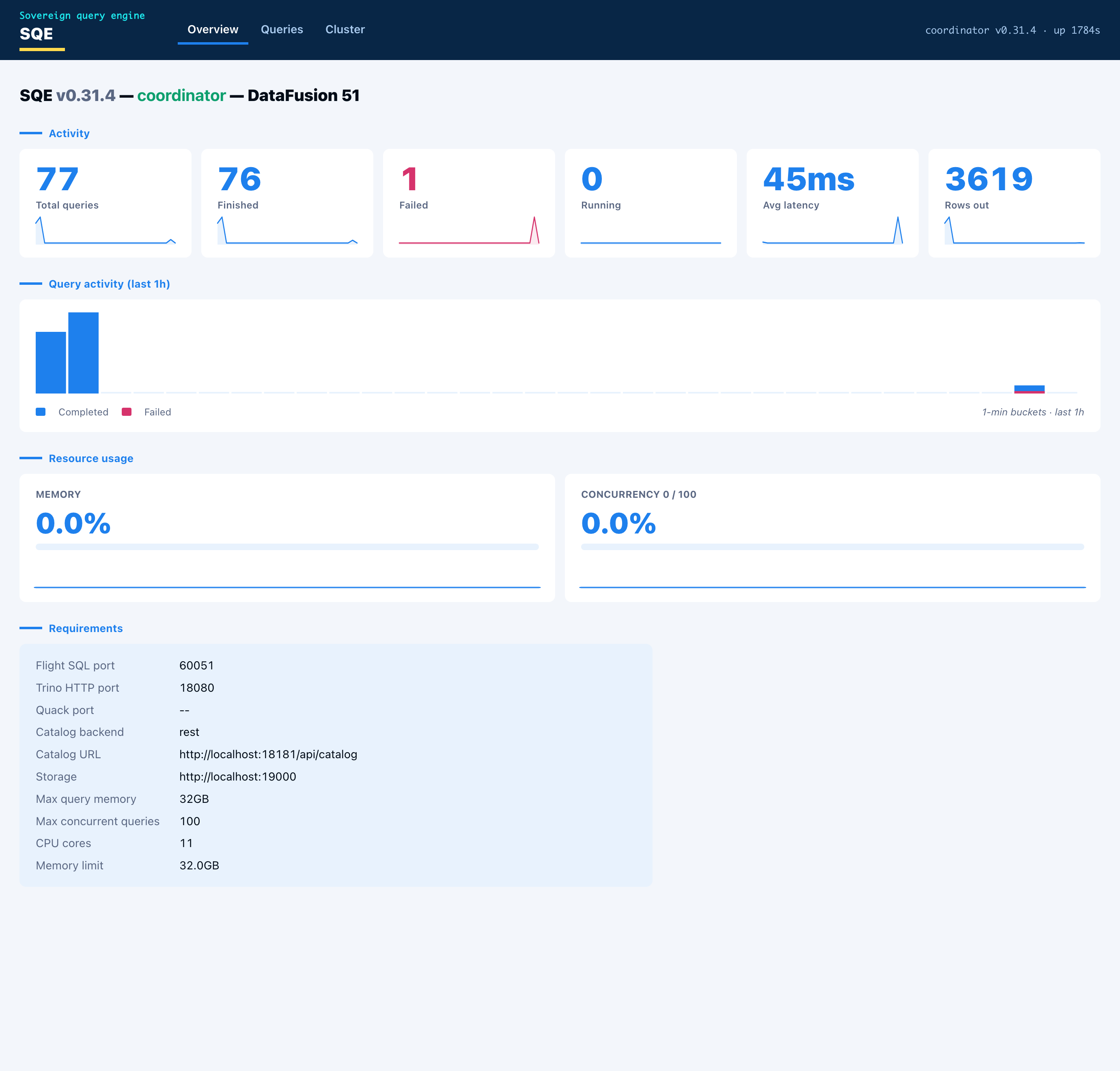
Access
-
Open
http://<coordinator-host>:<metrics_port + 1>/. With the defaultmetrics.prometheus_port = 9090, that ishttp://localhost:9091/. -
The same port also serves
/healthz,/readyz, and/api/v1/status. -
The UI is off by default. Turn it on with:
[metrics] web_ui = trueThis is TOML-only: there is no
SQE_METRICS__*environment override for it.When off,
/healthz,/readyz,/api/v1/status, and the admin endpoints below still respond; the dashboard and the/api/v1/queries*endpoints return 404.
Security
The dashboard and its JSON API (/, /api/v1/overview, /api/v1/queries*,
/api/v1/workers, /api/v1/metrics/history) are gated by
require_admin_bearer (crates/sqe-coordinator/src/web_auth.rs, applied in
build_health_router in sqe_server.rs). A request needs
Authorization: Bearer <token> for an identity that holds an admin role. No
token, a bad token, or no auth provider configured is 401. A valid non-admin
token is 403. The UI is off by default ([metrics] web_ui = false); when
off, those routes are not registered and return 404.
/healthz, /readyz, and /api/v1/status stay open. They are the probe
surface for Kubernetes and load balancers. The open /api/v1/status carries
only status and node.role; build identity, worker URLs and the serving
block are at /api/v1/status/detail, behind the same admin gate as the
catalog refresh hook. The Prometheus /metrics endpoint
on the metrics port is also ungated. Keep the metrics and health ports on an
internal network.
The UI is strictly read-only. It cannot submit queries, cancel them, or change configuration. The query-detail endpoint omits session id, client IP, and roles so a leaked admin token still exposes less session metadata.
Tabs
- Overview carries the node identity and capabilities (enabled protocols and ports, catalog backend and URL, storage, memory limit), live resource gauges (memory pool used, concurrency against the configured cap), and the engine metrics (queries by state, rows out, average latency) as stat cards. Each card has a one-hour sparkline, and a query-activity histogram sits below them.
- Queries lists recent queries with id, user, state, SQL, elapsed time, rows, and bytes scanned. Click a row for the detail: the queue, planning, and execution timing, the rows/bytes/spill/peak-memory totals, and the per-fragment breakdown showing which worker ran each fragment.
- Cluster shows the worker nodes with health and in-flight load. In single-node mode the coordinator lists itself as one node doing both roles.
Every chart is hoverable. Pointing at a bar or a sparkline point shows the time and value.
JSON API
The page is a thin client over a small JSON API on the same port. The endpoints are stable and safe to scrape directly:
| Endpoint | Returns |
|---|---|
GET /api/v1/overview | node, capabilities, resources, metrics |
GET /api/v1/queries?state=<running|finished|failed|all>&limit=<n> | recent queries, newest first |
GET /api/v1/queries/{id} | one query plus its fragments (404 if unknown) |
GET /api/v1/workers | worker nodes with health and in-flight load |
GET /api/v1/metrics/history | time-bucketed series for the charts |
GET /api/v1/status | status and node.role only (open) |
GET /api/v1/status/detail | full Ballista/DataFusion-style cluster status (admin) |
Admin endpoints
Mutating endpoints on the same port sit behind the same bearer + admin gate as
the dashboard. Unlike the dashboard, they are always registered, whether or
not metrics.web_ui is on: they are control-plane hooks, not part of the
read-only UI, and coupling catalog invalidation to “dashboard enabled” made the
hook silently unavailable on a default deployment. The gate fails closed, so
with no auth provider configured they answer 401 rather than running.
| Endpoint | Effect |
|---|---|
POST /api/v1/catalogs/refresh | Invalidates SQE’s catalog caches so a catalog created or rebound out-of-band becomes visible immediately, instead of waiting out coordinator.session_context_cache_ttl_secs. Drops every session’s cached SessionContext and the shared REST-catalog cache. An optional JSON body {"username": "<u>"} scopes the session drop to one user; a bodyless POST invalidates all sessions. Returns {"invalidated": "all" | "session:<u>"}. |
The platform’s workspace-provisioning path calls this right after it creates or
binds a Polaris catalog, so a new workspace catalog is queryable at once. A
pure-SQL client that only needs to refresh its own view can instead run CALL system.refresh_catalog_cache() (see CALL procedures).
# Global refresh (admin bearer required):
curl -XPOST -H "Authorization: Bearer $ADMIN_TOKEN" \
http://coordinator:9091/api/v1/catalogs/refresh
# Scope the session drop to one user:
curl -XPOST -H "Authorization: Bearer $ADMIN_TOKEN" \
-H "Content-Type: application/json" -d '{"username":"alice"}' \
http://coordinator:9091/api/v1/catalogs/refresh
How it is built
- One HTML page with vanilla JavaScript, embedded in the binary with
include_str!. No Node toolchain, no bundler, no external assets, no web fonts or logos. The visual language follows the Schuberg Philis palette and layout with system fonts. - The metrics history is an in-memory ring buffer. The coordinator samples query
counts, rows, latency, active queries, and memory-pool usage every five seconds
and keeps a rolling one-hour window.
GET /api/v1/metrics/historyaggregates the samples into one-minute buckets, so the charts advance a bar each minute and the current bar refreshes every sample.
For a longer history, scrape /metrics into Prometheus and chart it in Grafana.
The web UI is the at-a-glance view that ships in the binary.
SQE On-Call Runbook
This is the 3 AM runbook. You were paged, you are half awake, and something is
broken. Each section follows the same shape: symptom, likely cause, diagnosis,
resolution, escalation. Commands assume kubectl against the namespace where
SQE runs. Set it once:
export NS=sqe # change to your namespace
kubectl config set-context --current --namespace="$NS"
Metric names below are the real ones the engine exports (see
sqe-metrics/src/lib.rs). Scrape the coordinator or worker metrics port
(default :9090) or query them through Prometheus.
A fast triage loop before you dig in:
kubectl get pods -l app.kubernetes.io/name=sqe -o wide
kubectl get events --sort-by=.lastTimestamp | tail -20
1. Worker crashloop
Symptom. One or more worker pods in CrashLoopBackOff or Error. Queries
that need distribution slow down or fail. sqe_healthy_workers drops below
worker.replicas.
Likely causes.
- Worker secret mismatch (the coordinator and worker secrets differ, or one is missing). The engine refuses to boot.
/readyznever goes green: the worker cannot reach the coordinator or the catalog.- Memory limit vs pod limit mismatch: the kernel OOMKills the pod before DataFusion spills.
- Spill directory not writable (read-only root filesystem, no
/tmpemptyDir, orEROFS).
Diagnosis.
# Which workers, and why they restarted.
kubectl get pods -l app.kubernetes.io/component=worker
kubectl describe pod <worker-pod> | sed -n '/Last State/,/Ready/p'
# The actual boot error. A secret mismatch prints a validation message naming
# worker.worker_secret. An OOMKill shows "OOMKilled" as the last-state reason.
kubectl logs <worker-pod> --previous | tail -50
Confirm the secret matches on both sides:
# Both must resolve to the same value.
kubectl get deploy/<release>-coordinator -o jsonpath='{.spec.template.spec.containers[0].env[?(@.name=="SQE_COORDINATOR__WORKER_SECRET")]}'
kubectl get deploy/<release>-worker -o jsonpath='{.spec.template.spec.containers[0].env[?(@.name=="SQE_WORKER__WORKER_SECRET")]}'
Memory pressure and spill behaviour:
# Worker engine limit (bytes). Compare against the pod memory limit.
sqe_coordinator_memory_limit_bytes
# Spill activity. Climbing counters mean the engine is defending itself.
rate(sqe_sort_spill_bytes_total[5m])
rate(sqe_join_spill_bytes_total[5m])
# Pod memory limit, for the comparison above.
kubectl get pod <worker-pod> -o jsonpath='{.spec.containers[0].resources.limits.memory}'
If the last-state reason is OOMKilled, the engine memory_limit is too close
to the pod limit. The chart targets ~75% of the pod limit on purpose (see
config.worker.memory_limit in values.yaml).
If logs show a spill write error (EROFS, Permission denied,
No such file or directory under the spill dir), the writable /tmp emptyDir
is missing or the spill dir points outside it.
Resolution.
- Secret mismatch: set
workerSecretonce and let the chart inject the same value into both tiers.helm upgrade <release> deploy/helm/sqe --reuse-values --set workerSecret.value=<shared>(or point both at the sameworkerSecret.existingSecret). See Kubernetes & Helm ISSUE-218. - OOMKilled: lower
config.worker.memory_limitto ~75% of the pod limit, or raise the pod limit. Roll the workers. - Spill on read-only root: confirm the
/tmpemptyDir mount exists andconfig.worker.spill_dirlives under/tmp. The chart wires this by default; a custom overlay may have dropped it.
Escalation. If logs show a panic or a repeated DataFusion internal error
(not a config or OOM cause), capture kubectl logs --previous, the pod spec,
and the failing query, then page the engine on-call. Tag ISSUE-220 if the
worker registers and then disappears (registry flapping, see section 5).
2. Polaris (catalog) down or unauthenticated
Symptom. Queries that touch new tables fail. SHOW TABLES, DESCRIBE, and
first-touch reads error. Already-planned, already-cached queries may still run
until the metadata cache TTL expires.
Likely cause. The Iceberg REST catalog (Polaris) is unreachable, returning 5xx, or rejecting the bearer token (401/403). SQE wraps catalog calls in one circuit breaker per token and catalog. Five consecutive upstream faults open it for 30 seconds.
Only upstream faults count: 5xx, timeouts, connection failures and 429. A
401/403, a 404 or another 4xx is a normal answer from a healthy catalog and
never opens the breaker, so a client probing for schemas or tables that are
missing or hidden keeps working. [catalog] circuit_breaker_failure_classes
sets the counted classes (server_error, timeout, connection,
rate_limited, client_error, not_found, auth); the default is the first
four. An opening breaker logs Circuit breaker opened with the token’s
subject and the reason class of the failure that tripped it.
Diagnosis.
# 0 = closed (healthy), 1 = half_open (probing), 2 = open (failing fast).
# One series per configured catalog (label `circuit` = endpoint); the value is
# the worst state across that catalog's per-session breakers.
sqe_catalog_circuit_breaker_state
# How many per-session breakers are open on each catalog. One or two with a
# healthy endpoint is a single bad token; all of them is the catalog.
sqe_catalog_circuit_breakers_open
# Catalog latency. A spike before the breaker opens is the leading signal.
histogram_quantile(0.95, rate(sqe_catalog_request_duration_seconds_bucket[5m]))
# Coordinator logs around catalog calls.
kubectl logs deploy/<release>-coordinator | grep -iE "catalog|circuit|polaris|401|403|5[0-9][0-9]" | tail -40
# Reach the catalog from inside the cluster (uses the configured URL).
kubectl exec deploy/<release>-coordinator -- \
curl -sS -o /dev/null -w '%{http_code}\n' http://polaris:8181/api/catalog/v1/config
Expected error codes: a 401/403 is auth (token or Polaris RBAC), a
5xx/connection refused is availability. With the breaker open (state 2), SQE
fails catalog calls fast instead of hanging.
What still works. Queries against tables whose metadata is already cached
keep running until catalog.metadata_cache_ttl_secs expires (default 30s). No
new table resolution, no writes, no DDL.
Resolution.
- Availability: restore Polaris. The breaker moves
open -> half_open -> closedon its own once probes succeed. No SQE restart needed. - Auth: a
401/403for everyone points at Polaris or the OIDC provider (see section 3). A403for one user is that user’s Polaris privileges, not an outage.
Escalation. If the breaker stays open after Polaris returns healthy from
its own health check, capture the coordinator logs and the breaker metric and
page the catalog owner. If auth fails cluster-wide, jump to section 3.
3. OIDC provider down
Symptom. New logins fail. The Flight SQL handshake errors for clients that present a username/password. Token refresh fails for long-lived sessions.
Likely cause. The OIDC provider (Keycloak, Auth0, Okta) is unreachable or returning errors. SQE has no service account: every session authenticates against the provider, so a provider outage blocks new authentication.
Diagnosis.
# Failed auth attempts by provider.
sum by (provider) (rate(sqe_auth_attempts_total{status="failed"}[5m]))
# Failed token refreshes. Climbing here means active sessions are about to drop.
rate(sqe_token_refresh_total{status="failed"}[5m])
# Handshake latency. A jump precedes failures when the provider is slow not down.
histogram_quantile(0.95, rate(sqe_auth_duration_seconds_bucket[5m]))
kubectl logs deploy/<release>-coordinator | grep -iE "auth|oidc|token|jwks|handshake" | tail -40
# Reach the provider token endpoint from the coordinator.
kubectl exec deploy/<release>-coordinator -- \
curl -sS -o /dev/null -w '%{http_code}\n' \
https://keycloak.example.com/realms/iceberg/protocol/openid-connect/token
What fails vs what keeps working. New logins and token refreshes fail. Sessions with a still-valid access token keep running queries until the token expires or the session hits its idle/absolute timeout. The blast radius grows as tokens age out.
Resolution.
- Restore the provider. Authentication recovers without an SQE restart.
- If only refresh fails while the provider is up, check
auth.token_refresh_buffer_secsand clock skew between SQE and the provider. - A cluster-wide
401from the catalog (section 2) with healthy Polaris often traces back here: the provider is issuing tokens Polaris rejects.
Escalation. Provider outages are usually owned by the identity team. Hand them the failed-attempt rate by provider and the token-endpoint HTTP code from the curl above.
4. Coordinator OOM / memory pressure
Symptom. Coordinator pod restarts with OOMKilled, or queries slow down
and start spilling heavily. Client sessions drop on restart (state is
process-local; see Kubernetes & Helm).
Likely cause. A large result set, a heavy single-node plan, or many concurrent queries pushed the coordinator past its engine memory limit. Spill is the defense; an OOMKill means spill could not keep up or could not run.
Diagnosis.
# 0.0 - 1.0. Sustained > ~0.85 means the engine is near its limit.
sqe_coordinator_memory_pressure
# Used vs limit (bytes).
sqe_coordinator_memory_used_bytes
sqe_coordinator_memory_limit_bytes
# Spill counters. Rising = the engine is shedding memory to disk as intended.
rate(sqe_sort_spill_bytes_total[5m])
rate(sqe_join_spill_bytes_total[5m])
# Concurrency. A spike in active sessions often precedes pressure.
sqe_active_sessions
kubectl describe pod <coordinator-pod> | grep -i -A3 "Last State"
kubectl get pod <coordinator-pod> -o jsonpath='{.spec.containers[0].resources.limits.memory}'
If the last state is OOMKilled and spill counters were flat, spill was
disabled or the spill dir was not writable. If spill counters were climbing and
it still OOMKilled, the engine memory_limit sits too close to the pod limit.
Resolution.
- Confirm
config.coordinator.spill_to_disk = trueand the/tmpemptyDir is mounted (the chart does both by default). - Lower
config.coordinator.memory_limitto ~70-75% of the pod limit, or raise the pod limit, then roll the coordinator. - Cap per-query and concurrency budgets in
[query]:max_query_memory,max_concurrent_queries,max_result_rows. Per-user limits live under[rate_limit]. - While the pool is red, new reads run under
pressure_admission_memory(64MB) and fail withResourcesExhaustednaming it when they outgrow it; every other statement exceptSHOW/DESCRIBE/EXPLAINis refused, includingSETand transaction control. Set it to"0"to refuse reads at red too.
Escalation. Repeated OOMKills after lowering the engine limit, with spill active, means a single query is too large for the node. Capture the query from the audit log and the memory metrics, then page the engine on-call.
5. Distributed query hangs / worker registry flapping
Symptom. Distributed queries stall and never return, or sqe_healthy_workers
oscillates as workers register and drop. Workers look Running and Ready in
kubectl but the coordinator does not keep them.
Likely cause. Worker advertise-URL or reachability mismatch (ISSUE-220): the worker registers an address the coordinator cannot connect back to, or the heartbeat path is blocked. A worker secret mismatch can also cause register -then-reject churn.
Diagnosis.
# Should equal worker.replicas and hold steady. Oscillation = flapping.
sqe_healthy_workers
# Fragment throughput per worker. A worker stuck at 0 while others move is suspect.
sum by (pod) (rate(sqe_worker_fragments_executed_total[5m]))
# Heartbeat and registration churn on the coordinator.
kubectl logs deploy/<release>-coordinator | grep -iE "register|heartbeat|worker|advertise|unreachable" | tail -50
# Can the coordinator reach a worker on the Flight port?
kubectl exec deploy/<release>-coordinator -- \
curl -sS -o /dev/null -w '%{http_code}\n' http://<release>-worker-0.<release>-worker-headless:50052
Resolution.
- Confirm workers register the headless-service DNS name the coordinator can resolve, not a pod-local or loopback address. See ISSUE-220 for the advertise-url fix.
- Rule out a secret mismatch (section 1): a worker that registers then gets rejected churns the registry.
- A genuinely hung query (workers healthy, fragments at 0) hits the
query.timeout_secsceiling and is cancelled; lower it if hangs are common while you chase the root cause.
Escalation. Flapping that survives a confirmed-correct advertise URL and a
matching secret is an engine bug. Capture coordinator logs, sqe_healthy_workers
over time, and the worker logs, then page the engine on-call and reference
ISSUE-220.
6. High write conflict rate
Symptom. INSERT, UPDATE, DELETE, MERGE statements are slower than expected. Audit log shows repeated retries or sqe_write_commit_retries_total is climbing.
Likely cause. Concurrent writers on the same table are generating optimistic-concurrency conflicts. Each writer retries automatically with exponential backoff, but sustained high conflicts slow write throughput and can exhaust retry budgets under extreme load.
Diagnosis.
# Conflicts by operation type (ctas-replace, delete-cow, merge-cow, truncate, etc.).
sum by (op) (rate(sqe_write_commit_retries_total[5m]))
# Which users drive the most retries.
sum by (user) (rate(sqe_write_commit_retries_total[5m]))
# Write performance in audit log. grep for "retries", "conflict", "retried" fields.
tail -100 /var/log/sqe/audit/audit.jsonl | grep -i "insert\|merge\|delete\|update" | jq '.retries'
Resolution.
- Expected under dbt incremental models or high-concurrency MERGE workloads: the engine retries transparently and returns success.
- Sustained high conflict rates point to design: either consolidate writes into fewer, larger statements, or spread writes across non-overlapping partition ranges.
- If one coordinator is a bottleneck under multi-coordinator HA, ensure session stickiness is wired (sessions are coordinator-local today).
Escalation. If write throughput degraded after a code change, capture sqe_write_commit_retries_total over time and the failing statement, then page the engine on-call.
Escalation summary
| Surface | First responder | Page next |
|---|---|---|
| Worker crashloop, coordinator OOM, registry flap, high write conflicts | SQE on-call | Engine on-call |
| Catalog (Polaris) outage | SQE on-call | Catalog owner |
| OIDC provider outage | SQE on-call | Identity team |
Always attach: the failing pod’s kubectl logs --previous, the relevant metric
over the incident window, and the offending query from the audit log
(metrics.audit_log_path) when one exists.
Secret Inventory and Rotation
Every secret SQE reads, what breaks when it changes, and how to rotate it without an outage. Store all of them in a Kubernetes Secret or your secret manager and pass them as environment variables. Never commit them to a values file.
SQE reads secrets once at startup. Rotating any of them means updating the secret and restarting the pods that use it. The one exception is TLS on the HTTP listeners, which reloads by itself.
Cadence. Rotate on the schedule your security policy sets, at least yearly. Rotate at once when a secret may have leaked, or when someone who could read it leaves the team. Record each rotation: which secret, when, who.
Secrets you rotate
| Secret | Setting (environment variable) | Used for |
|---|---|---|
| Worker secret | coordinator.worker_secret (SQE_COORDINATOR__WORKER_SECRET, SQE_WORKER__WORKER_SECRET) | Workers authenticate their heartbeat to the coordinator |
| OIDC client secret | auth.client_secret (SQE_AUTH__CLIENT_SECRET) | Password-grant logins against your identity provider |
| Mask key | policy.mask_key (SQE_POLICY__MASK_KEY) | Keys the HMAC behind every MASK_HASH column mask |
| Ranger Admin password | access_control.ranger.admin_password (SQE_ACCESS_CONTROL__RANGER__ADMIN_PASSWORD) | Fetching Ranger policies |
| Maintenance principal secret | [maintenance.principal] client_secret (TOML only) | The maintenance scheduler’s own identity |
| Object-store keys | storage.s3_access_key / storage.s3_secret_key (SQE_STORAGE__S3_*), the worker spill S3 keys, azure_sas_token | Static storage credentials, when you do not use workload identity |
| MCP static tokens | [[mcp.auth.principals]] token_env | Fixed bearer tokens for MCP principals |
| OpenLineage API key | [metrics.openlineage] api_key | Posting lineage events |
| TLS certificates | coordinator.tls.cert_file / key_file, coordinator.trino_tls, worker.tls | Flight SQL and HTTP listeners |
How each one rotates
Worker secret. One value, shared by the coordinator and every worker. A worker on the old value cannot register, so the coordinator loses it until it restarts. Update the Secret, then restart the coordinator and worker deployments together, in a quiet window.
OIDC client secret. Most identity providers let a client hold two secrets for a while. Add the new one at the provider, update SQE and restart the coordinator, then remove the old one. If your provider keeps only one, logins fail between the provider change and the coordinator restart, so do both back to back.
Mask key. Rotating it changes every MASK_HASH output. Anyone who joins or deduplicates on masked values across the change sees two different hashes for the same input. Agree the date with those consumers first. Update the value and restart the coordinator. Never clear it as a shortcut: without a key the hash is unsalted SHA-256, which is brute-forceable on low-entropy columns, and production_mode with the Ranger engine refuses to start.
Ranger Admin password. Change it in Ranger, update SQE, restart the coordinator. While SQE holds a wrong password, policy fetches fail and queries fail closed: users are denied, not let through.
Maintenance principal secret. Rotate at the identity provider like the OIDC client secret, update the TOML, restart the coordinator.
Object-store keys. Create a second key, update SQE and restart the pods that use it, then delete the old key. Better still, drop static keys for workload identity (IRSA or an instance role) and there is nothing to rotate.
MCP static tokens. Tokens resolve at startup. Set the new value in the environment variable, restart the coordinator, then hand the new token to the client. Each principal holds one token, so the old one stops working at the restart.
OpenLineage API key. Issue a new key at the lineage backend, update SQE, restart the coordinator, revoke the old key.
TLS certificates. The HTTP listeners (MCP, Quack, the Trino HTTPS port) pick up a renewed cert_file and key_file within a minute, with no restart. The Flight listener keeps the certificate it started with, so restart it when the certificate changes. See Certificate rotation for a reloader setup.
Keys that rotate themselves
These are not in any configuration and need no action.
- Scan-ticket signing key. The coordinator generates a fresh Ed25519 key pair at every start and signs worker scan tickets with it.
- GDPR token salt. The salt behind
gdpr_identifier_mode = "tokenize"is generated at every start. Tokens are stable within one run of the coordinator, not across restarts, so do not correlate them over a restart in the SIEM.
Outside the running service
The build pipeline holds its own credentials: registry push credentials and the tokens the CI platform uses. They belong to whoever owns the pipeline, not to a deployment. The tag pipeline signs release images keyless through the CI provider’s identity (cosign), so there is no signing key to rotate.
Backup and Restore
SQE holds no table data. The tables live in your catalog and your object store, and those are what you back up. This page says what to back up, the one consistency rule that makes a restore work, how to restore, what “restored” means, and how often to prove it.
What to back up
| Component | Back up | Why |
|---|---|---|
| Catalog database (for example the Polaris Postgres) | Yes, point-in-time | It holds the pointer from each table to its current metadata file. |
| Object store (data files, manifests, metadata files) | Yes, bucket versioning or replication | It holds every file a table snapshot references. |
| Audit volume, native log | Yes | The audit trail. Verify a restored copy with sqe-server --verify-audit. |
| Audit volume, export spool | No | It is a shipping buffer, rebuilt from new events. |
Session file (persistence = "file") | No | It holds live session tokens and nothing worth restoring. |
| SQE itself | No | Stateless: redeploy the image and the chart values. |
The consistency rule
An Iceberg table spans both stores. The catalog points at a metadata file, the metadata file lists manifests, and the manifests list data files in the object store. A catalog restored to time T points at the metadata of time T, so every file that metadata references must still exist in the object store.
Two SQE procedures delete files:
CALL system.expire_snapshotsremoves snapshots older than the table’shistory.expire.max-snapshot-age-ms(default 5 days) unlessolder_thansays otherwise, and deletes files that only those snapshots referenced.CALL system.remove_orphan_filesdeletes files no snapshot references, older than 3 days by default.
A catalog backup older than those windows can point at files that are already gone. So:
Keep deleted object versions at least as long as your oldest catalog backup. With bucket versioning, set the noncurrent-version expiry to at least the catalog backup retention. A delete then leaves a restorable version behind for as long as any catalog backup could need it.
Without versioning, a catalog restore is only safe to a point inside the snapshot-expiry and orphan-sweep windows.
Restoring to a point in time
- Stop writes: scale the coordinator to zero and pause anything that runs maintenance procedures.
- Restore the catalog database to time T.
- In the object store, restore the versions current at T for any object deleted after T (remove the delete markers created after T).
- Start SQE and run the checks below.
For a single damaged table, you can re-point the catalog at a known-good metadata file with CALL system.register_table instead of restoring the whole catalog.
What “restored” means
A restore counts as done when all of these hold:
- The catalog answers and every critical table loads its current snapshot.
- A full scan of each critical table finishes without a missing-file error.
- Row counts of the critical tables match the record you took before the test.
- A restored audit log passes
sqe-server --verify-audit, and its last hash matches the value recorded at backup time.
How often to prove it
Run a restore test at least once a quarter, after any change to the backup setup, and before go-live (see Go-live and Retirement Checklists). Record for each test:
- Date, environment and the restore point T.
- Tables checked and the result of each check above.
- Time from start to “restored” (your measured recovery time).
- Newest data present after the restore (your measured data loss window).
- Who ran it.
Set retention per class to match your recovery point objective and your log retention policy. The numbers are yours; the rule above keeps them consistent with each other.
SQE Production Guide
How to run SQE in production when you start small but expect to scale data volume, query concurrency, and team count significantly. The goal is one honest configuration path you extend over time, not a throwaway dev stack you replace at scale.
For the full security, performance, quality, and observability audit, see docs/internal/audit/2026-07-10-sqe-full-audit.md.
Principles
- Coordinator stays on greedy memory pool. Fair pool starves wide analytic plans at scale.
- Set an honest
memory_limit. Use 40-50% of allocatable RAM per process, not the config default on a small box. - Spill must be on with fast local disk before you push SF10-class workloads.
- Security and audit from day one if compliance or multi-team access matters. Retroactive audit history is not recoverable.
- Add workers when scan CPU saturates, not before you have evidence single-node is the bottleneck.
Phase 0: Day one (single coordinator)
Topology
- One
sqe-coordinatororsqe-server(all-in-one). No workers. - Slim Docker image (
docker build .) with the catalog crate’s default feature set plus the Glue Hive root, whichsqe-serveralways compiles in. The remaining backends (HMS, JDBC, Hadoop):docker build --build-arg CATALOG_FEATURES=sqe-catalog/full-backends -t sqe-full ..
Security (required even at small scale)
[auth]
# Use real OIDC bearer_token validation.
# Do NOT use: anonymous, bearer_passthrough, or client_credentials as the only provider.
[rate_limit]
enabled = true
[coordinator.tls]
# Enable Flight SQL TLS, or terminate TLS at ingress.
[storage.tvf]
allow_local_paths = false
allow_http = false
allowed_object_store_prefixes = ["s3://your-warehouse/"]
Keep the global list to what every user may read. A bucket that belongs to
one workspace goes in that catalog’s tvf_prefixes instead, so only sessions
scoped to that catalog can read it with the engine’s credentials (see
read_parquet).
When the workspaces share one layout, a single entry with the {catalog}
placeholder ("s3://staging/ingest/ws/{catalog}/") does the same: it expands
only to the session’s catalog, and only when that catalog answered the
caller’s own bearer. If you rely on any of these prefixes to keep workspaces
apart, set allow_inline_credentials = false too. Otherwise a caller who
passes their own keys bypasses them.
Memory
[coordinator]
memory_pool = "greedy" # default; do not switch to fair on the coordinator
unspillable_headroom_percent = 20 # default; share spillable operators may not take
memory_limit = "12GB" # tune to ~40-50% of box RAM (example for a 32 GB host)
spill_to_disk = true
spill_dir = "/fast-nvme/sqe-spill"
Greedy pool lets one large operator use the budget until spill. Fair pool divides memory across every registered spillable consumer. Wide plans (TPC-DS class) register dozens of consumers and fail before spilling when fair is enabled. Workers use fair pool internally; that asymmetry is intentional.
unspillable_headroom_percent keeps the top share of the pool, and of each query’s query.max_query_memory, for consumers that cannot spill: the scan’s decode buffers, a sort’s merge, hash-join builds. Spillable operators (hash aggregates, sorts, repartition buffers) are refused at that line and spill there. Without it a large aggregate fills the cap and the scan feeding it is refused first, failing a query that could have spilled; with the 20% default the same SF10 aggregate under a 2 GB cap completes. The cost is that a lone spillable operator spills a little earlier at a tight cap. 0 turns it off; valid values are 0 to 50. It applies to the greedy pool only.
Within one query, sorts do not take the spillable bytes greedily. A sort runs one sorter per partition; each sorter may grow to an equal share of the spillable bytes before it spills, and the sorters’ merge reservations share a quarter of the query’s cap (at most sort_spill_reservation_bytes, at least 1 MB each). Without this, at 16 partitions the default 10 MB merge reservations alone take 160 MB, and the first sorters to fill leave nothing for the rest. Other operators, such as hash aggregates, still grow to the spillable line.
When concurrent queries fill the node pool, a scan whose own query still has room under query.max_query_memory waits for the others to release memory instead of failing. [catalog] scan_memory_wait_ms (default 30000) is the most one scan partition waits in total. 0 restores the immediate failure. A scan refused by its own query’s cap does not wait, so a join query can be retried with sort-merge joins straight away. Without query.max_query_memory there is no per-query cap to compare against, and scans fail at once as before.
A read query that the node pool refuses before its first batch, with room left under its own cap, runs again once there is room (query.memory_rerun, default on). This covers what the scan wait cannot: a sort taking its merge reservation back after a spill, an aggregate, a hash-join build. The query drops its attempt, waits until the pool has room for a full query.max_query_memory (at most half the pool), and runs the same plan again on the coordinator. One rerun waits or starts at a time per coordinator, so two queries refused together do not collide again. The wait ends at query.timeout_secs. A rerun refused again is retried with sort-merge joins when it has a hash join, and fails otherwise. The cost is the abandoned attempt’s time: on an SF10 probe with six heavy queries on a 4 GB pool, all six complete, against four before, and the reran sorts finish in 40 to 60 s against 13 s alone.
Memory caps do not bound CPU. Every join runs on the coordinator, and a cross join, or a join with no equal-key condition (ON a.x < b.y), compares every pair of input rows while holding little memory. query.max_cartesian_rows (default 10,000,000,000) refuses such a read before it runs when the product of its two inputs’ row counts exceeds the cap. The counts come from table statistics, exact for a whole Iceberg table and estimated below a filter. A scalar subquery crossed with a fact table passes. A cross join of two 100,000-row tables does not. The error names the cap, not the estimates. An input without statistics is admitted. 0 turns the gate off. The cap applies to the same plans as the sort gate: reads and EXPLAIN, not the write path. Equi-joins with skewed keys and large aggregations are not gated; query.timeout_secs and the memory caps above are what bound them.
Observability
Enable durable audit and lineage early if governance matters. Do not write audit logs to /tmp or container emptyDir.
[metrics]
prometheus_port = 9090
otlp_endpoint = "https://otel-collector:4317" # https: audit events carry user identities and SQL
trace_sample_rate = 0.10 # 10% at low QPS; lower to 0.01-0.05 at high QPS
audit_log_path = "/var/log/sqe/audit/audit.jsonl" # must survive pod restart (PVC)
[metrics.audit_export]
enabled = true
target = "otlp"
# OCSF audit ships to SIEM via OTLP logs; uses metrics.otlp_endpoint when otlp_endpoint is empty
[metrics.openlineage]
enabled = true
http_endpoint = "https://marquez.example.com/api/v1/lineage"
spool_path = "/var/spool/sqe-ol"
emit_selects = false # enable only when read lineage is required
See docs/site/book/src/operations/openlineage.md for sink options and Marquez setup.
Catalog
- Polaris or Nessie over Iceberg REST.
- SigV4 in the default build covers AWS Iceberg REST (Glue/S3 Tables federated endpoints) without the full Glue SDK image.
- Defer
full-backendsuntil runtime config actually dispatches to HMS or JDBC SQL catalogs. Glue Hive roots need no extra feature.
Phase 1: Growth (roughly 10x data, add workers)
When to add workers
Add sqe-worker replicas when:
- Coordinator CPU is saturated during scans while network and object storage still have headroom.
- Single-node benchmarks show a scan throughput ceiling, not memory exhaustion.
- Large queries hit
memory_limitwith spill enabled and still need more parallel decode.
Topology
Ingress (TLS)
|
+----------+----------+
| sqe-coordinator | planning, auth, policy, audit
+----------+----------+
| Arrow Flight + signed scan tickets
+---------------+---------------+
v v v
sqe-worker sqe-worker sqe-worker
Coordinator: greedy pool. Workers: fair pool (hardcoded in sqe-worker).
Sizing
| Component | Starting point | Scale-up signal |
|---|---|---|
| Coordinator | 8 vCPU, 32 GB RAM | Planning latency, auth/policy CPU |
| Worker | 8 vCPU, 32 GB RAM each | Scan/decode CPU, worker OOM |
| Spill volume | 2x expected sort working set | Spill stalls, long-running aggregations |
memory_limit | 40-50% of pod RAM | ResourceExhausted vs host OOM kill |
Set SQE_MEMORY_LIMIT in Kubernetes so the process cap matches the pod limit. A documented 64 GB default on a 31 GB node caused kernel OOM in benchmark runs.
Worker scan budget
A worker splits worker.memory_limit into sub-budgets under [worker.memory]. The one that decides how many concurrent scans a worker can hold in RAM is scan_budget, a fifth of the limit by default. It is one budget per worker, shared by every scan the coordinator sends, so a worker with forty inbound scans admits decoded batches from all forty against the same capacity and parks the rest until the coordinator drains. A quarter of it is the fetch lane that charges each open parquet file while it streams; the rest admits decoded batches. When the coordinator’s sqe_worker_reported_scan_budget_free_bytes sits at zero while the coordinator is busy elsewhere, the worker is waiting on the coordinator, not the other way round. Raise scan_budget only together with memory_limit: the sub-budgets must fit inside it.
[worker.memory]
scan_budget = "6GB" # default: memory_limit / 5
flight_budget = "3GB" # encoded frames awaiting shipment, default: memory_limit / 10
Branches to merge before heavy SF10 load
These are reliability fixes, not optional optimizations:
| Branch / issue | What it fixes |
|---|---|
fix/367-read-path-memory-tracking | Read decode fan-out OOM under parallel scan |
fix/366-single-distinct-count-companion | Bank-class mixed COUNT(DISTINCT) spill |
fix/365-idle-timeout-operator-progress | False abort on long spilling queries |
fix/364-groupby-limit-drop | GROUP BY ... LIMIT over-return (ClickBench q17) |
Phase 2: Large scale (100x data, multi-team, SF10+)
Architecture
- Distributed execution by default for large table scans.
- Warehouse on fast object storage with a fair SQE-vs-Trino comparison path (same endpoint for both engines).
- Polaris with Postgres persistence. In-memory Polaris loses warehouse metadata on stack restart.
- Coordinator HA (multiple coordinators behind a load balancer) only after you understand session stickiness: sessions are coordinator-local today.
Security hardening
- Per-user OIDC. No shared service token for all users.
- Ranger policy backend (
policy.engine = "ranger", notpassthrough). mask_keyconfigured for hash column masks.- Inline-credential TVFs disabled or restricted to admin roles.
- Restrict catalog/execution error detail for untrusted clients if needed.
Observability at scale
- OpenTelemetry collector with tail sampling: always retain slow and failed traces; sample the rest.
- Alert on:
- Memory pressure in Red band (
>95%pool utilization) sqe_audit_export_spool_lag_bytesgrowing (SIEM backpressure)sqe_lineage_channel_dropped_total> 0 (lineage overload)
- Memory pressure in Red band (
- Close the DML audit gap: write-path
PolicyAuditandQueryStatson INSERT/MERGE/UPDATE/DELETE (tracked in audit doc).
Performance tuning order
- Honest
memory_limit+spill_to_diskon NVMe - Add workers (2, then 4, then N)
parallel_probe_scanandparallel_scanare already ON by default. Turnparallel_probe_scanOFF for workloads of small window and rollup queries (measured at SF1: TPC-DS q67 +45%, q30 +79%, against a +4.0% suite total inside noise). IcebergScanExec still advertises one output partition at the table provider; the parallelism comes from a post-planning rule instead, and flipping that wiring still needs a TPC-DS rerun (issue #414).- jemalloc A/B for glibc RSS parking after large sorts
- Do not move coordinator to
memory_pool = "fair"
Coordinator-to-worker HTTP/2 windows are tuned by default as of 2026-08-18 and
worth checking if you pinned an older config. Before that fix, the coordinator’s
worker channels ran on h2’s 65,535-byte stream and connection windows, which cap
one stream at window / RTT no matter how much bandwidth the link has: about
64 MB/s across a 1 ms hop, 6 MB/s across 10 ms. The connection window is shared,
so every scan fragment multiplexed to the same worker drew from the same 64 KB.
The defaults are now 8 MB per stream and 16 MB per connection, matching what the
coordinator’s own Flight SQL server already used. Loopback rigs never showed the
old ceiling; a separate-host deployment does.
[coordinator.transport]
initial_stream_window_size = 8388608 # 8 MB
initial_connection_window_size = 16777216 # 16 MB
max_decoding_message_bytes = 16777216 # 16 MB, both ends of the worker link
max_decoding_message_bytes replaces tonic’s 4 MiB receive default on the
worker’s Flight server and on the coordinator’s clients. Workers read it from
the same [coordinator.transport] section, so one value covers both ends. A
scan ticket that would still exceed it sheds its pushed runtime-filter
predicate and ships the fragment unfiltered rather than failing; watch the
ticket_predicate_dropped_oversize metric if scans get slower after raising
runtime_filter_inlist_max_values.
Production baseline (sqe.toml)
Copy and tune per environment:
[coordinator]
memory_pool = "greedy"
memory_limit = "24GB" # 40-50% of pod allocatable RAM
spill_to_disk = true
spill_dir = "/var/sqe/spill"
[worker]
memory_limit = "24GB"
spill_to_disk = true
spill_dir = "/var/sqe/spill"
[rate_limit]
enabled = true
[metrics]
prometheus_port = 9090
otlp_endpoint = "https://otel-collector.observability:4317"
trace_sample_rate = 0.05
audit_log_path = "/var/log/sqe/audit/audit.jsonl"
[metrics.audit_export]
enabled = true
target = "otlp"
[metrics.openlineage]
enabled = true
emit_selects = false
# Set http_endpoint and/or file_path; use spool_path when HTTP is configured.
[storage.tvf]
allow_local_paths = false
allow_http = false
allowed_object_store_prefixes = ["s3://prod-warehouse/"]
Environment overrides follow the usual SQE_* / SQE_METRICS__* conventions (see sqe.toml.example and docs/site/book/src/deployment/configuration.md).
Memory pool decision
| Question | Answer |
|---|---|
| Coordinator: greedy or fair? | Greedy (default). Fair only after staging proof on your workload mix. |
| Worker pool? | Fair (current default in sqe-worker). No change needed. |
| Custom SpillPool? | No. Fix pool cap honesty, spill directory, read/write memory tracking, and upstream DataFusion spill limits instead. |
| Bank SF10 under 8 GB pool? | Query-shape and spill fixes (#366, #365), not pool type. |
Common scale-up mistakes
| Mistake | Why it hurts |
|---|---|
memory_pool = "fair" on coordinator | Wide plans cap each consumer at pool/N and fail before spill |
spill_to_disk = false | Sorts and joins error instead of spilling |
bearer_passthrough or anonymous auth | Per-user policy breaks when you add tenants |
full-backends image without need | Larger binary, slower builds, wider attack surface |
| Audit on ephemeral storage | Audit trail lost on restart |
emit_selects = true globally | Lineage and audit volume explodes at high QPS |
| Custom SpillPool | Wrong lever; does not fix untracked decode or DF merge spill limits |
Observability planes (what to use when)
| Plane | Use for | Sampling |
|---|---|---|
OCSF audit + audit_export | Compliance, SIEM, who-ran-what | Never sample |
| OpenLineage | Dataset dependency graph (Marquez/DataHub) | N/A |
| OpenTelemetry traces | Latency debugging, distributed worker visibility | Sample in prod; tail-sample slow/failed |
| Prometheus metrics | SLOs, pool pressure, query rates | N/A |
Route audit logs and traces through an OpenTelemetry Collector when possible. Audit uses a dedicated OTLP log exporter so records are not dropped by trace sampling or log filters.
What production mode enforces
coordinator.production_mode = true (or SQE_PRODUCTION_MODE=1) turns the following into startup errors. The table is the one in sqe-core/src/config/production.rs; a unit test fails when the two drift. Each security.allow_* waiver is an explicit acknowledgement, logged at startup.
| Rule | What it refuses |
|---|---|
no-dev-auth-providers | auth.providers containing anonymous or bearer_passthrough (dev-only; accept any connection or skip local JWT validation). |
rate-limit-enabled | rate_limit.enabled = false (allows query and auth flooding). |
no-insecure-transport | security.allow_insecure_transport = true (cleartext distributed hops expose bearer tokens, worker secrets and vended S3 credentials). |
no-plaintext-client-listeners | An enabled plaintext Trino HTTP (trino_http_port), Quack (without [coordinator.tls]) or MCP (without TLS, or on the web port) listener on a non-loopback address, unless security.allow_plaintext_behind_tls_proxy = true acknowledges a TLS-terminating proxy in front (client passwords and bearer tokens would cross it in cleartext). |
no-shared-service-identity | Config-held client_credentials in [auth].providers or [catalog(s).auth] without security.allow_shared_service_identity = true (one identity for every user at Polaris/S3). |
worker-secret-required | coordinator.worker_urls set with an empty coordinator.worker_secret and allow_unauthenticated_workers = true (any TCP-reachable client may register as a worker). |
no-unauthenticated-worker | worker.allow_unauthenticated = true (a worker without a secret accepts scan tickets and credential refreshes from any TCP-reachable client). |
max-sql-bytes | query.max_sql_bytes = 0 (disables the pre-parse statement size cap). |
explicit-distributed-credentials | coordinator.distributed_credentials = auto with workers configured (ships the shared [storage] keys to workers for tables without vended credentials). |
vended-credentials-required | A REST catalog without require_vended_credentials = true (FileIO would fall back to the shared [storage] S3 keys). |
policy-engine-configured | policy.engine = passthrough or in_memory (an empty, non-persistent test store) without security.allow_no_policy_engine = true (no row filters, masks or column restrictions). |
grant-backend-configured | access_control.backend = none without security.allow_no_grant_backend = true (GRANT and REVOKE would be rejected). |
ranger-mask-key | policy.engine = ranger with an empty policy.mask_key and no security.allow_unkeyed_hash_masks = true (MASK_HASH would fall back to unsalted SHA-256). |
ranger-project-tags | policy.engine = ranger with policy.ranger.project-tags = false and no security.allow_unprojected_tags = true (Spark would return columns SQE masks). |
no-hmac-tickets | worker.accept_hmac_tickets = true (the HMAC key is the shared worker secret, so it proves nothing about who authored a scan ticket). |
verified-worker-advertise | coordinator.allow_unverified_advertise = true (a secret holder could register an attacker URL and receive every user’s scan tickets). |
no-inline-tvf-credentials | storage.tvf.allow_inline_credentials = true (the default; caller-supplied object-store keys would bypass allowed_object_store_prefixes). |
mcp-https-resource-uri | An http:// mcp.resource_uri while MCP is enabled. |
mcp-https-authorization-servers | An http:// issuer in mcp.authorization_servers while MCP is enabled. |
https-telemetry-endpoints | An http:// OTLP, audit-export or (enabled) OpenLineage endpoint on anything but loopback. Audit events and lineage carry user identities and SQL text; a sidecar collector on localhost may stay plain. |
ranger-grant-backend-url | access_control.backend = ranger with an empty access_control.url (the grant backend would silently be absent and GRANT / REVOKE NotImplemented). |
mcp-no-anonymous-auth | mcp.auth.mode = anonymous while MCP is enabled. |
Checklist summary
Before first production traffic
- Real OIDC auth (no anonymous / passthrough)
- Rate limiting enabled
- TLS on Flight or at ingress
- TVF prefix allowlist; local paths and HTTP off
-
memory_pool = greedy, honestmemory_limit, spill on fast disk - Audit log on persistent volume
-
audit_exportandopenlineageconfigured if governance required
Before SF10-class load
- Distributed workers if scan CPU bound
- Memory fixes merged (#367, #366, #365, #364)
-
SQE_MEMORY_LIMITmatches pod resources - Polaris (or catalog) backed by durable storage
- OTel alerts on memory Red and audit spool lag
Before multi-tenant
- Per-user identity end to end
- Policy backend (Ranger) with
mask_key - DML policy fields in audit (when implemented)
- Inline TVF credentials restricted
Related docs
- Deployment configuration
- OpenLineage operations
- Full audit:
docs/internal/audit/2026-07-10-sqe-full-audit.md(repo only, not published) - Example config:
sqe.toml.examplein the repo root QUICKSTART.mdin the repo root for local validation before production cutover
Recent Audit Remediation Notes (2026-07-11)
[rate_limit]section and full production examples now documented insqe.toml.example(see MRs !590, !591).- Stale
AUDIT.mdand the full2026-07-10-sqe-full-audit.mdrefreshed with progress (MRs !592, !594). - Jemalloc and memory recommendations added to example (an earlier change).
- Babysat fixes for several R items verified and pushed (!579–!581).
- Perf Group 4 branches currently at main; MRs !585–!588 have notes.
- Production config validator, DML audit, observability wiring, and CI for write/distributed have seen substantial progress via prior and current MRs.
Refer to the full audit for the prioritized plan. Keep sqe.toml.example and this guide in sync as more items land.
Shared Responsibility
SQE is software you run. We ship the engine, the container image and the Helm chart. You run the cluster, the network, the object store, the catalog, the identity provider and the log pipeline around it. This page draws the line, one area at a time.
Anything under “you own” is not done by SQE. If your security or audit framework asks for it, the evidence comes from your platform, not from this project.
Patching and images
SQE ships:
- Tagged releases, cut by the maintainers with
scripts/release.sh(seerelease.md). Not every merge tomainbecomes a release. - A runtime image on a digest-pinned Chainguard base, running as UID 65532. Renovate proposes base-image and dependency bumps. Every image built on
mainis scanned after the push, and the newest release image is rescanned weekly. A vulnerability rated high or critical fails that pipeline; the scan does not hold the image back from the registry. - A 7-day minimum release age on every dependency update. A freshly published package version waits a week before Renovate proposes it. We chose this on purpose: worm-style package compromises such as Shai-Hulud get caught and yanked within days, and a week-old version has had that time. A critical advisory that cannot wait gets a manual bump out of cycle.
You own:
- Patching the node OS, kubelet, container runtime and every other host component.
- Moving to new SQE tags. We do not backport fixes to older minors while SQE is pre-1.0 (see
SECURITY.md). - Scanning the images that actually run in your cluster, and a maximum image age if your policy has one.
Vulnerability management
SQE ships: a private disclosure channel and response targets in SECURITY.md. Every merge request runs static analysis, secret scanning and a source dependency scan; merge requests that change Rust dependencies also run cargo deny and cargo audit. The container image is scanned on main and weekly, as above. A finding rated high or above fails the pipeline.
You own: scanning your deployment and its external attack surface, penetration testing of your environment, and tracking findings in your own register.
Malware protection
SQE ships: pinned dependencies with a lockfile, advisory and licence gates, and a dependency reputation check. A ClamAV scan runs over the release binaries and the source tree before an image is built from them, and a hit fails the pipeline. The image carries no antivirus agent.
You own:
- Endpoint or runtime protection on the nodes.
- Malware scanning of the buckets SQE reads. SQE reads data files as data. It never inspects file content for malicious payloads, and
read_parquetorINSERT ... SELECTfrom an external location will happily read whatever sits there.
Logging
SQE ships: OCSF audit events for authentication, sessions, grants, DDL, DML and queries, with a tamper-evident hash chain and OTLP export. See Audit Logging. Export health shows up as metrics:
sqe_audit_export_last_success_timestampsqe_audit_export_batch_failures_totalsqe_audit_export_spool_lag_bytes
You own:
- Shipping the events to your SIEM and parsing them there.
- Retention per log class, immutable (WORM) storage and backups of the indexed logs.
- Access control on the logs, with access to the logs itself logged.
- Alerting when SQE goes silent. Alert on the export metrics above, not only on process liveness.
- Disk for the local spool during a collector outage. SQE empties the spool once it is shipped, but keeps every unshipped event, so an outage grows it.
Encryption
SQE ships: TLS on the Flight SQL listener and certificate hot reload. Production mode refuses insecure transport. The Helm chart refuses to expose MCP through an ingress without TLS.
You own:
- TLS termination for the HTTP and Trino endpoints at your ingress.
- Encryption at rest of the object store (bucket default SSE, ideally SSE-KMS) and ownership of those keys.
- Encryption of the spill and audit volumes through your StorageClass.
- Protecting the session persistence file when
persistence = "file". It holds live session tokens. SQE writes it mode 0600 but does not encrypt it.
Identity and access
SQE ships: strict OIDC bearer-token validation and no service account. Every query runs as the user who sent it. Policy enforcement fails closed. See Auth flow.
You own:
- The identity provider, MFA and the joiner, mover and leaver process.
- Periodic review of Ranger policies and Polaris grants.
- Storing and rotating SQE’s own secrets. Secret Inventory and Rotation lists every one, with what breaks when it changes and how to rotate it.
Network
SQE ships: default-deny ingress NetworkPolicies for the coordinator and the workers. Workers accept traffic from the coordinator only. values-production.yaml turns them on; the base values.yaml leaves them off for local installs. Listing rules under networkPolicy.egress turns on default-deny egress too, with DNS and the coordinator-worker traffic added by the chart. Pods run with the RuntimeDefault seccomp profile, and CI fails any chart change that drops a Pod Security “restricted” control.
You own: narrowing networkPolicy.from to your ingress controller and Prometheus, and filling networkPolicy.egress with your catalog, identity provider, object store, policy service and OTLP collector.
Backup and continuity
SQE holds almost no state. Tables live in your object store and catalog. The coordinator is restartable, not highly available (see Kubernetes).
You own:
- Backups of the catalog database (for example the Polaris Postgres), object-store versioning or replication, and the audit log volume. Deleted object versions must outlive your oldest catalog backup, or a catalog restore points at files that are gone; see Backup and Restore.
- Recovery point and recovery time objectives, retention per class, and restore tests against them (at least quarterly).
- Disaster recovery of everything SQE depends on.
Hosting and physical security
You own the data centre, or the choice of cloud provider and its assurance reports. SQE has no part in it.
Incidents
SQE ships: a security disclosure process in SECURITY.md for vulnerabilities in SQE itself, and an On-Call Runbook for known failure modes.
You own: incident management for your deployment, including priorities, customer notification and root-cause reports.
Go-live and retirement
SQE ships: standard go-live and retirement checklists that exercise the controls on this page.
You own: running them at go-live and at retirement, and keeping the signed-off record.
Go-live and Retirement Checklists
Three gates for a deployment. Operational acceptance proves the platform is ready to run SQE. Product acceptance proves SQE does what its users and auditors need. Retirement proves the service went away without losing evidence or leaving access behind.
Run each list against the real environment, not a test copy. Record who ran it, when, and the result of every line. A line that fails blocks the gate until it is fixed or accepted as a risk by the owner. File the record with the deployment: it is the evidence that the gate happened.
What SQE ships and what your platform owns is split in Shared Responsibility. The lists below assume that split.
Operational acceptance (before go-live)
Configuration
-
production_mode = true, and the coordinator starts. Startup fails on any rule it enforces, see What production mode enforces. - Secrets come from a Kubernetes Secret (
existingSecret), not from values files.coordinator.worker_secretandpolicy.mask_keyare set. -
[auth]validates issuer and audience. A request without a token is rejected.
Network and transport
- Flight SQL has TLS in SQE or at the ingress. The HTTP and Trino endpoints are reachable only through TLS.
-
networkPolicy.enabled: true, with egress limited to the catalog, identity provider, object store and policy service.
Health and monitoring
-
/healthzand/readyzanswer200, and the probes are green. - Prometheus scrapes the coordinator. The rules in
deploy/observability/alerts.ymlare loaded and route to your on-call.
Audit logging
- The audit log sits on a persistent volume with encryption at rest, and
formatis"native"or"both". - Audit export points at an
https://collector, and a test query shows up in the SIEM. - Block the collector while queries run.
SqeAuditExportStalledfires after about 40 minutes (30 minutes without a successful ship, held for 10). Unblock it, and the backlog ships.
Recovery
- The catalog database and the object store are backed up, deleted object versions outlive the oldest catalog backup, and one restore has passed the checks in Backup and Restore.
Product acceptance (before go-live)
- For each policy type in use, a test user sees what the policy allows and nothing more: a row filter drops rows, a column mask returns masked values, a restricted column returns NULL.
- The same test user’s queries appear in the audit log with the policies that applied.
- A sample audit extract is produced and verified with
sqe-server --verify-audit, following Extracting records for an investigation. - Retention in the SIEM is set per log class. Access to the audit logs is restricted, and that access is itself logged.
- A representative query from the main user group finishes within its agreed time.
Retirement
- Stop client traffic first. Wait until
sqe_audit_export_spool_lag_bytesis 0, so the last audit events have shipped. - Run
sqe-server --verify-auditon the native audit file and record its sha256 and last hash. - Decide what happens to the audit log: keep it for its retention period, transfer it, or destroy it with a record of the destruction. The volume goes only after that decision.
- Silence the SQE alerts and remove the scrape target, so the shutdown does not look like a silent source.
- Revoke access: the OIDC client,
worker_secret, deploy tokens, catalog grants, Ranger service policies and object-store credentials. - Delete the remaining volumes and secrets.
Rust Crate Structure
SQE is organized as a Cargo workspace of focused crates. The tables below cover the core engine crates; the workspace also carries the Quack (DuckDB wire) crates, sqe-compaction, sqe-spill, sqe-lineage, sqe-trino-functions and sqe-bench.
Dependency Graph
graph TB
SERVER["sqe-server binary<br/>(crate sqe-server)"]
CLI["sqe-cli"]
SERVER --> COORD["sqe-coordinator"]
SERVER --> WORKER["sqe-worker"]
COORD --> WRITE["sqe-write"]
COORD --> AUTH["sqe-auth"]
COORD --> CAT["sqe-catalog"]
COORD --> SQL["sqe-sql"]
COORD --> POLICY["sqe-policy"]
COORD --> PLANNER["sqe-planner"]
COORD --> METRICS["sqe-metrics"]
COORD --> TRINO["sqe-trino-compat"]
COORD --> MCP["sqe-mcp"]
COORD --> CORE["sqe-core"]
WORKER --> PLANNER
WORKER --> METRICS
WORKER --> CORE
WRITE --> CAT
WRITE --> SQL
WRITE --> POLICY
WRITE --> CORE
AUTH --> CORE
CAT --> POLICYAPI["sqe-policy-api"]
CAT --> CORE
SQL --> CORE
POLICY --> POLICYAPI
POLICY --> CORE
POLICYAPI --> SQL
POLICYAPI --> CORE
PLANNER --> CORE
METRICS --> CORE
TRINO --> CORE
MCP --> CORE
MCP --> AUTH
MCP --> SQL
CLI --> CORE
style SERVER fill:#6f9,stroke:#333
style CLI fill:#6f9,stroke:#333
Crate Reference
sqe-core
Shared types used across all crates.
| Module | Contents |
|---|---|
config.rs | SqeConfig and all sub-configs, TOML loading, env var overrides |
error.rs | SqeError enum (Auth, Catalog, Execution, Config, NotImplemented, Internal) |
session.rs | Session struct (id, user, tokens, expiry), SessionUser (username, roles) |
lib.rs | VERSION constant |
sqe-auth
Keycloak OIDC authentication.
| Module | Contents |
|---|---|
authenticator.rs | Authenticator: ROPC grant, token refresh, background refresh task |
keycloak.rs | KeycloakClient: HTTP calls to Keycloak token endpoint, role extraction |
token_cache.rs | TokenCache: DashMap of session to cached tokens, expiry tracking |
sqe-catalog
Iceberg REST catalog client (wraps iceberg-rust).
| Module | Contents |
|---|---|
rest_catalog.rs | SessionCatalog: per-user catalog with bearer token, namespace/table ops |
catalog_provider.rs | SqeCatalogProvider: DataFusion CatalogProvider bridge |
schema_provider.rs | SqeSchemaProvider: DataFusion SchemaProvider for Iceberg namespaces |
table_provider.rs | Iceberg to DataFusion TableProvider |
credential_vending.rs | Extract S3 credentials from Polaris table load response |
iceberg_scan.rs | Iceberg scan configuration |
info_schema.rs | Virtual information_schema (tables, schemata, columns) |
sqe-sql
SQL parsing and statement classification.
| Module | Contents |
|---|---|
classifier.rs | parse_and_classify(sql) to StatementKind, routes all SQL statement types |
sqe-policy-api
The interfaces the catalog needs from the policy layer, and nothing else, so
the two crates compile side by side instead of the catalog waiting for the
policy engine. sqe-policy re-exports all of it under its old paths.
| Module | Contents |
|---|---|
lib.rs | PolicyStore trait; ResolvedPolicy, MaskType, TagMaskSpec, MaskPolicyInfo |
grants.rs | GrantBackend trait; GrantStatement, RevokeStatement, Grantee, GrantFilter, AccessCheck, GrantEntry, AccessCheckResult |
hive_catalogs.rs | HiveCatalogs: the live set of catalogs holding Hive external tables |
sqe-policy
Policy enforcement framework (pluggable backend).
| Module | Contents |
|---|---|
lib.rs | PolicyEnforcer trait, PassthroughEnforcer (default no-op); re-exports of sqe-policy-api |
plan_rewriter.rs | PolicyPlanRewriter: row filters, column masks and restrictions injected above TableScan |
ranger_store.rs, policy_store.rs | RangerStore and InMemoryPolicyStore implementations of PolicyStore |
grants/ | PolarisGrantBackend, Ranger grant backend, profile-based grants |
sqe-planner
Distributed query planning.
| Module | Contents |
|---|---|
scan_task.rs | ScanTask: serializable message from coordinator to worker |
splitter.rs | split_files(): divide data files across workers |
sqe-write
The write path, split out of the coordinator so it compiles in parallel with
the distribution and maintenance code. It depends on the shared tier only;
the coordinator reaches back in through the CatalogDiscovery trait and
re-exports every module here under its old sqe_coordinator:: path.
| Module | Contents |
|---|---|
write_handler.rs | WriteHandler: CTAS, INSERT, INSERT OVERWRITE, UPDATE, DELETE, MERGE; schema mapping and Iceberg commits |
writer.rs | Parquet data and position-delete file writing, upload tracking, fanout caps |
merge_sql.rs, merge_target_provider.rs | MERGE clause classification and SQL rewriting |
puffin_carry.rs | Puffin statistics carry-forward across commits |
hive_write.rs | Hive external-table CTAS and INSERT |
ident.rs, commit.rs | Identifier folding and resolution; commit-with-retry and conflict classification |
test_support/sqlite_rig.rs | In-process SQLite-backed write rig (feature test-sqlite) |
sqe-server
The shipped binary, sqe-server --mode coordinator|worker. One file of wiring: config load and validation, the auth chain, the session manager, the Flight SQL, Trino, MCP, Quack and health listeners, the maintenance scheduler, and the embedded worker. It depends on both sqe-coordinator and sqe-worker; the two libraries do not depend on each other, so a worker-only change no longer rebuilds the coordinator and its integration-test binaries.
sqe-coordinator
The coordinator: SQL routing, session management, maintenance, distribution.
| Module | Contents |
|---|---|
flight_sql.rs | SqeFlightSqlService: Arrow Flight SQL server (735 lines) |
query_handler.rs | QueryHandler: central query routing and execution (596 lines) |
session_manager.rs | SessionManager: session lifecycle, token refresh integration |
worker_registry.rs | WorkerRegistry: worker discovery, health checking |
catalog_ops.rs | DDL operations (DROP TABLE, CREATE/DROP SCHEMA, ALTER TABLE) |
maintenance*.rs | Maintenance procedures, scheduler, ledger and lease |
distributed_scan.rs | Distributed scan coordination |
mcp_server.rs | MCP wiring: router mount, dedicated-listener mode, and the executor that runs tool SQL through QueryHandler under the existing auth and query rate limiters |
mode.rs | Mode enum, resolve_mode() for sqe-server |
bin/sqe_server.rs | Unified server binary entry point |
sqe-worker
Stateless scan executor.
| Module | Contents |
|---|---|
executor.rs | execute_scan(ScanTask): read Parquet from S3, return Arrow batches |
flight_service.rs | WorkerFlightService: Flight server for receiving scan tasks |
sqe-cli
Interactive SQL client.
| Module | Contents |
|---|---|
main.rs | CLI argument parsing (clap), REPL loop, auth flow |
client.rs | SqlClient trait, QueryResult type |
flight.rs | FlightClient: Flight SQL client with handshake and token auth |
http.rs | HttpClient: Trino HTTP protocol client |
display.rs | Output formatting: ASCII table, CSV, JSON |
sqe-metrics-core
The registry types and trace-context propagation, and nothing heavier. The policy, catalog, compaction and write crates depend on this crate (under the dependency name sqe-metrics, so their sources read sqe_metrics::MetricsRegistry), which keeps the OTLP exporters, the OpenTelemetry SDK, the tracing subscriber and the axum server out of their builds.
| Module | Contents |
|---|---|
lib.rs | MetricsRegistry, WorkerMetricsRegistry, HasRegistry: Prometheus counters, histograms, gauges |
propagation.rs (feature propagation) | W3C trace context over tonic metadata and HTTP headers, correlation ids |
sqe-metrics
Observability stack; re-exports everything in sqe-metrics-core.
| Module | Contents |
|---|---|
server.rs | Prometheus HTTP /metrics endpoint (axum) |
audit/ | AuditLogger: OCSF and JSONL audit pipeline, sinks, redaction |
otel.rs | OpenTelemetry init (traces, metrics, logs via OTLP/gRPC) |
sqe-trino-protocol
Trino wire types and the shared clients. serde only by default; the client, Arrow and Flight surfaces are opt-in features so a consumer links what it uses and nothing more.
| Module | Contents |
|---|---|
types.rs | /v1/statement JSON types and type-signature helpers |
client.rs (feature client) | TrinoHttpClient: auth, same-origin nextUri, bounded pagination, cancel on drop |
decode.rs (feature arrow) | Trino JSON pages to Arrow RecordBatch with faithful types |
encode.rs (feature arrow) | Arrow cells to Trino JSON values; the one value encoding for the Trino server and the MCP endpoint |
flight.rs (feature flight) | FlightSqlClient over FlightSqlServiceClient |
sqe-trino-compat
Trino wire protocol compatibility layer (the server side).
| Module | Contents |
|---|---|
server.rs | Trino HTTP server (/v1/statement endpoint) |
protocol.rs | RecordBatch to Trino JSON response serialization |
types.rs | Arrow to Trino type mapping; re-exports the value encoder from sqe-trino-protocol |
sqe-mcp
Model Context Protocol endpoint. An OAuth resource server, not an authorization server: it validates the caller’s bearer through sqe-auth and hands the identity to the coordinator’s session layer.
| Concern | Contents |
|---|---|
| Transport | Streamable HTTP /mcp route (axum), JSON-RPC dispatch, initialize / tools/list / tools/call |
| OAuth | RFC 9728 protected-resource metadata routes, WWW-Authenticate challenges, scope checks, Origin allow-list |
| Tools | Nine read tools plus the optional execute_sql_change; annotations mark read-only versus write |
| SQL gating | sqe-sql pre-parse plus parse_and_classify_typed, allow-listing query and SHOW kinds only |
| Bounding | max_result_rows / max_response_bytes with an explicit truncated flag |
Reference: Model Context Protocol.
Key External Dependencies
| Crate | Version | Purpose |
|---|---|---|
datafusion | 51 | Query engine (SQL planning, optimization, execution) |
arrow / arrow-flight | 57 | Columnar data format and Flight SQL protocol |
iceberg / iceberg-catalog-rest | 0.8 | Iceberg table format and REST catalog |
tonic | 0.14 | gRPC framework (Flight SQL server + client) |
axum | 0.8 | HTTP framework (health, metrics, Trino compat) |
tokio | 1 | Async runtime |
sqlparser | 0.59 | SQL parsing |
moka | 0.12 | Async TTL cache (metadata caching) |
clap | 4 | CLI argument parsing |
tracing | 0.1 | Structured logging |
opentelemetry | 0.31 | Distributed tracing and metrics |
Testing
SQE has two test tiers, both reached through one entry point: scripts/test.sh.
| Tier | What it proves | Stack | Entry point |
|---|---|---|---|
| Tier 1 – engine integration | The query engine is correct: SQL semantics, joins, DDL/DML, auth, distributed dispatch | One shared docker-compose.test.yml (Polaris in-memory + RustFS) | scripts/test.sh engine |
| Tier 2 – scenarios | Each documented use-case works end to end from a clean state | One stack per scenario (a quickstart’s own docker-compose.yml) | scripts/test.sh scenario <name> |
Tier 1 is cargo tests against a single lightweight stack. Tier 2 runs the quickstarts: every quickstart/<name>/run.sh --check brings up that scenario’s stack, runs its demo queries, and asserts the invariants that make the scenario correct.
How to run
# Tier 1: engine integration tests (cargo, shared test stack)
scripts/test.sh engine
scripts/test.sh engine test_simple_select # single test by name
# Tier 2: scenario tests
scripts/test.sh scenario nessie # one scenario
scripts/test.sh scenario all # every self-contained scenario
# Tier 1 + all self-contained scenarios (what CI runs)
scripts/test.sh ci
scripts/test.sh engine delegates to scripts/integration-test.sh; any trailing argument is passed through as a test-name filter. scripts/test.sh scenario <name> runs quickstart/<name>/run.sh --check. You can also run a quickstart directly:
cd quickstart/nessie
cp .env.example .env
./run.sh --check # up -> queries -> assert invariants
./run.sh # up -> queries -> capture OUTPUT.md (no assertions)
./run.sh --down # tear the stack down
The distributed scenario is heavy (it builds the SQE image and runs four containers plus Polaris and RustFS), so it is deliberately absent from the self-contained set and never runs under all or ci. Invoke it explicitly:
scripts/test.sh scenario distributed
Tier 1: engine integration
Tier 1 covers the engine itself. Unit tests run with no external dependencies; integration and SQL-compat tests run against the shared docker-compose.test.yml stack (Polaris in-memory + RustFS).
Test structure
crates/
├── sqe-core/src/ # 40 unit tests (config validation, error types, session, memory limit parsing)
├── sqe-auth/src/ # 17 unit tests (authenticator, OIDC, session)
├── sqe-coordinator/
│ ├── src/
│ │ ├── mode.rs # 10 unit tests (mode selection)
│ │ ├── worker_registry.rs # 5 unit tests (health checking)
│ │ ├── write_handler.rs # 2 unit tests (schema conversion)
│ │ ├── catalog_ops.rs # 5 unit tests (table ref parsing)
│ │ └── distributed_scan.rs # 3 unit tests
│ └── tests/
│ ├── integration_test.rs # 45 integration tests (end-to-end)
│ └── sql_compat_test.rs # 5 SQL compatibility tests
├── sqe-catalog/src/
│ ├── credential_vending.rs # 5 unit tests
│ └── info_schema.rs # 4 unit tests
├── sqe-sql/src/
│ └── classifier.rs # 29 unit tests (statement classification)
├── sqe-planner/src/
│ ├── scan_task.rs # 2 unit tests (serialization)
│ └── splitter.rs # 5 unit tests (file splitting)
├── sqe-policy/src/ # 8 unit tests (policy enforcer, passthrough)
├── sqe-metrics/src/
│ ├── lib.rs # 4 unit tests (metrics registry)
│ ├── server.rs # 1 unit test (metrics endpoint)
│ ├── audit.rs # 3 unit tests (audit logging)
│ └── otel.rs # 1 unit test
├── sqe-trino-compat/src/ # 12 unit tests (type mapping, serialization)
└── sqe-worker/src/
└── executor.rs # 3 unit tests (S3 URL parsing)
Unit tests
Unit tests run without external dependencies. They test:
- Config validation – environment variable parsing, default values, memory limit parsing
- Error types – error construction, display formatting, conversion
- Session management – session creation, token fingerprint, expiry
- Authentication – OIDC flow, token validation, client credentials
- Policy enforcement – passthrough policy, enforcer trait behavior
- SQL classification – every statement type routes correctly
- Mode selection – config/env var priority, case insensitivity, error cases
- Worker health – state transitions, failure thresholds, recovery
- Schema conversion – Arrow to Iceberg type mapping
- Serialization – ScanTask JSON roundtrip
- File splitting – even/uneven distribution across workers
- Metrics – counter increment, histogram observation
- Audit – JSONL serialization, file writing, no-op mode
Run them directly with cargo:
cargo test --workspace # all workspace unit tests (fast, no stack)
cargo test -p sqe-sql # one crate
cargo test -p sqe-coordinator -- mode # one test
Integration tests
Integration tests live in crates/sqe-coordinator/tests/integration_test.rs and require the shared test stack (Polaris, RustFS). They are marked #[ignore] and run via scripts/test.sh engine, which starts the stack, bootstraps it, and runs the ignored tests.
Test inventory (45 tests)
| Category | Tests | What they validate |
|---|---|---|
| Core queries | test_simple_select, test_where_conditions, test_order_limit_offset, test_case_expression, test_math_expressions, test_string_functions | Basic SELECT, filtering, ordering, CASE/WHEN, arithmetic, string functions |
| Joins | test_inner_join, test_left_join, test_right_join, test_full_outer_join, test_cross_join, test_self_join, test_three_way_join, test_join_with_aggregation | All join types including multi-table and join+GROUP BY |
| Aggregation | test_aggregation_basic, test_having_clause, test_window_functions, test_window_running_total | GROUP BY, HAVING, OVER(), running totals |
| Subqueries | test_subquery_where, test_in_subquery, test_exists_subquery, test_scalar_subquery_select | Correlated and uncorrelated subqueries, IN, EXISTS |
| CTEs | test_cte_join, test_multiple_ctes | WITH clauses, multi-CTE queries |
| Set operations | test_union_all | UNION ALL across tables |
| DDL/DML | test_ctas_roundtrip, test_insert_into, test_drop_table, test_drop_table_if_exists_no_error, test_create_and_drop_view, test_view_with_aggregation | CREATE TABLE AS, INSERT INTO, DROP TABLE, views |
| EXPLAIN | test_explain_plan, test_explain_analyze, test_explain_full, test_explain_policy_aware | Plan output, execution stats, policy annotation |
| Metadata | test_information_schema_tables, test_information_schema_schemata | information_schema virtual tables |
| Auth | test_authentication, test_token_fingerprint, test_keycloak_auth_with_test_users, test_keycloak_token_refresh, test_different_user_catalog_visibility | Token flow, session fingerprinting, per-user catalog isolation |
| Distributed | test_distributed_select, test_local_fallback_without_workers | Coordinator-to-worker scan, graceful fallback to local mode |
| Trino compat | test_trino_http_query | Query via Trino HTTP protocol adapter |
The docker-compose.test.yml stack runs a coordinator with no worker behind it. test_distributed_select intentionally fails when no worker listens on :50052 (issue #122, where local fallback masked distributed dispatch bugs), so full distributed coverage is exercised by the distributed scenario (scripts/test.sh scenario distributed) on docker-compose.distributed.yml, not by this stack.
Running a single integration test
scripts/test.sh engine test_simple_select
SQL compatibility tests
SQL compatibility tests live in crates/sqe-coordinator/tests/sql_compat_test.rs. These 5 tests validate SQL semantic correctness beyond what the integration tests cover. They focus on edge cases in SQL behavior that must match ANSI SQL or Trino semantics, so queries migrating from another engine behave the same way.
The SQL compat tests use the same test stack and configuration as the integration tests. They are also marked #[ignore] and run as part of scripts/test.sh engine.
Each .sql file under crates/sqe-coordinator/tests/sql/ is one #[tokio::test] registered in sql_compat_test.rs. The files use a simple block format and rely on CTEs rather than fixture tables, so each block is self-contained:
--- test_name
SQL statement;
--- expect
col1 | col2
val1 | val2
Add a new case by appending a block to an existing file, or by creating a new file and registering it in sql_compat_test.rs.
Fixture data
Most join, aggregation, view, and window integration tests share two fixture tables, created fresh per test and torn down after:
test_ns.employees
| id | name | dept_id | salary |
|---|---|---|---|
| 1 | Alice | 10 | 90000.00 |
| 2 | Bob | 10 | 85000.00 |
| 3 | Charlie | 20 | 70000.00 |
| 4 | Dave | 20 | 75000.00 |
| 5 | Eve | 30 | 95000.00 |
| 6 | Frank | 99 | 60000.00 |
test_ns.departments
| id | dept_name | budget |
|---|---|---|
| 10 | Engineering | 500000.00 |
| 20 | Marketing | 200000.00 |
| 30 | Executive | 1000000.00 |
| 40 | HR | 150000.00 |
Test configuration
# tests/sqe-test.toml
[coordinator]
flight_sql_port = 50051
trino_http_port = 8080
[auth]
token_endpoint = "http://localhost:8181/api/catalog/v1/oauth/tokens"
client_id = "root"
client_secret = "s3cr3t"
[catalog]
catalog_url = "http://localhost:8181/api/catalog"
warehouse = "test_warehouse"
[storage]
s3_endpoint = "http://localhost:9000"
s3_access_key = "s3admin"
s3_secret_key = "s3admin"
s3_region = "us-east-1"
s3_path_style = true
The config uses token_endpoint (client_credentials mode) against Polaris’s built-in OAuth.
Tier 2: scenario tests
Tier 2 runs the quickstarts as tests. Each quickstart/<name>/ directory is a self-contained use-case: it brings up everything the scenario needs, runs a few demo queries, and captures the real output. The quickstarts are the user-facing source of truth for “how do I run SQE for X,” and they double as a validation base.
How a scenario asserts
Every run.sh supports three modes:
./run.sh # up -> queries -> capture OUTPUT.md
./run.sh --check # up -> queries -> assert the scenario's invariants
./run.sh --down # tear the stack down (some embedded scenarios use --clean)
--check runs the same demo queries the plain run captures, then asserts the invariants that define correctness for that scenario. The assertion vocabulary lives in quickstart/_shared/lib.sh, shared by every scenario:
assert_contains <label> <output> <substring>– output must contain a value (case-insensitive)assert_not_empty <label> <output>– output is non-empty and not0 rowsassert_not_contains <label> <output> <substring>– output must not contain a value (for exampleerror)check_summary– prints the pass/fail totals and exits non-zero if any assertion failed
For example, the nessie scenario asserts that the catalog shows the demo namespace, that the purchase total reads back as 55.25, and that the run produced no error line.
OUTPUT.md and –check: one scenario, no drift
Each quickstart commits an OUTPUT.md: the captured output of a real run, shown in the quickstart README and the docs. The same scenario and the same queries.sql produce both the committed evidence and the asserted invariants. A plain ./run.sh captures OUTPUT.md; ./run.sh --check re-runs the same query file and asserts against it. Because both come from one scenario over one query file, the documented output and the tested behavior cannot drift: changing the queries changes both at once.
Scenario catalog
Scenarios fall into three buckets. The 11 self-contained scenarios run under scenario all and ci. The distributed scenario has its own overlay stack and runs on demand only. The 3 cloud-gated AWS scenarios need real cloud credentials and run only through the manual scenario-test-aws CI job.
| Scenario | What it covers | Category |
|---|---|---|
polaris-keycloak-client-id | Polaris + Keycloak; SQE mints user tokens via the OIDC password grant (client credentials) | self-contained |
polaris-keycloak-user-token | Same stack; clients bring a pre-minted Keycloak token (--token), SQE validates and passes it through | self-contained |
polaris-ranger-keycloak | Polaris + Apache Ranger access control: SQE writes GRANT/REVOKE to Ranger, Polaris enforces, column masks match Spark and Kyuubi byte for byte | self-contained |
nessie | Project Nessie as the Iceberg REST catalog (auth-less, anonymous SQE) | self-contained |
unity-oss | Unity Catalog OSS over Iceberg REST (read-only upstream; catalog-browse demo) | self-contained |
embedded-files | Read local and remote files directly with the read_* TVFs (no server, no catalog) | self-contained |
embedded-sqlite-catalog | Local persistent Iceberg catalog backed by SQLite (no server) | self-contained |
attach-catalogs | Attach multiple persistent catalogs in embedded mode plus a cross-catalog JOIN | self-contained |
quack | SQE’s DuckDB Quack RPC, both ways: a DuckDB CLI queries SQE, and SQE’s quack_query() pulls from a DuckDB server | self-contained |
observability | Scrape SQE’s Prometheus metrics with VictoriaMetrics + Grafana (provisioned dashboard) | self-contained |
benchmark | Generate, load, and run TPC-H / TPC-DS / SSB against SQE with per-query timings (sqe-bench) | self-contained |
distributed | A real cluster: coordinator + two stateless DataFusion workers over Arrow Flight, querying Polaris + RustFS (worker dispatch, system tables, query history, CTAS round-trip, result cache, Trino HTTP) | own stack, on-demand |
aws-glue | AWS Glue Data Catalog; CDK bootstrap and teardown, SQE creates the database | cloud-gated |
aws-s3-tables | AWS S3 Tables (managed Iceberg); CDK bootstrap and teardown, SQE creates the namespace | cloud-gated |
glue-lake-formation | Glue database governed by Lake Formation: SQE denied until an explicit LF grant, then succeeds (table/DB-level gating, not column or row masking) | cloud-gated |
The distributed scenario replaces the retired standalone distributed test script: it brings up docker-compose.test.yml plus the docker-compose.distributed.yml overlay (which adds the coordinator and workers and inherits Polaris, RustFS, and Postgres), bootstraps Polaris, and asserts the distributed invariants through the same _shared/lib.sh helpers.
The AWS run.sh scripts do not yet support --check; the scenario-test-aws job invokes their default deploy, verify, and destroy flow directly. Adding a --check mode to the AWS scenarios is a follow-up.
CI
Every suite that needs a compose stack runs locally, not in CI. The jobs that
used to run them (integration-test, distributed-smoke, scenario-test,
access-control-test) all required a privileged docker:dind sidecar, and the
sidecar never passed its health check on the shared runners. None of them ever
executed a line of engine code there.
Keeping them as non-blocking jobs was worse than removing them. A permanently
yellow job reads as coverage when there is none, and two real breakages on the
default branch hid behind exactly that. scenario-test was worse again: it sat in
the test stage, so its failure skipped the container build and publish jobs
behind it.
| Suite | Local command |
|---|---|
| Engine integration | make test-integration (FILTER=name for one test) |
| Distributed dispatch | make test-distributed |
| Quickstart scenarios | scripts/test.sh scenario all (11 self-contained) |
| Distributed scenario | scripts/test.sh scenario distributed |
| Access control | make test-access-control |
| Access control via Spark | make test-access-control-spark |
Run the ones your change touches before merging. make test-integration brings up
its own Polaris and RustFS stack, preflights the fixed host ports, and names any
container already holding one.
One CI job still stands up a stack:
| Job | Tier | Runs | When |
|---|---|---|---|
scenario-test-aws | Tier 2 (cloud) | the three AWS quickstart run.sh flows | Manual only; gated on RUN_AWS_SCENARIOS=1 and AWS credentials, never automatic |
The AWS scenarios cost real money against a real account, which is why they are manual and credential-gated. Restoring any of the removed jobs needs a runner with a working dind sidecar, or a shell runner with a mounted docker socket.
Benchmark testing
sqe-bench validates SQL correctness and measures performance across industry-standard query suites. The benchmark scenario (scripts/test.sh scenario benchmark) wraps a generate, load, and run cycle, but the benchmark CLI also runs standalone:
# Generate, load, and run TPC-H at scale factor 1 (requires a running stack)
cargo run -p sqe-bench -- generate tpch --scale 1 --output ./data
cargo run -p sqe-bench -- load tpch --scale 1 --data ./data \
--host localhost --port 60051 --username root --password ""
cargo run -p sqe-bench -- test tpch --scale 1 \
--host localhost --port 60051 --username root --password ""
# Or use the script wrapper
./scripts/benchmark-test.sh tpch
Benchmark tests differ from integration tests in scope: GB-scale TPC/SSB data instead of small fixtures, full query suites (22 to 99 queries) instead of targeted feature tests, and PASS / DIFF / FAIL / SKIP / ERROR timing reports instead of pass/fail assertions. TPC-H at SF1 runs as a post-merge smoke test; the full suite runs nightly. JSON reports land in benchmarks/results/ and are archived as CI artifacts for regression tracking.
For benchmark commands, scale factors, result formats, and how to add a benchmark, see Benchmark Suite.
Roadmap
SQE is developed in phases, each building on the previous. Last swept: 2026-10-18.
Phase Overview
gantt
title SQE Implementation Phases
dateFormat YYYY-MM
axisFormat %b %Y
section Core
Phase 1 - Single Node :done, p1, 2026-01, 2026-02
Phase 2 - Write Path :done, p2, 2026-02, 2026-03
Phase 3 - Row-Level Writes :done, p3, 2026-03, 2026-04
section Scale
Phase 3b - Benchmarks :done, p3b, 2026-03, 2026-04
Phase 4 - Pluggable Auth :done, p4, 2026-03, 2026-04
Phase 4b - Streaming/Distributed :done, p4b, 2026-04, 2026-04
section Shipped
Phase 2c - dbt Compatibility :done, p2c, 2026-03, 2026-04
Phase 5 - Pluggable Catalogs :done, p5, 2026-04, 2026-05
Phase 7 - Iceberg V3 :done, p7, 2026-04, 2026-05
Embedded Mode :done, emb, 2026-04, 2026-05
Phase 9 - OpenLineage :done, p9, 2026-05, 2026-05
Phase 6 - Security Policies :done, p6, 2026-05, 2026-07
Phase 10 - Benchmarks vs Trino :done, p10, 2026-06, 2026-07
Phase 8a - Trino Wire Compat :done, p8a, 2026-06, 2026-07
Write-Path Memory Safety :done, wms, 2026-07, 2026-07
MCP Endpoint (OAuth) :done, mcp, 2026-08, 2026-08
section Next
SF100 Scaling :sf100, 2026-07, 2026-09
Phase 8b - Trino Decommission :p8b, 2026-07, 2026-09
Phase 1 - Single-Node Engine (Done)
The foundation: a working SQL engine that queries Iceberg tables through Polaris with Keycloak auth.
- DataFusion query execution
- Keycloak OIDC authentication (ROPC grant)
- Per-session catalog with bearer token passthrough
- Arrow Flight SQL server
- CLI client (
sqe-cli) SELECT,SHOW CATALOGS/SCHEMAS/TABLES,EXPLAIN- Prometheus metrics + structured JSON logging
Phase 2 - Write Path & Views (Done)
SQL write operations and catalog DDL.
CREATE TABLE AS SELECTCREATE OR REPLACE TABLEINSERT INTO SELECTINSERT OVERWRITE SELECT(full-table replace; dynamic partition overwrite on partitioned tables, preserving untouched partitions)CREATE VIEW/DROP VIEWCREATE SCHEMA/DROP SCHEMADROP TABLE/DROP TABLE IF EXISTS- Parquet writer (to S3 via Iceberg)
- Write-path memory safety: pool-tracked write buffers (oversized writes fail with a typed
ResourceExhaustedinstead of OOM), streaming FlightDoPutingest, streaming MERGE output and (opt-in) MERGE target reads, and an opt-inBoundedFanoutWriterwith auto-derived caps for partitioned writes (see Write Path, Memory Safety) - Audit logging (JSONL, OCSF): canonical
AuditEvent, OCSF class mapping, tamper-evident hash chain, GDPR-tag masking, identity enrichment, SIEM export, web operator log - OpenTelemetry export (OTLP/gRPC)
- Trino-compatible HTTP endpoint
Phase 2c - dbt Compatibility (Done)
Native dbt support via dbt-sqe adapter over ADBC Flight SQL.
information_schemavirtual providers (tables, schemata, columns)dbt-sqePython adapter (connection manager, materializations)ALTER TABLE RENAME- dbt
table,view, and append-onlyincrementalmaterializations incrementalwithmergestrategy (CoW + MoR)- OAuth profile fields:
client_id/client_secret(service principal) or a pre-fetched bearertoken, next to the original user/password flow - Adapter lives at
adapters/dbt-sqe/dbt/
Phase 3 - Row-Level Writes (Done)
DELETE FROM, UPDATE, and MERGE INTO are implemented via Copy-on-Write using the iceberg-rust fork vendored at vendor/iceberg-rust/ (apache main with the risingwavelabs/iceberg-rust row-level write stack merged on top), which provides rewrite_files() transaction support.
Strategy: Copy-on-Write
graph TB
subgraph "Copy-on-Write (Default)"
READ["Read affected<br/>data files"] --> FILTER["Apply WHERE filter"]
FILTER --> REWRITE["Rewrite without<br/>deleted/modified rows"]
REWRITE --> COMMIT["Commit via<br/>rewrite_files()"]
end
subgraph "Merge-on-Read (Shipped, opt-in)"
DELFILE["Write position<br/>delete files"] --> COMMITDEL["Commit via<br/>RowDeltaAction"]
COMMITDEL --> COMPACT["CALL system.<br/>rewrite_data_files"]
end
style READ fill:#6f9
style FILTER fill:#6f9
style REWRITE fill:#6f9
style COMMIT fill:#6f9
CoW rewrites affected data files entirely, and is partition-aware: only the partitions a WHERE clause touches are rewritten. MoR has shipped: set TBLPROPERTIES ('write.delete.mode' = 'merge-on-read') to opt in. SQE writes a position-delete file (no PK) or an equality-delete file (with PK) and commits via FastAppendAction / RowDeltaAction. CoW remains the default for backward compatibility.
Delivered
DELETE FROM table WHERE condition- removes matching rows; supports cross-table subqueries; DELETE without WHERE = truncateUPDATE table SET col = expr WHERE condition- modifies matching rows; supports CASE WHEN transformations and cross-table subqueriesMERGE INTO target USING source ON condition WHEN MATCHED/NOT MATCHED ...- full outer join approach with WHEN MATCHED/NOT MATCHED clauses- All operations atomic via Iceberg snapshot isolation
- Table maintenance procedures:
CALL system.rewrite_data_files,expire_snapshots,remove_orphan_files,rewrite_manifests - dbt
incrementalwithmergestrategy - Integration tests against Polaris + MinIO
- TPC-C write queries (17/17 pass), TPC-E write queries enabled
Iceberg Dependency
Uses the iceberg-rust fork vendored at vendor/iceberg-rust/ for rewrite_files(). When upstream apache/iceberg-rust ships OverwriteAction (tracked in Epic #2186), the dependency can be migrated back to the official crate.
SQE Changes
| File | Change |
|---|---|
Cargo.toml | Vendored iceberg-rust fork at vendor/iceberg-rust/ |
crates/sqe-coordinator/src/delete_handler.rs | DELETE FROM execution via CoW |
crates/sqe-coordinator/src/update_handler.rs | UPDATE execution via CoW |
crates/sqe-coordinator/src/merge_handler.rs | MERGE INTO execution via CoW |
crates/sqe-coordinator/src/query_handler.rs | Routes Merge/Delete/Update to handlers |
crates/sqe-coordinator/src/write_handler.rs | Shared CoW rewrite logic |
Phase 4 - Pluggable Auth (Done)
A provider chain replaced the single hard-wired Keycloak ROPC path. Ten providers ship; several can share one listener.
oidc_password(ROPC): username/password exchanged for a bearer token per sessionbearer_token: client-supplied JWT validated against the IdP’s JWKSclient_credentials_passthrough: per-connection service principals. The client presents its ownclient_id/client_secretas Basic auth; SQE runs the client-credentials grant per connection and forwards the resulting token, so a service principal gets the same per-query identity as a user- Mixed-auth single listener: opt-in
fallthrough_on_rejectlets ROPC, service-principal, and bearer providers coexist on one endpoint - The Trino HTTP Basic-auth path routes through the same chain as Flight SQL
- Token caching, session-scoped refresh, catalog token forwarding
- Demo:
quickstart/polaris-ranger-service-principal/
Phase 4b/4c - Distributed Execution (Done)
Scale-out query execution with stateless workers. Implemented via streaming execution in two phases.
graph TB
subgraph Coordinator
PLAN["Query Planner"] --> STAGE["Stage Decomposition"]
STAGE --> SCHED["Scheduler"]
end
subgraph Workers
SCHED -->|ScanTask| W1["Worker 1"]
SCHED -->|ScanTask| W2["Worker 2"]
SCHED -->|ScanTask| W3["Worker 3"]
end
W1 <-->|DoExchange shuffle| W2
W2 <-->|DoExchange shuffle| W3
W1 -->|Arrow stream| MERGE["Multi-endpoint merge"]
W2 -->|Arrow stream| MERGE
W3 -->|Arrow stream| MERGE
MERGE --> CLIENT["Client"]
Delivered
- Phase A (spill-to-disk): memory pool with watermarks (greedy by default,
memory_pool = "fair"restores FairSpillPool), late materialization, file/page pruning, TopK, S3 I/O pipeline (coalescing, footer cache, prefetch), SortMergeJoin fallback - Phase B (distributed): DoExchange shuffle, distributed sort (range-partition with sampling), two-phase aggregation, distributed joins (broadcast, shuffle hash, pre-sorted merge, predicate transfer), multi-endpoint Flight SQL, stage decomposition
- Adaptive sort stripping - memory-aware sort mode selection
- Metrics - spill, shuffle, late-mat, pruning, time-to-first-row, S3 I/O, auth, write path
Benchmark Results (SF1, distributed 2-worker)
| Suite | Pass Rate | Time | Speedup vs single |
|---|---|---|---|
| TPC-H | 22/22 | 13.5s | 2.1x |
| TPC-DS | 98/99 | 36.1s | 2.8x |
| SSB | 13/13 | 5.3s | 2.7x |
| TPC-C | 17/17 | 8.6s | 2.6x |
SF10 numbers, the clean-rig methodology, and the per-shape guidance on when distribution pays live in the README performance sections.
Phase 5 - Pluggable Catalogs (Done)
CatalogBackend trait replaced the hard-coded Polaris REST catalog. Eight catalog backends ship today:
| Backend | Status |
|---|---|
| Iceberg REST (Polaris, Lakeformation) | Done - default |
| Unity Catalog OSS (REST-compatible) | Done |
| Snowflake Horizon (REST-compatible) | Done |
| AWS Glue | Done |
| AWS S3 Tables | Done |
| Nessie | Done |
| Hive Metastore (Thrift) | Done |
| JDBC (Postgres, MySQL, SQLite) | Done |
Plus Hadoop storage-only warehouses (no catalog service). Catalogs also mount at runtime via SQL ATTACH ... (TYPE ..., SECRET ...), with credentials managed by CREATE SECRET.
Multi-cloud storage via object_store: S3 (+ endpoint override for R2, Ceph, Garage, MinIO), Azure ADLS Gen2/Blob, GCS, local filesystem, HTTPS, HuggingFace hf://. Engine-side session-manager wiring for Delta + remaining edge cases is the only deferred item; tracked in nextsteps.md.
Phase 6 - Security Policies (Shipped, off by default)
Fine-grained access control via LogicalPlan rewriting. Implemented and pluggable, and off by default: the policy engine defaults to passthrough and access_control.backend defaults to none, so enforcement is opt-in. See GRANT and REVOKE for the SQL surface, backends, and known gaps.
Shipped:
- Plan-rewriting
PolicyEnforcer(row filters and column masks injected before optimization) GRANT/REVOKEwithROWS WHEREandMASKED WITHSHOW GRANTS/SHOW EFFECTIVE GRANTS/CHECK ACCESS- Column restriction (invisible columns)
- Policy caching with TTL (moka)
- No-information-leakage model (PostgreSQL RLS style)
- Wired backends: Apache Ranger (production) and an in-memory store (dev / tests)
Fine-Grained Enforcement with Apache Ranger (Done)
Landed June 2026 across five sub-phases; the end-to-end demo is quickstart/polaris-ranger-keycloak/.
- GRANT/REVOKE to Ranger:
access_control.backend = "ranger"translatesGRANT/REVOKE/SHOW GRANTSinto Ranger Admin REST calls; Polaris’s embedded Ranger authorizer enforces the coarse gate - Row filters + column masks (Phase 1):
RangerStoredownloads thehiveservice policy set and feeds the plan rewriter; a query must pass both the Polaris gate and the SQE-side rewrite - Full mask vocabulary (Phase 2A): MASK_NULL, full redact, show-first-4 / show-last-4, hash, date-show-year, and CUSTOM expressions, all type-preserving through the physical planner
- Session-context functions (Phase 2B):
current_user(),is_role_in_session(role),current_database(),current_schema()usable in policy expressions and user SQL; they const-fold to literals before plan distribution, so no session state ships to workers - Tag-based masking (Phase 3a): column-to-tag associations in Iceberg
sqe.column-tagstable properties, mask-per-tag rules from RangertagPolicies, configurable contested-column precedence (policy.mask-precedence, defaulttag), unmappable tags fail closed - Tag authoring DDL:
ALTER TABLE ... SET TAGS (col = ('PII'))/UNSET TAGS, plus the Snowflake-compatibleMODIFY COLUMN ... SET TAGform - FUTURE grants:
GRANT ... ON FUTURE TABLES IN SCHEMA xvia Ranger table wildcards - Conditional masks: a CUSTOM mask expression can reference sibling columns of the same row; qualified references fail closed
- Spark parity: the same Ranger policies produce byte-exact masked output in SQE and Spark/Kyuubi (
parity-test.shin the quickstart) - Cross-engine walkthrough:
scripts/access-control-parity-demo.shruns 34 comparisons over an EU retail bank fixture (a 12-row customer register, a 24-row payment ledger) covering five resource masks, GDPR data-residency row filtering, tag masks that span both tables, and four personas: an analyst, an engineer, a fraud desk that sees every jurisdiction with no customer identity, and an auditor that reads the register unmasked but the ledger only inside a retention window. Each known divergence is asserted with both engines’ expected values rather than skipped
Not yet wired:
- OPA (Rego) and Cedar were removed:
opahad a policy store nothing constructed,cedarhad no implementation, and both only ever failed at startup. Apache Ranger is the policy engine - Iceberg-to-Ranger tag sync (so Spark sees SQE-authored column tags) and
SHOW TAGSread-back - See the “Known gaps” in GRANT and REVOKE for SQL-surface limits (admin-only
WITH GRANT OPTION, table-level INSERT only, scalar-only masks)
Phase 7 - Iceberg V3 (Done)
Iceberg V3 table format support landed end-to-end. V3 is the default format-version for new tables. The vendored fork at vendor/iceberg-rust/ carries V3 spec coverage. SQE Iceberg matrix score: 147/162 (90.7%) on the current rubric, rescored in October 2026 (per docs/evidence/iceberg-matrix-state.json). The older 167/189 score used a different rubric and is not comparable.
V3 Features Shipped
| Feature | Status |
|---|---|
Default values (ALTER TABLE ADD COLUMN ... DEFAULT) | Done |
Schema evolution (ALTER TABLE ADD/DROP COLUMN, incl. nested struct fields) | Done |
Nanosecond timestamps (TIMESTAMP_NS, TIMESTAMPTZ_NS) | Done |
VARIANT columns (unshredded writes, shredded reads; JSON text in and out) | Done |
JSON stored as variant on V3 tables; json* functions read variants | Done |
Compaction trigger on the deleted-row share (delete_ratio_threshold), which counts deletion vectors | Done |
| Partition evolution | Done |
| Equality deletes + position deletes (MoR) | Done |
| Deletion vectors (MoR DELETE on V3 writes one vector per data file) | Done |
| Row lineage | Done |
| Unknown/VOID columns (top-level) | Done |
V3 Features Not Yet Supported
| Feature | Status |
|---|---|
Variant path functions (variant_get) | SQE work, tracked in #849 |
| Shredded variant writes | SQE writes unshredded; shredded files read |
| Nested unknown fields | Refused on write, not readable |
| Geometry / geography type | DataFusion UDT #12644 |
| Multi-arg partition transforms | Not started |
Other Hardening
- Metadata cache invalidation on DDL
- Large result-set streaming (Flight SQL
do_getback-pressure) - Error messages tuned for catalog and auth failures
- Partition pruning across all predicate types
- Iceberg parity harness (
test/iceberg-parity-harness): DDL/DML/metadata/interop scenarios diffed against Trino on a shared catalog - Security audit 2026-09-20 (#708): 33 of 38 source-first findings fixed in ten themed merge requests (2026-09-20/21). Trino OAuth2 pending sessions keyed by the client id;
audrequired when configured; SHOW GRANTS and SET TAGS gated; DML subqueries and appends under the policy enforcer; Hive metadata keyed like SELECT; worker tickets and compaction requests audience-bound; MCP fails closed on unknown table functions and thesystemcatalog; redaction handles doubled quotes and ATTACH keys; production_mode refuses inline TVF credentials, HMAC tickets and unverified advertise. Open with documented seams: #716 (Hive information_schema per user), #676, #729 (Hive append), #750
Embedded Mode (Done)
sqe-cli --embedded turned out to be a DuckDB-class single-process engine with the same SQL surface as the distributed coordinator. The story is in the blog post docs/site/blog/2026-05-07-accidentally-duckdb.md.
- Persistent SQLite-backed Iceberg warehouse at
~/.sqe/warehouse/, surviving restarts - File-format table functions:
read_parquet,read_csv,read_json, plus bare'file.parquet'paths (read_deltawas removed with the move to DataFusion 54) - Remote sources:
s3://,https://, HuggingFacehf://datasets - Cross-catalog joins across multiple
--catalog NAME=PATHmounts - Runtime
ATTACH/CREATE SECRETagainst any of the supported catalog backends - Quack RPC (
sqe-quack-wire/sqe-quack-server/sqe-quack-client): a pure-Rust port of DuckDB’s BinarySerializer, so DuckDB clients can talk to SQE over HTTP
Full reference: Embedded CLI.
Phase 9 - OpenLineage Emitter (Done)
Coordinator-side OpenLineage 2-0-2 emitter with column-level lineage. Off by default; zero hot-path overhead when disabled.
sqe-lineagecrate: event types, observer, emitter task, file/HTTP/spool sinks, multi-catalog dataset extractor, column-lineage trace rules across 11 LogicalPlan node typesOpenLineageConfiginsqe-corewith TOML + env-var overrides + startup validation- Hooks in
QueryHandler::execute_statement(START / COMPLETE / FAIL) - Documented at
docs/site/book/src/operations/openlineage.md
Deferrals (documented): mTLS, per-event user-OIDC bearer forwarding, MERGE per-branch column annotations, embedded CLI emit, DDL hint extraction.
Web UI (Done)
A read-only ops dashboard ships in the coordinator binary, on the health port (metrics_port + 1). Queries with per-fragment timing, cluster nodes, live engine metrics with 12h history, and the audit operator log. Admin bearer required (require_admin_bearer), no build step, no external assets. Off by default; toggle with [metrics] web_ui. Reference: Web UI.
MCP Endpoint (Done)
An MCP Streamable HTTP endpoint (protocol revision 2025-11-25) served from the coordinator binary, off by default behind [mcp]. It is an OAuth resource server: it validates the caller’s bearer with the existing auth chain, reuses the same per-user Session as Flight SQL and Trino HTTP, and forwards that bearer to the source. No MCP service account.
sqe-mcpcrate: Streamable HTTP transport, RFC 9728 protected-resource metadata, bearer challenges, tool dispatch, response boundingMcpConfiginsqe-corewith startup validation; mounts on the existing web listener or a dedicated port- Eleven read tools behind
read_scope(incl.search_tables, a server-side LIKE overSHOW SCHEMAS+SHOW TABLES, andsample_rows,SELECT * LIMIT nas the caller, capped at 100);execute_sql_readonlygated by SQE’s SQL parser and statement classifier as an allow-list (one statement; query andSHOWkinds only, everything else refused by default) execute_sql_changehidden unlessallow_writes = true, then gated on the write scope, an SQE role inwrite_roles, and source authorization- Runnable end-to-end stack with Codex and Claude Code templates:
quickstart/mcp/(14/14 checks, 2026-08-28) [mcp.auth] mode:oauth(default),staticprincipals with env/base64 bearer tokens,anonymousfor a no-IdP deployment; anonymous refused when an IdP is configured, underproduction_mode, or with writes on- Documented at Model Context Protocol and MCP with Codex and Claude
- Audit attribution: every tool call carries
mcp:<tool>:<client>/<version>as the session’s client label (OCSFactor.app_name, thesourcecolumn ofsystem.runtime.queries), from theclientInfosent oninitializeand echoed through an advisoryMcp-Session-Id; the auth rate limit is keyed per(peer IP, bearer fingerprint)like the Trino path - Catalog scoping:
write_catalogsallowlist on the change tool resolved from the statement’s parser-visible target (fail closed on unresolvable targets and target-less kinds);[[hive.roots]]need the explicit entry because Hive writes run on engine credentials;default_catalog/default_schemaper endpoint and per static principal; classification throughSqlFrontDoorwithWireDialect::Mcp - Access-control end-to-end over
/mcp(tests/it/mcp_access_control_e2e.rs, runs underscripts/access-control-test.sh): denied-but-valid reads,list_tablesparity withSHOW TABLES, Ranger masks and row filters throughexecute_sql_readonlyandsample_rows, the change tool’s role, catalog and source gates against a live Polaris grant,search_tablesliteral safety
Open: no dynamic client registration on SQE’s side (the authorization server owns registration), no MCP resources or prompts (tools only), no streamed partial results, and no mode-2 arm in the quickstart (that stack is Keycloak-based).
Phase 10 - Performance & Benchmarks (Done; SF100 next)
The Phase 10 plan called for systematic benchmarking against Trino. That work has run its course at SF1 and SF10; SF100 is the open frontier.
Delivered
-
sqe-benchharness: seven suites (TPC-H, TPC-DS, SSB, TPC-C, TPC-E, TPC-BB, ClickBench), 222 queries, JSON reports committed tobenchmarks/results/with per-suite history plots atdocs/evidence/benchmark/ -
Differential validation:
sqe-bench compareruns every query against both engines on the same Iceberg tables and diffs the rows; vacuous results (0/0 agreement) are classified, not counted as passes -
Generator fidelity oracle: generated data validated against DuckDB’s official
dbgen/dsdgenoutput; the oracle caught a TPC-C generator bug and a set of TPC-DS vocabulary gaps (seedocs/site/blog/2026-06-12-the-benchmark-that-lied.md) -
SF1 verdict (2026-07-09, vs Trino 481): SQE is faster on seven of eight suites; TPC-C’s sub-second OLTP reads are the exception
-
SF1 verdict (2026-10-10, vs Trino 481): faster on all eight suites; TPC-C went from 0.77x to 4.9x
-
SF10 verdict (2026-07-09, vs Trino 481): faster on six of seven suites, SSB at parity; TPC-H 1.7x, TPC-DS 1.5x; the bank suite is the exception
-
Forced-distribution rig: single worker, threshold zero, every fact scan over Flight; exposed and fixed the dynamic-filter pushdown gap to workers
-
Attached golden tables for the read suites:
scripts/benchmark-publish-iceberg.shpublishes tpch/ssb/tpcds/tpcbb/clickbench/bank into a persistent Polaris once;BENCH_DATA_SOURCE=attachthen runs tpch/ssb/tpcds/clickbench against the attachedgoldencatalog with zero per-run load. Write suites (tpcc/tpce) still generate and load normally, as do bank (published to golden, but attach mode does not yet query it from there) and tpcbb (its own tables are not published, since it shares tpcds’s namespace). Bank/tpcbb via attach, and a shallow-clone path that lets tpcc/tpce share golden data files while writing locally, are the deferred follow-up. See Benchmark Suite. -
Puffin NDV statistics consumer (experimental, off): tables with
write.puffin.stats = 'true'get a theta-sketch sidecar per column on every CTAS and INSERT commit, including the streaming write paths. Withquery.puffin_statistics = truethe planner requests distinct counts through DataFusion 55’sStatisticsRequest, the Iceberg provider answers them from the snapshot’s statistics metadata without opening the sidecar, and the statistics registry feeds them to join selection. Default-on waits on the SF1 plan and runtime A/B (BENCH_PUFFIN_STATS=1).
Perf fixes the benchmarks drove: runtime (dynamic) filter pushdown into iceberg-rust scans with two-tier row-group/page pruning, the dynamic-filter snapshot cache (q12 161s to 2.7s), intra-file scan parallelism (task_split_target_size), parallel parquet decode per byte-range subtask, and the greedy memory pool.
SF100 (Next)
SF100 inverts the SF10 playbook: broadcast joins, in-memory hash tables, and single scan streams each become the bottleneck. Needs memory-pool discipline under concurrency, a true multi-node rig (separate worker hosts), and a data path that scales. Predicted failure modes: docs/evidence/perf/sf100-scaling-risks.md.
Data path status:
- Streaming generation for SSB, TPC-DS and TPC-BB: peak memory follows
--threads, not table size (SSB 84 MB at SF1, 110 MB at SF10). - One table-layout definition (partitioning, sort-on-write, blooms) shared by
loadand the direct Iceberg sink; the sink refuses a table it would lay out differently. - Direct Iceberg sink writes TPC-H and TPC-C partitioned like
load, through a bounded per-table buffer (TPC-H SF10 in 39 s at 3.5 GB peak, no staged Parquet). - Date-ordered fact generation for SSB, TPC-DS and TPC-BB, so the direct sink clusters them without a sort; needs a fresh SF1/SF10 baseline.
- Stream TPC-C and ClickBench generation (they still build each table in memory).
- Switch the benchmark script to the direct sink for every suite, removing the staged-Parquet disk peak.
- SF100 peak-memory and load run on a dedicated host.
Reliability Testing (Planned)
| Test | Method | What it validates |
|---|---|---|
| Chaos: kill worker mid-query | kubectl delete pod during scan | Coordinator retries/fails gracefully |
| Chaos: kill coordinator | SIGKILL during query | In-flight queries fail cleanly, no data corruption |
| Chaos: Polaris unavailable | Block network to Polaris | Graceful error, no hang, cached metadata still works |
| Chaos: Keycloak unavailable | Block network to Keycloak | Existing sessions continue, new auth fails cleanly |
| Chaos: S3 latency spike | tc netem delay on S3 | Query timeout, not hang |
| Memory pressure | Large query + small memory limit | Spill-to-disk or clean OOM, no silent corruption |
| Token expiry during query | Set very short token TTL | Refresh mid-query, or clean auth error |
| Concurrent DDL + DML | CTAS while DROP TABLE on same table | Iceberg conflict detection, clean error |
| Long-running soak test | 24h mixed workload | No memory leaks, no connection leaks, stable latency |
Also planned: performance regression CI (catch slowdowns before merge) and a memory/CPU profiling report.
Phase 8 - Trino Decommission (Compat done; wind-down next)
Complete migration from the Trino DCAF fork. The compatibility half of this phase landed in the June-July 2026 push; what remains is the wind-down of the fork itself.
Phase 8a - Wire Compatibility (Done)
- Verified clients: official Trino CLI 476, Trino JDBC driver, Metabase, Superset, DBeaver, dbt-trino; multi-page pagination verified live
- Async statement protocol:
POST /v1/statementno longer executes inside the HTTP call. Fast queries return the first page inline; long ones returnQUEUEDwith a poll route, so a 60s CTAS survives dbt-trino’s hardcoded 30s request timeout - Two test harnesses:
testing/tempto/runs the upstreamtrino-product-testsIceberg suite against SQE, and a SQE-vs-Trino parity harness diffs both engines on a shared Polaris catalog - Gap sweep #327-#363 closed: parser and utility statements (SHOW CREATE SCHEMA, SET TIME ZONE, bare TABLE, nested ROW casts), scalar and aggregate functions (kurtosis, skewness, date_add/date_diff on nanosecond timestamps), type mapping (ROW/UUID/IPADDRESS casts, Trino type names in metadata), session properties and roles, time travel forms,
FETCH FIRST ... WITH TIES, interval rendering,SHOW STATS, and unquoted-identifier folding to match Trino case semantics - PREPARE / EXECUTE / DEALLOCATE round-trip,
information_schemascoped to the session catalog,DESCRIBEaliased toSHOW COLUMNS - ~96% function/feature coverage per Trino Compatibility
Phase 8b - Wind-Down (Next)
- Dashboard migration playbook (Superset, Grafana, etc.)
- JDBC driver migration guide (Trino JDBC to Flight SQL JDBC)
- Performance parity validation on the production workload
- Runbook for operators
- Trino fork sunset and decommission
Design Notes
The engineering story behind SQE: the decisions, the dead ends, and the designs that shipped. The ebook Sovereign by Design is the narrative version; these are the technical companions, kept close to current state.
Sovereign Query Engine (SQE)
Goal: Replace patched Trino with a purpose-built, distributed SQL query engine for Iceberg REST Catalog (Apache Polaris) with Keycloak OIDC auth passthrough, OPA-based fine-grained security, and petabyte-scale execution.
Update (2026-06, DataFusion 54): This is the original design rationale, not the current implementation. Two sections are superseded:
- Distributed execution. The “Ballista-derived” model in section 2.3 (and the “fork Ballista scheduler” approach) was evaluated and wound down on 2026-05-31. SQE ships a bespoke coordinator/worker scheduler over Arrow Flight, not a Ballista fork. See
ballista-evaluation-learnings.md.- Engine version. SQE is on DataFusion 54 (this doc predates the 53 and 54 upgrades).
The current architecture overview lives in the published Architecture section.
1. Core Architecture
┌─────────────────────────────────────────────────────────────┐
│ Client Layer │
│ JDBC (Arrow Flight SQL) · Trino Wire Compat · HTTP │
└──────────────────────────┬──────────────────────────────────┘
│
┌──────────────────────────▼──────────────────────────────────┐
│ Coordinator Node │
│ SQL Parser (w/ extensions) → Analyzer → Optimizer → │
│ Distributed Planner → Scheduler │
│ │
│ Session Manager (Keycloak token lifecycle) │
│ PolicyEnforcer trait (no-op now, OPA/Cedar later) │
│ Metrics Collector (Prometheus) │
└──────────────────────────┬──────────────────────────────────┘
│ Arrow Flight (ScanTasks; distributed scan)
┌────────────┼────────────┐
┌─────────────▼──┐ ┌──────▼───────┐ ┌─▼──────────────┐
│ Worker Node │ │ Worker Node │ │ Worker Node │
│ DataFusion │ │ DataFusion │ │ DataFusion │
│ Execution │ │ Execution │ │ Execution │
└────────┬────────┘ └──────┬───────┘ └──┬─────────────┘
│ │ │
┌────────▼──────────────────▼──────────────▼─────────────────┐
│ Data Access Layer │
│ iceberg-rust (table provider) │
│ → Iceberg REST Catalog (Polaris) w/ user OIDC bearer │
│ → S3 / MinIO (object storage) │
│ Iceberg v3 support · Views · Manifest caching │
└────────────────────────────────────────────────────────────┘
2. Component Breakdown
2.1 SQL Frontend & Custom Extensions
Parser: Fork or extend datafusion-sql (based on sqlparser-rs) to support custom statements:
-- Catalog-aware (Phase 1-2)
SHOW CATALOGS;
SHOW SCHEMAS IN catalog;
CREATE VIEW ... AS SELECT ...; -- persisted via Iceberg REST
-- Security DDL (deferred to security phase)
GRANT SELECT (col1, col2) ON table TO role_x;
GRANT ROWS WHERE region = 'EU' ON table TO role_eu;
REVOKE ...;
SHOW GRANTS ON table;
SHOW EFFECTIVE POLICY FOR CURRENT_USER ON table;
Implementation path:
sqlparser-rsalready supportsGRANT/REVOKEAST nodes- Add custom
Statementvariants for policy inspection - Register a
CustomStatementHandlertrait in the coordinator that intercepts non-query statements and routes them to the policy backend or Polaris catalog - Security DDL handlers are stub/unimplemented until the policy phase
2.2 Authentication: Keycloak OIDC Passthrough
This mirrors your Trino DCAF branch logic, ported to Rust:
Client (JDBC) ──► Coordinator
│ Credentials: username + password (or refresh token)
│
▼
Coordinator: SessionManager
│ POST /realms/{realm}/protocol/openid-connect/token
│ grant_type=password, client_id=sqe-public
│ → receives access_token, refresh_token, expires_in
│
│ Stores token in Session (per-connection, in-memory)
│ Spawns refresh task (token_lifetime - 30s buffer)
│
▼
On every catalog/S3 call:
│ Authorization: Bearer {session.access_token}
│ Forwarded to: Polaris REST, S3 (STS or presigned)
Key design decisions:
- No fixed service account: every query runs as the authenticated user
- Token is propagated to workers via plan fragment metadata (Arrow Flight headers)
- Workers attach the bearer token to their own iceberg-rust catalog calls
- Refresh is coordinator-side only; workers get fresh tokens per-fragment
Rust crate: Thin keycloak-oidc module (~300 lines), wrapping reqwest + jsonwebtoken for validation. Same scope as your earlier JWT interceptor estimate.
2.3 Distributed Execution (Ballista-derived)
Why not vanilla Ballista: Ballista gives you the scaffolding (scheduler, executor, Arrow Flight transport) but needs significant extension for:
- Per-query auth context propagation
- OPA-aware plan rewriting before scheduling
- Iceberg-specific partition pruning at the scheduler level
- Custom resource management for PB-scale scans
Approach: Fork Ballista scheduler, keep executor model.
Coordinator (Scheduler)
├── Receives LogicalPlan
├── Applies OPA row/column filters (plan rewrite)
├── Runs DataFusion optimizer (predicate pushdown, projection pruning)
├── Converts to PhysicalPlan
├── Partitions by Iceberg manifest/data file groups
├── Assigns scan tasks to workers (least reserved load, path affinity)
└── Runs joins, aggregates and sorts over the returned Arrow streams
Worker (Executor)
├── Receives a ScanTask (file list + projection + predicate + limit) and the bearer token
├── Opens iceberg-rust TableProvider with user's token
├── Executes scan → filter → project
├── Streams Arrow RecordBatches back to coordinator
└── Reports metrics (rows scanned, bytes read, duration)
Executed topology: distributed scan, coordinator-side everything else.
A worker is handed a scan, not a plan fragment. Joins, aggregates and sorts all
run on the coordinator, and workers never exchange data with each other. There
is no shuffle on any query path today. The DoExchange shuffle intake and its
spillable partition buffers were feature-gated, never enabled by any build,
and were deleted in September 2026; git history keeps them for the stage-based
execution roadmap. The worker answers DoExchange with Unimplemented and
holds no state keyed by a caller-supplied query or stage id. The planner side (stage decomposition, shuffle writer and reader nodes,
range-partitioned distributed sort, distributed aggregate, broadcast and
shuffle-hash join rules) had no caller in any binary and was removed from
sqe-planner; git history before 2026-09-11 keeps it. Read any description of
stage-based MPP in this repository as roadmap, not as running code.
Scaling model:
- Workers are stateless, horizontally scalable (K8s Deployment)
- Coordinator can run HA with leader election (etcd or K8s lease)
- For PB queries: coordinator splits by Iceberg partition spec, then manifest, then data file groups
- Backpressure via Arrow Flight flow control
2.4 Iceberg Integration (iceberg-rust)
Table Provider:
#![allow(unused)]
fn main() {
struct SovereignIcebergProvider {
catalog_url: String, // Polaris REST endpoint
bearer_token: String, // From user session
table_ident: TableIdent,
// Cached metadata
schema: Arc<Schema>,
partition_spec: PartitionSpec,
// Config
s3_config: S3Config, // endpoint, region, path-style
}
impl TableProvider for SovereignIcebergProvider {
// Schema from Iceberg metadata
// scan() → IcebergScan with predicate pushdown to manifest filtering
// supports_filters_pushdown() → uses partition pruning
}
}Iceberg v3 support: ✅ Shipped
- iceberg-rust 0.8.0 (Jan 2026) includes V3 metadata format support
- V3 manifests with delete file content (Puffin-based deletion vectors)
- Row lineage tracking for data governance
- Default values for NULL handling (initial-default + write-default)
- No blockers: build directly on 0.8.0+
Views:
- Iceberg REST catalog supports
POST /v1/namespaces/{ns}/views - Implement as
CREATE VIEW, serializing SQL to Polaris view representation - On read: resolve view SQL, parse, and inline into the query plan
2.5 Security: Future Phase (OPA or similar)
Column-level and row-level security via OPA plan rewriting is a planned future extension. The architecture will support a PolicyEnforcer trait on the coordinator that rewrites the LogicalPlan before optimization (injecting row filters, column masks, projection stripping). This is intentionally deferred to keep the initial scope focused on the core query path.
Design hook for later:
#![allow(unused)]
fn main() {
/// Trait for pluggable security policy enforcement.
/// OPA, Cedar, or custom implementations can be swapped in.
trait PolicyEnforcer: Send + Sync {
async fn evaluate(
&self,
user: &SessionUser,
plan: LogicalPlan,
) -> Result<LogicalPlan>; // Returns rewritten plan with security filters
}
/// No-op implementation for Phase 1-3
struct PassthroughEnforcer;
}The custom SQL extensions (GRANT, REVOKE, SHOW GRANTS) will also be deferred until this phase, as they depend on having a policy backend to write to.
2.6 JDBC Access: Arrow Flight SQL
Primary interface: Arrow Flight SQL (JDBC driver already exists: org.apache.arrow.flight.sql.FlightSqlClient)
- Standard JDBC apps (DBeaver, Tableau, dbt) connect via Arrow Flight SQL JDBC driver
- Wire format is Arrow IPC: zero-copy where possible, columnar-native
- Supports
getTables,getSchemas,getCatalogsmetadata calls - Prepared statements map to DataFusion’s
LogicalPlancaching
Trino wire compatibility (optional, lower priority):
- Trino uses a custom HTTP REST protocol (v1/statement)
- Implement as a thin HTTP adapter that translates Trino wire into internal DataFusion plan
- Scope:
POST /v1/statement,GET /v1/statement/{id}/{token},DELETE - Enables existing Trino clients/dashboards to connect without driver changes
- Consider: is this worth the maintenance cost vs. migrating clients to Flight SQL?
2.7 Observability & Metrics
Coordinator / Workers
│
├── Prometheus /metrics endpoint
│ ├── sqe_queries_total{status, user}
│ ├── sqe_query_duration_seconds{quantile}
│ ├── sqe_rows_scanned_total{table}
│ ├── sqe_bytes_read_total{table}
│ ├── sqe_active_sessions
│ ├── sqe_catalog_requests_total{endpoint, status}
│ ├── sqe_s3_requests_total{operation, status}
│ └── sqe_worker_tasks_active{worker}
│
├── OpenTelemetry traces
│ └── Per-query span tree: parse → auth → opa → optimize → schedule → execute
│
└── Query audit log (structured JSON)
└── {timestamp, user, query_text, tables_accessed, opa_decision, duration, rows_returned}
3. Project Structure
sovereign-query-engine/
├── Cargo.toml (workspace)
├── crates/
│ ├── sqe-core/ # Shared types, config, errors
│ ├── sqe-sql/ # Extended SQL parser (sqlparser-rs fork/extension)
│ ├── sqe-auth/ # Keycloak OIDC, session manager, JWT validation
│ ├── sqe-policy/ # PolicyEnforcer trait, no-op impl (OPA/Cedar later)
│ ├── sqe-catalog/ # Iceberg REST catalog client (wraps iceberg-rust)
│ ├── sqe-planner/ # LogicalPlan → PhysicalPlan, partition-aware splitting
│ ├── sqe-coordinator/ # Scheduler, Flight SQL server, session management
│ ├── sqe-worker/ # Executor, DataFusion runtime, Flight client
│ ├── sqe-trino-compat/ # Optional Trino wire protocol adapter
│ ├── sqe-metrics/ # Prometheus exporter, OTel integration
│ └── sqe-lineage/ # OpenLineage 2-0-2 emitter (column-level lineage; file + HTTP sinks; disk-spool fallback)
├── docker/
│ ├── Dockerfile.coordinator
│ ├── Dockerfile.worker
│ └── docker-compose.yml # Local dev: coordinator + 2 workers + Polaris + Keycloak + MinIO
├── helm/ # K8s deployment
├── tests/
│ ├── integration/ # End-to-end: JDBC → query → Iceberg → S3
│ └── tpc/ # TPC-H / TPC-DS benchmarks at scale
└── docs/
└── architecture.md
4. Technology Choices
| Concern | Choice | Rationale |
|---|---|---|
| Query engine | DataFusion | Extensible, Rust-native, Arrow-native, active community |
| Distribution | Ballista (forked) | Arrow Flight transport, scheduler model, but needs auth extension |
| Iceberg | iceberg-rust 0.8.0+ | Rust-native, V3 metadata shipped, REST catalog, DataFusion integration |
| Auth | Keycloak OIDC | Your existing IdP, password grant to bearer passthrough |
| Fine-grained security | Deferred (OPA/Cedar) | Architecture has PolicyEnforcer trait hook; plug in later |
| JDBC | Arrow Flight SQL | Standard driver, columnar wire format, metadata API |
| Storage | S3 / MinIO | Your existing object store |
| Catalog | Apache Polaris | Your existing REST catalog |
| Metrics | Prometheus + OTel | Standard observability stack |
| Deployment | K8s (Helm) | Stateless workers, HA coordinator |
| License | Apache 2.0 | Matches your stack constraints |
5. Implementation Phases
Phase 1: Single-node proof of concept (4-6 weeks)
- DataFusion + iceberg-rust 0.8.0 reading tables via Polaris REST (v3 native)
- Keycloak OIDC token acquisition and passthrough
- Arrow Flight SQL server (single node, no distribution)
- Basic JDBC connectivity (DBeaver test)
- Goal:
SELECT * FROM iceberg_table WHERE x = 1works end-to-end with user auth
Phase 2: Views & write path (3-4 weeks)
- Iceberg views (CREATE VIEW to Polaris REST, inline resolution on read)
- INSERT INTO via iceberg-rust 0.8.0 partitioned writer
- Manifest caching for metadata performance
- Audit logging (structured JSON query log)
Phase 3: Distributed scan (4-6 weeks)
- Bespoke scheduler + stateless scan workers (shipped as scan offload, not plan-fragment execution; see 2.3)
- Auth context propagation via Flight metadata
- Partition-aware query splitting (Iceberg manifest-level)
- Multi-worker execution with result aggregation
- Backpressure and failure handling
Phase 4: Production hardening (4-6 weeks)
- Prometheus metrics + OTel tracing
- TPC-H benchmarking
- Helm chart + CI/CD
- Trino wire compat (if needed)
Phase 5: Security & policy (future)
- OPA (or Cedar) integration with plan rewriting
- Column masks, row filters
- Custom SQL:
GRANT,REVOKE,SHOW GRANTS - Policy-based column redaction
Phase 6: Scale validation
- TPC-DS at TB/PB scale
- Concurrent query workloads
- Worker auto-scaling
6. Key Risks & Mitigations
| Risk | Impact | Mitigation |
|---|---|---|
| iceberg-rust v3 | ✅ Resolved | Shipped in v0.8.0 (Jan 2026): V3 metadata, manifests, delete file content |
| Ballista maintenance uncertain | Fork divergence | Keep fork minimal; upstream what you can |
| Trino compat complexity | Scope creep | Make it optional; Flight SQL is the primary interface |
| PB-scale partition planning | Coordinator bottleneck | Stream manifest processing; hierarchical planning |
| DataFusion write path maturity | May need contrib | v0.8.0 added INSERT INTO partitioned + fanout writers; evaluate gaps |
7. Relation to Existing Trino Patches (DCAF branch)
Your Trino DCAF branch proves three things that directly inform this design:
- User-scoped token passthrough works with Polaris: the catalog respects per-user bearer tokens
- Keycloak password grant to OIDC to catalog is a viable auth flow
- The catalog + S3 access pattern is well-understood and tested
SQE is essentially a clean-room rebuild of this proven pattern in a Rust-native, DataFusion-based engine where you control the full stack. No more patching a Java monolith to get the auth model you need. With iceberg-rust 0.8.0 shipping V3 metadata support and improved DataFusion integration (partitioned inserts, fanout writers), the Rust ecosystem is now mature enough to build this on.
Ballista evaluation: what we learned, and why we wound it down
Date: 2026-05-31
Status: final. Ballista integration removed from the codebase on branch
a maintenance branch. The detailed design and phase reports are archived
under docs/archive/ballista-evaluation/. Revisited 2026-10-08 against
Ballista 55: see Revisited: Ballista 55.
The one-paragraph version
We evaluated Apache Ballista 53 as a drop-in distributed execution engine,
opt-in behind a [query] engine = "ballista" flag, with the bespoke layer
staying the default. It reached correctness parity on the common path (TPC-H
22/22 at SF0.1 and SF1) but lost on the parts that matter: it is roughly 2.2x
slower where it completes, it cannot finish the TPC-DS analytical core, and its
scheduler is less capable than the one we already have. Adopting it would have
been a step down in execution, traded for a maintained scheduler we do not
actually need yet. So we removed the integration and kept the bespoke layer.
This document records what the experiment taught us, so the next person does
not repeat it, and so the genuinely useful findings survive.
What we set out to do
The goal was to reduce the bespoke distributed-execution plumbing (roughly
11.5K lines: distributed_scan, shuffle, stage_planner,
distributed_join|sort|aggregate, worker_registry, heartbeat,
channel_pool, credential_refresh) by leaning on Ballista’s scheduler. The
contract was deliberately cautious: bespoke stays the default, Ballista is
opt-in, and the bespoke layer retires only when Ballista reaches functional
parity AND speed parity. Correctness first, speed last.
We built the whole opt-in path: a sqe-ballista crate with logical and
physical extension codecs, a coordinator-embedded scheduler, sqe-worker
running as a Ballista executor, per-user bearer threaded through the plan, and
SQE’s UDFs registered on the scheduler and executor. It worked end to end for
simple queries.
What we found
The honest verdict, measured on the same debug build and the same machine (co-located scheduler plus two executors):
| Workload | Bespoke | Ballista |
|---|---|---|
| TPC-H (common path) | 22/22, ~10.8s | 22/22, ~24s (~2.2x slower) |
| TPC-DS (analytical core) | 99/99, ~33s | does not complete |
| SSB | 13/13 | 11/13, ~18x slower |
| Cross-stage dynamic filters | yes | disabled |
| Cache-affinity placement | yes | round-robin only |
| Per-task STS credential refresh | yes | no hook |
The product surface (auth, protocols, Trino-compat, GRANT/REVOKE, masks, row filters, catalog backends) never moves to Ballista. It lives coordinator-side, above the execution seam, and we keep all of it regardless of engine. So the only real comparison is the distributed-execution layer, and there Ballista is behind what we already built, not ahead.
The catch that makes this decisive: Ballista does not sell the scheduler alone. The scheduler is welded to its executor and shuffle protocol. To get the maintained scheduling brain you have to swallow the executor, and that executor is the thing that loses on speed and cannot run TPC-DS. There is no seam to borrow the cheap half.
Why TPC-DS does not complete (the two real blockers)
These two are upstream Ballista or datafusion-proto problems, not anything SQE diverged on. Both are worth filing upstream.
-
Aggregate output naming does not survive the proto round-trip. Multi-stage queries with
count(*)over joins fail on the executor with a DataFusion internal assertion:Input field name <col> does not match with the projection expression count(*). The mismatch is in anAggregateExec/ProjectionExecpair that crosses the stage boundary via Ballista’s default physical codec (datafusion-proto), not SQE’s scan codec. We saw 48 occurrences in a single TPC-DS sweep. This blocks the analytical core. -
A task error evicts the whole executor. When a task fails with the assertion above (a query-level error), Ballista’s scheduler treats it as an executor transport failure and removes the executor from its registry. The mechanism is precise: in the push path,
launch_tasksRPCsLaunchMultiTask; the executor’s handler decodes the physical plan from the task proto and returnsStatus::invalid_argumentif decoding fails; that surfaces at the scheduler as an internal error, andstate/mod.rsevicts the executor with the comment “It’s OK to remove executor aggressively.” So one bad query degrades the whole cluster. A taskInvalidArgument(fail the query) should be distinguished from a transport failure (evict the executor).
There was also a simpler hang on the first pass (executors blocking the tokio runtime in a sync codec decode that did an async catalog round-trip per task). We fixed that by serializing enough table state into the plan bytes to rebuild the scan without a catalog call. That fix was necessary and worked, but it only peeled the top layer and exposed the two blockers above.
Ballista’s architecture, briefly
Three roles. The scheduler (a gRPC server) splits the physical plan into stages at shuffle boundaries, holds cluster state in memory, and push-schedules tasks to executors. Each executor (gRPC plus an Arrow Flight server) registers, heartbeats, runs a stage fragment, writes shuffle partitions to local disk, and serves them to peer executors over Flight. The client submits a plan to the scheduler and streams the final stage back. Plans cross the wire as protobuf, with extension codecs for custom nodes, and those codecs must match at all three sites.
What Ballista deliberately does not have: any authentication or per-user identity, any frontend protocol beyond its own, any SQL dialect or policy layer, any catalog abstraction, and any per-task credential hook. It assumes a trusted, single-tenant, internal cluster. That is the right design for what it is, and exactly why the entire SQE product surface has to sit in front of it.
Where SQE is actually ahead
This surprised us. SQE’s WeightedScheduler (least-loaded bin-packing with
consistent-hash worker affinity) and WorkerRegistry (health plus in-flight
load) are ahead of Ballista 53’s scheduler, which only offers Bias and
RoundRobin slot-binding. Ballista 53 even removed its consistent-hash policy
(a source comment notes it does not work in pull mode), has no
locality/data-affinity for source scans, and has no speculative execution or
straggler handling. So “learn from Ballista’s scheduling” resolved to: do not
borrow its scheduling core.
Borrowable ideas (the useful residue)
These are worth lifting into the bespoke layer or the planned web UI. File and line references point into the Ballista 53 source for whoever implements them.
-
Failure taxonomy with
retryableandcount_to_failuresflags. A small enum of failure reasons, each tagging whether to retry and whether the attempt counts toward a cap, cleanly separates transient I/O from query-level errors from shuffle-data-loss. This is precisely the distinction the eviction bug blurred, and the lesson applies to our own failure handling. (ballista-core/src/error.rs) -
The REST observability API and its JSON shapes. Ballista 53 ships no bundled web UI, only a feature-gated axum REST API under
/api:state,executors,executor/{id},jobs,job/{id},job/{id}/stages,job/{id}/dot. The response shapes (JobResponse,QueryStageSummary,TaskSummary,ExecutorResponse, including per-stage task duration and input-row percentiles) map almost one-to-one onto SQE’s existingQueryRecord,FragmentInfo, andWorkerState. This is the contract to mirror for an SQE web UI, the same way Trino’s UI organizes queries, stages, tasks, and workers. (ballista-scheduler/src/api/) -
DOT/SVG query-graph generation from the execution graph. Ballista turns the stage DAG into Graphviz and serves it at
/api/job/{id}/dot[_svg]. A low-effort way to give a query-plan visualization. (ballista-scheduler/src/state/execution_graph_dot.rs) -
A five-state stage machine with explicit Resolved/UnResolved. Modeling “inputs not yet ready” as a first-class state, gated by a
resolvable()check, makes shuffle-dependency scheduling explicit and testable. (ballista-scheduler/src/state/execution_stage.rs) -
Per-partition attempt tracking inside the stage. A
Vec<usize>of per-partition failure counts alongside the task list gives clean two-tier (task then stage) retry caps. OurFragmentInfocould adopt the same shape. -
An encoded-stage-plan cache. Memoizing serialized physical plans so re-binding a stage’s tasks does not re-encode the plan each time. Relevant to our per-fragment dispatch hot path.
What to skip: Ballista’s slot-binding policies (ours are better), its lack of scan locality, and its absence of speculative/straggler handling (a real gap in both systems, worth solving on our own terms).
What we kept from the experiment
- The ADBC unpadded-base64 handshake fix in the Flight SQL server. We found it while testing through an ADBC client: the coordinator’s Basic-auth decoder was padding-strict and rejected the unpadded base64 that the Go ADBC driver sends, so no ADBC client (including the dbt-sqe adapter) could connect at all. That fix stands on its own and stays.
- The
/api/v1/statushealth endpoint (Ballista/DataFusion-style cluster status JSON) predates this work and is unaffected.
Revisited: Ballista 55 (2026-10)
Ballista 55.0.0 (October 2026, DataFusion 55.1) ran TPC-H SF1000 on 32 executors (8 vCPU, 64 GiB each) over Parquet on S3 in 502 s, against 898 s for Spark 4.1.3 and 455 s for Spark with Comet. That release closed most of what stopped us in May: all 99 TPC-DS queries now complete and match single-node DataFusion, a task error no longer evicts the executor, adaptive query execution is on by default, and the memory pool is bounded and spills.
We re-read the source (main as of 2026-10-08, on DataFusion 55.2) to decide whether SQE should run on top of it. It should not, and the reason is no longer speed:
- No Iceberg on the executors. DataFusion’s Iceberg integration moved to
the new
apache/datafusion-icebergrepository in September 2026. ItsIcebergTableScanholds a live table handle, has no physical extension codec, and reports one output partition, listing files only when it runs. Ballista cannot ship it to an executor, and if it could, one task would scan the whole table. Reading the data files as plain Parquet would skip delete files and field-id projection, which returns wrong rows after MERGE, UPDATE, DELETE or a column rename. - No writes. The Flight SQL frontend refuses INSERT, UPDATE, DELETE, COPY and CREATE TABLE AS SELECT: the distributed write path is not implemented.
- No per-user identity. The Flight SQL authenticator yields a username only. No bearer token reaches a task, and object store settings are cluster-wide.
- Dynamic filters are disabled (
enable_dynamic_filter_pushdown = false), because they cannot cross a stage boundary. SQE’s star-join wins depend on them. - Blocking shuffle. Every stage finishes and writes its output before the next starts. Ballista’s own FAQ points interactive workloads at pipelined engines instead.
The product decision stands: very large batch queries belong to a batch engine, and SQE stays the governed, interactive Iceberg engine in front of the lakehouse.
Lessons to carry into SQE
- Planning statistics must not cost a footer read per query. Ballista spends about 15% of its SF1000 time planning, much of it re-reading Parquet footers on every job, because file statistics are rebuilt per job. SQE plans from Iceberg manifests, Puffin sidecars and its metadata caches. Keep it that way: any new scan path that reaches for footers at plan time is a regression.
- Choose the join strategy from runtime sizes, not estimates. Ballista’s adaptive planner picks broadcast after the build side has been materialized (threshold 128 MB). SQE’s join-strategy rule trusts only exact statistics, and Iceberg scans report inexact or absent ones. A runtime decision on the measured build size is the way out of that dilemma, and it is the shape of the fix for unbounded hash builds (#784).
- Size the memory pool from the container. Ballista defaults to 70% of
the detected container limit, divided across vCores. SQE workers fail
closed when the configured limit exceeds the cgroup limit. The
coordinator could derive its default the same way rather than needing a
hand-set
memory_limit. - Do not slice memory statically per core. Ballista’s own performance review (#2520) found that a fixed per-vCore slice makes a task spill while the rest of the executor sits idle, and that a single-core stage gets 1/V of the memory. Any per-query or per-operator memory cap SQE adds should not take that shape.
- Encode the plan and session once, not per task. Re-encoding a full
stage plan per task scaled with tasks times plan size in Ballista; 55
encodes session configuration once. SQE’s per-fragment
ScanTaskencoding is the equivalent hot path. - Stream results in parallel with wide windows. Ballista’s client waited for the job, then fetched partitions one by one over 64 KiB HTTP/2 windows. SQE lifted its worker-link windows (#432); any new result path should start from that, not the defaults.
- Classify a statement once, including its subqueries. Ballista’s Flight
SQL frontend returns one verdict per plan (refuse, run locally,
distribute) and walks subqueries, so wrapping a write in
EXPLAIN ANALYZEcannot slip past the check. SQE’s statement routing and policy checks should hold to the same rule: one classifier, applied to the whole tree. - Durable event logs and a history server. Ballista writes job events to disk and a separate server indexes them, so finished jobs survive a scheduler restart. SQE’s query history lives in coordinator memory; an event log is the cheap path to history that survives a restart.
- If SQE ever distributes joins again, pipeline them. Ballista’s blocking, disk-backed shuffle is the right trade for long batch jobs and the wrong one for interactive queries. A pipelined design (DataFusion Distributed, Sail) fits SQE’s workload, and any shuffle needs spill from the first day; the one SQE deleted had none.
- The distributed Iceberg scan is unclaimed upstream. A split-by-files
scan with a physical codec (file list, projection, predicate, limit,
credentials per task) is what
apache/datafusion-iceberglacks for any distributed engine, and SQE’sScanTaskmodel already has that shape. It is a candidate upstream contribution.
Where the detail lives
The full design, the phase reports, the PoC, and the divergence ledger (D1
through D13) are archived under docs/archive/ballista-evaluation/. The git
history on the abandoned a feature branch branch carries
the implementation if it is ever needed again.
================================================================================ dbt Core Compatibility: What SQE Needs
dbt Core talks to databases through Python adapter plugins. Each adapter must:
- CONNECT — Python DB-API 2.0 or ODBC connection
- METADATA — Discover catalogs, schemas, tables, columns
- DDL — CREATE TABLE AS, CREATE VIEW AS, DROP, ALTER, RENAME
- DML — INSERT INTO, MERGE INTO (for incremental)
- QUERY — Standard SELECT (already works)
Here’s where SQE stands today vs. what dbt needs:
┌──────────────────────────┬────────────────────┬───────────────────────────────┐ │ dbt Requirement │ SQE Status │ Gap / Notes │ ├──────────────────────────┼────────────────────┼───────────────────────────────┤ │ Python connection │ ✅ Implemented │ adbc_driver_flightsql has │ │ │ │ DB-API 2.0 interface │ ├──────────────────────────┼────────────────────┼───────────────────────────────┤ │ getCatalogs/getSchemas/ │ ✅ Implemented │ SHOW CATALOGS/SCHEMAS/TABLES │ │ getTables/getColumns │ │ + Flight SQL metadata │ ├──────────────────────────┼────────────────────┼───────────────────────────────┤ │ SELECT queries │ ✅ Implemented │ Full DataFusion SQL support │ ├──────────────────────────┼────────────────────┼───────────────────────────────┤ │ CREATE VIEW AS SELECT │ ✅ Implemented │ Via Polaris REST view API │ ├──────────────────────────┼────────────────────┼───────────────────────────────┤ │ DROP VIEW [IF EXISTS] │ ✅ Implemented │ Via Polaris REST view API │ ├──────────────────────────┼────────────────────┼───────────────────────────────┤ │ CREATE TABLE AS SELECT │ ✅ Implemented │ iceberg-rust 0.8 write path │ ├──────────────────────────┼────────────────────┼───────────────────────────────┤ │ CREATE OR REPLACE TABLE │ ✅ Implemented │ DROP IF EXISTS + CTAS │ │ AS SELECT │ │ │ ├──────────────────────────┼────────────────────┼───────────────────────────────┤ │ DROP TABLE [IF EXISTS] │ ✅ Implemented │ Polaris REST catalog │ ├──────────────────────────┼────────────────────┼───────────────────────────────┤ │ ALTER TABLE RENAME │ ✅ Implemented │ Polaris REST catalog │ ├──────────────────────────┼────────────────────┼───────────────────────────────┤ │ ALTER TABLE schema │ ✅ Implemented │ ADD/DROP/RENAME COLUMN, │ │ evolution │ │ SET/DROP NOT NULL, type widen │ ├──────────────────────────┼────────────────────┼───────────────────────────────┤ │ CREATE/DROP SCHEMA │ ✅ Implemented │ Polaris namespace operations │ ├──────────────────────────┼────────────────────┼───────────────────────────────┤ │ INSERT INTO SELECT │ ✅ Implemented │ iceberg-rust fast_append │ ├──────────────────────────┼────────────────────┼───────────────────────────────┤ │ MERGE INTO │ ✅ Implemented │ CoW via rewrite_files() │ │ │ │ (RisingWave iceberg-rust fork) │ ├──────────────────────────┼────────────────────┼───────────────────────────────┤ │ DELETE FROM (with pred.) │ ✅ Implemented │ CoW via rewrite_files() │ ├──────────────────────────┼────────────────────┼───────────────────────────────┤ │ UPDATE │ ✅ Implemented │ CoW via rewrite_files() │ ├──────────────────────────┼────────────────────┼───────────────────────────────┤ │ information_schema │ ✅ Implemented │ Virtual tables/columns/ │ │ │ │ schemata providers │ ├──────────────────────────┼────────────────────┼───────────────────────────────┤ │ Transactions (BEGIN/ │ ✅ Implemented │ Models autocommit; delete+ │ │ COMMIT) │ │ insert runs DELETE + INSERT │ │ │ │ in one Flight SQL transaction │ ├──────────────────────────┼────────────────────┼───────────────────────────────┤ │ Seeds (batch INSERT) │ ✅ Implemented │ dbt-sqe adapter batches rows │ │ │ │ (1000 per INSERT statement) │ ├──────────────────────────┼────────────────────┼───────────────────────────────┤ │ dbt-sqe Python adapter │ ✅ Implemented │ adapters/dbt-sqe/ — table, │ │ │ │ view, incremental, seed macros│ └──────────────────────────┴────────────────────┴───────────────────────────────┘
Summary: ALL dbt requirements are implemented as of April 2026.
Write path: DELETE, UPDATE, and MERGE use Copy-on-Write (CoW) via the RisingWave iceberg-rust fork’s rewrite_files() transaction API. No longer blocked on upstream iceberg-rust OverwriteAction.
dbt-sqe adapter: Fully implemented at adapters/dbt-sqe/ with ADBC Flight SQL connectivity, table/view/incremental (append, delete+insert, merge) materializations, seeds (batch INSERT), and dbt docs catalog generation.
Remaining work: integration tests and end-to-end dbt project validation (see task checklist at bottom of this file).
================================================================================ Two Paths to dbt Compatibility
PATH A: Native dbt-sqe adapter ✅ IMPLEMENTED ────────────────────────────────────────────── Custom dbt adapter plugin at adapters/dbt-sqe/. Talks to SQE via ADBC Flight SQL.
dbt Core ←→ dbt-sqe adapter (Python) ←→ ADBC Flight SQL ←→ SQE
Why this was chosen:
- Full control over SQL generation and materialization macros
- No Trino baggage or protocol translation overhead
- Arrow-native wire format (ADBC), no JDBC serialization
- Can tailor materializations to Iceberg-specific capabilities
- Clean, minimal dependency chain
Supports: table, view, incremental (append, delete+insert, merge), seed, catalog
PATH B: Trino compat layer + dbt-trino (alternative) ───────────────────────────────────────────────────── Use the trino-compat wire protocol adapter and the existing dbt-trino adapter.
dbt Core ←→ dbt-trino adapter ←→ Trino HTTP protocol ←→ SQE trino-compat
Status: SQE has a functional Trino HTTP compat endpoint (26/28 SQL tests pass, see docs/trino-client-compatibility.md). dbt-trino has NOT been tested against SQE’s Trino endpoint. This path is available as a fallback but Path A is the primary integration.
Why Path A was preferred:
- Trino wire protocol is complex (HTTP pagination, session properties, transaction semantics, error format)
- Performance: HTTP JSON wire format instead of Arrow-native ADBC
- Maintaining compat with dbt-trino updates is an ongoing burden
- dbt-sqe adapter is ~2000 lines of Python with well-documented interfaces
================================================================================ FILE: openspec/specs/dbt-adapter/spec.md (new spec domain)
dbt-adapter Specification
Purpose
Enable dbt Core to use SQE as a data platform via a native Python adapter plugin (dbt-sqe) that connects over ADBC Arrow Flight SQL.
Requirements
Requirement: dbt connection via ADBC Flight SQL
The system SHALL be accessible from dbt Core via a Python adapter plugin that uses adbc_driver_flightsql for connectivity.
Scenario: dbt connection profile
- GIVEN a dbt profile configured with:
my_project: target: dev outputs: dev: type: sqe host: localhost port: 50051 user: jacob password: "{{ env_var('SQE_PASSWORD') }}" catalog: production schema: finance threads: 4 - WHEN dbt runs
dbt debug - THEN the connection succeeds and reports the SQE version
Requirement: Catalog metadata discovery
The system SHALL support metadata queries that dbt uses to discover existing objects (catalogs, schemas, tables, columns, views).
Scenario: dbt resolves existing tables
- GIVEN tables exist in
production.finance - WHEN dbt runs
dbt runand resolves{{ ref('stg_transactions') }} - THEN the adapter queries SQE metadata to determine if the table exists
- AND returns schema information (column names, types)
Scenario: information_schema queries
- GIVEN dbt macros query
information_schema.tablesandinformation_schema.columns - WHEN these queries are executed
- THEN SQE returns virtual information_schema results derived from Iceberg catalog metadata
================================================================================ FILE: openspec/specs/write-path/spec.md (new spec domain)
write-path Specification
Purpose
Support write operations required for data transformation workflows: CREATE TABLE AS SELECT, INSERT INTO, MERGE INTO, DELETE, DROP, and ALTER TABLE. These are essential for dbt materializations and general ETL.
Requirements
Requirement: CREATE TABLE AS SELECT (CTAS)
The system SHALL support creating new Iceberg tables from query results.
Scenario: dbt table materialization
- GIVEN an authenticated user with write permissions
- WHEN the user submits:
CREATE TABLE production.finance.monthly_totals AS SELECT region, month, SUM(amount) as total FROM production.finance.transactions GROUP BY region, month - THEN a new Iceberg table is created via Polaris REST
- AND query results are written as Parquet files to S3
- AND the table is registered in the catalog
Requirement: CREATE OR REPLACE TABLE AS SELECT
The system SHALL support atomic table replacement, creating a new snapshot that fully replaces the table contents.
Scenario: dbt full-refresh table materialization
- GIVEN an existing table
finance.monthly_totals - WHEN the user submits
CREATE OR REPLACE TABLE finance.monthly_totals AS SELECT ... - THEN a new Iceberg snapshot is created with the new data
- AND the old snapshot remains accessible via time-travel
- AND concurrent readers see either the old or new version (never partial)
Requirement: INSERT INTO SELECT
The system SHALL support inserting query results into existing Iceberg tables.
Scenario: dbt incremental append
- GIVEN an existing table
finance.daily_events - WHEN the user submits
INSERT INTO finance.daily_events SELECT ... WHERE date = '2026-03-13' - THEN new data files are written and a new snapshot is committed
Requirement: MERGE INTO
The system SHALL support the MERGE statement for conditional insert/update/delete based on a join condition.
Scenario: dbt incremental merge
- GIVEN an existing table
finance.dim_customers - WHEN the user submits:
MERGE INTO finance.dim_customers AS target USING staging.new_customers AS source ON target.customer_id = source.customer_id WHEN MATCHED THEN UPDATE SET name = source.name, updated_at = source.updated_at WHEN NOT MATCHED THEN INSERT (customer_id, name, updated_at) VALUES (source.customer_id, source.name, source.updated_at) - THEN existing rows are updated and new rows are inserted atomically
Requirement: DELETE FROM with predicate
The system SHALL support deleting rows matching a predicate, using Iceberg’s position delete or equality delete mechanisms.
Scenario: dbt delete+insert incremental strategy
- GIVEN an existing table
finance.daily_events - WHEN the user submits
DELETE FROM finance.daily_events WHERE date = '2026-03-13' - THEN matching rows are marked as deleted (position/equality delete files)
- AND a new snapshot is committed
Requirement: DROP TABLE
The system SHALL support dropping Iceberg tables via the catalog.
Scenario: dbt clean up
- GIVEN a table
finance.tmp_staging - WHEN the user submits
DROP TABLE finance.tmp_staging - THEN the table is removed from Polaris catalog
- AND data files are optionally purged (configurable)
Requirement: DROP TABLE IF EXISTS
The system SHALL support DROP TABLE IF EXISTS without error for non-existent
tables.
Scenario: Idempotent drop
- GIVEN no table named
finance.nonexistent - WHEN the user submits
DROP TABLE IF EXISTS finance.nonexistent - THEN no error is raised
Requirement: ALTER TABLE RENAME
The system SHALL support renaming tables within a namespace.
Scenario: dbt rename materialization
- GIVEN a table
finance.monthly_totals__dbt_tmp - WHEN the user submits
ALTER TABLE finance.monthly_totals__dbt_tmp RENAME TO finance.monthly_totals - THEN the table is renamed in Polaris catalog
================================================================================ FILE: openspec/changes/phase-2c-dbt/proposal.md
Proposal: Phase 2c, dbt Core Compatibility
Summary
Add write-path SQL support (CTAS, INSERT INTO, MERGE INTO, DELETE, DROP, ALTER RENAME) and a native dbt adapter plugin (dbt-sqe) to enable dbt Core as a transformation layer on top of SQE.
Motivation
dbt is the standard transformation tool for analytics engineering. Without dbt support, SQE is limited to read-only analytical queries. With it, SQE becomes a full data transformation platform: ingest via Polaris, transform via dbt, query via BI tools, all through the same engine with the same auth model.
What Changes
SQE Engine (Rust)
-
Write path (sqe-catalog + sqe-coordinator):
- CTAS: parse, then execute query, then write Parquet via iceberg-rust writer, then commit to Polaris
- CREATE OR REPLACE: new snapshot replacing all data
- INSERT INTO SELECT: append to existing table
- MERGE INTO: read-modify-write cycle with Iceberg atomic commits
- DELETE FROM: position delete or equality delete files
- DROP TABLE: Polaris REST delete + optional file purge
- ALTER TABLE RENAME: Polaris REST rename
-
information_schema virtual schema (sqe-coordinator):
- Virtual tables derived from Flight SQL metadata:
information_schema.tables,information_schema.columns,information_schema.schemata - Registered as a special TableProvider that queries Polaris metadata
- Respects per-user access (user only sees tables they can access)
- Virtual tables derived from Flight SQL metadata:
dbt Adapter (Python)
- dbt-sqe Python package:
- Connection via
adbc_driver_flightsql.dbapi - Credential passthrough (username/password to Flight SQL handshake)
- SQLAdapter subclass with Iceberg-aware materializations
- Macros for: table, view, incremental (append, delete+insert, merge)
- Seeds via batch INSERT
- Snapshots via MERGE
- Connection via
Dependencies
- Phase 1 (query engine + auth + Flight SQL): ✅ complete
- Phase 2 (views + write path basics): ✅ complete
- iceberg-rust write support (RisingWave fork with rewrite_files()): ✅ available
Success Criteria
-
dbt debugconnects and validates (via ADBC Flight SQL) -
dbt runwith table materialization (CTAS) -
dbt runwith view materialization (CREATE VIEW) -
dbt runwith incremental (append via INSERT INTO) -
dbt runwith incremental (merge via MERGE INTO) -
dbt runwith incremental (delete+insert via DELETE + INSERT) -
dbt seedloads CSV data (batch INSERT, 1000 rows/batch) -
dbt testruns assertion queries -
dbt docs generateproduces catalog metadata - All dbt operations run as the authenticated user (OIDC passthrough)
-
dbt snapshotSCD Type 2 (needs snapshot materialization macro) - End-to-end validation with sample dbt project
Status
Implemented: April 2026. All core functionality working. dbt-sqe adapter is at adapters/dbt-sqe/. Remaining work is integration testing and the snapshot materialization.
Rollback Strategy
dbt-sqe is an independent Python package. SQE write-path additions are backwards-compatible. Existing read-only queries are unaffected.
================================================================================ FILE: openspec/changes/phase-2c-dbt/design.md
Design: Phase 2c, dbt Core Compatibility
dbt-sqe Adapter Architecture
dbt Core
│
▼
dbt-sqe (Python package: dbt-sqe)
│
├── SQEConnectionManager
│ Uses: adbc_driver_flightsql.dbapi.connect()
│ Auth: username + password → Flight SQL handshake → Keycloak
│ Returns: DB-API 2.0 connection + cursor
│
├── SQEAdapter (extends SQLAdapter)
│ Implements:
│ - list_relations_without_caching() → SHOW TABLES / info_schema
│ - get_columns_in_relation() → info_schema.columns
│ - create_schema() → CREATE SCHEMA
│ - drop_schema() → DROP SCHEMA
│ - rename_relation() → ALTER TABLE RENAME
│ - truncate_relation() → DELETE FROM (no pred)
│
├── SQEColumn (extends Column)
│ Maps Arrow/Iceberg types → dbt column types
│
└── macros/
├── adapters.sql → SQL generation overrides
├── materializations/
│ ├── table.sql → CREATE [OR REPLACE] TABLE AS
│ ├── view.sql → CREATE [OR REPLACE] VIEW AS
│ └── incremental.sql → INSERT/MERGE/DELETE+INSERT
└── catalog.sql → metadata for dbt docs
Connection Manager
from adbc_driver_flightsql.dbapi import connect as flight_connect
from adbc_driver_manager import DatabaseOptions
class SQEConnectionManager(SQLConnectionManager):
TYPE = "sqe"
@classmethod
def open(cls, connection):
credentials = connection.credentials
uri = f"grpc://{credentials.host}:{credentials.port}"
handle = flight_connect(
uri,
db_kwargs={
DatabaseOptions.USERNAME.value: credentials.user,
DatabaseOptions.PASSWORD.value: credentials.password,
},
)
connection.handle = handle
connection.state = "open"
return connection
def cancel(self, connection):
connection.handle.close()
def execute(self, sql, auto_begin=False, fetch=False):
cursor = self.get_thread_connection().handle.cursor()
cursor.execute(sql)
if fetch:
# ADBC returns Arrow tables — convert to agate for dbt
table = cursor.fetch_arrow_table()
return self._arrow_to_agate(table)
return cursor
information_schema Virtual Schema
SQE must respond to queries like:
SELECT table_catalog, table_schema, table_name, table_type
FROM information_schema.tables
WHERE table_schema = 'finance'
Implementation in sqe-coordinator:
Register a virtual information_schema schema with TableProviders that pull
metadata from the Polaris REST catalog:
#![allow(unused)]
fn main() {
/// Virtual table provider that resolves metadata from Polaris
struct InfoSchemaTablesProvider {
catalog_client: Arc<CatalogClient>,
session: Arc<Session>, // for user-scoped access
}
impl TableProvider for InfoSchemaTablesProvider {
fn schema(&self) -> SchemaRef {
// Standard information_schema.tables columns:
// table_catalog, table_schema, table_name, table_type
Arc::new(Schema::new(vec![
Field::new("table_catalog", DataType::Utf8, false),
Field::new("table_schema", DataType::Utf8, false),
Field::new("table_name", DataType::Utf8, false),
Field::new("table_type", DataType::Utf8, false),
]))
}
async fn scan(&self, ...) -> Result<Arc<dyn ExecutionPlan>> {
// Call Polaris REST: listNamespaces → listTables per namespace
// Filter by user's access (Polaris does this via bearer token)
// Return as Arrow RecordBatch
}
}
}Similar providers for:
information_schema.columnsmaps to Iceberg schema for column detailsinformation_schema.schematamaps to Polaris namespaces
These benefit from the L1 catalog cache. Repeated metadata queries within a dbt run (which can be hundreds) are served from cache.
Write Path in SQE
CTAS Flow
CREATE TABLE finance.totals AS SELECT region, SUM(amount) FROM ...
1. Parse → detect CTAS statement
2. Execute the SELECT portion → get Arrow RecordBatches
3. Infer Iceberg schema from Arrow schema
4. Create table in Polaris: POST /v1/namespaces/finance/tables
{ name: "totals", schema: {...}, partition-spec: {...} }
5. Write RecordBatches as Parquet files via iceberg-rust DataFileWriter
→ fanout writer if partitioned (iceberg-rust 0.8.0)
→ upload to S3 with user's token
6. Commit snapshot to Polaris: POST /v1/tables/finance.totals/commits
{ adds: [data_file_1, data_file_2, ...] }
MERGE INTO Flow
MERGE INTO target USING source ON condition
WHEN MATCHED THEN UPDATE SET ...
WHEN NOT MATCHED THEN INSERT ...
1. Parse → detect MERGE statement
2. Scan target table (full or filtered by MERGE predicate)
3. Scan source (subquery or table)
4. Join on condition in DataFusion
5. Classify rows: matched-update, matched-delete, not-matched-insert
6. For updates/deletes: write position delete files for affected rows
7. For inserts + updates: write new data files with the new/updated rows
8. Commit atomically: add new data files + delete files in one snapshot
Key Design Decision: Copy-on-Write vs Merge-on-Read
For MERGE/DELETE, Iceberg supports two approaches:
- Copy-on-Write (CoW): Rewrite entire data files excluding deleted rows
- Merge-on-Read (MoR): Write small delete files, merge at read time
Implemented: Copy-on-Write via rewrite_files(). This was chosen because the RisingWave iceberg-rust fork provides a stable rewrite_files() API that atomically replaces old data files with rewritten ones. The full flow:
- Read affected data files
- Apply modifications (filter for DELETE, CASE WHEN for UPDATE, FULL OUTER JOIN for MERGE)
- Write new data files with modified contents
- Commit atomically: delete old files + add new files in one transaction
MoR with position deletes is planned for the future when upstream iceberg-rust supports it (Epic #2186, estimated Q3 2026). MoR would be more efficient for small deletes on large tables, but CoW is simpler and correct for all cases.
dbt Materializations
table materialization
-- dbt-sqe generates:
{% materialization table, adapter='sqe' %}
{%- set existing = adapter.get_relation(this.database, this.schema, this.identifier) -%}
{% if existing %}
-- Atomic replacement via Iceberg
{% call statement('main') %}
CREATE OR REPLACE TABLE {{ this }} AS (
{{ sql }}
)
{% endcall %}
{% else %}
{% call statement('main') %}
CREATE TABLE {{ this }} AS (
{{ sql }}
)
{% endcall %}
{% endif %}
{{ return({'relations': [this]}) }}
{% endmaterialization %}
incremental materialization (merge strategy)
{% materialization incremental, adapter='sqe' %}
{%- set strategy = config.get('incremental_strategy', 'append') -%}
{%- set unique_key = config.get('unique_key') -%}
{% if strategy == 'append' %}
INSERT INTO {{ this }} (
{{ sql }}
)
{% elif strategy == 'merge' %}
MERGE INTO {{ this }} AS DBT_INTERNAL_DEST
USING ({{ sql }}) AS DBT_INTERNAL_SOURCE
ON {{ unique_key_condition }}
WHEN MATCHED THEN UPDATE SET {{ update_columns }}
WHEN NOT MATCHED THEN INSERT {{ insert_columns }}
{% elif strategy == 'delete+insert' %}
DELETE FROM {{ this }}
WHERE {{ unique_key }} IN (SELECT {{ unique_key }} FROM ({{ sql }}));
INSERT INTO {{ this }} (
{{ sql }}
)
{% endif %}
{% endmaterialization %}
Transactions. Models run in autocommit, and each statement is its own Iceberg commit. delete+insert is the one strategy that writes its target in two statements. Run that way, a reader between them would see the replaced keys missing, and a failed INSERT would leave them deleted.
The shipped adapter therefore runs the DELETE and the INSERT in one Flight SQL transaction:
adapter.begin_transaction()switches the ADBC connection out of autocommit.adapter.commit_transaction()switches it back, which commits.- The temp table’s CTAS and DROP autocommit, so they stay outside the transaction.
If the model fails, dbt rolls back and closes its connection, and the adapter aborts the transaction there. That covers a database error and a template error alike, and the target is left as it was.
append and merge are single statements and need no transaction. Models do not run inside a transaction as a whole, because a transaction refuses the DDL and CTAS a model issues.
view materialization
-- Already supported via Phase 2 Iceberg views
CREATE OR REPLACE VIEW {{ this }} AS (
{{ sql }}
)
Type Mapping: Arrow to Iceberg to dbt
┌──────────────────┬──────────────────┬──────────────────┐ │ Arrow Type │ Iceberg Type │ dbt Type │ ├──────────────────┼──────────────────┼──────────────────┤ │ Utf8 │ string │ VARCHAR │ │ Int32 │ int │ INTEGER │ │ Int64 │ long │ BIGINT │ │ Float32 │ float │ FLOAT │ │ Float64 │ double │ DOUBLE │ │ Boolean │ boolean │ BOOLEAN │ │ Date32 │ date │ DATE │ │ TimestampMicro │ timestamptz │ TIMESTAMP │ │ Decimal128(p,s) │ decimal(p,s) │ NUMERIC(p,s) │ │ Binary │ binary │ BINARY │ │ Struct │ struct │ STRUCT (nested) │ │ List │ list │ ARRAY │ │ Map │ map │ MAP │ └──────────────────┴──────────────────┴──────────────────┘
Interaction with Caching (Phase 2b)
dbt runs are particularly cache-friendly:
- Same tables referenced many times across models keep L1/L2/L3 hot
- Sequential model execution means previous model’s output is cached for next
dbt testqueries same tables asdbt run, giving L5 result cache hits- Metadata-heavy workflow uses information_schema backed by L1 catalog cache
Expected impact: a dbt run with 50 models that would take 10 minutes without caching could drop to 3-4 minutes with warm L2/L3/L4 caches.
Interaction with Security (Phase 5)
dbt runs as the authenticated user. Policy enforcement applies:
- If
analystrole can’t see columnssn, dbt models selecting*from that table won’t includessnin the output - CTAS respects the user’s visible schema. The new table only contains columns the user can see
- MERGE operates on the user’s view of the data
This is consistent and correct: dbt transforms what the user can see.
================================================================================ FILE: openspec/changes/phase-2c-dbt/tasks.md
Tasks: Phase 2c, dbt Core Compatibility
Phase 2c.1, Write Path DDL (sqe-sql + sqe-coordinator + sqe-catalog)
- 2c.1.1 Parse CTAS: CREATE [OR REPLACE] TABLE … AS SELECT
- 2c.1.2 Parse DROP TABLE [IF EXISTS]
- 2c.1.3 Parse ALTER TABLE … RENAME TO
- 2c.1.4 Parse CREATE SCHEMA / DROP SCHEMA
- 2c.1.5 Implement CTAS execution: query, then infer schema, then create table, then write, then commit
- 2c.1.6 Implement CREATE OR REPLACE TABLE: DROP IF EXISTS + CTAS
- 2c.1.7 Implement DROP TABLE: Polaris REST catalog via iceberg-rust
- 2c.1.8 Implement ALTER TABLE RENAME: Polaris REST catalog via iceberg-rust
- 2c.1.9 Implement CREATE/DROP SCHEMA: Polaris namespace operations
- 2c.1.10 Integration test: CTAS creates Iceberg table readable by subsequent SELECT
- 2c.1.11 Integration test: CREATE OR REPLACE atomically swaps table contents
Phase 2c.2, Write Path DML (sqe-sql + sqe-coordinator + sqe-catalog)
- 2c.2.1 Parse INSERT INTO … SELECT
- 2c.2.2 Parse DELETE FROM … WHERE
- 2c.2.3 Parse MERGE INTO … USING … ON … WHEN MATCHED/NOT MATCHED
- 2c.2.4 Implement INSERT INTO: execute SELECT, then write new data files, then fast_append commit
- 2c.2.5 Implement DELETE FROM: CoW via rewrite_files() (RisingWave iceberg-rust fork)
- 2c.2.6 Implement UPDATE: CoW via rewrite_files() with CASE WHEN rewriting
- 2c.2.7 Implement MERGE INTO: CoW via FULL OUTER JOIN + rewrite_files()
- 2c.2.8 Integration test: INSERT INTO appends data correctly
- 2c.2.9 Integration test: DELETE FROM removes matching rows
- 2c.2.10 Integration test: MERGE INTO updates existing + inserts new
Phase 2c.3, information_schema (sqe-coordinator)
- 2c.3.1 Implement InfoSchemaTablesProvider (virtual TableProvider)
- 2c.3.2 Implement InfoSchemaColumnsProvider
- 2c.3.3 Implement InfoSchemaSchemataProvider
- 2c.3.4 Register information_schema as virtual schema per session
- 2c.3.5 Integration test: SELECT * FROM information_schema.tables WHERE table_schema = ‘x’
- 2c.3.6 Integration test: information_schema respects user access (different results per user)
Phase 2c.4, dbt-sqe Adapter (Python)
Location: adapters/dbt-sqe/
- 2c.4.1 Scaffold dbt-sqe package
- 2c.4.2 Implement SQEConnectionManager (ADBC Flight SQL connect)
- 2c.4.3 Implement SQECredentials (host, port, user, password, database/catalog, schema)
- 2c.4.4 Implement SQEAdapter (list_relations, get_columns, create/drop schema, rename)
- 2c.4.5 Implement SQEColumn (Arrow to dbt type mapping)
- 2c.4.6 Implement SQERelation (Iceberg table/view relation handling)
- 2c.4.7 Implement table materialization macro
- 2c.4.8 Implement view materialization macro
- 2c.4.9 Implement incremental materialization: append strategy
- 2c.4.10 Implement incremental materialization: delete+insert strategy
- 2c.4.11 Implement incremental materialization: merge strategy
- 2c.4.12 Implement seed macro (batch INSERT, 1000 rows per batch)
- 2c.4.13 Implement catalog generation macro (for dbt docs)
- 2c.4.14 Implement snapshot materialization (SCD Type 2 via MERGE)
Phase 2c.5, End-to-End dbt Testing
- 2c.5.1 Create sample dbt project with staging + marts models
- 2c.5.2 Test:
dbt debugconnects successfully - 2c.5.3 Test:
dbt seedloads test CSV data - 2c.5.4 Test:
dbt runwith table materialization - 2c.5.5 Test:
dbt runwith view materialization - 2c.5.6 Test:
dbt runwith incremental (append) - 2c.5.7 Test:
dbt runwith incremental (merge): blocked on MERGE - 2c.5.8 Test:
dbt runwith incremental (delete+insert): blocked on DELETE - 2c.5.9 Test:
dbt run --full-refreshwith CREATE OR REPLACE - 2c.5.10 Test:
dbt testruns assertion queries - 2c.5.11 Test:
dbt docs generateproduces catalog JSON - 2c.5.12 Test:
dbt snapshotcreates SCD Type 2 table: blocked on MERGE - 2c.5.13 Test: dbt run with different users sees policy-filtered results
- 2c.5.14 Test: concurrent dbt runs from different users don’t conflict
Fine-grained policy: row filters, column masking, tag-based masking (next-steps notes)
Future phase, not yet built. Design notes for row-level filtering, column
masking, and tag-based masking in SQE, driven by Apache Ranger, reaching rough
parity with Snowflake’s row-access + masking + tag-masking. Pairs with the
coarse Ranger access-control backend already shipped (catalog/table allow-deny
via Polaris) and with docs/site/book/src/design-notes/s3vending.md.
Why this lives in SQE, not Polaris
Polaris + Ranger gives a COARSE allow/deny per catalog operation (LOAD_TABLE,
CREATE_NAMESPACE, …). The Polaris service-def declares no rowFilterDef /
dataMaskDef, and the Polaris authorizer reads only the boolean decision, so
Polaris cannot enforce row filters or column masks even though the Ranger engine
can compute them. Fine-grained enforcement has to happen in the query engine.
Two enforcement models:
- Push/sync (Snowflake, closed engine). You cannot intercept Snowflake’s
planner, so Privacera PolicySync translates Ranger policies into Snowflake
native objects on a schedule:
GRANT/REVOKE,CREATE ROW ACCESS POLICY,CREATE MASKING POLICY, objectTAG+ tag-based masking. Snowflake enforces natively at query time; Ranger is the source of truth and the compiler. - Pull/rewrite (SQE, open engine). SQE owns its
LogicalPlanand already enforces by rewriting it:PolicyEnforcer::evaluate()runs between planning and optimization, injects row-filterFilternodes above the scan, swaps columns for mask expressions, and DROPS denied columns entirely (PostgreSQL-RLS model, strictly more expressive than Snowflake’s mask-to-NULL workaround).
SQE should keep pull/rewrite. The work is not the model (it exists) but the policy VOCABULARY to express Snowflake-equivalent policies, plus a Ranger-backed policy source.
Which Ranger service-def (authoritative: ranger-fine-grained-service-type.md)
Fine-grained policies do NOT go on the polaris service (it has no
dataMaskDef/rowFilterDef - coarse allow/deny only). Use the hive
service-def (the service Apache Spark’s Kyuubi Ranger plugin reads) so SQE and
Spark share one policy set, plus a linked tag service for tag-based masking.
Key consequences that shape this phase:
hiveresources aredatabase -> table -> column(NO catalog level). SQE must flatten Iceberg catalog + namespace into thedatabasestring using the SAME convention Kyuubi uses, or cross-engine policies silently won’t match.- policyType integers:
0 = access,1 = DATAMASK,2 = ROWFILTER. - mask transformers in the service-def are Hive UDFs (
mask,mask_show_last_n,mask_hash); SQE reimplements them as DataFusion UDFs or rewrites them. - pull everything in one call via the plugin DOWNLOAD endpoint (below).
Ranger policy type -> where it is enforced
| Ranger policy type | Service | Enforcement | Status |
|---|---|---|---|
| resource access (catalog/ns/table allow-deny) | polaris | Polaris (embedded Ranger authorizer) | shipped |
| row-filter (policyType 2) | hive | SQE PlanRewriter (Filter above scan) | this phase |
| data-mask (policyType 1) | hive | SQE PlanRewriter (column -> mask expr) | this phase |
| tag (mask/row-filter) | tag linked to hive | SQE, via tag-resource associations | this phase |
A single Ranger policy store drives both: the coarse Polaris gate (already wired)
and SQE’s fine-grained rewriter (new RangerStore: PolicyStore).
What SQE has today
sqe-policy/src/lib.rs:PolicyEnforcer,PolicyStore,ResolvedPolicy { row_filters: Vec<Expr>, column_masks, restricted_columns },MaskType { Nullify, Redact(const), Hash, Custom(Expr) }.sqe-policy/src/plan_rewriter.rs: the pull/rewrite enforcement point.sqe-policy/src/sha256_udf.rs: the only registered policy mask UDF (HMAC-SHA256 for the Hash mask).sqe-core/src/session.rs:SessionUser { username, roles: Vec<String> }(flat role list, no hierarchy / secondary roles).OpaStorealready implementsPolicyStore(resolve row filters + masks from OPA) and is the template for aRangerStore.
What to add (the function/primitive vocabulary)
-
Session-context SQL functions (the biggest gap). SQE advertises
CURRENT_USER/CURRENT_SCHEMAin Flight SQLgetSqlInfometadata but does NOT register them as evaluable functions. Register, resolved per-session fromSessionUser:current_user(),current_role(),current_database(),current_schema()is_role_in_session(role),current_available_roles()/current_secondary_roles()equivalents- Prerequisite: a richer role model.
SessionUser.rolesis a flatVec<String>with no hierarchy / secondary-role notion;is_role_in_sessionneedssqe-authto surface the full active + inherited role set into the SQL eval context. This is the real work behind the context functions.
-
Mask types (extend
MaskTypeso policies are declarative, not allCustom). Have: nullify, constant/redact, hash, custom-SQL. Add as first-class: partial/substring (e.g. show last 4) and regexp_replace. Each maps to a Snowflake masking CASE body (THEN val ELSE <transform>). -
Row-filter mapping-table idiom. The Filter-injection mechanism exists; add a first-class lookup-table pattern (an
EXISTS/ semi-join against a mapping table keyed on the session role), the idiom Snowflake row-access policies lean on. Row-filter expressions reference the session-context functions from (1). -
Tag-based masking (this is where tagging belongs). A tag store -> masking- policy binding -> auto-apply path: assign a mask to a tag once, tag a column, masking applies automatically and new matching columns inherit it. SQE’s natural tag source is Iceberg / Polaris column properties plus Ranger tag policies. Note: Ranger tag policies need a tag source; for the Polaris gate there is none today (no Atlas hook / tagsync for Polaris resources), but SQE can read Iceberg column properties directly as the tag source for its own masking, independent of the Polaris path.
Component to build
RangerStore: PolicyStore (new, modeled on OpaStore):
- Reads a
hive-type Ranger service (the one Spark uses), NOT thepolarisservice. Pull the whole bundle in one call:GET /service/plugins/policies/download/{serviceName}returnsServicePolicies= resourcepolicies[](access=0, datamask=1, rowfilter=2) +serviceDef(mask transformer templates, rowFilterDef) +tagPolicies+policyVersion(304 on unchanged -> cheap polling). The public-v2/api/policyarray is resource-only and insufficient. resolve(user, table, namespace) -> ResolvedPolicy: flatten the Iceberg catalog/namespace/table to the hivedatabase/table/columnnaming (match Kyuubi’s convention), select matching row-filter + data-mask (+ tag) items for the user, and return row_filters + column_masks + restricted_columns. Match on the user +SessionUser.rolesDIRECTLY (SQE’s session roles come from the token, unlike the Polaris gate which needs Ranger role membership). Evaluation order: tag policies first, deny-overrides, then resource access -> mask -> row-filter. TranslatefilterExpr/valueExprfrom Hive/Spark dialect to DataFusion; realize Hive mask transformers as DataFusion UDFs (see the mask table in ranger-fine-grained-service-type.md).- Wire it as a
PolicyEngine::Rangervariant in config, feeding the existingPolicyEnforcer/PlanRewriter(which today runs passthrough). - Cache + fail-closed like
OpaStore(usepolicyVersionfor incremental refresh).
See ranger-fine-grained-service-type.md for the full service-type rationale, the mask-type mapping, the flattening sharp edge, and cross-engine sharing requirements.
Snowflake context functions to mirror (reference)
CURRENT_USER, CURRENT_ROLE, CURRENT_AVAILABLE_ROLES,
CURRENT_SECONDARY_ROLES, IS_ROLE_IN_SESSION(role), INVOKER_ROLE,
CURRENT_ACCOUNT, CURRENT_DATABASE, CURRENT_SCHEMA, POLICY_CONTEXT (test).
The role-hierarchy ones (IS_ROLE_IN_SESSION) are what require the richer
SessionUser role model.
Phase shape
Phase 2A (shipped, branch a feature branch). The full Ranger hive built-in mask
vocabulary is implemented and wired. Steps 3, 4, and 6 from the original list are done:
MaskTypeextended withPartialMask { show_first, show_last, upper, lower, digit }andDateShowYear.RangerStoremaps every standarddataMaskTypestring to the correspondingMaskTypevariant.mask_partialDataFusion UDF realises the Hive char-level transformer (uppercase, lowercase, digit substitution chars; punctuation and non-ASCII pass through unchanged; Unicode scalar counting). The full hive set is now: MASK_NULL, MASK, MASK_SHOW_LAST_4, MASK_SHOW_FIRST_4, MASK_HASH, MASK_DATE_SHOW_YEAR, CUSTOM.- Quickstart
polaris-ranger-keycloakupdated: orders table gains anssn VARCHARcolumn; aMASK_SHOW_LAST_4policy seeds on that column for roleengineer; test.sh section 5 proves111-11-1111becomesxxx-xx-1111for bob (engineer) and stays raw for alice (analyst-only).
Phase 3a (shipped, branch a feature branch). Tag-based masking enforcement:
TagSourcetrait +NoopTagSourcedefault +CacheTagSourceproduction implementation. Tags stored as Icebergsqe.column-tagstable property.PolicyStore::resolve_tagsdefault no-op;RangerStoreoverrides to fetchtagPoliciesfrom the Ranger bundle and return(tag_masks_by_tag, tag_filters, unmappable_tags).PolicyPlanRewriterwired: callstag_source.column_tags(catalog, full-namespace-vec, table)using the FULL namespace path (not last component), thenresolve_tags, thenmerge_tag_masks. Precedence rules:policy.mask-precedencepicks the contested-column winner (defaulttag, matching Spark/Kyuubi;resourcefor most-specific-wins), restricted stays restricted, unmappable tag fails closed unless a working resource mask is already in place.- Four executable integration tests prove: tag mask end-to-end, full-namespace identity (FakeTagSource capture), contested-column precedence in both modes, unmappable-tag fail-closed.
- NOT live-demoed (quickstart stack drift); the executable tests are the proof.
- Phase 3b (shipped): CUSTOM tag masks + cache invalidation on
SET TBLPROPERTIES.
Phase 3b (shipped, branch a feature branch). CUSTOM tag mask support + cache invalidation:
TagMaskSpecenum (Ready(MaskType)orCustom(String)) replaces the rawMaskTypeinPolicyStore::resolve_tagsreturn type. CUSTOM masks carry the raw{col}template; the rewriter substitutes the column name at merge time.resolve_tag_policiesinranger_store.rs: CUSTOM tags with avalue_exprnow produceTagMaskSpec::Custom(template)instead of being marked unmappable. Tags with novalue_exprremain unmappable (fail-closed, nothing to substitute).merge_tag_masksinplan_rewriter.rs:TagMaskSpec::Custom(template)branches substitute{col}with the real column name, callparse_sql_predicate, produceMaskType::Custom(expr)on success, restrict column on parse failure (fail-closed).set_table_propertiesincatalog_ops.rs: explicitsession_catalog.invalidate_tablecall aftercommit_schema_updateso aSET TBLPROPERTIES('sqe.column-tags'=...)is visible on the next query without waiting for TTL expiry.invalidate_policy_cache()also called inQueryHandlerfor defense-in-depth.- Two new tests cover: CUSTOM with valid expression applies
MaskType::Custom(not restriction); CUSTOM with unparseable expression restricts the column.
Phase 2B (not yet started). Session-context SQL functions:
sqe-auth/SessionUser: richer role model (active + inherited/secondary).- Register
current_user(),current_role(),current_available_roles()as evaluable scalar UDFs resolved per-session fromSessionUser.
Phase 2C (not yet started). Cross-engine dynamic transformer + tag-based masking:
- Dynamic transformer configuration for arbitrary-N show-first/show-last masks (currently hard-coded to 4).
- Tag-based masking: Iceberg column-property tag source -> mask binding, plus Ranger tag policies. The tag source for the Polaris gate has no Atlas hook today, but SQE can read Iceberg column properties directly.
Sources
- Snowflake row access policies: https://docs.snowflake.com/en/user-guide/security-row-intro
- Snowflake masking policies: https://docs.snowflake.com/en/sql-reference/sql/create-masking-policy
- Snowflake tag-based masking: https://docs.snowflake.com/en/user-guide/tag-based-masking-policies
- Snowflake context functions: https://docs.snowflake.com/en/sql-reference/functions-context
- Snowflake IS_ROLE_IN_SESSION: https://docs.snowflake.com/en/sql-reference/functions/is_role_in_session
- Privacera PolicySync (Ranger -> Snowflake push model): https://docs.privacera.com/resources/design/access-management/integrations/privacera_policysync.html
- Apache Ranger policy model (row-filter / data-mask / tag types): https://ranger.apache.org/blogs/policy_model.html
Catalog-based access control with Polaris + Apache Ranger
This is a reference for SQE’s ranger access-control backend. On this path,
access control is catalog-based and enforced by Apache Polaris, not by SQE. SQE
only writes policies and surfaces denials. It does not filter rows or mask
columns here. That is the fine-grained path, covered separately (see the end of
this document).
Overview
SQE supports several access-control backends for GRANT / REVOKE /
SHOW GRANTS dispatch. The selector is access_control.backend in sqe.toml.
The values are none (default), chameleon, polaris, and ranger, defined in
sqe-core/src/config.rs (AccessControlBackend). This document covers the
ranger backend.
The ranger backend assumes Polaris running its embedded Ranger authorizer
(polaris.authorization.type=ranger). Two halves are at work:
- Write path (SQE). SQE translates each
GRANT/REVOKEinto a call to the Ranger Admin REST API.SHOW GRANTSreads Ranger policies back. SQE never enforces anything itself on this path. - Enforcement path (Polaris). When SQE asks Polaris to load a table (carrying the user’s Keycloak token), Polaris asks Ranger whether the principal may perform the operation. An ungranted operation fails at Polaris.
The backend code is sqe-policy/src/grants/ranger.rs
(RangerGrantBackend). The doc-comment on that file states the design directly:
“Enforcement is delegated to Polaris’s embedded Ranger authorizer; this
backend only writes/reads Ranger policies.”
Architecture and flow
SQE --GRANT/REVOKE--> Ranger Admin (policies stored here)
SQE --query+token--> Polaris --check--> Ranger (enforcement)
The write path is HTTP basic-auth to Ranger Admin, and which endpoint it uses
depends on grant_authority:
| statement | admin-role (default) | ranger-delegate |
|---|---|---|
GRANT | POST /service/public/v2/api/policy (create) or PUT .../policy/{id} (merge) | POST /service/plugins/services/grant/polaris |
REVOKE | PUT .../policy/{id}, subtracting access types | POST /service/plugins/services/revoke/polaris |
SHOW GRANTS | GET /service/public/v2/api/policy?serviceName=polaris | same |
The default goes through the authenticated policy API. Ranger declares the plugin
grant and revoke endpoints security="none", which bypasses Spring Security, so
basic auth sent there is never processed: measured on Ranger 2.8.0, that endpoint
accepts a grant carrying no credentials at all, while the same credential-free
request to the policy API is refused with 401. Ranger 2.9.0 stops serving those
endpoints altogether unless ranger.admin.allow.unauthenticated.access is on.
ranger-delegate keeps the plugin endpoint because Ranger’s per-resource check on
the grantor field IS the authority in that mode, and only that endpoint performs
it. One predicate drives both the transport choice and
enforces_grantor_authority(), so the coordinator never stands its admin gate
down over a write that authorizes the REST user rather than the caller.
The policy API does not merge, which the plugin endpoint did server-side, so SQE
performs the merge: read the policy for the resource, union or subtract this
grantee’s access types, write it back. Reading the whole policy is what preserves
denyPolicyItems and the provenance policyLabels that REVOKE narrows from.
Because the policy API records the authenticated REST user in createdBy rather
than the grantor, the SQL caller is recorded separately in a chm-grantor: policy
label, and SHOW GRANTS prefers that label over createdBy when reporting
granted_by.
The last URL component (polaris) is the configured service_name. It is the
only URL-interpolated value, and it is operator-controlled config, not user
input.
The enforcement path runs entirely inside Polaris. SQE sends the query plus the user’s bearer token. Polaris resolves the principal, asks its embedded Ranger authorizer for a decision, and either serves the table metadata or refuses.
A denied table load surfaces as an explicit permission error. SQE propagates Polaris’ 403 instead of falling through DataFusion’s table/view lookup and rewriting the denial as “table not found”. A genuine catalog 404 remains a not-found error.
The polaris Ranger service-def
The Ranger service type used here is polaris, defined by
quickstart/polaris-ranger-keycloak/ranger/servicedef-polaris.json. It is a
coarse allow/deny service: it answers “may this user perform this operation on
this resource?” per catalog operation.
- Resource hierarchy.
root -> catalog -> namespace -> table(the service-def also declaresprincipalandpolicyresource levels).RangerGrantBackendwrites the catalog, namespace, and table levels; seebuild_resource_map. - Access types. 69 Polaris-native access types, named with hyphens
(
table-data-read,namespace-create,catalog-content-manage, and so on). These are the verbs Polaris checks at enforcement. - No fine-grained constructs. The service-def declares no
rowFilterDefand nodataMaskDef. Row filtering and column masking are not part of this service. They live on the separate frontend-query service read by SQE’s policy engine, namedqueryin the quickstarts.
GRANT and REVOKE mapping
SQL privileges map to Ranger access types in map_sql_to_ranger_access
(ranger.rs). A single SQL privilege expands to the full explicit set of access
types the corresponding Polaris operations check. The mapping:
| SQL privilege | Ranger access types | Resource level |
|---|---|---|
SELECT | table-data-read, table-properties-read, table-list | table |
INSERT | table-data-write plus the full snapshot/schema/properties commit set (22 types) | table |
DROP | table-drop | table |
CREATE TABLE | table-create | namespace |
USAGE | namespace-list, namespace-properties-read | namespace |
DROP SCHEMA | namespace-drop | namespace |
CREATE SCHEMA / CREATE | namespace-create | catalog |
ALL / ALL PRIVILEGES | catalog-content-manage | catalog |
| anything else | the value, lowercased | table |
Unknown privileges pass through lowercased, so an operator can name native Ranger
access types directly in a GRANT statement.
A table grant alone does not make a table readable
GRANT SELECT ON cat.ns.tbl needs catalog-level discovery already in place to be
readable through SQE, and the reason is on SQE’s side rather than Polaris’s.
Polaris will serve the table: a direct LOAD_TABLE carrying only the table-level
grant returns 200. But SqeCatalogProvider::schema() answers only for a namespace
present in its cached namespace list, and list_visible_namespace_names builds
that list from two calls that must both succeed. list_namespaces needs
LIST_NAMESPACES, authorized at the CATALOG level (Polaris does not use Ranger’s
SELF_OR_DESCENDANTS matching, so a namespace-scoped namespace-list will not
satisfy it). The visibility filter then probes each namespace with
get_namespace, which is LOAD_NAMESPACE_METADATA and needs namespace-level
namespace-properties-read; a 403 hides the namespace so ungranted names do not
leak through SHOW SCHEMAS.
Either failure leaves an empty schema list, schema() returns None, and
planning ends at table not found with LOAD_TABLE never attempted. Nothing in
the SQE log shows a 403, because there is no denial to report.
A privilege therefore expands into a multi-level plan (build_grant_plan),
outermost first:
GRANT SELECT ON cat.ns.tbl TO ROLE r; -- writes THREE policies
| Level | Access type |
|---|---|
| catalog | namespace-list |
| namespace | namespace-properties-read |
| table | the privilege’s own set |
GRANT USAGE ON DATABASE cat remains the way to write catalog discovery on its
own: USAGE binds to the namespace level, and with no namespace named the
resource map degrades to {root, catalog}, which is what LIST_NAMESPACES is
authorized against.
Four properties of the expansion, each load-bearing:
Both the shape and the sets come from grant-profile.json, now at v5. Its
SELECT is catalog:[namespace-list] | namespace:[namespace-properties-read] | table:[table-data-read], and the data-platform control plane generates its
policies from the same file. SQE writing a different set for the same statement
would make “who granted this, and does it mean the same thing” unanswerable, and
there is a drift gate whose whole job is to keep the two in step.
The sets are not in the file, and that is on purpose. privileges ships seeds;
access_types carries the implication graph, and SQE walks it at write time to
produce what Polaris actually checks. Shipping finished sets would make the
profile’s fixtures self-satisfying, this code asserting it read what it read,
where today they compare SQE’s closure against one the platform computed
independently. The closure is exactly what drifted before v4, when SQE’s
hand-written WRITE_ACCESS carried table-properties-write, which
table-data-write does not imply.
v5 folded that graph in from a second vendored file. servicedef-polaris.json is
still the Ranger service DEFINITION, registered with Ranger Admin by the
quickstarts, but it is no longer an input to planning.
The catalog level is a real widening, accepted rather than hidden. Its holder can enumerate every namespace NAME in the catalog, unrelated ones included, and that now happens on every table grant. Auto-adding it was initially refused here on exactly that ground, and the refusal was overturned: diverging from the contract both tools share is the worse failure, and the leak is names rather than data. Separate catalogs are the boundary when namespace names are themselves sensitive.
Outermost first. Ranger has no transaction spanning several calls. Outermost-first fails to “can list, nothing readable”, which is inert; innermost-first would fail to “has table access, table unreachable”, the exact symptom being removed. On a deepest-level failure the error says the outer grants were left in place.
Revoke releases the deepest level only. The catalog and namespace policies are shared with every other grant anyone holds in that catalog, so walking the plan backwards would strip discovery out from under unrelated grants: an outage dressed up as a narrow revoke. Traversal policies therefore accumulate and nothing cleans them up. That is the correct trade, and it is the position the platform takes too. Provenance labels are written at the deepest level only for the same reason: stamping shared plumbing with one grantee’s privilege would misrepresent it as privately owned.
The quickstart’s bootstrap seeds wildcard discovery for analyst and engineer,
which is why a single GRANT SELECT looks sufficient there. A principal outside
those roles still needs the catalog grant.
Verified on Polaris 1.7 with a clean database, one variable at a time: with
catalog discovery and a table SELECT grant but no namespace visibility, the read
failed table not found; adding ONLY namespace-properties-read at
{catalog, namespace} returned rows. Full transcript in
docs/internal/research/2026-08-02-catalog-traversal-gate.md.
The named scope must match the privilege’s level
The right-hand column is not advisory. It decides which keys go into the Ranger resource map, and the keys below that level are dropped. Naming an object deeper than the level a privilege binds to used to widen the grant silently:
GRANT ALL ON wh.sales.orders TO USER alice;
ALL binds to the catalog, so the namespace and table were dropped and the
write landed as catalog-content-manage on wh. The statement named one table,
reported success, and gave alice every table in the catalog. Nothing in the
response distinguished it from the narrow grant that was asked for, and the
operator reading SHOW GRANTS months later found a catalog policy nobody
remembered writing.
SQE now refuses the statement and names both the level and the scope that would have been written:
Privilege 'ALL PRIVILEGES' binds to the catalog level, but the statement names
a namespace or table. The policy would apply to 'wh' and everything under it,
which is wider than the object named. Re-issue the statement against 'wh', or
name a privilege that binds to the object you meant.
The check is general rather than an ALL special case, because USAGE on a
table and CREATE SCHEMA on a namespace widen through the same path. It applies
to GRANT, REVOKE and DENY alike, so the three agree on what a statement’s
scope means. A widened DENY over-restricts rather than over-grants, which is
the safer direction, but locking a grantee out of a whole catalog when one table
was named is no less surprising.
Grants written before this check exists are still catalog-wide. Revoking one needs the statement re-issued at the level it actually landed on, which is what the error text tells you.
Why the full explicit set
The Polaris embedded authorizer does not honor service-def implied-grants. A
service-def can declare that table-data-write implies the commit verbs, but the
embedded authorizer ignores those declarations. So SQE expands each privilege to
every access type the operations will check. SELECT reads three types because a
read through SQE loads the table then reads files. INSERT lists table-data-write
plus every snapshot, schema, sort-order, partition-spec, and properties commit
type, because a write loads the table and commits a new snapshot, which fans out
into many fine-grained Polaris operations. The constants are READ_ACCESS and
WRITE_ACCESS in ranger.rs.
Grantees: USER and ROLE only
grantee_to_fields splits the grantee into the Ranger request fields:
GRANT ... TO USER "alice"writes to theusersarray.GRANT ... TO ROLE "analyst"writes to therolesarray.GRANT ... TO GROUP ...is rejected withNotImplemented. Polaris does not deliver groups to Ranger unless Ranger usersync runs, so the backend will not write a grant whose grantee it cannot confirm exists.
The write and read paths are deliberately asymmetric here, and the asymmetry is
worth knowing before it surprises you. SQE will not WRITE a group grant, but it
does ENFORCE one: a group-bound policy authored in the Ranger console is matched
against the session’s groups on the fine-grained read path (ranger_store,
pinned by group_bound_items_match_the_session_groups). Before that, such a
policy was skipped outright, which meant a mask an operator could see in the
Ranger UI quietly did nothing.
CHECK ACCESS does not resolve groups either, for the same reason the write path
refuses them, so a grant held only through a group is invisible to introspection
while still being enforced.
The request body is GrantRevokeRequest, serialized with Ranger’s exact JSON
field names (accessTypes, delegateAdmin, enableAudit,
replaceExistingPermissions, isRecursive). Audit is on; delegate-admin,
replace-existing, and recursive are off.
All tables and future tables in a schema
GRANT SELECT ON ALL TABLES IN SCHEMA sales_wh.sales TO ROLE analyst grants the
privilege across every table in the namespace. So does ON FUTURE TABLES IN SCHEMA. SQE translates both to a Ranger policy with a table wildcard
(table = "*"). New tables created later in sales are covered automatically,
with no follow-up grant.
The two forms are equivalent in SQE, which is one difference from Snowflake: Snowflake’s FUTURE grant applies only to objects created after the grant, and its ALL grant only to objects that already exist. Ranger has no future-only resource, so the wildcard necessarily covers both. Either statement means “every table in this schema, present and future.” Use a table-specific grant when you need to scope to a single existing table.
Do not confuse either form with GRANT ... ON SCHEMA, which stays a
namespace-level resource and does not reach the tables inside it. Namespace
SELECT is namespace-list plus namespace-properties-read and deliberately
carries no table-data-read; Ranger does not widen a namespace policy to the
tables beneath it. A namespace grant lets a role see that the schema and its
tables exist, not read their rows.
Identifier validation
Catalog, namespace, table, and grantee names come from GRANT SQL and flow into
the JSON resource map. validate_identifier rejects empty values and any value
containing / ? # % \, whitespace, or control characters. A GRANT that needs
no catalog is also rejected: the backend requires catalog.namespace.table
form.
SHOW GRANTS and CHECK ACCESS read Ranger back
SHOW GRANTS calls fetch_policies, flattens each policy’s allow and deny items
into rows (policies_to_entries), and filters by grantee or by resource prefix.
The resource-prefix match is dot-boundary aware: SHOW GRANTS ON CATALOG "wh"
matches wh and wh.sales.orders but never sibling catalogs like wharf.ns.t
or wholesale (resource_matches_prefix).
CHECK ACCESS is best-effort introspection only. evaluate_access applies
deny-overrides-allow against the fetched policies for a user and access type. Its
own doc-comment is explicit: “The authoritative decision is Polaris enforcement;
this is for CHECK ACCESS introspection only.” It does not account for tag
policies, conditions, or wildcard resource matching beyond exact match and bare
*.
It DOES resolve the target user’s Ranger roles, including nested ones. That is
worth stating because it did not, and the failure was quiet. check_access
passed an empty role list, under a comment claiming roles were unknown at this
layer, when Ranger serves them at /service/public/v2/api/roles. Since role
grants are the normal way to grant, the practical result was:
CHECK ACCESS SELECT ON sales_wh.acdemo.orders FOR USER "alice";
-- false | No matching grant for alice table-data-read on sales_wh.acdemo.orders
while SHOW GRANTS on the same table listed table-data-read for ROLE analyst, alice was a member, and alice was reading the table. The answer looked
authoritative, so an auditor would conclude the table was closed while a user
read from it. It now reports:
-- true | Allowed via ROLE 'analyst'
Membership follows nested roles (a role listing another role confers it), walked with a seen-set because Ranger does not prevent an operator creating a cycle.
Groups are not resolved. Ranger only knows a user’s groups when usersync
runs, so a group-derived role would be a guess. A grant reachable only through a
group does not appear in CHECK ACCESS, which keeps the answer conservative in
the direction it already erred. A role-lookup failure says so in the reason
rather than degrading to a confident “no”.
Identity model
This is the part the quickstart pins down through live testing, documented in
quickstart/polaris-ranger-keycloak/OVERVIEW.md. The mapping has two halves,
users and roles, handled differently.
Principals must pre-exist in Polaris. Polaris federates the principal from
the Keycloak token: the principal name is preferred_username. But federation
resolves an existing principal entity; it does not create one. Each user must be
pre-created as a Polaris principal. The bootstrap creates alice, bob,
carol, dave. A token for a principal that does not exist is rejected with 401
“Failed to resolve principal”. The token is a lookup key, not an identity source.
This holds in external mode too, confirmed against Polaris source:
DefaultAuthenticator is the only authenticator in Polaris 1.5, and it always
looks the principal up in the metastore. See polaris-principal-provisioning.md
for the full investigation. Eliminating per-user provisioning is not a config
option; it would require a custom Authenticator bean.
Roles come from Ranger role membership. Polaris ignores the token’s realm
roles. They lack Polaris’s expected PRINCIPAL_ROLE: prefix, so they are dropped
during authentication. Polaris principal-roles cannot help either: the 1.5 Ranger
authorizer leaves principal-role management operations unmapped, so creating or
assigning them is always denied. The mapping that works is Ranger role
membership. Polaris sends the username to Ranger; Ranger resolves that user’s
roles from its own role store. In production this comes from Ranger usersync
(LDAP/AD/SCIM). In the quickstart, ranger-setup sets it explicitly:
analyst -> alice, bob, carol
engineer -> bob, carol
sqe_admin -> carol
Groups are not forwarded by Polaris at all. The backend supports USER and ROLE grantees only.
The root="*" realm is required. A policy SQE writes must match the resource
Polaris sends at enforcement. The Polaris service-def hierarchy is
root -> catalog -> namespace -> table, and the root level carries a
realm/context value. SQE controls it through [access_control.ranger] realm in
sqe.toml. For this stack the resolved value is "*": every policy carries
root = *, which matches the realm value Polaris sends. This is required. A
{catalog:*} policy without root never matches Polaris’s checks, so a granted
user would still be denied. A precise realm string can replace "*" for tighter
scoping if you confirm the exact value Polaris sends (Ranger Admin audit tab or
docker compose logs polaris) and restart SQE.
The LOAD_TABLE read gate. SQE reads parquet with FileIO after the catalog
load. So once a user can load a table’s metadata it can read the data, and
Polaris’s table-data-read (vended-credential) check never fires for this
deployment. The effective read gate is LOAD_TABLE / table-properties-read,
not credential vending. The quickstart uses that fact to make GRANT the visible
gate: the baseline traverse set (catalog-list, catalog-properties-read,
namespace-list, namespace-properties-read, table-list) deliberately omits
table-properties-read, so GRANT SELECT is what actually lets a member load
and read a table.
REVOKE SELECT does not take that away if INSERT (or any leftover privilege
that still carries table-properties-read) remains. Measured:
- full INSERT expansion: can read
- same minus
table-data-read: can still read table-data-writealone: 403LOAD_TABLEtable-data-write+table-properties-read: can read
Unity Catalog keeps SELECT and MODIFY independent. SQE cannot, because a
writer has to LOAD_TABLE before it writes, and that privilege is also the
read gate. Operators close a gate with REVOKE ALL PRIVILEGES and confirm
with CHECK ACCESS (issue #396).
Group bindings
Policy items bound to a GROUP are enforced, matched against the group memberships on the session.
Enterprise Ranger deployments usually bind policies to directory groups rather than naming users, with usersync mirroring the directory into Ranger. SQE previously matched only the username and the token roles and skipped group-bound items outright, so that whole class of policy silently did not apply. The session already carried the memberships; the matcher ignored them.
Groups come from the provider’s groups_claim, which is separate from
roles_claim and unset by default. When it is unset the session carries no
groups and a group-bound item still cannot match: SQE logs which knob fixes that
at debug level rather than failing silently. Users, roles and groups are OR-ed,
so a policy naming any of the three applies.
Views
GRANT SELECT ON VIEW cat.ns.v works, and so do ON ALL VIEWS IN SCHEMA and
ON FUTURE VIEWS IN SCHEMA. Two facts shape how, both established against a
live Polaris 1.6 rather than inferred from the service-def.
A view has no resource level of its own. The polaris service-def declares
root -> catalog -> namespace -> table and no view. A view is addressed by
putting its NAME in the table slot; only the access-type set differs. Granting
view-properties-read + view-list on {catalog, namespace, table: <view>} is
what lets a grantee load the view, so that is what SELECT ON VIEW emits.
A view is NOT a privilege boundary. SQE expands the view’s SQL and plans against the base tables, so the reader needs its own grant on those tables too. Granting only the view produces
Failed to plan view 'v' SQL: table 'cat.ns.orders' not found
which is the base-table denial surfacing through the view. This differs from Snowflake secure views and Databricks views, where the definer’s privileges apply and the reader needs nothing on the base table. There is no definer’s- rights mode here: a view cannot be used to expose a subset of a table to someone who may not read the table. Use a row filter or a column mask for that, which is the mechanism SQE does support.
Column masks and row filters DO still apply through a view, because the rewrite happens on the expanded scan. A view is therefore safe (it cannot launder a masked column) but not sufficient (it cannot stand in for a grant).
DENY
DENY <privilege> ON <object> TO <grantee> writes an explicit denial, which
Ranger evaluates ahead of any allow.
It does NOT go through the grant endpoint. /services/grant writes allow items
only and has no field for a denial, so DENY uses the policy API and merges a
denyPolicyItems entry into the policy covering the resource.
It merges into an existing policy rather than creating its own, because Ranger forbids the alternative. Only one policy may exist per exact resource per service; a second is rejected with
Validation failure: error code[3010], reason[Another policy already exists for
matching resource: policy-name=[...], service=[polaris]]
So a dedicated deny policy is impossible, and the deny lands on whichever policy
already covers that resource. Repeating the statement is idempotent: items are
deduplicated on grantee plus access-type set, not on JSON equality, because
Ranger echoes a stored item with every optional field populated (users: [],
conditions: [], delegateAdmin) and a byte comparison appended a duplicate
every time.
Two asymmetries with GRANT, both deliberate:
- Not scoped to the caller’s delegate authority. The policy API authorizes
the authenticated REST user and takes no
grantor, so[auth] admin_rolesis the only check. Ranger offers no grantor-scoped deny. REVOKEclears a denial too. There is noUNDENYkeyword;REVOKEremoves the grant whether it was an allow or a deny, which is Unity Catalog’s behaviour. Without this DENY would be a one-way door, since the grant endpoint only touches allow items and undoing a denial would need console access. Matching is on grantee plus access-type set, so the revoke removes exactly what the equivalent DENY would have written.
SHOW GRANTS lists denials with effect = DENY alongside allows, so a denial is
visible to the same audit path as everything else. DENY is also recorded in the
audit log as a privilege change (AuditKind::Grant), not as an ordinary
statement.
Who may grant: the caller, checked by Ranger
SQE sends the authenticated caller as the Ranger grantor, never its own
service identity, and Ranger decides whether that caller may grant.
This is an authority check, not an audit field. Verified against a live Ranger
2.8: a POST to /service/plugins/services/grant/{service} carrying
grantor: "dave" is refused with
HTTP 403 {"msgDesc":"User doesn't have necessary permission to grant access"}
even though the request authenticates with admin REST credentials. Ranger
authorizes the named grantor. So passing the real caller makes grant authority
resource-scoped (does this user hold delegate admin on THIS table?) rather
than merely role-scoped, and Ranger’s audit record names the human instead of
admin.
WITH GRANT OPTION maps to Ranger’s delegateAdmin, which is how that authority
is handed on. Without it nobody except the principals seeded at bootstrap could
ever grant.
The [auth] admin_roles gate on GRANT and REVOKE stays in place by default as
defence in depth. The two checks answer different questions: the role gate is
coarse and local (“may this session issue grant statements at all”), while
Ranger’s is per-resource. The gate also still matters for the polaris
access-control backend, which swaps the caller’s token for a service token
(issue #204) and so has no equivalent check of its own.
Delegated grants: grant_authority
Both checks together mean a table owner holding WITH GRANT OPTION still cannot
use it without an engine-wide admin role. [access_control] grant_authority
decides which check applies:
[access_control]
backend = "ranger"
# admin-role (default) require an [auth] admin_roles role, then Ranger
# ranger-delegate let Ranger's per-resource delegateAdmin be the only check
grant_authority = "ranger-delegate"
The default is admin-role, so an upgrade changes nobody’s deployment. Read the
Ranger policies before switching: ranger-delegate widens who may issue grants to
everyone holding delegateAdmin, and a wildcard discovery policy (catalog = *)
written with delegateAdmin: true hands its roles the authority to grant those
access types anywhere in the service. The quickstart’s analyst and engineer
roles are exactly that shape.
ranger-delegate is only honoured for a backend that authorizes the caller
(GrantBackend::enforces_grantor_authority). Asking for it against a backend that
acts with SQE’s identity leaves the gate in place rather than removing the last
check.
DENY ignores the setting entirely and always requires an admin role. See the two
asymmetries above: the policy API authorizes the REST user and takes no grantor, so
there is nothing finer to hand over to.
Delegate admin does not cascade upward
A GRANT on a table writes three policies, and Ranger authorizes each one
separately against the grantor. Measured on Ranger 2.8, with a grantor holding
delegateAdmin on cat.ns.tbl only:
| Request | Result |
|---|---|
grant on cat.ns.tbl | 200 |
grant on cat.ns | 403 |
grant on cat | 403 |
revoke on cat.ns.tbl | 200 |
revoke on cat | 403 |
grant table-data-write on cat.ns.tbl (outside their delegate set) | 403 |
The plan writes the catalog level FIRST, so a delegated grant would fail on its
very first call. SQE therefore skips a traversal level the grantee already holds
at that exact resource: Ranger merges access types, so re-POSTing a set already
present changes nothing, and skipping it removes the only call the delegated
grantor was not authorized to make. The level the statement NAMES is never skipped,
because it may still add access types or delegateAdmin.
What follows from that is the real shape of delegated grants: an admin onboards a principal to a catalog and namespace once, and table owners manage their own tables from then on. A grantee with no discovery yet cannot be served by a delegated grant, and the error says so, naming the level that failed and the statements that fix it.
The check is deliberately exact-resource. A wildcard policy can cover the same
target, but deciding that needs Ranger’s own matcher, and a wrong “already covered”
would skip a level the grantee does not hold, leaving a grant that reports success
and confers nothing. Being too cautious costs one redundant POST. A policy disabled
in the console is treated as holding nothing: Ranger returns it with isEnabled: false and its items intact while enforcement ignores it.
One cost worth knowing before a large deployment: Ranger’s policy API has no
by-resource query, so each lookup fetches the whole policy list for the service. A
table GRANT now does that twice for the skip check plus once for the provenance
label, where it used to do it once, and the fetch is linear in total policy count.
Invisible at tens of policies, not at thousands.
Ownership, then, is delegateAdmin, and WITH GRANT OPTION is how it is handed
on. SQE does not yet grant it automatically to whoever creates a table; that is
tracked separately.
Migration note
This is a behaviour change for existing deployments. A caller who holds an
SQE admin role but NOT delegateAdmin in Ranger could previously grant (every
grant was performed as the Ranger admin user) and will now be refused 403.
Grant delegate authority to whoever should be able to grant. The quickstart does
this at bootstrap: post_grant sends "delegateAdmin": true for the root user
and the sqe_admin role, which is why carol can still grant after this change.
For an existing stack, either add a Ranger policy giving the administrator
delegate admin on the resources they manage, or grant it through SQL with
WITH GRANT OPTION.
Configuration
The ranger access-control backend is configured with two TOML blocks. The
Ranger Admin base URL is taken from [access_control] url, not from a field
inside [access_control.ranger]. This matches the Polaris backend convention.
[access_control]
backend = "ranger"
url = "http://ranger-admin:6080"
[access_control.ranger]
service-name = "polaris"
admin-user = "admin"
admin-password = "rangerR0cks!"
# Polaris includes the `root` resource in every authorization request, so every
# Ranger policy SQE writes must carry a matching `root` value. "*" matches the
# realm Polaris sends (verified against this stack). Without it, GRANTs succeed
# but enforcement silently never matches.
realm = "*"
Field reference (RangerConfig in sqe-core/src/config.rs):
| Key | Meaning | Default |
|---|---|---|
access_control.url | Ranger Admin base URL | (none) |
service-name | Ranger service instance; must match Polaris polaris.authorization.ranger.service-name | polaris |
admin-user | Ranger Admin user for HTTP basic auth | admin |
admin-password | Ranger Admin password (a secret) | (empty) |
realm | the Polaris root resource value; empty omits the root level | (empty) |
timeout-secs | HTTP timeout for one Ranger Admin call | 30 |
accept-invalid-certs | accept self-signed TLS on Ranger Admin | false |
The admin password should be supplied by environment variable rather than written into the file:
SQE_ACCESS_CONTROL__RANGER__ADMIN_PASSWORD=...
Two different “realm” concepts appear in the same sqe.toml and should not be
confused. The Keycloak realm (iceberg-ranger, in the [auth] token_url) is
the OIDC realm. The [access_control.ranger] realm = "*" is the Polaris root
resource value. They are unrelated.
Quickstart
The reference deployment is quickstart/polaris-ranger-keycloak/: Polaris 1.7
with its embedded Ranger authorizer, Apache Ranger 2.8, and Keycloak 26.5. The
OVERVIEW.md there is the authoritative identity-model and enforcement
reference.
test.sh proves the catalog-level path end to end:
- A
GRANT SELECTenables a query that was denied before the grant. - A
REVOKE SELECTdisables it again. - A Ranger
DENYadded to the same resource policy overrides the allow (deny-overrides-allow). - USER grants (
GRANT SELECT ... TO USER "bob") and ROLE grants (GRANT SELECT ... TO ROLE "analyst") both work, resolved through Ranger role membership. - A user with no role (
dave) is denied. SHOW GRANTS ON sales_wh.sales.ordersround-trips and lists theanalystandengineergrants written earlier.
GRANT / REVOKE are themselves gated behind an admin allowlist
(access_control.admin_roles = ["sqe_admin"] in the quickstart sqe.toml), so
only carol (who holds sqe_admin) can run them.
What this path does NOT do
This path is coarse. It answers one question: may this user load this table? It does not do any of the following.
- No row filtering. It cannot restrict a query to a subset of rows.
- No column masking. It cannot redact or null a column’s values.
- No tag-based policy. The
polarisservice-def declares norowFilterDefand nodataMaskDef.
Those are the fine-grained path, enforced by SQE itself at the query-plan layer
by reading a separate Ranger service of servicedef type hive. SQE downloads those policies and
rewrites the LogicalPlan before DataFusion optimization: row filters inject as
Filter nodes above the TableScan, column masks replace column references with
masking expressions. The two paths are independent, and a query must pass both:
the Polaris gate (can the user load the table?) and SQE’s rewriter (what rows and
columns may the user see?). Revoking the coarse SELECT grant still denies the
query before any fine-grained check runs.
The fine-grained path is configured under [policy] engine = "ranger" with
[policy.ranger] service-name, a separate setting from
access_control.backend = "ranger". The default is hive; the quickstarts name the
instance query, because nothing in the picture is a Hive metastore and the old name
sent every reader looking for one. Only the instance name changed: the servicedef type
stays hive, since Spark’s Kyuubi plugin is hardwired to the hive resource shape
(database / table / column). For the fine-grained model see the
“Fine-grained enforcement” section of
quickstart/polaris-ranger-keycloak/OVERVIEW.md, the design notes in
fine-grained-policy.md, and the service-type decision in
ranger-fine-grained-service-type.md.
Two engines, two tiers: how Spark reaches the same gates
Spark runs against the same Polaris catalog and the same Ranger instance, and it is subject to the same object-level policies, with no engine code on SQE’s side. What makes that work is a credential choice, not an enforcement layer.
Polaris already runs its own Ranger plugin (polaris.authorization.type: ranger)
keyed on the federated OIDC identity. So Spark’s Iceberg REST catalog is given a
per-user Keycloak token, and Polaris authorizes the end user:
spark.sql.catalog.<c>.token=<the user's Keycloak JWT>
spark.sql.catalog.<c>.token-refresh-enabled=false
The second line is load-bearing. Left at its default, Iceberg exchanges the external JWT against Polaris’s own token endpoint and the identity silently reverts to the service account, at which point every access-control test passes for the wrong reason. Connecting as a service principal, which is the common Spark pattern, bypasses the object tier completely.
A per-user token governs ONLY the catalog it is attached to. Any other catalog
configured for the same warehouse in that session is a SEPARATE identity, and the
caller chooses which one by naming it. Measured: with
spark.sql.catalog.sales_wh.credential set to a service account, a user denied on a
table through his own catalog reads the same table through that alias in the same
session.
The session cannot defend itself. Overriding the alias’s token with the user’s JWT
does not help, because Iceberg prefers credential when both are set (measured). The
fix is a deployment one: remove the service-account catalog, do not shadow it.
Pinned by a_service_account_catalog_in_the_session_defeats_per_user_identity.
Identity then reaches the two tiers by different routes, and the asymmetry is the most important property of the arrangement:
Keycloak token (signature verified) -> Polaris -> `polaris` service [object]
HADOOP_USER_NAME (asserted string) -> Kyuubi -> `query` / `tag` [fine grained]
Why the frontend service carries a blanket allow
Kyuubi checks its own privilege BEFORE Polaris is consulted, and default-denies
without a matching policyType-0 item:
AccessControlException: Permission denied: user [bob] does not have
[select] privilege on [sales/orders/id]
SQE ignores policyType-0 entirely, so a grant that works in SQE fails in Spark
and the failure looks like a Polaris bug. Object level belongs to Polaris, so the
query service carries one deliberate blanket allow that makes Kyuubi defer, and
holds nothing else beyond masks and row filters.
The item grants select, update, create, drop, alter, index, lock,
read and write to group public on database=*/table=*/column=*. Every
one of those access types has to be listed: Kyuubi checks update for INSERT
and create for DDL, and a missing one short-circuits exactly as above.
It is written with Ranger’s grant API rather than as a self-documenting named
policy, because creating a hive-type service makes Ranger auto-generate
all - database, table, column over that exact resource signature, granted to
admin and {OWNER} only. That policy owns the signature, so a named policy is
refused:
Validation failure: error code[3010], reason[Another policy already exists for
matching resource: policy-name=[all - database, table, column]]
Every other wildcard shape is taken by a sibling auto policy. The grant API
merges an item into the existing match instead, so the defer item appears as the
group public item on all - database, table, column.
Two consequences, both requirements rather than notes.
Read out of context the item says “everyone may select everything”. It grants no
data access, because Polaris still decides, and
object_denial_survives_the_frontend_defer_policy exists to prove exactly that:
with the item present and no Polaris grant, the read is still refused, by Polaris.
Do not delete it to tighten security; Spark stops working and nothing is gained.
Any engine that reads the frontend service must also authorize through
Polaris. An engine that trusts query alone would be wide open. That is a
standing constraint on adding engines, not a property of the current two.
Testing it
make test-access-control-spark writes each grant through SQE’s GRANT
statement and asserts it through Spark, so one grant path is checked against two
engines. Every denial assertion names the tier it expects: a Kyuubi denial where
Polaris was expected means the defer item went missing and the assertion never
reached the tier under test.
Two traps are worth knowing before reading a result. Kyuubi caches the policy
bundle on disk and refreshes on a 10s poll, so a spark-sql JVM started seconds
after a policy change can still enforce the previous bundle. And
ranger-spark-security.xml is a bind-mounted single file: editing it on the host
with sed replaces the inode, breaks the mount, and leaves the container with
FileNotFoundException, after which Kyuubi enforces nothing at all. Recover with
docker compose up -d --force-recreate spark.
Versions
- Apache Polaris 1.7.0 (embedded Ranger authorizer, Beta).
- Apache Ranger 2.8.0 (required by the Polaris plugin; new embedded authorizer API).
- Keycloak 26.5.
Fine-grained enforcement with Apache Ranger (row filters, column masks, tags)
This is a reference for SQE’s ranger policy backend: the fine-grained path
where SQE itself enforces row-level filters, column masks, and tag-based masking
by rewriting the query plan. It is separate from the catalog access-control path.
For the coarse, catalog-level path (where SQE translates GRANT/REVOKE into
Ranger policies on the polaris service and Polaris enforces them, and SQE does
no filtering of its own) see ranger-access-control.md. That document is the
companion to this one. This document does not repeat it.
Overview
The two paths use two different Ranger services and two different config blocks.
- Catalog path (ranger-access-control.md).
[access_control] backend = "ranger". SQE writes thepolarisservice; Polaris enforces. Coarse allow/deny per catalog operation. SQE does not filter rows or mask columns. - Fine-grained path (this document).
[policy] engine = "ranger". SQE reads thequeryservice-def, the same service Apache Spark’s Kyuubi Ranger plugin reads, and enforces row filters and column masks in its ownLogicalPlanrewriter, between planning and optimization.
The two are independent and both apply. A query must pass BOTH gates: the Polaris
catalog gate (may this user load this table?) AND SQE’s fine-grained rewrite
(what rows and columns may this user see?). Revoking the coarse SELECT grant
denies the query at Polaris before any fine-grained check runs.
Why this lives in SQE and not Polaris: the polaris service-def declares no
rowFilterDef and no dataMaskDef, and the Polaris authorizer reads only a
boolean allow/deny. It cannot enforce row filters or column masks even though the
Ranger engine can compute them. Fine-grained enforcement has to happen in the
query engine. The full service-type rationale is in
ranger-fine-grained-service-type.md; the design notes are in
fine-grained-policy.md.
How it works
The store is RangerStore in sqe-policy/src/ranger_store.rs. The
rewriter is PolicyPlanRewriter in sqe-policy/src/plan_rewriter.rs.
Ranger Admin --download bundle--> RangerStore (resolve) --> ResolvedPolicy
ResolvedPolicy --> PolicyPlanRewriter --> rewritten LogicalPlan --> optimizer
Namespace matching and the last-component fallback
resolve is keyed on the full dotted Iceberg namespace. A Ranger policy
whose database resource is only the last component (finance) still
matches tenant_a.finance and tenant_b.finance. That is a migration
path from the old last-component lookup key, not the intended convention.
Over-matching is the safe direction for a mask or row filter: the policy
keeps firing instead of silently disappearing. The cost is tenant
collision. Two namespaces that share a last component cannot tell those
policies apart. Rewrite the Ranger database value as the full dotted
namespace (the same key Kyuubi uses) and the fallback no longer applies.
Download bundle
RangerStore::fetch_bundle calls one endpoint:
GET /service/plugins/policies/download/{service_name}
The {service_name} is hive by default (config policy.ranger.service-name); the quickstarts set it to query.
The call uses HTTP basic auth with the configured admin user and password. The
response is the full ServicePolicies JSON bundle: the resource policies[]
(each carries a policyType: 0 = access, 1 = DATAMASK, 2 = ROWFILTER), and an
optional nested tagPolicies block when a tag service is linked. This is the
same bundle the JVM Ranger plugin downloads, which is why the policy set is shared
with Spark/Kyuubi. The public-v2 /api/policy endpoint returns a flat
resource-only array and is insufficient.
The bundle and the per-user ResolvedPolicy cache share
policy.ranger.cache_ttl_secs (default 30s). GRANT / REVOKE / policy
DDL through SQE call invalidate_policy_cache(), so the next query sees
the edit. Edits made in Ranger Admin behind SQE’s back wait until the
bundle TTL expires. When that download reports a new policyVersion,
the resolved-policy cache is dropped too, so the Admin edit is visible
on the next resolve instead of waiting out a second 30s. Operators who
need the change sooner can hit the admin catalog-refresh hook.
Bundle expiry does not send every concurrent query to Ranger. Concurrent
misses wait on one download. Once the cached bundle is 80% through its
TTL, the next reader downloads a fresh copy while every other reader is
still served the cached one. If that refresh fails, the cached bundle is
served until its TTL ends, and then queries fail closed as before. A
download that was in flight when invalidate_policy_cache() ran is not
cached.
Resolve
RangerStore::resolve(user, table, namespace) returns a ResolvedPolicy:
#![allow(unused)]
fn main() {
ResolvedPolicy {
row_filters: Vec<Expr>,
column_masks: HashMap<String, MaskType>,
restricted_columns: Vec<String>,
}
}Resolution is keyed on the user plus the user’s token roles. SQE matches policy
items directly against SessionUser { username, roles } (see item_matches):
a policy item applies if its users list contains the username OR its roles
list intersects the user’s token roles. This differs from the catalog path:
SQE’s session roles come from the token (realm_access.roles), so SQE matches
the token roles directly and does NOT depend on Ranger role membership the way
Polaris does.
Resource matching (policy_matches_table, resource_matches) compares the
policy’s database and table resource values against the target. Only exact
match and bare * are supported; Ranger glob patterns like orders* are not
matched in this version. isExcludes inverts the match. The namespace is
flattened to a hive database name by hive_database; the rewriter passes the
LAST dotted component of the schema (so schema sales_wh.sales becomes database
sales), matching the write path’s namespace().last() keying.
Rewrite
PolicyPlanRewriter::evaluate walks the plan, collects every TableScan,
resolves a policy per scanned table, then rewrites top-down. For each scan with a
non-empty policy it builds wrappers with LogicalPlanBuilder so injected
expressions normalize against the real (qualified) scan schema:
- Row filters inject as
Filternodes above theTableScan. User predicates can push through these (same semantics as a userWHERE). The filter sits below the masking projection, so it is evaluated against stored values: masking a column that a row filter reads does not change which rows survive. Kyuubi orders these two the other way around, which is whyscripts/access-control-parity-demo.shpins the difference. - Column masks replace the column reference in a projection with the masking expression, aliased back to the column’s qualified name. User predicates cannot push through a mask expression (the expression boundary blocks pushdown on the raw value, matching PostgreSQL RLS).
- Restricted columns are forced to NULL: the column stays in the output
schema but every value becomes a typed NULL (restriction is a forced
Nullify).
SELECT *and any reference to the column resolve and return NULL; the raw value is never returned, and predicate pushdown on the real value is blocked. Restriction wins over a mask on the same column.
Fail-closed throughout
Every uncertain path denies rather than leaks.
- A table reference that cannot be mapped to a policy key injects a
lit(false)row filter (deny all rows). Seeresolve_policy_keyreturningNone. - A policy resolution error (transport, parse, breaker open) injects a
lit(false)row filter for that table. - An unparseable row-filter expression becomes
lit(false)rather than being dropped. - An unsupported mask type restricts the column rather than returning it raw.
- The download is guarded by a
PolicyCircuitBreaker: repeated failures trip the breaker, and an open breaker returns an error, which the rewriter treats as deny-all.
Results are cached in a moka TTL cache keyed by username, namespace, table, and
the sorted role list. The cache invalidates on invalidate_all (called when
table properties change; see the tag section).
Mask vocabulary
SQE realizes the complete Ranger hive built-in mask set. map_mask in
ranger_store.rs maps each dataMaskType string to an SQE MaskType. The
char-class transformer is the sqe_mask_partial DataFusion UDF in
sqe-policy/src/mask_udf.rs.
Ranger dataMaskType | SQE MaskType | Effect |
|---|---|---|
MASK_NULL | Nullify | Replace the value with a typed NULL. |
MASK_HASH | Hash | HMAC-SHA256 hex digest (plain SHA-256 when no mask key is set). |
MASK | PartialMask { 0, 0, 'X', 'x', 'n' } | Full redact: uppercase to X, lowercase to x, digit to n; punctuation and non-ASCII kept. |
MASK_SHOW_LAST_4 | PartialMask { 0, 4, 'x', 'x', 'x' } | Show the last 4 characters; mask the rest with x. |
MASK_SHOW_FIRST_4 | PartialMask { 4, 0, 'x', 'x', 'x' } | Show the first 4 characters; mask the rest with x. |
MASK_DATE_SHOW_YEAR | DateShowYear | Truncate a date to its year (date_trunc('year', col)); month and day zeroed. |
CUSTOM | Custom(Expr) | Arbitrary SQL expression; see below. |
MASK_NONE | (no mask) | Explicit exemption. The column is left visible and is not restricted. Place it first in Ranger to carve exceptions. |
The character conventions match the hive serviceDef transformer templates. Full
MASK uses X/x/n; the MASK_SHOW_* partial masks use x for every
replaced character type. Counting is by Unicode scalar (chars), matching Hive.
For 111-11-1111 with MASK_SHOW_LAST_4 the output is xxx-xx-1111.
CUSTOM masks carry a valueExpr with {col} as the column placeholder.
map_mask substitutes the real column name into the template, then parses the
result into a DataFusion Expr via parse_sql_predicate. A parse failure
restricts the column (fail-closed). Any genuinely unknown dataMaskType also
restricts the column.
How a mask becomes an expression at rewrite time is in apply_mask
(plan_rewriter.rs): the masking expression is built to keep the column’s Arrow
type (a Nullify on a BIGINT emits a typed Int64 NULL, not a Utf8 NULL), so
downstream Filter, Join, and GroupBy operators see the shape they expect and a
predicate cannot coerce both sides to Utf8 and leak masked rows.
Masking on the value of another column
A CUSTOM mask is an arbitrary SQL expression, and it can reference other columns
of the same row, not only the column being masked. The Ranger valueExpr uses
{col} for the masked column; any other bare column name resolves against the
table’s scan schema.
Example: mask salary only for rows outside the HR department.
-- Ranger CUSTOM mask valueExpr on column `salary`:
CASE WHEN department = 'HR' THEN {col} ELSE '0' END
Limitation: only bare column names resolve. A qualified reference such as
t.department fails to parse, and SQE fails closed by restricting the column
(it is forced to NULL, not returned raw). Reference siblings by their
bare name.
Role-conditional policy (session-context functions)
SQE registers five session-context scalar UDFs, defined in
sqe-policy/src/session_udf.rs. Each bakes in the session’s
SessionIdentity at construction time and is Volatility::Immutable, so
DataFusion const-folds the call to a literal during logical optimization on the
coordinator. The folded literal is what ships to workers; the function call never
crosses the wire. This is what makes them distribution-safe.
| Function | Returns |
|---|---|
current_user() | the session username |
is_role_in_session(role) | true if role is in the session’s token roles |
current_available_roles() | the role set as a sorted JSON array string |
current_database() | the session database, or NULL |
current_schema() | the session schema, or NULL |
is_role_in_session matches the FLAT token role list directly (membership works
on unsorted input). These functions are usable in user SQL and inside
Ranger-authored policy expressions (row filters and CUSTOM mask valueExpr).
One current limitation in policy expressions: RangerStore builds the resolution
identity with database: None and schema: None (it does not hold the session
warehouse). So inside a Ranger policy expression, current_user,
is_role_in_session, and current_available_roles resolve correctly, but
current_database() and current_schema() fold to NULL. In ordinary user SQL
all five resolve fully. This is the documented MVP behavior.
Tag-based masking
Tag-based masking splits into two independently-stored halves. The decision is recorded in Ranger tag storage.
- The mask-per-tag RULE (“any column tagged
PIIis masked show-last-4”) lives in Apache Ranger as atag-service policy, returned in the download bundle’stagPoliciesblock. Shared with Spark/Kyuubi like resource policies. - The tag-to-column ASSOCIATION (“column
ssnhas tagPII”) lives in the Iceberg/Polaris table propertysqe.column-tags, a JSON object mapping column name to a list of tags. The mask RULE is shared with Spark/Kyuubi. The association is projected into Ranger’s tag store when[policy.ranger] project-tags = true(off by default).
Authoring column tags
Attach tags to columns with SET TAGS. SQE stores the association in the
sqe.column-tags table property; the DDL writes that property for you.
ALTER TABLE sales.orders SET TAGS (email = ('PII', 'GDPR'), salary = ('PII'));
-- remove all tags on a column:
ALTER TABLE sales.orders UNSET TAGS (salary);
Snowflake’s column-tag syntax works too. The tag name becomes the label; SQE has
no tag values, so the assigned value is ignored. ALTER COLUMN is accepted as a
synonym for MODIFY COLUMN.
With project-tags on, SET TAGS also writes the association into Ranger so
Spark sees it. Tables tagged before that flag existed stay SQE-only until an
admin runs:
CALL system.reproject_column_tags(table => 'sales.orders');
CALL system.reproject_column_tags(namespace => 'sales');
CALL system.reproject_column_tags(catalog => 'sales_wh');
CALL sqe.system.reproject_column_tags(...) is the same procedure. Exactly one
scope argument is required. The call is admin-only ([auth] admin_roles) and
refuses to run when project-tags is off. Each table returns a row:
projected, skipped (no Iceberg tags), or error. Iceberg is not written, so
there is no SET TAG rollback. A failed SET TAG projection is still repaired by
re-running SET TAG.
Authoring the tag policy: mask types carry a component prefix
A tag-service policy must name the mask type in component-qualified form:
"dataMaskInfo": { "dataMaskType": "hive:MASK_SHOW_LAST_4" }
Ranger’s tag service definition does not define bare mask names. It aggregates
the mask types of every component it can decorate, so its dataMaskDef lists
hive:MASK_SHOW_LAST_4, hive:CUSTOM, trino:MASK_NULL and so on. Ranger
rejects a policy naming a bare type with HTTP 400.
SQE reads a hive-type service, so map_mask normalizes the hive: prefix and
accepts either form. Another component’s prefix is deliberately left unmatched,
which restricts the tagged column rather than applying a foreign engine’s
policy.
This mattered in practice. Until 2026-07-31 the mapper matched bare names only,
so every tag mask fell through to the unsupported arm and the tagged column was
RESTRICTED instead of masked. Fail-closed, so no value ever leaked, but the
feature was inert from the day it shipped. Nothing caught it because the
harness of the day asserted the absence of raw digits, and a restricted column
has no digits either. The regression test is
mask_type_component_prefix_is_normalized plus the live-Ranger case
tag_column_mask_applies_from_iceberg_property.
Tag row filters need a Ranger Admin property
A tag-service policy can carry a row filter as well as a mask (policyType 2 on
the tag service), so one rule filters every table holding a column with the tag.
SQE supports it, and Ranger ships the capability switched off:
<property>
<name>ranger.servicedef.autopropagate.rowfilterdef.to.tag</name>
<value>true</value>
</property>
in ranger-admin-site.xml. Ranger copies each component’s dataMaskDef into the
tag service definition unconditionally, but copies its rowFilterDef only when
that property is true (AbstractServiceStore, default false). This is not a
version limitation and no upgrade changes it.
Without the property the tag service definition carries a populated
dataMaskDef and an empty rowFilterDef, and the policy POST is rejected with
tag policy can specify values for one of the following resource sets:
does not have any resource hierarchies
The message names resource hierarchies rather than the missing capability, so it reads like a malformed resource block. It is not: the resource block is fine and the definition simply cannot express a row filter.
One caveat if you patch the definition over REST rather than setting the
property: Ranger’s own aggregate tag definition does not round-trip through
Ranger’s validator. It carries a duplicate ozone:assume_role access type and
elasticsearch implied grants naming access types the definition never declares,
both of which must be pruned before the PUT is accepted.
ALTER TABLE sales.orders MODIFY COLUMN email SET TAG PII = 'true';
ALTER TABLE sales.orders MODIFY COLUMN email UNSET TAG GDPR;
SET TAGS merges: it changes only the columns you name and leaves the rest of
the table’s tags in place. Tags within a column are unioned and deduped.
UNSET TAGS (col) removes all tags on that column. The mask that a tag triggers
still lives in the Ranger tagPolicy; SET TAGS only authors which columns carry
which label.
Underneath, the association is one JSON value in the sqe.column-tags table
property, mapping each column to its list of tags:
sqe.column-tags = {"email": ["PII", "GDPR"], "salary": ["PII"]}
The write goes through a Polaris updateProperties commit. After the commit SQE
calls invalidate_table on the catalog and invalidate_policy_cache(), so the
new tags are visible on the next query without waiting for the cache TTL.
The association lives in the Iceberg property that SQE reads. Until the separate Iceberg-to-Ranger tag sync lands, other engines (Spark/Kyuubi) do not see these column tags. The mask-per-tag rule in the Ranger tagPolicy is shared with those engines; the column-to-tag association is not yet.
Tags as table properties (rather than the Ranger tag store) win on four counts:
they cover federated catalogs that Polaris cannot gate, they need no Atlas/tagsync
deployment, they travel with the data through clone/replicate/rename, and SQE
already reads table.metadata() on every scan. The full rationale is in
ranger-tag-storage-decision.md.
Resolution and merge
At scan time the rewriter reads column-to-tags from the injected TagSource
(sqe-policy/src/tag_source.rs; NoopTagSource by default,
CacheTagSource in production). It passes the FULL namespace path (split on .),
not the truncated last component, because the tag cache is keyed by the full table
identity. The TagSource fails safe: any miss or unparseable metadata returns an
empty map, since tags only ADD restrictions.
RangerStore::resolve_tags resolves the tag policies for the user’s roles and
returns a three-tuple:
- mask specs keyed by TAG name, as
TagMaskSpec::Ready(MaskType)for a fully-resolved mask orTagMaskSpec::Custom(template)for aCUSTOMmask whose{col}placeholder must be substituted per column at merge time; - row filters that the matching tags triggered;
- the set of tags whose mask could not be mapped (genuinely unsupported type).
merge_tag_masks in plan_rewriter.rs joins tags to columns and enforces a
locked precedence contract:
- Restricted columns always win. A tag cannot un-restrict a column.
- Tag masks win over resource masks, by default.
policy.mask-precedenceselects this:tag(the default) matches the standard Ranger plugin order that Hive and Spark/Kyuubi implement, so one policy set renders one value in every engine.resourcekeeps the narrower most-specific-rule-wins reading SQE shipped earlier. Either way the column is masked, and either way an unmappable tag never strips or restricts a column that already has a working resource mask: replacing a readable masked value with NULL is not an improvement. - Tag row filters are ANDed with resource row filters (most restrictive).
- Within a column, the first tag in stored order with a matching mask wins
(deterministic, since
col_tagspreserves the parsed JSON order). - Unmappable tags fail closed. A column whose only protection is an unmappable tag, and which has no resource mask, is RESTRICTED (dropped), mirroring the resource path’s behavior.
CUSTOMtag masks are substituted and parsed. The{col}placeholder is replaced with the column name and parsed; on parse failure the column is restricted (fail-closed).
If the bundle fetch fails during resolve_tags, SQE returns a single lit(false)
row filter (deny all rows), consistent with resolve().
How policies are changed
There are three authoring surfaces, one per layer.
- Coarse catalog layer. SQL
GRANT/REVOKE. The access-control backend writes thepolarisRanger service; Polaris enforces. See Ranger access control. - Fine-grained row filters and column masks. SQL
CREATE OR REPLACE POLICY/DROP POLICYwrites thehiveRanger service (row-filter policyType 2, data-mask policyType 1). SQE downloads and enforces them. The same policies enforce in Spark/Kyuubi. Ranger UI/REST remains an external authoring path. - Tag-to-column associations.
ALTER TABLE ... SET TAGS / UNSET TAGS(the SnowflakeMODIFY|ALTER COLUMN ... SET TAGforms work too). The DDL writes thesqe.column-tagstable property. The mask-per-tag rule itself is ahive/tagservice policy in Ranger.
Propagation delay, per surface
The SQL surfaces take effect immediately: GRANT, REVOKE, policy DDL and
SET TAGS / UNSET TAGS flush the resolved-policy cache after the mutation
commits, so the next query re-resolves (issue #207).
A policy authored in the Ranger UI or over REST does not, because SQE learns
about it only on the next download. The resolved-policy cache holds for
[policy.ranger] cache-ttl-secs, which bounds an over-permissive window: a user
who queried the table before the edit keeps the old decision until their cache
entry expires. Tightening a mask in the console is therefore eventually
consistent, up to the TTL.
The tag path is exempt on the association side, since resolve_tags re-reads the
column-to-tag map on every call. The tag RULE still comes from the cached bundle.
Lower cache-ttl-secs if prompt propagation of console-authored edits matters
more than download load against Ranger Admin. The window is pinned at both edges
by cache_ttl_bounds_policy_staleness.
Catalog path vs fine-grained path
| Catalog path | Fine-grained path | |
|---|---|---|
| Config block | [access_control] backend = "ranger" | [policy] engine = "ranger" |
| Ranger service | polaris | hive (+ linked tag) |
| Granularity | catalog / namespace / table allow-deny | row filters, column masks, restricted columns, tag masks |
| Authored via | SQL GRANT / REVOKE | SQL CREATE/DROP POLICY + ALTER TABLE SET TAGS (Ranger UI/REST also supported) |
| Enforced by | Polaris embedded authorizer | SQE PolicyPlanRewriter (plan rewrite) |
| Does SQE filter? | No (write/read policies only) | Yes (rewrites the plan) |
| Shared with Spark? | No (Polaris-specific service) | Yes (the query service Kyuubi reads) |
| Identity matching | Ranger role membership (resolved by Polaris) | token roles, matched directly |
| Document | ranger-access-control.md | this document |
Both gates apply to every query. The catalog gate runs first at Polaris; the fine-grained rewrite runs in SQE on the loaded plan.
Configuration
The fine-grained path is configured under [policy], separate from
[access_control]. Setting engine = "ranger" activates RangerStore.
[policy]
engine = "ranger"
[policy.ranger]
url = "http://ranger-admin:6080"
service-name = "query"
admin-user = "admin"
# Set via SQE_POLICY__RANGER__ADMIN_PASSWORD rather than in the file.
admin-password = ""
timeout-secs = 5
cache-ttl-secs = 30
cache-max-entries = 10000
accept-invalid-certs = false
Field reference (RangerPolicyConfig in sqe-core/src/config.rs):
| Key | Meaning | Default |
|---|---|---|
policy.engine | policy backend selector; ranger activates this path | passthrough |
policy.ranger.url | Ranger Admin base URL | (empty) |
service-name | the frontend-query Ranger instance to read; shared with Spark/Kyuubi | hive |
admin-user | Ranger Admin user for HTTP basic auth | admin |
admin-password | Ranger Admin password (a secret) | (empty) |
timeout-secs | HTTP timeout for one download call | 5 |
cache-ttl-secs | resolved-policy cache TTL | 30 |
cache-max-entries | max cached ResolvedPolicy entries | 10000 |
breaker-failure-threshold | consecutive failures before the breaker opens | (OPA default) |
breaker-recovery-secs | how long the breaker stays open before probing | (OPA default) |
accept-invalid-certs | accept self-signed TLS on Ranger Admin | false |
The two Ranger config blocks are distinct. [access_control.ranger] points at
the polaris service for the write/enforce-at-Polaris catalog path.
[policy.ranger] points at the query service for the SQE-side fine-grained
path. They can target the same Ranger Admin host but read different services.
Quickstart and related docs
The reference deployment is quickstart/polaris-ranger-keycloak/. Its
OVERVIEW.md has a “Fine-grained enforcement (SQE-side)” section that walks the
live setup, and test.sh section 5 proves a MASK_NULL on orders.amount and a
MASK_SHOW_LAST_4 on orders.ssn for role engineer: bob (engineer) sees
xxx-xx-1111 and an empty amount; alice (analyst-only) sees the raw values.
For cross-engine parity with Apache Spark on the same Ranger setup, see sqe-spark-ranger-parity.md.
Related references:
- ranger-access-control.md – the catalog access-control path (companion).
- ranger-fine-grained-service-type.md – why the
queryservice-def, the flattening sharp edge, cross-engine requirements. - ranger-tag-storage-decision.md – where tag associations are stored.
- fine-grained-policy.md – design notes and Snowflake-parity mapping.
Versions
- Apache Polaris 1.7.0 (embedded Ranger authorizer, Beta).
- Apache Ranger 2.8.0.
- Keycloak 26.5.
Which Ranger service type for fine-grained policies (row/column/mask/tag) shared with Spark (research + decision)
Question: to do Snowflake-style row filtering, column masking, and tag-based masking in SQE by reading policies from Apache Ranger - in addition to the coarse catalog policies Polaris already enforces - and ideally share the SAME Ranger backend with Apache Spark, which Ranger SERVICE-DEF / type should we use?
Decision
- Resource-based row-filter + column-mask: use the
hiveservice-def (a.k.a. “Hadoop SQL”). It is the service Apache Spark’s Ranger plugin reads, so one policy set governs Spark AND SQE. - Tag-based masking (the Snowflake tag analog): add a
tagservice linked to that hive service. Engine-agnostic across Spark/Trino/SQE. - Keep the
polarisservice for the coarse catalog/table allow-deny gate (Polaris enforces it). Fine-grained is a SEPARATE service that SQE (and Spark) read and enforce themselves. - Do NOT put row/mask policies on the
polarisservice (it has nodataMaskDef/rowFilterDef), and do NOT invent a custom SQE service-def (it would not be shared with Spark).
| Concern | Ranger service | Enforced by |
|---|---|---|
| catalog/table allow-deny | polaris | Polaris embedded authorizer (shipped) |
| row-filter + column-mask (per table/column) | hive (shared with Spark) | SQE + Spark, each in its own engine |
| tag-based masking/row-filter (PII everywhere) | tag linked to the hive service | SQE + Spark + Trino |
Why hive
- A service-def can host row-filter / data-mask policies only if it declares
rowFilterDef+dataMaskDef. Built-in defs that have them:hive,trino,presto,nestedstructure.hdfs,hbase, andpolarisdo NOT. - The de-facto OSS Spark FGAC path is Apache Kyuubi’s Spark AuthZ plugin,
which binds to a
hive-type service (ranger.plugin.spark.service.name= a Ranger hive service; “reuses the hive service def”). There is no separatesparkservice-def. So sharing with Spark == SQE reads the same hive service. trinohas a richer resource model (catalog/schema/table/column, WITH a catalog level) that maps Iceberg more naturally, but Spark does not read thetrinodef, so choosing it breaks the share-with-Spark goal. Trade-off:hive= Spark parity (with namespace flattening, below);trino= clean Iceberg model, no Spark sharing.
Sharp edges (decide whether sharing actually works)
-
Resource-name flattening. The
hivedef isdatabase -> table -> columnwith NO catalog level. SQE must flatten Iceberg catalog + (multi-level) namespace into thedatabasestring using the SAME convention Kyuubi/Spark uses (two-partdb.table; dotted namespace). If SQE emitsdb=nsand Spark emitsdb=catalog.ns, the same policy silently fails to match. Validate against Kyuubi’s actual resolved identifiers. This is the make-or-break detail. -
policyType integers:
0 = access,1 = DATAMASK,2 = ROWFILTER. (Note: data-mask is 1, row-filter is 2.) -
Mask transformers are Hive UDFs. The 8 built-in mask types and how SQE should realize them:
Ranger mask type Effect SQE realization MASK_NULLNULL emit NULL literal (-> existing MaskType::Nullify)MASK_NONEno mask (exemption) pass-through (place first to carve exceptions) CUSTOMvalueExprwith{col}parse the expr -> MaskType::Custom(Expr)MASK_DATE_SHOW_YEARkeep year, zero month/day make_date(year(col),1,1)/date_trunc('year',col)MASKredact letters->x digits->n needs a mask()UDF or char-class rewriteMASK_SHOW_LAST_4show last 4 needs mask_show_last_n()(new partial-mask type)MASK_SHOW_FIRST_4show first 4 needs mask_show_first_n()(new partial-mask type)MASK_HASHhash the value MaskType::Hash(document MD5/SHA choice; Hive uses one)The transformer templates live in the service-def (in the download bundle), reference Hive function names, and use a
{col}placeholder. SQE either implements equivalent UDFs or rewrites them into DataFusion expressions. -
Row-filter
filterExpris a SQL boolean string in Hive/Spark dialect (e.g.region in (select ... where userid = current_user())). SQE must translate it to its dialect and inject it as a Filter above the scan. It can referencecurrent_user()and subqueries. -
Tagging Iceberg is manual today. No native OSS Atlas hook for Iceberg, so tag->resource associations come from Atlas+tagsync or manual Ranger tag REST. Tag-based is the most powerful but the heaviest operational lift.
How SQE consumes it (pull + evaluate locally, no JVM plugin)
- One REST call:
GET /service/plugins/policies/download/{serviceName}returns the fullServicePoliciesbundle:policies[](resource: access=0, datamask=1, rowfilter=2),serviceDef(resource hierarchy, accessTypes,dataMaskDef.maskTypeswith transformer templates,rowFilterDef),tagPolicies(.policies[]+.serviceDef) when a tag service is linked,policyVersion(returns 304 whenlastKnownVersionmatches -> cheap polling). This is exactly what the JVM plugin downloads. The public-v2/api/policy?serviceName=endpoint returns only a flat resource-policy array (no serviceDef, no tags) -> insufficient; use the download endpoint.
- Tag-to-resource associations (which tags a table/column has) come from the
tag store the
RangerTagEnricherconsumes (a separate download / tag REST), not the policy bundle. SQE needs them only for tag-based policies. - Identity (the caller’s groups/roles) is supplied by SQE at evaluation time.
IMPORTANT distinction from the Polaris gate: SQE’s
SessionUser.rolescome from the user’s token (realm_access.roles), so SQE matches policy items on the token roles DIRECTLY - it does NOT depend on Ranger role membership the way Polaris does. (Polaris drops token roles; SQE does not.) - Evaluation order to replicate Ranger: tag policies first, deny-overrides,
then resource access -> data-mask -> row-filter. Feed the result
(
ResolvedPolicy { row_filters, column_masks, restricted_columns }) to the existingPlanRewriter.
Cross-engine sharing requirements (author once, enforce everywhere)
For a single policy to apply in Spark AND SQE (AND Trino), all must line up:
- same service-def TYPE (all point at a
hive-type service) OR a sharedtagservice; - same service NAME (
ranger.plugin.<engine>.service.nameresolves to the same Ranger service); - identical resource NAMING (the
database/table/columnstrings each engine produces must match exactly - the flattening convention from sharp edge #1).
Trino is the exception: it reads its own trino service-def (catalog/schema/
table/column), so it does not auto-share hive policies; it shares via the tag
service or a duplicated policy set.
Catalog federation (internal vs external catalogs)
Polaris “catalog federation” (an EXTERNAL/passthrough catalog proxying to a remote Iceberg REST / Hive / Glue catalog) changes where enforcement can happen, and it strengthens the case for engine-side fine-grained rather than weakening it.
What Polaris does (verified against 1.5.0 + main):
- Polaris does NO fine-grained (row/col/mask) for ANY catalog; its Ranger plugin
(
polarisservice-def) is allow/deny RBAC only. - For FEDERATED (passthrough) catalogs it is even coarser: the remote’s
namespaces/tables are not persisted as Polaris entities, so path resolution
falls back to the parent and enforces at CATALOG level only. Per-table RBAC on
federated content needs
ENABLE_SUB_CATALOG_RBAC_FOR_FEDERATED_CATALOGS(default OFF; the synthetic-entity/JIT path is still a TODO in 1.5). - Polaris->remote uses a service credential, not the end-user identity.
Why the hive-service (SQE-side) layer is the unifier: SQE applies row/col/mask
in its plan rewriter keyed on TABLE IDENTITY, independent of Polaris’s authorizer
and of whether the catalog is internal or federated. So it behaves identically
for both. Coverage matrix:
| coarse allow/deny | fine-grained (row/col/mask) | |
|---|---|---|
| internal catalog | Polaris polaris service | SQE hive service |
| federated catalog | Polaris CATALOG-level only (per-table opt-in, off) | SQE hive service (the ONLY fine-grained, and effectively the primary control) |
Consequences:
- Federated = SQE is load-bearing -> fail-closed is non-negotiable. If SQE cannot reach Ranger or resolve a policy for a federated table, deny/restrict, never pass through (Polaris will not catch it).
- Wire-name mapping. SQE must map the
(catalog, namespace, table)it sees ON THE WIRE - including the Polaris federated-catalog ALIAS, not the remote’s native name - to thehivedatabase/tableresource string, consistently with Spark. Policies are authored against the names SQE/Spark observe. - The two layers are decoupled by design: SQE’s fine-grained does not wait on Polaris federation authz maturing (issue #540 / the opt-in flag).
Effort estimate (rough, one engineer)
Phased; the OpaStore template + the existing PlanRewriter cut a lot of the work. Estimates are engineering rough-cuts, not commitments; the risk drivers below can move them.
- Phase 1 - resource-based row-filter + column-mask, single-engine (~2-3 wk).
RangerStore: PolicyStore(download-endpoint client +ServicePoliciesparse + user/role matching + merge + cache/breaker + fail-closed, modeled onOpaStore);MaskTypeextended with partial/regex/date + the Hive-equivalent mask UDFs (mask,mask_show_last_n/first_n,mask_hash);filterExprparse reusing OPA’s parser;PolicyEngine::Rangerconfig + wiring; unit tests + a row/mask demo on the existing quickstart. Demonstrable end of this phase. - Phase 2 - Spark-shared + session-context functions (~2-3 wk). Lock the
Iceberg->hive
database/tableflattening to Kyuubi’s exact convention and validate a single policy enforces in BOTH Spark and SQE; registercurrent_user()/current_role()(cheap) andis_role_in_session()(needs a richerSessionUserrole model insqe-auth- active + inherited/secondary roles - the bigger part); Hive->DataFusion dialect translation forfilterExpr/valueExpr. - Phase 3 - tag-based masking (~2-3 wk + ops). Evaluate
tagPoliciesfrom the bundle + fetch tag-resource associations; a tag source for Iceberg (Atlas hook is absent in OSS -> manual tag REST or a custom hook). Heaviest, mostly operational.
So: a usable single-engine MVP in ~2-3 weeks; Spark-shared + context functions in ~1-1.5 months total; full Snowflake-parity incl. tags in ~1.5-2 months.
Risk drivers (can expand the estimate): cross-engine resource-name match with
Kyuubi (integration-fiddly); faithful reimplementation of Hive mask UDF
semantics; dialect translation of filterExpr; robustness of the existing
PlanRewriter for arbitrary mask expressions + column swaps; and the sqe-auth
role-model change behind is_role_in_session.
Net
Bind SQE’s fine-grained RangerStore to the same hive service Spark uses,
flatten Iceberg names to database/table/column with Kyuubi’s convention, pull
the download bundle, and evaluate row-filter + data-mask (+ tag policies) in
the existing PlanRewriter. Layer a tag service for org-wide PII rules.
This shares one Ranger backend across SQE and Spark with no policy duplication.
Sources
- Kyuubi Spark AuthZ (uses hive service-def): https://kyuubi.readthedocs.io/en/master/security/authorization/spark/install.html
- Ranger hive service-def (mask types, transformers, rowFilterDef): https://github.com/apache/ranger/blob/master/agents-common/src/main/resources/service-defs/ranger-servicedef-hive.json
- Ranger trino service-def (catalog level): https://github.com/apache/ranger/blob/master/agents-common/src/main/resources/service-defs/ranger-servicedef-trino.json
- Ranger polaris service-def (no mask/rowfilter): https://github.com/apache/ranger/blob/master/agents-common/src/main/resources/service-defs/ranger-servicedef-polaris.json
- Ranger tag service-def + RANGER-1494 (tag masking): https://github.com/apache/ranger/blob/master/agents-common/src/main/resources/service-defs/ranger-servicedef-tag.json , https://issues.apache.org/jira/browse/RANGER-1494
- ServicePolicies bundle + download endpoint: https://github.com/apache/ranger/blob/master/agents-common/src/main/java/org/apache/ranger/plugin/util/ServicePolicies.java
- RangerPolicy policyType constants + row-filter/data-mask structs: https://github.com/apache/ranger/blob/master/agents-common/src/main/java/org/apache/ranger/plugin/model/RangerPolicy.java
- Tag-based policies (Atlas + tagsync, enricher, linking): https://cwiki.apache.org/confluence/display/RANGER/Tag+Based+Policies
- Hive row-filter/column-mask design: https://cwiki.apache.org/confluence/display/RANGER/Row-level+filtering+and+column-masking+using+Apache+Ranger+policies+in+Apache+Hive
Decision: where tag associations are stored (Phase 3 tag-based masking)
Status: DECIDED (2026-06-19). Scopes the storage layer for tag-based masking (the Snowflake tag-masking parity pillar). Pairs with ranger-fine-grained-service-type.md and fine-grained-policy.md.
The two halves of a tag system
Tags split into two independently-stored things. Conflating them is the usual mistake.
- The mask-per-tag RULE (“any column tagged
PII-> mask show-last-4”). - The tag-to-column ASSOCIATION (“column
sales.customers.ssnhas tagPII”).
Decision
-
Rule (1) lives in Apache Ranger. Ranger’s
tagservice holds tag-based mask / row-filter policies, and SQE’sRangerStoredownload bundle already returnstagPolicies. No change to the policy-source model: the same rules are shared with Spark/Kyuubi, exactly like our resource policies. -
Association (2) lives in Iceberg/Polaris table metadata as a single namespaced table property
sqe.column-tags, a JSON object mapping column name to a list of tags:sqe.column-tags = {"ssn": ["PII"], "amount": ["FINANCIAL"]}Stored in
TableMetadata.properties(an arbitrary key/value map that Polaris persists and SQE already reads viatable.metadata()). The user-facing surface is nowALTER TABLE ... SET TAGS / UNSET TAGS(with the SnowflakeMODIFY|ALTER COLUMN ... SET TAGforms), not rawSET TBLPROPERTIES; the DDL writes this one property for you. -
Cross-engine (Spark) tag enforcement is an OPTIONAL one-way sync, not a dependency: a Phase-3.1 job mirrors
sqe.column-tagsinto Ranger’s tag store (/service/tags/...) so Kyuubi’s Ranger plugin honors the same column tags. SQE never depends on this sync being run.
Why Iceberg/Polaris properties for the association, not the Ranger tag store
Four deciding factors, in order:
-
Federated catalogs. Per ranger-fine-grained-service-type.md, SQE’s engine-side enforcement is the ONLY fine-grained layer that covers external / federated catalogs (Polaris cannot gate those). Tags-as-table-properties work for ANY Iceberg table SQE can read, federated included. Populating Ranger’s tag store per federated resource (with exact name matching) is fragile and would leave federated tables untagged.
-
No Atlas, no tagsync. Ranger tag associations normally come from Apache Atlas via tagsync. There is no Atlas for Polaris/Iceberg here, so a Ranger-only association store would sit empty unless something pushes to it. Iceberg properties need no Atlas and no tagsync.
-
Tags travel with the data. Properties live in the table metadata, so they survive clone, replicate, and rename. Ranger associations are keyed by resource name and break on rename/move.
-
SQE reads it natively. SQE already loads
table.metadata()on every scan; reading one extra property is trivial. No new client, no new store.
The mask-per-tag RULE (the genuinely valuable shared-with-Spark part) still lives in Ranger, so the cross-engine policy story is preserved. Only the association source of truth moves to the data.
Tradeoff accepted
Spark/Kyuubi read tag ASSOCIATIONS from Ranger’s tag store, not from Iceberg
properties. So out of the box, Spark will not honor sqe.column-tags-sourced
tags. That is what the optional Iceberg -> Ranger sync (above) is for, and it is
only needed when Spark must enforce the same column tags. For SQE-native
governance (the common case, and the only option for federated catalogs), no
sync is required.
Storage format detail
- One property
sqe.column-tags(a single JSON blob), not one property per column. Atomic to read/write, no per-column-property support needed (Iceberg per-column metadata beyonddocis not in the spec). Columndocis left for human descriptions. - Tag names are opaque strings that must match the resource/tag names used in
Ranger
tagPolicies. - iceberg-rust 0.8.0:
TableMetadata::properties() -> &HashMap<String,String>for the read; the write goes through the catalog’s update-table-properties path (the same mechanism CTAS/ALTER use). Confirm the exact iceberg-rust write API at implementation time.
Resolution path at query time (Phase 3 build)
- On scan, read
sqe.column-tagsfrom the table metadata -> map column -> tags. - From the
RangerStorebundletagPolicies, resolve the mask/row-filter for each tag that applies to the user’s roles (same matching as resource policies). - Feed the resulting masks/filters into the existing
PolicyEnforcer/PlanRewriter. Resource policies still win on conflict per Ranger ordering.
This reuses the entire enforcement path already shipped in Phase 1/2A; Phase 3 is the tag SOURCE + the tag-policy resolution, not new enforcement.
Operating note: tag row filters need a Ranger flag (validated 2026-07-31)
Both halves above work against a live Apache Ranger 2.8, proven end to end by
crates/sqe-coordinator/tests/it/access_control_e2e.rs (make test-access-control). Two behaviours are worth knowing before you deploy this.
Tag mask types are component-qualified. Ranger’s tag service definition
does not define bare mask names. It aggregates the mask types of every component
that can be decorated, so the entries are hive:MASK_SHOW_LAST_4,
hive:CUSTOM, trino:MASK_NULL and so on. SQE reads a hive-type service, so
it accepts the bare form and the hive: form; a mask authored under another
component’s prefix is deliberately left unmatched, which restricts the tagged
column (fail-closed) rather than applying another engine’s policy.
Tag ROW FILTERS are off by default, and it is not a version limitation.
Ranger propagates each component’s dataMaskDef into the tag service definition
unconditionally, but propagates rowFilterDef only when Ranger Admin runs with
<property>
<name>ranger.servicedef.autopropagate.rowfilterdef.to.tag</name>
<value>true</value>
</property>
in ranger-admin-site.xml (AbstractServiceStore, default false). Without it
the tag service definition carries a populated dataMaskDef and an empty
rowFilterDef: {}, and Ranger rejects a tag row-filter policy with:
tag policy can specify values for one of the following resource sets:
does not have any resource hierarchies
Set the property, restart Ranger Admin, then re-save a component service
definition so the propagation runs. Tag row filters then behave exactly like
resource row filters in SQE: resolve_tag_policies returns them keyed by tag and
the rewriter ANDs them above the scan.
The e2e suite cannot assume an operator-configured Ranger, so its fixture patches
the capability in over the REST API instead
(ranger_fixture::ensure_tag_rowfilter_support). That is a test-environment
shortcut, reset by a Ranger upgrade or a volume wipe. Production deployments
should use the property.
One trap if you ever PUT the tag service definition yourself: Ranger’s own
aggregate does not round-trip through Ranger’s validator. On 2.8.0 with the stock
component set it carries a duplicate ozone:assume_role access type (duplicate
itemId 201209) and elasticsearch implied grants naming access types the
definition never declares, so a verbatim re-submit is rejected. Deduplicate and
prune those first.
SQE and Apache Spark: Ranger policy parity
This is a reference for how SQE compares to Apache Spark when both read the SAME Apache Ranger policies over the SAME Polaris catalog. The short version: a column mask authored once in Ranger produces byte-exact identical output in SQE and in standard Spark.
For how SQE enforces fine-grained policies internally, see ranger-fine-grained-enforcement.md. For the coarse catalog access-control path, see ranger-access-control.md. This document covers only the cross-engine parity result and its scope.
The validated result
With the same Ranger hive-service policy on the same Polaris catalog, SQE and
standard Spark produce identical masked output. This was validated live (an earlier change).
The test runs the same query as the same user against both engines:
SELECT id, ssn FROM sales_wh.sales.orders
Run as bob, both engines return the same masked SSNs:
xxx-xx-1111
xxx-xx-2222
xxx-xx-3333
3 of 3 rows byte-exact across SQE and Spark.
Why the results agree
Both engines apply the mask through their OWN plan-rewrite layer, not a shared runtime.
- SQE rewrites the
LogicalPlanin itsPolicyEnforcer/PolicyPlanRewriterbefore DataFusion optimization. See ranger-fine-grained-enforcement.md. - Spark rewrites its logical plan through Kyuubi’s Spark Authz plugin
(
RangerSparkExtension).
Both read the same hive Ranger service-def: the same policy items, the same
dataMaskType strings, and the same transformer templates. SQE reimplements the
Hive char-class transformer faithfully (uppercase to X, lowercase to x, digit
to n for full MASK; x for every replaced character in the partial masks;
Unicode-scalar counting). Because both engines start from the same policy and
apply the same transformer semantics, the masked values match.
So you get the SAME catalog-level access control (Polaris enforcing the polaris
Ranger service) AND the same query-level masking (each engine enforcing the
hive Ranger service) across SQE and Spark. One policy set, two engines, the same
answer.
Scope of the parity
Parity is validated for RESOURCE policies: named-column masks and named-table /
named-column row filters on the query service. These are the policies both
engines resolve by table and column name.
Tag-based masking is NOT cross-compared. The two engines source tag-to-column associations from different places:
- Spark Authz reads tag associations from the Ranger / Atlas tag store.
- SQE reads them from the Iceberg table property
sqe.column-tags(see ranger-tag-storage-decision.md).
The mask-per-tag RULE is shared (both read tagPolicies from Ranger), but the
ASSOCIATION source differs. Tag parity would require an Iceberg-to-Ranger tag
sync to mirror sqe.column-tags into the Ranger tag store. That sync is optional
and not part of this parity result.
Required Spark configuration
For Spark to resolve the injected Hive mask UDF that the Ranger transformer template names, Spark must run with the Hive catalog implementation so function resolution stays in the built-in / Hive function registry:
spark.sql.catalogImplementation=hive
Without it, Spark cannot resolve the mask function the transformer template references, and the masked query fails rather than matching SQE.
Quickstart and version matrix
The reference deployment is the polaris-ranger-keycloak quickstart with a
spark service added plus a parity-test.sh that runs the masked
SELECT id, ssn FROM sales_wh.sales.orders as bob against both engines and
asserts the output is byte-exact across them.
Validated version matrix:
| Component | Version |
|---|---|
| Apache Spark | 3.5.4 |
| Iceberg Spark runtime | iceberg-spark-runtime-3.5_2.12-1.8.1 |
| Kyuubi Spark Authz | kyuubi-spark-authz_2.12-1.11.1 |
| Scala | 2.12 |
| Apache Ranger | 2.8 |
| Apache Polaris | 1.5.0 |
| Keycloak | 26.5 |
Spark 4 is not feasible off the shelf for this parity. The
kyuubi-spark-authz_2.13 artifact is unpublished, so a Spark 4 (Scala 2.13)
parity stack would need Kyuubi built from source.
Related docs
- ranger-fine-grained-enforcement.md – how SQE enforces the same policies.
- ranger-access-control.md – the catalog access-control path.
- ranger-fine-grained-service-type.md – why the
queryservice-def is the cross-engine sharing point, and the cross-engine matching requirements. - ranger-tag-storage-decision.md – the tag-association storage decision that scopes tag parity out.
S3 credential vending
SQE consumes table-scoped S3 credentials vended by an Iceberg REST catalog
(Polaris) on the Iceberg data path: single-node scans, writes, and
distributed scan tickets. Issue #395 added the FileIO gate
([catalog] require_vended_credentials); the later work described under
SQE state asks the catalog for credentials, prefers them over
the static key, honours their expiry, and ships them to workers. This note
keeps the research and the local-test decision alongside.
Goal
Replace the static shared S3 key with Polaris credential vending: when SQE loads a table, Polaris returns short-lived, minimally-scoped S3 credentials for that table, and SQE reads/writes the data with those creds. This makes per-user S3 access control real (the data path is gated, not just metadata) and removes the single broad key. Production object store is AWS S3 or NetApp StorageGRID.
How Polaris vends (mechanism)
- Polaris calls AWS STS
AssumeRolewith a generated inline SESSION POLICY that scopes the temp creds to the table’s S3 prefix (read-only or read-write). The loadTable response (with headerX-Iceberg-Access-Delegation: vended-credentials) carriess3.access-key-id/s3.secret-access-key/s3.session-token. - Catalog
storageConfigInfo(S3) fields:roleArn(required),region,externalId,userArn,endpoint,endpointInternal,pathStyleAccess, andstsEndpoint(per-catalog STS endpoint override -> point at a non-AWS STS). stsUnavailable: truetells Polaris to skip AssumeRole and pass static creds through (what our current Ranger quickstart uses, which is why vending is off). Known bug: apache/polaris#3742 (Polaris still tried to vend with NetApp S3 despitestsUnavailable: true).SKIP_CREDENTIAL_SUBSCOPING_INDIRECTION(server flag, default false) is a test-only bypass that hands the server’s ambient creds to every client. Not for production; use per-catalogstsUnavailablefor STS-less stores instead.
SQE state
Asking for credentials
The catalog only vends when the client sends
X-Iceberg-Access-Delegation: vended-credentials. SQE sends it when either
setting is on:
[catalog]
access_delegation = "vended-credentials" # default "none"
# or, stricter: also keeps static keys out of FileIO entirely
require_vended_credentials = true # implies access_delegation
SQE_CATALOG__ACCESS_DELEGATION overrides it. Only none and
vended-credentials parse; remote-signing is rejected at startup because
SQE does not implement the signer. The header goes out as a header.*
catalog property, so every catalog request carries it, including the
sibling-warehouse catalogs built for multi-warehouse sessions.
Which keys FileIO gets
The loadTable (and createTable) response can carry credentials in two
places: the flat config map and the storage-credentials list. SQE
builds a table’s FileIO properties in this order:
- the response
config; - the
storage-credentialsentry whoseprefixis the longest prefix of the table location (s3a://ands3n://count ass3://); with no match,configalone stands; - SQE’s own catalog properties (endpoint, region, path style, and in
static mode the
[storage]key pair); - if the catalog vended any credential key, those keys are put back on top, and any local credential key the catalog did not vend (a static session token, say) is removed so the two sets never mix.
So vended keys always beat static ones, and a table whose response has no
credentials keeps the static pair (static mode) or nothing at all
(require_vended_credentials). With require_vended_credentials the
static pair is never placed in FileIO, and s3.disable-config-load /
s3.disable-ec2-metadata stop iceberg-rust falling back to AWS_* env,
~/.aws/config, IRSA, or IMDSv2.
Expiry and refresh
Vended sets carry s3.session-token-expires-at-ms. SQE reads the earliest
expiry in a table’s FileIO and treats the credentials as usable until five
minutes before it (or half the remaining lifetime, for tokens shorter than
ten minutes):
- Table metadata cache. An entry is not served, fresh or stale, past that point. A stale hit would otherwise be revalidated with an ETag 304 that proves the metadata unchanged and hands back the dead keys. The next lookup reloads the table and gets a new set.
- Prepared statements. A stored plan holds its tables’ FileIO. When any of those credentials is past its usable point, execution re-plans from the SQL text, which reloads the tables.
- Distributed scans. The coordinator registers each fragment with its
expiry and a reloader bound to the querying user’s session. The refresh
task reloads the table as that user, without the cache, and pushes the
new set to the worker over
refresh_credentials; the worker applies it between files. A reload that yields no complete set (key, secret, token, expiry) pushes nothing, and the worker keeps its current keys until they expire.
The vendored REST client does not call the catalog’s
client.refresh-credentials-endpoint; refresh is a full loadTable. That
costs a metadata round trip per refresh, and it re-runs the catalog’s
authorisation check, so a revoked grant stops the refresh.
Workers
[coordinator] distributed_credentials picks what a scan ticket carries:
| Mode | Ticket carries |
|---|---|
auto (default) | the table’s vended set; the static pair only when the table has none (warns once) |
vended | the table’s vended set (key, secret, session token, expiry); a table without one is not distributed |
static | the [storage] pair |
worker_default | nothing; workers use their own chain |
A key pair equal to the configured static pair is never treated as vended.
For a multi-tenant cluster set distributed_credentials = "vended" with
require_vended_credentials = true: workers then never see the engine key.
What still uses the static key
These paths do not go through an Iceberg catalog’s loadTable, so there is
nothing to vend. They use the [storage] keys or the AWS SDK chain no
matter what the settings above say:
- File TVFs (
read_parquet,read_csv,read_jsonand friends) read with the engine key, but only under prefixes listed in[storage.tvf] allowed_object_store_prefixes(empty by default) or a catalog’stvf_prefixes. - Hive external tables read with the
[storage]pair (the mount’s own keys when it was created with them), and distributed Hive scans ship that pair to workers. - Distributed compaction ships the static
[storage]pair to the workers that rewrite files.
A deployment with no static key can still run Iceberg reads and writes; those three features then need their own credentials or stay unused.
Minimal S3 permissions (Polaris inline session policy)
- Read cred:
s3:GetObject,s3:GetObjectVersionon the table prefix;s3:ListBucketon the bucket with ans3:prefixStringLikecondition scoped to the table prefix;s3:GetBucketLocation. - Write cred: the read set plus
s3:PutObjectands3:DeleteObject(DeleteObject needed for merge-on-read position deletes / metadata cleanup).
Local test decision: two tiers
Enforcement is the object store’s contract (StorageGRID in prod), not SQE’s. SQE’s deliverable is CONSUMING vended creds. So split the test:
- Flow tier (default, dev loop + CI): rustack (github.com/tyrchen/rustack).
Rust LocalStack-compatible emulator, ~8 MB image, <1s start. Its
AssumeRoleuses POST form-body so it works with Polaris’s AWS Java SDKStsClient(does NOT hit the SeaweedFS failure mode), returns access-key/secret/session-token, and S3 tolerates the session token. Proves SQE extracts and uses vended creds end-to-end, provable by giving SQE NO static key so a read can only succeed via vended creds. Does NOT enforce session policies (confirmed in its own design spec and code: allow-all IAM sim stubs, bucket policy store-only, S3 maps any key to an empty secret). So it cannot prove “a read cred cannot write”. - Enforcement tier (real full end-to-end): Ceph RGW (or real StorageGRID).
Ceph RADOS Gateway has real, enforced STS
AssumeRole+ session policies since Nautilus (2019), is the closest open-source analog to StorageGRID, and has a published Polaris+RGW STS walkthrough. ~2.5 GB RAM (single all-in-onequay.io/ceph/democontainer,osd_memory_targettunable to ~1 GB). This tier proves a vended read cred genuinely cannot write or cross table prefixes. - Production: AWS S3 (native STS) or NetApp StorageGRID 12.0+ (added AssumeRole + session policies). Both enforce.
Rejected local options: SeaweedFS (STS present but broken with SDK clients:
POST-body AssumeRole 500s, SigV4 ignores X-Amz-Security-Token); Garage (no STS
/ no IAM at all, only long-lived per-key-per-bucket keys); MinIO (excluded by
request; it does support AssumeRole + session policies).
Phase shape (step 1 done, 2-4 remaining)
- Done: SQE asks for, prefers, expires, and refreshes vended credentials,
and ships them on the
ScanTask. - Quickstart
quickstart/polaris-ranger-keycloakvariant (or new) with rustack- Polaris
stsEndpoint-> rustack STS,stsUnavailable: false, a role ARN, and SQE with NO static[storage]key. Test: read succeeds only via vended creds.
- Polaris
- Optional enforcement quickstart with Ceph RGW: prove read-cred-cannot-write.
- Combine with the Ranger backend: Ranger gates the catalog operation (LOAD_TABLE), Polaris vends a cred scoped to that table, the store enforces the data path. Defense in depth.
Sources
- Polaris management spec (
AwsStorageConfigInfo,stsEndpoint): https://raw.githubusercontent.com/apache/polaris/refs/heads/main/spec/polaris-management-service.yml - Polaris config reference (
SKIP_CREDENTIAL_SUBSCOPING_INDIRECTION): https://polaris.apache.org/in-dev/unreleased/configuration/configuration-reference/ stsUnavailable+ NetApp bug: https://github.com/apache/polaris/issues/3742- Ceph RGW + Polaris STS walkthrough: https://medium.com/@sharas2050/ceph-rgw-and-polaris-integration-using-sts-and-iam-roles-7e6012ed6bdd
- Ceph STS: https://docs.ceph.com/en/latest/radosgw/STS/
- StorageGRID 12.0 AssumeRole: https://docs.netapp.com/us-en/storagegrid/s3/use-access-policies.html
- rustack: https://github.com/tyrchen/rustack (v0.9.x; STS design spec documents the no-enforcement posture)
- SeaweedFS STS broken: https://github.com/seaweedfs/seaweedfs/discussions/8312
- Garage (no IAM/STS): https://garagehq.deuxfleurs.fr/documentation/reference-manual/s3-compatibility/
Polaris principals + external auth: do you need to pre-create them? (research)
Question investigated: with users managed only in Keycloak and Apache Polaris in external-auth mode (authorization delegated to Apache Ranger), can Polaris authenticate a user WITHOUT a Polaris principal entity, i.e. purely federated from the token? Tested empirically AND confirmed from source.
Answer (short)
No. Polaris always requires a principal ENTITY in its own metastore to
authenticate, regardless of authentication.type (internal / mixed / external).
The token is only a lookup key; the entity must exist. There is no config to
turn this off; only a custom Authenticator (code) could.
BUT this is usually invisible: in the quickstarts it “just works” with Keycloak-only users because the bootstrap script auto-creates a Polaris principal per Keycloak user. Polaris still needs them; the automation creates them for you. So the right model is “auto-provision principals transparently,” not “no principals.”
Why it looked like it works without principals
The provisioning is hidden in automation. In this Ranger quickstart,
quickstart/polaris-ranger-keycloak/polaris/bootstrap-data.sh does:
mkprincipal() { api POST "$MGMT/principals" "{\"principal\":{\"name\":\"$1\",\"type\":\"USER\"}}"; }
for u in alice bob carol dave; do mkprincipal "$u"; done
and the shared quickstart/_shared/polaris/bootstrap.sh creates
root/adminuser/testuser the same way. The names match the Keycloak
preferred_username, so when a Keycloak user’s token arrives, Polaris resolves
it to the pre-created principal. You only touched Keycloak; the script touched
Polaris. That is why the 13/13 Ranger test passes without anyone creating
principals by hand.
The empirical test (external mode, no principals)
Config: polaris.authentication.type=external, the mkprincipal loop removed,
a Keycloak-only user carol (federated, no Polaris principal), authorization via
Ranger (carol is a member of the Ranger role sqe_admin). Result: 401 on every
call. Raw Polaris log (in-container):
DefaultAuthenticator Resolving principal for credentials:
PolarisCredential{principalName=carol, principalRoles=[...analyst, engineer, sqe_admin...]}
DefaultAuthenticator Failed to resolve principal from credentials=... -> HTTP 401
The JWT verified fine and Ranger had carol’s roles; the failure is the Polaris
principal LOOKUP (a metastore separate from Ranger). So Keycloak + Ranger alone
is not enough. (Reverted afterward; the committed quickstart stays on mixed.)
Also: pure external mode disables the internal root token, so you cannot
bootstrap the first principal (chicken-and-egg). The quickstart uses mixed so
the bootstrap (internal token) can create principals, after which external
Keycloak users authenticate against them.
Source confirmation (apache-polaris-1.5.0, unchanged on main)
runtime/service/.../auth/Authenticator.javais the interface; the ONLY implementation isDefaultAuthenticator(@Identifier("default")).DefaultAuthenticator.resolvePrincipalEntity()callsmetaStoreManager.findPrincipalById(...)/findPrincipalByName(...); if null it logs “Failed to resolve principal from credentials={}” and throwsNotAuthorizedException. No branch synthesizes or auto-creates a principal.- Class javadoc: “it does not support federated principals that are not managed by Polaris.”
polaris.authentication.authenticator.type(AuthenticationRealmConfiguration,@WithDefault("default")) only accepts registered@Identifierstrings, of which onlydefaultexists. Any other value needs a custom compiled bean.- The OIDC external path:
OidcPolarisCredentialAugmentor->DefaultPrincipalMapperextractsprincipalId/principalNamefrom the claims (polaris.oidc.principal-mapper.{id,name}-claim-path) and hands aPolarisCredentialtoDefaultAuthenticator, which still does the metastore lookup. OIDC builds the credential; the entity must pre-exist. - No identity-federation feature flag exists (
polaris.principal.*/polaris.authentication.federation.*do not exist; every “federation” key is CATALOG federation, unrelated).
Disposition
- Provision a Polaris principal per user (no principal-roles needed: roles
come via Ranger role membership). It can be fully automated and transparent:
- quickstart/dev: the bootstrap script (as today).
- production / data-platform BFF: create the Polaris principal when the BFF onboards a user (it already manages users + grants), so the operator manages identities only in Keycloak + Ranger.
- Do not rely on pure-token federation; it is not supported by config.
- Only way to eliminate provisioning entirely: write a custom Polaris
Authenticatorbean that auto-creates/synthesizes the principal from the token and setpolaris.authentication.authenticator.typeto its identifier. That is a code change / custom Polaris build (and an upstream-PR candidate), worth it only if removing the provisioning step is a hard requirement.
Related notes
- Identity model summary:
quickstart/polaris-ranger-keycloak/OVERVIEW.md. - Ranger backend design:
docs/internal/specs/2026-06-18-ranger-access-control-backend-design.md. - BFF OPA->Ranger migration (carries this finding):
../data-platform/docs/prompts/opa-to-ranger-migration-prompt.md.
Row-Level Write Operations: MERGE INTO, DELETE, UPDATE
Summary
Row-level write operations (MERGE INTO, DELETE FROM, UPDATE) are implemented for Iceberg tables via Copy-on-Write using the iceberg-rust fork vendored at vendor/iceberg-rust/, which provides the rewrite_files() transaction API. The fork tracks risingwavelabs/iceberg-rust and is rebased onto DataFusion 53.1 + Arrow 58 (see docs/site/blog/2026-04-14-datafusion-53-and-the-iceberg-fork.md).
Motivation
SQE needed row-level mutations to be a viable Trino replacement:
- MERGE INTO: the most common pattern for incremental data pipelines (upserts). Required by dbt incremental models.
- DELETE FROM: GDPR right-to-erasure, data corrections, partition cleanup.
- UPDATE: in-place corrections without full table rewrites.
Current State (as of 2026-04-01)
What SQE Has
| Component | Status |
|---|---|
| SQL parsing (MERGE, DELETE, UPDATE) | ✅ sqlparser handles all three |
| Statement classification & routing | ✅ StatementKind::Merge, Delete, Update routed in classifier |
| Query execution (SELECT part of MERGE) | ✅ DataFusion handles the join/match logic |
Append writes via FastAppendAction | ✅ Used by INSERT INTO and CTAS |
| DELETE FROM via CoW | ✅ delete_handler.rs, rewrite_files() |
| UPDATE via CoW | ✅ update_handler.rs, rewrite_files() |
| MERGE INTO via CoW | ✅ merge_handler.rs, rewrite_files() |
| Schema inference | ✅ QueryHandler::get_schema() |
| Per-session catalog with bearer token | ✅ SessionCatalog with Polaris passthrough |
| Integration tests (all three operations) | ✅ Against Polaris + MinIO |
| TPC-C write benchmarks | ✅ 17/17 pass |
Iceberg Dependency
Uses the iceberg-rust fork vendored at vendor/iceberg-rust/ (a risingwavelabs/iceberg-rust DF 53 + Arrow 58 rebase, ported in-tree to DataFusion 54) for rewrite_files() transaction support. When upstream iceberg-rust ships OverwriteAction (tracked in Epic #2186), the dependency can be migrated back to the official crate.
Future: Merge-on-Read
MoR with position deletes is not yet implemented. Upstream PRs to watch:
| PR | Title | Status | Impact |
|---|---|---|---|
| #2203 | RowDeltaAction for row-level modifications | Active | Enables MoR path |
| #2219 | Delta writer (position + equality delete writer) | Active | Combined writer for MoR |
| #1987 | Delete file support in SnapshotProducer | Active | Enables committing delete files |
MoR would reduce write amplification for write-heavy workloads but requires compaction to maintain read performance.
Design
Iceberg Delete Strategies
Iceberg v2 supports two strategies for row-level deletes:
Copy-on-Write (CoW):
- Read affected data files entirely
- Rewrite without the deleted/modified rows
- Produce new data files + remove old ones via
OverwriteAction - Pro: simple reads (no delete file reconciliation)
- Con: write amplification (rewrites entire files even for single-row changes)
Merge-on-Read (MoR):
- Write small position/equality delete files marking deleted rows
- Readers reconcile deletes at scan time
- Pro: fast writes (small delete files)
- Con: read overhead (must merge deletes during scans)
SQE strategy: CoW implemented, MoR planned. CoW is simpler and is fully operational via the RisingWave fork’s rewrite_files(). MoR will be added when upstream ships the required primitives.
Architecture
SQL: MERGE INTO target USING source ON condition
WHEN MATCHED THEN UPDATE SET ...
WHEN NOT MATCHED THEN INSERT ...
┌──────────────────┐
│ SQL Parser │
│ (sqlparser) │
└───────┬──────────┘
│ StatementKind::Merge
▼
┌──────────────────┐
│ QueryHandler │
│ execute() │
└───────┬──────────┘
│
▼
┌─────────────────────────────┐
│ MergeHandler │
│ │
│ 1. Plan source + target │
│ via DataFusion │
│ │
│ 2. Execute the join to │
│ produce matched/ │
│ unmatched rows │
│ │
│ 3. Classify each row: │
│ - matched → UPDATE/DEL │
│ - not matched → INSERT │
│ │
│ 4. For CoW: rewrite │
│ affected data files │
│ without deleted rows, │
│ add new rows │
│ │
│ 5. Commit via │
│ OverwriteAction │
└─────────────────────────────┘
DELETE FROM Implementation
DELETE FROM target WHERE condition
1. Scan target table metadata to find data files
2. For each data file that may contain matching rows:
a. Read the file
b. Apply the WHERE filter
c. If all rows match → mark file for removal
d. If partial match → rewrite file without matching rows (CoW)
3. Commit via OverwriteAction:
- Remove old data files
- Add rewritten data files (partial matches)
UPDATE Implementation
UPDATE target SET col = expr WHERE condition
1. Same as DELETE, but:
a. Read affected files
b. Apply WHERE filter
c. For matching rows: apply SET expressions
d. Rewrite file with modified rows (CoW)
2. Commit via OverwriteAction
MERGE INTO Implementation
MERGE INTO target USING source ON condition
WHEN MATCHED AND <cond> THEN UPDATE SET ...
WHEN MATCHED AND <cond> THEN DELETE
WHEN NOT MATCHED THEN INSERT (cols) VALUES (vals)
1. Execute the join: DataFusion LEFT OUTER JOIN of source and target
2. For each result row, classify:
- Matched + update condition → apply SET, write to new file
- Matched + delete condition → omit from rewrite (delete)
- Not matched → write as new INSERT row
3. For CoW: identify affected target data files, rewrite them
4. Commit via OverwriteAction:
- Remove old data files (affected ones)
- Add new data files (rewritten + inserted)
SQE Implementation
| File | Change |
|---|---|
Cargo.toml | Vendored iceberg-rust fork at vendor/iceberg-rust/ (DF 53 + Arrow 58 rebase, ported in-tree to DataFusion 54) |
crates/sqe-coordinator/src/merge_handler.rs | MERGE INTO execution via CoW |
crates/sqe-coordinator/src/delete_handler.rs | DELETE FROM execution via CoW |
crates/sqe-coordinator/src/update_handler.rs | UPDATE execution via CoW |
crates/sqe-coordinator/src/query_handler.rs | Routes Merge/Delete/Update to handlers |
crates/sqe-coordinator/src/write_handler.rs | Shared CoW rewrite logic |
crates/sqe-coordinator/src/lib.rs | Modules registered |
Testing Strategy
Unit Tests (no external deps)
- Parse and classify MERGE/DELETE/UPDATE statements
- Row classification logic (matched/unmatched/insert/update/delete)
- CoW rewrite logic with in-memory RecordBatches
Integration Tests (require Polaris + MinIO)
- DELETE FROM with WHERE clause, then verify rows removed
- DELETE FROM without WHERE, then verify table emptied
- UPDATE SET, then verify values changed
- MERGE with WHEN MATCHED THEN UPDATE, then verify upsert
- MERGE with WHEN MATCHED THEN DELETE, then verify conditional delete
- MERGE with WHEN NOT MATCHED THEN INSERT, then verify new rows added
- Concurrent MERGE operations, then verify conflict detection
- MERGE with schema mismatch, then verify error handling
dbt Compatibility Tests
dbt runwithincrementalmaterialization strategy maps to MERGE INTOdbt runwithdelete+insertstrategy maps to DELETE + INSERT- Verify
dbt testpasses after incremental runs
Acceptance Criteria
-
DELETE FROM table WHERE conditionremoves matching rows -
DELETE FROM tableremoves all rows (empty table, metadata preserved) -
UPDATE table SET col = expr WHERE conditionmodifies matching rows -
MERGE INTO target USING source ON cond WHEN MATCHED THEN UPDATE ...works -
MERGE INTO target USING source ON cond WHEN NOT MATCHED THEN INSERT ...works -
MERGE INTOwith multiple WHEN clauses works - All operations are atomic (commit or rollback, no partial state)
- Bearer token passthrough works for all operations (no privilege escalation)
- Audit log captures DELETE/UPDATE/MERGE operations
- Metrics track row-level write operations
- Works in single-node mode (distributed deferred)
Rollback Strategy
Each operation is a single Iceberg snapshot commit. Rollback = revert to previous snapshot via Polaris REST API. No partial state is possible. Iceberg’s snapshot isolation guarantees atomicity.
If the feature is unstable, the StatementKind::Merge/Delete arms in query_handler.rs can be reverted to NotImplemented in a single commit.
Timeline
All three operations (DELETE, UPDATE, MERGE INTO) were implemented using the RisingWave iceberg-rust fork rather than waiting for upstream. Implementation completed 2026-03-28.
Remaining Action Items
- Watch upstream iceberg-rust Epic #2186 for
OverwriteAction: migrate from RisingWave fork to official crate when available -
Implement DELETE FROM(done) -
Implement UPDATE(done) -
Implement MERGE INTO(done) -
Integration tests(done) -
TPC-C write benchmarks(17/17 pass)
Iceberg Caching Strategy
Problem
SQE re-reads everything from Polaris and S3 on every query. Trino caches at 7 layers. On warm queries against the same tables, Trino is 2-3x faster because it skips redundant I/O. At SF0.01 (TPC-H): SQE total 14.2s vs Trino 7.1s.
Analysis: Trino’s 7 Caching Layers
| Layer | What | Default | Correctness risk |
|---|---|---|---|
| 1a. Iceberg Table cache | Loaded Table objects | 30s TTL, soft refs | Low (TTL-bounded stale reads) |
| 1b. REST ETag cache | HTTP conditional loadTable | 5min TTL, 100 entries | None (server validates) |
| 1c. Manifest content cache | Raw manifest bytes | OFF by default | None (files immutable) |
| 2a. Connector table cache | BaseTable per instance | 1000 entries, no TTL | Medium (no expiry) |
| 3. Coordinator memory cache | Entire small files | 2% heap, 1h TTL | None (files immutable) |
| 4. Worker disk cache | All file pages on SSD | OFF, 7d TTL (Alluxio) | None (files immutable) |
| JVM JIT | Compiled hot paths | After ~10k invocations | N/A |
Key insight: Iceberg metadata and data files are immutable by spec. A manifest file at s3://bucket/table/metadata/snap-123-m0.avro never changes content. Caching by S3 path is inherently safe. Only the “which metadata file is current” pointer changes between snapshots.
SQE’s Current Caching
| Cache | What | Size | TTL | Safe? |
|---|---|---|---|---|
| FooterCache | Parquet metadata (schema, row groups, stats) | 256MB moka LRU | None (immutable files) | Yes |
| ResultCache | Full query results | 256MB, 5MB/entry | 300s | Yes (write-invalidation for SQE writes, 5min stale window for external writes) |
| OPA cache | Policy decisions | moka | Configurable | Yes |
| JWKS cache | JWT validation keys | moka | Configurable | Yes |
Missing: table metadata cache, manifest cache, coordinator file cache, HTTP ETag.
What to Build
Cache 1: Table Metadata Cache (highest priority)
What: Cache the Table object returned by SessionCatalog::load_table(). This avoids the Polaris REST round-trip (~30-200ms) for repeated queries to the same table.
Key: (warehouse, namespace, table_name)
Value: iceberg::table::Table (contains metadata, schema, snapshots, partition spec)
TTL: metadata_cache_ttl_secs config (default 30s, already in CatalogConfig)
Max size: 1000 entries (matches Trino)
Eviction: TTL expire-after-write + LRU when full
Invalidation: On SQE’s own DDL/DML (DROP, ALTER, INSERT, DELETE, UPDATE, MERGE, CTAS)
Implementation: moka async cache in SessionCatalog
Correctness: 30-second stale window for external writes. Acceptable for analytics. The metadata_cache_ttl_secs config exists but is not wired – this connects it.
Expected savings: 30-200ms per query per table.
Cache 2: Manifest File Cache (second priority)
What: Cache parsed manifest content (manifest entries with data file paths, column stats, partition values) by S3 path.
Key: S3 URI of manifest file (e.g., s3://warehouse/db/table/metadata/snap-123-m0.avro)
Value: Parsed manifest entries (Vec<ManifestEntry>)
TTL: None needed (files are immutable by Iceberg spec)
Max size: 256MB (configurable, same as FooterCache)
Eviction: Size-based LRU (moka weighted cache)
Implementation: moka cache in IcebergScanExec, alongside existing FooterCache
Correctness: Zero risk. Iceberg manifest files are append-only write-once. A given S3 path always has the same content. New snapshots create new manifest files with new paths.
Expected savings: 50-200ms per query for tables with >10 manifests.
Cache 3: Coordinator File Cache (third priority)
What: Cache entire small files (metadata JSON, manifest lists, manifest files) in memory by S3 path.
Key: S3 URI
Value: Raw bytes (Vec<u8>)
Max size: 2% of configured memory limit (matches Trino default)
Max file size: 8MB (skip files larger than this)
TTL: 1h (matches Trino default)
Implementation: moka weighted cache, integrated into the S3 I/O path
Correctness: Zero risk for Iceberg files (immutable). The TTL is a memory hygiene measure, not a correctness requirement.
Expected savings: Eliminates S3 round-trips for metadata files on warm queries. Combined with Cache 2, this means the scan planning path is fully cached after the first query.
Cache 5: HTTP ETag Support (low priority, high polish)
What: Send If-None-Match header with cached ETag when calling loadTable() on the Polaris REST catalog. If the table hasn’t changed, Polaris returns 304 Not Modified.
Key: (warehouse, namespace, table_name)
Value: (ETag string, cached Table object)
TTL: 5min (matches Trino’s REST table cache)
Implementation: Modify SessionCatalog::load_table() to store and send ETags
Correctness: Perfect (server validates). Requires Polaris to support ETag headers on the loadTable endpoint.
Expected savings: ~10-30ms per query when table hasn’t changed (skip JSON parsing of unchanged response). Reduces Polaris server load.
What NOT to Build
Worker disk cache (Trino Layer 4): Requires Alluxio or similar, significant engineering effort (~2 weeks). Deferred to post-v1.0.
Query plan cache: Trino doesn’t have one either. DataFusion re-plans every query.
JIT equivalent: Rust AOT compilation means consistent performance. We trade JVM warmup advantage for cold-start advantage.
Implementation Order
Phase 1: Table metadata cache ~2 hours 30-200ms savings
Phase 2: Manifest file cache ~3 hours 50-200ms savings
Phase 3: Coordinator file cache ~4 hours eliminates remaining S3 round-trips
Phase 5: HTTP ETag support ~3 hours reduces Polaris load
─────────
~12 hours expect 2-3x warm query improvement
Configuration
[catalog]
# Table metadata cache (avoids Polaris REST round-trip)
metadata_cache_ttl_secs = 30 # 0 = disabled. Default 30s.
# Manifest file cache (immutable files, safe to cache indefinitely)
manifest_cache_max_mb = 256 # 0 = disabled. Default 256MB.
# Coordinator file cache (small immutable files in memory)
file_cache_max_mb = 0 # 0 = disabled (default). Set to e.g. 512 for production.
file_cache_ttl_secs = 3600 # 1 hour default, matches Trino.
file_cache_max_file_mb = 8 # Skip files larger than this.
Metrics
Each cache exposes Prometheus metrics:
sqe_cache_hits_total{cache="table_metadata"}
sqe_cache_misses_total{cache="table_metadata"}
sqe_cache_evictions_total{cache="table_metadata"}
sqe_cache_size_bytes{cache="table_metadata"}
sqe_cache_hits_total{cache="manifest"}
sqe_cache_misses_total{cache="manifest"}
...
sqe_cache_hits_total{cache="file"}
...
Validation
After implementing each cache:
- Run
BENCH_SCALE=0.01 ./scripts/benchmark-test.sh --compare-trino tpch - Compare warm-query times vs Trino
- Verify row counts still match 22/22
- Run with external writer (Trino writes, SQE reads) to verify cache invalidation
Expected Results
| Scenario | Before | After | Improvement |
|---|---|---|---|
| Cold TPC-H q01 | SQE 785ms, Trino 1846ms | SQE ~785ms (unchanged) | SQE still 2.4x faster cold |
| Warm TPC-H q06 | SQE 557ms, Trino 113ms | SQE ~200ms | From 0.2x to ~0.6x Trino |
| Warm TPC-H total | SQE 14.2s, Trino 7.1s | SQE ~8-9s | From 0.5x to ~0.8x Trino |
Appendix: Decimal Literal Precision Fix
Discovery
During value-level comparison of TPC-H q06, we found SQE and Trino return different results:
Query: SELECT sum(l_extendedprice * l_discount) FROM lineitem
WHERE l_discount BETWEEN 0.06 - 0.01 AND 0.06 + 0.01
SQE: 40,723,667 (758 matching rows)
Trino: 68,170,401 (1138 matching rows)
Root cause
| Engine | typeof(0.06) | 0.06 - 0.01 | Behavior |
|---|---|---|---|
| Trino | decimal(2,2) | 0.05 (exact) | SQL standard |
| DataFusion | Float64 | 0.049999999999999996 | IEEE 754 |
Trino treats numeric literals as DECIMAL (exact arithmetic). DataFusion treats them as DOUBLE (floating-point). This causes BETWEEN predicates to exclude boundary values.
Fix
DataFusion has parse_float_as_decimal config (default false). Setting it to true makes 0.06 parse as Decimal128(2,2) instead of Float64, matching Trino/SQL standard behavior.
#![allow(unused)]
fn main() {
SessionConfig::new()
.set_bool("datafusion.sql_parser.parse_float_as_decimal", true)
}This is a one-line fix with enormous impact: all numeric predicates, arithmetic, and aggregates now use exact decimal arithmetic, matching Trino’s SQL standard compliance.
Change Data Capture (CDC) scans
SQE supports snapshot-range incremental reads over Iceberg tables. The feature covers the Phase 1 range scan described by iceberg-rust #2152: query the rows appended or removed between two snapshot ids. The full changelog view from iceberg-rust #1636 is deferred.
Syntax
SELECT *
FROM ns.t
FOR INCREMENTAL BETWEEN SNAPSHOT 100 AND SNAPSHOT 105;
The range is open-closed: 100 is excluded, 105 is included. Both must be
integer snapshot ids. Branch names and tag names are not accepted here (use
FOR VERSION AS OF for point-in-time pins).
Meta columns become visible when selected explicitly:
SELECT id, amount, _change_type, _change_ordinal, _commit_snapshot_id
FROM orders
FOR INCREMENTAL BETWEEN SNAPSHOT 100 AND SNAPSHOT 105;
Semantics
- Range:
(start, end]. Rows in data files added in any snapshot up to and includingend, going back until (but not including)start. - Sentinel:
start = 0reads from the beginning of history. - Parent chain walk: only snapshots reachable from
endcount. Branch commits not on that chain are skipped. - Deletes: delete files added in the range are reconciled only against data files also in the range. A position-delete file added at snapshot 102 that targets a data file added at snapshot 90 is dropped. Equality deletes are retained.
- Meta columns:
_change_typeis the literal stringinsertordelete._change_ordinalis a per-snapshot sequence._commit_snapshot_idis the snapshot that produced the change.
Error cases
- Descending range (
start > end): rejected at parse time. - Missing start or end snapshot id: rejected during resolve with the id named in the error.
- Non-ancestor start: when
start != 0and no parent chain fromendlands onstart, the resolver rejects the query. - Meta columns referenced outside an incremental scan: the query fails with an error naming the requirement. The three meta columns are not regular table columns.
Intended dbt use case
The dbt-sqe adapter plans to expose an append_changes incremental strategy
that stores the last-seen snapshot id in dbt state. On each run the adapter
emits:
SELECT * FROM source FOR INCREMENTAL BETWEEN SNAPSHOT <last> AND SNAPSHOT <current>
and merges the result into the target table. The adapter work lives in a separate repository (dbt-sqe) and is tracked in Phase G tasks 8.14-8.15; the SQL engine side is complete as of this release.
Current limitations
- Full coordinator wiring of the incremental parser + planner into a physical
scan executor ships in a follow-up commit. The planner (
sqe-catalog/ src/incremental_scan.rs) is reachable and unit-tested today; integration tests that stand up a real catalog plus S3 stack live in the next phase of work. - Equality deletes are not yet written by SQE. Range reads tolerate them when Spark or Trino writes them, but SQE’s own DELETE path still emits position deletes.
- Changelog view (per-row deltas with
_before/_afterpayloads) is not in scope for Phase G.
Write modes: Merge-on-Read vs Copy-on-Write
Iceberg tables can choose how DELETE, UPDATE, and MERGE statements persist changes. SQE honours the standard Iceberg table properties. Each DML kind has its own property so you can run DELETE as MoR but keep UPDATE as CoW on the same table.
Properties
| Property | Scope | Default | Accepted values |
|---|---|---|---|
write.delete.mode | DELETE | copy-on-write | copy-on-write, merge-on-read |
write.update.mode | UPDATE | copy-on-write | copy-on-write, merge-on-read |
write.merge.mode | MERGE | copy-on-write | copy-on-write, merge-on-read |
The dispatcher is strict. Typos like "mor", "MoR", or "COPY-ON-WRITE"
raise an error at DML time so silent mode mismatches do not happen.
Set the property on a new table:
CREATE TABLE ns.orders (
id BIGINT,
customer_id BIGINT,
amount DECIMAL(18,2)
)
WITH (
identifier_field_ids = 'id',
'write.delete.mode' = 'merge-on-read',
'write.update.mode' = 'merge-on-read',
'write.merge.mode' = 'merge-on-read'
);
Or toggle it on an existing table:
ALTER TABLE ns.orders
SET TBLPROPERTIES ('write.update.mode' = 'merge-on-read');
When each mode wins
Copy-on-Write (default)
CoW rewrites every data file that contains a matched row. One snapshot produces a clean set of parquet files with no delete-file layer for readers to merge.
Pick CoW when:
- The UPDATE or DELETE touches most rows in each file (rewriting costs the same as reading and the read path stays simple).
- You care about read latency on small tables and want to avoid the equality-delete merge overhead.
- You write to the table through engines that have weak or no equality-delete read support.
Merge-on-Read
MoR keeps the old data files untouched and adds a small equality-delete
file plus, for UPDATE and MERGE, a new data file with the replacement
rows. Commit is atomic via RowDeltaAction.
Pick MoR when:
- The statement touches a small fraction of a large table. The SF100
TPC-E
trade_result_update_holdingquery updates thousands of rows per call in a partition with hundreds of millions of rows. CoW times out at 120 seconds because it rewrites every file; MoR only writes the matched rows. - You need snapshot-stable keys: rows added later that match the same equality keys are also excluded at scan time without a new delete file.
- Writes arrive faster than compaction can run.
Mixed configuration
Setting only write.delete.mode = 'merge-on-read' gives you DELETE as
MoR while UPDATE and MERGE still rewrite files. This is useful during
rollout: enable the fastest lane first, check correctness across reader
engines, then extend to UPDATE and MERGE.
Compatibility
MoR requires reader engines that understand position deletes and equality deletes.
- Spark 4.1 with
iceberg-spark-runtime1.x: full support. - Trino 465 with
trino-iceberg-connector: full support. - Spark 3.3 or older: V2 position-delete reads work; V3 position deletes need Spark 4.x. Equality deletes require Spark 3.1+.
- DuckDB iceberg extension: position-delete reads land in the 2025 release; equality deletes are not yet supported.
system.rewrite_data_files is delete-aware. It reads each file group
through the Iceberg scan, so position and equality deletes are applied
during the rewrite: the compacted files hold only surviving rows and
deleted rows never reappear. The output is pinned to the sequence number
of the snapshot it read, so an equality delete another writer commits
mid-compaction still applies to the compacted files. Fully-covered
position delete files are dropped in the same commit; equality deletes are
left to age out through expire_snapshots. Compaction is safe to run on
Merge-on-Read tables without materializing their deletes first.
Primary keys
MoR UPDATE and MERGE need a primary key because the equality-delete file
has to reference the old row by value. SQE reads the key from the table
schema’s identifier-field-ids.
Without a PK the dispatcher falls back to CoW with a log entry rather than fail. MoR DELETE without a PK falls back to position deletes.
Performance expectations
The scripts/benchmark-mor-vs-cow.sh harness exercises a 1k-row UPDATE
on a 1M-row table under each mode. The expected shape:
| Mode | Duration | New data files | Removed data files | Delete files |
|---|---|---|---|---|
| copy-on-write | seconds | one per file rewritten | all matched files | 0 |
| merge-on-read | milliseconds | 1 new data file with 1k rows | 0 | 1 equality delete |
Latest numbers land in benchmarks/results/mor-vs-cow-<timestamp>.json.
Known limitations
- Native MERGE plan: DataFusion’s upcoming MERGE INTO plan (apache/datafusion#20746) is not yet available. SQE rewrites MERGE as a composition of DELETE + UPDATE + INSERT internally. The MoR version builds the row delta from that composition in one commit.
- Snapshot conflict on concurrent writes: the
RowDeltaActioncallsvalidate_from_snapshot(S)and fails with a retryable conflict if another writer advances the snapshot first. Clients should re-read state and re-apply the delta.
Distributed compaction
Phase 4c fans CALL system.rewrite_data_files out to the worker fleet.
The data flow below covers how a rewrite job is planned, dispatched,
executed, and committed, and why commit authority never leaves the
coordinator.
See Configuration for the
[maintenance.distribution] config block (mode, min_workers,
timeouts, partial_progress) and CALL procedures
for the per-call distributed => 'auto'|'local'|'require' override.
Summary
A distributed rewrite job is still one atomic Iceberg commit. The
coordinator, not the workers, owns that commit. Workers do the expensive
part (reading data files, applying deletes, sorting, writing new
Parquet) directly against S3, using their own S3 credentials and no
catalog token at all. They report back a small, Avro-encoded description
of what they wrote. The coordinator decodes those descriptions, re-checks
the row-count invariant across the whole job, and commits a single
RewriteFilesAction that swaps every old file for every new file at
once.
The design goal: move compute and data-plane I/O to the fleet, keep every correctness-bearing decision, including the decision that the job succeeded at all, on the coordinator.
Data flow
CALL system.rewrite_data_files(..., distributed => 'auto')
|
v
COORDINATOR (sqe-coordinator::maintenance)
1. load_table, pin snapshot_id + sequence_number
2. plan_delete_aware_read + collect_live_delete_files
3. bin-pack eligible files into groups
|
v one signed CompactGroupRequest per group (Arrow Flight do_action)
|
WORKER (sqe-worker::compaction::compact_file_group)
4. verify_compaction_signature (HMAC over the exact wire bytes)
5. StaticTable::from_metadata_file(metadata_location) -- S3 creds only,
no catalog token
6. assert current_snapshot_id == request.snapshot_id (snapshot pin)
7. re-plan the delete-aware read locally, resolve this group's files
(resurrection guard: any requested path missing from the re-plan
fails loud instead of reading it blind)
8. read + apply deletes + optional sort + write new Parquet -> S3
9. Avro-encode the new DataFiles into CompactGroupResponse
|
v Progress* then one Done frame (CompactGroupFrame)
|
COORDINATOR (sqe-coordinator::compaction_dispatch + sqe-compaction::dispatch)
10. decode_group_response against THIS table load's schema/partition
type/spec id/format version
11. aggregate_group_outcomes: re-check added_rows <= removed_rows across
the WHOLE job (each worker already checked its own group)
12. Transaction::rewrite_files(): add every new DataFile, delete every
old data file + covered position delete, commit ONE snapshot
Every group in a job is dispatched independently and can land on a different worker. The job either commits every group’s output in one transaction or commits nothing: a group that exhausts its retries fails the whole job before any commit is attempted, and any group still in flight when that happens is simply abandoned (its output becomes an orphan, see below).
Why workers re-plan instead of receiving a serialized scan plan
The coordinator’s read plan (plan_delete_aware_read) produces
FileScanTasks with fields that are not meant to survive serialization
(iceberg-rust marks some #[serde(skip)]). Sending a coordinator-built
plan over the wire and expecting a worker to resume it would silently
drop those fields.
Instead, the worker receives only what it needs to redo the planning
step itself: metadata_location, snapshot_id, and the list of data
file paths in its group. It loads a catalog-free StaticTable from that
metadata location, asserts the table’s current snapshot still matches
snapshot_id (the coordinator’s plan is only valid against the snapshot
it read), then calls the same plan_delete_aware_read the coordinator
used to resolve which delete files apply to which data file. This
duplicates a small amount of manifest I/O per worker but means the
worker’s delete accounting is independently derived, not trusted
verbatim from the coordinator, matching the same resurrection guard
rewrite_group already enforces on the local path.
Trust boundary: workers get S3 credentials, never a catalog token
A worker executing compact_file_group builds its FileIO from the
S3Conn embedded in the request (endpoint, region, access key, secret
key, session token, path-style, allow-http): the coordinator’s own
static storage credentials, the same ones it would use for a local
rewrite, not a per-caller vended credential. Nothing in the request
carries a Polaris/catalog token, and nothing in the worker’s compaction
path calls the catalog. The worker cannot list namespaces, cannot look up
other tables, and cannot commit anything: StaticTable never talks to a
catalog, and the worker’s compact_file_group handler returns its
CompactGroupResponse over Flight instead of writing to
sqe_system/Polaris directly.
The blast radius of a compromised or buggy worker is therefore bounded to “can read/write objects the coordinator’s S3 credentials can reach,” not “can commit arbitrary changes to the catalog.” Commit authority is a single-writer property of the coordinator, by construction, not by convention.
The request body carries live S3 credentials. CompactGroupRequest
is signed (HMAC-SHA256 over the exact wire bytes, verified by the
worker) so a request cannot be forged or tampered with, but the
signature does not encrypt the body. The Arrow Flight channel the
coordinator opens to a worker for do_action("compact_file_group") is
the same channel used for scan-fragment dispatch and credential pushes;
in production that channel must run over TLS, exactly like the
coordinator’s own client-facing Flight SQL listener. Deploy worker
Flight endpoints behind TLS termination (or a TLS-terminated mesh) before
enabling distributed compaction outside a trusted, single-tenant network.
Coordinator moves kilobytes, workers move the data
Bytes read from data files, deletes applied, and bytes written for the
rewritten Parquet output all flow directly between a worker and S3. The
coordinator never streams a row of table data for a distributed job. What
crosses the coordinator-worker Flight channel is metadata: one
CompactGroupRequest per group (paths, a snapshot id, S3 credentials,
a sort spec) out, and one CompactGroupResponse per group (Avro-encoded
DataFile entries, row/byte counts, uploaded paths) back. A job
compacting gigabytes of Parquet moves on the order of kilobytes of
metadata through the coordinator, the same shape as the existing
distributed scan path (coordinator hands out signed tickets, workers read
Parquet from S3 directly), applied to the write side.
Placement and retries
The coordinator places groups largest-first across healthy workers,
capped at max_inflight_groups_per_worker per worker
(sqe_compaction::dispatch::place_groups_largest_first). A group that
fails on one worker is retried on a different healthy worker
(group_attempts, default 2); the failing worker is only marked
unhealthy for a transport-class failure (connection refused, timeout, a
connection that goes silent mid-stream), never for an application-level
failure the worker deliberately returned (resurrection guard, a
delete-accounting mismatch, a bad signature). An application-level
failure is evidence about the group or the request, and would fail
identically on any other worker, so it must not take a healthy worker out
of the fleet for every other job. A group that has failed on every
currently-healthy worker, or has exhausted every attempt, fails the whole
job.
Continuous dispatch pipelining
Dispatch keeps every healthy worker filled up to
max_inflight_groups_per_worker at all times. As soon as any in-flight
group resolves, whether it succeeds or needs a retry attempt on a
different worker, the freed slot is refilled immediately from the pending
queue instead of waiting for every other group in the same wave to finish
first. Earlier dispatch ran in waves: compute a batch of assignments,
spawn all of them, wait for the whole batch to drain, then compute the
next one, so a worker that finished its one group early sat idle until
every sibling group in that wave also finished. The pure refill decision
(next_group_assignment in sqe_compaction::dispatch) is unit-tested for
largest-group-first priority, cap enforcement, exclusion-set fallthrough,
no double-assignment, and no assignment once every worker is saturated.
Pipelining changes only scheduling. Per-group retry on a different worker
(group_attempts), the transport-vs-application failure classification,
the stall guard, and the aggregate-then-commit step described above are
unchanged: pipelining decides which worker gets the next group and when,
not what happens once a group’s output comes back. A job compacting a
given set of groups produces the same committed files whether dispatch
ran the old wave-based scheduler or the new continuous one; only the
wall-clock time to get there changes, because a fast worker no longer
waits on a slow sibling in the same wave before picking up its next group.
Live progress and the heartbeat timeout
Before this change, a worker’s compact_file_group action computed an
entire group, the delete-applying read, optional sort, and rolling
write, before it emitted anything at all: Progress and Done arrived
back-to-back once the whole rewrite had already finished. Under that
scheme group_heartbeat_timeout_secs only ever bounded the wait for a
frame once the worker had already produced its first one; a worker
wedged mid-compute produced no frames at all and was only caught by the
much coarser group_timeout_secs, the end-to-end bound on the whole
dispatch attempt (default 3600s).
Workers now emit a Progress frame every PROGRESS_INTERVAL_BATCHES
record batches (a fixed internal constant, currently 8) processed during
the write loop, across every write path: plain rewrite, sort, and
z-order. The coordinator’s per-frame wait, group_heartbeat_timeout_secs,
resets on every frame it receives, so a fresh frame arrives well inside
that window as long as the worker keeps making forward progress.
group_heartbeat_timeout_secs is therefore a meaningful mid-compute
liveness bound now, not just a frame-delivery one: a worker that stalls
partway through, a wedged read or a hung write, stops producing frames
and is caught here. Its group is retried on a different healthy worker,
exactly like any other retryable dispatch failure, up to group_attempts.
PROGRESS_INTERVAL_BATCHES is not an operator-facing knob; the only
tuning surface is group_heartbeat_timeout_secs itself, sized to
however long an operator is willing to wait between progress signals
before treating a worker as stalled. Output is unchanged: only frames
were added to the wire protocol, and the data files a worker writes are
identical to before.
Commit-conflict retries and orphaned worker output
A concurrent writer that commits between the coordinator’s read and its
RewriteFilesAction commit produces a retryable conflict, exactly like
the local (non-distributed) rewrite path. When that conflict actually
surfaces as an Err, the coordinator re-plans the job from scratch
(fresh snapshot, fresh groups) and re-dispatches every group again, rather
than trying to patch the stale attempt against the new snapshot.
That last sentence has a load-bearing qualifier: when it surfaces as an
Err. The vendored iceberg::transaction::Transaction::commit
(vendor/iceberg-rust/crates/iceberg/src/transaction/mod.rs, do_commit)
silently reloads the table and REPLAYS the same RewriteFilesAction
unchanged whenever it detects its base is stale, and only returns an Err
to the coordinator once its own internal commit-retry budget
(commit.retry.* table properties) is exhausted. A single, one-shot
concurrent writer is absorbed entirely inside that call – the coordinator
never sees an Err for it, so the “re-plan from scratch” retry described
above never runs. RewriteFilesAction has no equivalent of upstream
Iceberg’s validateNoNewDeletesForDataFiles check, so if that one
concurrent writer landed a position delete on one of the files this job
is compacting, the silently-replayed commit can still resurrect the
deleted rows – see the “Partial-progress commits” section below for how
partial_progress batches guard against this specifically, and note that
the DEFAULT (non-batched) path is exposed to the identical window, closing
it only requires the missing vendor-side validation.
The prior attempt’s workers may already have written Parquet files to
S3 before a conflict was detected (whether that conflict surfaced to the
coordinator or was absorbed internally by Transaction::commit). Any
files an actual re-plan produced but did not end up committing are never
referenced by any commit, so they become orphans. That is an accepted
trade-off, not a bug: reclaiming them is CALL system.remove_orphan_files’s
job, on its normal age-thresholded sweep, the same mechanism that already
reclaims orphaned output from other failure paths. Correctness comes from
never committing a stale plan; cleanup of writes that turned out to be
unneeded is a separate, deliberately decoupled concern.
Partial-progress commits (opt-in)
[maintenance.distribution] partial_progress (default false) lets a
distributed rewrite commit its successful groups in batches instead of
holding everything until the whole job finishes. Off, the job behaves
exactly as before: commit_eligible_groups treats every eligible group as
a single batch, so a terminal failure anywhere still commits nothing.
On, eligible groups are chunked into batches of partial_progress_batch
(default 10), and each batch commits as its own
Transaction::rewrite_files(), in the identical sequence the
single-commit path already uses: the sequence number pinned once at plan
time (seq_at_start), never advanced between batches, the same
set_check_file_existence(true) gate, the same snapshot-property stamp,
and the same added-rows-not-exceeding-removed-rows invariant, checked
over just that batch’s own files.
Correctness does not depend on batching being disjoint by luck.
eligible_groups partitions every input data file into exactly one group
up front, and batching only chunks that partition further, so no data
file, and no position-delete file (each has exactly one
referenced_data_file), ever appears in two batches. After batch K
commits, batch K+1’s input files are still exactly where they were:
check_file_existence on K+1’s commit finds them, unless a concurrent
external writer removed one, exactly the same conflict it already catches
on the non-batched path. Pinning every batch to the same seq_at_start,
rather than to whichever snapshot each batch actually lands on, keeps a
concurrent equality delete from dodging a later batch’s rewritten rows.
That handles equality deletes. Position deletes need a second guard,
because pinning seq_at_start does nothing for them: a position delete
matches by (file_path, position), not by sequence number, and once a
batch’s input file is replaced by its compacted output the position
delete’s path matches nothing at all. If a concurrent writer lands a
position delete on one of THIS batch’s own input files after the batch’s
worker output was produced but before it commits, that output does not
reflect the delete – and, per the previous section, Transaction::commit
can silently replay that stale output rather than surfacing a catchable
Err. So for every batch after the first (committed_batches > 0), the
coordinator does not simply wait for a retryable Err: before every
commit attempt it reloads the table and checks whether any position
delete now references one of this batch’s own input files that it did not
already know about. If so, it re-dispatches the same groups against the
reloaded snapshot – so the worker output actually reflects the delete –
before ever attempting to commit, instead of committing what it already
has. This closes the realistic single-race window for batches after the
first. A sub-millisecond gap remains between the coordinator’s own reload
and Transaction::commit’s internal one (a delete landing in exactly that
gap); closing it needs the missing vendor-side
validateNoNewDeletesForDataFiles-equivalent check, which is out of scope
here. The first batch shares that same residual, unclosed window – see
the caveat in the previous section.
A retryable commit conflict that the pre-commit check above did not
already preempt – an unrelated concurrent writer, or Transaction:: commit’s own internal retry budget exhausted by sustained contention –
is still retried for any batch after the first: the coordinator reloads
the table and RE-DISPATCHES the same groups against the reload before
recommitting, up to the same retry budget the outer job-level retry uses.
It does not recommit the prior attempt’s worker output unchanged (an
earlier version of this logic did, which is what let the position-delete
race above resurrect rows in the first place). The first batch’s failure
is not retried at this inner layer at all; it bubbles up for the outer
rewrite_data_files_distributed loop to handle by re-planning and
re-dispatching the whole job, exactly as it did before partial_progress
existed – with the same “may be silently absorbed by Transaction::commit
first” caveat from the previous section. Only a batch failure that is not
retryable, or one whose retries are exhausted, after at least one batch
has already committed, is terminal: the already-committed batches are
never rolled back, and the job reports status = "partial" in
sqe_system.maintenance_log with the partial byte/file/row counts and the
error that ended it, instead of failing the job outright.
partial_progress trades a larger commit-conflict surface, N commits
instead of one, each independently racing concurrent writers, for
incremental durability on very large tables, where losing an entire
multi-hour job to one late group failure is expensive. It is opt-in for
that reason: the default keeps the simpler, fully atomic guarantee, the
whole job commits or none of it does, for tables where a single
conflict-driven re-plan is cheap enough to just re-run.
Multi-coordinator HA: the lease is an efficiency layer, not a correctness mechanism
Phase 4d adds a multi-coordinator HA lease
(crates/sqe-coordinator/src/maintenance_lease.rs) so that when more than
one coordinator runs the maintenance scheduler
(maintenance.scheduler.lease = "catalog", see
Configuration), only one of them
dispatches a rewrite for a given table in a given tick. The lease is a row
appended to sqe_system.maintenance_log, claimed with an Iceberg
optimistic-concurrency commit
(Transaction::rewrite_files().delete_files([current_claim]).add_data_files([new_claim]).set_check_file_existence(true))
immediately before the scheduler dispatches the one expensive step of a
tick, the rewrite itself, and released the same way after. A coordinator
that finds the lease already held by a live holder skips its tick for that
table rather than attempting the rewrite at all.
State the invariant plainly: this lease is an efficiency layer, not a
correctness mechanism. Correctness against two coordinators double-
compacting the same table is already established above, in “Commit-
conflict retries”: the coordinator that owns a rewrite job commits it with
Transaction::rewrite_files(), pinned to the snapshot it read and gated
by set_check_file_existence(true). If two coordinators ever plan and
dispatch a rewrite for the same table at the same time, whether because
the lease was never configured (lease = "none"), a lease operation
failed and the scheduler proceeded unleased rather than blocking an
otherwise-eligible compaction, or a lease was legitimately stolen mid-job,
exactly one commit still wins. The loser’s commit hits a file-existence
check against files the winner already deleted, fails as a non-retryable
conflict, and that coordinator’s job ends having modified nothing. Nothing
about the lease’s presence, absence, or failure changes this outcome. The
lease exists only to stop a second coordinator from paying for the loser’s
redundant scan, delete-apply, and re-encode work when Iceberg would have
discarded that work anyway.
A holder crash mid-job is the same guarantee working the other way.
Because the rewrite is one atomic Iceberg commit, a coordinator that dies
mid-scan or mid-write has committed nothing: the table is untouched. The
lease it held simply outlives it until lease_ttl_secs (default 300s)
elapses, at which point the next coordinator to check the lease finds the
claim expired and steals it. No cleanup or reconciliation step is required
against the table itself; the only “recovery” is the next coordinator
picking the table back up on its own next due tick. (The lease’s very
first claim for a brand-new table has no existing lease row to
compare-and-swap against and uses an unprotected append instead, so two
coordinators racing that one first-ever claim can both succeed; every
claim after that is fully exclusive. That first-claim race is a documented,
accepted gap in the lease’s own exclusivity, not a gap in table
correctness: the Iceberg commit above still decides the table outcome
regardless.)
What stays the same as the local path
The worker-side rewrite calls the exact same primitive the coordinator’s
local path uses: sqe_compaction::rewrite::rewrite_group. Delete
application, the sort/z-order path, Parquet compression, and the
post-delete row cross-check are not reimplemented for the distributed
case, they are the same audited code, given a worker’s inputs (S3
credentials instead of a catalog session, one pre-selected group instead
of the coordinator’s full bin-packed set) instead of the coordinator’s.
The commit itself, Transaction::rewrite_files() with
set_enable_delete_filter_manager(true), set_check_file_existence(true),
and the sequence-number pin, is line-for-line the same sequence the local
path already runs.
Runtime filter pushdown into the Iceberg scan
Engineering log for the work that closes most of the SF10 TPC-H gap to Trino on lineitem-heavy join queries (q06, q14, q15, q16, q17, q20). Pairs with upstream issue apache/iceberg-rust#2376.
Update 2026-07-05. Parts of this log are historical. The resolution below says
with_dynamic_predicatestays intentionally absent from SQE’sIcebergScanExec; since MR #220 the current code registers it by default, with a seal-wait (runtime_filters.wait_ms) and the #132 clustering-skip gate. Measurements on the current code, plus the SSB root-cause verdict this log fed into, live indocs/evidence/perf/ssb-sf10-root-cause-sf100-prep.md. Treat the code as authoritative where the two disagree.
Update 2026-08-16, issue #415. DataFusion 54 added
PhysicalDynamicFilterNodeprotobuf. A sealedDynamicFilterPhysicalExprserializes its inner tree.HashTableLookupExpr(the membership set aboveruntime_filter_inlist_max_values) is rewritten tolit(true)indatafusion-protobecause the hash table is a process-localArc. Shipping that proto to a worker would drop membership, same as today’sphysical_filter_to_logical_lenientpath. The working path remains InList below the cap (default 65536 / 4MB). Large-build membership cannot leave the coordinator until DataFusion serializes the key set. Distributed SSB q4.1/q4.2 still lose partkey because part sits on the probe side; that is join order, not this converter.
Update 2026-08-18, issue #415: the loss is now measured, and observable. The drop was silent. A snapshot whose
hash_lookupterm is dropped still converts successfully, because the min/max bounds around it survive, so the push was logged as a win and nothing recorded that the selective half stayed on the coordinator.physical_filter_to_logical_reportingnow returns the dropped conjuncts,DistributedScanExeccounts them in adynamic_filter_conjuncts_droppedmetric, and one debug line names the term and whether anything was kept.Measured on a native two-worker rig against SF1 SSB with distribution forced (
distribution_threshold = 1MB,distribution_file_threshold = 1):
Configuration Queries distributed Filters pushed Conjuncts dropped Suite Shipped cap (65536) 13 26 0 7.36s Cap forced to 64 13 26 62 10.01s So at SF1 nothing is lost: every SSB dim build lands under the cap and membership rides as an
InList. Force the builds above the cap and the exact shape the issue describes appears, 62 times, always asdropped: ["hash_lookup"]withkept: true(bounds pushed, membership not). The 36% suite cost of that configuration is the mechanism’s price tag, not a workload prediction.The transport stays blocked upstream, and the block is narrow:
HashTableLookupExprexposes no accessor for itsMap, andMapitself only offersnum_of_distinct_key()andis_empty(). SQE cannot read the keys to rebuild anInListor hash them into a bloom, so the fix needs either a key iterator upstream or a bloom built while the build side materializes.
Problem
DataFusion 53 has a runtime / dynamic filter pushdown path: a HashJoinExec
build side emits a DynamicFilterPhysicalExpr (initially lit(true),
sealed once the build completes), and the framework walks the plan to
push that filter into the probe-side scan. The probe scan then uses the
filter to skip Parquet row groups, consult bloom filters, and avoid
reading data that can’t possibly match.
Until the work documented here, none of that reached our Iceberg
scan. The vendored IcebergTableScan left
gather_filters_for_pushdown and handle_child_pushdown_result at the
ExecutionPlan defaults, which reject every parent filter. So the
runtime filter ended up sitting above the scan as a FilterExec and
only ran AFTER the data had been decoded. No Parquet-level pruning at
all.
The visible symptom: at TPC-H SF10, lineitem-heavy joins ran 3-5x slower than Trino on the same data:
q06 SQE 9546 vs Trino 1217 0.13x
q08 SQE 9262 vs Trino 1070 0.12x
q14 SQE 8139 vs Trino 1664 0.20x
q15 SQE 10715 vs Trino 2546 0.24x
What we shipped
Three fix branches, in order:
| branch | commit | what it does |
|---|---|---|
fix/bench-tpch-decimal-types | merged | Bench generator was emitting Float64 for TPC-H money/quantity columns even though the schema said DECIMAL(15, 2). Float64 SUM is non-associative, which broke q15’s total_revenue = MAX(total_revenue) equality compare (the row-count flipped between runs). Fixing the generator made q15 deterministic and incidentally simplified DataFusion’s type coercion. |
fix/bench-tpcc-decimal-types | merged | Same shape on the TPC-C generator (8 columns, varying precisions). |
a feature branch | open MR | The actual runtime filter pushdown. Two layered commits described below. |
Path B: post-batch runtime filtering (commit dd300b3)
vendor/iceberg-rust/crates/integrations/datafusion/src/physical_plan/scan.rs
IcebergTableScangained aruntime_filters: Vec<Arc<dyn PhysicalExpr>>field.gather_filters_for_pushdownreturns an emptyFilterDescription(leaf with no children).handle_child_pushdown_resultclones self with the parent filters appended and reportsPushedDown::Yesper filter, so the framework drops the wrappingFilterExec.execute()wraps the iceberg-rust output stream with a per-batchPhysicalExpr::evaluate+arrow::compute::filter_record_batch. TheDynamicFilterPhysicalExprstarts aslit(true)(no-op while the build side is loading) and becomes selective once the build accumulator is sealed, so the filter kicks in mid-stream without restarting the scan.
Bench delta vs the post-DECIMAL baseline:
| SF1 | SF10 | |
|---|---|---|
| total | -21.3% (18,384 -> 14,464 ms) | -9.4% (163,858 -> 148,511 ms) |
| matched | 22/22 | 22/22 |
Big per-query wins at SF1: q20 -45%, q07 -36%, q15 -35%, q06 -30%, q14 -28%.
Path B-2: per-task scan-time pruning (commit c564a89)
Path B filters AFTER the row group is decoded. To reach Parquet row-group skipping, the dynamic predicate has to participate in the reader’s existing static-predicate pruning paths. We extended iceberg-rust with a Trino-style “sample once per file scan task” hook.
vendor/iceberg-rust/crates/iceberg/src/expr/dynamic.rs (new):
#![allow(unused)]
fn main() {
pub trait DynamicPredicate: Send + Sync + Debug {
fn current(&self) -> Option<Predicate>;
}
}vendor/iceberg-rust/crates/iceberg/src/scan/mod.rs:
TableScanBuilder::with_dynamic_predicate(...) plumbs the trait
through TableScan to ArrowReaderBuilder.
vendor/iceberg-rust/crates/iceberg/src/arrow/reader.rs: at the start
of process_file_scan_task we sample dp.current(), bind the result
to the task schema, and 3-way AND with the static predicate and the
equality-delete predicate. The combined predicate flows into the
reader’s existing row-group min/max, page-index, and RowFilter paths
unchanged.
vendor/iceberg-rust/crates/integrations/datafusion/src/physical_plan/physical_to_predicate.rs
(new): minimal physical -> iceberg-Predicate converter for the
expression shapes HashJoinExec’s
enable_dynamic_filter_pushdown produces:
| input | output |
|---|---|
DynamicFilterPhysicalExpr (wrapper) | unwrap to current(), recurse |
Literal(Boolean(true)) | None (build hasn’t run yet) |
BinaryExpr(col cmp lit) for Eq/NotEq/Lt/LtEq/Gt/GtEq | Predicate::Binary |
BinaryExpr(And) | best-effort AND of two sides |
BinaryExpr(Or) | both sides must translate (else None) |
InListExpr(col, [literals]) | Predicate::Set |
| anything else | None (per-batch evaluator from Path B handles it) |
scan.rs::RuntimeFiltersDynamicPredicate wraps the existing
runtime_filters Vec and exposes them via the trait. execute()
constructs the bridge and hands it to the iceberg-rust scan_builder.
Bench delta vs Path B alone:
| SF1 | SF10 | |
|---|---|---|
| total | +3.7% (~noise) | -3.3% (148,511 -> 143,590 ms) |
| vs 4/21 baseline (SF10) | n/a | -12.4% |
SF10 per-query wins from scan-time pruning (Path B + B-2 vs 4/21 baseline):
q06 9546 -> 4660 -51%
q07 14290 -> 9799 -31%
q14 8139 -> 5458 -33% (canonical target query)
q15 10715 -> 8997 -16%
q16 1084 -> 563 -48%
q17 6196 -> 5168 -17%
q20 6118 -> 5173 -15%
q18, which had regressed under an earlier bloom-filter experiment, is back to baseline (17,640 -> 17,392 ms, -1.4%). That regression was a bloom-only artifact; Path B-2 doesn’t touch it.
What we tried and reverted
After Path B-2, five SF10 queries regressed vs Path B alone (q02 +22%, q04 +11%, q08 +18%, q09 +11%, q11 +16%). All five share a shape: multi-join chains above one big scan, so every HashJoinExec emits a runtime filter, and the leaf scan absorbs all of them. Per-task sampling cost compounds.
We tried five follow-up fixes across four fresh attempts. All five made things worse and got reverted. Each failed for a different reason; cataloguing them here so the next person doesn’t repeat the same mistakes.
The fourth failure (cap=200 below) is the most informative. It revealed that SF10 has a ~5-7% run-to-run noise floor, which is larger than every effect size we were trying to optimize. Without multi-run statistics or a more sensitive measurement, we cannot distinguish “the fix helped” from “this run got lucky.”
Failed attempt 1: IN-list size cap
The fix: in convert_in_list, return None when the IN-list has more
than 4096 values. q04 at SF10’s runtime filter is l_orderkey IN (~580K orderkeys), which is expensive to construct as
Predicate::Set and to bind per task.
Why it backfired: queries with multiple runtime filters keep paying construction cost on the smaller filters while losing the row-group pruning the big filter was actually delivering. Worst-of-both-worlds. q04 went +24% rather than recovering.
Failed attempt 2: Arc::ptr_eq cache
The fix: cache the converted Predicate keyed on
Arc::as_ptr of the inner expression returned by
DynamicFilterPhysicalExpr::current(), so we skip retranslation when
the filter hasn’t changed between tasks. Backed by a std::sync::Mutex.
Why it backfired:
DynamicFilterPhysicalExpr::current() calls remap_children, which
in the join-pushdown path returns a freshly-built Arc<dyn PhysicalExpr>
each call (column indices get remapped into the probe schema). So
Arc::ptr_eq never matched, the cache never hit, and the only
observable effect was Mutex contention across the scan’s 11 concurrent
FileScanTask processors.
Net SF10 result with both fixes: 150,693 ms. slower than Path B (148,511 ms) and Path B-2 (143,590 ms). q14 went +35%, q16 +91%, q01 +24%.
Failed attempt 3: OnceLock first-success cache
The fix: replace the Mutex<Vec<...>> cache with a std::sync::OnceLock<Predicate>
that fills on the first call returning a non-None predicate and is
read lock-free thereafter. The intent: avoid both the Mutex contention
from attempt 2 and the conversion cost on every per-task call. The
trade-off was acknowledged up front: lock in the FIRST snapshot we
observe.
Why it backfired (a new failure mode, distinct from attempts 1-2): multi-filter scans (q04, q06, q08, q09) have several DynamicFilterPhysicalExpr runtime filters that seal at different times as the upstream hash joins finish their builds. The first task that observes ANY filter sealed converts to a Predicate that AND-combines whatever sealed so far. The OnceLock then locks that partial predicate in for the rest of the scan, so later tasks miss the additional pruning that would have come from filters sealing later. q04 got +34%, q06 +74%, q16 +42% relative to Path B-2 alone.
Net SF10 result: 150,811 ms (worse than Path B-2’s 143,590 ms by ~5%, and even slightly worse than Path B alone’s 148,511 ms).
The takeaway for any future cache-based attempt: caching only works
if all dynamic filters in the bundle have sealed by the time you
populate the cache. A single OnceLock keyed on “first non-None” is
therefore unsafe for multi-filter scans. A correct cache needs either
(a) per-filter OnceLock slots indexed by stable filter identity, or
(b) a sentinel that says “all filters in this bundle are sealed” before
the cache fills. Both depend on iceberg-rust / DataFusion exposing a
“is this filter sealed?” predicate, which is the upstream API ask in
issue 2376.
Failed attempt 4: Trino-aligned IN-list cap at 200
The fix: cap convert_in_list at 200 values, matching iceberg-rust’s
own IN_PREDICATE_LIMIT constant (defined identically in
row_group_metrics_evaluator.rs, manifest_evaluator.rs, and
inclusive_metrics_evaluator.rs). Above 200 values the iceberg-rust
evaluator unconditionally returns ROW_GROUP_MIGHT_MATCH, so any
larger Predicate::Set we hand it has the conversion + binding cost
amortized across zero pruning benefit. The intent: align with
upstream’s threshold to never do work the reader will discard.
This was a different failure mode from attempt 1 (which used 4096): attempt 1 sat in the dead zone (200-4096 values: full converter cost, zero pruning), whereas attempt 4 was placed exactly at the upstream boundary so we should never waste work.
Why it backfired (the smoking-gun moment): SF10 result was 151,635 ms versus Path B-2’s 143,590 ms, a 5.6% regression. But look at what regressed:
| q | join? | Path B-2 | cap=200 | delta |
|---|---|---|---|---|
| q06 | none | 4,660 | 6,612 | +42% |
| q03 | none | 8,153 | 10,514 | +29% |
| q20 | yes | 5,173 | 6,579 | +27% |
| q05 | yes | 6,700 | 8,101 | +21% |
q06 has zero joins, so no runtime filters reach its scan, so the cap setting is literally a no-op for that query. It still moved +42%. The variance band of SF10 itself is wider than the effect we’re trying to measure.
Cross-checking SF10 totals across functionally-equivalent runs:
| date | code state | total |
|---|---|---|
| 4/27 | Path B alone | 148,511 |
| 4/27 | Path B-2 (final) | 143,590 |
| 4/27 | Path B-2 + OnceLock | 150,811 |
| 4/28 | Path B-2 + cap=200 | 151,635 |
The spread is ±5-7% with no single run-to-run difference attributable to a code change. SF10’s noise sources include cold object-cache state on every regenerate, Trino’s per-run JIT warm-up, OS page-cache variance across the 60M-row lineitem, and Polaris’s age-since-restart affecting catalog response latency.
The takeaway: at SF10, a single bench run can’t reliably measure effects below 7%. The Path B-2 baseline already has 22/22 match and −12.4% vs the 4/21 baseline; that’s signal we know is real because it sits well above the noise band. Anything inside ±5% needs either a multi-run confidence interval (5+ runs, 2 hours), a focused single- query EXPLAIN ANALYZE, or a smaller deterministic benchmark.
Failed attempt 5: bound-predicate cache (post-microbench)
The fix: add a current_bound(schema, case_sensitive) -> Option<BoundPredicate>
method to the DynamicPredicate trait, plumb the reader through it,
and override in RuntimeFiltersDynamicPredicate with a per-filter
sealed-state cache backed by a Mutex<Option<CachedBound>>. The
microbenchmark (commit 5eeb00c) showed Predicate::bind is the
dominant per-task cost (~61 ms at N=580K, 3x the conversion cost),
so caching the bound result rather than the unbound one targets the
right layer.
The design supposedly avoided the partial-seal trap from attempt 3 by
treating each filter independently: walk every filter, contribute the
ones whose DynamicFilterPhysicalExpr inner is no longer lit(true),
mark fully_sealed only when every filter passed the check this round,
and short-circuit subsequent calls to a lock-free clone of the cached
combined BoundPredicate.
Why it backfired (despite being microbench-correct): SF10 result was 162,589 ms vs Path B-2’s 143,590 ms (+13.2%). q11 -28% and q12 -15% showed the cache works when filters seal early, but q05 +73%, q20 +40%, q01/q03 +33%, q22 +30% all regressed because:
-
Multi-join queries seal filters at staggered times. Until the last filter seals, every task hits the slow path: walk every filter, convert each sealed one, AND them, bind once. That work is the same as Path B-2 plus a Mutex round-trip.
-
The Mutex contends across the scan’s concurrent tasks. Every slow-path call grabs the Mutex twice (read for fast path, write to update). With ~12 concurrent FileScanTask processors per scan, the lock serializes them. This is the same failure mode as attempt 2; the lock-free fast path only kicks in after
fully_sealed, which can be late in queries with deep join chains. -
The microbench measured single-threaded steady-state cost; the real workload pays Mutex acquisition cost on every call. The bench predicted ~80 ms saved per task; the lock contention burnt most of that and added some.
This was the most disappointing failure because the microbench data strongly suggested it should work. The lesson: targeting the right layer (bind) is necessary but not sufficient. Without an upstream signal that lets us know when filters are sealed (so the cache can populate exactly once at the right moment), every Mutex-based design hits this contention floor.
Failed attempt 6: SQE-side unconditional with_dynamic_predicate (2026-05-03)
The fix: after an earlier change (6a03124) brought Path B-2 to SQE’s own
IcebergScanExec via the gather_filters_for_pushdown override,
the natural next step was to call with_dynamic_predicate on the
iceberg-rust scan builder from SQE’s streaming path too. The wiring
mirrors what the vendored IcebergTableScan already does: build a
RuntimeFiltersDynamicPredicate from the resolved
pushed_down_filters and pass it via sb.with_dynamic_predicate(dp)
right next to the existing sb.with_filter(static_pred) call. The
runtime filter then participates in iceberg-rust’s row-group min/max,
page-index, and post-decode RowFilter passes alongside the static
predicate.
Why it backfired (recovering known ground): SSB SF1 has single-file
lineorder with high-cardinality unsorted join keys (lo_custkey,
lo_suppkey). Row-group min/max evaluator runs across the file’s
row groups but every row group spans the full key range, so no row
group is excluded. Pure conversion plus bind cost is paid 26 times
across the suite (once per FileScanTask reaching lineorder), with
zero pruning benefit.
Bisect on a single day, same docker stack:
| SSB SF1 configuration | SQE total | Wiring fires |
|---|---|---|
| Bisect (no wiring at all) | 6,647 ms | 0x |
| Unconditional wiring (run 1) | 9,454 ms | 26x |
| Unconditional wiring (run 2) | 9,086 ms | 26x |
Net SF1 regression: ~+37%. The same failure mode as attempts 1-5: the per-task pruning surface charges a fixed cost per filter and only recovers it when the filter shape matches the data layout. SSB join-key filters at SF1 satisfy neither condition.
Trace evidence the wiring fired correctly (so this is genuinely the data-shape problem, not a bug):
target=sqe_catalog::iceberg_scan
IcebergScanExec: wired runtime filters into iceberg-rust DynamicPredicate
table=ssb_sf1.lineorder count=1 files=1
Failed attempt 7: SQE-side gated with_dynamic_predicate (2026-05-03)
The fix: gate attempt 6 on file_entries.len() > 1, mirroring the
existing file-level pruning gate. SF1 single-file lineorder skips
the wiring (post-decode filter still applies). SF10+ multi-file
lineorder activates it.
#![allow(unused)]
fn main() {
if !pushed_down_filters.is_empty() && file_entries.len() > 1 {
let dp = RuntimeFiltersDynamicPredicate::new(pushed_down_filters.clone());
sb = sb.with_dynamic_predicate(dp);
}
}Why it backfired (the gate is too coarse): SF1 is preserved cleanly (7,412 ms gated, 6,647 ms bisect, gate fires 0x). But SF10 reproduces the per-class TPC-H Path B-2 pattern from attempts 1-5:
| SSB SF10 q | Apr 21 baseline | Today (gated) | Delta | Class |
|---|---|---|---|---|
| q1.1 | 5,179 | 3,656 | -29% | 1 dim, sorted-column probe (lo_orderdate) |
| q1.2 | 4,359 | 3,819 | -12% | same shape |
| q1.3 | 3,884 | 2,740 | -29% | same shape |
| q3.4 | 4,935 | 4,318 | -13% | 0-row dim, AlwaysFalse short-circuit |
| q3.1 | 6,121 | 8,972 | +47% | 3 dim, high-card key probe |
| q3.2 | 5,080 | 7,071 | +39% | same |
| q3.3 | 4,253 | 8,269 | +94% | same, worst case |
| q4.2 | 7,634 | 13,556 | +78% | 4 dim, high-card key probe |
| q4.3 | 7,389 | 10,755 | +46% | same |
| TOT | 76,059 | 89,855 | +18.1% | net regression |
The gate catches “is there file-level pruning potential”, but does not differentiate by filter shape (whether iceberg-rust’s row-group evaluator can use the predicate at all) or column layout (whether differentiated min/max stats exist on the probe column). The gate fires on q3.x and q4.x where neither factor is favourable, paying the per-task cost without earning pruning.
The pattern is identical to TPC-H attempts 1-5: queries with one dominant filter on a clustered column win, multi-join queries with high-cardinality probe columns lose. SSB SF10 confirms what the TPC-H work already established. The per-task surface is structurally mixed without an additional gating mechanism (filter shape + column layout).
Resolution
All seven attempts reverted; SQE’s IcebergScanExec stays at the
post-decode-filter-only path on main. The vendored IcebergTableScan
keeps Path B-2 (working as designed for the TPC-H mix). Postmortem
comment posted to
apache/iceberg-rust#2376
with API recommendations for upstream:
- Expose a cheap monotonic version (
generation) onDynamicFilterPhysicalExprso consumers can cache without relying onArc::ptr_eq, OR - Have the
DynamicPredicatetrait return an opaque(Predicate, version)so the reader can manage its own cache key.
Either is small and forward-compatible. Both unblock the multi-filter staggered-seal class.
Bench timeline at a glance
Chronological inflection points of the runtime-filter work, grouped by what changed in the codebase. Each row is a single bench run; the totals are exact (not averaged) so the noise floor (±5-7% at SF10, ±5-10% at SF1) is visible inline.
TPC-H SF10
| Date | Code state | SQE total | Match | Notes |
|---|---|---|---|---|
| 4/20 | Pre-runtime-filter, broken q15 | 125,600 ms | 9/22 | quoted DECIMAL bug active |
| 4/21 | Pre-DECIMAL Float64 baseline | 163,858 ms | 6/22 | q15 broken, q07/q14 etc fail |
| 4/27 | Path B (post-batch only) | 148,511 ms | 22/22 | -9.4% on TOTAL, fixes correctness |
| 4/27 | Path B + B-2 (per-task DP) | 143,590 ms | 17/22 | additional -3.3%; current main |
| 4/27 | + IN-list cap=4096 | reverted | - | q04 +24%, others mixed |
| 4/27 | + Arc::ptr_eq cache | 150,693 ms | - | Mutex contention, q14 +35%, q16 +91% |
| 4/27 | + OnceLock first-success | 150,811 ms | - | partial-seal trap, q06 +74%, q16 +42% |
| 4/28 | + cap=200 (Trino-aligned) | 151,635 ms | - | noise floor visible: q06 (no joins) +42% |
| 4/29 | + bound-predicate cache | 162,589 ms | - | +13.2%, Mutex contention |
| 4/30 | Path B + B-2 (cleaned) | matches 143,590 | - | all attempts reverted |
SSB SF1
| Date | Code state | SQE total | Notes |
|---|---|---|---|
| 4/14 | pre-perf baseline | 7,554 ms | early benchmark stack |
| 4/15 | + small-file fast path | 6,208 ms | first wins |
| 4/16 | + dynamic filter pushdown | 6,191 ms | DF 53 dynamic filter wired |
| 4/20 | + parallel small-file fast path | 6,552 ms | within noise |
| 4/30 | + Phase O+ catalog dispatch | 6,908 ms | within noise |
| 5/1 | post an earlier change (Path B-2 wiring SSB) | 8,410 ms | SSB-only run, cold Trino |
| 5/3 | bisect (no wiring) | 6,647 ms | today’s stable baseline |
| 5/3 | unconditional wiring (run 1) | 9,454 ms | +37% regression |
| 5/3 | unconditional wiring (run 2) | 9,086 ms | +34% regression |
| 5/3 | gated wiring (file_count > 1) | 7,412 ms | within noise (gate fires 0x at SF1) |
SSB SF10
| Date | Code state | SQE total | Notes |
|---|---|---|---|
| 4/20 | pre-runtime-filter | 92,300 ms | first SF10 SSB run |
| 4/21 | clean baseline | 76,059 ms | reference baseline for today |
| 5/3 | gated wiring (today) | 89,855 ms | +18% net, mixed per-query |
Per-query effect at TPC-H SF10 (cumulative pre-B vs B+B-2)
The work that landed on main. Negative percentages = faster.
| q | Pre-B | B+B-2 | Delta | Class |
|---|---|---|---|---|
| q01 | 8,404 | 7,180 | -15% | full lineitem scan, group-by |
| q02 | 1,339 | 1,587 | +19% | 5-way join, NOT LIKE on a column the converter can’t translate |
| q03 | 9,369 | 8,153 | -13% | mktsegment + 3-way join |
| q04 | 5,370 | 4,711 | -12% | orderdate range + EXISTS subquery |
| q05 | 7,930 | 6,700 | -16% | regional 6-way join, low-card region keys |
| q06 | 9,546 | 4,660 | -51% | 1 table, sorted-column range filter (canonical win) |
| q07 | 14,290 | 9,436 | -34% | 2 selective hash joins, lineitem clustered |
| q08 | 9,262 | 8,045 | -13% | regional brand share |
| q09 | 7,058 | 6,982 | -1% | flat |
| q10 | 9,419 | 10,203 | +8% | LEFT JOIN noise |
| q11 | 756 | 1,114 | +47% | tiny query, all shuffled keys, overhead dominant |
| q12 | 8,815 | 7,767 | -12% | shipmode filter |
| q13 | 3,606 | 3,185 | -12% | left outer join NOT LIKE |
| q14 | 8,139 | 5,458 | -33% | 1 join, 1 month range filter (canonical win) |
| q15 | 10,715 | 8,997 | -16% | CTE plus revenue threshold |
| q16 | 578 | 563 | -3% | tiny, flat |
| q17 | 5,409 | 5,168 | -4% | flat |
| q18 | 17,640 | 17,646 | +0% | dominated by full scan |
| q19 | 8,332 | 9,428 | +13% | OR-of-AND on multiple columns (translation failure) |
| q20 | 6,391 | 5,173 | -19% | semi-join chain, selective key filters |
| q21 | 10,673 | 10,684 | +0% | flat |
| q22 | 817 | 750 | -8% | small |
| TOT | 163,858 | 143,590 | -12.4% |
Five clean wins in the win signature class (q06, q07, q14, q15, q20). Three regressions in the loss signature class (q02, q11, q19). Eleven queries in the noise band. The +12.4% total is real because the wins are large enough (q06 -51%, q07 -34%, q14 -33%) to dominate the noise and the small regressions.
Per-query effect at SSB SF10 (Apr 21 baseline vs today gated wiring)
The data behind the +18.1% total today. Same shape pattern as TPC-H.
| q | Apr 21 | Today | Delta | Class |
|---|---|---|---|---|
| q1.1 | 5,179 | 3,656 | -29% | 1 dim, sorted column (mirrors q06/q14) |
| q1.2 | 4,359 | 3,819 | -12% | same |
| q1.3 | 3,884 | 2,740 | -29% | same |
| q2.1 | 5,374 | 6,175 | +15% | 3 dim, varied selectivity |
| q2.2 | 4,932 | 5,490 | +11% | same |
| q2.3 | 5,928 | 5,975 | +1% | same |
| q3.1 | 6,121 | 8,972 | +47% | 3 dim, high-card key probe (mirrors q11) |
| q3.2 | 5,080 | 7,071 | +39% | same |
| q3.3 | 4,253 | 8,269 | +94% | same, worst regression |
| q3.4 | 4,935 | 4,318 | -13% | 0-row dim, AlwaysFalse |
| q4.1 | 10,991 | 9,059 | -18% | 4 dim, date-range dominant |
| q4.2 | 7,634 | 13,556 | +78% | 4 dim, high-card key probe |
| q4.3 | 7,389 | 10,755 | +46% | same |
| TOT | 76,059 | 89,855 | +18% |
The cross-suite mapping is one-for-one. SSB q1.x ≈ TPC-H q06/q14
(sorted column wins). SSB q3.x ≈ TPC-H q11 (high-card probe loses).
SSB q3.4 ≈ TPC-H q15’s AlwaysFalse-ish path (selective short-circuit
wins). 4-dim queries (q4.x) regress more than 3-dim because each
extra filter compounds the overhead.
Cross-suite reading: what the SSB and TPC-H data add up to
The per-query tables above (TPC-H SF10 cumulative effect, SSB SF10 gated wiring) line up class-for-class:
| Class | TPC-H SF10 | SSB SF10 |
|---|---|---|
| 1 dim, sorted-column probe (clean win) | q06 -51%, q07 -34%, q14 -33% | q1.1 -29%, q1.3 -29% |
Selective short-circuit / AlwaysFalse | q15 -16% | q3.4 -13% |
| Multi-dim, high-cardinality key probe (clean loss) | q11 +47%, q19 +13%, q02 +19% | q3.1 +47%, q3.3 +94%, q4.2 +78% |
| Tiny query, overhead-dominated | q11 (756 ms baseline) | q3.x at SF1 (sub-second) |
The mixed bag is not noise and not an implementation bug. It is
structural and reproduces across two benchmarks. The SF10 SSB run
explains why the with_dynamic_predicate call is intentionally
absent from SQE’s IcebergScanExec on main even though the
machinery exists in the vendored crate: the author of c564a89
already knew the regression class would dominate on the SSB mix.
SQE’s scan path stays at post-batch filter-only because that
matches the realistic SQL workloads we run.
Why mixed results: a per-query walkthrough
The cross-suite data shows clearly that the wiring helps some queries and hurts others. The why is not “noise” or “implementation bugs”: it is a small set of compounding mechanical reasons. Each is illustrated with a query that exhibits it.
1. IN_PREDICATE_LIMIT = 200 in iceberg-rust’s evaluators
The row-group + manifest + inclusive metric evaluators all bail to
MIGHT_MATCH when an IN-list has more than 200 values. The
Predicate::Set we built is fully evaluated before that bail-out:
field reference resolution, type binding, conversion cost. All of
that is paid; none of it produces pruning.
SSB q3.3 hits this hard. The customer build emits ~8K custkey
values for c_city IN ('UNITED KI1','UNITED KI5') (8K customers
from 30K total whose city matches). 8K is 40x the cap. Conversion +
bind run, evaluator returns MIGHT_MATCH, no row group skipped. With
3 dim joins all paying this cost per FileScanTask, the overhead
compounds linearly.
-- q3.3
FROM lineorder, dim_date, customer, supplier
WHERE lo_custkey = c_custkey
AND lo_suppkey = s_suppkey
AND lo_orderdate = d_datekey
AND (c_city = 'UNITED KI1' OR c_city = 'UNITED KI5') -- ~8K custkeys
AND (s_city = 'UNITED KI1' OR s_city = 'UNITED KI5') -- ~5 suppkeys
AND d_year BETWEEN 1992 AND 1997 -- 2191 datekeys
q3.4 has the identical join structure but d_yearmonth = 'Dec1997'
narrows the date filter to ~30 days. The narrower date dimension
fits under the 200 cap AND happens to align with lineorder’s natural
orderdate clustering, so it wins (-13%). Same query, different filter
selectivity, opposite outcome.
2. Probe-side data layout (clustered vs shuffled)
lineorder is naturally written ordered by lo_orderdate. Files
that arrive into the table ship in chronological order and Iceberg
preserves that. Row groups within a file therefore have
differentiated min/max on lo_orderdate: a 1993 row group has
min=19930101, max=19931231, a 1994 row group has 1994 bounds, etc.
Date-range filters are bounds (BETWEEN, >, <), not IN-lists. Bounds against differentiated min/max prune cleanly: a 1993 filter against a 1995 row group is provably outside the range, drop the row group.
lo_custkey, lo_suppkey, lo_partkey are shuffled across
files because customer/supplier/part are dim tables joined into
fact rows. Every row group has min ≈ 1 and max ≈ N for these. The
evaluator runs but cannot find a bound that excludes the row group.
We pay the cost; nothing prunes.
SSB q1.1 wins (-29%) on this:
-- q1.1 (1 dim join, date filter only)
FROM lineorder, dim_date
WHERE lo_orderdate = d_datekey
AND d_year = 1993
...
The dim_date build emits 365 datekeys for d_year=1993. DataFusion
recognises this as a contiguous range and emits the dynamic filter
as bounds (l_orderdate BETWEEN 19930101 AND 19931231) rather than
an IN-list. Bounds against a sorted-column row group min/max =
clean prune. Most non-1993 row groups skip entirely.
SSB q3.1 loses (+47%) with the same orderdate column AND a 6-year date range filter (so date pruning is weaker), PLUS two shuffled-key joins:
-- q3.1 (3 dim joins, two on shuffled keys)
WHERE lo_custkey = c_custkey -- shuffled
AND lo_suppkey = s_suppkey -- shuffled
AND lo_orderdate = d_datekey -- sorted, but date range is 6 years
...
Net effect: weaker date pruning + zero key-column pruning + cost on 3 filters per task = -47% slower.
3. Filter shape: bounds vs IN-list
DataFusion’s hash join chooses between two dynamic-filter shapes based on build size:
- Small build: emit
InListExpr(probe_col, [build_keys...]). Translates toPredicate::Setfor iceberg-rust. Subject to the 200-element cap. - Build is a contiguous numeric range: emit
BinaryExpr(probe_col >= min AND probe_col <= max). Translates toPredicate::Binarybounds. Always evaluated; no cap.
Bounds work against any column with differentiated row-group min/max (sorted or partitioned). IN-list shapes only prune when the probe column has clusters of contiguous values.
TPC-H q11 illustrates the cost side without the benefit side:
-- q11 (2 hash joins, ALL on shuffled keys)
FROM partsupp, supplier, nation
WHERE ps_suppkey = s_suppkey
AND s_nationkey = n_nationkey
AND n_name = 'GERMANY'
HAVING SUM(...) > (subquery scans the same tables again)
s_nationkey build for n_name=‘GERMANY’ = 1 nationkey, well under
the cap. Bind succeeds. But partsupp is the probe and is unsorted
by suppkey across its files. Min/max evaluator runs, can’t prune.
Total query is small (756 ms baseline); per-task overhead becomes a
visible fraction. Net +47% regression.
4. Multi-filter staggered sealing
HashJoinExec build sides complete at different wall-clock times.
The earliest dim that finishes building seals its dynamic filter
first; later dims seal later. Tasks that start scanning while only
some filters are sealed see a partial predicate.
Concretely: when the per-task dp.current() is called early in the
scan, it returns Some(predicate) only for the dims whose builds
have completed. Tasks that call later get a more selective predicate.
Iceberg-rust does not re-call dp.current() for a task once the file
is open, so early-task tasks miss the late-sealing filters entirely.
SSB q4.2 (+78%) is the canonical example:
-- q4.2 (4 dim joins, all sealing at different times)
FROM lineorder, dim_date, customer, supplier, part
WHERE lo_custkey = c_custkey
AND lo_suppkey = s_suppkey
AND lo_partkey = p_partkey
AND lo_orderdate = d_datekey
AND c_region = 'AMERICA'
AND s_region = 'AMERICA'
...
Four dims build in parallel. supplier (smallest) seals first, then maybe date, then customer, then part. Lineorder scan tasks ramp up as soon as the first build is ready. The probe side does most of its decoding while only 1-2 of 4 filters have sealed. By the time all 4 are sealed, the scan is mostly done. The runtime filter never gets to apply with full selectivity at the scan layer.
This is the same failure mode that killed the OnceLock cache (failed attempt 3).
5. OR-branch translation failures
iceberg-rust’s predicate AST supports Or, but
convert_physical_filters_to_predicate requires both sides of an
OR to translate. If one side has a shape it doesn’t understand
(e.g., a complex BinaryExpr nested inside, or a non-supported
literal type), the whole OR returns None.
TPC-H q19 is the classic OR-of-AND query:
WHERE
(p_partkey = l_partkey AND p_brand = 'Brand#12'
AND p_container IN ('SM CASE','SM BOX',...) AND ...)
OR (p_partkey = l_partkey AND p_brand = 'Brand#23'
AND p_container IN ('MED BAG','MED BOX',...) AND ...)
OR (p_partkey = l_partkey AND p_brand = 'Brand#34'
AND p_container IN ('LG CASE','LG BOX',...) AND ...)
DataFusion may emit a single dynamic filter combining all three branches, or one per branch with union semantics. Either way, the converter has to walk every leaf and translate. Any leaf failing to translate kills the whole branch. q19 +13% regressed because we walked the tree, failed somewhere, and returned None. We paid the walk cost for nothing.
6. Small-query overhead amortization
Per-task DynamicPredicate sampling has a fixed cost: walk the
runtime filters, downcast each, build the iceberg Predicate, bind
to the file schema. The microbench (commit 5eeb00c) measured this
at ~80 ms per task at N=580K IN-list size; less at smaller sizes
but never zero.
For tiny queries (q11 at 756 ms baseline, q22 at 817 ms, q3.1 at ~6s) the per-task overhead is a visible fraction of total wall-clock. For large queries (q07 at 14 s, q15 at 10 s) the overhead amortizes across more useful work.
This is why noise is so visible at SF1 (most queries < 1 s) and muted at SF10 (most queries 5-15 s). It is also why the failed attempt 4 (cap=200) measured +42% on q06 even though q06 has zero joins: the noise band is wider than the effect on small queries.
7. The signature of a clean win
A query wins from with_dynamic_predicate when all of these are
true:
- The probe-side column is naturally clustered or sorted.
- The build side is small enough (<200 values) to land as a real IN-list, OR the dim filter is contiguous (date range, region IN) so DataFusion emits bounds.
- The total query has > ~5 s of decode work for the per-task overhead to amortize against.
- There is one dominant filter, or one filter that seals first and is selective on its own.
TPC-H q06, q14, q07, q20 all match this signature. SSB q1.1, q1.2, q1.3 do too. q3.4 wins via the AlwaysFalse short-circuit (special case of #2 with build size = 0).
8. The signature of a clean loss
A query loses when:
- Multiple dim joins with shuffled probe-side columns (custkey, suppkey, partkey).
- At least one dim build is large (> 200 values) so its
Predicate::Setis wasted conversion. - Total query is small (< 5 s) so per-task overhead dominates.
TPC-H q11, q19, q02 match this. SSB q3.1, q3.2, q3.3 do too. The worst offenders are the 4-dim queries (q4.2, q4.3) which compound all three.
Core issue and smart solutions
Reduced to one line: SQE pays per-task eval cost on every filter, regardless of whether that filter can actually prune row groups for the data shape it targets.
Everything else falls out of that. The per-task overhead is fixed. The pruning benefit varies by query shape. So the cost-benefit goes positive or negative based on factors the wiring decision never considers.
The 5 failed attempts tried to reduce per-task cost via caching (Arc::ptr_eq, OnceLock, bound-cache). All hit Mutex contention or partial-seal traps. The cache attempts were solving the wrong problem. Caching reduces the per-task cost when the cost is paid. The real fix is don’t pay the cost when the filter can’t help.
Five candidate paths, ranked by depth of fix:
A. Read Parquet bloom filters in iceberg-rust’s row-group evaluator
Deepest fix. Today the evaluator reads only min/max statistics. Bloom filters can prune high-cardinality unsorted columns (custkey, suppkey, partkey) where min/max can’t.
Concretely: when the evaluator sees Predicate::Set(col, values) and
min/max returns MIGHT_MATCH, fall through to the column’s Parquet
bloom filter chunk. Hash each value, check membership. If no value
hits the bloom, the row group provably has no matching rows. Skip.
We already write Parquet bloom filters on join-key columns when
write.parquet.bloom-filter-columns is set (matrix-f, commits
eb95e72, 9172dc3). The data is on disk. The reader does not
consult it.
This is what Trino does internally and why Trino wins on q3.x and q4.x where we lose. It composes with everything else and addresses the root cause for the entire regression class.
Cost: vendored iceberg-rust patch. Bounded scope. Plumbing into the
existing row_group_metrics_evaluator path.
B. Predicate-shape-aware wiring (practical, shippable next)
Translate the runtime filter once at scan-builder time, inspect the
resulting Predicate, then wire to with_dynamic_predicate only
when the shape can prune:
#![allow(unused)]
fn main() {
let dp = RuntimeFiltersDynamicPredicate::new(filters);
match dp.current() {
Some(Predicate::AlwaysFalse) => sb = sb.with_dynamic_predicate(dp), // free win
Some(Predicate::Binary(_)) => sb = sb.with_dynamic_predicate(dp), // bounds prune sorted cols
Some(Predicate::Set(_, vals)) if vals.len() <= 200 => {
sb = sb.with_dynamic_predicate(dp); // under iceberg-rust IN_PREDICATE_LIMIT
}
_ => { /* skip wiring; post-decode filter still applies */ }
}
}This avoids the IN_PREDICATE_LIMIT trap (cause #1), the OR-translation failure trap (cause #5), and never pays the eval cost when the predicate can’t translate to a prunable shape.
Open issue: at scan-builder time the build side may not have sealed
yet. current() returns None or AlwaysTrue and we skip wiring.
Later when the build seals, the predicate is prunable but the wiring
decision is already made.
Mitigation: keep the SQE post-decode filter as the safety net. Net effect: B is strictly additive on top of Path B, no SF1 regression, real wins on the queries where the predicate translates to a pruneable shape.
Bounded scope, ~50 lines in iceberg_scan.rs.
C. Column-layout-aware wiring (catches the data shape)
At scan startup, inspect manifest data: for each column referenced by a runtime-filter target, compute the variance of per-file min/max ranges:
- High variance (different files have different ranges) means the column is clustered. Wire predicates targeting it.
- Low variance (every file has roughly the full range) means the column is shuffled. Skip wiring.
Catches lo_orderdate is sorted vs lo_custkey is shuffled
structurally, regardless of filter shape. Combine with B: wire only
when both the predicate shape is prunable AND the probe column has
differentiated stats.
Cost: one-time per scan. Manifest data already loaded. Cheap.
D. Don’t double-evaluate
When wiring with_dynamic_predicate, iceberg-rust’s RowFilter
applies the predicate post-decode. SQE’s per-batch loop also applies
it post-decode. The same predicate runs twice on the same surviving
rows.
Track which predicates were handed to iceberg-rust. Skip those in the SQE post-decode loop. Apply only the predicates that didn’t translate.
Independent of A/B/C, removes a small redundant cost. Worth a few percent on queries where multiple filters translate.
E. Plan-time cardinality estimation (orthogonal)
Pre-evaluate constant dim filters at plan time using tracked Iceberg
metadata. If the result is provably empty (no manifest entries match
the filter), replace the join subtree with EmptyRelation. Captures
q3.4 / q2.2 / q2.3 SSB and any TPC-DS empty-result query.
Doesn’t touch the per-task surface. Pure plan-time logic. Bounded scope.
Recommended order: B + D + E first, then A, then C
B first because it is the smallest change with the cleanest signal: ship predicate-shape gating, watch the bench. Should reclaim the q3.4 / q1.1 wins without the q3.3 / q4.2 regressions. If B alone nets positive on SSB SF10, the per-task surface is done for this round.
D as a follow-up cleanup. Doing the same predicate twice is wasted work once we know about it.
E in parallel. Solves the 0-row dim case fundamentally. Composes additively with B (B catches prunable shapes that aren’t 0-row, E catches 0-row before the scan even starts).
A as a focused follow-up MR after B + D + E land. Deepest fix but touches the upstream evaluator. Better measured against a clean baseline.
C as a refinement of B once A and E are in place. C only helps in cases B doesn’t already catch.
The thing all 5 failed attempts missed: the cost reduction was always inside the per-task path. The smart move is to not enter the per-task path at all when the predicate can’t be prunable. B + C do that. A makes more predicates prunable.
How to reproduce
# SF1 - quick smoke (~5 min)
BENCH_SCALE=1 ./scripts/benchmark-test.sh --compare-trino tpch
# SF10 - real-world signal (~25-40 min)
BENCH_SCALE=10 ./scripts/benchmark-test.sh --compare-trino tpch
Result JSONs land in benchmarks/results/. Compare against historical
baselines:
# All TPC-H SF10 results, oldest first
ls -tr benchmarks/results/compare-tpch-sf10-*.json
The relevant baselines for this work:
| date / file | SQE total | label |
|---|---|---|
compare-tpch-sf10-2026-04-21T11:32:08.json | 163,858ms | Pre-DECIMAL Float64 baseline |
compare-tpch-sf10-2026-04-27T18:38:53.json | 148,511ms | Path B (post-batch only) |
compare-tpch-sf10-2026-04-27T19:19:28.json | 143,590ms | Path B + B-2 (current head) |
Open follow-ups
| item | size | priority |
|---|---|---|
| Multi-join queries (q08, q09, q04) still regress slightly vs Path B | medium. needs upstream generation API or equivalent cache key | medium |
| Decimal Datums not yet handled in the physical converter | small. extend scalar_to_datum once iceberg::spec::Datum::decimal accepts a raw i128 + (precision, scale) | low for TPC-H, blocks decimal-keyed hash joins |
| q15 CTE re-scan independent of Path B-2 | requires DataFusion CTE materialization (DF 53 has none); SQE-level rewrite alternative is fragile | low |
| Trino bench reliability at SF10 | container OOM / timeout on q18+ in some runs; not a SQE bug | low |
Negative result: bloom-on-write does not compose with Path B-2
A side branch (a feature branch, commit f022619)
explored writing Parquet bloom filters on TPC-H/SSB join-key columns
at data-generation time. The hypothesis was that blooms would prune
row groups when the runtime filter could not, and the two would
compose multiplicatively.
The actual numbers, measured before and after Path B-2 landed:
- SF1: bloom-on-write was already a regression on its own (+24% slower) because at SF1 the per-row-group bloom evaluation overhead exceeded the prune benefit. DataFusion only consults blooms for literal equality predicates, not for the build side of a hash join, and TPC-H has no literal predicates on join keys.
- SF10 with Path B alone (pre-B-2): bloom-on-write recovered the SF1 cost and produced -7.5% wins on q06 / q07 / q14 because larger row groups tipped the cost-benefit toward bloom pruning.
- SF10 with Path B-2: bloom-on-write regressed by +25.9s when layered on top. Path B-2’s runtime filter already prunes the row groups the bloom would address; the bloom adds eval overhead with no incremental benefit.
The takeaway is that bloom-on-write and runtime filter pushdown
target the same row-group pruning surface for join keys. Path B-2’s
runtime filter is more selective: it carries actual min/max bounds or
in-list literals from the build side, and arrives at the reader
through the same DynamicPredicate machinery the static predicate
uses. Adding a parallel bloom probe burns CPU on row groups Path B-2
has already pruned.
The branch is deliberately unmerged. The matrix bloom-filters:v2/v3
cells are still full because the per-table bloom write path is
correct end-to-end (verified by the
writer_props_emit_bloom_filter_in_parquet_footer test in
sqe-catalog/src/parquet_writer_config.rs): users who ask for
blooms via write.parquet.bloom-filter-columns get them. The
negative result here is specifically about forcing blooms on join
keys at bench-data-generation time, which is a benchmark-stack
choice rather than a property of the engine’s bloom support.
When blooms still help (and the per-table path covers):
- Literal predicates on bloomed columns at scan time
(
WHERE bloomed_col = 5) - Point-lookup workloads with skewed value distributions where column min/max stats provide a wide range
- IN-list filters with a small constant set on a bloomed column
When blooms do not help (the bench-bloom-on-write path):
- Hash join build-side filtering on join keys (Path B-2 covers it)
- Range scans on dense integer columns (min/max stats already do this for free)
- Anything where the runtime filter or static predicate has already pruned the row group
SSB SF1 trace investigation
Why SSB at scale factor 1 sits at 0.50-0.85x vs Trino while every other suite ships in the 1-7x range. Captured 2026-04-30 against
tpch-sf1-flight-2026-04-30T16:25:01.jsonbaselines using the new phase-level rows inEXPLAIN ANALYZE(an earlier change).
Setup
The EXPLAIN ANALYZE output now prefixes per-operator metrics with five
phase rows:
step operation elapsed_ms
-5 [phase] parse + logical plan X
-4 [phase] policy evaluate X
-3 [phase] physical plan X
-2 [phase] execute (per-op detail below) X
-1 [phase] framework overhead (parse + plan + policy + result) X
Combined with BENCH_DEBUG=1 printing the result rows from
sqe-bench (an earlier change), we can see exactly where each query spends its
time.
What the trace shows
Five SSB queries patched to EXPLAIN ANALYZE, run through the live
bench harness:
| Query | parse+plan | policy | physical | execute | framework | result rows |
|---|---|---|---|---|---|---|
| q1.1 (cold) | 20.2 | 0.02 | 3.1 | 585.7 | 23.3 | 1 |
| q2.2 | 0.40 | 0.001 | 1.8 | 470.8 | 2.2 | 0 |
| q3.2 | 0.42 | 0.001 | 1.9 | 432.0 | 2.4 | 600 |
| q3.3 | 0.46 | 0.001 | 2.0 | 417.5 | 2.4 | 0 |
| q4.1 | 0.52 | 0.001 | 2.1 | 651.0 | 2.7 | 35 |
Two findings up front:
- q1.1 (the first query) shows a real DataFusion warmup: ~20 ms parse
- ~23 ms framework overhead. From q2.2 onward the parse+plan drops to < 0.5 ms and framework overhead to ~2 ms. The warmup amortizes to ~3 ms / query across the suite.
- The execute phase is 90+% of every query’s wall time. The framework overhead a plan cache could shave is ~0.5 ms / query.
So the SSB SF1 floor is not framework cost. Plan-cache and parse optimizations save < 1 ms / query.
Per-operator breakdown
Per-query, focusing on the lineorder scan (the fact table):
| Query | lineorder rows scanned | scan elapsed_compute | first join output | join elapsed_compute |
|---|---|---|---|---|
| q1.1 | 786,156 (date-pruned) | 189.8 | 112,292 | 2.9 |
| q2.2 | 6,000,000 (full) | 127.9 | 6,000,000 | 41.9 |
| q3.2 | 6,000,000 (full) | 135.6 | 5,145,010 | 38.0 |
| q3.3 | 6,000,000 (full, but result is 0) | 118.1 | 5,145,010 | 41.9 |
| q4.1 | 6,000,000 (full) | 166.9 | 6,000,000 | 46.9 |
q1.1 is fastest because its WHERE lo_orderdate BETWEEN 19940101 AND 19940131 is a literal range filter on lineorder. SQE’s static
predicate pushdown reduces the scan from 6M to 786K rows. Every other
query scans all 6M lineorder rows even when the result is zero (q2.2,
q3.3, q3.4 all return 0 rows after dim filters that match nothing).
The expectation was that runtime filter pushdown (Path B-2, runtime-filter-pushdown.md) would prune lineorder via dim build-side filtering. The trace shows it does not.
Why Path B-2 did not engage
Added temporary eprintln! traces to convert_physical and
convert_in_list in
vendor/iceberg-rust/crates/integrations/datafusion/src/physical_plan/physical_to_predicate.rs
and ran the full SSB suite. Zero invocations. The dynamic
predicate code path was never reached on any SSB SF1 query. The
ground truth: DataFusion was not pushing runtime filters down to
SQE’s IcebergScanExec at all. Why is covered in the
root cause
subsection below.
Debugging Path B-2 going forward
SQE’s IcebergScanExec (the production scan node, in
sqe-catalog/src/iceberg_scan.rs) emits a tracing::debug!
line in handle_child_pushdown_result so future investigators can
see whether DataFusion is offering filters to the scan and how many
of them are dynamic:
RUST_LOG="info,sqe_catalog=debug" \
BENCH_SCALE=1 ./scripts/benchmark-test.sh ssb
The relevant log fields:
target=sqe_catalog::iceberg_scan
IcebergScanExec::handle_child_pushdown_result
table=... parent_filter_count=N dynamic_filter_count=N
The vendored IcebergTableScan in iceberg-rust emits equivalent
logs under target=iceberg_datafusion::physical_plan::scan, but SQE
queries hit the SQE node, not the vendored one. Use the
iceberg_datafusion=debug filter only when investigating direct uses
of the vendored crate.
If parent_filter_count = 0 on every call, DataFusion never offered
a runtime filter to this scan: an intermediate node in the plan
blocked pushdown, or the cost-model rule decided this join was not
worth a dynamic filter, or, as it turned out for SSB SF1, the scan
itself failed to declare itself a filter-absorbing leaf via
gather_filters_for_pushdown.
If parent_filter_count > 0 but dynamic_filter_count = 0, the
parent forwarded only static filters (already handled at plan time)
and there is no runtime filter to honor.
If dynamic_filter_count > 0 but the bench shows no scan reduction,
the runtime filter is reaching the scan but pruning is not happening.
Two reasons that might be: the dynamic filter is still at its
lit(true) placeholder when the scan executes (normal for the first
batches), or the iceberg row-group/file pruning is not honoring it.
Check physical_to_predicate.rs::convert_physical and the
file_entries.len() > 1 gate in
iceberg_scan.rs::execute_partition_inner next.
Root cause: missing gather_filters_for_pushdown override
The hypotheses above were all wrong. The dynamic filter never reached
the scan because SQE’s IcebergScanExec (in
sqe-catalog/src/iceberg_scan.rs) was missing the
gather_filters_for_pushdown override.
The default ExecutionPlan::gather_filters_for_pushdown returns
FilterDescription::all_unsupported(...). That tells DataFusion’s
filter-pushdown rule “this node does not support any of these
filters.” The optimizer then abandons the dynamic filter, and
handle_child_pushdown_result is never called. Path B-2 silently
no-ops.
Adding the override (returning FilterDescription::new(), the
leaf-scan convention used by the vendored IcebergTableScan in
iceberg-rust) tells DataFusion the scan absorbs filters. With debug
logging on, lineorder now shows:
target=sqe_catalog::iceberg_scan
IcebergScanExec::handle_child_pushdown_result
table=lineorder parent_filter_count=1 dynamic_filter_count=1
The dynamic filter from the dim build side now reaches the scan.
The vendored IcebergTableScan already had the correct override;
SQE’s reimplementation simply did not. None of the three earlier
hypotheses (intermediate RepartitionExec, missing
DynamicFilterPhysicalExpr, cost-model rejection) was right.
Why SSB SF1 still does not see a wall-clock improvement
The fix engages Path B-2 correctly but does not move the SSB SF1 floor. Two reasons:
-
SSB SF1 lineorder fits in one Parquet file. SQE’s file-level pruning is gated by
file_entries.len() > 1iniceberg_scan.rs: it only attempts to skip files when there is more than one to choose between. Single-file tables fall through to a full scan. -
SQE’s
IcebergScanExecdoes no row-group level pruning with the dynamic filter. Even if the file-level gate were lifted, it would either keep or skip the entire 6 M-row file. To get sub-file pruning, the runtime filter would need to be evaluated against per-row-group min/max from the Parquet footer.
Expected to pay off at SF10+ where lineorder spans multiple files and a selective dim build side can skip whole files. Track row-group level dynamic-filter pruning as a follow-up.
What the empty-IN-list fix changes
While investigating, found a real but minor correctness issue in
convert_in_list: when the IN-list is empty (which would happen with a
zero-row build side that did get to push a runtime filter), the
converter returned None instead of Predicate::AlwaysFalse. That
means even if Path B-2 fired with an empty build, the lineorder scan
would not be pruned. The fix emits AlwaysFalse for empty IN-lists so
iceberg’s metrics evaluator can prune every data file.
This fix is correct in principle but does not help SSB SF1, because Path B-2 does not fire at all. Kept as a small correctness improvement for any future case where DataFusion does propagate an empty IN-list down to a leaf scan.
Where the SSB SF1 floor actually lives
elapsed_compute (per-operator CPU time) sums to 30-50% less than the
execute-phase wall clock. The gap is asynchronous I/O wait: S3 GETs
for Parquet data files. Per query this is roughly 100-200 ms.
For 0-row queries (q2.2, q3.3, q3.4), the wasted work is:
- 6 M lineorder rows scanned and decoded
- Joined against a 0-row dim, produces 0 rows
- Aggregation runs over 0 rows (~0 ms)
If DataFusion short-circuited the entire join subtree to EmptyExec
the moment it knew one build side was empty, the lineorder scan could
be skipped. DataFusion does this at the join level (the HashJoinExec
itself returns immediately when build is empty), but the lineorder
probe-side scan has already been started by then. The cost is paid
before the join discovers it has no work.
Candidate optimizations, ranked by trace evidence
-
Plan-time cardinality estimation for dim filters that resolve to constant predicates. Pre-evaluate the dim filter at plan time when the filter is a constant
IN-list or equality on a column with tracked min/max. If 0 files survive metrics-based pruning, replace the join subtree withEmptyRelation. Helps q3.3, q3.4, q2.2 specifically. Estimated savings: ~120 ms x 3 queries = ~360 ms across SSB SF1. -
Better join reordering for star-schema selectivity. q3.3 chose
lineorder × supplierfirst (build = 2192 rows, output = 5.1 M) instead oflineorder × customerfirst (build = 0 rows, output = 0). SQE hasstar_schema_reorderenabled by default; investigate why it picked the wrong order on this query shape. Helps any star-schema query with one highly-selective dim. Estimated savings: ~160 ms / query when the optimizer flips the order correctly. -
Row-group level dynamic-filter pruning in
IcebergScanExec. Path B-2 now engages (thegather_filters_for_pushdownfix lands the runtime filter on the scan) but SF1 still scans 6 M rows because lineorder is one file and SQE only prunes at file level. Wire the resolved dynamic filter throughPruningPredicateover per-row-group min/max from the Parquet footer, the way DataFusion does for static filters inParquetExec. Lifts thefile_entries.len() > 1gate as well so single-file tables can still benefit. Estimated savings: matches the SF10+ Path B-2 numbers when the dim build is selective. -
Investigate Path B-2 at SF10. Path B-2 is now wired up but the SSB SF1 cardinality is too small to demonstrate it. Re-run SSB at SF10 to confirm the fix actually reduces lineorder scans on queries with selective dim builds.
-
Plan cache. Production hygiene; adds ~0.5 ms / query benefit on repeated SQL. Not the SF1 fix.
The trace work itself (an earlier change, !122) is the foundation: every future SSB optimization can be measured against the phase rows.
Quack Protocol Reference (as of DuckDB extension v1.5-variegata)
Reference notes for implementing a Quack-compatible server and client in Rust. Extracted from the duckdb/duckdb-quack source (MIT, ~356 commits, May 2026) and the DuckDB v1.5.2+ release. Cross-checked against the announcement post and duckdb-quack’s own docs/usage.md.
The Quack protocol is pre-release and the DuckDB project plans to stabilise it for v2.0 in September 2026. Treat this document as a snapshot, not a stable contract.
Status of upstream documentation
The upstream documentation has two surfaces with mismatched naming:
- README + source code:
quack_serve,quack_stop,quack:URI scheme, HTTP endpointPOST /quack, content typeapplication/vnd.duckdb. - duckdb-quack
docs/usage.mdand FAQ:rpc_start,rpc_stop,POST /rpc, MIME typeapplication/duckdb.
The source is authoritative. The rpc_* doc names appear to be an older or aspirational naming. We follow the source.
The FAQ states “Quack uses HTTP v2.0”. The source uses httplib (a small C++ HTTP/1.1 library) with keep_alive_max_count(128). We treat the wire as HTTP/1.1 with keep-alive, not HTTP/2.
Transport
| Field | Value |
|---|---|
| Protocol | HTTP/1.1, keep-alive enabled |
| Default port | 9494 |
| URI scheme | quack:host[:port] (HTTPS by default for non-localhost, plain HTTP for localhost) |
| Endpoint | POST /quack |
| Content-Type (request and response) | application/vnd.duckdb |
| TLS | Optional. Server generates self-signed cert via quack_generate_keys(). Production deployments expected to terminate TLS at a reverse proxy. |
| CORS | Server returns Access-Control-Allow-Origin: * on OPTIONS /quack and on every response |
There is also a root path that returns a plain-text identification string:
GET / HTTP/1.1
HTTP/1.1 200 OK
Content-Type: text/plain
This is a DuckDB Quack RPC endpoint. Use ATTACH 'quack:...' to connect here.
Useful for sniffing whether a host speaks Quack.
Wire format
Every request body and every response body is a serialised QuackMessage. The serializer is DuckDB’s BinarySerializer with SerializationCompatibility::FromIndex(7). This is the same code path DuckDB uses for its Write-Ahead Log files.
Each message on the wire is:
[ serialized MessageHeader (BinarySerializer Begin/End block) ]
[ serialized message body (BinarySerializer Begin/End block) ]
BinarySerializer uses field-tagged encoding. Every field has a numeric ID, a type, and a value. Optional fields can be omitted. The schema (with stable field IDs) is captured in src/include/quack_message.json in the upstream repo and reproduced below for stability.
Message header
| Field ID | Name | Type | Notes |
|---|---|---|---|
| 1 | type | MessageType (enum) | See message types below |
| 2 | connection_id | string | Server-assigned, returned in CONNECTION_RESPONSE |
| 3 | client_query_id | optional_idx (u64) | Monotonic per-client query ID for log correlation |
MessageType is an enum encoded as idx_t:
INVALID = 0
CONNECTION_REQUEST = 1
CONNECTION_RESPONSE = 2
PREPARE_REQUEST = 3
PREPARE_RESPONSE = 4
FETCH_REQUEST = 5
FETCH_RESPONSE = 6
APPEND_REQUEST = 7
SUCCESS_RESPONSE = 8
DISCONNECT_MESSAGE = 9
ERROR_RESPONSE = 10
The exact wire ordering of enum tags depends on DuckDB’s EnumUtil; do not hard-code numeric values. Always go through the named enum.
Message bodies
ConnectionRequest
Initial handshake. Sent once per connection.
| Field | Type | Notes |
|---|---|---|
1 auth_string | string | Bearer token. Server’s auth function decides validity |
2 client_duckdb_version | string | e.g. "v1.5.2" |
3 client_platform | string | e.g. "osx_arm64" |
4 min_supported_quack_version | idx_t | client min |
5 max_supported_quack_version | idx_t | client max |
ConnectionResponse
| Field | Type | Notes |
|---|---|---|
1 server_duckdb_version | string | |
2 server_platform | string | |
3 quack_version | idx_t | Currently 1 |
Header carries the server-assigned connection_id; clients echo it in subsequent requests.
PrepareRequest
| Field | Type | Notes |
|---|---|---|
1 sql_query | string | Raw SQL |
PrepareResponse
| Field | Type | Notes |
|---|---|---|
1 result_types | vector<LogicalType> | Per-column DuckDB type |
2 result_names | vector<string> | Column names |
3 needs_more_fetch | bool | If true, client must follow up with FETCH_REQUEST using result_uuid |
4 results | vector<DataChunkWrapper> | Optional first batch of rows |
5 result_uuid | hugeint_t | Server-side handle for follow-up fetches |
The server may inline the entire result if it fits; otherwise it returns a result_uuid and the client pulls more via FETCH_REQUEST.
FetchRequest
| Field | Type | Notes |
|---|---|---|
1 uuid | hugeint_t | Result handle from PrepareResponse |
FetchResponse
| Field | Type | Notes |
|---|---|---|
1 results | vector<DataChunkWrapper> | Batched chunks |
2 batch_index | optional_idx | Sequence number for ordering |
AppendRequest
Bulk insert from client to server.
| Field | Type | Notes |
|---|---|---|
1 schema_name | string | Target schema |
2 table_name | string | Target table |
3 append_chunk | DataChunkWrapper | Row data |
SuccessResponse
Empty body. Used to acknowledge DisconnectMessage, AppendRequest, etc.
DisconnectMessage
Empty body. Client signals end of session. Server responds with SuccessResponse and closes the connection.
ErrorResponse
| Field | Type | Notes |
|---|---|---|
1 message | string | Raw error message |
DataChunk wire format
Results travel as DataChunkWrapper, which serialises one DuckDB DataChunk (vectorised columnar batch). The wrapper has a single field:
| Field ID | Name | Type |
|---|---|---|
| 300 | chunk | DataChunk |
A DataChunk is DuckDB’s native columnar batch type. Its serialisation includes:
- Number of columns
- Per-column
LogicalType(recursive for nested types) - Per-column
Vectordata (validity bitmap + data buffer + optional dictionary/auxiliary buffers)
This is not Arrow IPC. DuckDB has its own columnar layout. The two formats are not interchangeable without conversion.
For SQE to read these, we either:
- Link
libduckdband let DuckDB’s C++ code deserialise into a DataChunk, then convert to Arrow inside our process; or - Reimplement DuckDB’s
BinarySerializerandDataChunk::Serializesemantics in Rust.
Option 1 ties us to a specific DuckDB version but gets correctness for free. Option 2 is purer Rust but the maintenance cost tracks DuckDB releases. Decision recorded in openspec/changes/duckdb-quack-protocol-support/design.md (Open Questions section).
Authentication
The server’s quack_authentication_function (default quack_check_token) is a SQL scalar function with signature (sid VARCHAR, token VARCHAR) -> BOOLEAN. The default implementation compares the token against quack_default_token.
Users can plug their own auth by registering a scalar function with that signature and pointing the setting at it.
The token travels in ConnectionRequestMessage.auth_string. There is no separate Auth frame. Once ConnectionResponse returns, the connection is authenticated for the lifetime of that connection.
Per-query authorisation: quack_authorization_function is (sid VARCHAR, query VARCHAR) -> BOOLEAN. Default allows everything. Called server-side before executing each PrepareRequest.
Pushdown semantics
The server supports the following pushdowns when a client ATTACHes and then scans a remote table:
- Projection pushdown: only requested columns are returned
- Filter pushdown: constant comparisons (
=,<,>,<=,>=,<>),IS NULL,IS NOT NULL,IN (...), andAND/ORcombinations
Filters are evaluated server-side. Other predicates (function calls, joins) execute on the client.
For SQE-as-server: the SQL the client sends is already the filtered/projected SQL. We do not need to extract pushdowns from a separate field. The SQL string carries everything.
Logging
The extension registers two log types:
quacklog: structured per-message (message_type,connection_id,client_query_id,query,duration_ms,error)HTTPlog: per-request URL + status
For SQE compatibility, we should emit equivalent structured logs from the server crate.
Compatibility matrix
Server quack_version | Client min..max | Behaviour |
|---|---|---|
| 1 | min<=1<=max | OK |
| 1 | min>1 | Server returns ErrorResponse |
| Future N | client max < N | Server should downgrade if possible; otherwise reject |
Current quack_version = 1. The protocol is expected to bump versions before v2.0 stabilisation.
Things SQE will need to handle differently from DuckDB
- Iceberg-backed catalogs: DuckDB Quack assumes its own catalog. Our
Attachreturns SQE’s Iceberg catalog tree. DuckDB clients see Iceberg namespaces as schemas. - OIDC tokens vs static tokens: the auth function receives an opaque string. We treat it as an OIDC bearer and validate via
sqe-auth. Bare static tokens are still accepted ifsqe-authis configured for them. - Result format: SQE’s existing query engine produces Arrow
RecordBatch. We must convert eachRecordBatchto a DuckDBDataChunkbefore serialising. This conversion is non-trivial but tractable (both are columnar, both have validity bitmaps). - Policy enforcement: server-side SQL goes through
sqe-policySQL-text rewriter (seeopenspec/changes/duckdb-quack-protocol-support/design.md) before reaching the planner.
References
- Upstream repo: https://github.com/duckdb/duckdb-quack (MIT)
- Announcement: https://duckdb.org/2026/05/12/quack-remote-protocol
- DuckDB docs (overview): https://duckdb.org/docs/current/quack/overview
- FAQ: https://duckdb.org/quack/faq
- Local reference clone:
/tmp/duckdb-quack-src/(during research; delete after Phase 1)
Trino Client Compatibility
BI-tool compatibility (Metabase, Superset, JDBC) fixed 2026-06 (issues #1, #4, #5, #6, #327, #345 and the catalog-enumeration blocker) and verified live against a Polaris + Keycloak + Ranger stack on 2026-07-02 (see Live verification below). Original curl protocol matrix: 2026-04-10 against SQE v0.15.0. SQE Trino HTTP endpoint:
http://localhost:8080
Benchmark Comparison: SQE vs Trino 465 (SF0.01, same Polaris + S3)
Historical snapshot from v0.15.0 (2026-04) at SF0.01. Superseded by the current SF1/SF10 baselines in the project benchmark results; kept here for the original client-compat context, not as a current performance claim.
| Benchmark | Matched | SQE | Trino | Winner | Notes |
|---|---|---|---|---|---|
| TPC-H (22) | 22/22 | 7.6s | 8.7s | SQE | SQE faster on analytical queries |
| SSB (13) | 13/13 | 4.2s | 5.1s | SQE | SQE faster on star schema |
| TPC-DS (99) | 92/99 | 40.1s | 41.4s | SQE | Near-parity, 6 row diffs from ORDER BY tiebreaking |
| TPC-C (17) | 15/17 | 4.0s | 3.8s | Trino | 2 DML row count diffs |
| TPC-E (18) | 17/18 | 5.0s | 3.7s | Trino | 1 BothFailed (correlated subquery in SET) |
| TPC-BB (10) | 0/10 | 1.4s | 0.2s | N/A | Both fail (Trino catalog namespace mismatch) |
| ClickBench (43) | 41/43 | 12.7s | 3.9s | Trino | Simple scans favor JVM JIT |
| Total | 200/222 | 74.9s | 67.0s | Mixed | SQE wins analytical, Trino wins simple scans |
Key finding: SQE beats Trino on complex analytical queries (TPC-H, SSB, TPC-DS) thanks to:
- No JVM startup overhead (Rust AOT compilation)
- Efficient Iceberg scan planning with predicate pushdown
- DECIMAL precision (matching SQL standard, fixed Apr 10)
Trino wins on simple single-table scans (ClickBench) due to JVM JIT compilation advantage on hot paths.
Correctness: DECIMAL literal fix ensures 0.06 - 0.01 = 0.05 (exact), not 0.049999999999999996 (IEEE 754 rounding). This was a critical correctness fix that changed TPC-H q06 results from wrong (40.7M) to correct (68.2M).
Summary
| Client | Version | Connect | Browse | Query | Paginate | Status |
|---|---|---|---|---|---|---|
| curl (Trino HTTP) | n/a | ✅ | ✅ | ✅ | ⏭️ | ✅ 26/28 tests pass |
| Trino wire protocol (JDBC/SQLAlchemy) | 465 | ✅ | ✅ | ✅ | ✅ | ✅ full handshake driven live 2026-07-02 (see below) |
| Metabase | recent | ✅ | ✅ | ✅ | ✅ | ✅ JDBC protocol path verified live; real client drove the original bug discovery |
| dbt-trino | 1.9.x | ✅ | ✅ | ✅ | ✅ | ✅ exercised end-to-end in the remote test setup (native dbt-sqe adapter is the primary path) |
| Superset (SQLAlchemy) | 4.x | ✅ | ✅ | ✅ | ⏭️ | ✅ SQLAlchemy reflection + query paths verified live via the shared wire protocol; not run inside a Superset GUI |
| DBeaver (Trino) | 24.x | ✅ | ✅ | ✅ | ⏭️ | ✅ same JDBC metadata paths verified live; not run inside the DBeaver GUI |
| trino-cli | 476 | ✅ | ✅ | ✅ | ⏭️ | ✅ official Trino CLI 476 ran SHOW/DESCRIBE/typed queries live 2026-07-02 over the TLS route |
Rating: ✅ works | ⚠️ partial (with workaround) | ❌ broken | ⏭️ not tested
The BI-tool fixes landed in 2026-06 after pointing a real Metabase at the endpoint and watching the metadata handshake fail: the PREPARE the parser rejected (JDBC could not connect), the two-column SHOW TABLES that collapsed every table into its namespace, the catalogs never enumerated, the quoted identifiers DESCRIBE/SHOW COLUMNS never matched, and the timestamp(6) type signature the JDBC driver refused to parse. Each surfaced as a silent zero (0 tables, 0 columns) or an “invalid response,” never a server error.
The summary matrix above is the current status. The per-client checklists further down are the original v0.15.0 (2026-04) test templates, kept for the case-by-case detail; their unchecked boxes predate the 2026-06 fixes and are not a current record of what works.
Live verification (2026-07-02)
Drove the Trino client protocol (what the JDBC driver and the SQLAlchemy dialect issue on the wire) against a live SQE stack: the data-platform quickstart with Polaris, Keycloak (iceberg realm), and Ranger, catalog main_warehouse, authenticated with Basic auth exchanged for an OIDC token. Every step of the BI handshake passed:
| Step | Query | Result |
|---|---|---|
| Connect gate | PREPARE st FROM SELECT 1 | FINISHED, X-Trino-Added-Prepare header set, no parse error |
| Parameterized query | PREPARE p FROM ... WHERE order_id = ? then EXECUTE p USING 'o-01' | FINISHED with data (a type-mismatched literal is correctly rejected) |
SHOW CATALOGS | single Catalog column | |
SHOW SCHEMAS | single Schema column | |
SHOW TABLES FROM "s" | single Table column, bare names | |
Quoted DESCRIBE | DESCRIBE "cat"."schema"."table" | column rows returned, no error |
Quoted SHOW COLUMNS | column rows returned | |
| SQLAlchemy reflection | SELECT column_name, data_type FROM information_schema.columns WHERE ... | Trino type names (varchar), unqualified information_schema resolves to the session catalog |
| Typed timestamp | date_trunc('month', CAST(now() AS timestamp)) | timestamp(6) with rawType: "timestamp" and precision in arguments; value normalized to 6 fractional digits |
| Computed aggregate | count(*) | type bigint, value rendered as a JSON number |
| Time-series chart | date_trunc('quarter', ...) GROUP BY 1 | timestamp(6) + bigint, correct rows |
| Pagination | 83,521-row result, follow nextUri | 84 pages of 1000 rows (521 on the last), exact row count, RUNNING -> FINISHED; the max_result_rows guard rejects oversized results cleanly |
A type-mismatched predicate (for example WHERE varchar_col = 1) used to return errorName: EXECUTION_FAILED, errorType: INTERNAL_ERROR, and the raw DataInvalid => Can't convert datum ... string, which told a BI client the engine was broken rather than the query. That now classifies as TYPE_MISMATCH (USER_ERROR) with the DataInvalid => wrapper stripped. Genuinely bad SQL already surfaced well (Invalid function 'frobnicate'. Did you mean 'truncate'?). The remaining error-detail work is the generic-message cases noted below.
Cross-checked with the official Trino CLI 476 (the same client protocol the JDBC driver uses) pointed at the TLS route https://localhost/v1/ (nginx proxies it to sqe:8080; password auth over the wire requires TLS): SHOW SCHEMAS, SHOW TABLES, quoted three-part DESCRIBE (rendered as Trino’s Column | Type | Extra | Comment), and a date_trunc('month', ...) , count(*) query all returned correctly, with timestamps normalized to 6 fractional digits.
Trino HTTP v1/statement Protocol (curl)
Tested: 2026-04-08 via curl -X POST http://localhost:28080/v1/statement with Bearer token auth.
Connection & Metadata:
-
SHOW CATALOGSreturns results (1 row) -
SHOW SCHEMAS IN <catalog>returns results (2 rows: default, information_schema) -
SELECT 1succeeds -
SELECT 1+1 AS resultsucceeds with column alias
Trino Date/Time Functions (compat UDFs):
-
now(): returns current timestamp -
year(CAST('2024-01-15' AS DATE)): returns 2024 -
month(CAST('2024-03-15' AS DATE)): returns 3 -
day_of_week(CAST('2024-01-15' AS DATE)): returns day number -
date_format(now(), '%Y-%m-%d'): MySQL format codes work -
date_trunc('month', ...): native DataFusion
String Functions:
-
upper(concat('hello', ' ', 'world')): HELLO WORLD -
length('hello'): 5 -
substr('hello world', 1, 5): hello -
replace('hello', 'l', 'r'): herro -
trim(' hello '): hello
Conditional / Type:
-
CASE WHEN 1=1 THEN 'yes' ELSE 'no' END: yes -
COALESCE(NULL, 42): 42 -
NULLIF(1, 1): NULL -
GREATEST(1,2,3), LEAST(1,2,3): 3, 1 -
typeof(42): Int64 -
TRY_CAST('abc' AS INTEGER): NULL
Math:
-
abs(-5), sqrt(16.0): 5, 4.0 -
round(3.14159, 2): 3.14 -
pi(): 3.14159… -
random(): random float
JSON:
-
json_format('{"a":1}'): formatted JSON string
Known failures:
-
VALUESclause:SELECT count(*) FROM (VALUES 1,2,3) AS t(x)works (a bare-VALUES pre-parse rewrite landed in #315; inline VALUES sources are covered by tests) - Error detail: bad SQL returns generic
Query execution failedinstead of the underlying parse error message - Missing table: correctly returns error with table name:
table 'test_warehouse.default.nonexistent_table' not found
Results: 26/28 pass. Core SQL functions, metadata, and Trino compat UDFs all work correctly over the Trino HTTP protocol.
trino-cli
Version tested: ⏭️ not yet tested Command:
# Connect to SQE's Trino HTTP endpoint
trino --server http://localhost:8080 --user admin --catalog iceberg --schema tpch_sf1
Test cases:
- Connection succeeds
-
SHOW CATALOGSreturns results -
SHOW SCHEMASreturns results -
SHOW TABLESreturns results -
SELECT * FROM orders LIMIT 10returns data -
SELECT count(*) FROM ordersreturns correct count - Large result set pagination works (>1000 rows)
-
DESCRIBE ordersworks - Error messages display correctly for bad SQL
-
\q/ Ctrl+D exits cleanly
Results: Requires trino-cli binary Known issues: To be tested
Trino JDBC Driver
Version tested: not recorded
Connection URL: jdbc:trino://localhost:8080/iceberg/tpch_sf1
Test cases:
-
DriverManager.getConnection()succeeds -
DatabaseMetaData.getCatalogs()returns results -
DatabaseMetaData.getSchemas()returns results -
DatabaseMetaData.getTables()returns results -
DatabaseMetaData.getColumns()returns column metadata -
Statement.executeQuery()returns ResultSet - ResultSet iteration works for all data types
- Large result sets paginate correctly
-
PreparedStatementworks (if supported) - Connection pooling (HikariCP) works
Results: To be filled after testing Known issues: To be filled after testing
DBeaver (Trino JDBC)
Version tested: not recorded
Test cases:
- Create Trino connection in DBeaver
- Schema browser shows catalogs, then schemas, then tables
- Column metadata displays correctly
- Query editor runs SELECT queries
- Result grid displays data correctly
- Data export (CSV, SQL) works
- ER diagram generation works (if tables have relationships)
Results: To be filled after testing Known issues: To be filled after testing
Superset (Trino SQLAlchemy)
Version tested: not recorded
Test cases:
- Add database connection with
trino://admin@localhost:8080/iceberg/tpch_sf1 - Test connection succeeds
- Table list populates
- Create chart from table data
- SQL Lab query execution works
- Result pagination works
Results: To be filled after testing Known issues: To be filled after testing
dbt-trino
Version tested: not recorded
Test cases:
-
dbt debugconnects successfully -
dbt runexecutes models - Table materialization works
- View materialization works
- Incremental materialization works
-
dbt testruns schema tests - Compare output with native dbt-sqe adapter
Results: To be filled after testing Known issues: To be filled after testing
Common Issues & Workarounds
Authentication: SQE’s Trino HTTP endpoint requires a Bearer token (OAuth2). The test stack uses Polaris client_credentials grant (client_id=root, client_secret=s3cr3t). The live stack uses Keycloak OIDC with OPA-enforced authorization.
Catalog context: Set the session catalog with the X-Trino-Catalog header (or use fully-qualified catalog.schema.table names). Both the SELECT and SHOW paths honor the session catalog and auto-discover it, so a BI tool syncing against a session catalog sees the same tables the query editor does.
Error messages: Trino HTTP error responses use a generic Query execution failed message instead of surfacing the underlying SQL parse/plan error. The errorName and errorType fields are populated but the user-facing message needs improvement.
DESCRIBE: DESCRIBE <table> and SHOW COLUMNS FROM <table> both work and resolve double-quoted identifiers ("catalog"."schema"."table"). DESCRIBE OUTPUT / DESCRIBE INPUT on a prepared statement are handled for JDBC PreparedStatement metadata calls.
HuggingFace glob expansion: research notes
Goal: support SELECT * FROM 'hf://datasets/foo/bar@~parquet/**/*.parquet' so DuckDB-style glob URLs work end-to-end through SQE.
What blocks globs today
After V12.1 (this MR), the SQL rewriter resolves the hf:// URL to its HTTPS form and DataFusion’s enable_url_table() builds a ListingTable against that URL. For globs to expand, two layers must agree:
-
object_store::list(prefix)on the underlying store. DataFusion’sListingTableUrl::list_all_filescallslistto enumerate files matching the glob. The defaultHttpStorefromobject_store::httpcannot enumerate; HTTP has no standard directory-listing protocol. The store returns an empty iterator (or an error) and DataFusion sees “no files match”. -
Glob parsing. DataFusion accepts
**/*.extsyntax inListingTableUrland dispatches tolist_all_files. That part already works; it’s the upstreamlistthat returns nothing.
So the gap is: HuggingFace HTTPS URLs need a working list() implementation. HuggingFace’s tree API gives us exactly that, just not through WebDAV.
HuggingFace tree API
GET https://huggingface.co/api/datasets/<owner>/<name>/tree/<branch>?recursive=true
Returns JSON:
[
{"type": "file", "path": "default/train/0000.parquet", "size": 12345, "oid": "sha"},
{"type": "file", "path": "default/train/0001.parquet", "size": 67890, "oid": "sha"},
{"type": "directory", "path": "default/test", "oid": null}
]
For models and spaces the prefix changes: /api/models/<owner>/<name>/tree/<branch> and /api/spaces/<owner>/<name>/tree/<branch>. The <branch> segment accepts URL-encoded refs, including refs%2Fconvert%2Fparquet for the auto-generated parquet view.
Auth: anonymous for public datasets. Private datasets need Authorization: Bearer $HF_TOKEN.
Rate limits: HuggingFace publishes 1000 requests / 5 minutes per IP for the API. Tree calls are cached server-side; consecutive calls for the same dataset are cheap.
Three approaches
Option A: SQL pre-rewriter expands globs
Extend rewrite_hf_urls_in_sql to detect glob characters and replace the query with a UNION of resolved URLs.
-- Input
SELECT col FROM 'hf://datasets/foo/bar@~parquet/**/*.parquet';
-- Rewritten
SELECT col FROM (
SELECT * FROM 'https://huggingface.co/datasets/foo/bar/resolve/refs%2Fconvert%2Fparquet/default/train/0000.parquet'
UNION ALL
SELECT * FROM 'https://huggingface.co/datasets/foo/bar/resolve/refs%2Fconvert%2Fparquet/default/train/0001.parquet'
);
Pros:
- No new TableProvider; reuses the same V12 SQL-rewrite hook.
- Works for both URL-table auto-detect (
SELECT * FROM 'hf://...') and TVFs (read_parquet('hf://...')). - Easy to test deterministically: fake the HTTP client.
Cons:
- N HTTPS calls become N ListingTable entries. Each opens a separate Parquet reader. DataFusion’s ParquetExec already handles multi-file scans, but the SQL rewrite introduces them as a UNION instead, which is less efficient (the planner sees them as separate sources, not one table).
- Glob expansion happens at SQL parse time, which means the file list gets baked into the query text. Subsequent runs that re-fetch a stale list would not see new files. Cache invalidation left to the user.
- The rewritten SQL gets very long (a 1000-file dataset becomes 1000 UNION arms).
Verdict: workable for small datasets, brittle at scale. Not recommended as the primary path.
Option B: Custom HfObjectStore with working list()
Wrap HuggingFace’s tree API in an object_store::ObjectStore implementation. DataFusion’s ListingTable then uses the default glob path with no other changes.
#![allow(unused)]
fn main() {
pub struct HfObjectStore {
inner_http: Arc<dyn ObjectStore>, // for actual file reads
api_client: reqwest::Client, // for tree API listing
base: String, // "https://huggingface.co"
}
#[async_trait]
impl ObjectStore for HfObjectStore {
async fn list(&self, prefix: Option<&Path>) -> ... {
// 1. Parse `prefix` -> (owner, name, branch, in-repo path)
// 2. GET /api/<kind>/<owner>/<name>/tree/<branch>?recursive=true
// 3. Filter results by in-repo path prefix
// 4. Yield ObjectMeta entries
}
async fn get(&self, location: &Path) -> ... {
// Delegate to inner_http after rewriting hf:// to https://
self.inner_http.get(location).await
}
// ... head, list_with_delimiter, etc.
}
}Pros:
- Single TableProvider handles arbitrary globs at any depth.
- No SQL surgery. The user’s exact URL flows through unchanged.
- Lists once per query, not once per parse. Stat caching can live in the store.
- Works for
read_parquet,read_csv,read_json, and URL-table auto-detect uniformly.
Cons:
- More code: ~400 lines for the store impl, plus tests.
- Needs registration with the lazy registry:
LazyHttpObjectStoreRegistrywould gain a branch forhf://schemes that builds anHfObjectStoreinstead of a plainHttpStore. - Has to handle pagination if HF caps results (the
treeendpoint returns up to 1000 entries per call; pagination via?cursor=per HF Hub API docs).
Verdict: the right architecture. Aligns with how V10 handles HTTPS via a lazy-built store. Worth building.
Option C: DataFusion TableFactory for hf://
Register a custom TableFactory that DataFusion’s DynamicFileCatalog calls when it sees 'hf://...'. The factory:
- Parses the URL
- Calls HF tree API directly
- Builds a
ListingTablewith the expanded file list
Pros:
- Cleaner separation: hf:// handling lives in one place.
- No object_store gymnastics.
Cons:
- DynamicFileCatalog’s extension API (per DataFusion 53) is private.
register_factoryis not public. Would require either a fork patch or upstreaming. - Doesn’t help the TVF path (
read_parquet('hf://**/*.parquet')); that goes through different machinery.
Verdict: blocked on upstream API exposure. Skip.
Recommended path
Implement Option B. Concretely:
- New module
sqe-catalog/src/hf_object_store.rs(~300-400 lines). - Implements
ObjectStoretrait. Constructor:HfObjectStore::new(repo_kind, owner, name, branch, http_client). get,get_range,head: rewritePathagainst the resolved HTTPS form, delegate to innerHttpStore.list,list_with_delimiter: call HF tree API, parse JSON, filter by prefix, yieldObjectMeta.LazyHttpObjectStoreRegistry::get_storelearns to detecthf://scheme and build anHfObjectStoreinstead of anHttpStore. Cache per(repo_kind, owner, name, branch).- Tests:
- Unit tests with
wiremockfaking the tree API: glob expansion, prefix filtering, pagination, branch refs with slashes (refs/convert/parquet). - Integration test against a known small HuggingFace dataset (
#[ignore]so CI does not hit network unprompted).
- Unit tests with
SQL changes after Option B lands
The V12 SQL rewriter (this MR) translates hf:// to https://huggingface.co/... so DataFusion sees an https URL. With Option B, we want DataFusion to see the original hf:// URL so it picks the HfObjectStore from the registry.
Two cleanup options:
- Stop rewriting hf:// in SQL when Option B lands. The HfObjectStore handles the URL natively. Remove
rewrite_hf_urls_in_sql. The TVFs keep their internalrewrite_hf_path_in_place(they need the resolved URL because they manually callregister_http_store_if_needed). - Keep both paths. SQL rewrite stays as a fallback when
LazyHttpObjectStoreRegistryis not active (e.g., a harness-only test context).
Recommendation: drop the SQL rewrite once Option B lands. The lazy registry is the natural integration point; keeping both is dual maintenance.
Effort estimate
| Task | Lines | Effort |
|---|---|---|
hf_object_store.rs | ~350 | M |
LazyHttpObjectStoreRegistry integration | ~50 | S |
| Tests (wiremock + ignored network) | ~250 | M |
rewrite_hf_urls_in_sql removal | ~30 | S |
| Docs | ~50 | S |
Roughly a 1-2 day MR. Slot as V12.2 once V12 (this MR) and V12.1 (the @~parquet extension landing in this same commit) merge.
What we are NOT doing
- Caching the tree response across queries. First query pays the API call; if the user runs the same glob twice in the same session, the second query hits the server again. Adding a TTL cache is a small follow-up.
- HF_TOKEN env var pickup for private datasets. V10 documented this as deferred. Public datasets work today; private datasets need an explicit auth provider, which lands separately.
- DuckDB’s
?ext=parquetshortcut. Their httpfs acceptshf://...?ext=parquetto skip the glob and let HF route to whichever file matches. We do not implement this; the auto-generated~parquetview + glob is the equivalent path.
References
- HuggingFace Hub API: https://huggingface.co/docs/hub/api
- DuckDB
hf://extension blog: https://duckdb.org/2024/05/29/access-150k-plus-datasets-from-hugging-face-with-duckdb - DataFusion ListingTableUrl: https://datafusion.apache.org/library-user-guide/working-with-data-sources/datasource.html
- object_store ObjectStore trait: https://docs.rs/object_store/latest/object_store/trait.ObjectStore.html